
初识vscode插件开发(二)-右键菜单
在初识vscode插件开发(一)-工程搭建、命令运行及调试中认识了如何通过ctrl+shift+p 调用扩展命令;本节介绍如何通过添加右键菜单,执行扩展命令;1 添加右键菜单1.1 资源管理器上下文菜单 - explorer/context打开extension.ts,在activate函数中添加如下命令:context.subscriptions.push(vscode.commands.reg
在初识vscode插件开发(一)-工程搭建、命令运行及调试中认识了如何通过ctrl+shift+p 调用扩展命令;本节介绍如何通过添加右键菜单,执行扩展命令;
1 添加右键菜单
1.1 资源管理器上下文菜单 - explorer/context
打开extension.ts,在activate函数中添加如下命令:
	context.subscriptions.push(
		vscode.commands.registerCommand("GeoJsonViewer.askQuestion", async () => {
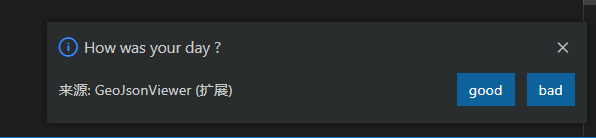
			let answer = await vscode.window.showInformationMessage("How was your day ?", "good", "bad",)
			if (answer === "bad") {
				vscode.window.showInformationMessage("sorry to hear it")
			} else {
				console.log({ answer })
			}
		})
	)
打开package.json 配置右键菜单
	"contributes": {
		"commands": [
			{
				"command": "GeoJsonViewer.helloWorld",
				"title": "Hello World"
			},
			{
				"command": "GeoJsonViewer.askQuestion",
				"title": "Ask Question"
			}
		],
		"menus": {
			"explorer/context": [
				{
				"command": "GeoJsonViewer.askQuestion",
				"group": "group1"
				}
			]
  		}
	},
如上,在contributes添加一个新的对象"menu";"explorer/context"表示资源管理器上下文;
command是要调用的命令;group属性是分组,即我们右键资源管理器后,分割线即代表不同组;
运行F5测试一下;扩展开发宿主窗口打开后,直接右击左侧的资源管理树,右键文件夹或者文件都可以;如图可以看到我们的扩展命令;
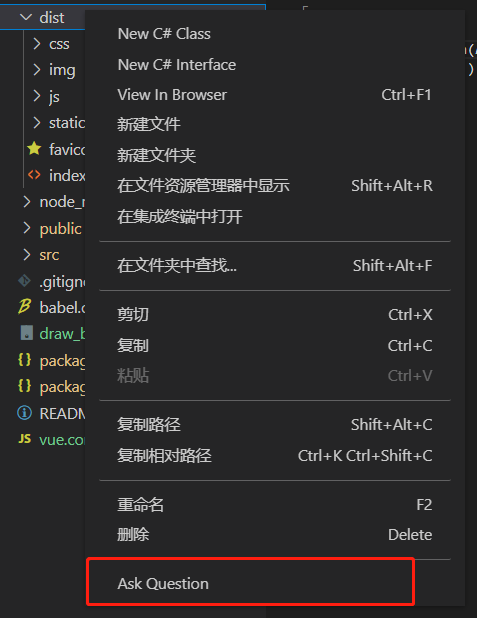
右键Ask Question;
1.2 编辑器上下文菜单 - editor/context
打开extension.ts,在activate函数中添加如下命令:
	let disposable = vscode.commands.registerCommand('GeoJsonViewer.helloWorld', () => {
		let msg="Hello VS Code"
		vscode.window.showInformationMessage(msg);
	});
	context.subscriptions.push(disposable);
打开package.json ;增加编辑器右键菜单 helloWorld命令
		"menus": {
			"editor/context": [
				{
					"command": "GeoJsonViewer.helloWorld",
					"group": "group1"
				}
			],

			"explorer/context": [
				{
				"command": "GeoJsonViewer.askQuestion",
				"group": "group1"
				}
			]
  		}
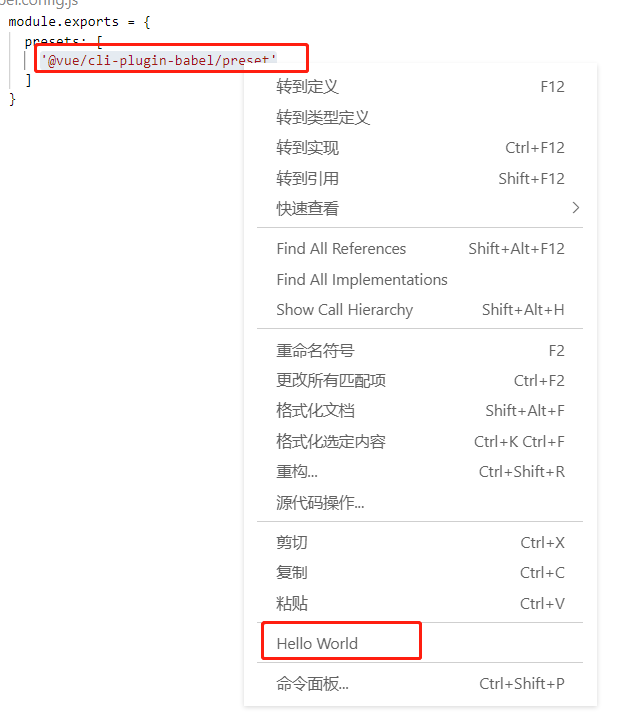
F5测试一下;随便打开一个文件,然后在文件中右键;可以看到出现了我们添加的命令,点击Hello World;
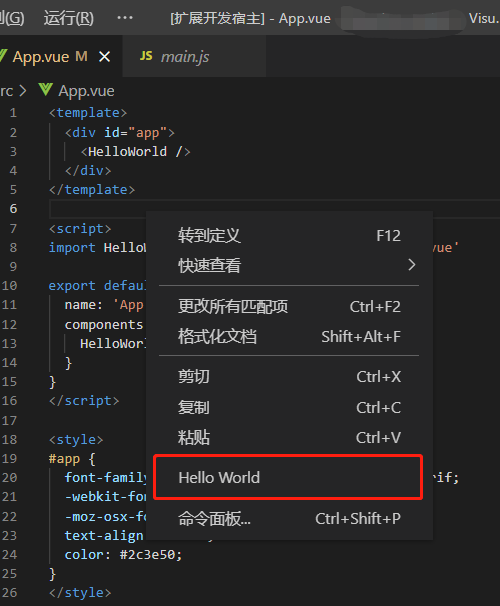
测试结果;

2 when 参数配置
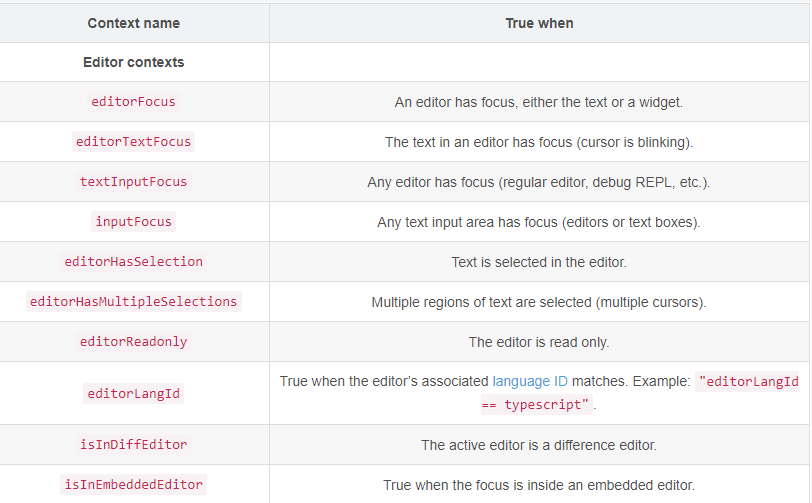
上面介绍了,只要右键就显示我们扩展命令的入口;通过when属性,可以设置对那些文件或者在满足条件下再显示扩展命令;
2.1 过滤文件类型(resourceLangId == javascript)
"editor/context": [
	{
		"when": "resourceLangId == javascript",
		"command": "GeoJsonViewer.helloWorld",
		"group": "group1"
	}
],
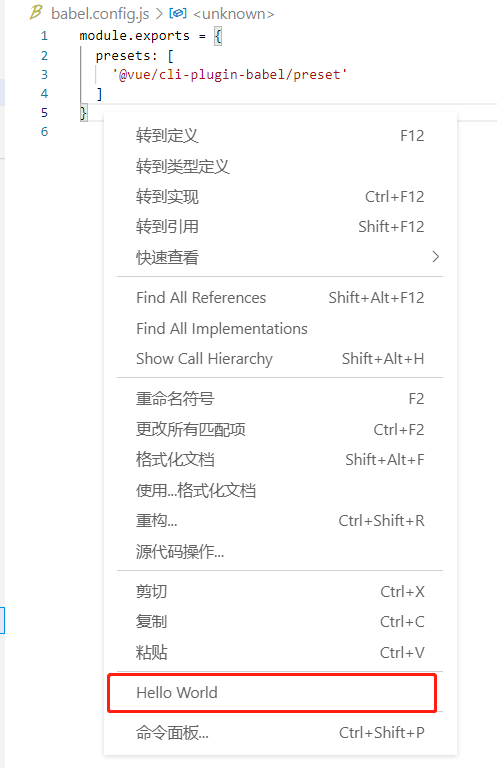
如上只有打开js文件,右键编辑器才会出现helloworld命令;其他文件右键则不会出现该命令;
2.2 选中文本(editorHasSelection)
有选中文本,并且是js文件再显示命令
至于when命令有很多,就不做一一介绍;大概有以下几种;可以去官网查看Visual Studio Code Key Bindings https://code.visualstudio.com/docs/getstarted/keybindings
"when": "explorerResourceIsFolder"
汇聚全球AI编程工具,助力开发者即刻编程。
更多推荐



 3
3 0
0- 0


 已为社区贡献3条内容

所有评论(0)