

 <center> <div style="height:60;width:280;display:none;background-color:#ffffdd;border-style:outset;border-width:2;position:relative;top:-20;z-index:999;cursor:wait" id="showmes" valign="middle"> <table border=0 height=100% width=100%> <tr> <td align='middle' width=35%> <img src='../Images/cursor_1.gif' border='0' WIDTH='32' HEIGHT='32'> </td> <td valign='middle'> 正在查詢中
 </td> </tr> </table> </div> </center>
上敘代碼的作用是在打開其他頁面前用來顯示進程正在執行,請用戶等待的畫面.具體的使用如下
showmes.style.display=""; var today=new Date(); window.showModalDialog("aststoreInOutrpt.asp?now="+today,null,"status=0;dialogHeight="+window.screen.availHeight+"px;dialogwidth=1500 px;dialogtop=0;dialogleft=0;help=0"); showmes.style.display="none";
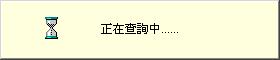
等待的畫面如下



 已为社区贡献1条内容

所有评论(0)