
最简便pycharm+anaconda+tensorflow,小白亲测
啊啊啊啊师兄出去玩了,装了两天的pycharm+anaconda+tensorflow包终于好了,记下我这种简单的方法!!!!1.打开anaconda navigator,之前不知道放哪了,用Everything搜索很方便,推荐使用!点Channel换其他速度快的下载源添加下面两个下载源,将其他的源删除,如图只保留以下两个源。https://mirrors.tuna.tsinghua.edu.cn
啊啊啊啊师兄出去玩了,装了两天的pycharm+anaconda+tensorflow包终于好了,记下我这种简单的方法!!!!
1.打开anaconda navigator,之前不知道放哪了,用Everything搜索很方便,推荐使用!
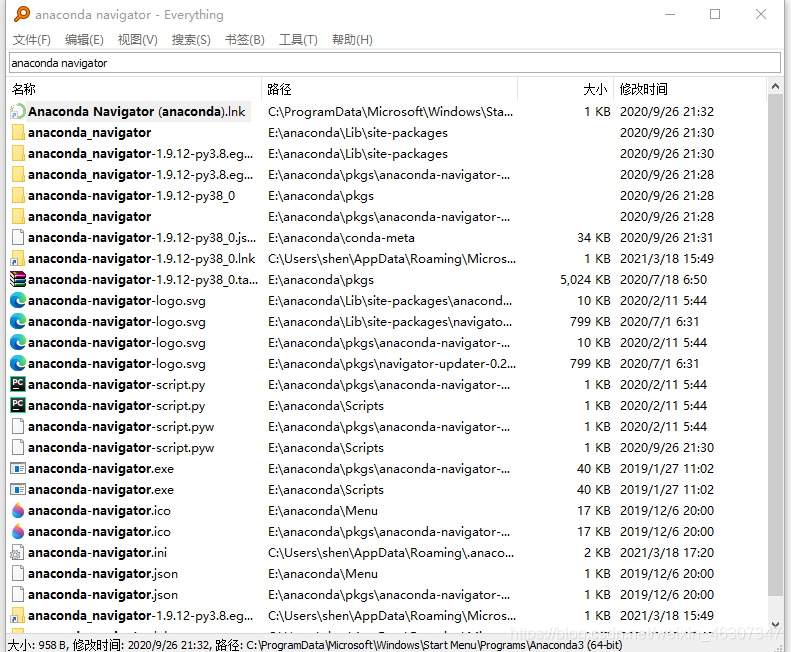
点Channel换其他速度快的下载源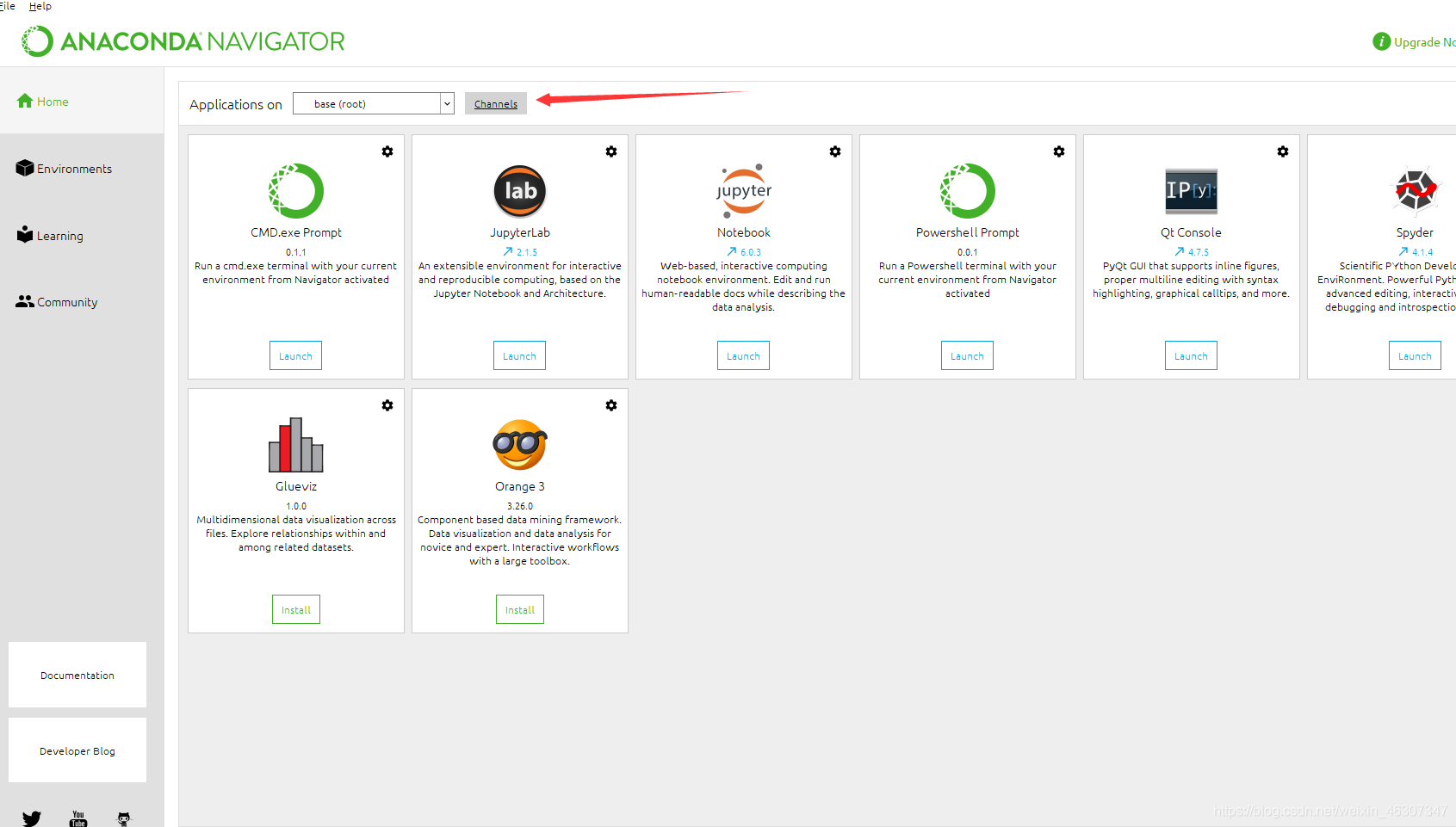
添加下面两个下载源,将其他的源删除,如图只保留以下两个源。
https://mirrors.tuna.tsinghua.edu.cn/anaconda/pkgs/main
https://mirrors.tuna.tsinghua.edu.cn/anaconda/pkgs/free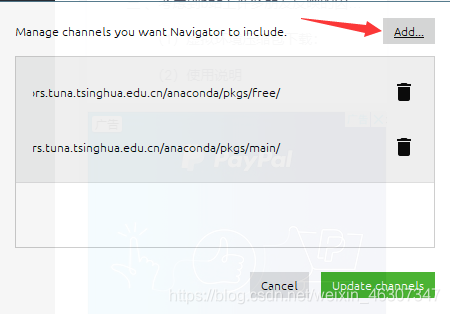
2.打开anaconda Powershell prompt
输入conda config --show-sources来检测镜像源
之后直接输入,豆瓣源下载
pip install tensorflow -i http://pypi.douban.com/simple --trusted-host pypi.douban.com
注意一定要用网速快的WIFI,实验室的一般不要用,最好用自己的手机热点,且你要玩着手机,看知乎,刷淘宝就行,主要把手机的速度带起来!
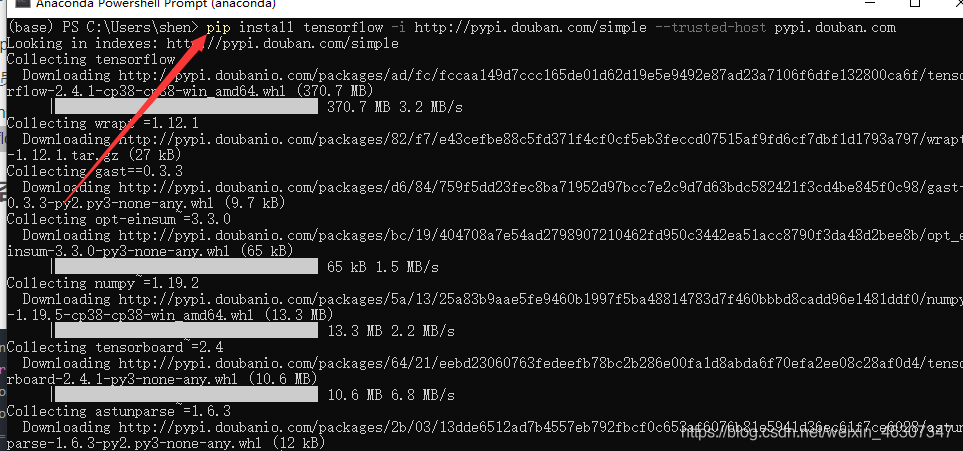
出现以下即可,失败的话就是网速问题,这个不存在环境冲突的,下载此版本tensorflow前会检测之前存在的相关环境并卸载的。我是一次成功的。
之后输入pip list检验即可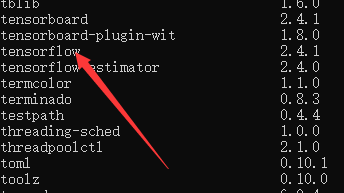
打开pycharm,import tensorflow不报错即成功!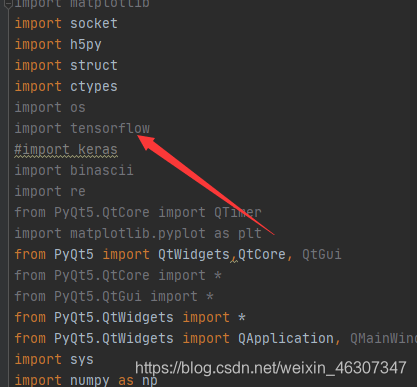
##续:有如下错误的
W tensorflow/stream_executor/platform/default/dso_loader.cc:59] Could not load dynamic library 'libcudart.so.10.1'; dlerror: libcudart.so.10.1: cannot open shared object file: No such file or directory
I tensorflow/stream_executor/cuda/cudart_stub.cc:29] Ignore above cudart dlerror if you do not have a GPU set up on your machine.

汇聚全球AI编程工具,助力开发者即刻编程。
更多推荐

 0
0 0
0- 0


 已为社区贡献1条内容

所有评论(0)