
抖音、云图、星图、巨量等滑块验证(python+selenium)
python+selenium滑块验证
·
抖音、云图、星图、巨量等滑块通用
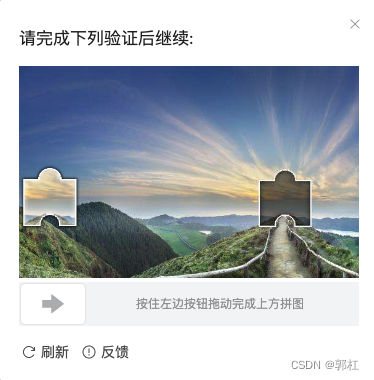
2023年3月份亲测好用,仅用于学习测试。
import os
import cv2
import requests
import numpy as np
from selenium import webdriver
from urllib.parse import urlparse
from selenium.webdriver import ActionChains
from selenium.webdriver.common.by import By
import time

def login(email, password):
    driver_path = r'/usr/local/bin/chromedriver'
    check_url = "https://xxxxxxxxxxxx/login"
    options = webdriver.ChromeOptions()
    options.add_experimental_option('useAutomationExtension', False)
    options.add_experimental_option('excludeSwitches', ['enable-automation'])
    # options.add_argument('--headless')
    driver = webdriver.Chrome(chrome_options=options, executable_path=driver_path)
    driver.execute_cdp_cmd("Page.addScriptToEvaluateOnNewDocument", {
        "source": """
        Object.defineProperty(navigator, 'webdriver', {
          get: () => undefined
        })
      """
    })
    # try:
    driver.get(check_url)
    driver.implicitly_wait(40)
    time.sleep(2)

    # 获取元素
    driver.find_element(By.XPATH, '//*[@id="navbar"]/div/div[2]').click()
    driver.find_element(By.XPATH, '/section/div[4]/div[1]/div/div/span/input').send_keys(
        email)
    driver.find_element(By.XPATH, '/section/div[4]/div[2]/div/div/span/input').send_keys(
        password)


    '''
    print("QQ:", 417398600)
    '''

汇聚全球AI编程工具,助力开发者即刻编程。
更多推荐
 0
0 0
0- 0


 已为社区贡献1条内容

所有评论(0)