
苍穹外卖-微信登陆、商品浏览
目录HttpClient微信小程序开发介绍准备工作入门案例微信登陆导入小程序代码微信登陆流程说明注意事项需求分析和设计业务规则接口设计代码开发功能测试导入商品浏览功能代码需求分析和设计接口设计HttpClient是ApacheJakartaCommon下的子项目,可以用来提供高效的、最新的、功能丰富的支持HTTP协议的客户端编程工具包,并且它支持HTTP协议最新的版本和建议。核心API:发送请求步
目录
HttpClient
HttpClient是ApacheJakartaCommon下的子项目,可以用来提供高效的、最新的、功能丰富的支持HTTP协议的客户端编程工具包,并且它支持HTTP协议最新的版本和建议。
核心API:
- HttpClient
- HttpClients
- CloseableHttpClient
- HttpGet
- HttpPost
发送请求步骤:
- 创建HttpClient对象
- 创建Http请求对象
- 调用HttpClient的execute方法发送请求
在java程序中通过编码的方式发送请求。
package com.sky.test;

import org.apache.http.HttpEntity;
import org.apache.http.client.HttpClient;
import org.apache.http.client.methods.CloseableHttpResponse;
import org.apache.http.client.methods.HttpGet;
import org.apache.http.client.methods.HttpPost;
import org.apache.http.entity.StringEntity;
import org.apache.http.impl.client.CloseableHttpClient;
import org.apache.http.impl.client.HttpClients;
import org.apache.http.util.EntityUtils;
import org.json.JSONException;
import org.json.JSONObject;
import org.junit.jupiter.api.Test;
import org.springframework.boot.test.context.SpringBootTest;

import javax.swing.text.html.parser.Entity;
import java.io.IOException;

@SpringBootTest
public class HttpClientTest {

    /**
     * 测试通过httpclient发送GET方式请求
     */
    @Test
    public void testGet() throws Exception {
        //创建httpclien对象
        CloseableHttpClient httpClient = HttpClients.createDefault();
        //创建请求对象
        HttpGet httpGet = new HttpGet("http://localhost:8080/user/shop/status");
        //发送请求,接收响应结果
        CloseableHttpResponse response = httpClient.execute(httpGet);

        //获取服务端返回的状态码
        int statusCode = response.getStatusLine().getStatusCode();
        System.out.println("服务端返回的状态码:" + statusCode);
        HttpEntity entity = response.getEntity();
        String body = EntityUtils.toString(entity);
        System.out.println("服务端返回的数据:" + body);
        //关闭资源
        response.close();
        httpClient.close();
    }

    /**
     * 测试通过httpclient发送POST方式请求
     */
    @Test
    public void testPost() throws Exception {
        //创建httpclien对象
        CloseableHttpClient httpClient = HttpClients.createDefault();
        //创建请求对象
        HttpPost httpPost = new HttpPost("http://localhost:8080/admin/employee/login");

        JSONObject json = new JSONObject();
        json.put("username", "admin");
        json.put("password", "123456");
        StringEntity entity = new StringEntity(json.toString());
        //指定请求编码方式
        entity.setContentEncoding("utf-8");
        //指定数据格式
        entity.setContentType("application/json");
        httpPost.setEntity(entity);
        //发送请求
        CloseableHttpResponse response = httpClient.execute(httpPost);

        //解析返回结果
        int statusCode = response.getStatusLine().getStatusCode();
        System.out.println("服务端返回的状态码:" + statusCode);
        HttpEntity entity1 = response.getEntity();
        String body = EntityUtils.toString(entity1);
        System.out.println("服务端返回的数据:" + body);
        //关闭资源
        response.close();
        httpClient.close();
    }
}
微信小程序开发
介绍
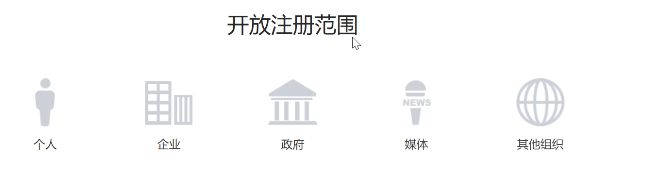
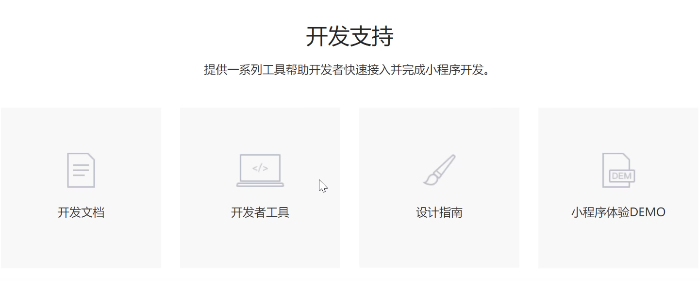
https://mp.weixin.qq.com/cgi-bin/wx?token=&lang=zh CN
准备工作
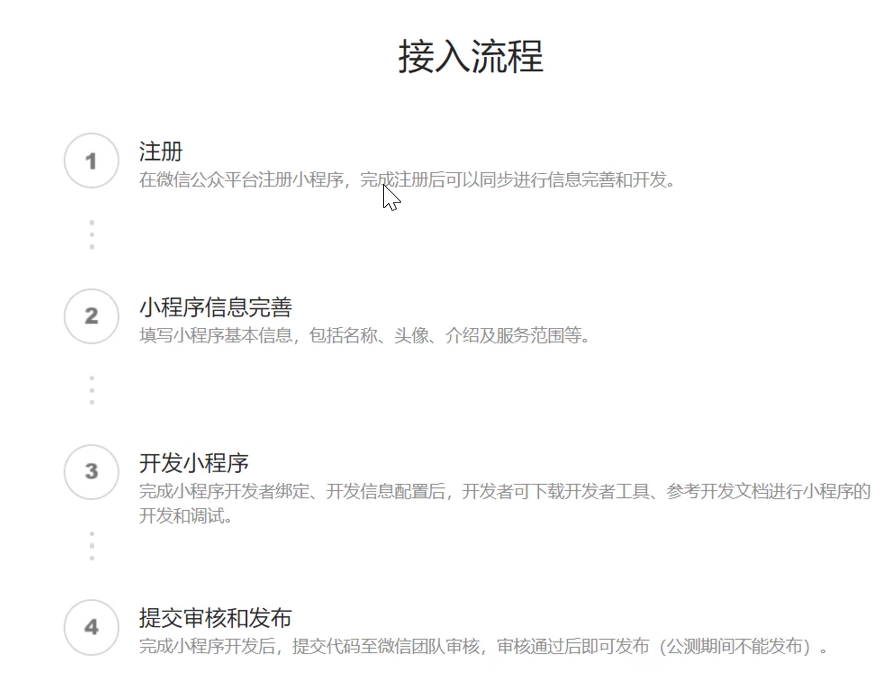
开发微信小程序之前需要做如下准备工作:
- 注册小程序
- 完善小程序信息
- 下载开发者工具
注册地址:https://mp.weixin.qq.com/wxopen/waregister?action=step1
下载开发者工具:https://developers.weixin.qq.com/miniprogram/dev/devtools/stable.html
入门案例
操作步骤:
- 了解小程序目录结构
- 编写小程序代码
- 编译小程序
了解小程序目录结构:
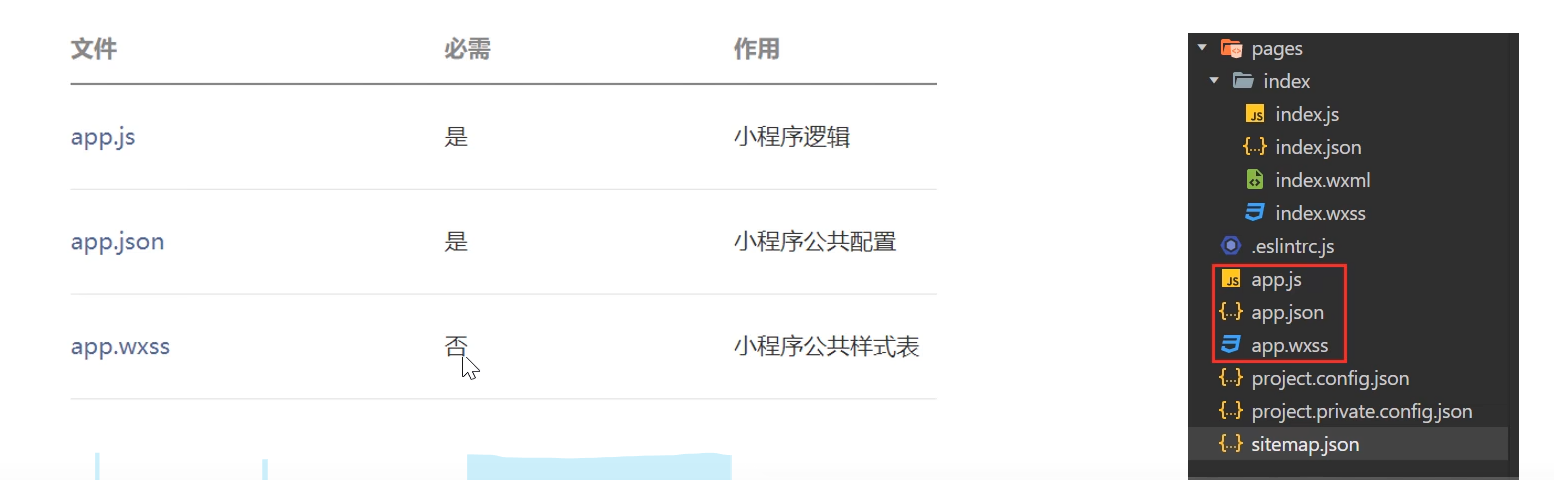
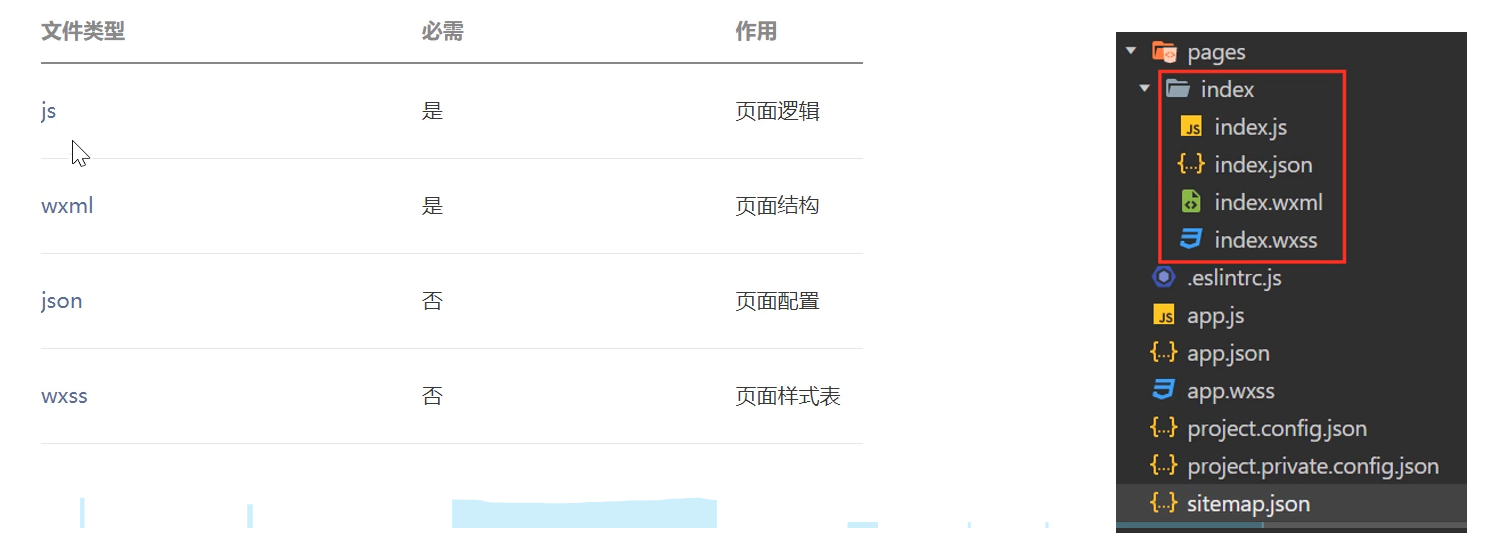
小程序包含一个描述整体程序的app和多个描述各自页面的page。一个小程序主体部分由三个文件组成,必须放在项目的根目录,如下:
一个小程序页面由四个文件组成:
微信登陆
导入小程序代码
在提供资料E:\苍穹外卖\资料\day06\微信小程序代码 路径下将mp-weixin 文件复制到一个全英文路径下,然后在微信开发者工具导入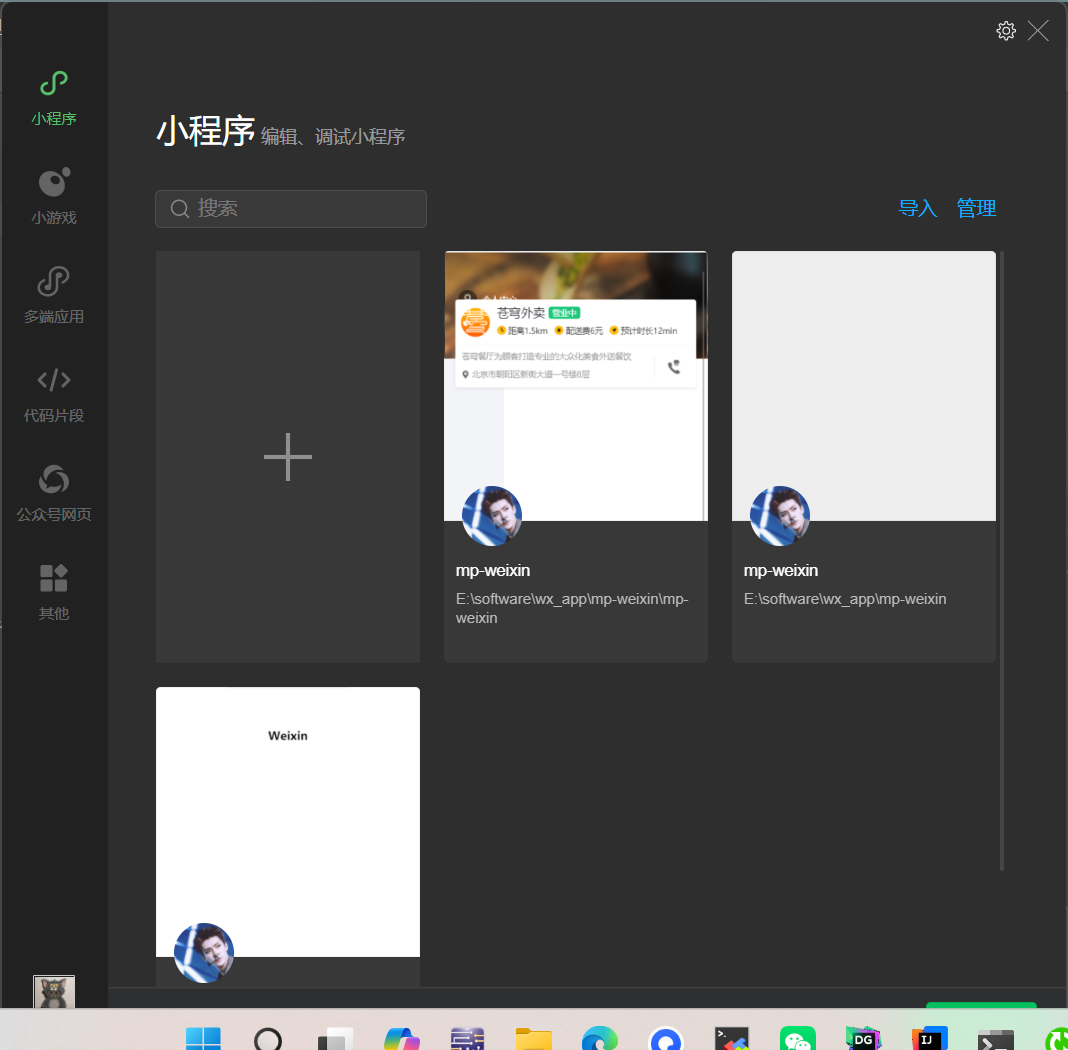
输入自己的AppID。
微信登陆流程
微信登录:https://developers.weixin.qq.com/miniprogram/dev/framework/open-ability/login.html
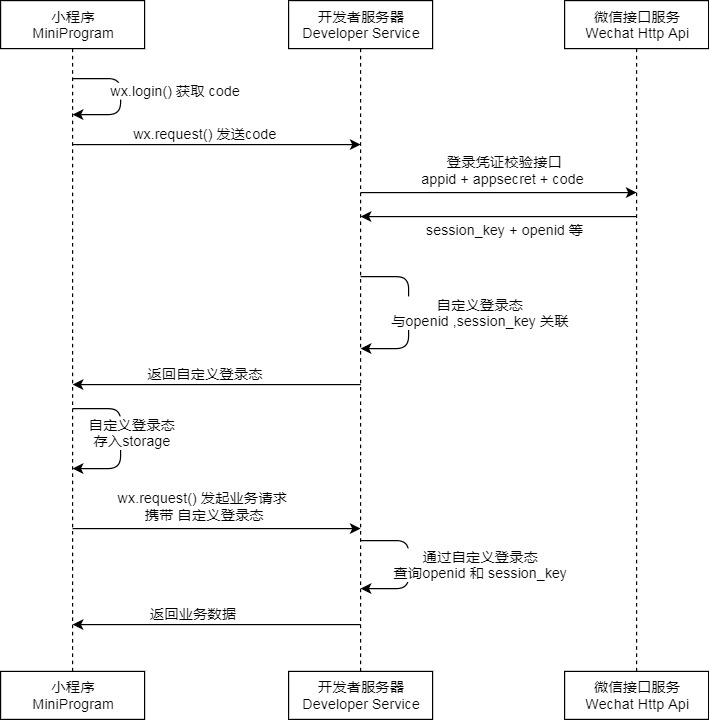
说明
- 调用 wx.login() 获取 临时登录凭证code ,并回传到开发者服务器。
- 调用 auth.code2Session 接口,换取 用户唯一标识 OpenID 、 用户在微信开放平台账号下的唯一标识UnionID(若当前小程序已绑定到微信开放平台账号) 和 会话密钥 session_key。
之后开发者服务器可以根据用户标识来生成自定义登录态,用于后续业务逻辑中前后端交互时识别用户身份。
注意事项
- 会话密钥
session_key是对用户数据进行 加密签名 的密钥。为了应用自身的数据安全,开发者服务器不应该把会话密钥下发到小程序,也不应该对外提供这个密钥。 - 临时登录凭证 code 只能使用一次
需求分析和设计
产品原型:
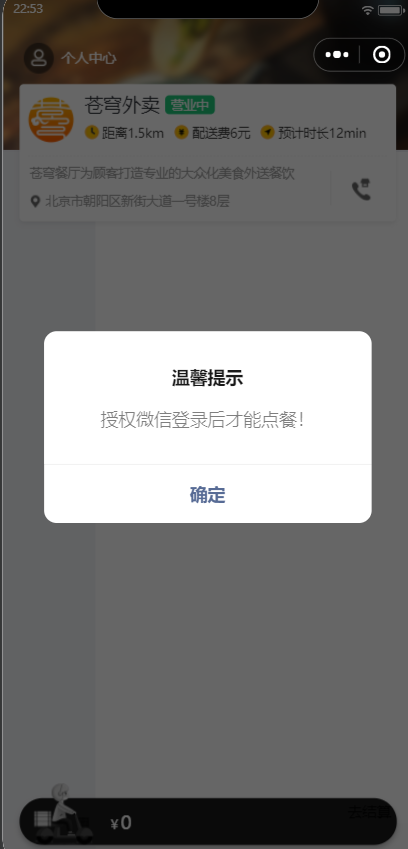
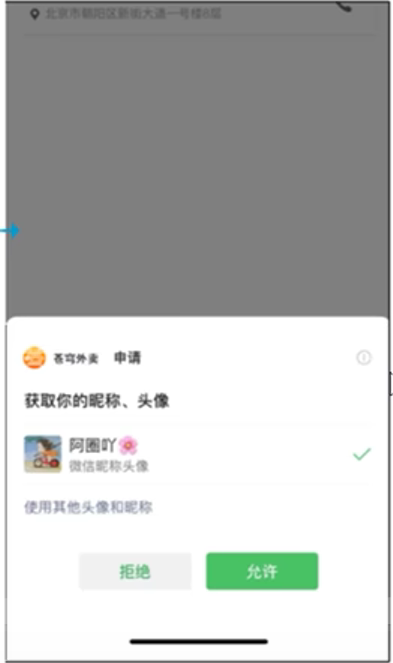
业务规则
- 基于微信登陆实现小程序的登录功能
- 如果是新用户需要自动完成注册
接口设计
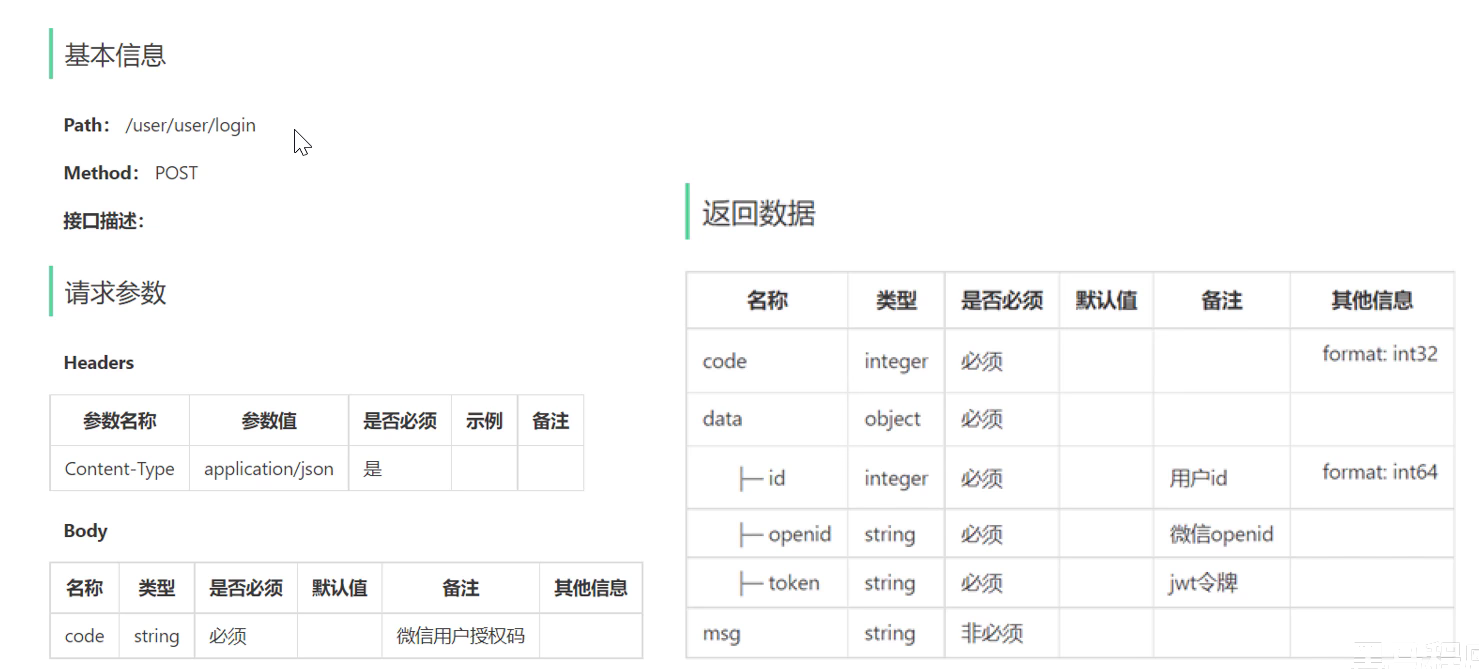
第一个user代表用户端,第二个user代表用户模块。
数据库设计(user表):
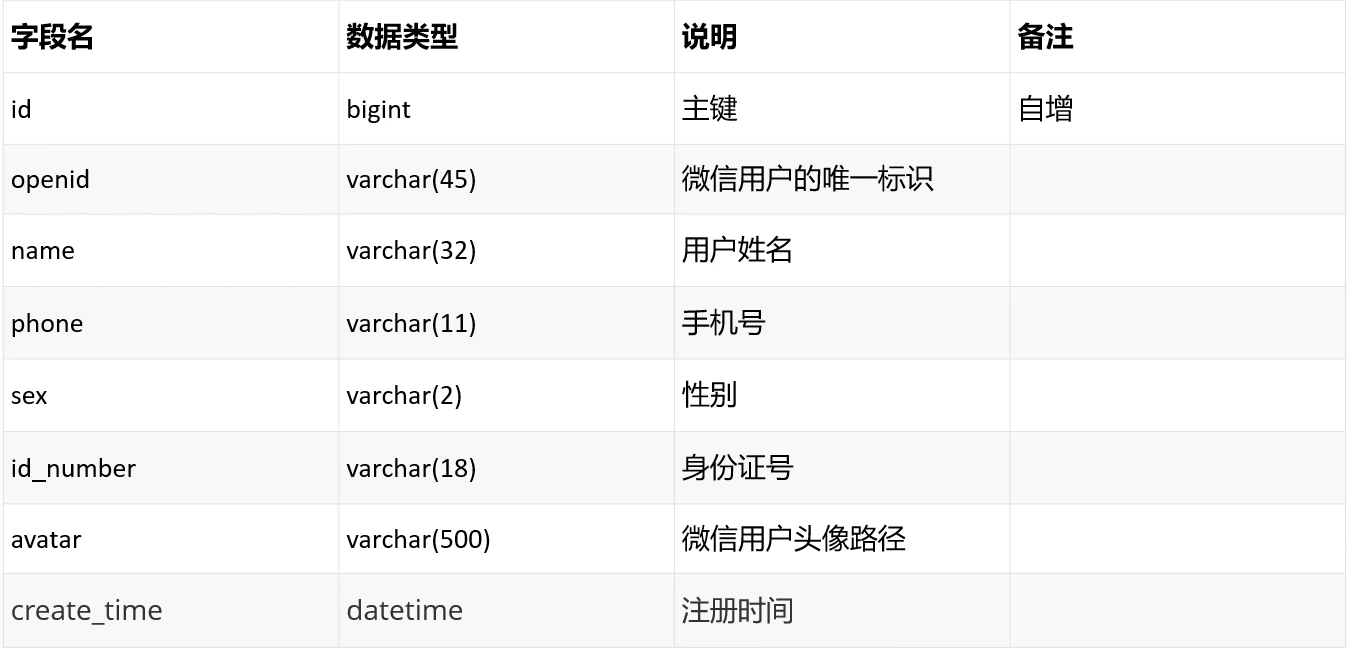
代码开发
配置微信登陆所需的配置项:
  wechat:
    appid:${sky.wechat.appid}
    secret: ${sky.wechat.secret}
wechat:
appid:****
secret:****配置为微信用户生成的jwt令牌时使用的配置项:
    # 设置用户jwt签名加密时使用的秘钥
    user-secret-key: itcast
    # 设置用户jwt过期时间
    user-ttl: 7200000
    # 登录用户jwt签名加密时使用的秘钥
    user-token-name: authentication
微信登录controller层:
public Result<UserLoginVO> wxlogin(@RequestBody UserLoginDTO userLoginDTO){
        log.info("微信登录:{}",userLoginDTO);
        // 调用service完成微信登录
        User user = userService.wxlogin(userLoginDTO);
        //为微信用户生成jwt令牌

        Map<String, Object> claims = new HashMap<>();
        claims.put(JwtClaimsConstant.USER_ID, user.getId());
        String token = JwtUtil.createJWT(jwtProperties.getUserSecretKey(), jwtProperties.getUserTtl(), claims);

        UserLoginVO userLoginVO = UserLoginVO.builder()
                .id(user.getId())
                .openid(user.getOpenid())
                .token(token)
                .build();

        return Result.success(userLoginVO);
    }
service层,微信登录功能与用户登录功能不同,可以对比两者的实现,深入理解一下整个过程:
    public User wxlogin(UserLoginDTO userLoginDTO) {
        String openid = getOpenid(userLoginDTO);
        //判断openid是否为空,是则表示微信用户登陆失败,否则表示微信用户登陆成功
        if(openid == null){
            throw new LoginFailedException(MessageConstant.LOGIN_FAILED);
        }
        //判断当前用户是否为新用户,如果是新用户,自动完成注册
        User user = userMapper.getByOpenid(openid);
        if(user == null){
            //新用户,自动完成注册
            user = User.builder()
                    .openid(openid)
                    .createTime(LocalDateTime.now())
                    .build();
            userMapper.insert(user);
        }

        //返回用户信息
        return null;
    }

    private String getOpenid(UserLoginDTO userLoginDTO) {
        //调用微信服务器的接口,获得当前微信用户的openid(如何调用,结合前面httpclient知识)
        Map<String, String> map = new HashMap<>();
        map.put("appid", wechatProperties.getAppid());
        map.put("secret", wechatProperties.getSecret());
        map.put("js_code", userLoginDTO.getCode());
        map.put("grant_type", "authorization_code");
        String json = HttpClientUtil.doGet(WX_LOGIN, map);

        JSONObject jsonObject = JSON.parseObject(json);
        String openid = jsonObject.getString("openid");
        return openid;
    }
Mapper:
    /**
     * 根据openid查询用户
     * @param openid
     * @return
     */
    @Select("select * from user where openid = #{openid}")
    User getByOpenid(String openid);

    /**
     * 插入数据,controller层需要getId,查询时返回user
     * @param user
     */
    User insert(User user);
增加User拦截器:
package com.sky.interceptor;

import com.sky.constant.JwtClaimsConstant;
import com.sky.context.BaseContext;
import com.sky.properties.JwtProperties;
import com.sky.utils.JwtUtil;
import io.jsonwebtoken.Claims;
import lombok.extern.slf4j.Slf4j;
import org.springframework.beans.factory.annotation.Autowired;
import org.springframework.stereotype.Component;
import org.springframework.web.method.HandlerMethod;
import org.springframework.web.servlet.HandlerInterceptor;

import javax.servlet.http.HttpServletRequest;
import javax.servlet.http.HttpServletResponse;

/**
 * jwt令牌校验的拦截器
 */
@Component
@Slf4j
public class JwtTokenUserInterceptor implements HandlerInterceptor {

    @Autowired
    private JwtProperties jwtProperties;

    /**
     * 校验jwt
     *
     * @param request 请求
     * @param response 响应
     * @param handler 处理器,就是被拦截的方法
     * @return 拦截结果,true表示放行,false表示拦截
     * @throws Exception 抛出的异常
     */
    public boolean preHandle(HttpServletRequest request, HttpServletResponse response, Object handler) throws Exception {
        System.out.println("当前线程的id:" + Thread.currentThread().getId());

        //判断当前拦截到的是Controller的方法还是其他资源
        if (!(handler instanceof HandlerMethod)) {
            //当前拦截到的不是动态方法,直接放行
            return true;
        }

        //1、从请求头中获取令牌
        String token = request.getHeader(jwtProperties.getUserTokenName());

        //2、校验令牌
        try {
            log.info("jwt校验:{}", token);
            Claims claims = JwtUtil.parseJWT(jwtProperties.getUserSecretKey(), token);
            Long userId = Long.valueOf(claims.get(JwtClaimsConstant.USER_ID).toString());
            BaseContext.setCurrentId(userId);
            log.info("当前用户id:{}", userId);
            //3、通过,放行
            return true;
        } catch (Exception ex) {
            //4、不通过,响应401状态码
            response.setStatus(401);
            return false;
        }
    }
}
在配置文件中注入:
        registry.addInterceptor(jwtTokenUserInterceptor)
                .addPathPatterns("/user/**")
                .excludePathPatterns("/user/user/login")
                .excludePathPatterns("/user/user/status");
功能测试
与微信小程序联调即可。
导入商品浏览功能代码
需求分析和设计
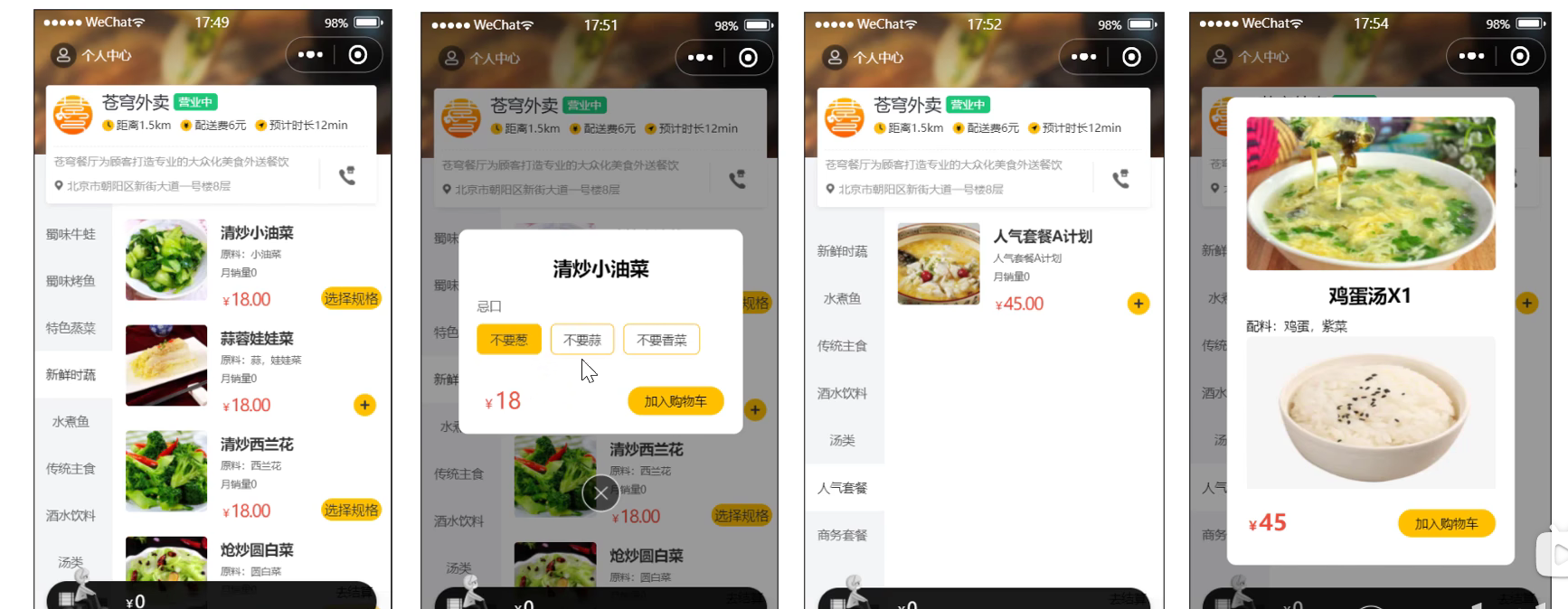
接口设计
- 查询分类
- 根据分类id查询菜品
- 根据分类id查询套餐
- 根据套餐id查询包含的菜品
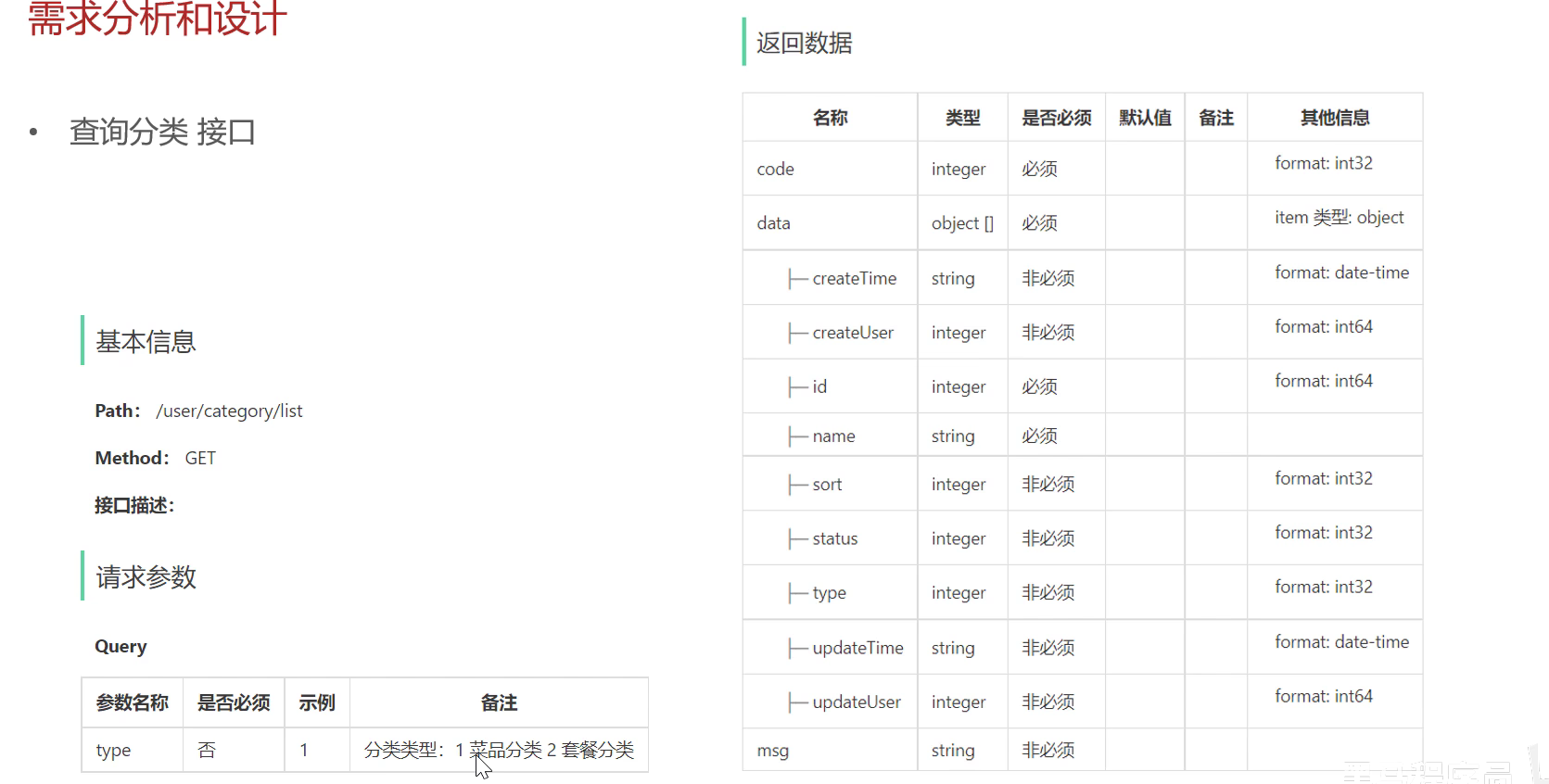
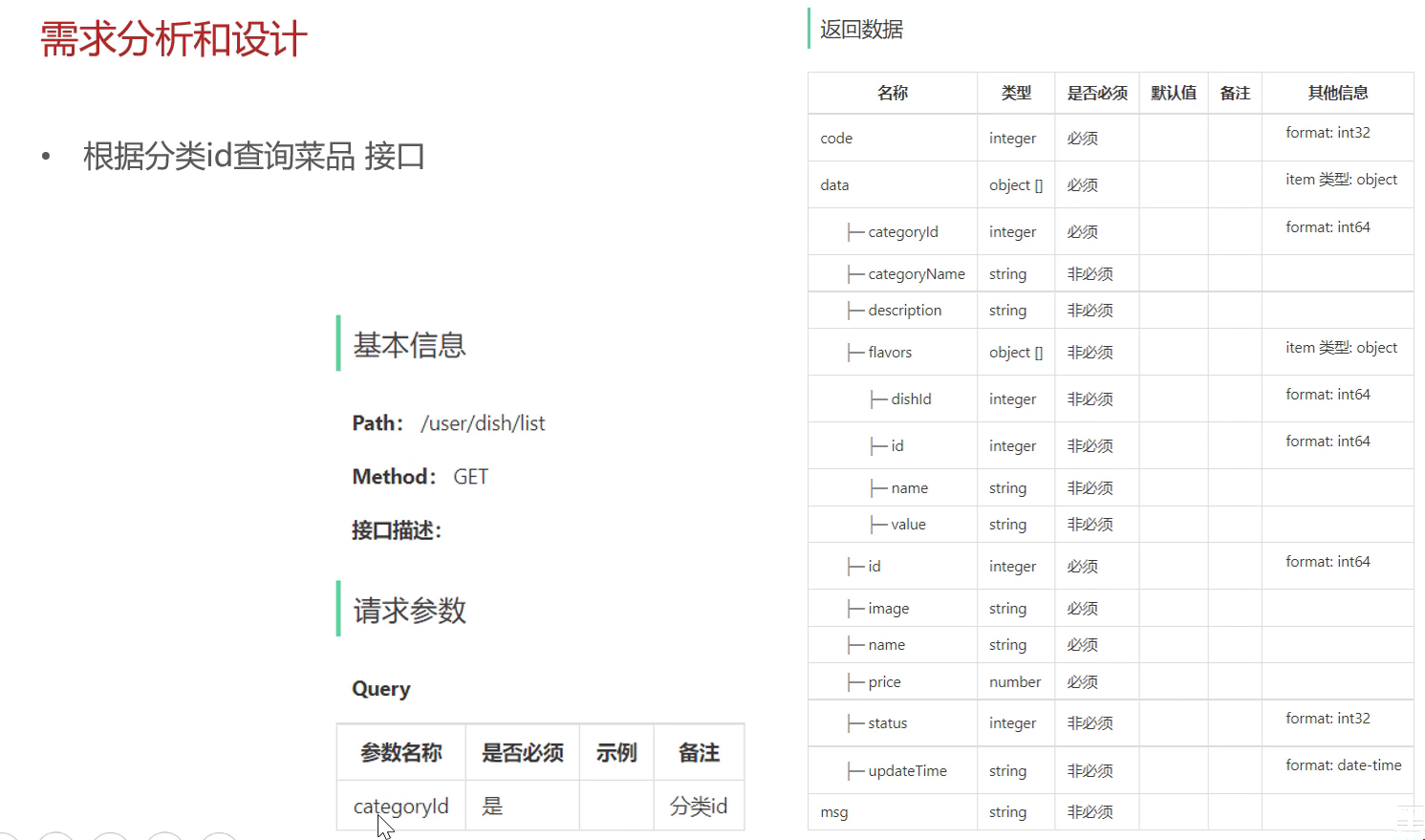
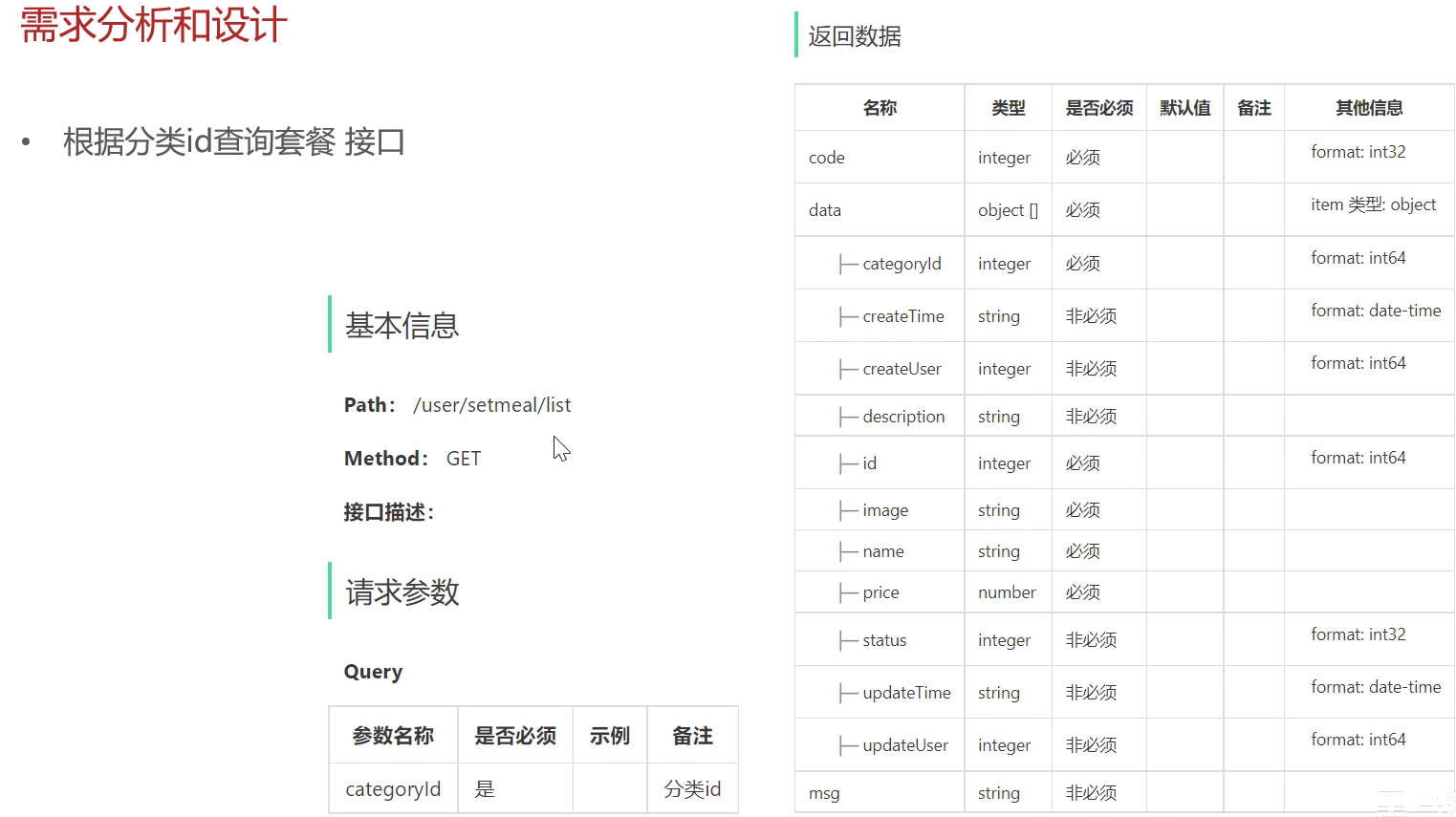
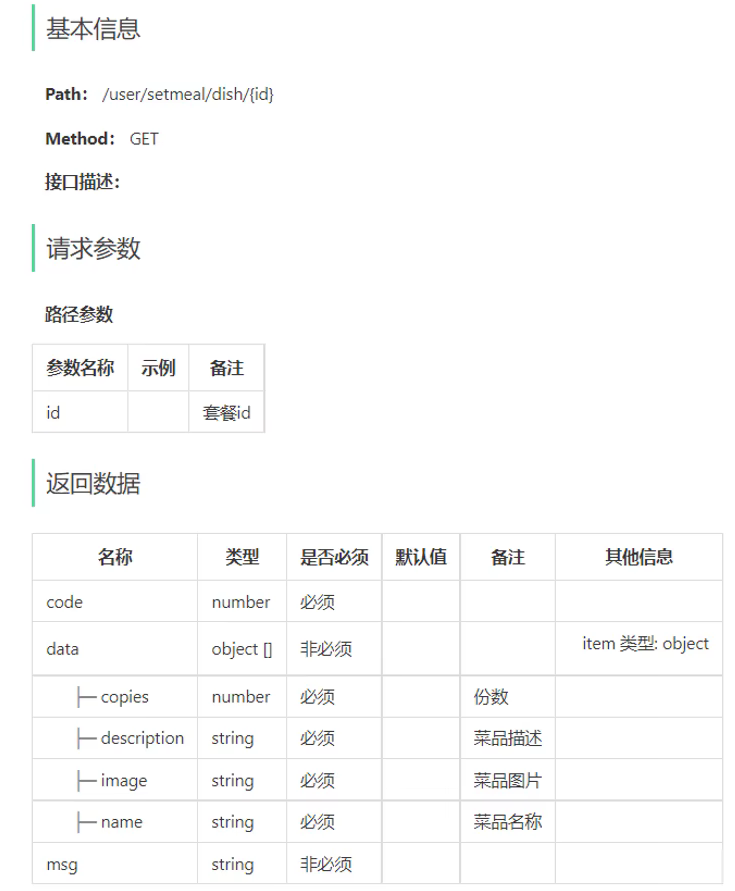
可以根据根据接口设计自行设计,锻炼一下。

汇聚全球AI编程工具,助力开发者即刻编程。
更多推荐


 19
19 0
0- 0


 已为社区贡献1条内容

所有评论(0)