
Windows系统claude code绕过登录直接使用
3,在windows powershell上输入以下代码即可绕过新手教程,新手教程会强制要求你登录claude账号。2,打开windows powershell,并且输入下方代码,出现版本号即可。claudecode 是 Anthropic 出的。下载完成后全部点击next。
·
claudecode 是 Anthropic 出的命令行 AI 编程助手,目前市面上最强的编程助手,但是在使用时经常会出现封号等问题,如果想要跳过中转站,直接使用自己的api进行使用,这篇文章希望可以帮助到你。
1,安装node.js
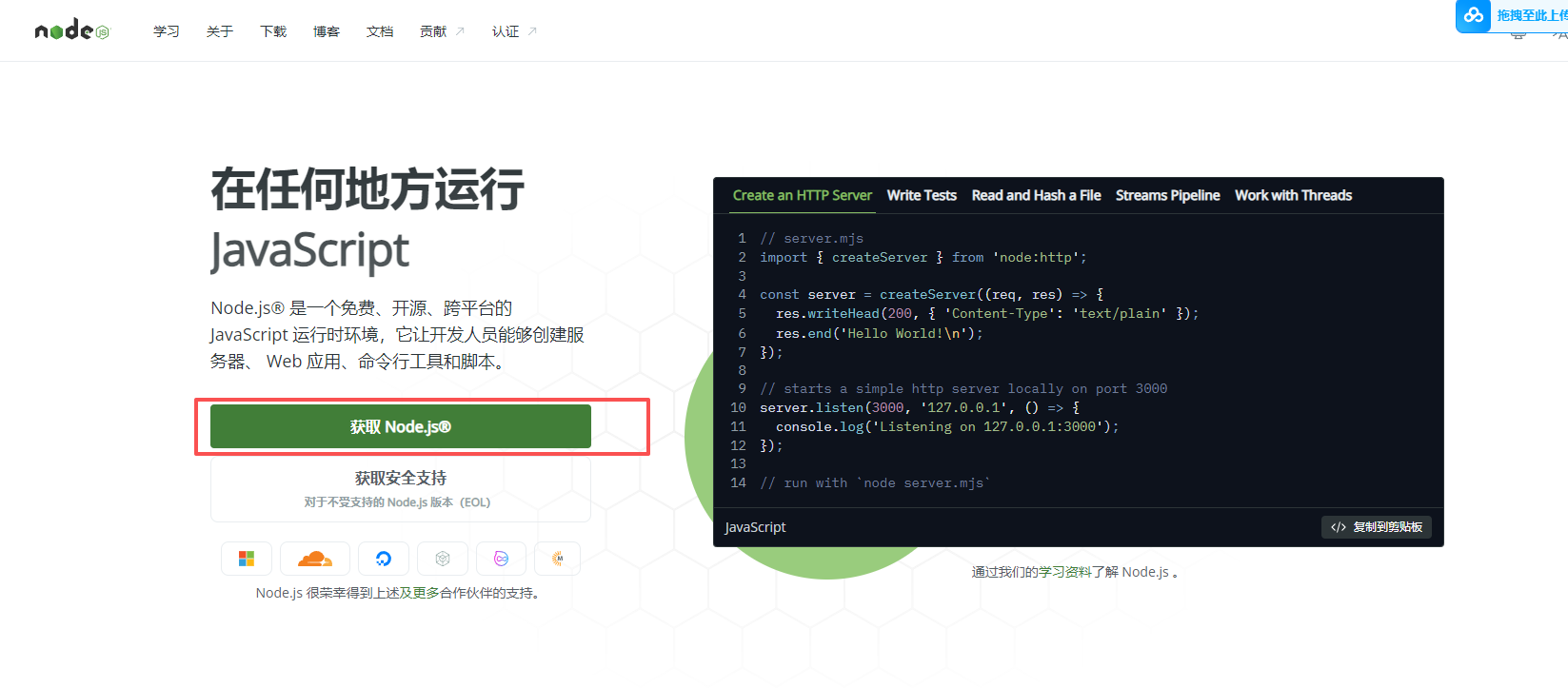
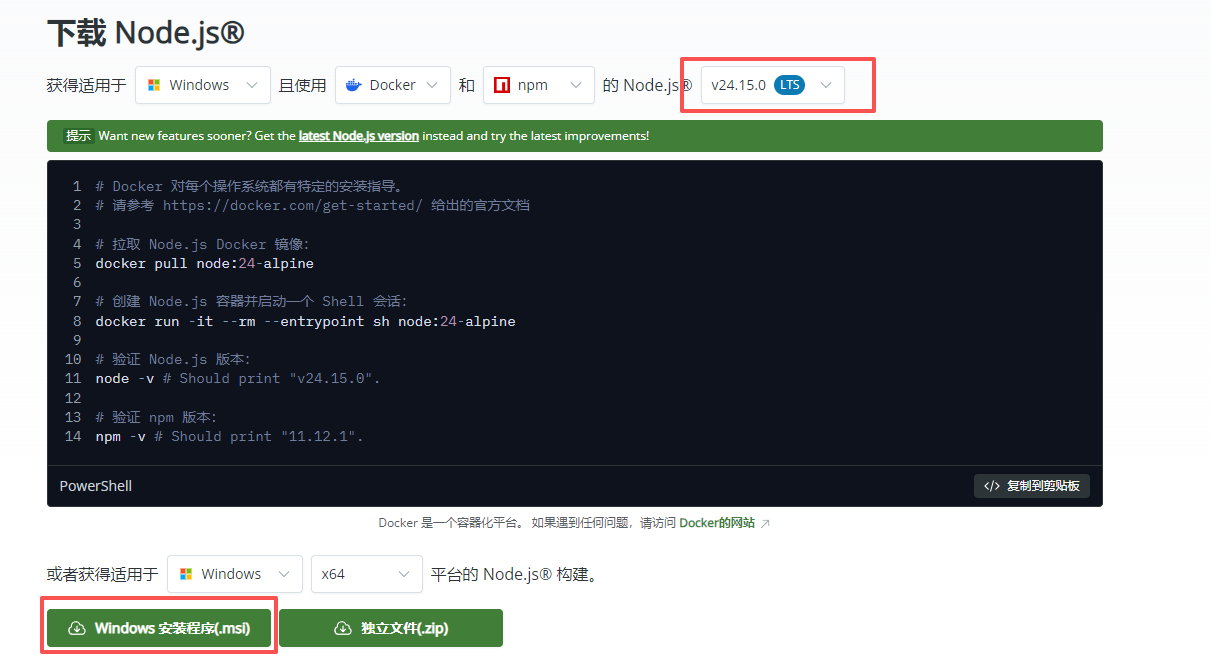
下载完成后全部点击next
2,打开windows powershell,并且输入下方代码,出现版本号即可
node -v
npm -v
3,在windows powershell上输入以下代码即可绕过新手教程,新手教程会强制要求你登录claude账号
# 1. 创建配置目录并标记引导已完成
$homePath = "$HOME\.claude.json"
$config = if (Test-Path $homePath) { Get-Content $homePath | ConvertFrom-Json } else { @{} }
$config.hasCompletedOnboarding = $true
$config | ConvertTo-Json -Depth 10 | Set-Content $homePath

# 2. 伪造一个API Key,骗过验证
$configPath = "$HOME\.claude\config.json"
New-Item -ItemType Directory -Path "$HOME\.claude" -Force | Out-Null
Set-Content -Path "$HOME\.claude\config.json" -Value '{
  "primaryApiKey": "你的primaryApiKey",
  "apiUrl": "你的apiurl"
}'
4,设置默认地址
setx ANTHROPIC_API_KEY "你的apikey"
setx ANTHROPIC_BASE_URL "你的baseurl"
汇聚全球AI编程工具,助力开发者即刻编程。
更多推荐


 1
1 0
0- 0


 已为社区贡献1条内容

所有评论(0)