
给claude code增速-历史清理
使用Claude Config Editor为claude code增速-历史清理
·
给claude code增速-历史清理
背景
- 最近在使用claude code过程中发现至此执行速度变慢了,想清理下,于是发现了claude-config-editor。操作非常简单!
使用Claude Config Editor清理项目历史
# 克隆仓库
git clone https://github.com/gagarinyury/claude-config-editor.git
cd claude-config-editor
# 启动工具
python3 server.py
# 运行效果
~/ai/claude-config-editor main python3 server.py
🚀 Claude Config Editor
Universal editor for Claude Code & Claude Desktop
✅ Active config: Claude Code (CLI)
📁 Path: /Users/zhych/.claude.json
📊 Size: 0.06 MB
🌐 Server: http://localhost:8765
✨ Open your browser and navigate to the URL above
Press Ctrl+C to stop
然后在浏览器打开http://localhost:8765
可视化界面
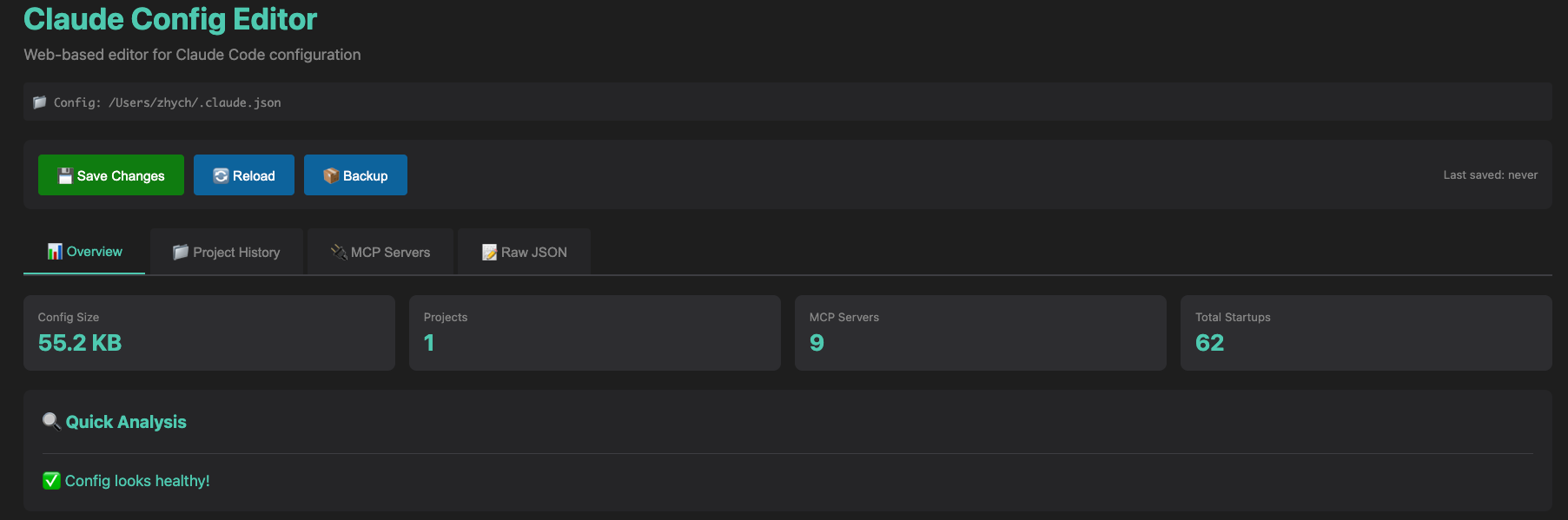
- overview:概述查看Config Size:如果过大建议清理,如果想要保存可以先导出。
- 清理方法
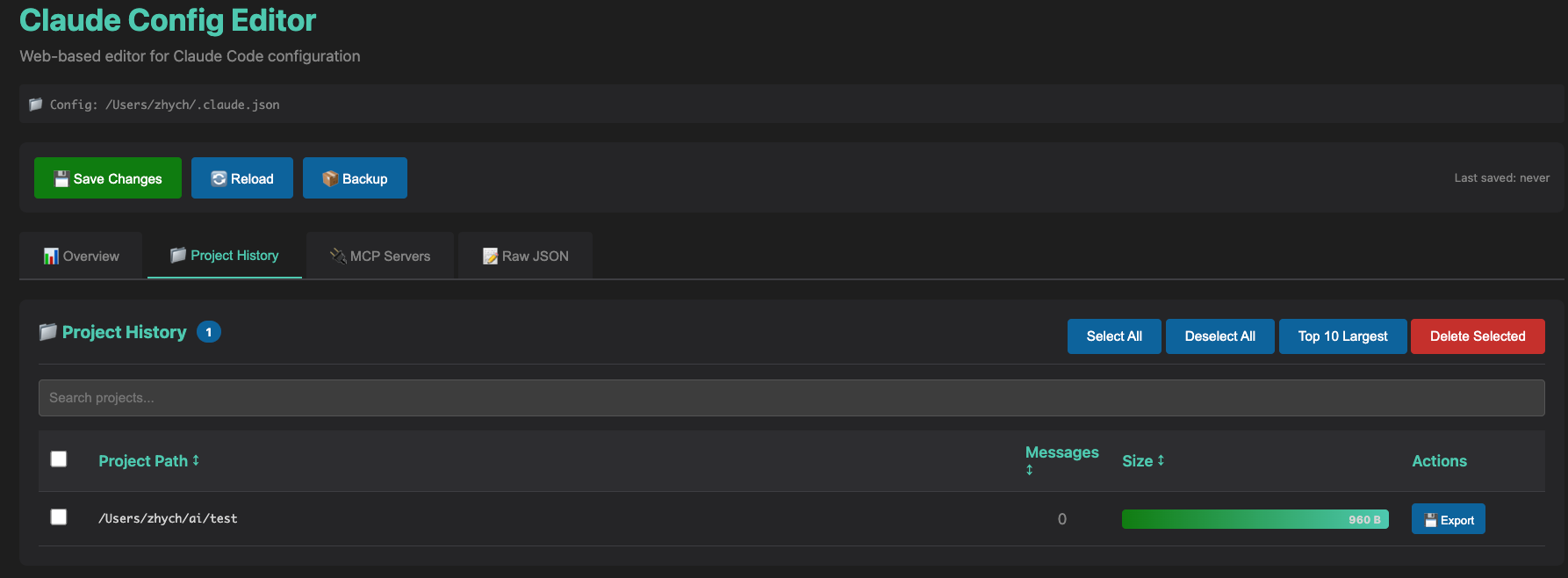
- 选择Project History展示所有项目历史(我的清理过了,所以不大)。
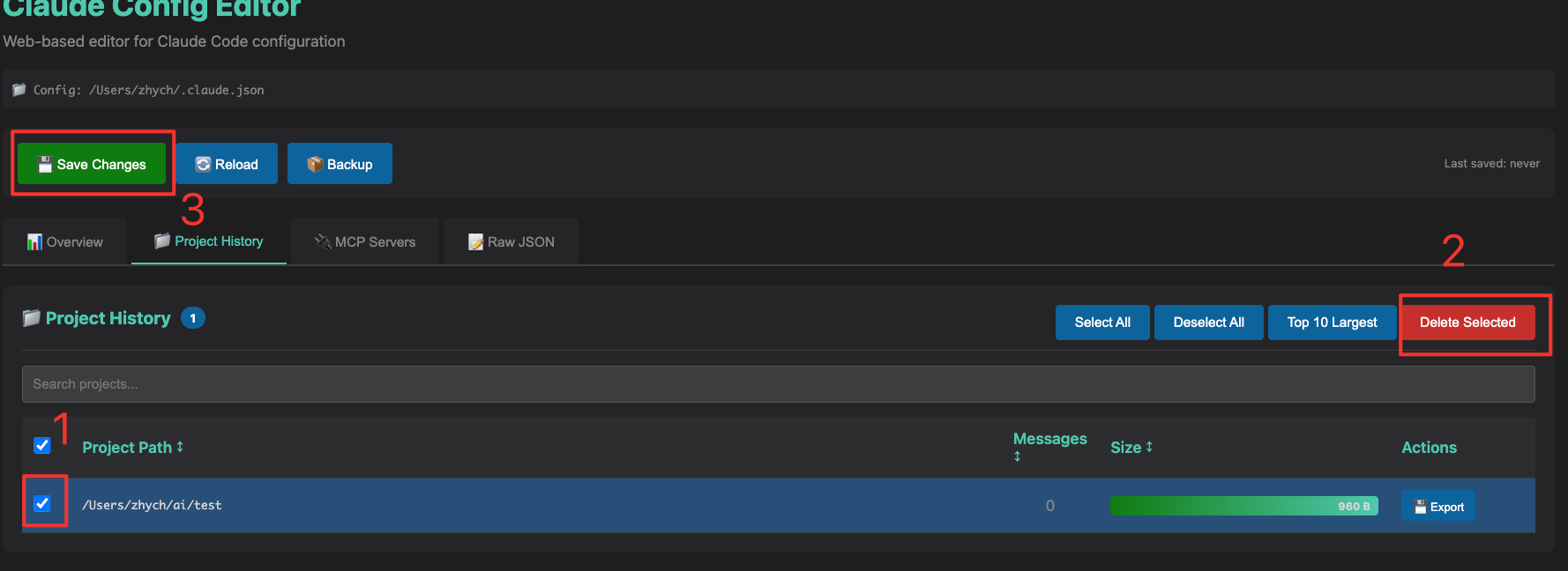
- 点击左边的选择框选中要删除的项目
- 点击删除选中、保存修改。
- 点击Reload,瞬间清爽了。

汇聚全球AI编程工具,助力开发者即刻编程。
更多推荐



 3
3 0
0- 0



 已为社区贡献6条内容

所有评论(0)