
ollama在国产麒麟服务器系统V11中的安装。
·
curl -fsSL https://ollama.com/install.sh | sh

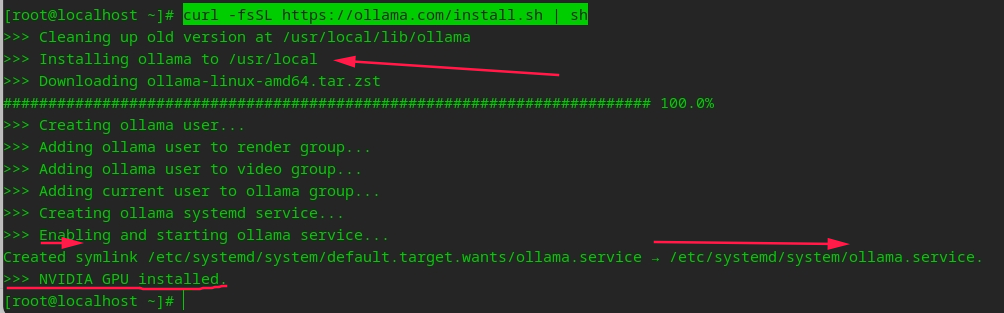
sudo systemctl start ollama
sudo systemctl status ollama
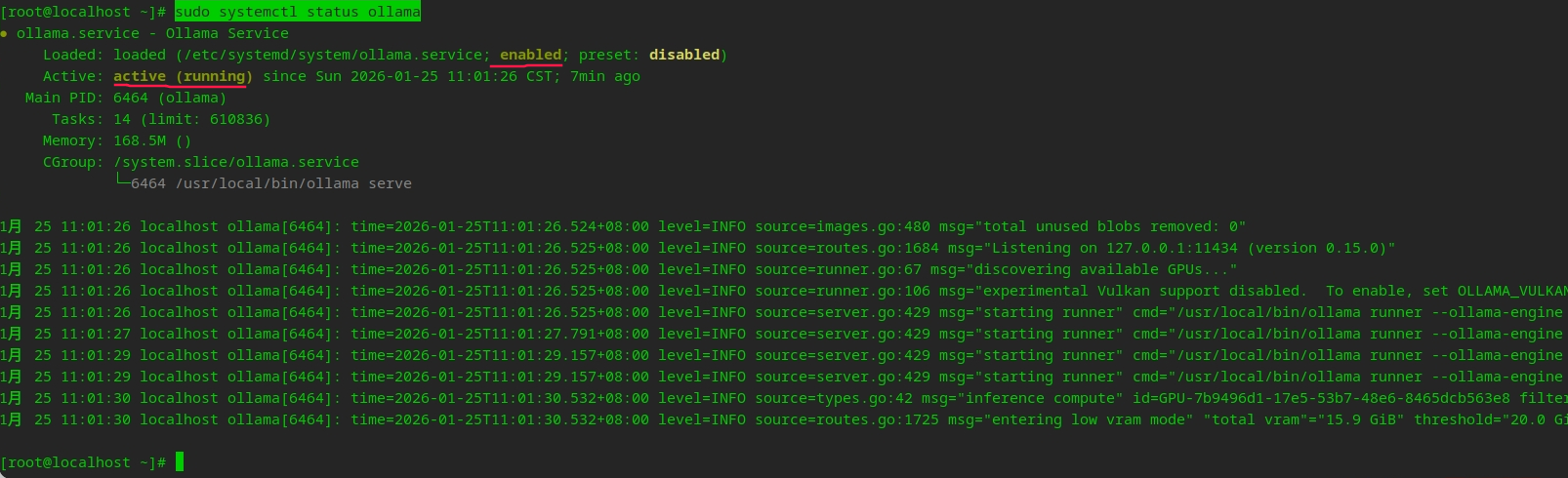
编辑 systemd 服务文件:
sudo nano /etc/systemd/system/ollama.service
在 [Service] 部分添加环境变量:
[Service]
# 监听所有IP
Environment="OLLAMA_HOST=0.0.0.0"

# 或监听特定IP(10.176.27.2)
Environment="OLLAMA_HOST=10.176.27.2"
重载 systemd 配置并重启服务:
sudo systemctl daemon-reload
sudo systemctl restart ollama
监听所有接口(0.0.0.0)存在安全风险,建议同时:
1. 设置防火墙
sudo firewall-cmd --permanent --add-port=11434/tcp
sudo firewall-cmd --reload
浏览器中访问:
http://host-ip:11434/
显示:Ollama is running
2. 或使用 iptables 限制访问
sudo iptables -A INPUT -p tcp --dport 11434 -s 10.176.27.0/24 -j ACCEPT
sudo iptables -A INPUT -p tcp --dport 11434 -j DROP

汇聚全球AI编程工具,助力开发者即刻编程。
更多推荐
 1
1 0
0- 0


 已为社区贡献2条内容

所有评论(0)