
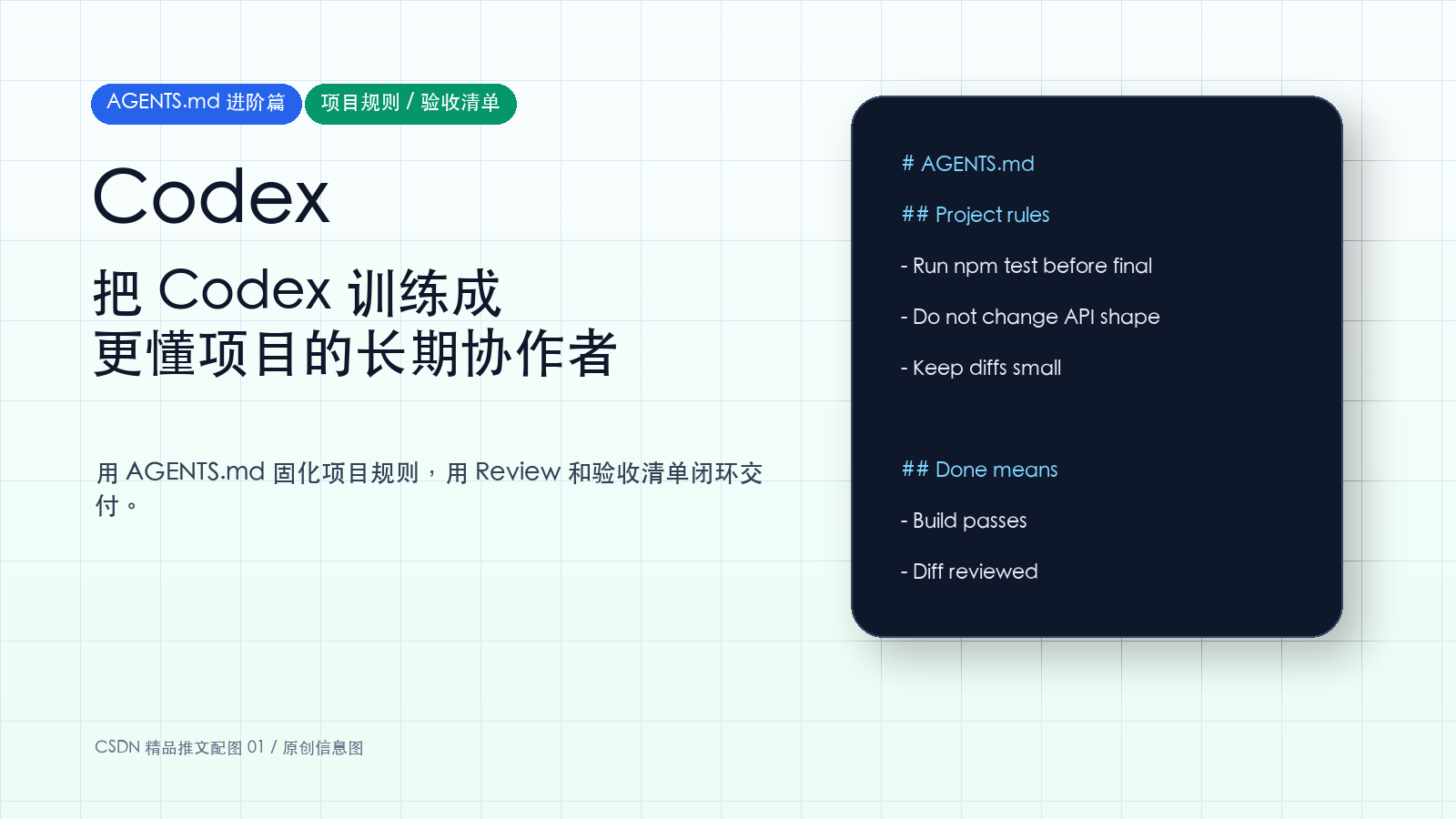
Codex 进阶实战:如何用 AGENTS.md、项目规则和验收清单,把 Codex 训练成更懂你项目的长期协作者?
 一、为什么只靠 Prompt 不够?
前面我们已经学过一个好 Prompt 的四个要素:
目标 Goal 上下文 Context 约束 Constraints 完成标准 Done when
这对单次任务很好用。
但进入真实项目后,你会发现很多要求是重复的:
- 不要改 API 返回结构
- 不要引入新依赖
- 前端改动后必须跑 npm run build
- 修 Bug 要补回归测试
- 不要动支付、权限、密钥相关逻辑
- 最后要列出修改文件、验证命令和风险
如果每次都写进 Prompt,很累,也容易漏。
这时就该把这些稳定规则沉淀下来。
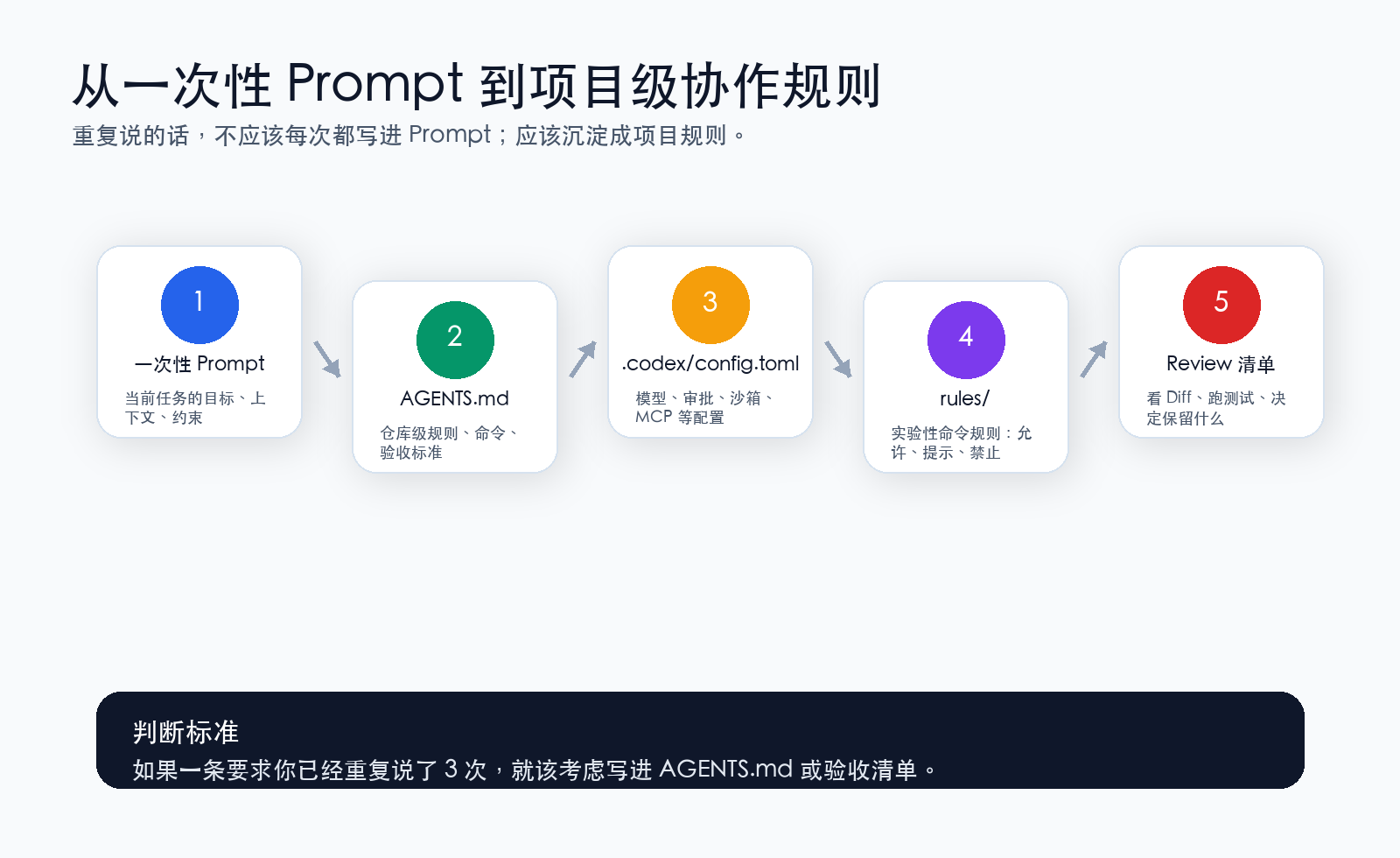
可以这样理解:
| 层级 | 适合放什么 |
|---|---|
| 单次 Prompt | 当前任务的目标、具体需求、临时约束 |
| AGENTS.md | 项目长期规则、目录说明、运行命令、验收标准 |
| .codex/config.toml | 模型、沙箱、审批、MCP 等配置 |
| rules/ | 实验性命令规则:允许、提示、禁止 |
| Review 清单 | 最后检查 Diff、测试、风险和交付质量 |
一句话:
Prompt 负责这一次任务,AGENTS.md 负责这个项目的长期协作方式。
二、AGENTS.md 到底是什么?
你可以把 AGENTS.md 理解成“写给 AI Agent 的项目 README”。
普通 README.md 是写给人看的,告诉开发者项目怎么运行、怎么贡献、怎么部署。
AGENTS.md 是写给 Codex 这类 Agent 看的,告诉它:
- 项目结构是什么
- 常用命令有哪些
- 哪些文件不要乱动
- 代码风格是什么
- 做完任务后怎么验证
- 回复时必须说明哪些内容
根据 OpenAI Codex 官方文档,Codex 会在开始工作前读取 AGENTS.md 文件,并把全局规则、项目规则和子目录规则组合起来。这样你打开不同项目时,Codex 能自动获得对应项目的工作约定。
这就是它比一次性 Prompt 更适合长期协作的地方。
三、AGENTS.md 的加载层级
Codex 的 AGENTS.md 不是只能放一个地方。它支持多层级。
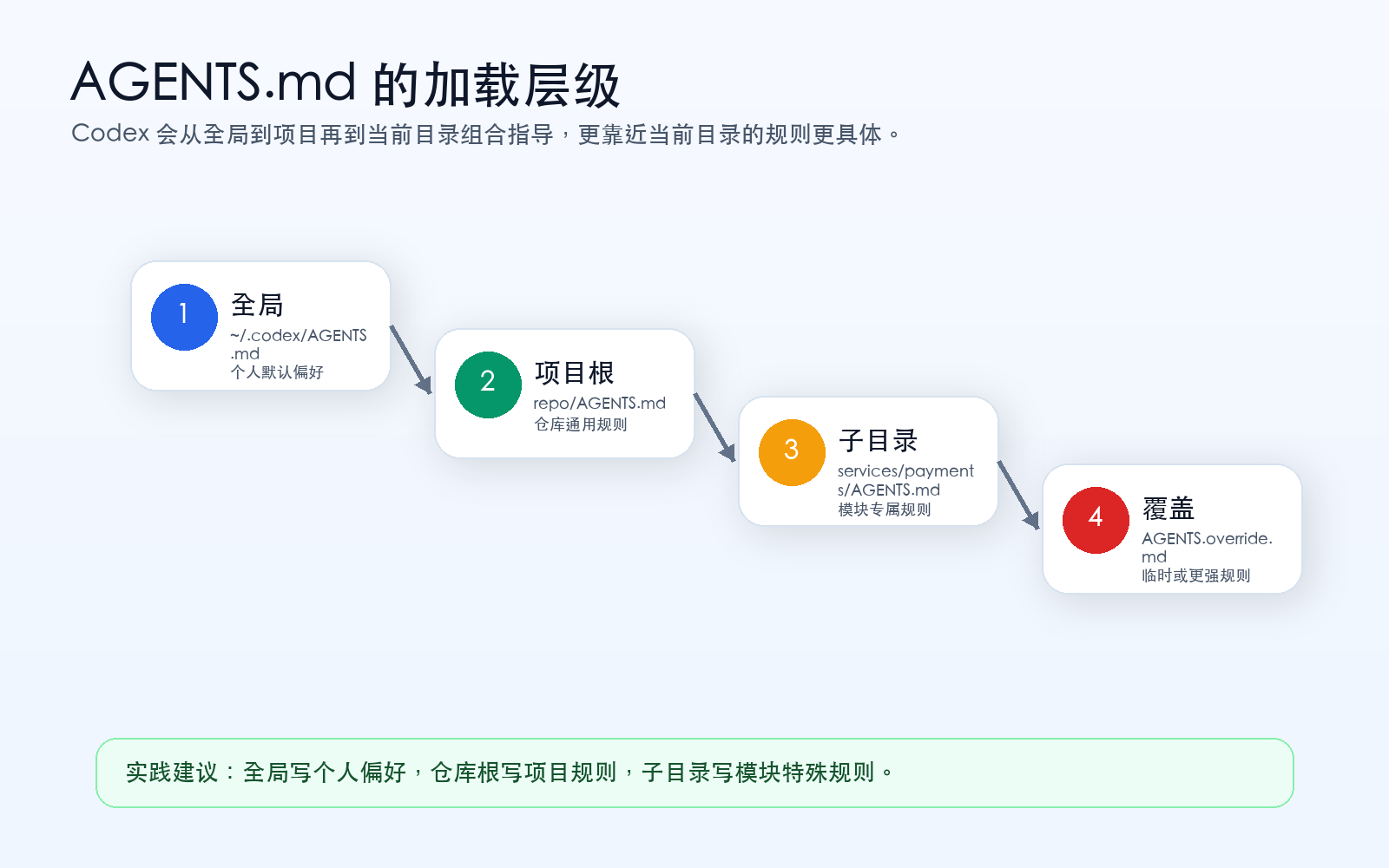
常见层级如下:
| 层级 | 文件位置 | 适合内容 |
|---|---|---|
| 全局规则 | ~/.codex/AGENTS.md | 你的个人偏好、通用工作习惯 |
| 项目规则 | 仓库根目录 AGENTS.md | 项目结构、运行命令、仓库级约定 |
| 子目录规则 | 如 services/payments/AGENTS.md | 某个模块的特殊规则 |
| 覆盖规则 | AGENTS.override.md | 临时覆盖、更强约束 |
官方文档里的加载逻辑可以简化理解为:
全局规则 → 项目根规则 → 当前目录沿途规则 → 更靠近当前目录的规则更具体
也就是说,如果你在 services/payments/ 目录下启动 Codex,它会优先理解支付模块附近的规则。
这对大型项目很有用。比如:
- 前端目录有一套 UI 规则
- 后端目录有一套 API 规则
- 支付目录有更严格的安全规则
- 文档目录有写作风格规则
四、一个实用 AGENTS.md 应该写什么?
不要把 AGENTS.md 写成大作文。
它应该短、准、可执行。
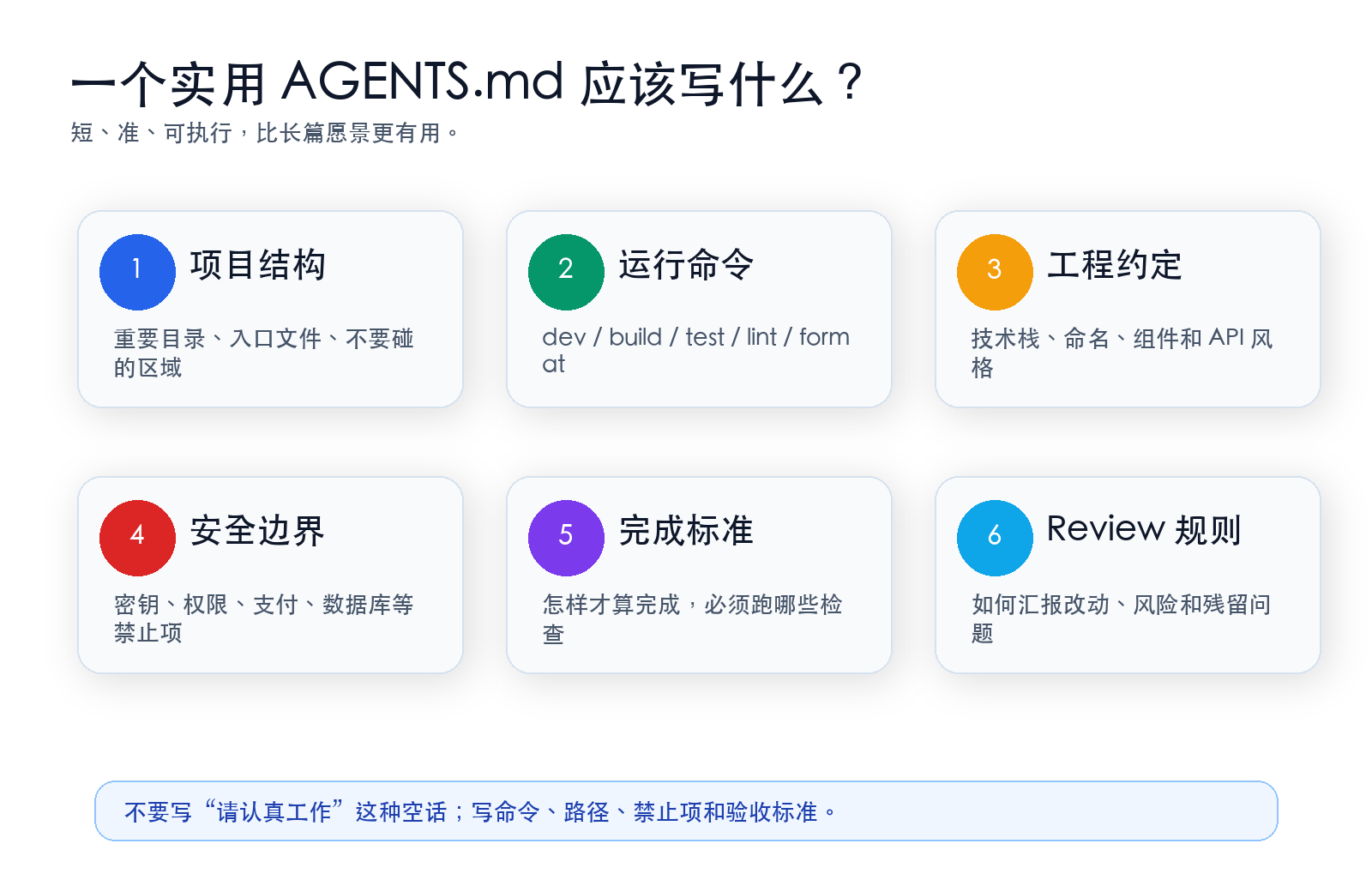
我建议至少包含 6 个部分。
1. Project overview:项目概览
告诉 Codex 这个项目是什么。
## Project overview - This is a React + TypeScript admin dashboard. - Main application code lives in `src/`. - API clients live in `src/api/`. - Shared components live in `src/components/`.
中文也可以:
## 项目概览 - 这是一个 React + TypeScript 管理后台项目。 - 主应用代码在 `src/`。 - 接口请求封装在 `src/api/`。 - 公共组件在 `src/components/`。
建议用英文还是中文?
都可以。关键是准确、稳定、可执行。团队项目里建议统一一种语言。
2. Commands:常用命令
告诉 Codex 如何运行、测试、构建。
## Commands - Install: `npm install` - Dev: `npm run dev` - Lint: `npm run lint` - Test: `npm test` - Build: `npm run build`
如果你们项目用 pnpm,就明确写:
- Use `pnpm`, not `npm`. - Install: `pnpm install` - Dev: `pnpm dev` - Test: `pnpm test` - Build: `pnpm build`
这能减少 Codex 猜命令的概率。
3. Code conventions:工程约定
写清楚项目风格。
## Code conventions - Use TypeScript for new code. - Prefer function components and hooks. - Keep components small and focused. - Follow existing naming conventions. - Do not introduce new state management libraries.
如果项目有 UI 规范,也可以写:
- Use existing design tokens from `src/styles/tokens.ts`. - Do not hard-code colors if a token exists. - Keep card border radius at 8px unless an existing component uses another value.
4. Do-not rules:禁止项
这是最重要的部分。
## Do-not rules - Do not change API request or response shapes unless explicitly asked. - Do not modify authentication, payment, or permission logic without confirmation. - Do not add production dependencies without explaining why and asking first. - Do not touch files under `legacy/` unless the task explicitly mentions them. - Never commit secrets, tokens, or local `.env` values.
这类规则越具体越好。
不要写:
- Be careful.
要写:
- Do not modify `src/auth/` or `src/payments/` unless the task explicitly asks for it.
5. Done means:完成标准
告诉 Codex 怎样才算完成。
## Done means Before final response: - Run relevant tests when code changes. - Run `npm run build` after frontend changes. - Report commands run and their results. - List files changed. - Mention risks, skipped checks, or follow-up work.
这个部分能显著改善 Codex 的最终回复质量。
6. Review expectations:Review 要求
告诉 Codex 交付时怎么汇报。
## Review expectations Final response must include: - Summary of the change - Files changed - Verification commands - Remaining risks - Suggested next step, if any
如果你希望它写得更简洁,也可以加:
- Keep final responses concise and focused on what changed and how it was verified.
五、可直接复制的最小 AGENTS.md 模板
下面给你一个可以直接改的版本。
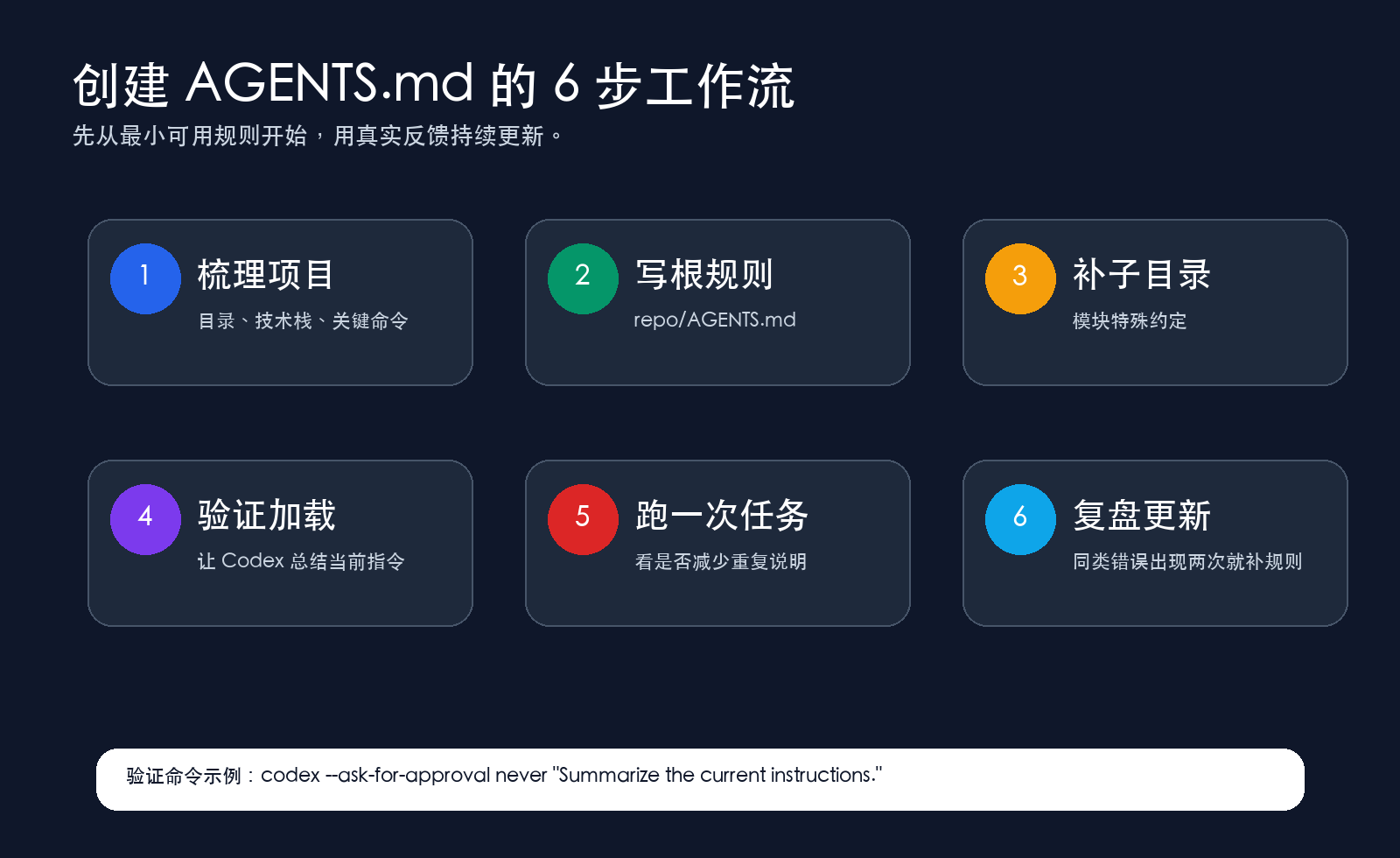
# AGENTS.md ## Project overview - This is a React + TypeScript project. - Main app code lives in `src/`. - API clients live in `src/api/`. - Shared UI components live in `src/components/`. ## Commands - Install: `npm install` - Dev: `npm run dev` - Lint: `npm run lint` - Test: `npm test` - Build: `npm run build` ## Code conventions - Use TypeScript for new code. - Follow existing naming and file structure. - Prefer small, focused changes. - Reuse existing components before creating new ones. ## Do-not rules - Do not change API request or response shapes unless explicitly asked. - Do not modify authentication, payment, or permission logic without confirmation. - Do not add production dependencies without explaining why and asking first. - Do not commit secrets, tokens, or local environment values. ## Done means Before final response: - Run relevant checks when possible. - Report commands run and their results. - List files changed. - Mention risks, skipped checks, or follow-up work.
你可以先把它放到项目根目录:
touch AGENTS.md
然后把上面的内容放进去,按你的项目改命令和目录。
六、如何创建 AGENTS.md:推荐 6 步
不要一开始就追求完美。
先做最小可用版本,再根据 Codex 的真实表现迭代。
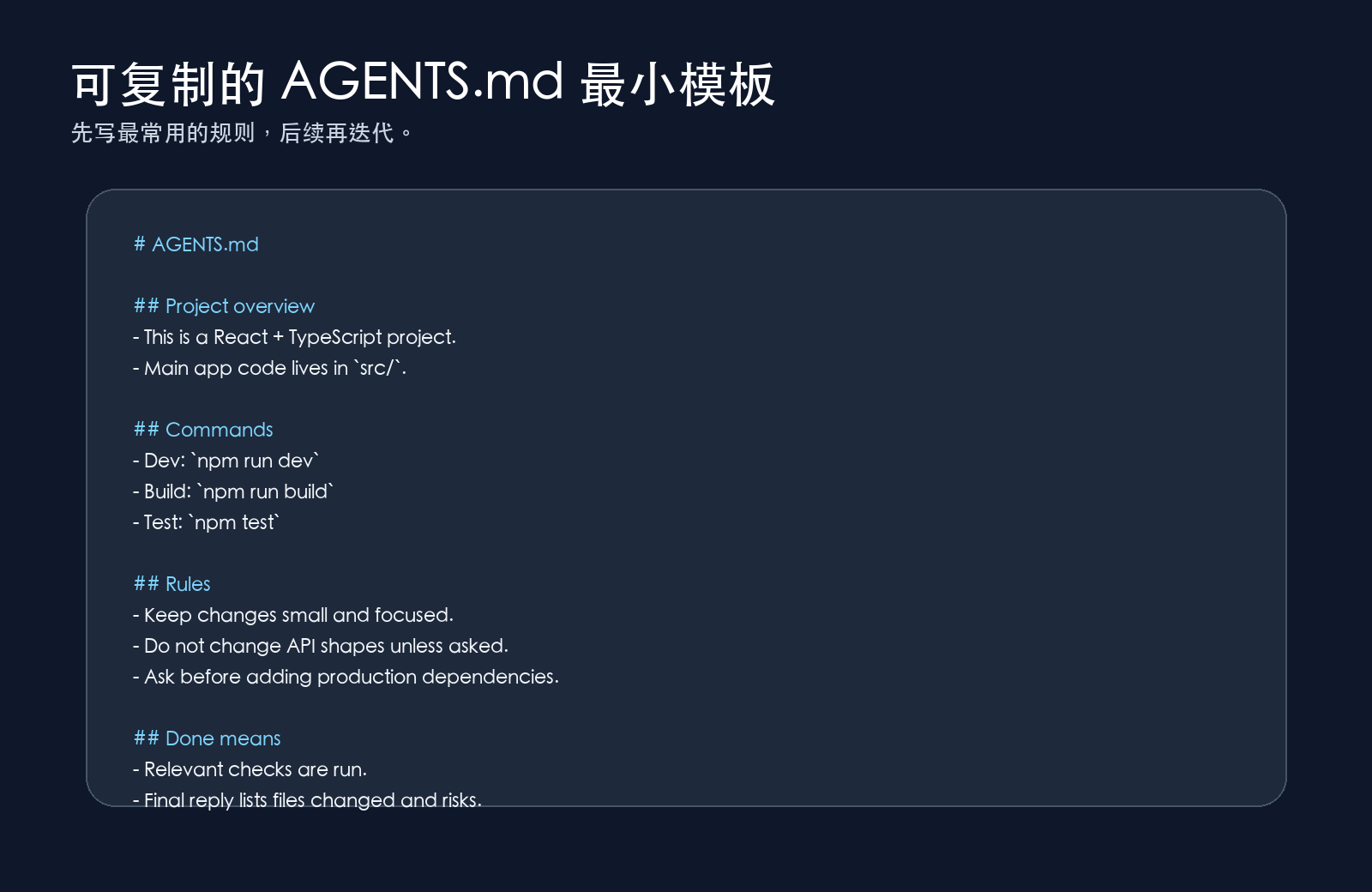
第 1 步:梳理项目
先问自己几个问题:
项目是什么技术栈? 入口文件在哪里? 哪些目录最重要? 常用启动、测试、构建命令是什么? 哪些地方高风险,不能乱改? 怎样才算任务完成?
第 2 步:写仓库根规则
在仓库根目录创建:
AGENTS.md
写入项目通用规则。
第 3 步:按模块补子目录规则
比如支付模块更严格:
services/payments/AGENTS.md
可以写:
# Payments module rules - Never change payment amount calculation without explicit confirmation. - Add or update tests for any payment behavior change. - Do not log card, token, or customer-sensitive data. - Run `make test-payments` before final response.
这会让 Codex 在支付目录工作时获得更具体的上下文。
第 4 步:验证 Codex 是否加载规则
可以让 Codex 自己总结当前规则:
codex --ask-for-approval never "Summarize the current instructions."
或者在 Codex App / CLI 里问:
请总结你当前加载到的项目规则和完成标准。
如果它没有提到你刚写的规则,检查:
- 你是否在正确目录启动 Codex
- 文件是不是空的
- 文件名是不是 AGENTS.md
- 是否存在更高优先级的 AGENTS.override.md
- 是否需要重启当前 Codex 会话
第 5 步:跑一次真实任务
比如:
请为首页新增一个“学习路线”模块。 遵循项目规则,先给计划,再实现。 完成后按 AGENTS.md 的 Done means 汇报。
观察它是否:
- 先读项目
- 改动范围更小
- 没有乱加依赖
- 跑了正确检查
- 最终回复包含验证结果
第 6 步:复盘并更新规则
如果 Codex 犯了同类错误,不要每次口头提醒。
把规则写回 AGENTS.md。
例如它第二次又忘了跑构建,就补一条:
- After any frontend change, run `npm run build` before final response.
这就是把“临时提醒”升级成“项目规范”。
七、AGENTS.md 和单次 Prompt 怎么配合?
不要把所有东西都塞进 AGENTS.md。
区分一下:
| 内容 | 放哪里 |
|---|---|
| 项目结构、常用命令 | AGENTS.md |
| 长期代码风格 | AGENTS.md |
| 不要改哪些高风险模块 | AGENTS.md |
| 当前要做什么功能 | 单次 Prompt |
| 当前 Bug 复现步骤 | 单次 Prompt |
| 临时限制,比如“这次不要写测试” | 单次 Prompt |
示例:
请根据 AGENTS.md 的项目规则,完成下面任务: 目标: 在首页新增一个“Codex 入门路线”模块。 约束: 1. 只修改首页相关组件和样式。 2. 不改路由、不改接口。 3. 先给计划,我确认后再实现。 完成后按 AGENTS.md 的 Done means 汇报。
这样写的好处是:稳定规则交给 AGENTS.md,当前任务只写变化的部分。
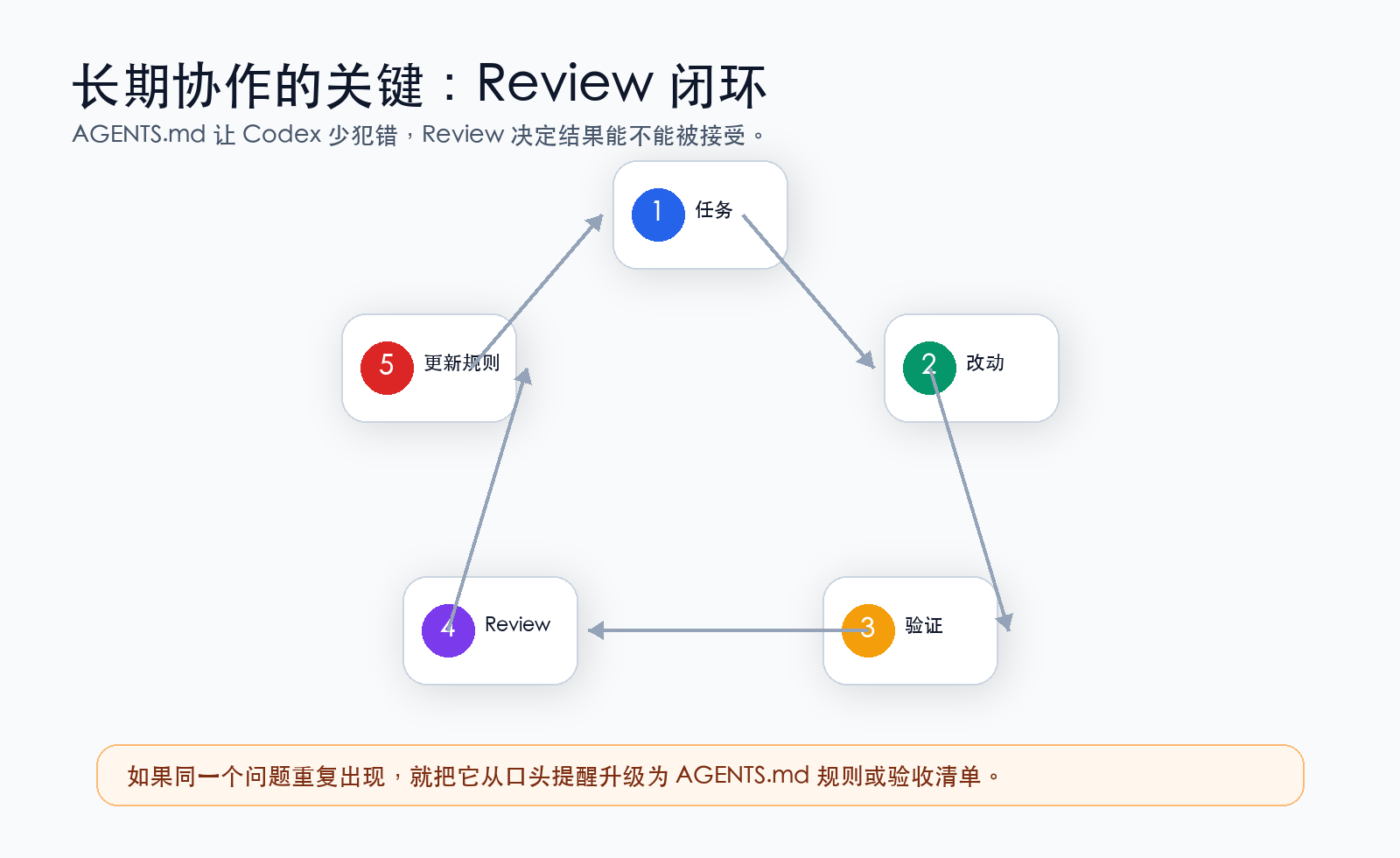
八、AGENTS.md 不是权限系统
这一点必须说清楚。
AGENTS.md 是指导文件,不是安全锁。
它能告诉 Codex:
不要修改支付逻辑。
但真正的安全边界,还要靠:
- 沙箱
- 审批策略
- .codex/config.toml
- rules/
- Review
- Git
OpenAI 官方文档也明确区分了两层:
| 层 | 作用 |
|---|---|
| Sandbox mode | Codex 技术上能读写哪里、能不能访问网络 |
| Approval policy | Codex 什么时候必须停下来问你 |
例如默认工作区写入模式下,Codex 通常只能在当前 workspace 里读写,并且网络访问默认关闭。涉及越界写入、网络访问或高风险操作时,Codex 可能需要请求批准。
所以不要把安全责任全交给 AGENTS.md。
正确做法是:
AGENTS.md 降低沟通成本 权限设置控制真实边界 Review 决定是否接受结果 Git 提供回滚能力
九、什么时候需要 .codex/config.toml?
如果 AGENTS.md 是项目协作说明书,那么 .codex/config.toml 更像 Codex 的项目级配置。
它适合放:
- 默认模型
- 审批策略
- 沙箱模式
- MCP 配置
- Web search 模式
- 项目级 overrides
示例:
# .codex/config.toml approval_policy = "on-request" sandbox_mode = "workspace-write" web_search = "cached"
这里要注意:
项目级 .codex/config.toml 只有在项目被信任时才会加载。官方文档提到,如果项目被标记为 untrusted,Codex 会跳过项目本地 .codex/ 层,包括本地 config、hooks 和 rules。
新手建议:
先用默认配置 先写 AGENTS.md 等你知道自己需要什么,再改 config.toml
不要一上来就开很宽的权限。
十、什么时候需要 rules/?
rules/ 是更高级的命令控制能力。
官方文档里说 rules 目前是 experimental,可能变化,所以新手不用急着上。
它适合控制某些命令在沙箱外执行时:
- 允许 allow
- 提示 prompt
- 禁止 forbidden
例如,某些团队希望:
gh pr view 可以批准后运行 rm -rf 永远禁止 某些部署命令必须提示
你可以先知道这个能力存在,但第 4 篇的实践重点仍然是:
AGENTS.md + Review + Git + 默认权限
这已经能解决大多数新手问题。
十一、把验收清单写进 AGENTS.md
真正让 Codex 稳定交付的,不只是“怎么写代码”,而是“怎样验收”。
你可以在 AGENTS.md 里加入一段:
## Verification checklist Before final response, check: - Did you keep the change scope small? - Did you avoid unrelated refactors? - Did you run the relevant command? - Did you inspect command output? - Did you list changed files? - Did you mention skipped checks or risks?
如果是前端项目:
## Frontend verification - Run `npm run build` after frontend code changes. - For UI changes, confirm the page can be opened locally. - Check mobile layout when modifying responsive UI. - Do not introduce text overflow or overlapping elements.
如果是后端项目:
## Backend verification - Run focused tests for changed service code. - Do not change public API shape unless explicitly asked. - Add or update regression tests for bug fixes. - Mention database migration risk if schema changes are involved.
这比每次 Prompt 里写“请认真检查”有效多了。
十二、用 Review 面板形成反馈闭环
AGENTS.md 让 Codex 更懂项目,但你仍然要看 Diff。
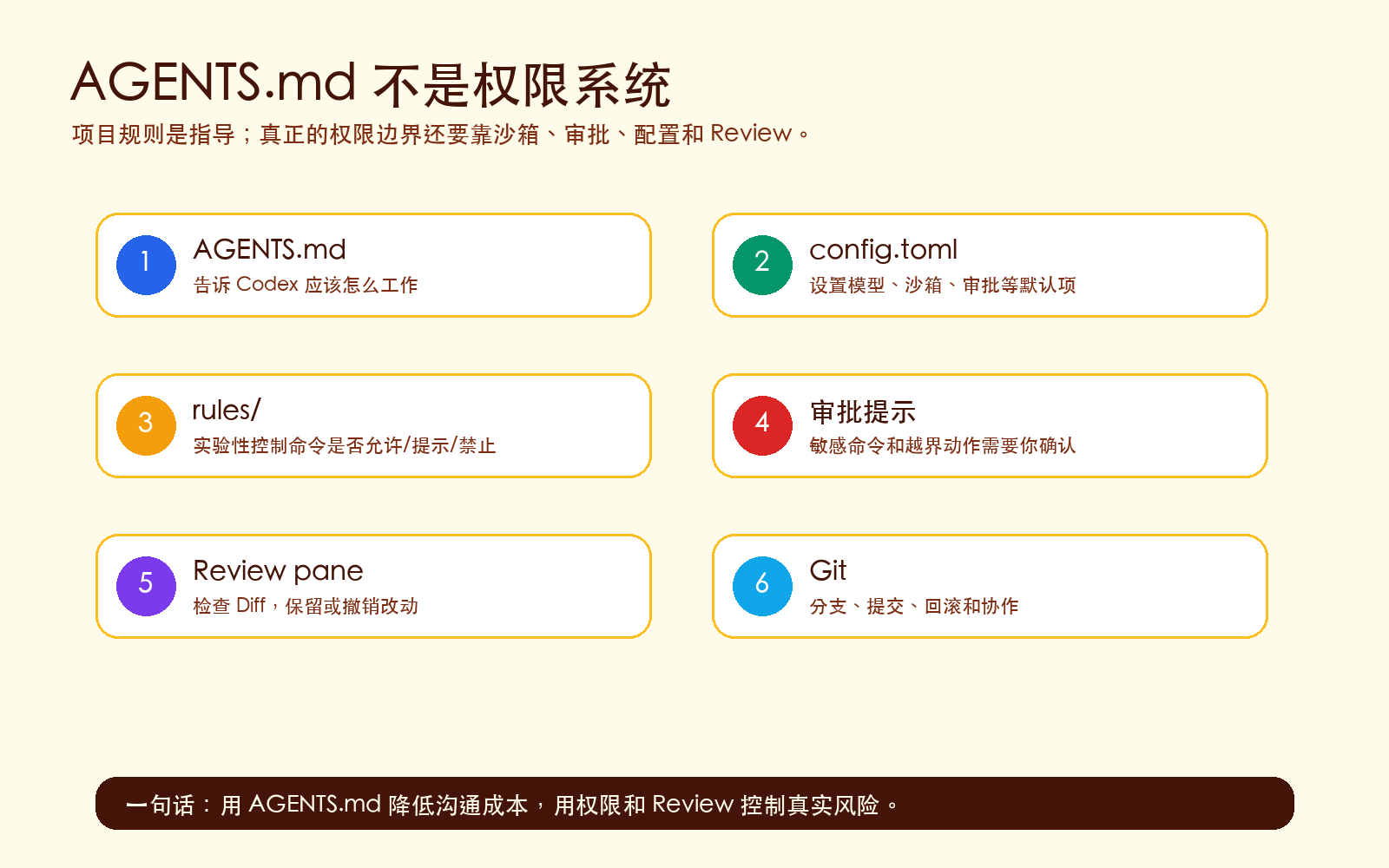
官方文档提到,Codex App 的 Review pane 会展示 Git 仓库中的改动。这里有个新手容易误解的点:
Review 面板显示的是 Git 状态,不一定全是 Codex 本轮改的。
也就是说,如果你本来就有未提交改动,它也会显示出来。
建议流程:
1. 开始前 git status 2. 让 Codex 完成任务 3. 查看 Review / Diff 4. 对具体行留 inline comment 5. 让 Codex address comments 6. 再跑验证 7. 接受、暂存、提交
如果你发现某个问题反复出现,比如:
它总是忘记说明 skipped checks
就把它写进 AGENTS.md:
- If a check was not run, explain why in the final response.
这就是长期协作的闭环:
任务 → 改动 → 验证 → Review → 反馈 → 更新规则
十三、一个更完整的 AGENTS.md 示例
下面是一个更像真实项目的版本。
# AGENTS.md ## Project overview - This is a React + TypeScript admin dashboard. - App code lives in `src/`. - API clients live in `src/api/`. - Shared UI components live in `src/components/`. - Do not edit files under `legacy/` unless explicitly asked. ## Commands - Install: `pnpm install` - Dev: `pnpm dev` - Lint: `pnpm lint` - Test: `pnpm test` - Build: `pnpm build` ## Code conventions - Use TypeScript for new code. - Prefer existing components over creating new ones. - Keep changes small and focused. - Do not introduce new dependencies without asking first. - Follow existing file naming and import style. ## High-risk areas - Do not modify authentication logic without explicit confirmation. - Do not modify payment or billing code without explicit confirmation. - Do not change API request or response shapes unless the task requires it. - Never commit secrets, API keys, tokens, or `.env` values. ## Workflow - For ambiguous tasks, ask clarifying questions first. - For larger tasks, propose a plan before editing. - If the plan changes during implementation, explain why. - Avoid unrelated refactors. ## Verification - Run `pnpm lint` after TypeScript changes. - Run focused tests for changed modules. - Run `pnpm build` after frontend changes. - If a check cannot be run, explain why. ## Final response Final response must include: - Summary of changes - Files changed - Commands run and results - Skipped checks, if any - Risks or follow-up work
这个文件不用一次写完。你可以先用最小模板,再逐渐变成这个版本。
十四、让 Codex 帮你生成 AGENTS.md
你也可以让 Codex 自己帮你起草。
Prompt 示例:
请阅读当前项目结构,帮我起草一个 AGENTS.md。 要求: 1. 先分析项目技术栈、目录结构和常用命令。 2. 从 package.json / README / 配置文件中推断运行、测试、构建命令。 3. 不要编造无法确认的命令;无法确认就标注“待确认”。 4. 生成的 AGENTS.md 要包含: - Project overview - Commands - Code conventions - Do-not rules - Verification - Final response expectations 5. 先给我草稿,不要直接写文件。
等它给出草稿后,你再说:
这个草稿可以。请写入项目根目录的 AGENTS.md。
这样做更稳,因为你先审核,再落盘。
十五、常见错误
错误 1:把 AGENTS.md 写得太长
越长不一定越好。
官方文档里也提到,项目说明有大小限制,默认组合大小达到一定上限后会停止继续加入。新手没必要研究细节,记住一条就行:
把关键规则写前面,保持短而准。
错误 2:写空话
不要写:
- Please be careful. - Write high quality code. - Think step by step.
这些对项目帮助不大。
要写:
- Do not change files under `src/auth/` unless explicitly asked. - Run `pnpm test` after changing service code. - Final response must list changed files and skipped checks.
错误 3:把临时需求写进 AGENTS.md
比如:
- Today, build a login page.
这不适合放进 AGENTS.md。它是单次任务,应该放 Prompt。
错误 4:以为 AGENTS.md 能阻止所有危险操作
不能。
它是指导,不是权限系统。高风险项目仍然要靠:
- Git 分支
- 默认沙箱
- 审批
- Review
- CI
- 最小权限
错误 5:写完不验证
写完 AGENTS.md 后,一定要让 Codex 总结它读到了什么。
请总结你当前加载到的 AGENTS.md 规则。
如果它总结不出来,就说明规则可能没加载。
十六、推荐落地路线
如果你现在就想把第 4 篇用起来,可以按这个路线:
| 阶段 | 动作 | 目标 |
|---|---|---|
| 第 1 步 | 在项目根目录创建 AGENTS.md | 让 Codex 知道项目规则 |
| 第 2 步 | 写入运行命令和禁止项 | 减少猜测和乱改 |
| 第 3 步 | 写入 Done means | 让结果可验收 |
| 第 4 步 | 让 Codex 总结当前规则 | 验证规则加载 |
| 第 5 步 | 跑一个小任务 | 观察是否更稳定 |
| 第 6 步 | 根据失败复盘更新规则 | 让规则变成项目经验 |
| 第 7 步 | 配合 Review 面板和 Git | 控制交付质量 |
十七、总结
到了第 4 篇,我们已经从“会用 Codex”进入到“让 Codex 更懂项目”。
关键变化是:
从一次性提示词 升级为项目级协作规则
你不需要每次都重复说:
不要改接口,不要乱加依赖,做完跑测试,最后列出风险。
这些应该沉淀进 AGENTS.md。
但也别忘了:
AGENTS.md 降低沟通成本 config.toml 管理默认配置 rules 控制部分命令策略 Review 检查真实改动 Git 保证可回滚
如果只记住一句话:
把重复提醒写进 AGENTS.md,把交付质量交给验收清单和 Review 闭环。

汇聚全球AI编程工具,助力开发者即刻编程。
更多推荐



 0
0 0
0- 0


 已为社区贡献4条内容

所有评论(0)