
spring boot 和php 调用 LibreOffice 转换 Excel 到 PDF 完整实现
在实际企业应用开发中,经常需要将 Excel 报表、采购订单、入库单等文档转换为 PDF 格式,以便于存档、打印或分发。相比直接操作 Excel 文件,PDF 具有跨平台、防篡改、版面固定等优点。而 LibreOffice 作为一款开源的办公套件,提供了强大的命令行转换能力,能够高质量地保留 Excel 的复杂样式、图表、公式和排版,是 Java 后端实现文档转换的理想选择。
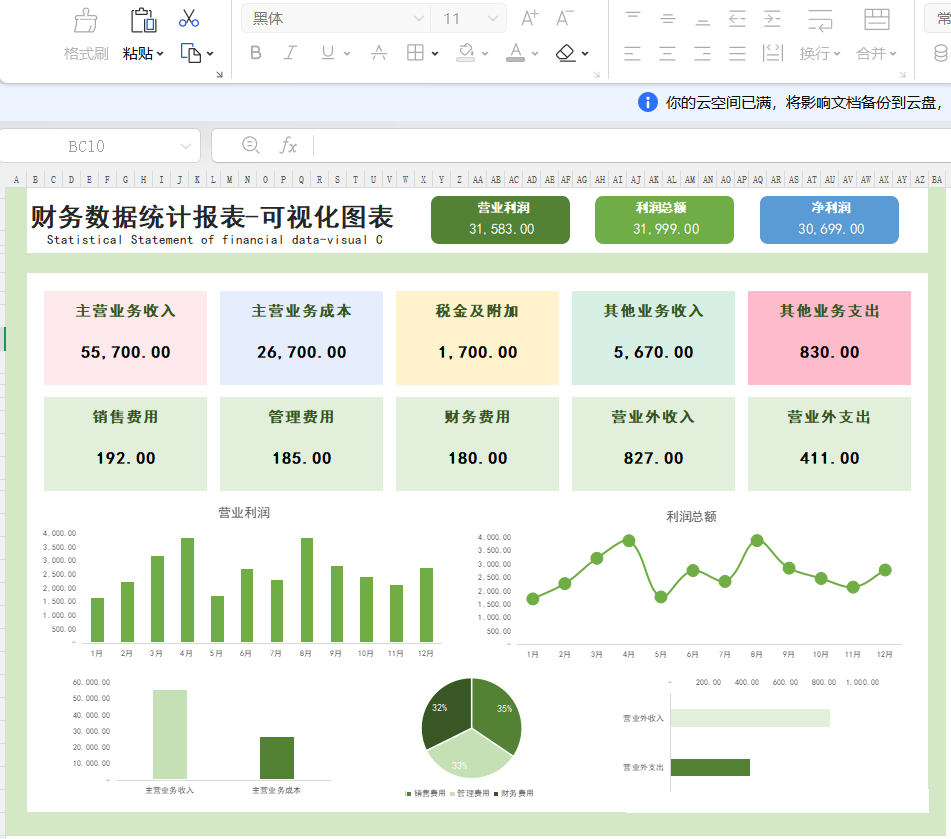
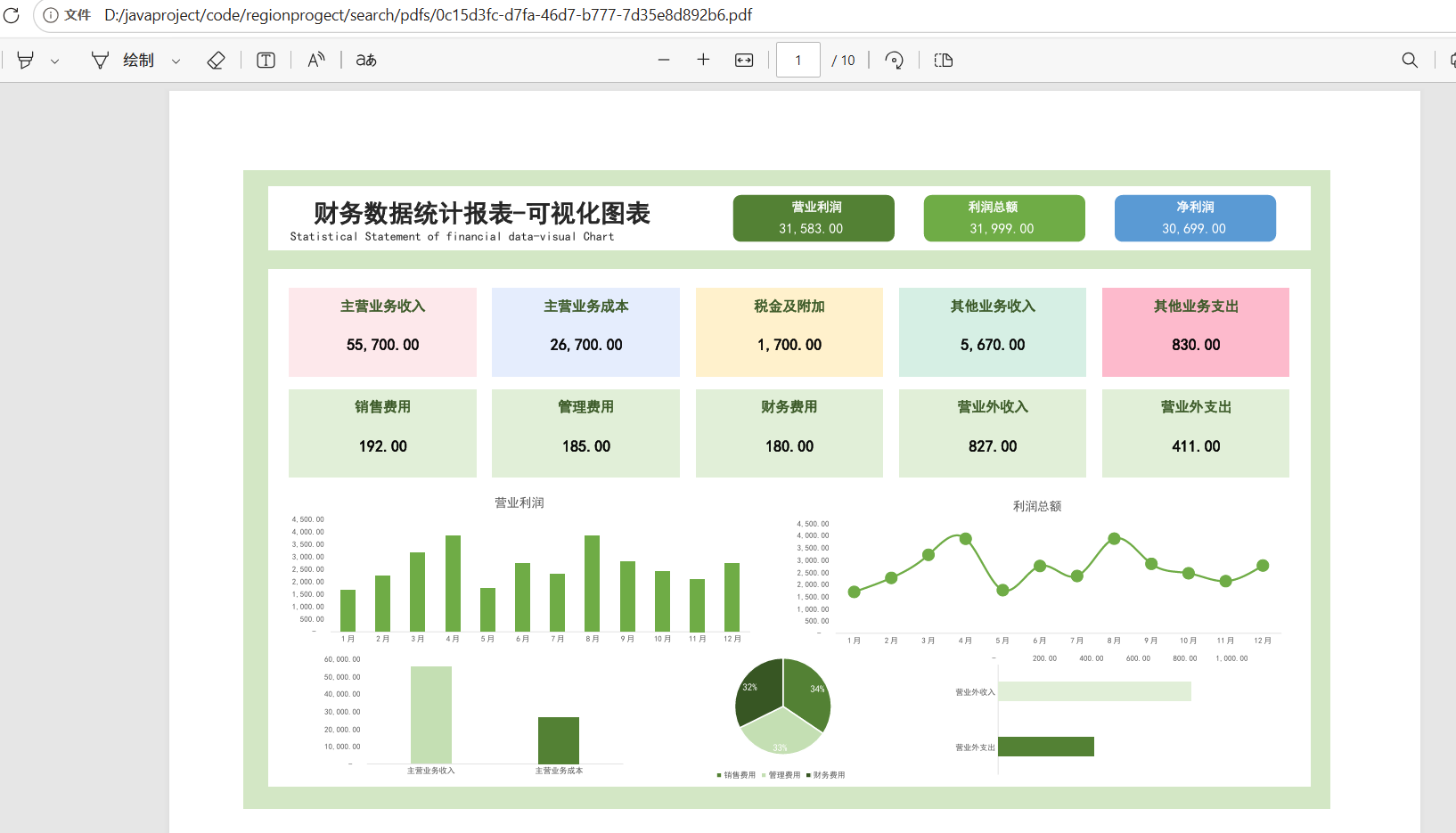
本文将详细介绍如何使用 Java 调用 LibreOffice 将 Excel 文件转换为 PDF,并提供完整的代码示例、参数说明及常见问题解决方案。比如下面这种复杂excel表格,转换pdf就恒麻烦,尤其是样式回错乱。下面介绍一种方式,来实现windows环境下的无损转换pdf,linux只需要安装luinx下的包即可,这里不做演示。
一、为什么选择 LibreOffice?
目前主流的 Excel 转 PDF 方案有以下几种:
| 方案 | 优点 | 缺点 |
|---|---|---|
| Apache POI + iText | 纯 Java,无需安装额外软件 | 样式还原度差,对复杂表格、图表支持弱 |
| JodConverter | 封装了 LibreOffice 的调用,API 友好 | 同样需要安装 LibreOffice,但依赖较重 |
| 直接调用 LibreOffice 命令行 | 样式保真度最高,免费开源,跨平台 | 需要安装 LibreOffice,依赖外部进程 |
在企业级应用中,样式保真度往往是最重要的指标。LibreOffice 能够完美呈现 Excel 中的字体、颜色、边框、合并单元格、公式计算结果、甚至嵌入式图表,这是其他纯 Java 方案难以比拟的。因此,推荐使用 Java 调用 LibreOffice 命令行的方式。
二、环境准备
2.1 安装 LibreOffice
-
Windows:从 LibreOffice 官网 下载 LibreOffice | LibreOffice 简体中文官方网站 - 自由免费的办公套件下载安装包,默认安装路径为
C:\Program Files\LibreOffice\program\soffice.exe -
Linux (Ubuntu/Debian):
sudo apt install libreoffice -y -
Linux (CentOS/RHEL):
sudo yum install libreoffice -y -
macOS:通过 Homebrew 安装:
brew install --cask libreoffice
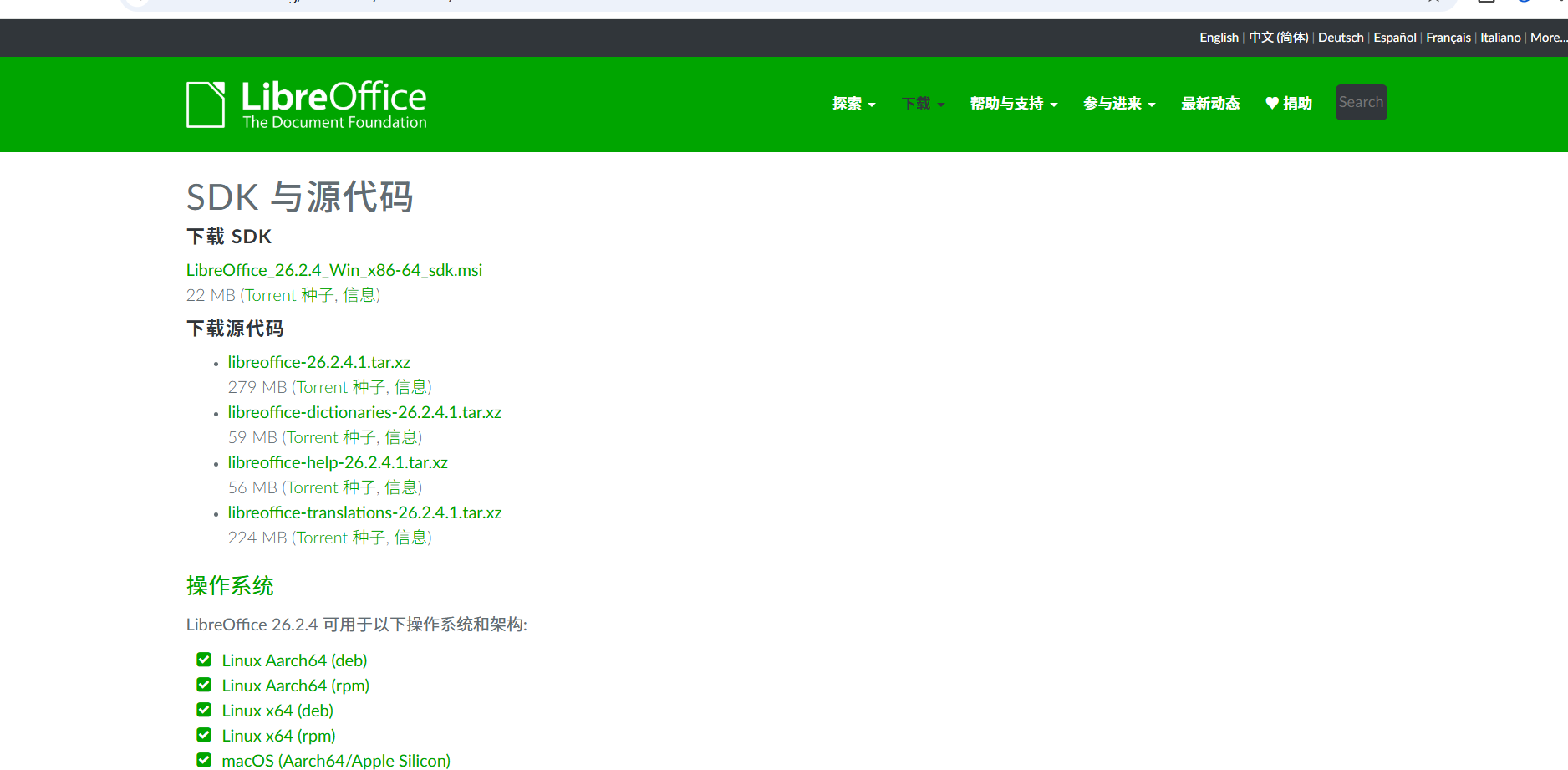
安装后,在终端执行 soffice --version 验证是否成功。
2.2 Java 环境
-
JDK 17及以上版本
-
任何 Java 框架均可(Spring Boot、普通 Maven 项目等)
三、核心原理
LibreOffice 提供无界面(headless)模式,可以通过命令行参数完成文档格式转换,而不启动图形界面。Java 通过 ProcessBuilder 或 Runtime.exec() 调用系统命令,执行 LibreOffice 的转换指令,然后读取生成的 PDF 文件即可。
基本命令格式如下:
bash
soffice --headless --convert-to pdf --outdir /output/dir /path/to/input.xlsx
-
--headless:无界面模式(必需) -
--convert-to pdf:转换为 PDF -
--outdir:输出目录 -
最后为输入文件路径
四、Java 实现步骤
4.1 创建转换器类
java
public class LibreOfficeConverter {

    private static final Logger log = LoggerFactory.getLogger(LibreOfficeConverter.class);

    private String sofficePath;
    private int timeoutSeconds;

    public LibreOfficeConverter(String sofficePath, int timeoutSeconds) {
        this.sofficePath = sofficePath;
        this.timeoutSeconds = timeoutSeconds;
    }

    public String excelToPdf(String excelPath, String outputDir) throws Exception {
        // ... 方法实现(见之前的代码)
        File excelFile = new File(excelPath);
        if (!excelFile.exists()) {
            throw new Exception("Excel文件不存在:" + excelPath);
        }

        File outputDirFile = new File(outputDir);
        if (!outputDirFile.exists()) {
            outputDirFile.mkdirs();
        }

        String absoluteExcelPath = excelFile.getAbsolutePath();
        String absoluteOutputDir = outputDirFile.getAbsolutePath();

        String command = String.format(
                "%s --headless --convert-to pdf:writer_pdf_Export --outdir %s %s",
                sofficePath,
                absoluteOutputDir,
                absoluteExcelPath
        );

        log.info("LibreOffice转换命令:{}", command);

        ProcessBuilder processBuilder = new ProcessBuilder();
        if (System.getProperty("os.name").toLowerCase().contains("windows")) {
            processBuilder.command("cmd.exe", "/c", command);
        } else {
            processBuilder.command("bash", "-c", command);
        }

        processBuilder.environment().put("LANG", "zh_CN.UTF-8");
        processBuilder.environment().put("LANGUAGE", "zh_CN.UTF-8");
        processBuilder.redirectErrorStream(true);

        Process process = null;
        try {
            process = processBuilder.start();

            StringBuilder output = new StringBuilder();
            try (BufferedReader reader = new BufferedReader(
                    new InputStreamReader(process.getInputStream(), "UTF-8"))) {
                String line;
                while ((line = reader.readLine()) != null) {
                    output.append(line).append("\n");
                }
            }

            boolean finished = process.waitFor(timeoutSeconds, TimeUnit.SECONDS);
            if (!finished) {
                process.destroyForcibly();
                throw new Exception("LibreOffice转换超时(" + timeoutSeconds + "秒)");
            }

            int exitCode = process.exitValue();
            if (exitCode != 0) {
                throw new Exception("PDF转换失败,退出码:" + exitCode);
            }

            String excelBaseName = excelFile.getName();
            int dotIndex = excelBaseName.lastIndexOf(".");
            String pdfName = (dotIndex > 0 ? excelBaseName.substring(0, dotIndex) : excelBaseName) + ".pdf";
            String pdfPath = absoluteOutputDir + File.separator + pdfName;

            return pdfPath;

        } finally {
            if (process != null && process.isAlive()) {
                process.destroyForcibly();
            }
        }
    }

    public boolean isAvailable() {
        try {
            // 方法1:直接检查文件是否存在
            File sofficeFile = new File(sofficePath);
            System.out.println("检查路径: " + sofficeFile.getAbsolutePath());
            System.out.println("文件是否存在: " + sofficeFile.exists());
            System.out.println("是否可读: " + sofficeFile.canRead());
            System.out.println("是否可执行: " + sofficeFile.canExecute());

            if (!sofficeFile.exists()) {
                // 尝试常见路径
                String[] commonPaths = {
                        "D:/installsoftware/program/soffice.exe",
                        "D:\\installsoftware\\program\\soffice.exe",
                };

                for (String path : commonPaths) {
                    File testFile = new File(path);
                    if (testFile.exists()) {
                        sofficePath = path;
                        sofficeFile = testFile;
                        System.out.println("找到LibreOffice: " + path);
                        break;
                    }
                }

                if (!sofficeFile.exists()) {
                    System.err.println("未找到LibreOffice可执行文件");
                    return false;
                }
            }

            // 方法2:直接执行命令(使用 ProcessBuilder)
            ProcessBuilder pb = new ProcessBuilder(
                    sofficeFile.getAbsolutePath(), "--version"
            );
            pb.redirectErrorStream(true);

            Process process = pb.start();

            // 读取输出
            StringBuilder output = new StringBuilder();
            try (BufferedReader reader = new BufferedReader(
                    new InputStreamReader(process.getInputStream(), "UTF-8"))) {
                String line;
                while ((line = reader.readLine()) != null) {
                    output.append(line);
                }
            }

            boolean finished = process.waitFor(5, TimeUnit.SECONDS);

            if (finished && process.exitValue() == 0) {
                System.out.println("LibreOffice版本: " + output.toString());
                return true;
            } else {
                System.err.println("退出码: " + process.exitValue());
                return false;
            }

        } catch (Exception e) {
            System.err.println("检查失败: " + e.getMessage());
            e.printStackTrace();
            return false;
        }
    }
}
java
@RestController
@RequestMapping("/api/convert")
public class ExcelToPdfController {

    @Value("${libreoffice.path}")
    private String sofficePath;

    @Value("${libreoffice.timeout:300}")
    private int timeout;

    @Value("${file.upload-dir:./uploads}")
    private String uploadDir;

    @Value("${file.pdf-dir:./pdfs}")
    private String pdfDir;

    /**
     * 上传Excel并转换为PDF
     */
    @PostMapping("/excel-to-pdf")
    public ResponseEntity<?> convertExcelToPdf(@RequestParam("file") MultipartFile file) {
        Path excelFilePath = null;
        try {
            // 使用绝对路径,并规范化路径
            Path uploadPath = Paths.get(uploadDir).toAbsolutePath().normalize();
            Path pdfPath = Paths.get(pdfDir).toAbsolutePath().normalize();

            // 打印调试信息
            System.out.println("上传目录绝对路径: " + uploadPath);
            System.out.println("PDF目录绝对路径: " + pdfPath);

            // 创建目录
            if (!Files.exists(uploadPath)) {
                Files.createDirectories(uploadPath);
                System.out.println("创建上传目录: " + uploadPath);
            }
            if (!Files.exists(pdfPath)) {
                Files.createDirectories(pdfPath);
                System.out.println("创建PDF目录: " + pdfPath);
            }

            // 保存上传的Excel文件
            String originalFilename = file.getOriginalFilename();
            System.out.println("原始文件名: " + originalFilename);

            // 处理文件扩展名
            String ext = "";
            if (originalFilename != null && originalFilename.contains(".")) {
                ext = originalFilename.substring(originalFilename.lastIndexOf("."));
            } else {
                ext = ".xlsx";
            }

            String fileName = UUID.randomUUID().toString() + ext;
            excelFilePath = uploadPath.resolve(fileName);

            // 确保父目录存在
            Files.createDirectories(excelFilePath.getParent());

            // 保存文件
            file.transferTo(excelFilePath.toFile());
            System.out.println("保存Excel到: " + excelFilePath);

            // 检查文件是否保存成功
            if (!Files.exists(excelFilePath)) {
                throw new Exception("Excel文件保存失败");
            }

            // 检查LibreOffice
            LibreOfficeConverter converter = new LibreOfficeConverter(sofficePath, timeout);
            boolean available = converter.isAvailable();
            System.out.println("LibreOffice可用性: " + available);

            if (!available) {
                throw new Exception("LibreOffice不可用,请检查路径: " + sofficePath);
            }

            // 转换
            String pdfFilePath = converter.excelToPdf(excelFilePath.toString(), pdfPath.toString());
            System.out.println("生成PDF: " + pdfFilePath);

            // 获取PDF文件名
            Path pdfPathObj = Paths.get(pdfFilePath);
            String pdfFileName = pdfPathObj.getFileName().toString();

            Map<String, Object> result = new HashMap<>();
            result.put("success", true);
            result.put("pdfPath", pdfFilePath);
            result.put("pdfName", pdfFileName);
            result.put("downloadUrl", "/api/convert/download/" + pdfFileName);

            return ResponseEntity.ok(result);

        } catch (Exception e) {
            e.printStackTrace();
            Map<String, Object> error = new HashMap<>();
            error.put("success", false);
            error.put("message", e.getMessage());
            error.put("type", e.getClass().getName());
            return ResponseEntity.internalServerError().body(error);
        } finally {
            // 删除临时Excel文件
            if (excelFilePath != null && Files.exists(excelFilePath)) {
                try {
                    Files.deleteIfExists(excelFilePath);
                    System.out.println("删除临时文件: " + excelFilePath);
                } catch (IOException e) {
                    System.err.println("删除临时文件失败: " + e.getMessage());
                }
            }
        }
    }
}
4.3 配置文件 (application.yml)
yaml
libreoffice:
  path: D:\\installsoft\\program\\soffice.exe
  timeout: 300

  upload-dir: D:\\javaproject\\code\\regionprogect\\search\\uploads  # 使用绝对路径
  pdf-dir: D:\\javaproject\\code\\regionprogect\\search\\pdfs        # 使用绝对路径
五、关键参数详解
| 参数 | 作用 |
|---|---|
--headless | 无图形界面模式,不启动 UI |
--nofirststartwizard | 禁止首次运行向导弹窗 |
--norestore | 不恢复上次崩溃未保存的文档 |
--nologo | 不显示启动 Logo |
--invisible | 完全不可见模式(配合 headless) |
--convert-to pdf[:writer_pdf_Export] | 转换为 PDF,可指定导出过滤器 |
--outdir | 指定输出目录 |
-env:UserInstallation=file:///path | 指定用户配置目录(避免弹窗) |
5.1 避免弹窗的额外技巧
如果依然弹出“Press Enter to continue...”或配置向导,可以添加 -env:UserInstallation 参数指定一个临时目录:
java
String tempUserDir = System.getProperty("java.io.tmpdir") + "libreoffice_user_" + System.currentTimeMillis();
String[] command = {
    sofficePath,
    "--headless",
    "--nofirststartwizard",
    "-env:UserInstallation=file:///" + tempUserDir.replace("\\", "/"),
    "--convert-to", "pdf",
    "--outdir", outputDir,
    excelPath
};
// 转换完成后删除临时目录
测试一下:
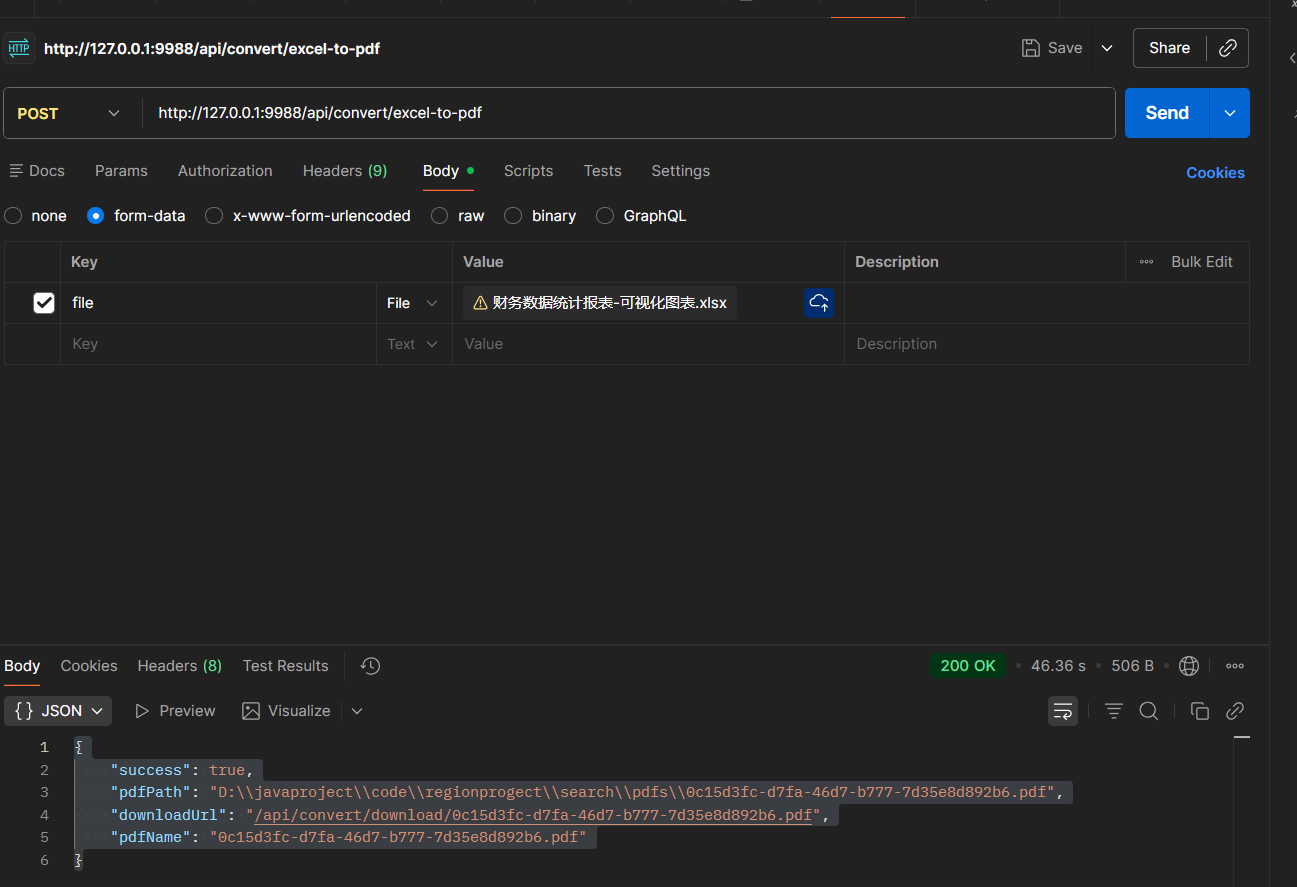
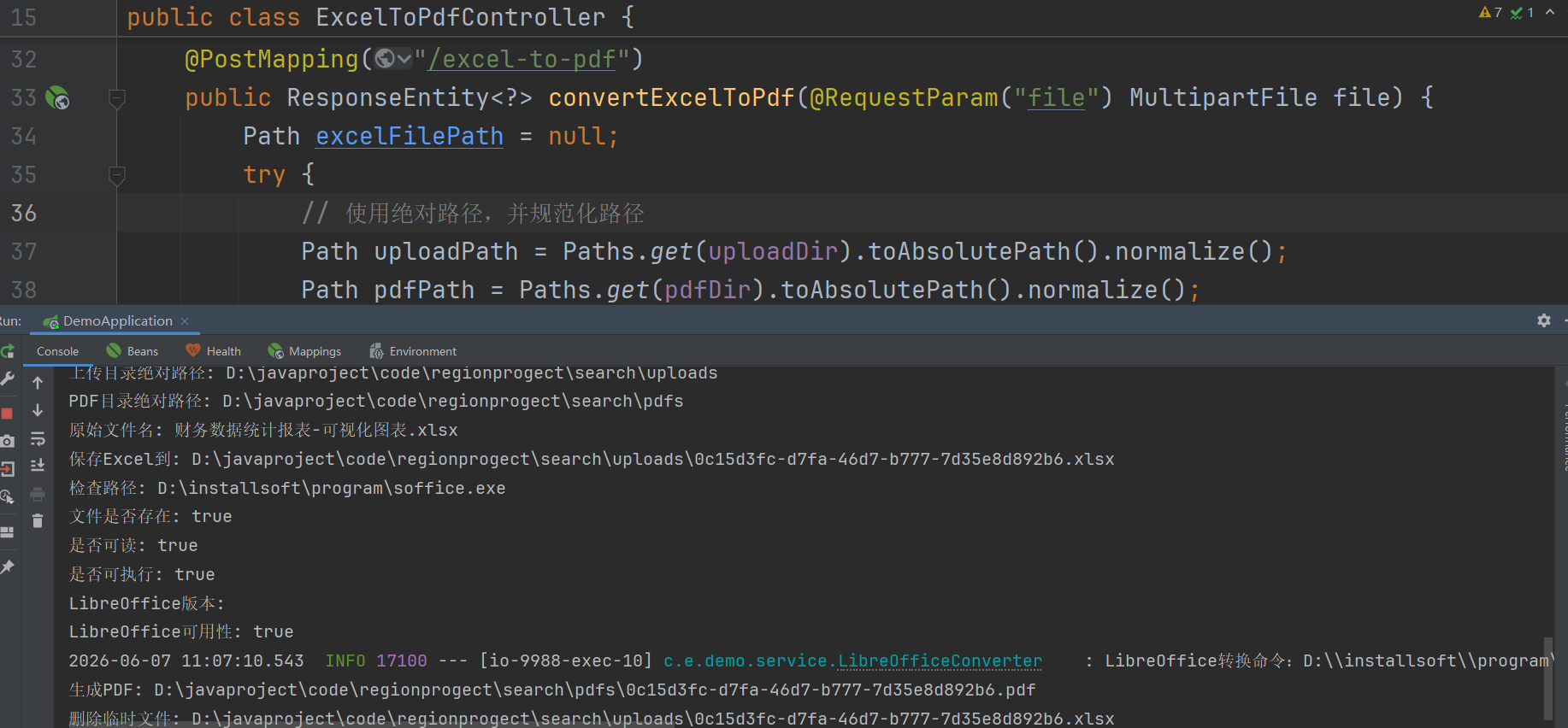
转换出来的pdf样式和之前的excel一样的:
如果是使用php的话,也是支持的,php实现的代码如下:
      try {
            $sofficePath = 'D:\installsoft\program\soffice.exe';

            // 构建命令
            // 使用 :writer_pdf_Export 导出器确保 Excel 转 PDF 最佳效果
            $command = sprintf(
                '%s --headless --convert-to pdf:writer_pdf_Export --outdir %s %s 2>&1',
                escapeshellcmd($sofficePath),
                escapeshellarg($saveDir),
                escapeshellarg($filePath)
            );
            $pdfName = pathinfo($filePath, PATHINFO_FILENAME);
            Log::info('LibreOffice转换命令:' . $command);
            // 设置环境变量(解决中文乱码问题)
            putenv('LANG=zh_CN.UTF-8');
            putenv('LANGUAGE=zh_CN.UTF-8');

            // 执行转换
            $output = [];
            $returnCode = 0;
            exec($command, $output, $returnCode);

            if ($returnCode !== 0) {
                $errorMsg = implode("\n", $output);
                Log::error('LibreOffice转换失败:' . $errorMsg);
                throw new \Exception('PDF转换失败:' . $errorMsg);
            }

            if (!file_exists(app()->getRootPath() . 'public/storage/' .$savePath.'/'.$filename.'.pdf')) {
                throw new \Exception('服务器繁忙,请稍后再试!');
            }

            // 返回成功结果
             return [
                'code' => 200,
                'msg' => '导出成功',
                'data' => [
                    'fileName' => $filename.'.pdf',
                    'fileUrl' =>  $savePath ,
                ]
            ];

        } catch (\Exception $e) {
            return ['code' => 500, 'msg' => $e->getMessage()];
        }
六、异常处理与优化建议
6.1 常见异常及解决方法
| 异常现象 | 可能原因 | 解决方案 |
|---|---|---|
| 进程超时 | 文件过大或 LibreOffice 卡死 | 增大 timeout 值,或使用异步任务 |
| 退出码非 0 | 文件损坏、密码保护、路径含空格 | 检查文件,路径用双引号包裹 |
| 弹出“User Installation”对话框 | 首次运行缺少配置 | 使用 -env:UserInstallation 参数 |
| 中文文件名乱码 | 系统编码问题 | 设置 LANG=zh_CN.UTF-8 环境变量 |
6.2 性能优化
-
复用用户配置目录:指定固定的
UserInstallation目录,避免每次创建临时目录,减少初始化开销。 -
控制并发:LibreOffice 进程启动较慢(约 2-3 秒),高并发时建议使用队列 + 单进程或连接池(如 JodConverter 内置的进程池)。
-
异步处理:对于大文件,可改为异步转换 + 轮询结果,避免 HTTP 请求阻塞。
6.3 设置环境变量(解决中文乱码)
java
pb.environment().put("LANG", "zh_CN.UTF-8");
pb.environment().put("LANGUAGE", "zh_CN.UTF-8");
七、完整项目示例(Maven 依赖)
不需要额外依赖,仅使用 JDK 标准库。 Spring Boot 项目,只需添加 Spring Web 起步依赖:
xml
<dependency>
    <groupId>org.springframework.boot</groupId>
    <artifactId>spring-boot-starter-web</artifactId>
</dependency>
八、总结
通过 Java 调用 LibreOffice 命令行,我们可以低成本地获得企业级 Excel 转 PDF 功能,样式保留度接近 100%。该方法不依赖昂贵的商业组件,部署简单,只需在服务器上安装 LibreOffice 即可。
关键步骤回顾:
-
安装 LibreOffice,记录可执行文件路径。
-
使用
ProcessBuilder执行带--headless等参数的转换命令。 -
正确处理进程超时、输出目录、临时文件清理。
-
利用
-env:UserInstallation避免弹窗,设置环境变量解决中文乱码。
该方案已在多个生产环境中稳定运行,支持 Excel、Word、PPT 转 PDF,是开源技术栈中非常实用的文档转换方案。

汇聚全球AI编程工具,助力开发者即刻编程。
更多推荐

 3
3 0
0- 0


 已为社区贡献4条内容

所有评论(0)