
linux rpm包管理 (萌新必看)
·
一、RPM包
1.linux发行版本
- 以 RHEL 为代表的发行版本,使用rpm包管理系统:
- RHEL (Red Hat Enterprise Linux)
- Fedora(由原来的RedHat桌面版本发展而来,免费版本)
- CentOS(RHEL的社区克隆版本,免费)
- CentOS Stream(RHEL的社区克隆版本,免费)
- Rocky(RHEL的社区克隆版本,免费)
- OEL(Oralce Enterprise Linux)
- 以 Debian 为代表的发行版本,使用deb包管理系统:
- Debian,社区Linux的典范,迄今为止最遵循GNU规范的Linux系统。
- Ubuntu,Debian 衍生版,是一个以桌面应用为主的Linux操作系统。
- Kali Linux,Debian 衍生版,旨在渗透测试和数字取证。
- 其他版本:ArchLinux Gentoo 等等…
2.rpm包
1.文件名格式
edhat 开发了 rpm 包管理,提供一个标准的软件版本管理方法,比从归档包解压文件到系统简单多了。CentOS 提供的所有软件都是rpm格式。
RPM软件包文件名格式:name-version-release.architecture.rpm
软件名-版本号-发布次数.系统架构.系统版本.rpm
| 字段 | 含义 | 示例 |
|---|---|---|
| name | 软件包名称 | openssh、httpd、nginx |
| version | 软件本身主版本号 | 7.4p1、1.2.11 |
| release | 发行编译次数 / 补丁号 | 22.el7_9、3.el7 |
| arch | 硬件平台架构 | x86_64、i686、aarch64、noarch |
| dist | 适配系统标识 | el7=CentOS7、el8=CentOS8、fc=Fedora |
| .rpm | 包后缀标识 | 固定后缀 |
示例:httpd-2.4.6-97.el7.x86_64.rpm
httpd:Apache 服务
2.4.6:源码版本
97:发行编译次数
el7:CentOS7 通用
x86_64:64 位
2.rpm包组成
每个rpm包涵三个部分:
- 需要安装的文件。
- 包的元数据信息,包括包的名称、版本、架构等;软件包说明;软件包依赖关系;许可证;更变日志;其他信息。
- 脚本:软件包安装,更新,卸载需要执行的脚本。
通常,软件提供商使用GPG密钥对RPM软件包进行数字签名(Red Hat会对其发布的所有软件包进行数字签名)。 RPM系统通过确认包由相应的GPG密钥签名来验证包的完整性。 如果GPG签名不匹配,RPM系统拒绝安装包。
3.GPG讲解
官方软件厂商(如 RedHat、CentOS)使用GPG 私钥对 RPM 包做数字签名,防止软件包被篡改、植入恶意程序,保障来源正规性与文件完整性。
校验原理
服务器预先导入官方GPG 公钥,安装 RPM 包时,rpm 工具自动校验:
- 核对软件包签名是否由正规私钥签发
- 校验包内文件哈希值是否一致
校验结果规则
- 签名匹配、文件无篡改:正常允许安装
- 签名失效、签名不匹配、文件被修改:直接拦截,拒绝安装
4.rpm命令
1.查询
#查询系统安装的所有包(只显示头部)
[root@sever ~ 14:02:06]# rpm -qa  |head
virt-what-1.18-4.el7_9.1.x86_64
grub2-common-2.02-0.87.0.1.el7.centos.9.noarch
firewalld-filesystem-0.6.3-13.el7_9.noarch
setup-2.8.71-11.el7.noarch
sg3_utils-1.37-19.el7.x86_64
basesystem-10.0-7.el7.centos.noarch

#查看单个软件包是否安装
[root@sever ~ 16:20:19]# rpm -q httpd
未安装软件包 httpd
[root@sever ~ 16:20:52]# rpm -q httpd
httpd-2.4.6-99.el7.centos.1.x86_64

#查询系统中某个已安装的软件包元数据信息
[root@sever ~ 16:21:01]# rpm -qi httpd
Name        : httpd
Version     : 2.4.6
Release     : 99.el7.centos.1
Architecture: x86_64
Install Date: 2026年05月18日 星期一 16时20分52秒
Group       : System Environment/Daemons
Size        : 9829328
License     : ASL 2.0
Signature   : RSA/SHA256, 2023年05月30日 星期二 23时15分45秒, Key ID 24c6a8a7f4a80eb5
Source RPM  : httpd-2.4.6-99.el7.centos.1.src.rpm
Build Date  : 2023年05月30日 星期二 22时02分56秒
Build Host  : x86-01.bsys.centos.org
Relocations : (not relocatable)
Packager    : CentOS BuildSystem <http://bugs.centos.org>
Vendor      : CentOS
URL         : http://httpd.apache.org/
Summary     : Apache HTTP Server
Description :
The Apache HTTP Server is a powerful, efficient, and extensible
web server.

# 查询系统中某个已安装的软件包包涵哪些文件
[root@sever ~ 16:21:53]# rpm -ql httpd
/etc/httpd
/etc/httpd/conf
/etc/httpd/conf.d
/etc/httpd/conf.d/README
/etc/httpd/conf.d/autoindex.conf
/etc/httpd/conf.d/userdir.conf
/etc/httpd/conf.d/welcome.conf
/etc/httpd/conf.modules.d
/etc/httpd/conf.modules.d/00-base.conf
/etc/httpd/conf.modules.d/00-dav.conf
/etc/httpd/conf.modules.d/00-lua.conf
/etc/httpd/conf.modules.d/00-mpm.conf
/etc/httpd/conf.modules.d/00-proxy.conf

#查询系统中某个已安装的软件包包涵哪些配置文件
[root@sever ~ 16:23:45]# rpm -qc httpd
/etc/httpd/conf.d/autoindex.conf
/etc/httpd/conf.d/userdir.conf
/etc/httpd/conf.d/welcome.conf
/etc/httpd/conf.modules.d/00-base.conf
/etc/httpd/conf.modules.d/00-dav.conf
/etc/httpd/conf.modules.d/00-lua.conf
/etc/httpd/conf.modules.d/00-mpm.conf
/etc/httpd/conf.modules.d/00-proxy.conf
/etc/httpd/conf.modules.d/00-systemd.conf

#查询系统中某个已安装的软件包包涵哪些文档文件
[root@sever ~ 16:25:12]# rpm -qd httpd
/usr/share/doc/httpd-2.4.6/ABOUT_APACHE
/usr/share/doc/httpd-2.4.6/CHANGES
/usr/share/doc/httpd-2.4.6/LICENSE
/usr/share/doc/httpd-2.4.6/NOTICE
/usr/share/doc/httpd-2.4.6/README
/usr/share/doc/httpd-2.4.6/VERSIONING
/usr/share/doc/httpd-2.4.6/httpd-dav.conf
/usr/share/doc/httpd-2.4.6/httpd-default.conf
/usr/share/doc/httpd-2.4.6/httpd-info.conf

# 查询系统中某个某个文件属于哪个已安装的软件包
[root@sever ~ 16:26:02]# rpm -qf /etc/httpd/conf.d/autoindex.conf
httpd-2.4.6-99.el7.centos.1.x86_64

#查询系统中某个已安装的软件包包涵的脚本
[root@sever ~ 16:26:49]# rpm -q httpd --scripts
preinstall scriptlet (using /bin/sh):
# Add the "apache" group and user
/usr/sbin/groupadd -g 48 -r apache 2> /dev/null || :
/usr/sbin/useradd -c "Apache" -u 48 -g apache \
	-s /sbin/nologin -r -d /usr/share/httpd apache 2> /dev/null || :
postinstall scriptlet (using /bin/sh):


# 查询系统中某个已安装的软件包变更日志
[root@sever ~ 16:28:30]# rpm -q httpd --changelog
* 四 4月 27 2023 Luboš Uhliarik <luhliari@redhat.com> - 2.4.6-99.1
- Resolves: #2190143 - mod_rewrite regression with CVE-2023-25690

* 二 3月 21 2023 Luboš Uhliarik <luhliari@redhat.com> - 2.4.6-97.7
- Resolves: #2177742 - CVE-2023-25690 httpd: HTTP request splitting with
  mod_rewrite and mod_proxy

* 三 12月 07 2022 Luboš Uhliarik <luhliari@redhat.com> - 2.4.6-97.6
- Resolves: #2101997 - HEAD request with a 404 and custom ErrorPage causes
  corrupt and mixed-up responses


# 查询系统中某个软件包(package)文件包涵哪些配置文件
[root@sever ~ 16:32:03]# rpm -q -p httpd-2.4.6-99.el7.centos.1.x86_64.rpm -c
/etc/httpd/conf.d/autoindex.conf
/etc/httpd/conf.d/userdir.conf
/etc/httpd/conf.d/welcome.conf
/etc/httpd/conf.modules.d/00-base.conf
/etc/httpd/conf.modules.d/00-dav.conf
/etc/httpd/conf.modules.d/00-lua.conf
/etc/httpd/conf.modules.d/00-mpm.conf
/etc/httpd/conf.modules.d/00-proxy.conf

# 查询系统中某个软件包组中包涵哪些软件包
[root@sever ~ 16:32:10]# rpm -qg 'System Environment/Base'
grub2-common-2.02-0.87.0.1.el7.centos.9.noarch
centos-release-7-9.2009.1.el7.centos.x86_64
setup-2.8.71-11.el7.noarch
filesystem-3.2-25.el7.x86_64
basesystem-10.0-7.el7.centos.noarch
grub2-pc-modules-2.02-0.87.0.1.el7.centos.9.noarch
kbd-misc-1.15.5-16.el7_9.noarch
ncurses-base-5.9-14.20130511.el7_4.noarch
扩展:
# 查看软件包所在仓库精确位置
[root@sever ~ 16:35:02]# repoquery --location httpd
http://mirrors.aliyun.com/centos/7/updates/x86_64/Packages/httpd-2.4.6-99.el7.centos.1.x86_64.rpm

# 此时可以通过 wget 下载特定文件
[root@sever ~ 16:35:10]# wget http://mirrors.aliyun.com/centos/7/updates/x86_64/Packages/httpd-2.4.6-99.el7.centos.1.x86_64.rpm
2.验证
#查看软件安装是否有问题 ,无额外输出说明没有问题
[root@sever ~ 16:37:13]# rpm -V httpd
[root@sever ~ 16:37:25]#

#模拟修改情况,显示文件大小内容修改时间改变了
[root@sever ~ 16:39:00]# echo 123 >> /etc/httpd/conf/httpd.conf
[root@sever ~ 16:39:06]# rpm -V httpd
S.5....T.  c /etc/httpd/conf/httpd.conf


#模拟问题情况
[root@sever ~ 16:41:24]# mv /etc/httpd/conf/httpd.conf .
[root@sever ~ 16:41:28]# rpm -V httpd
遗漏   c /etc/httpd/conf/httpd.conf

#重新移回去
[root@sever ~ 16:41:31]# mv httpd.conf /etc/httpd/conf/
[root@sever ~ 16:42:16]# rpm -V httpd
S.5....T.  c /etc/httpd/conf/httpd.conf
3.安装和卸载
#下载软件包
[root@sever ~ 16:42:18]# repoquery --location lrzsz
http://mirrors.aliyun.com/centos/7/os/x86_64/Packages/lrzsz-0.12.20-36.el7.x86_64.rpm
[root@sever ~ 16:44:18]# wget http://mirrors.aliyun.com/centos/7/os/x86_64/Packages/lrzsz-0.12.20-36.el7.x86_64.rpm

#安装
[root@sever ~ 16:45:15]# rpm -i lrzsz-0.12.20-36.el7.x86_64.rpm
[root@sever ~ 16:45:21]# rpm -q lrzsz
lrzsz-0.12.20-36.el7.x86_64

#卸载
[root@sever ~ 16:45:41]# rpm -e lrzsz
[root@sever ~ 16:46:05]# rpm -q lrzsz
未安装软件包 lrzsz

#友好方式
[root@sever ~ 16:46:10]# rpm -ivh lrzsz-0.12.20-36.el7.x86_64.rpm
准备中...                          ################################# [100%]
正在升级/安装...
   1:lrzsz-0.12.20-36.el7             ################################# [100%]
[root@sever ~ 16:47:14]# rpm -evh lrzsz
准备中...                          ################################# [100%]
正在清理/删除...
   1:lrzsz-0.12.20-36.el7             ################################# [100%]

#重新安装
[root@sever ~ 16:48:49]# rpm --reinstall -vh lrzsz*
警告:软件包 lrzsz-0.12.20-36.el7.x86_64 已被加入,跳过 lrzsz-0.12.20-36.el7.x86_64
准备中...                          ################################# [100%]
正在升级/安装...
   1:lrzsz-0.12.20-36.el7             ################################# [ 50%]
正在清理/删除...
   2:lrzsz-0.12.20-36.el7             ################################# [100%]
二、yum管理软件包
yum 介绍
- rpm 命令是一个管理软件包的工具,不适用于软件包存储库或自动解决来自多个源的依赖项。
- Yum(Yellowdog Updater Modified)旨在成为管理基于RPM的软件安装和更新的更好系统。yum命令允许安装,更新,删除和获取有关软件包及其依赖项的信息。
1.yum命令
1.info
#查看仓库中httpd包信息
[root@sever ~ 16:49:02]# yum info httpd
已加载插件:fastestmirror
Loading mirror speeds from cached hostfile
 * base: mirrors.aliyun.com
 * extras: mirrors.aliyun.com
 * updates: mirrors.aliyun.com
已安装的软件包
名称    :httpd
架构    :x86_64
版本    :2.4.6
发布    :99.el7.centos.1
大小    :9.4 M
源    :installed
来自源:updates
简介    : Apache HTTP Server
网址    :http://httpd.apache.org/
协议    : ASL 2.0
描述    : The Apache HTTP Server is a powerful, efficient, and extensible
         : web server.
2.list
查看软件包清单
#通配符需要在引号内,要不然会解析十八i
[root@sever ~ 16:52:42]# yum list 'http*'
已加载插件:fastestmirror
Loading mirror speeds from cached hostfile
 * base: mirrors.aliyun.com
 * extras: mirrors.aliyun.com
 * updates: mirrors.aliyun.com
已安装的软件包
httpd.x86_64                                          2.4.6-99.el7.centos.1                   @updates
httpd-tools.x86_64                                    2.4.6-99.el7.centos.1                   @updates
可安装的软件包
http-parser.i686                                      2.7.1-9.el7                             base

#查看仓库中有什么版本
[root@sever ~ 16:55:14]# yum list httpd --showduplicates
已加载插件:fastestmirror
Loading mirror speeds from cached hostfile
 * base: mirrors.aliyun.com
 * extras: mirrors.aliyun.com
 * updates: mirrors.aliyun.com
已安装的软件包
httpd.x86_64                              2.4.6-99.el7.centos.1                               @updates
可安装的软件包
httpd.x86_64                              2.4.6-95.el7.centos                                 base
httpd.x86_64                              2.4.6-97.el7.centos                                 updates
httpd.x86_64                              2.4.6-97.el7.centos.1                               updates
3.search(了解)
根据关键字搜索
# 查看简介包含关键字的软件包
[root@sever ~ 16:56:01]# yum search 'web'
# 查看描述和简介包含关键字的软件包
[root@sever ~ 16:57:44]# yum search all 'web'
4.provides(常用)
作用:查看仓库中哪个包可以提供相应文件
#查看仓库中哪个包可以提供相应文件
[root@sever ~ 16:59:11]# yum provides sar
已加载插件:fastestmirror
Loading mirror speeds from cached hostfile
 * base: mirrors.aliyun.com
 * extras: mirrors.aliyun.com
 * updates: mirrors.aliyun.com
sysstat-10.1.5-19.el7.x86_64 : Collection of performance monitoring tools for Linux

#安装对应工具
[root@sever ~ 16:59:22]# yum install -y sysstat
5.install
[root@sever ~ 17:00:28]# yum install -y vsftpd

# 只下载不安装,将依赖软件包一并下载
# 前提是系统中没安装对应软件包,才会下载

[root@sever ~ 17:03:51]# ls /var/cache/yum/x86_64/7/updates/packages/
vsftpd-3.0.2-29.el7_9.x86_64.rpm
[root@sever ~ 17:01:38]# yum install vsftpd --downloadonly
6.localinstall
安装本地文件系统中软件包
[root@sever ~ 17:07:58]# yum localinstall /var/cache/yum/x86_64/7/updates/packages/vsftpd-3.0.2-29.el7_9.x86_64.rpm
已加载插件:fastestmirror
正在检查 /var/cache/yum/x86_64/7/updates/packages/vsftpd-3.0.2-29.el7_9.x86_64.rpm: vsftpd-3.0.2-29.el7_9.x86_64
/var/cache/yum/x86_64/7/updates/packages/vsftpd-3.0.2-29.el7_9.x86_64.rpm 将被安装
正在解决依赖关系
--> 正在检查事务
---> 软件包 vsftpd.x86_64.0.3.0.2-29.el7_9 将被 安装
--> 解决依赖关系完成

依赖关系解决
7.downgrade
软件降级
[root@sever ~ 17:08:24]# yum downgrade -y vsftpd-3.0.2-28.el7
已加载插件:fastestmirror
Loading mirror speeds from cached hostfile
 * base: mirrors.aliyun.com
 * extras: mirrors.aliyun.com
 * updates: mirrors.aliyun.com
正在解决依赖关系
--> 正在检查事务
# 降级的时候,要一并降级依赖软件包
依赖降级示例:
# 环境准备:安装最新版httpd
[root@sever ~ 17:10:15]# yum install httpd
#降级失败
[root@sever ~ 17:10:23]# yum downgrade -y httpd-2.4.6-97.el7.centos
已加载插件:fastestmirror
Loading mirror speeds from cached hostfile
 * base: mirrors.aliyun.com
 * extras: mirrors.aliyun.com
 * updates: mirrors.aliyun.com
正在解决依赖关系
--> 正在检查事务
---> 软件包 httpd.x86_64.0.2.4.6-97.el7.centos 将被 降级
--> 正在处理依赖关系 httpd-tools = 2.4.6-97.el7.centos,它被软件包 httpd-2.4.6-97.el7.centos.x86_64 需要
---> 软件包 httpd.x86_64.0.2.4.6-99.el7.centos.1 将被 删除
--> 解决依赖关系完成


#和依赖一起降级
[root@sever ~ 17:10:37]# yum downgrade -y httpd-tools-2.4.6-97.el7.centos httpd-2.4.6-97.el7.centos
已加载插件:fastestmirror
Loading mirror speeds from cached hostfile
 * base: mirrors.aliyun.com
 * extras: mirrors.aliyun.com
 * updates: mirrors.aliyun.com
正在解决依赖关系
--> 正在检查事务
---> 软件包 httpd.x86_64.0.2.4.6-97.el7.centos 将被 降级
---> 软件包 httpd.x86_64.0.2.4.6-99.el7.centos.1 将被 删除
---> 软件包 httpd-tools.x86_64.0.2.4.6-97.el7.centos 将被 降级
---> 软件包 httpd-tools.x86_64.0.2.4.6-99.el7.centos.1 将被 删除
--> 解决依赖关系完成

依赖关系解决
8.update
软件包升级
[root@sever ~ 17:11:11]# yum update vsftpd-3.0.2-29.el7_9

# 升级系统中所有软件为最新版本
[root@sever ~ 17:12:37]# yum update
9.remove
[root@sever ~ 17:13:15]# yum remove -y vsftpd
已加载插件:fastestmirror
正在解决依赖关系
--> 正在检查事务
---> 软件包 vsftpd.x86_64.0.3.0.2-29.el7_9 将被 删除
--> 解决依赖关系完成

依赖关系解决
10.history
[root@sever ~ 17:14:20]# yum history
已加载插件:fastestmirror
ID     | 命令行                   | 日期和时间       | 操作           | 变更数
-------------------------------------------------------------------------------
    27 | remove -y vsftpd         | 2026-05-18 17:13 | Erase          |    1
    26 | update vsftpd-3.0.2-29.e | 2026-05-18 17:12 | Update         |    1
    25 | downgrade -y httpd-tools | 2026-05-18 17:11 | Downgrade      |    2
    24 | downgrade -y vsftpd-3.0. | 2026-05-18 17:09 | Downgrade      |    1
    23 | localinstall /var/cache/ | 2026-05-18 17:08 | Install        |    1  <
    22 | install -y vsftpd        | 2026-05-18 17:00 | Install        |    1 >
    21 | install -y httpd         | 2026-05-18 16:37 | Install        |    1
    20 | remove -y httpd          | 2026-05-18 16:30 | Erase          |    1
    19 | install -y httpd         | 2026-05-18 16:20 | Install        |    5
    18 | -y install gcc make auto | 2026-05-18 16:06 | Install        |    4
    17 | install make pcre-devel  | 2026-05-18 15:52 | I, U           |    3
    16 | install -y gcc           | 2026-05-18 15:52 | I, U           |    9
    15 | install docker-ce        | 2026-05-18 15:07 | Install        |   17 EE
    14 | history redo 12          | 2026-05-18 13:52 | Erase          |    1
    13 | history undo 12          | 2026-05-18 13:51 | Install        |    1
    12 | remove -y vsftpd         | 2026-05-18 13:50 | Erase          |    1
    11 | update openssh-server    | 2026-05-18 11:27 | Update         |    3
    10 | downgrade -y openssh-ser | 2026-05-18 11:27 | Downgrade      |    3
     9 | localinstall ./dir/vsftp | 2026-05-18 11:21 | Install        |    1
     8 | remove -y vsftpd         | 2026-05-18 11:20 | Erase          |    1
history list


#info 特定事物详情
[root@sever ~ 17:14:24]# yum history info 8
已加载插件:fastestmirror
事务 ID: 8
起始时间    : Mon May 18 11:20:35 2026
启动 RPM 数据库     : 357:dc52c3a5d5f4b83741e38198bf1cb6ed3d1f3dc3
结束时间       :                           (0 秒)
结束 RPM 数据库      : 356:0dd3cb3845d1152680f23754c86fc3b6650e530e
用户           : root <root>
返回码    : 成功
命令行   : remove -y vsftpd
事务完成属主:
    已安装 rpm-4.11.3-48.el7_9.x86_64                      @anaconda
    已安装 yum-3.4.3-168.el7.centos.noarch                 @anaconda
    已安装 yum-plugin-fastestmirror-1.1.31-54.el7_8.noarch @anaconda
已变更的包:
    删除 vsftpd-3.0.2-29.el7_9.x86_64 @updates
history info

#undo反向操作
[root@sever ~ 17:15:06]# yum history undo 27
已加载插件:fastestmirror
Undoing transaction 27, from Mon May 18 17:13:20 2026
    删除 vsftpd-3.0.2-29.el7_9.x86_64 @updates
Loading mirror speeds from cached hostfile
 * base: mirrors.aliyun.com
 * extras: mirrors.aliyun.com
 * updates: mirrors.aliyun.com
正在解决依赖关系
--> 正在检查事务
---> 软件包 vsftpd.x86_64.0.3.0.2-29.el7_9 将被 安装
--> 解决依赖关系完成

依赖关系解决


#redo重新操作
root@sever ~ 17:16:09]# yum history redo 27
已加载插件:fastestmirror
Repeating transaction 27, from Mon May 18 17:13:20 2026
    删除 vsftpd-3.0.2-29.el7_9.x86_64 @updates
正在解决依赖关系
--> 正在检查事务
---> 软件包 vsftpd.x86_64.0.3.0.2-29.el7_9 将被 删除
--> 解决依赖关系完成

依赖关系解决

==========================================================================================================
 Package               架构                  版本                           源                       大小
============================
软件包组管理
# 查看仓库中软件包组清单
[root@sever ~ 17:16:18]# yum grouplist
已加载插件:fastestmirror
没有安装组信息文件
Maybe run: yum groups mark convert (see man yum)
Loading mirror speeds from cached hostfile
 * base: mirrors.aliyun.com
 * extras: mirrors.aliyun.com
 * updates: mirrors.aliyun.com
可用的环境分组:
   最小安装
   基础设施服务器
   计算节点
   文件及打印服务器
   Cinnamon 桌面环境
   MATE 桌面环境
   基本网页服务器
   虚拟化主机
   带 GUI 的服务器
   GNOME 桌面
   KDE Plasma Workspaces
   开发及生成工作站
可用组:
   Cinnamon
   Fedora Packager
   Haskell
   LXQt 桌面环境
   MATE
   Milkymist
   TurboGears 应用程序构架
   Xfce
   传统 UNIX 兼容性
   兼容性程序库
   图形管理工具
   安全性工具
   开发工具
   控制台互联网工具
   教育软件
   智能卡支持
   电子实验室
   科学记数法支持
   系统管理
   系统管理工具
   通用桌面

#详细模式
[root@sever ~ 17:17:28]# yum grouplist -v
加载 "fastestmirror" 插件
Config time: 0.003
Yum version: 3.4.3
没有安装组信息文件
Maybe run: yum groups mark convert (see man yum)
设置软件包群集
Loading mirror speeds from cached hostfile
 * base: mirrors.aliyun.com
 * extras: mirrors.aliyun.com
 * updates: mirrors.aliyun.com
pkgsack time: 0.006
group time: 0.031
可用的环境分组:
   最小安装 (minimal)
   基础设施服务器 (infrastructure-server-environment)
   计算节点 (compute-node-environment)
   文件及打印服务器 (file-print-server-environment)
   Cinnamon 桌面环境 (cinnamon-desktop-environment)
   MATE 桌面环境 (mate-desktop-environment)
   基本网页服务器 (web-server-environment)
   虚拟化主机 (virtualization-host-environment)
   带 GUI 的服务器 (graphical-server-environment)
   GNOME 桌面 (gnome-desktop-environment)
   KDE Plasma Workspaces (kde-desktop-environment)
   开发及生成工作站 (developer-workstation-environment)
可用组:
   Cinnamon (cinnamon-desktop)
   Fedora Packager (fedora-packager)
   Haskell (haskell)
   LXQt 桌面环境 (lxqt-desktop)
   MATE (mate-desktop)
   Milkymist (milkymist)
   TurboGears 应用程序构架 (turbogears)
   Xfce (xfce-desktop)
   传统 UNIX 兼容性 (legacy-unix)
   兼容性程序库 (compat-libraries)
   图形管理工具 (graphical-admin-tools)
   安全性工具 (security-tools)
   开发工具 (development)
   控制台互联网工具 (console-internet)
   教育软件 (education)
   智能卡支持 (smart-card)
   电子实验室 (electronic-lab)
   科学记数法支持 (scientific)
   系统管理 (system-management)
   系统管理工具 (system-admin-tools)
   通用桌面 (general-desktop)
完成
[root@sever ~ 17:18:00]#


# 查看仓库中软件包组信息
[root@sever ~ 17:18:00]# yum groupinfo 'Server with GUI'
已加载插件:fastestmirror
没有安装组信息文件
Maybe run: yum groups mark convert (see man yum)
Loading mirror speeds from cached hostfile
 * base: mirrors.aliyun.com
 * extras: mirrors.aliyun.com
 * updates: mirrors.aliyun.com

环境分组:带 GUI 的服务器
环境 ID:graphical-server-environment
 描述:带有用于操作网络基础设施服务 GUI 的服务器。
必备组:


# 安装仓库中软件包组
[root@centos7 ~]# yum groupinstall 'Server with GUI'

# 卸载仓库中软件包组
[root@centos7 ~]# yum groupremove 'Server with GUI'
三、配置yum仓库
1.yum 仓库配置
yum 工具的配置文件是 /etc/yum.conf,该文件包括两部分:
- 全局配置:main 块,提供每个仓库默认配置。
- 每个仓库的独立配置。
[root@sever ~ 17:18:48]#  cat /etc/yum.conf
[main]
cachedir=/var/cache/yum/$basearch/$releasever
keepcache=0
debuglevel=2
logfile=/var/log/yum.log
exactarch=1
obsoletes=1
gpgcheck=1
plugins=1
installonly_limit=5
bugtracker_url=http://bugs.centos.org/set_project.php?project_id=23&ref=http://bugs.centos.org/bug_report_page.php?category=yum
distroverpkg=centos-release


#  This is the default, if you make this bigger yum won't see if the metadata
# is newer on the remote and so you'll "gain" the bandwidth of not having to
# download the new metadata and "pay" for it by yum not having correct
# information.
#  It is esp. important, to have correct metadata, for distributions like
# Fedora which don't keep old packages around. If you don't like this checking
# interupting your command line usage, it's much better to have something
# manually check the metadata once an hour (yum-updatesd will do this).
# metadata_expire=90m

# PUT YOUR REPOS HERE OR IN separate files named file.repo
# in /etc/yum.repos.d


#查看完整内容
[root@sever ~ 17:21:01]# yum-config-manager
main 部分设置全局配置:
- enabled = 1,仓库默认启用。
- gpgcheck = 1,仓库默认启用gpg校验。
- keepcache = 0,不保存缓存。
- cachedir = /var/cache/yum,缓存文件保存的位置。
- reposdir = /etc/yum.repos.d, /etc/yum/repos.d,yum仓库配置文件。
yum管理的软件包存放在yum仓库,yum仓库配置文件存放在/etc/yum.repos.d目录。
[root@sever ~ 17:21:07]# ls /etc/yum.repos.d/
bak               CentOS-Debuginfo.repo  CentOS-Sources.repo        docker-ce.repo
CentOS-Base.repo  CentOS-fasttrack.repo  CentOS-Vault.repo          epel.repo
CentOS-CR.repo    CentOS-Media.repo      CentOS-x86_64-kernel.repo
[root@sever ~ 17:21:38]# ls  /etc/yum/repos.d /etc/distro.repos.d
ls: 无法访问/etc/yum/repos.d: 没有那个文件或目录
ls: 无法访问/etc/distro.repos.d: 没有那个文件或目录
2.yum查看
[root@sever ~ 17:22:36]# yum repolist
已加载插件:fastestmirror
Loading mirror speeds from cached hostfile
 * base: mirrors.aliyun.com
 * extras: mirrors.aliyun.com
 * updates: mirrors.aliyun.com
源标识                                 源名称                                                       状态
base/7/x86_64                          CentOS-7 - Base - mirrors.aliyun.com                         10,072
docker-ce-stable/7/x86_64              Docker CE Stable - x86_64                                       337
epel/x86_64                            Extra Packages for Enterprise Linux 7 - x86_64               13,791
extras/7/x86_64                        CentOS-7 - Extras - mirrors.aliyun.com                          526
updates/7/x86_64                       CentOS-7 - Updates - mirrors.aliyun.com                       6,173
repolist: 30,899


#启用和禁用 本质修改配置文件中的enabled 字段
[root@sever ~ 17:22:37]# yum-config-manager --enable epel-debuginfo
[root@sever ~ 17:22:58]# yum-config-manager --disable epel-debuginfo

#可以vim直接修改配置文件
3.仓库缓存管理
#yum install命令可补全软件包名称。
[root@sever ~ 17:23:04]# yum clean
all           cache         dbcache       expire-cache  headers       metadata      packages

#清楚所有
[root@sever ~ 17:23:04]# yum clean all
已加载插件:fastestmirror
正在清理软件源: base docker-ce-stable epel extras updates
Cleaning up list of fastest mirrors
Other repos take up 52 M of disk space (use --verbose for details)

#创建所有缓存数据
[root@sever ~ 17:25:11]# yum makecache
已加载插件:fastestmirror
Determining fastest mirrors
 * base: mirrors.aliyun.com
 * extras: mirrors.aliyun.com
 * updates: mirrors.aliyun.com
4.添加kubernetes 仓库
[root@sever ~ 17:26:32]# yum-config-manager --add-repo=https://mirrors.aliyun.com/kubernetes/yum/repos/kubernetes-el7-x86_64/
已加载插件:fastestmirror
adding repo from:


#安装kubectl包
[root@sever ~ 17:27:44]#  yum install kubectl --nogpgcheck
5.添加 docker-ce 仓库
[root@sever ~ 17:28:10]# cat << 'EOF' > /etc/yum.repos.d/docker-ce.repo
> [docker-ce-stable]
> name=Docker CE Stable - $basearch
> baseurl=https://mirrors.aliyun.com/docker-ce/linux/centos/$releasever/$basearch/stable
> enabled=1
> gpgcheck=0
> EOF
[root@sever ~ 17:28:34]# yum list docker-ce
已加载插件:fastestmirror
Loading mirror speeds from cached hostfile
 * base: mirrors.aliyun.com
 * extras: mirrors.aliyun.com
 * updates: mirrors.aliyun.com
已安装的软件包
docker-ce.x86_64                             3:26.1.4-1.el7                              @docker-ce-stable
6.epel仓库
# 直接使用aliyun的源
[root@sever ~ 17:28:41]# curl -s -o /etc/yum.repos.d/epel.repo http://mirrors.aliyun.com/repo/epel-7.repo
四、源码安装软件
源码安装 nginx
官方地址:https://nginx.org
#安装依赖
[root@sever ~ 17:33:47]# yum install gcc make pcre-devel zlib-devel
已加载插件:fastestmirror
Loading mirror speeds from cached hostfile
 * base: mirrors.aliyun.com
 * extras: mirrors.aliyun.com
 * updates: mirrors.aliyun.com
base                                                                               | 3.6 kB  00:00:00
epel                                                                               | 4.3 kB  00:00:00
extras                                                                             | 2.9 kB  00:00:00
updates                                                                            | 2.9 kB  00:00:00

#下载
[root@sever ~ 17:34:52]# wget https://nginx.org/download/nginx-1.24.0.tar.gz

[root@sever ~ 17:35:10]# tar -xf nginx-1.24.0.tar.gz
#配置
[root@sever ~ 17:35:14]# cd nginx-1.24.0/
[root@sever nginx-1.24.0 17:35:29]# ./configure --prefix=/usr/local/nginx
# 将所有的nginx相关文件存放在/usr/local/nginx

# 编译安装
[root@sever nginx-1.24.0 17:35:39]# make && make install
make -f objs/Makefile
make[1]: 进入目录“/root/nginx-1.24.0”
[root@sever nginx-1.24.0 17:36:17]# ls /usr/local/nginx/
conf  html  logs  sbin

# 配置环境变量
#临时
[root@sever nginx-1.24.0 17:36:19]#  export PATH=$PATH:/usr/local/nginx/sbin/
[root@sever nginx-1.24.0 17:37:01]# nginx
[root@sever nginx-1.24.0 17:37:03]# pgrep nginx
3917
3918
#永久 配置export PATH=$PATH:/usr/local/nginx/sbin/
[root@sever nginx-1.24.0 17:37:54]# vim ~/.bashrc
[root@sever nginx-1.24.0 17:48:58]# vi /usr/lib/systemd/system/nginx.service
[root@sever nginx-1.24.0 17:49:07]# systemctl daemon-reload
[root@sever nginx-1.24.0 17:49:11]# pkill -9 nginx 2>/dev/null
[root@sever nginx-1.24.0 17:49:11]# rm -f /usr/local/nginx/logs/nginx.pid
[root@sever nginx-1.24.0 17:49:11]# systemctl start nginx
[root@sever nginx-1.24.0 17:49:12]# systemctl status nginx
● nginx.service - Nginx HTTP Server
   Loaded: loaded (/usr/lib/systemd/system/nginx.service; enabled; vendor preset: disabled)
   Active: active (running) since 一 2026-05-18 17:49:12 CST; 3s ago
  Process: 4204 ExecStart=/usr/local/nginx/sbin/nginx (code=exited, status=0/SUCCESS)
 Main PID: 4205 (nginx)
   CGroup: /system.slice/nginx.service
           ├─4205 nginx: master process /usr/local/nginx/sbin/nginx
           └─4206 nginx: worker process

5月 18 17:49:12 sever.bgy.cloud systemd[1]: Starting Nginx HTTP Server...
5月 18 17:49:12 sever.bgy.cloud systemd[1]: Started Nginx HTTP Server.
[root@sever nginx-1.24.0 17:49:15]# cat /usr/lib/systemd/system/nginx.service
[Unit]
Description=Nginx HTTP Server
After=network.target

[Service]
Type=forking
PIDFile=/usr/local/nginx/logs/nginx.pid
ExecStart=/usr/local/nginx/sbin/nginx
ExecReload=/usr/local/nginx/sbin/nginx -s reload
ExecStop=/usr/local/nginx/sbin/nginx -s quit

[Install]
WantedBy=multi-user.target
五、使用nginx服务器部署yum仓库
1.完成源码配置nginx
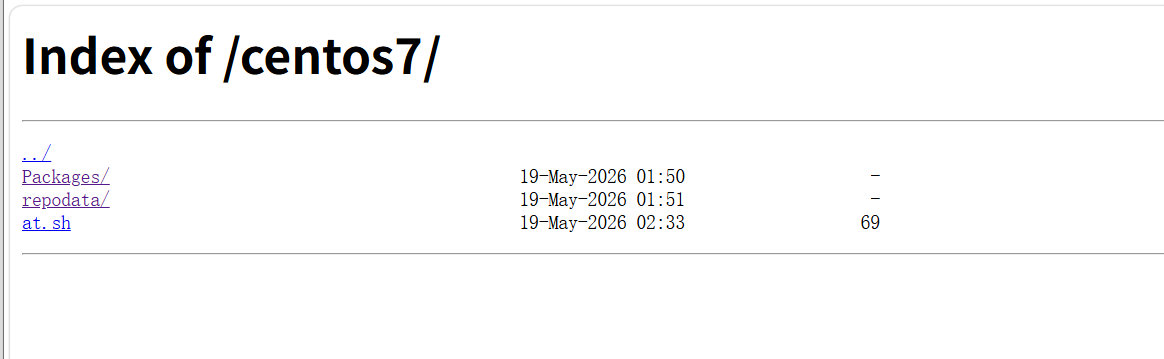
2.发布软件仓库
[root@sever nginx-1.24.0 09:49:05]# cd /usr/local/nginx/html/
[root@sever html 09:49:21]# mkdir -p centos7/Packages
[root@sever html 09:49:49]# cd centos7/Packages/
[root@sever Packages 09:49:58]# yum install -y nginx httpd --downloadonly --downloaddir=.
已加载插件:fastestmirror
Loading mirror speeds from cached hostfile
 * base: mirrors.aliyun.com
 * extras: mirrors.aliyun.com
 * updates: mirrors.aliyun.com
正在解决依赖关系
#yumdownloader下载只会单独下载软件包,并不会下载相关依赖

[root@sever Packages 09:50:30]# cd ..
[root@sever centos7 09:50:33]# yum install -y createrepo
已加载插件:fastestmirror
Loading mirror speeds from cached hostfile
 * base: mirrors.aliyun.com
 * extras: mirrors.aliyun.com
 * updates: mirrors.aliyun.com
正在解决依赖关系
--> 正在检查事务
3.配置客户端
[root@client yum.repos.d 09:52:45]# mkdir bakcup
[root@client yum.repos.d 09:53:03]# mv *repo bakcup
[root@client yum.repos.d 09:53:06]# vim centos7.repo
[root@client yum.repos.d 09:53:23]# yum install -y httpd
已加载插件:fastestmirror
Loading mirror speeds from cached hostfile
centos7                                                                     | 2.9 kB  00:00:00
centos7/primary_db                                                          |  10 kB  00:00:00
正在解决依赖关系

[root@client yum.repos.d 09:53:51]# yum repolist
已加载插件:fastestmirror
Loading mirror speeds from cached hostfile
源标识                                       源名称                                            状态
centos7                                      centos7 test                                      10
repolist: 10
[root@client yum.repos.d 09:53:58]# ll
总用量 4
drwxr-xr-x 2 root root 237 5月  19 09:53 bakcup
-rw-r--r-- 1 root root  82 5月  19 09:53 centos7.repo

汇聚全球AI编程工具,助力开发者即刻编程。
更多推荐



 14
14 0
0- 0


 已为社区贡献4条内容

所有评论(0)