
Java后端、前端学习备忘
·
1、vue中
const row = this.$route.query.row

this.$router.go(-1)
能看出$route和$router的区别。
2、const APP_NAME = require('./package.json').name;
知道require是怎么回事。package.json文件内容是一个json内容,获取这个json内容的name。
3、vue.config.js中
module.exports = {

// 配置转发代理

  devServer: {

    open: true,

    disableHostCheck: true,

    port: PORT,

    proxy: {


      // 示例代理:连接本地服务,放在"代理:统一入口"前边

//       '/api/act': {

//         target: "http://1.2.2.1:841",

//         ws: true,

//         proxyTimeout: 10 * 60 * 1000,

//         timeout: 10 * 60 * 1000,

//         pathRewrite: {

//           '^/api/act': ''

//         }

//       },

      // '/api/produce':{

      //   // target: 'http://1.3.2.7:381',  // 代理跨域目标接口

      //   // target: 'http://m..com.cn/api/',  // 生产的

      //   target: 'http://11.0.1.9:40',  // 生产的

      //   ws: true,

      //         proxyTimeout: 10 * 60 * 1000,

      //         timeout: 10 * 60 * 1000,

      //   pathRewrite: {

      //     '^/api/produce': ''

      //   }

      // },

      '/api/produce':{

        // target: 'http://10.3.2.20:381',  // 代理跨域目标接口

        // target: 'http://m.com.cn/api/',  // 生产的

        target: 'http://localhost:4060',  // 生产的

        ws: true,

              proxyTimeout: 10 * 60 * 1000,

              timeout: 10 * 60 * 1000,

        pathRewrite: {

          '^/api/produce': ''

        }

      },


      // 代理:统一入口

      '/api': {

        target: url,

        // pathRewrite: {   //url连接本地服务放开

        //   '^/api': ''

        // }

      },


    }

  }
要知道在微前端架构中,登录和用户等公共服务公共前端要用公共的,自身要去调试的微前端、微服务要用自己本机的,便于独立开发前端或者后端,不会影响到开发环境的前端或者后端。
要同时改下后端的nacos下service(如果没有就得添加):
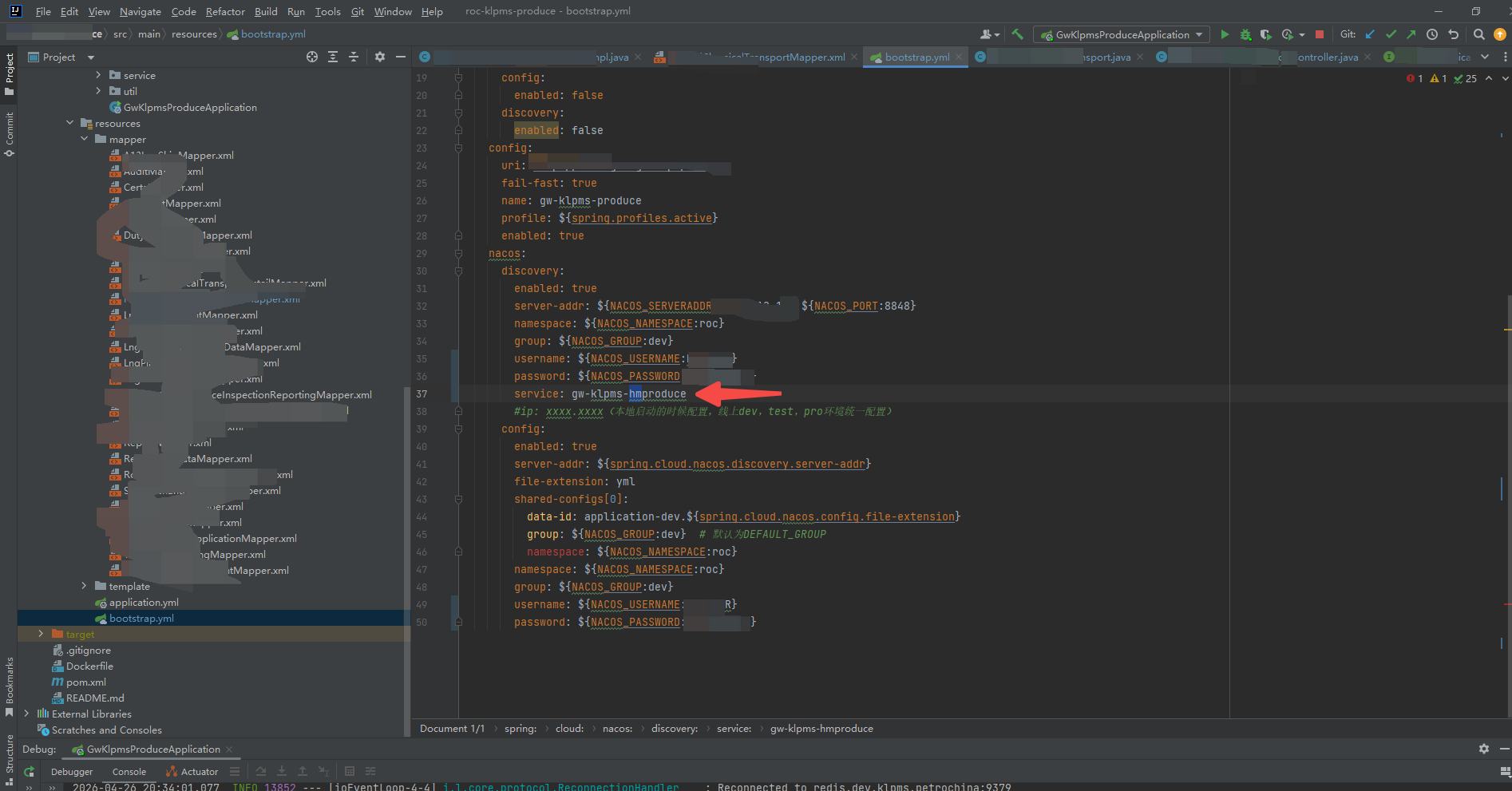
不能影响到nacos上的开发环境的服务。
4、stream的待学习
boolean insertInfo = different.stream().map(processParametersMapper::insertChangeInfo).allMatch(count -> count > 0);


aggregate


Map<String, String> idToTableIdMap = processParametersList.stream()
                .collect(Collectors.toMap(ProcessParameters::getId, ProcessParameters::getTableId));


List<String> eventIds = resultList.stream()
                    .flatMap(item -> item.getChangesStationList().stream())
                    .map(ChangesStationVO::getStationEventid)
                    .collect(Collectors.toList());

List<StationReport> collect = Stream.of(listCur, listPre)
                                    .flatMap(Collection::stream).collect(Collectors.collectingAndThen(Collectors.toCollection(() -> new TreeSet<>(Comparator.comparing(StationReport :: getStationEventid))), ArrayList::new));
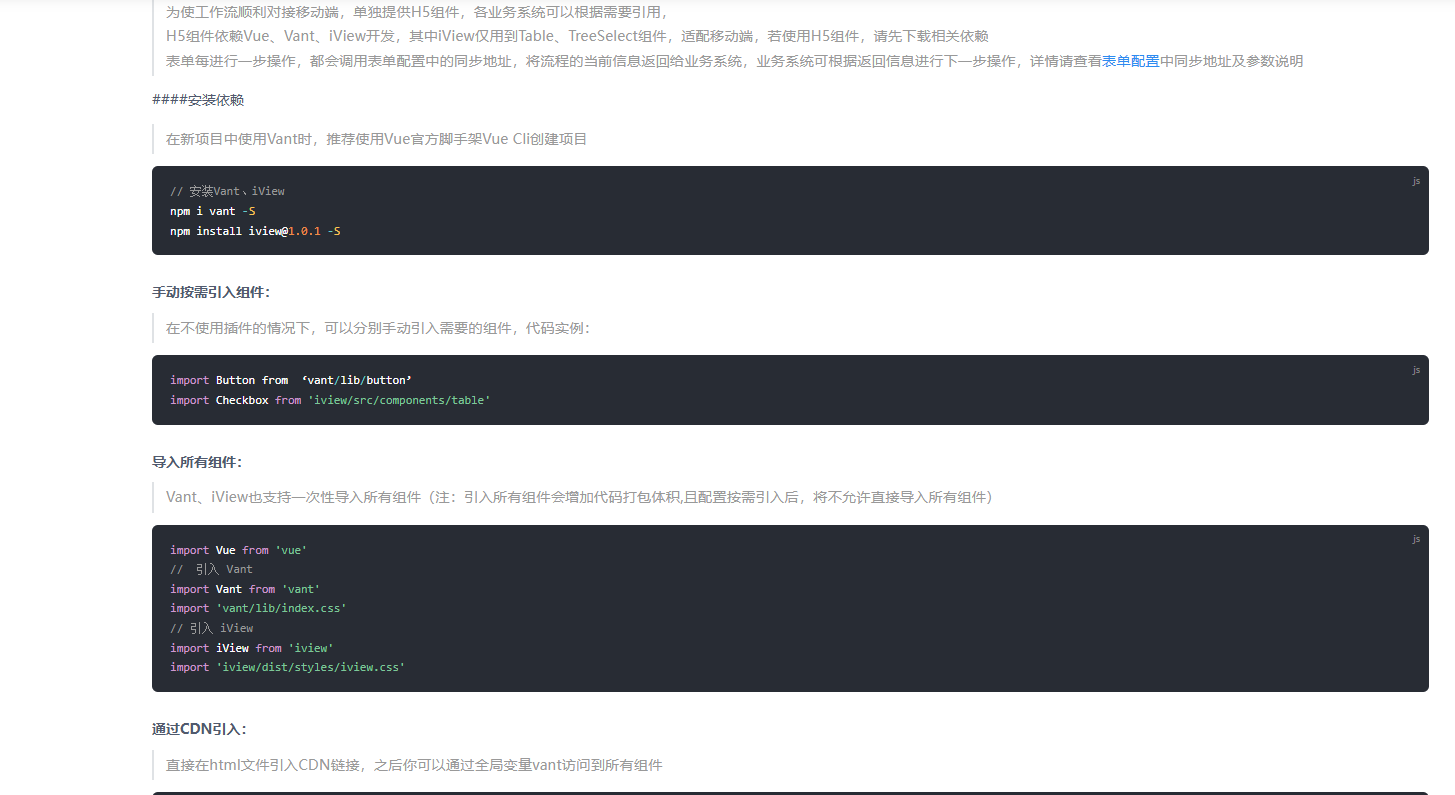
5、移动端待学习vant做个CRUD例子项目应用:
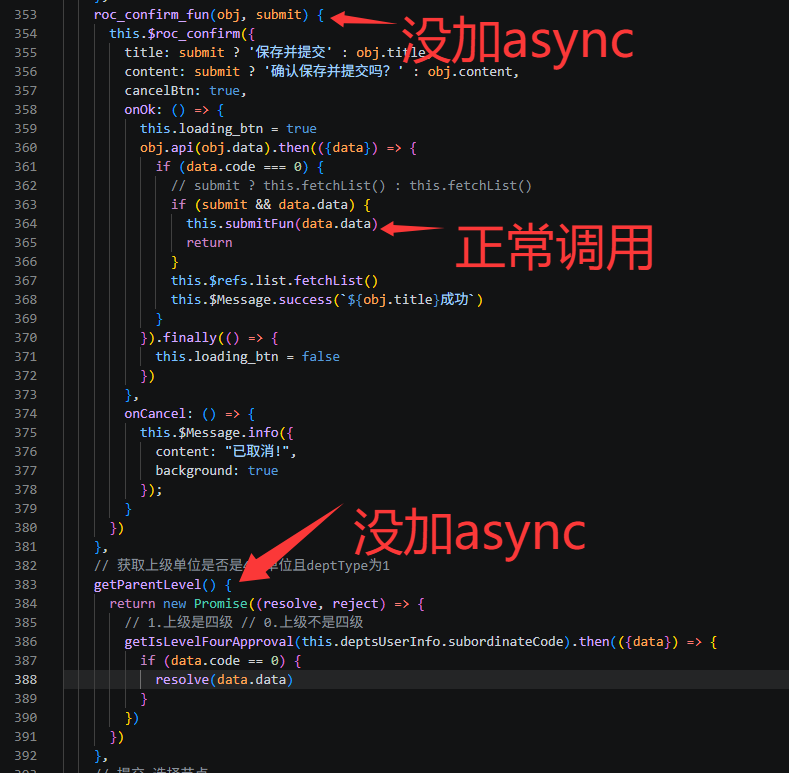
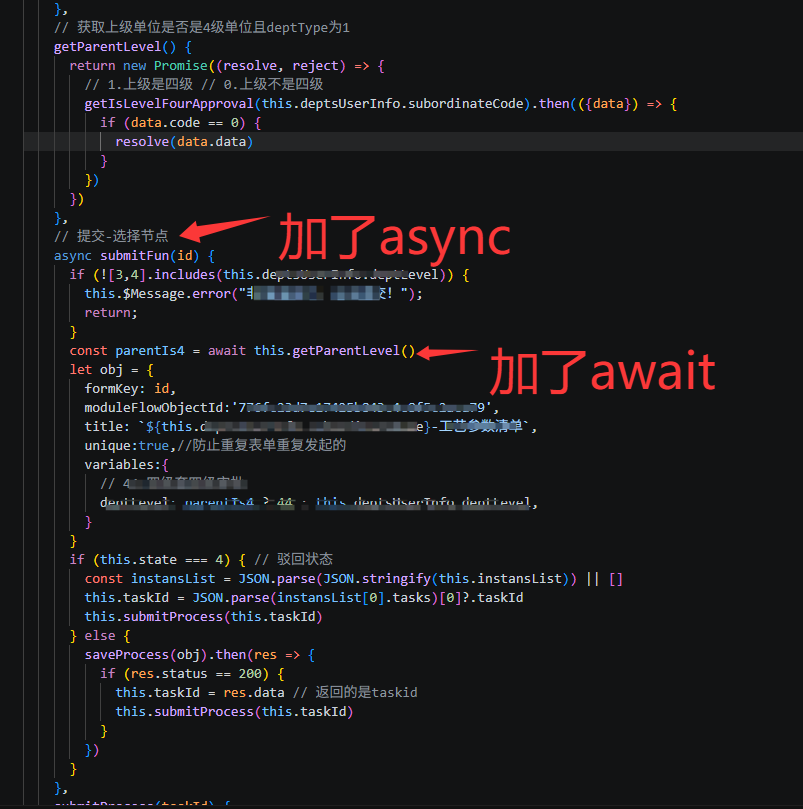
5、async和await
6、css怎么控制文字在div中垂直居中也水平居中
推荐做法:Flexbox 方法(最推荐,最简洁)
.title-noData{
  width: 100%;
    height: calc(85vh - 300px);/* 需要指定高度 */
    /* 或者用 min-height */
    /* 居中样式 */
    display: flex;
    justify-content: center;
    align-items: center;
}
还可以使用grid布局、表格布局方法、绝对定位 + transform(适用于不确定宽高)、 line-height + text-align(单行文本)。
7、如果只用更新一个依赖包的话
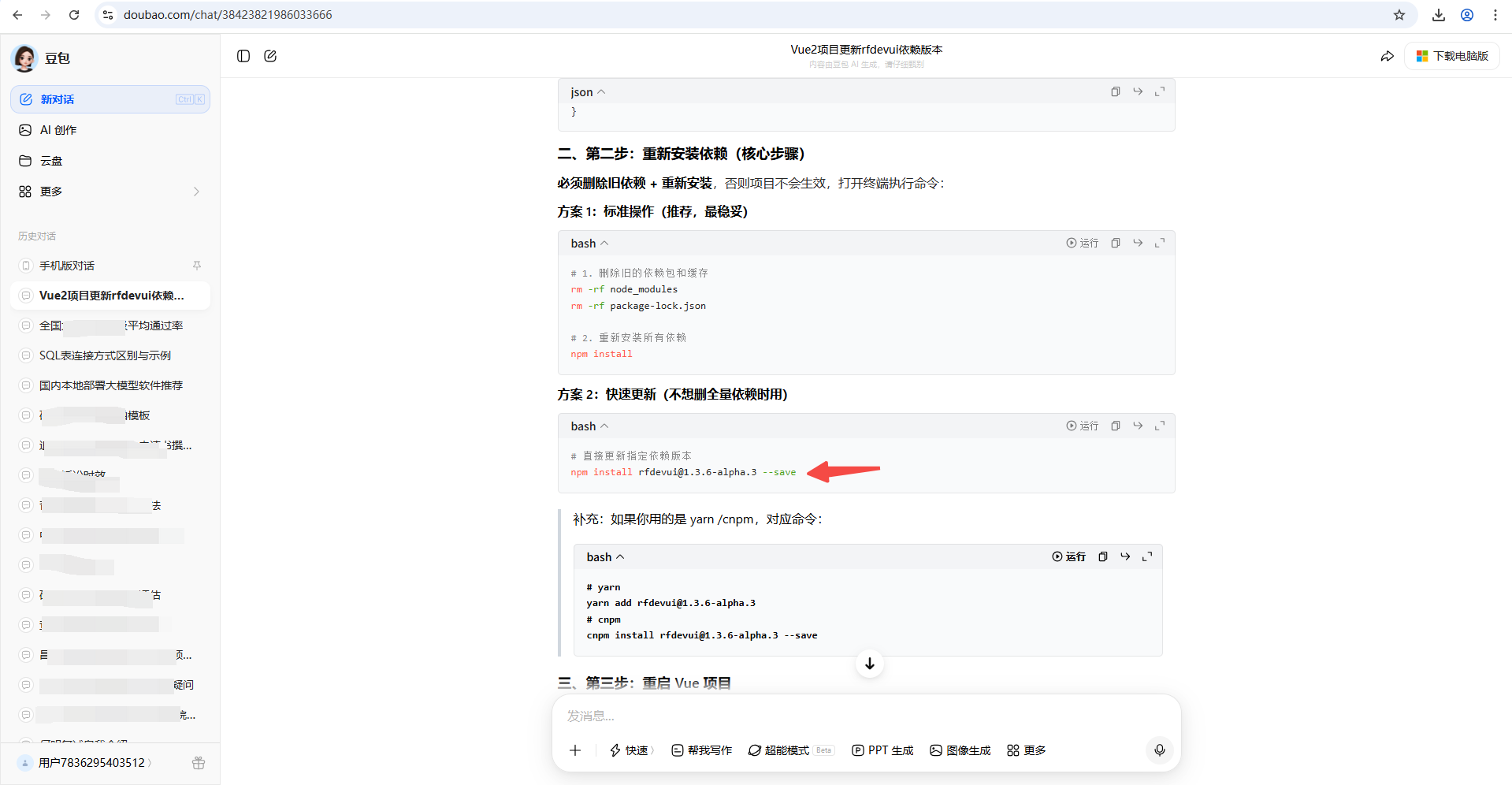
方案2:
# 直接更新指定依赖版本
npm install rfdevui@1.3.6-alpha.3 --save
汇聚全球AI编程工具,助力开发者即刻编程。
更多推荐

 0
0 0
0- 0


 已为社区贡献1条内容

所有评论(0)