
Milvus 向量数据库使用指南
·
一、Milvus 服务信息
1.1 服务地址
-
gRPC 端口:
localhost:19530 -
健康检查:
http://localhost:9091/healthz
1.2 Python 客户端连接
from pymilvus import MilvusClient
# 连接到Milvus服务器
client = MilvusClient(uri="http://localhost:19530")
# 测试连接
collections = client.list_collections()
print(f"当前集合: {collections}")
1.3 启动/停止 Milvus
# 启动 docker compose up -d # 停止 docker compose down
二、Attu 管理工具
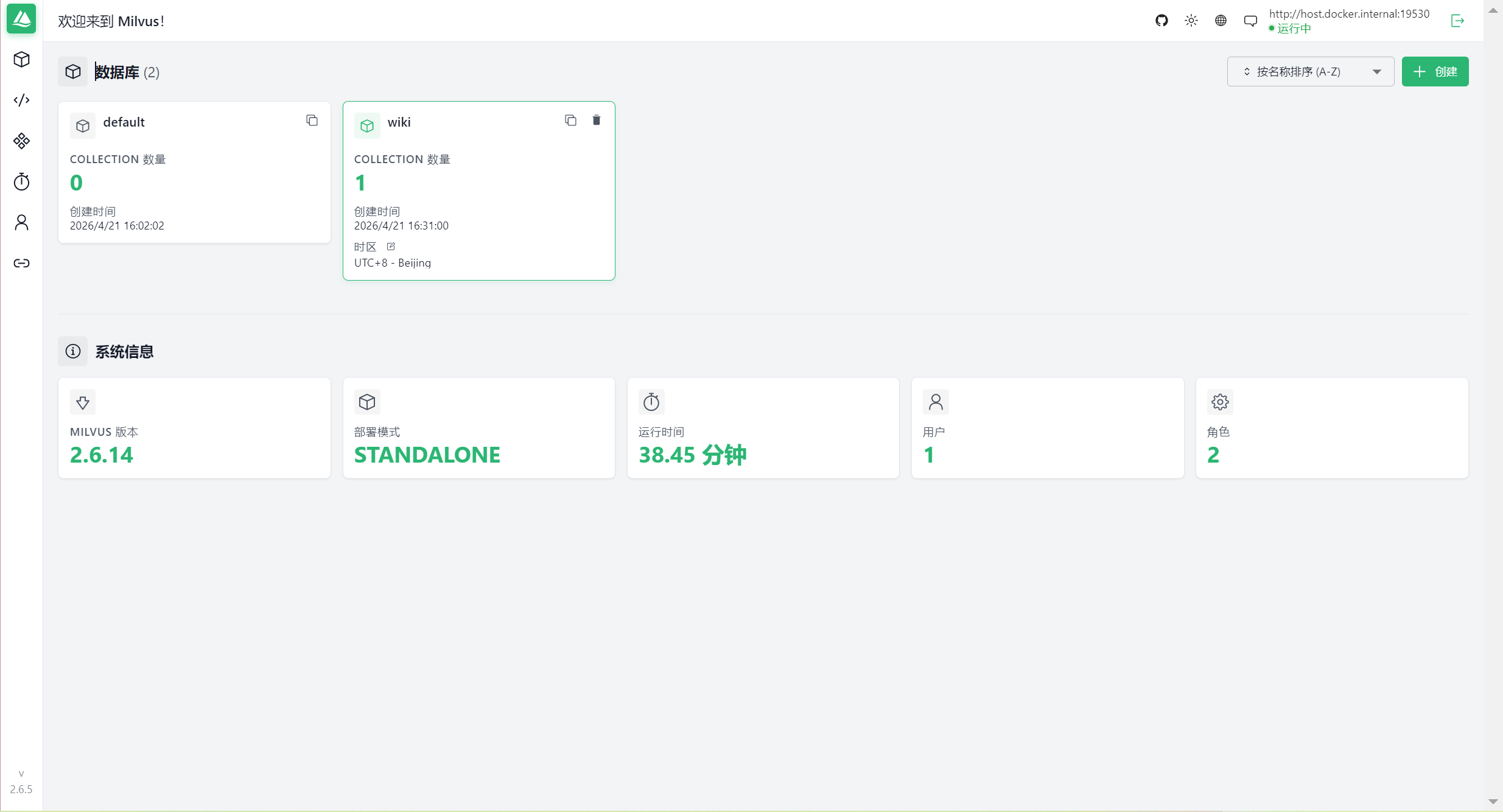
2.1. 部署 Attu
docker run --name milvus-attu -d -p 8100:3000 -e MILVUS_URL=http://host.docker.internal:19530 zilliz/attu:latest
2.2 访问地址
-
Attu 管理界面: http://localhost:8100
2.3 连接配置
-
Address:
host.docker.internal:19530或localhost:19530 -
Username: 留空
-
Password: 留空
2.4 Attu 管理命令
# 查看状态 docker ps | grep attu # 查看日志 docker logs milvus-attu # 停止 docker stop milvus-attu # 启动 docker start milvus-attu # 删除 docker rm -f milvus-attu
三、MinIO 对象存储
3.1 访问地址
-
MinIO 控制台: http://localhost:9001
3.2 登录信息
-
Username:
minioadmin -
Password:
minioadmin
四、Dify 中配置 Milvus
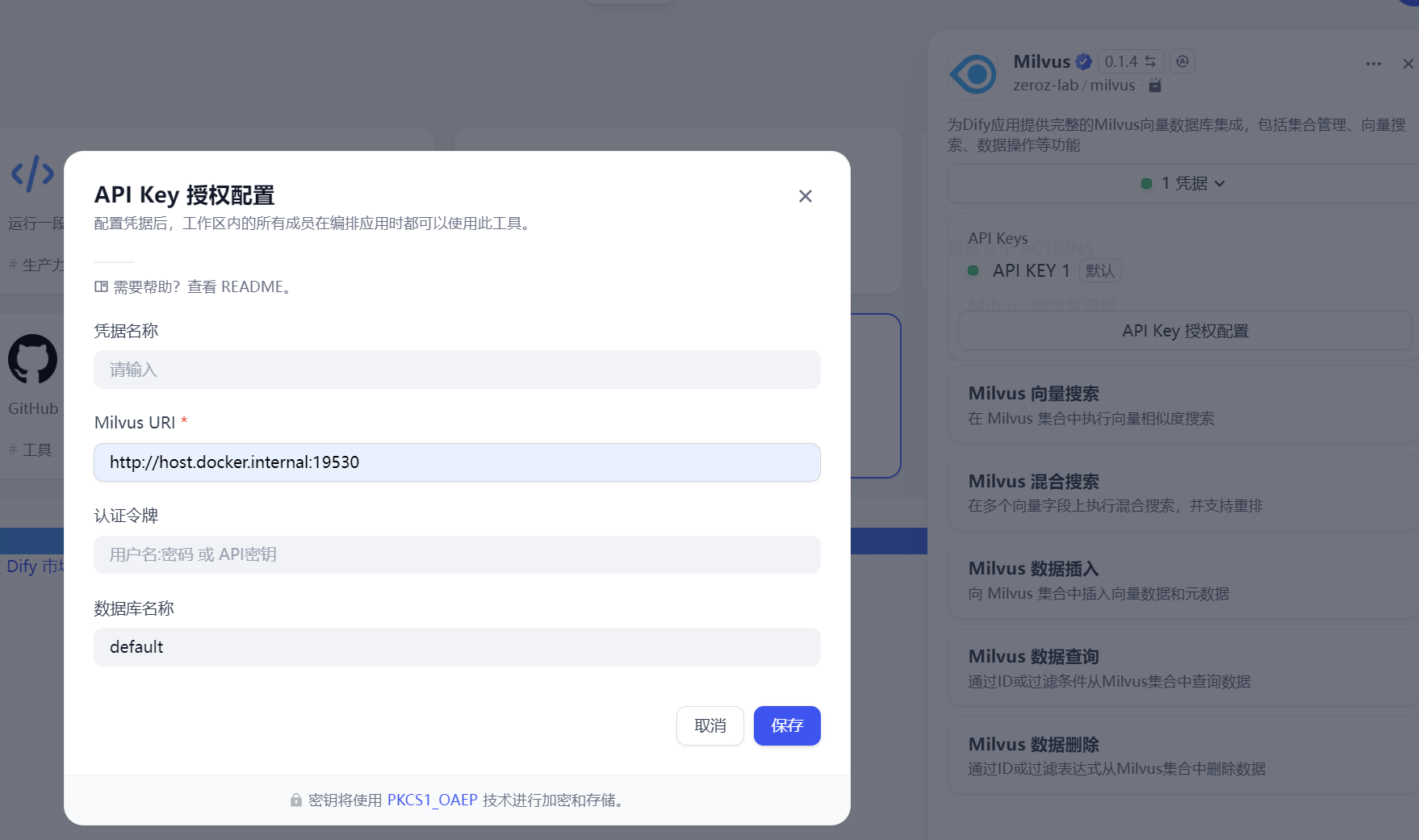
4.1 配置信息
-
Milvus URI:
http://host.docker.internal:19530 -
Username: 留空
-
Password: 留空
-
Database: 留空或
default
4.2 说明
host.docker.internal 是 Docker Desktop 提供的特殊 DNS 名称,在容器中解析为宿主机的 IP 地址,用于容器访问宿主机上的服务。
五、快速测试脚本
保存为 test_milvus_connection.py:
from pymilvus import MilvusClient
try:
client = MilvusClient(uri="http://localhost:19530")
collections = client.list_collections()
print("Milvus连接成功!")
print(f"当前集合: {collections}")
except Exception as e:
print(f"连接失败: {e}")
运行:
pip install pymilvus
python test_milvus_connection.py
六、服务状态检查
# 检查所有容器 docker ps # 检查 Milvus 健康状态 curl http://localhost:9091/healthz # 检查 Attu 日志 docker logs milvus-attu

汇聚全球AI编程工具,助力开发者即刻编程。
更多推荐


 8
8 0
0- 0


 已为社区贡献2条内容

所有评论(0)