
Dify 模型供应商下载失败解决办法
·
问题现象:
部署或使用 Dify 时,模型供应商(如 OpenAI、Anthropic 等)的依赖包下载失败,提示网络连接超时或资源不可用。
原因定位:
langgenius/dify: Production-ready platform for agentic workflow development.默认下载路径指向国外服务器,可能因网络限制导致访问失败。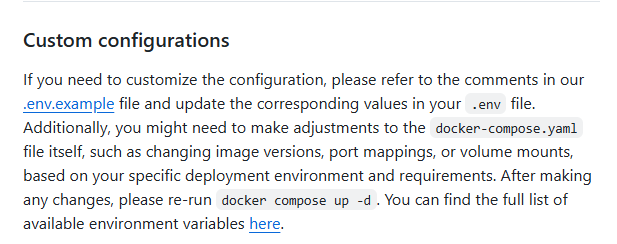
解决方法:
通过修改包管理器的镜像源,将下载路径替换为国内可用源(如清华源、阿里云源等)。
操作步骤
-
定位配置文件
根据当前使用的包管理器,找到其配置文件:pip:~/.pip/pip.conf(Linux/macOS)conda:~/.condarc
-
修改镜像源
在配置文件中添加或替换为以下内容(以pip使用清华源为例):[global] index-url = https://pypi.tuna.tsinghua.edu.cn/simple trusted-host = pypi.tuna.tsinghua.edu.cn -
保存并重试
保存配置文件后,重新执行下载命令(如pip install -r requirements.txt)。
验证方法
- 执行命令后观察日志,确认依赖包是否从新镜像源(如
tuna.tsinghua.edu.cn)下载。 - 若下载成功且无报错,则问题解决。
补充说明
-
常用镜像源
- 清华源:
https://pypi.tuna.tsinghua.edu.cn/simple - 阿里云源:
https://mirrors.aliyun.com/pypi/simple/ - 华为云源:
https://mirrors.huaweicloud.com/repository/pypi/simple/
- 清华源:
-
多平台适配
- Windows 用户可通过命令快速生成配置文件:
pip config set global.index-url https://mirrors.aliyun.com/pypi/simple/
- Windows 用户可通过命令快速生成配置文件:
-
临时解决方案
单次下载可使用-i参数指定源:pip install -i https://mirrors.aliyun.com/pypi/simple/ package_name
后续会更新dify部署和使用指南,有需要可以关注我

汇聚全球AI编程工具,助力开发者即刻编程。
更多推荐



 9
9 0
0- 0


 已为社区贡献1条内容

所有评论(0)