
gitlab-在rockylinux8上docker安装-备份-恢复
1.配置docker环境
1.1安装docker
|
[root@gitlab ~]# rpm -qa | grep podman [root@gitlab ~]# rpm -q podman |
|
package podman is not installed |
|
[root@gitlab ~]# dnf install -y yum-utils device-mapper-persistent-data lvm2 |
|
Upgraded: device-mapper-8:1.02.181-15.el8_10.x86_64 device-mapper-event-8:1.02.181-15.el8_10.x86_64 device-mapper-event-libs-8:1.02.181-15.el8_10.x86_64 device-mapper-libs-8:1.02.181-15.el8_10.x86_64 dnf-plugins-core-4.0.21-25.el8.noarch lvm2-8:2.03.14-15.el8_10.x86_64 lvm2-libs-8:2.03.14-15.el8_10.x86_64 python3-dnf-plugins-core-4.0.21-25.el8.noarch Installed: python3-systemd-234-8.el8.x86_64 yum-utils-4.0.21-25.el8.noarch Complete! |
|
[root@gitlab ~]# yum-config-manager --add-repo https://mirrors.aliyun.com/docker-ce/linux/centos/docker-ce.repo |
|
Adding repo from: https://mirrors.aliyun.com/docker-ce/linux/centos/docker-ce.repo |
|
[root@gitlab ~]# yum install -y docker-ce docker-ce-cli containerd.io docker-buildx-plugin docker-compose-plugin |
|
Installed: container-selinux-2:2.229.0-2.module+el8.10.0+1948+4b5cd4a9.noarch containerd.io-1.6.32-3.1.el8.x86_64 docker-buildx-plugin-0.14.0-1.el8.x86_64 docker-ce-3:26.1.3-1.el8.x86_64 docker-ce-cli-1:26.1.3-1.el8.x86_64 docker-ce-rootless-extras-26.1.3-1.el8.x86_64 docker-compose-plugin-2.27.0-1.el8.x86_64 fuse-overlayfs-1.13-1.module+el8.10.0+1948+4b5cd4a9.x86_64 fuse3-3.3.0-19.el8.x86_64 fuse3-libs-3.3.0-19.el8.x86_64 libcgroup-0.41-19.el8.x86_64 libslirp-4.4.0-2.module+el8.10.0+1948+4b5cd4a9.x86_64 slirp4netns-1.2.3-1.module+el8.10.0+1948+4b5cd4a9.x86_64 Complete! |
|
[root@gitlab ~]# systemctl enable docker |
|
Created symlink /etc/systemd/system/multi-user.target.wants/docker.service → /usr/lib/systemd/system/docker.service. |
|
[root@gitlab ~]# systemctl start docker [root@gitlab ~]# docker -v |
|
Docker version 26.1.3, build b72abbb |
|
[root@gitlab ~]# vim /etc/docker/daemon.json |
|
{ "builder": { "gc": { "defaultKeepStorage": "20GB", "enabled": true } }, "experimental": false, "features": { "buildkit": true }, "live-restore": true, "registry-mirrors": [ "https://docker.m.daocloud.io", ] } |
|
[root@gitlab ~]# systemctl daemon-reload && systemctl restart docker |
1.2安装docker-compose
|
[root@gitlab ~]# curl -L "https://github.com/docker/compose/releases/latest/download/docker-compose-$(uname -s)-$(uname -m)" -o /usr/local/bin/docker-compose [root@gitlab ~]# chmod +x /usr/local/bin/docker-compose [root@gitlab ~]# ln -s /usr/local/bin/docker-compose /usr/bin/docker-compose [root@gitlab ~]# docker-compose --version |
|
Docker Compose version v2.33.1 |
2.docker安装gitlab
2.1下载gitlab镜像
|
[root@gitlab ~]# docker pull gitlab/gitlab-ce:12.5.2-ce.0 |
|
12.5.2-ce.0: Pulling from gitlab/gitlab-ce 976a760c94fc: Pull complete c58992f3c37b: Pull complete 0ca0e5e7f12e: Pull complete f2a274cc00ca: Pull complete 8e1658b69e6f: Pull complete 9fd149f4f0a7: Pull complete edaf9ce4564c: Pull complete d24a22750244: Pull complete a7a54e11cce8: Pull complete 34ffe09b108b: Pull complete Digest: sha256:40826e1f9b3c1ce3c83a90b64ea9dc27d33a08f6687ca35081d11c6ed3b57ce6 Status: Downloaded newer image for gitlab/gitlab-ce:12.5.2-ce.0 docker.io/gitlab/gitlab-ce:12.5.2-ce.0 |
|
[root@gitlab ~]# docker images |
|
REPOSITORY TAG IMAGE ID CREATED SIZE gitlab/gitlab-ce 12.5.2-ce.0 a968f7f66f71 5 years ago 1.82GB |
2.2安装gitlab
|
[root@gitlab ~]# mkdir -p /data/gitlab/config [root@gitlab ~]# mkdir -p /data/gitlab/logs [root@gitlab ~]# mkdir -p /data/gitlab/data [root@gitlab ~]# mkdir -p /data/gitlab/backups [root@gitlab ~]# vim docker-compose.yml |
|
version: '3.4' services: gitlab: image: 'gitlab/gitlab-ce:12.5.2-ce.0' restart: always hostname: 'gitlab' environment: GITLAB_OMNIBUS_CONFIG: | external_url 'http://10.9.254.40' gitlab_rails['gitlab_shell_ssh_port'] = 43215 # 可选,如果你需要更改SSH端口 ports: - '80:80' # HTTP端口映射 - '443:443' # HTTPS端口映射(可选) - '43215:22' # SSH端口映射(如果你更改了默认SSH端口) volumes: - '/data/gitlab/config:/etc/gitlab' - '/data/gitlab/logs:/var/log/gitlab' - '/data/gitlab/data:/var/opt/gitlab' - '/data/gitlab/backups:/var/opt/gitlab/backups' |
|
[root@gitlab ~]# docker-compose up -d |
|
[+] Running 2/2 ✔ Network root_default Created 0.3s ✔ Container root-gitlab-1 Started |
|
[root@gitlab ~]# docker ps -a |
|
CONTAINER ID IMAGE COMMAND CREATED STATUS PORTS NAMES 1afdd2bc72bb gitlab/gitlab-ce:12.5.2-ce.0 "/assets/wrapper" 28 seconds ago Up 26 seconds (health: starting) 0.0.0.0:80->80/tcp, :::80->80/tcp, 0.0.0.0:443->443/tcp, :::443->443/tcp, 0.0.0.0:43215->22/tcp, :::43215->22/tcp root-gitlab-1 |
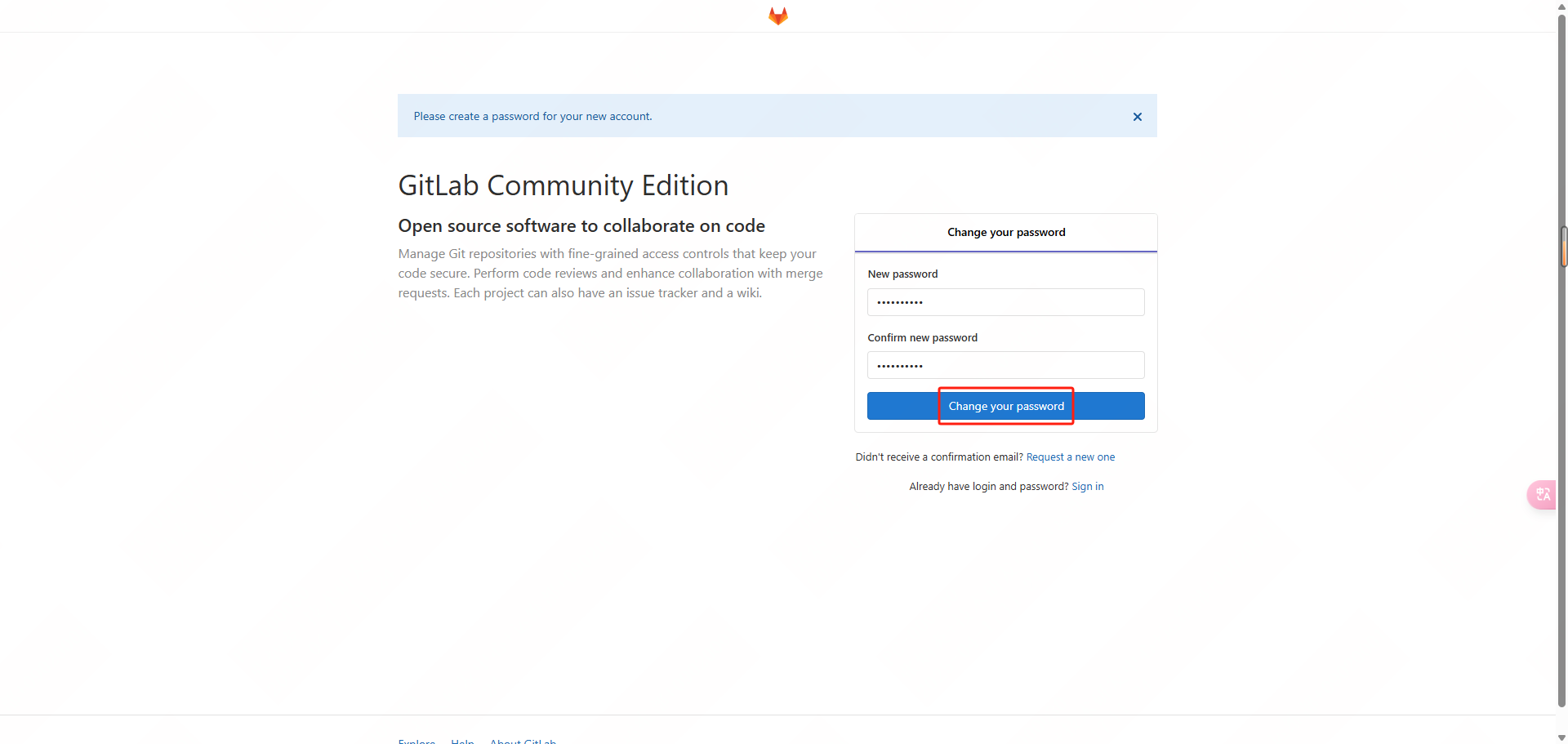
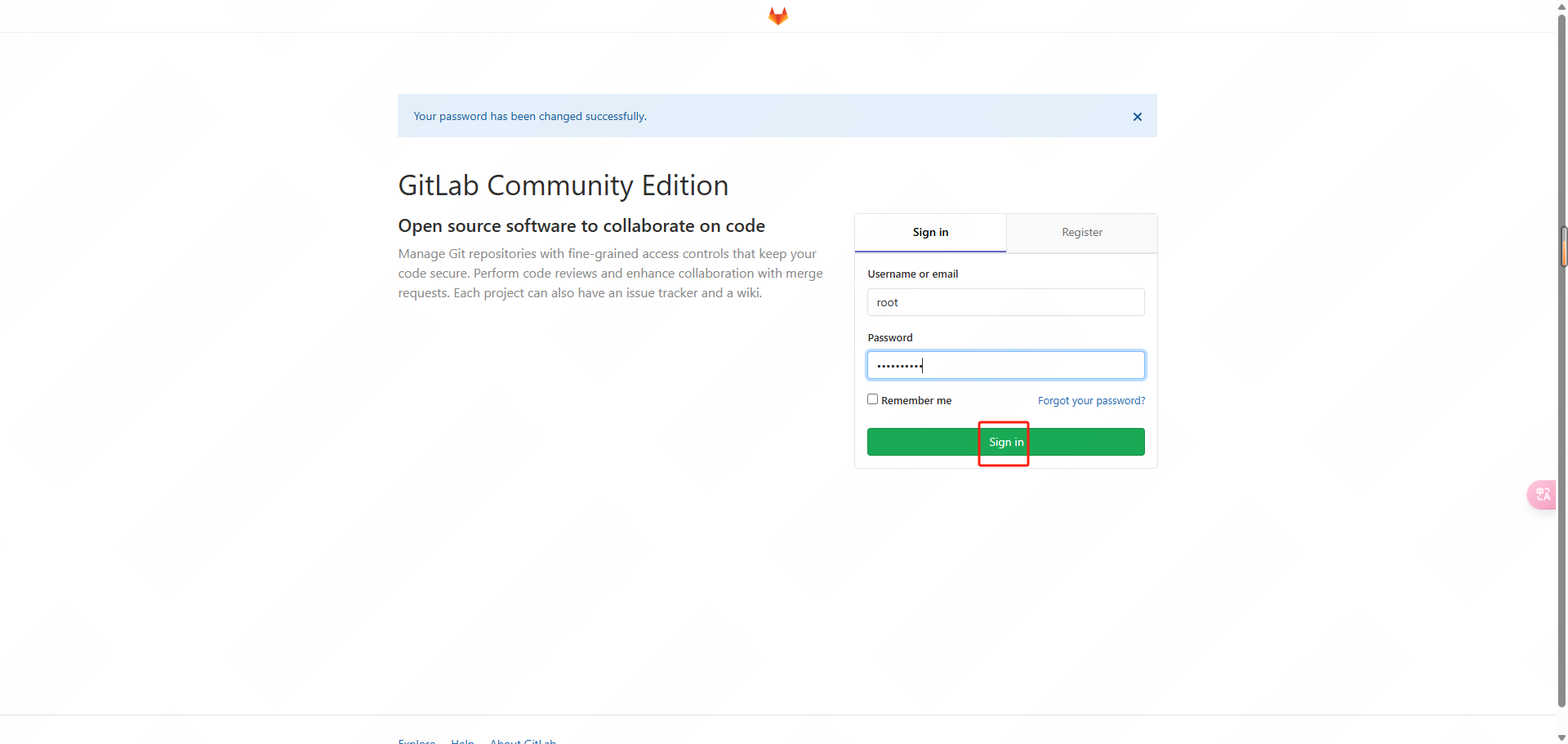
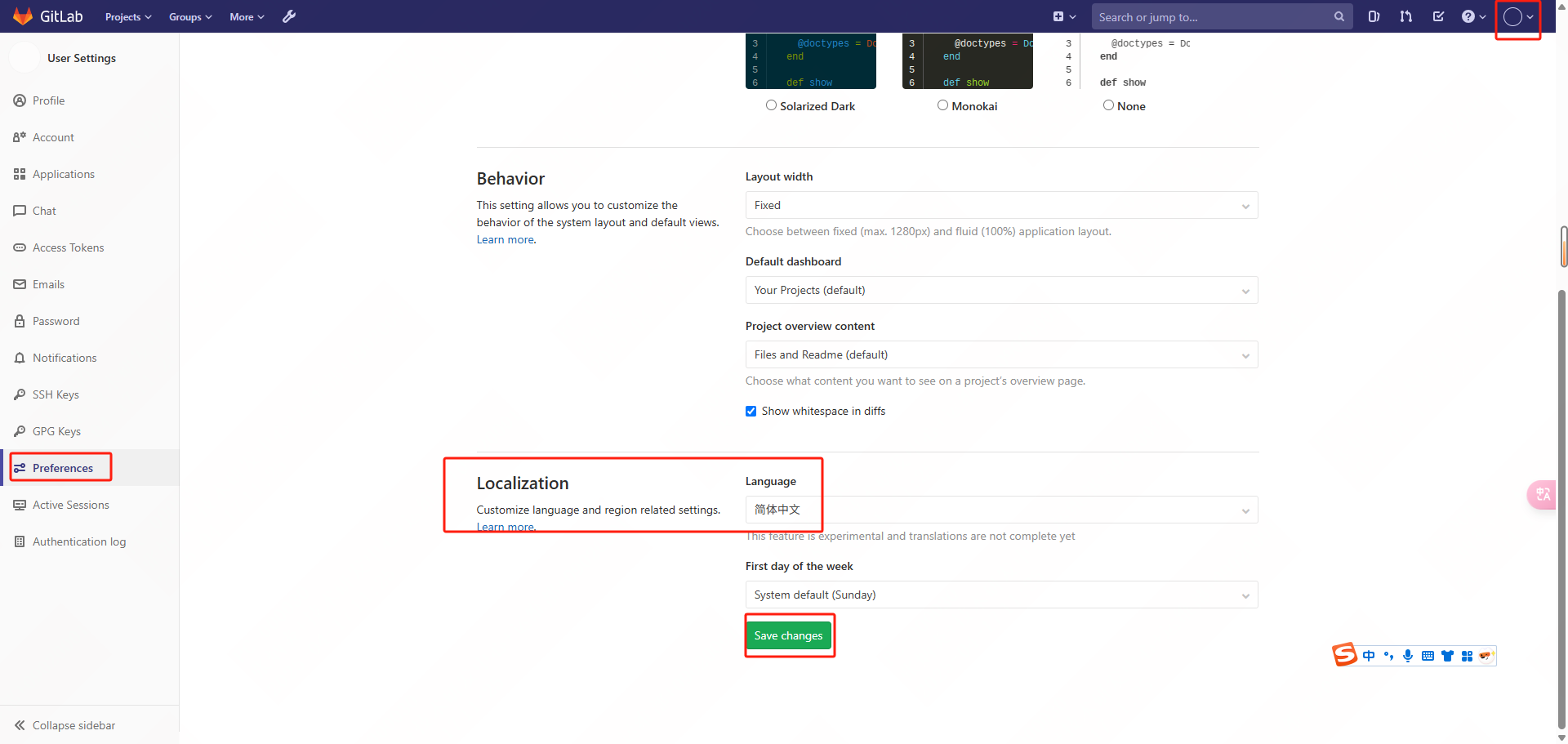
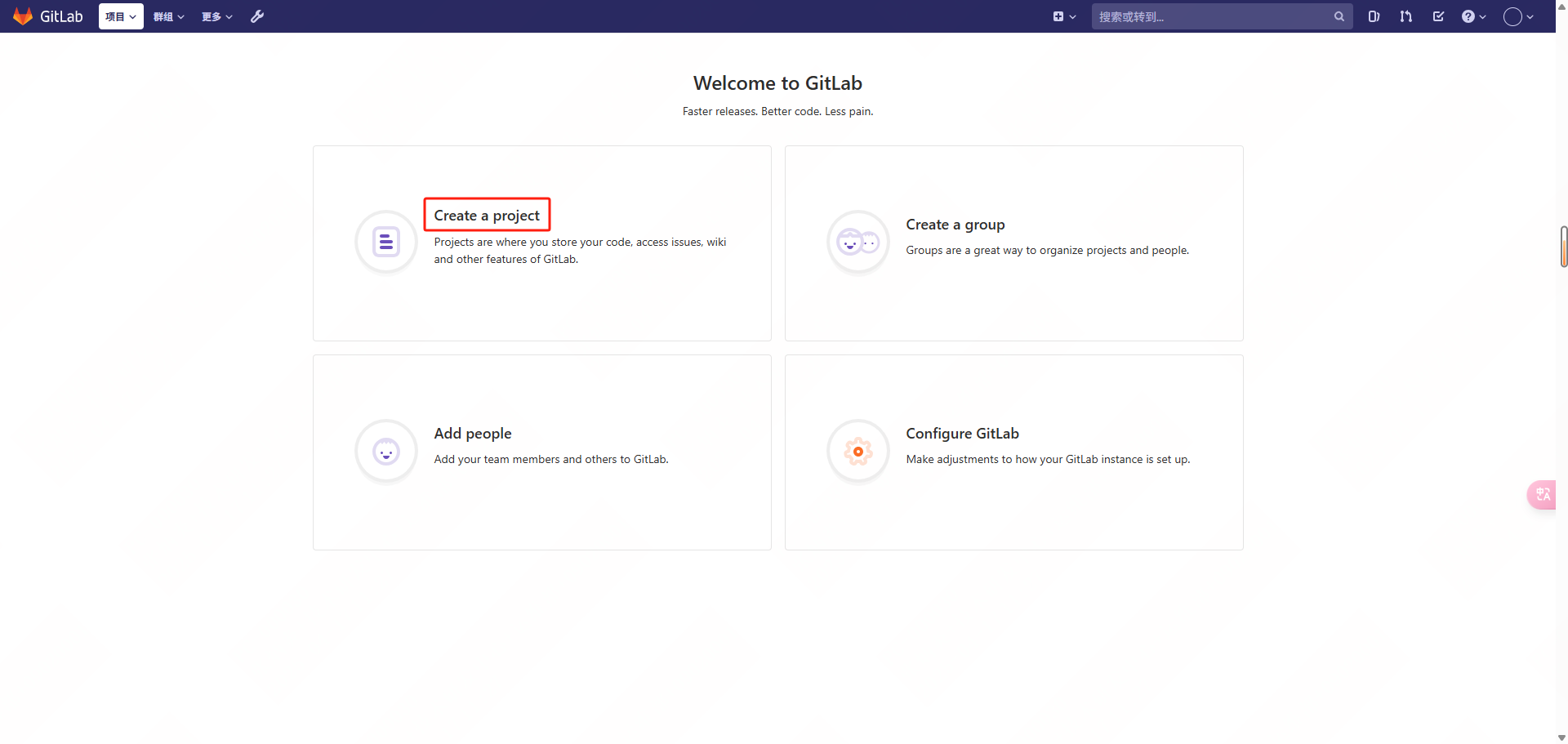
2.3登录gitlab
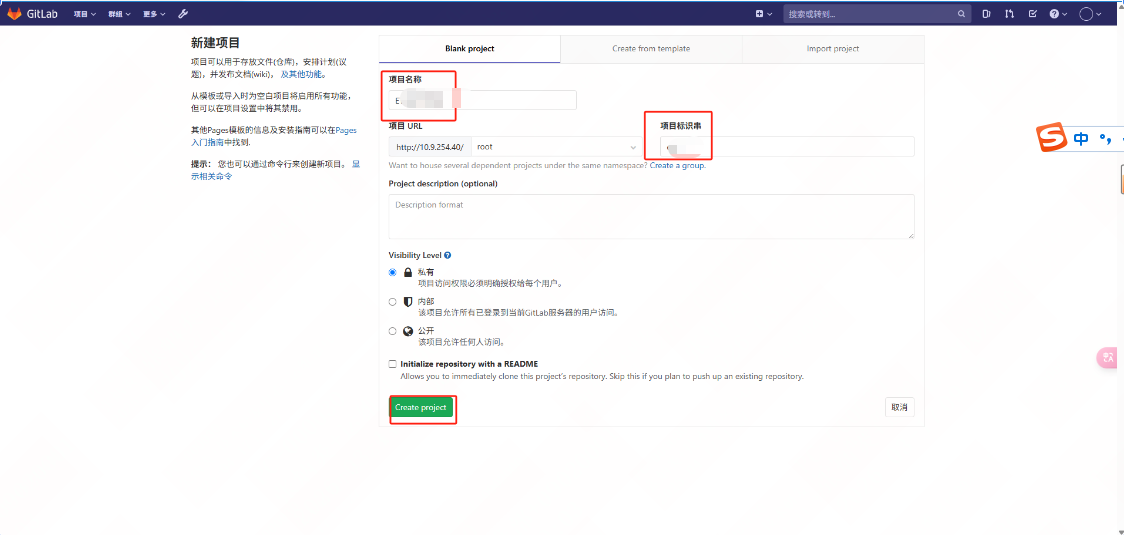
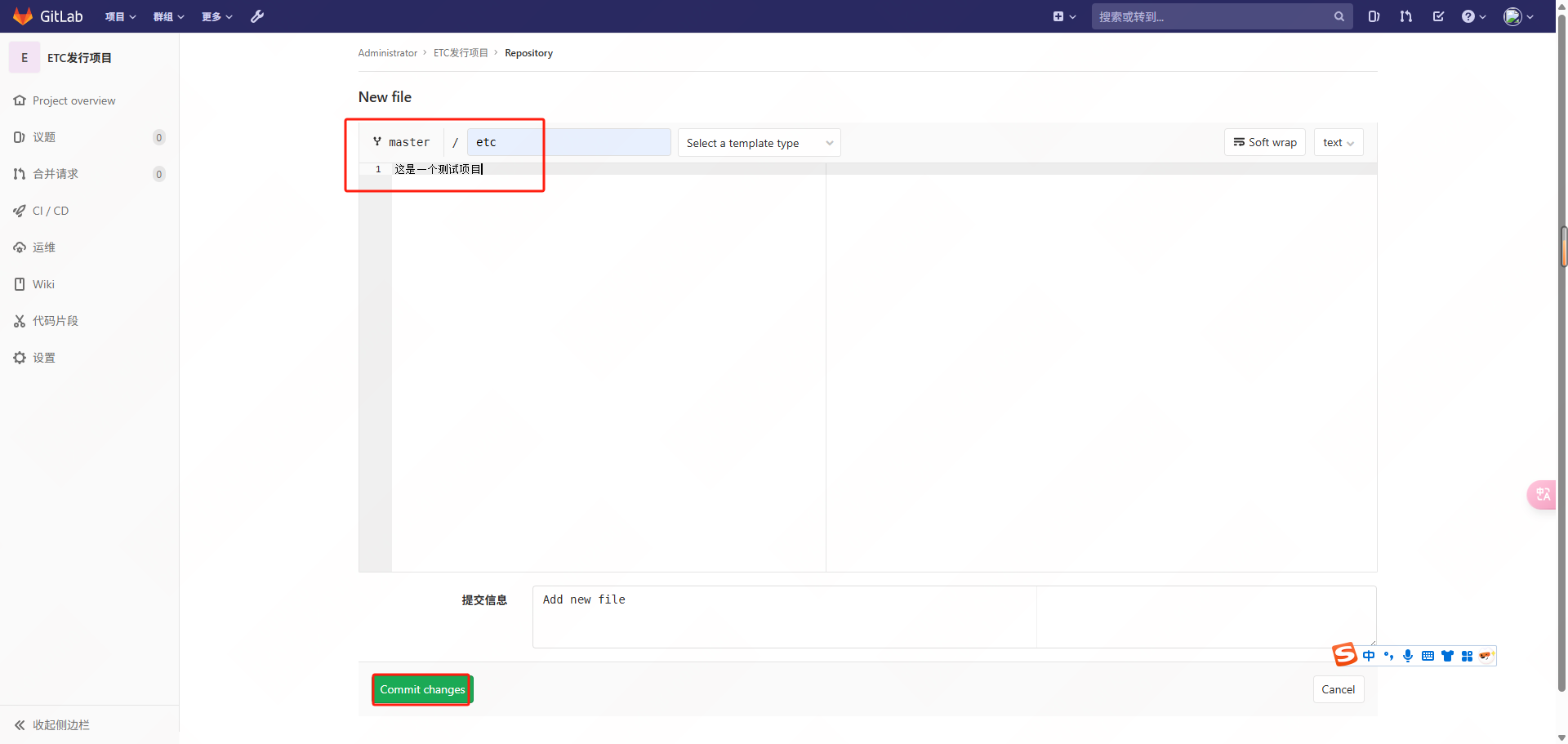

3.备份gitlab数据
3.1停止gitlab容器
在进行备份之前,最好先停止 GitLab 容器以确保数据一致性:
|
[root@gitlab ~]# docker stop root-gitlab-1 |
|
root-gitlab-1 |
|
[root@gitlab ~]# docker ps -a |
|
CONTAINER ID IMAGE COMMAND CREATED STATUS PORTS NAMES 673bf507dbf6 gitlab/gitlab-ce:12.5.2-ce.0 "/assets/wrapper" 10 minutes ago Exited (0) 16 seconds ago root-gitlab-1 |
3.2创建备份
启动 GitLab 容器并执行备份命令:
|
[root@gitlab ~]# docker start root-gitlab-1 |
|
root-gitlab-1 |
|
[root@gitlab ~]# docker exec -t root-gitlab-1 gitlab-backup create |
|
2025-04-17 03:40:34 +0000 -- Dumping database ... Dumping PostgreSQL database gitlabhq_production ... [DONE] 2025-04-17 03:40:36 +0000 -- done 2025-04-17 03:40:36 +0000 -- Dumping repositories ... * root/etc- (@hashed/6b/86/6b86b273ff34fce19d6b804eff5a3f5747ada4eaa22f1d49c01e52ddb7875b4b) ... [DONE] [SKIPPED] Wiki 2025-04-17 03:40:36 +0000 -- done 2025-04-17 03:40:36 +0000 -- Dumping uploads ... 2025-04-17 03:40:37 +0000 -- done 2025-04-17 03:40:37 +0000 -- Dumping builds ... 2025-04-17 03:40:37 +0000 -- done 2025-04-17 03:40:37 +0000 -- Dumping artifacts ... 2025-04-17 03:40:37 +0000 -- done 2025-04-17 03:40:37 +0000 -- Dumping pages ... 2025-04-17 03:40:37 +0000 -- done 2025-04-17 03:40:37 +0000 -- Dumping lfs objects ... 2025-04-17 03:40:37 +0000 -- done 2025-04-17 03:40:37 +0000 -- Dumping container registry images ... 2025-04-17 03:40:37 +0000 -- [DISABLED] Creating backup archive: 1744861237_2025_04_17_12.5.2_gitlab_backup.tar ... done Uploading backup archive to remote storage ... skipped Deleting tmp directories ... done done done done done done done done Deleting old backups ... skipping Warning: Your gitlab.rb and gitlab-secrets.json files contain sensitive data and are not included in this backup. You will need these files to restore a backup. Please back them up manually. Backup task is done. |
|
[root@gitlab ~]# ll /data/gitlab/backups/ |
|
-rw------- 1 polkitd render 153600 Apr 17 11:40 1744861237_2025_04_17_12.5.2_gitlab_backup.tar |
|
[root@gitlab ~]# mkdir -p /backup/gitlab/data [root@gitlab ~]# mkdir -p /backup/gitlab/file [root@gitlab ~]# mkdir -p /backup/gitlab/config |
3.3将备份文件复制到主机
使用 docker cp 命令将备份文件从容器拷贝到主机:
|
[root@gitlab ~]# docker cp root-gitlab-1:/var/opt/gitlab/backups/1744861237_2025_04_17_12.5.2_gitlab_backup.tar /backup/gitlab/data/ |
|
Successfully copied 155kB to /backup/gitlab/data/ |
|
[root@gitlab ~]# ll /backup/gitlab/data/ |
|
-rw------- 1 root root 153600 Apr 17 11:40 1744861237_2025_04_17_12.5.2_gitlab_backup.tar |
3.4备份外部文件
|
[root@gitlab ~]# docker cp root-gitlab-1:/var/opt/gitlab/gitlab-rails/shared /backup/gitlab/file/ |
|
Successfully copied 5.63kB to /backup/gitlab/file/ |
|
[root@gitlab ~]# ll /backup/gitlab/file/ |
|
drwxr-x--x 10 root root 141 Apr 17 10:54 shared |
3.5备份配置文件
|
[root@gitlab ~]# docker cp root-gitlab-1:/etc/gitlab /backup/gitlab/config/ |
|
Successfully copied 125kB to /backup/gitlab/config/ |
|
[root@gitlab ~]# ll /backup/gitlab/config/ |
|
drwxrwxr-x 3 root root 4096 Apr 17 11:21 gitlab |
3.6启动gitlab
备份完成后,重新启动 GitLab 容器:
|
[root@gitlab ~]# docker start root-gitlab-1 |
|
root-gitlab-1 |
4.恢复gitlab数据
删除原有项目,进行恢复测试
4.1将备份文件拷贝到容器
|
[root@gitlab ~]# docker cp /backup/gitlab/data/1744861237_2025_04_17_12.5.2_gitlab_backup.tar root-gitlab-1:/var/opt/gitlab/backups/ |
|
Successfully copied 155kB to root-gitlab-1:/var/opt/gitlab/backups/ |
|
[root@gitlab ~]# ll /data/gitlab/backups/ |
|
-rw------- 1 root root 153600 Apr 17 11:40 1744861237_2025_04_17_12.5.2_gitlab_backup.tar |
4.2恢复备份
启动 GitLab 容器并执行恢复命令:
|
[root@gitlab ~]# ll /data/gitlab/backups/ |
|
-rw------- 1 root root 153600 Apr 17 11:40 1744861237_2025_04_17_12.5.2_gitlab_backup.tar |
|
[root@gitlab ~]# chmod 755 /data/gitlab/backups/1744861237_2025_04_17_12.5.2_gitlab_backup.tar [root@gitlab ~]# docker exec -it root-gitlab-1 gitlab-backup restore BACKUP=1744861237_2025_04_17_12.5.2 |
|
This task will now rebuild the authorized_keys file. You will lose any data stored in the authorized_keys file. Do you want to continue (yes/no)? yes Deleting tmp directories ... done done done done done done done done Warning: Your gitlab.rb and gitlab-secrets.json files contain sensitive data and are not included in this backup. You will need to restore these files manually. Restore task is done. |

4.3恢复外部文件
使用 docker cp 命令恢复外部文件:
|
[root@gitlab ~]# docker cp /backup/gitlab/file/shared root-gitlab-1:/var/opt/gitlab/gitlab-rails/ |
|
Successfully copied 5.63kB to root-gitlab-1:/var/opt/gitlab/gitlab-rails/ |
4.4恢复配置文件
同样使用 docker cp 命令恢复配置文件:
|
[root@gitlab ~]# docker cp /backup/gitlab/config/gitlab root-gitlab-1:/etc/ |
|
Successfully copied 125kB to root-gitlab-1:/etc/ |
4.5重新配置并启动gitlab
在恢复完成后,重新配置 GitLab 并启动服务:
|
[root@gitlab ~]# docker exec -it root-gitlab-1 gitlab-ctl reconfigure |
|
Running handlers: Running handlers complete Chef Client finished, 23/683 resources updated in 15 seconds gitlab Reconfigured! |
|
[root@gitlab ~]# docker restart root-gitlab-1 |
|
root-gitlab-1 |
5.定时备份
为了实现定时备份,可以创建一个定时任务(cron job),定期执行上述备份命令。以下是一个示例脚本,你可以根据需要进行修改,并将其添加到 crontab 中。
|
[root@gitlab ~]# mkdir script [root@gitlab ~]# vim script/gitlab_backup.sh |
|
#!/bin/bash # 停止 GitLab 容器 #docker stop root-gitlab-1 # 创建备份 docker exec -t root-gitlab-1 gitlab-backup create # 将备份文件拷贝到主机 backup_file=$(docker exec root-gitlab-1 ls /var/opt/gitlab/backups | grep $(date +%Y_%m_%d) | head -n 1) docker cp root-gitlab-1:/var/opt/gitlab/backups/$backup_file /backup/gitlab/data/ # 备份外部文件 docker cp root-gitlab-1:/var/opt/gitlab/gitlab-rails/shared /backup/gitlab/file/ # 备份配置文件 docker cp root-gitlab-1:/etc/gitlab /backup/gitlab/config/ # 启动 GitLab 容器 #docker start root-gitlab-1 |
|
[root@gitlab ~]# chmod +x /root/script/gitlab_backup.sh [root@gitlab ~]# crontab -e |
|
0 2 * * * /root/script/gitlab_backup.sh |
|
[root@gitlab ~]# systemctl restart crond [root@gitlab ~]# systemctl enable crond |

汇聚全球AI编程工具,助力开发者即刻编程。
更多推荐
 27
27 0
0- 0


 已为社区贡献4条内容

所有评论(0)