
使用 Python 查询 Sentinel-2 数据,绘制查询结果范围并下载数据
·
本文主要介绍通过 Python 从 哥白尼数据空间生态系统 下载哨兵2(Sentinel-2)号 MSIL2A 产品数据。整体流程如下:
本例以查询和下载2026年2月10日至2026年2月15日洛阳市宜阳县 Sentinel-2 S2MSI2A 数据为例。
1 申请一个 Copernicus 账号
申请地址: https://dataspace.copernicus.eu/
按步操作,不再赘述: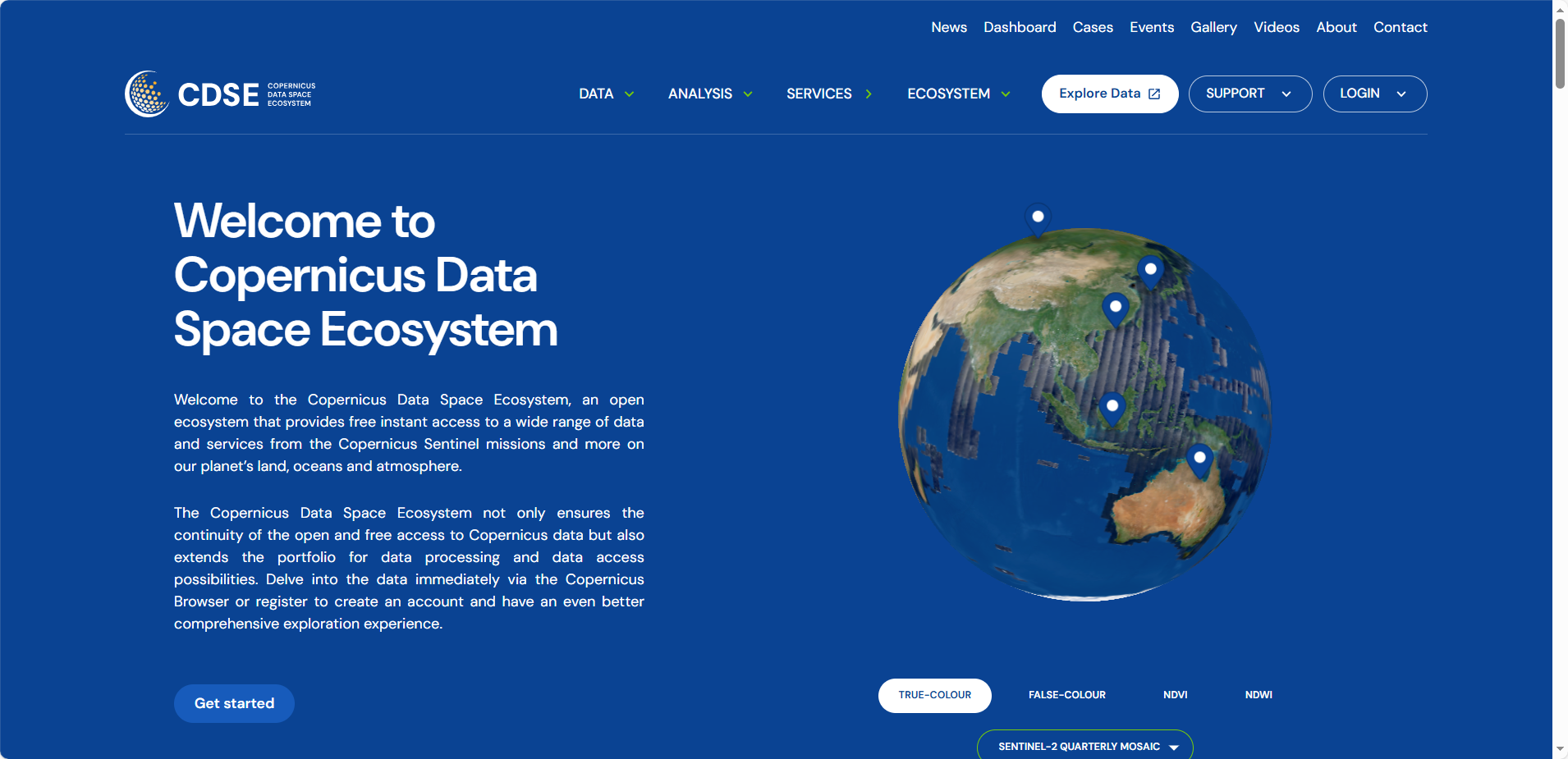
2 配置 Python 依赖
目前,gma 3 的 alpha 版已经发布,本例用于测试 gma 3 的相关功能
Python: 3.12
安装以下库(内置库或关联库已忽略):
gma: 3.0.0a6(下载:https://pypi.org/project/gma/3.0.0a6/)
requests: 2.32.3
tqdm: 4.67.1
3 查询数据
本例使用的基础省、市、县三级行政区矢量数据来源于锐多宝。下载地址:省市县。
注:查询数据不需要账号
import requests
import pandas as pd
import numpy as np
import datetime as dt

from gma import gio

xian = gio.open_vector("T2024年初县级.shp")

# 从县级里筛选出 宜阳县,也可以根据需求自行筛选或打开其他矢量文件
lyname = "宜阳县"
sel_ly = xian.select(f'地名 = "{name}"')

ely = sel_ly.extent()

ext_geom = ely[0].geom
stime = dt.datetime(2026, 2, 10)
etime = dt.datetime(2026, 2, 15)

def query_s2_res(geom, stime, etime): # 查询函数
    polygon = geom.to_str()
    s_stime = stime.strftime('%Y-%m-%d')
    s_etime = etime.strftime('%Y-%m-%d')

    filters = ["Collection/Name eq 'SENTINEL-2'",
               f"OData.CSC.Intersects(area=geography'SRID=4326;{polygon}')",
               "Attributes/OData.CSC.StringAttribute/any(att:att/Name eq 'productType' and att/OData.CSC.StringAttribute/Value eq 'S2MSI2A')",
               f"ContentDate/Start gt {s_stime}T00:00:00.000Z",
               f"ContentDate/End lt {s_etime}T00:00:00.000Z",
              ]
    query_res = requests.get("https://catalogue.dataspace.copernicus.eu/odata/v1/Products?"
                             f"$filter={' and '.join(filters)}&"
                             "$orderby=ContentDate/Start&"
                             "$top=1000").json()['value']

    return query_res

query_res = query_s2_res(ext_geom, stime, etime)
query_res 为一个列表,包含每一景查询到的数据信息,每一景信息为一个字典,结果如下: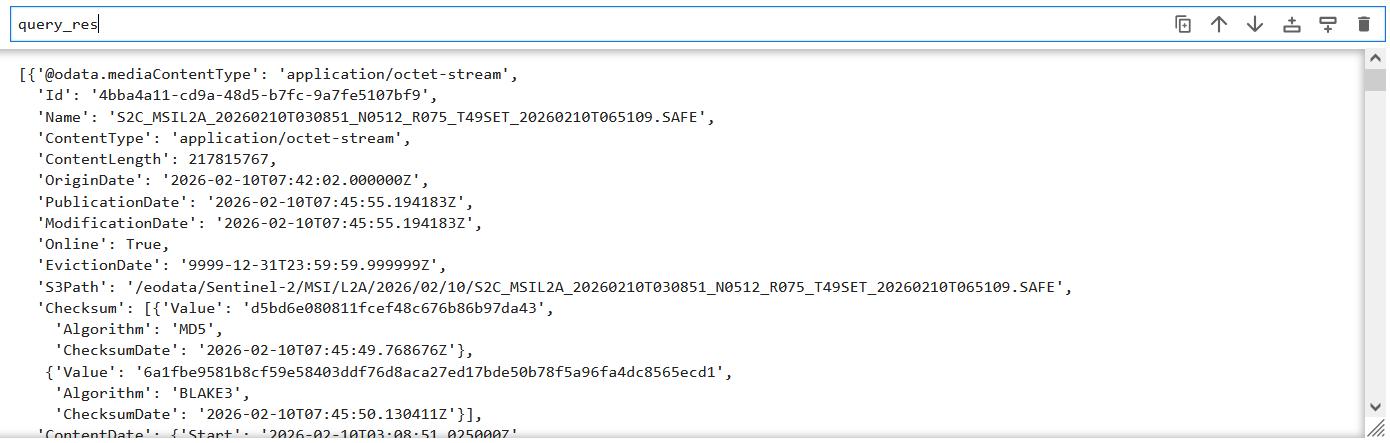
4 绘制查询结果范围
import matplotlib.pyplot as plt
from gma.carto import inres, plot

plt.figure(dpi = 150)

## 读取省、市图层
shi = gio.open_vector('T2024年初地级.shp')
sheng = gio.open_vector('T2024年初省级.shp')

## 将影像范围 wkt 字符串转换为 gma 要素(Feature)
geoms = [gio.Geometry(res['Footprint'].split(';')[-1][:-1], crs = 4326)  for res in query_res]

## 根据查询的得到的数据范围,设置一个绘图范围
bous = np.array([geom.bounds for geom in geoms])
extent = bous[:, 0].min() - 2, bous[:, 1].min() - 1, bous[:, 2].max() + 2, bous[:, 3].max() + 1

## 绘制查询结果范围
MapF = plot.MapFrame(crs = 3857, bounds = extent)

### 添加所有查询结果
for geom in geoms:
    mlyi = MapF.add_vector(geom, facecolors = 'lightgreen', linewidths = 0.5,  alpha = 0.4)

### 添加省市县图层
mly1 = MapF.add_vector(xian, facecolors = 'none', edgecolors = 'lightgray', linewidths = 0.1)
mly2 = MapF.add_vector(shi, facecolors = 'none', edgecolors = 'darkgray', linewidths = 0.2)
mly3 = MapF.add_vector(sheng, facecolors = 'none', edgecolors = 'black', linewidths = 0.3)

mly4 = MapF.add_vector(sel_ly, facecolors = 'none', edgecolors = 'blue', linewidths = 0.3)
mly4.add_labels(name, family = 'SimHei', size = 7, color = 'blue')

## 设置经纬网
gl = MapF.add_graticule(lon_range = range(100, 130, 2), lat_range = range(26, 46, 2),
                        lw = 0.5, ls = (6, (6, 6)))
ol = gl.set_outline()
tk = gl.set_ticks(lw = 0.8)
lb = gl.set_labels()
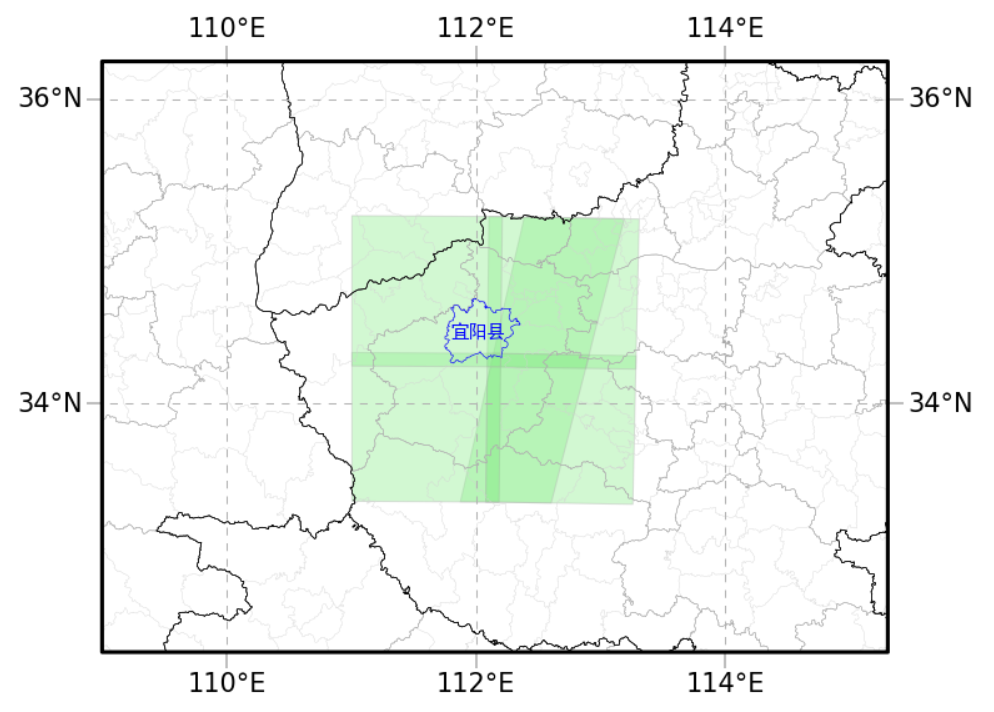
可见查询结果范围正常,均覆盖宜阳县
5 下载数据
注:下载数据需要账号
## 根据用户账户获取 token
def get_access_token(username, password):
    token_https = 'https://identity.dataspace.copernicus.eu/auth/realms/CDSE/protocol/openid-connect/token'
    data = {"username":username,
            "password":password,
            "grant_type":"password",
            "client_id":"cdse-public"}

    r = requests.post(token_https, data = data)
    r.raise_for_status()
    return r.json()['access_token']

import tqdm

## 下载数据
### 下载地址的基础 url 模版
url = "https://download.dataspace.copernicus.eu/odata/v1/Products(%s)/$value"
out_path = r"D:\下载" # 文件保存路径
chunk_size = 8192 # 下载时分块大小

for i, d in enumerate(query_res):

    Id = d["Id"]
    name = d["Name"]

    out_file = f"{out_path}\\{name[:-5]}.zip"
    if os.path.exists(out_file):
        print(f'跳过已存在的下载({i + 1}/{len(query_res)}):{out_file}')
        continue

    ## token会失效,每次获取一个避免失效(反正数据很大每一个数据也要下载很长时间)
    access_token = get_access_token("你的用户名", "你的密码")

    headers = {"Authorization": f"Bearer {access_token}"}
    session = requests.Session()
    session.headers.update(headers)

    data_url = url % Id
    response = session.get(data_url, stream=True)
    ##

    if response.status_code == 200:
        ## 创建进度条
        print(f'当前下载({i + 1}/{len(query_res)}):{out_file}')
        total_size = int(response.headers.get('content-length', 0)) # 数据总大小
        total = int(np.ceil(total_size / chunk_size)) # 分块数量

        with open(out_file, "wb") as file: # 分块下载
             for chunk in tqdm.tqdm(response.iter_content(chunk_size = chunk_size), total = total):
                 if chunk:
                     file.write(chunk)
    else:
        print(f"Error: {response.status_code}. {response.text}")
下载过程示例:

汇聚全球AI编程工具,助力开发者即刻编程。
更多推荐


 15
15 0
0- 0


 已为社区贡献1条内容

所有评论(0)