
全栈项目实例(资金信息2):vue3+TypeScript+Element-Plus+Spring Boot+Mybatis-Plus
技术栈:
前端
vue3+TypeScript+Element-Plus
- 常量
- hook(组合式函数)
- 自定义指令:年份输入指令(局部调用)、金额输入指令(全局安装)
- 组件:年份输入框组件、金额输入框组件、防抖按钮组件、文件选择器、文件预览抽屉、文件阅览抽屉、显示内容模态框组件、文件管理组件(提供文件单个上传、多个上传、单个下载、多个下载、提取、预览和逻辑删除功能)
- 校验:普通表单校验、表格表单校验、清除表单校验状态
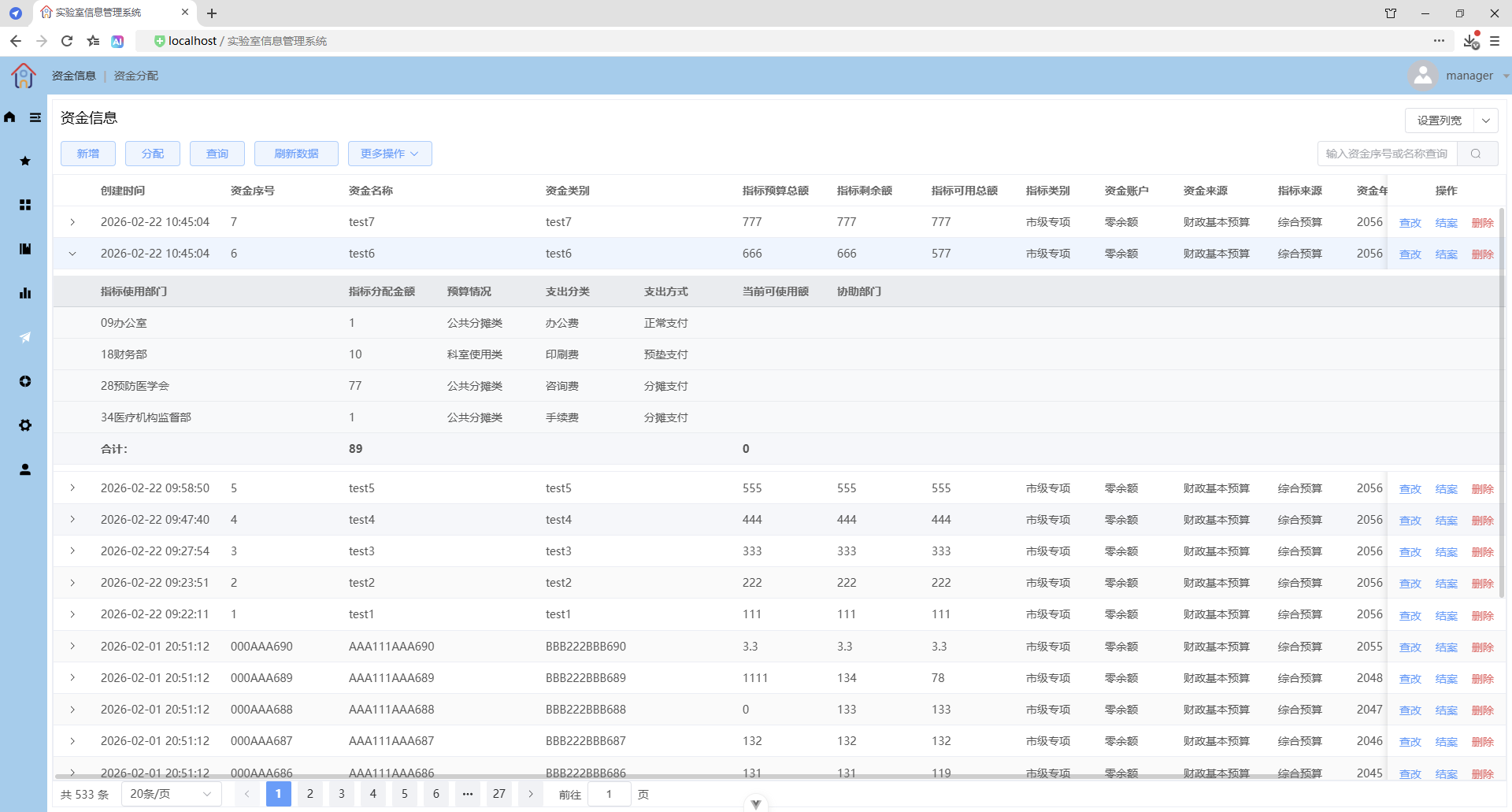
- 表格展开行,显示明细表数据
- 表格合计行,自定义合计行内容
- 表格列宽设置
- 更多操作(按钮下拉,弹出菜单)
- 防抖
- 对象拷贝(浅拷贝和深拷贝)、对象克隆
- 对象比较相同
- 浮点数比较大小
- Element Plus 确认对话框 ElMessageBox.confirm
- 附件(上传附件、下载附件)
- 文件列表(上传文件、下载文件、静态文件下载、服务端文件下载)
- 数据导出(前端表格数据导出、后端生成数据导出文件)
- 日期范围查询
- Select选择器:可清空、下拉框过滤筛选、回车默认选择第一项、允许新建选项(可输可选,否则只能选择)、多选
- 使用lodash的omit去除对象属性
- 使用lodash的isEqual深度比较两个对象是否相等(所有属性值都相同)
- 文件下载类请求异常的处理:友好提示
后端
java+Spring Boot+Mybatis-Plus
- 防抖
- 校验
- 附件(上传附件、下载附件),只能一个文件
- 文件列表(上传多个文件、下载文件、多文件打包下载),可以多个文件
- 导入数据(从Excel导入数据,解析Excel数据,包含字符串类型字段、数值类型字段、整数类型字段)
- 导出数据(生成Excel文件,数据类型包含有:字符串、日期、浮点数-BigDecimal-需转换处理、整数、图片、调用导出数据模板(Excel文件))
- 全局异常处理器(文件下载类请求异常的处理)
- 基于MyBatic-Plus 的条件查询
- 基于MyBatic-Plus 的分页查询
- 日期范围查询
- BigDecimal:加减乘除运算
- 对日志输出进行HTML转义(防XSS)
- 访问项目根目录 Paths.get(System.getProperty("user.dir")
应用效果:
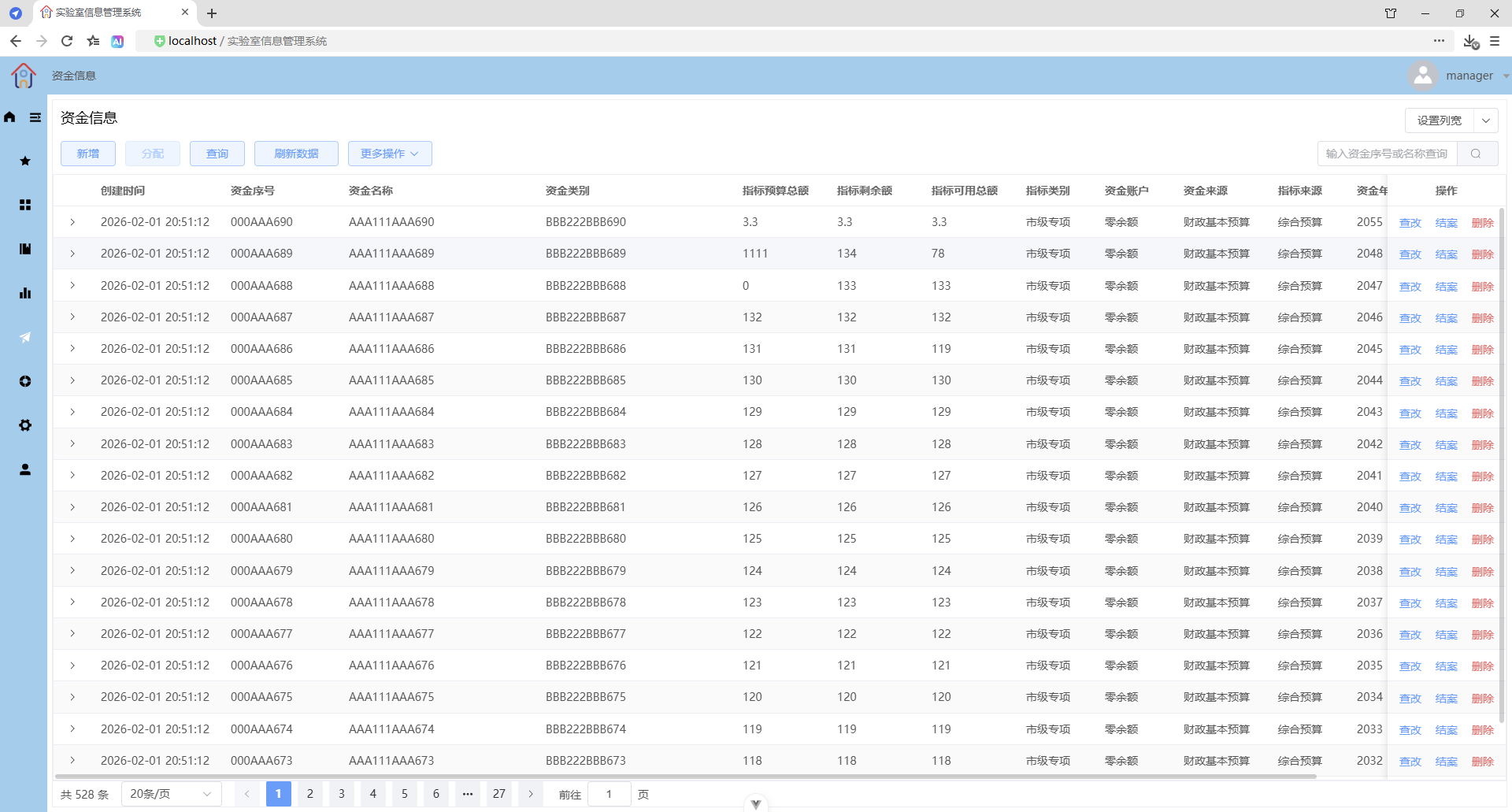
主界面
查改
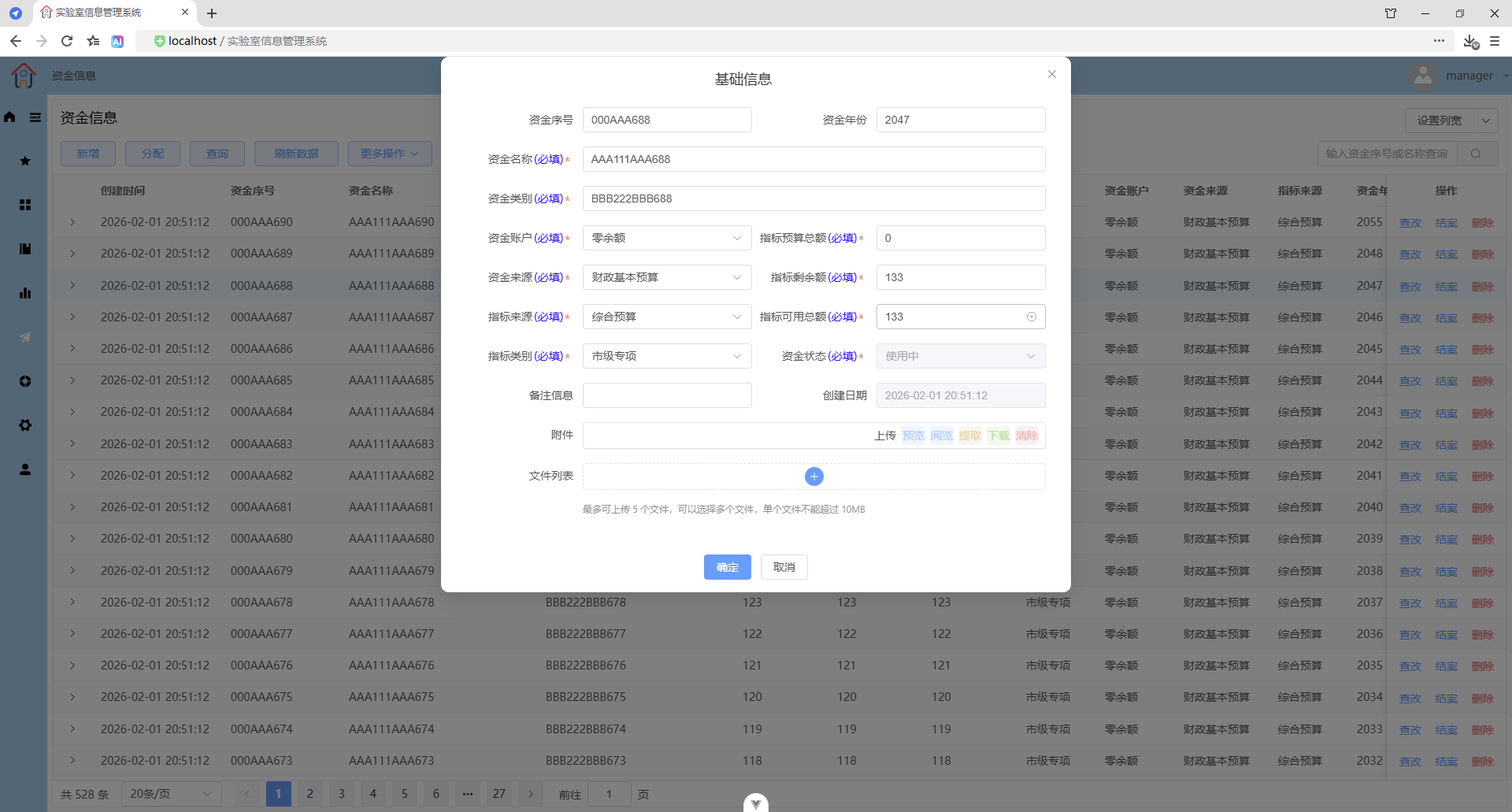
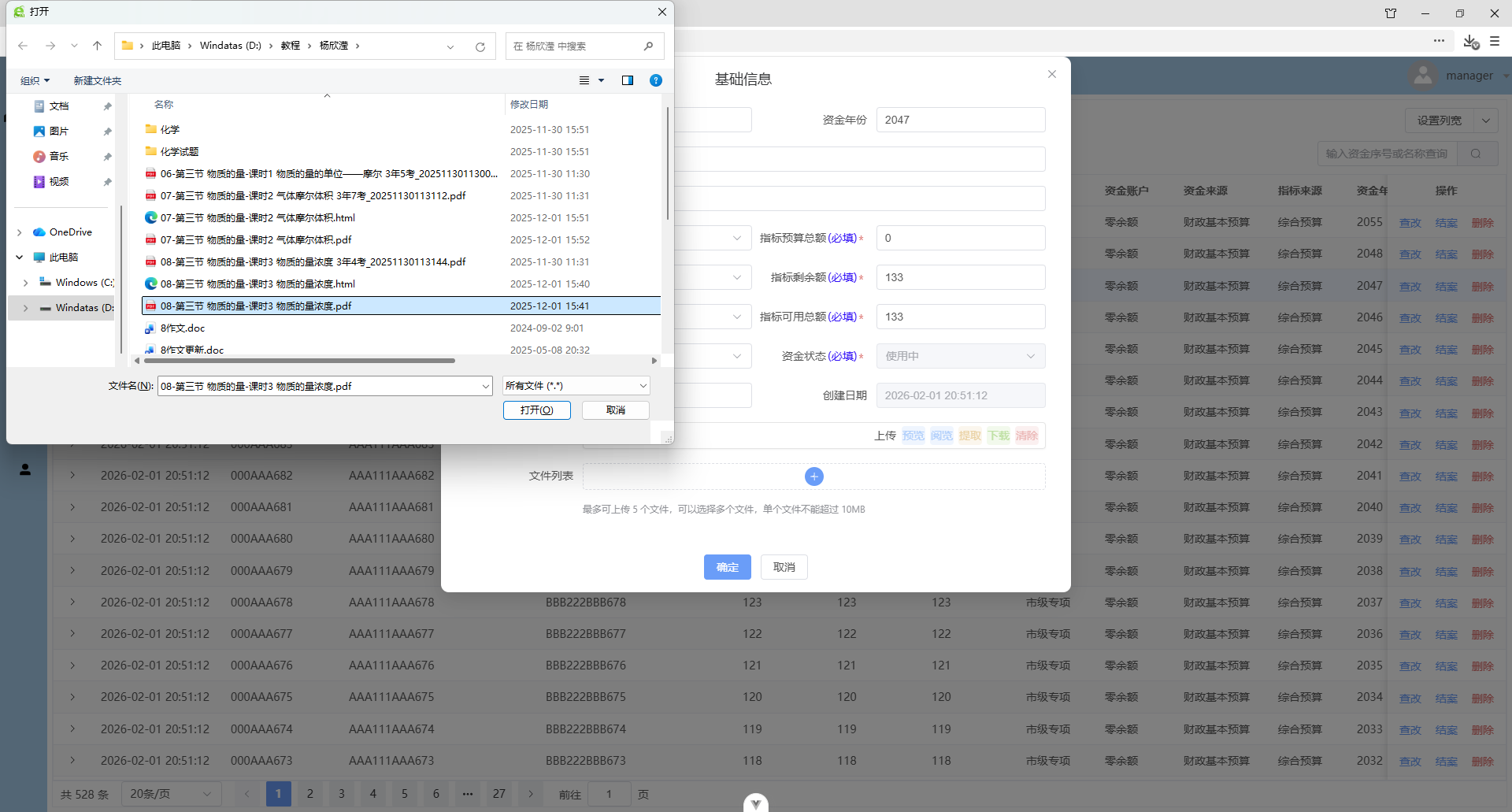
上传附件/重传附件
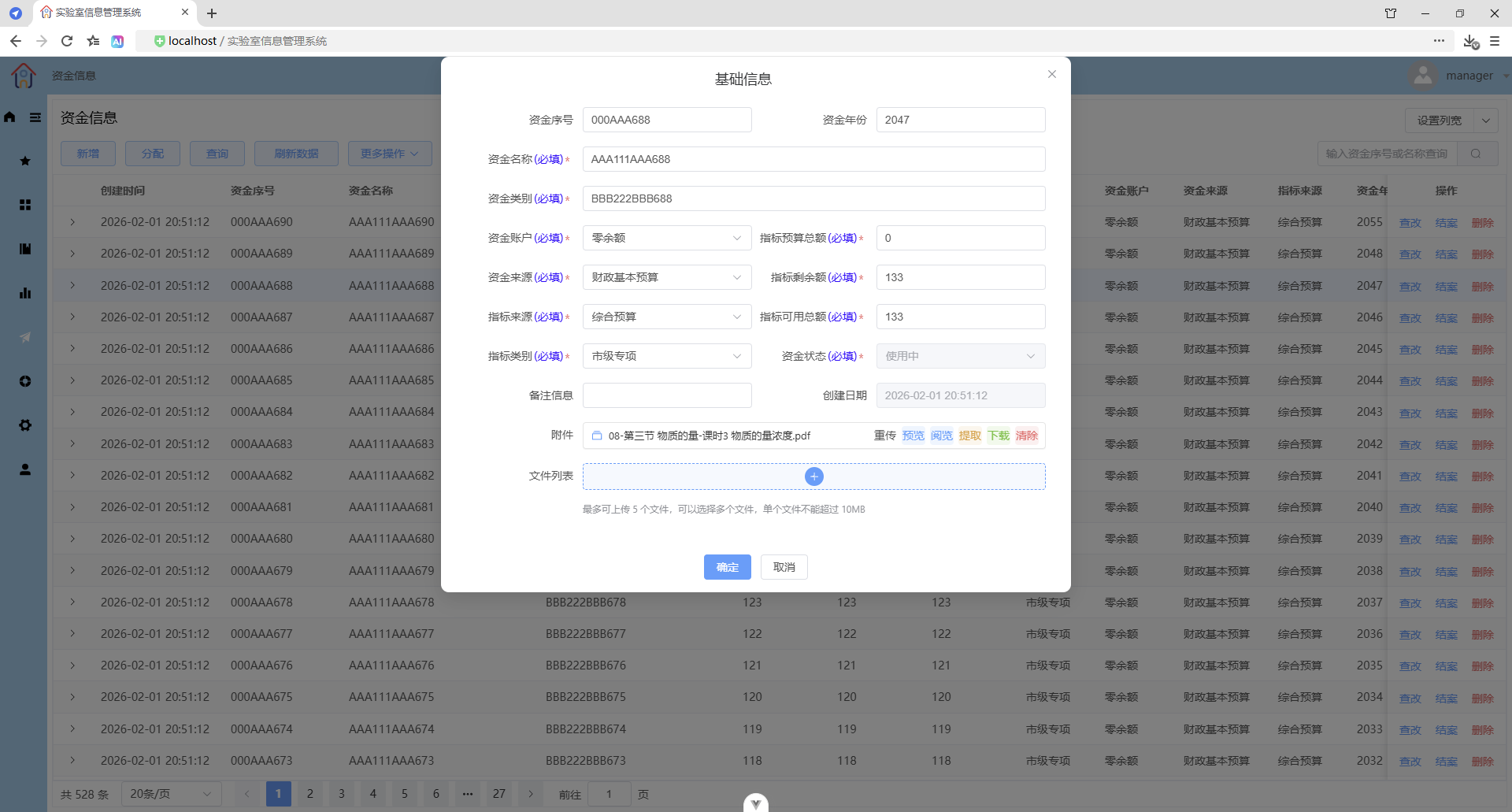
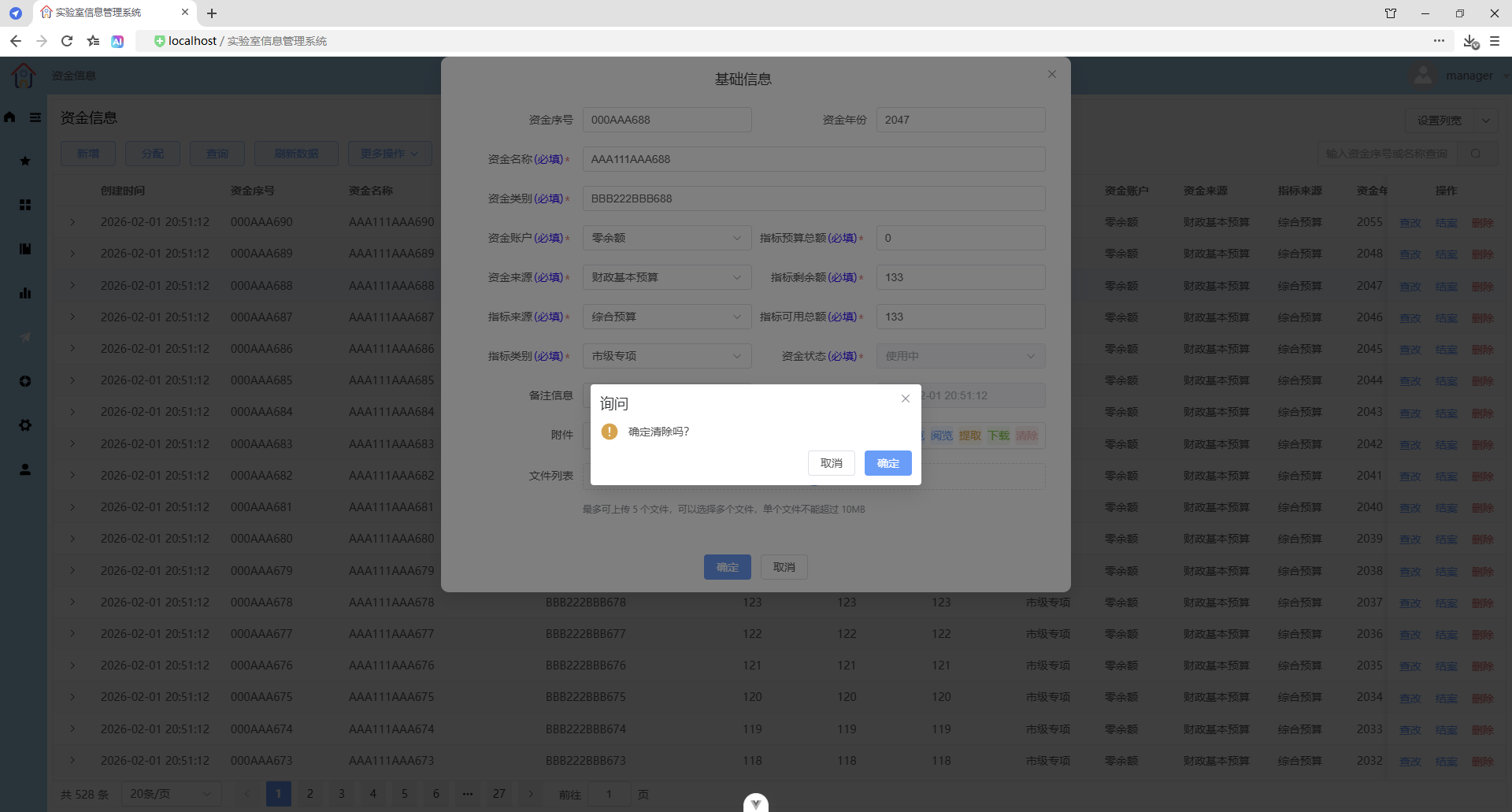
清除附件
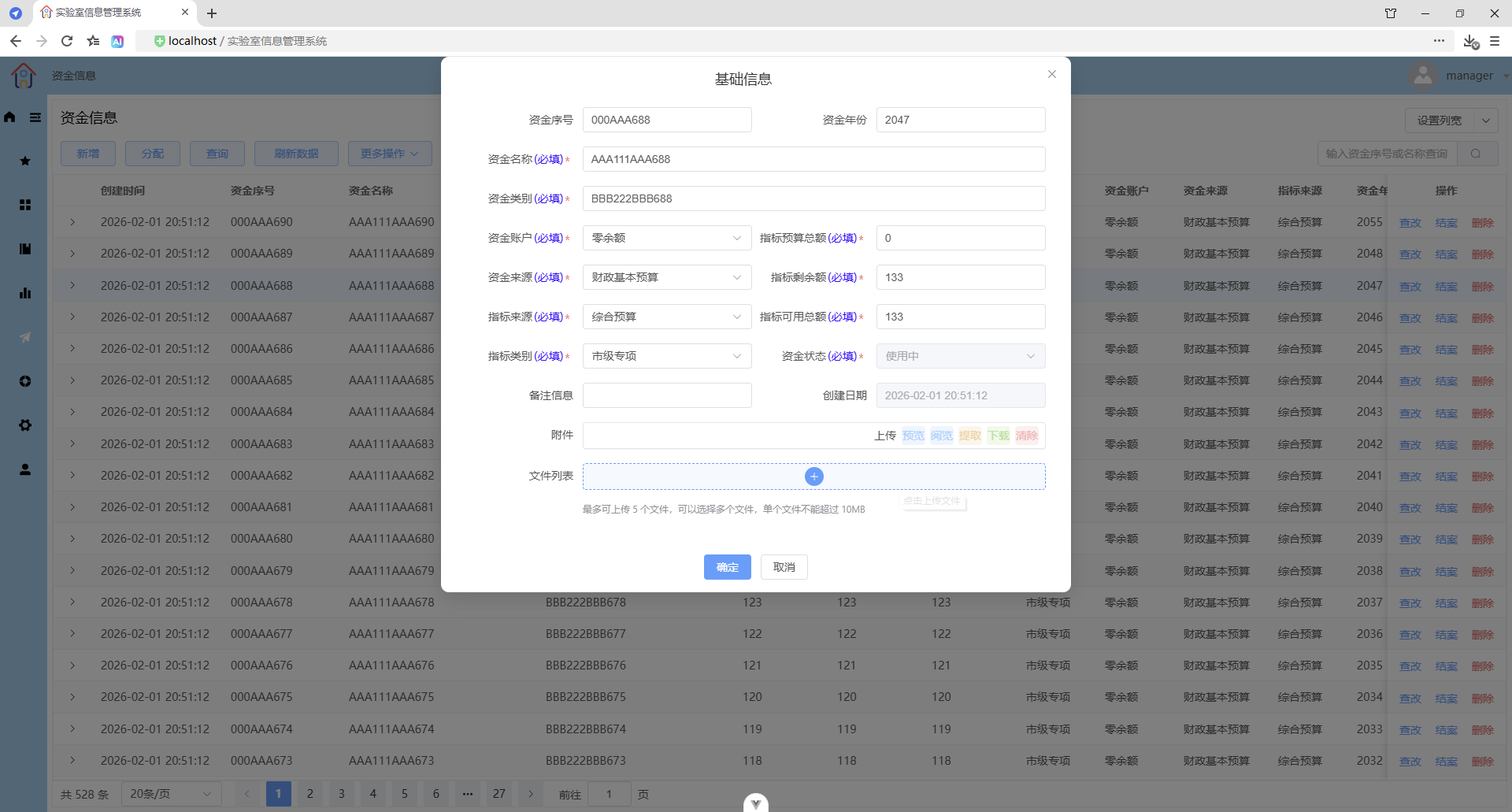
预览图片文件
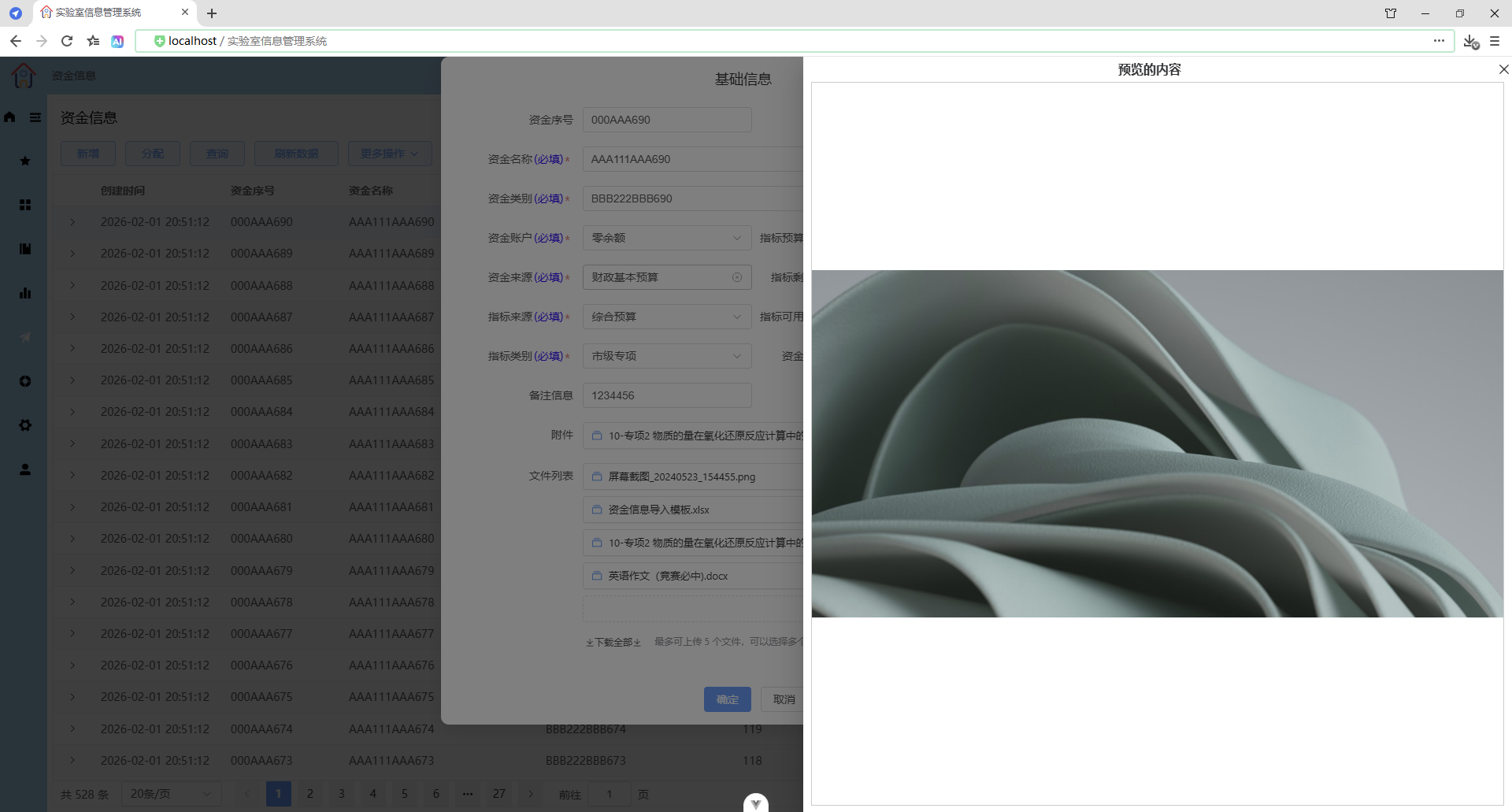
预览pdf文件(附件)
隐藏浏览器内置的工具栏
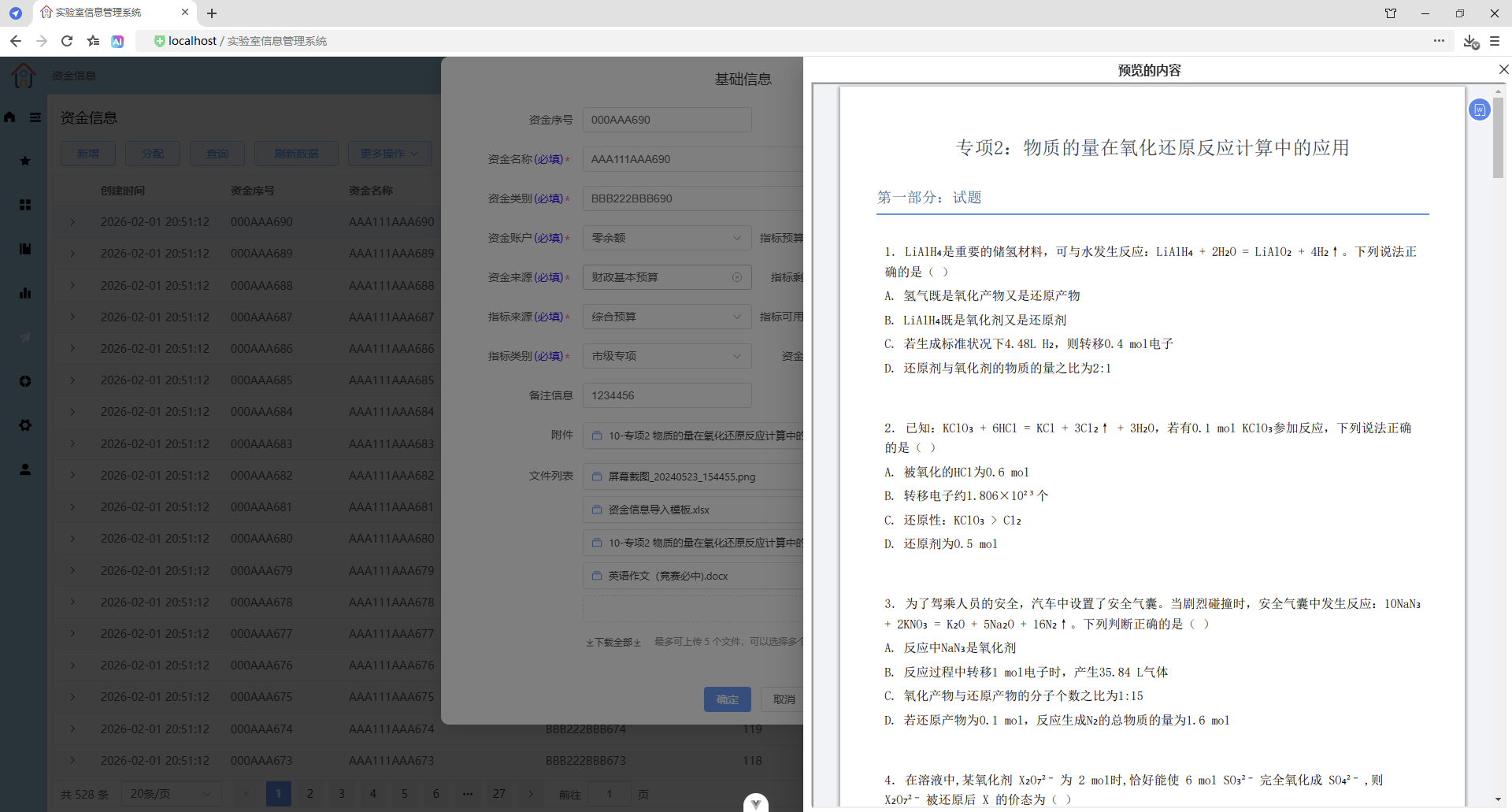
预览pdf文件(文件列表)
显示浏览器内置的工具栏
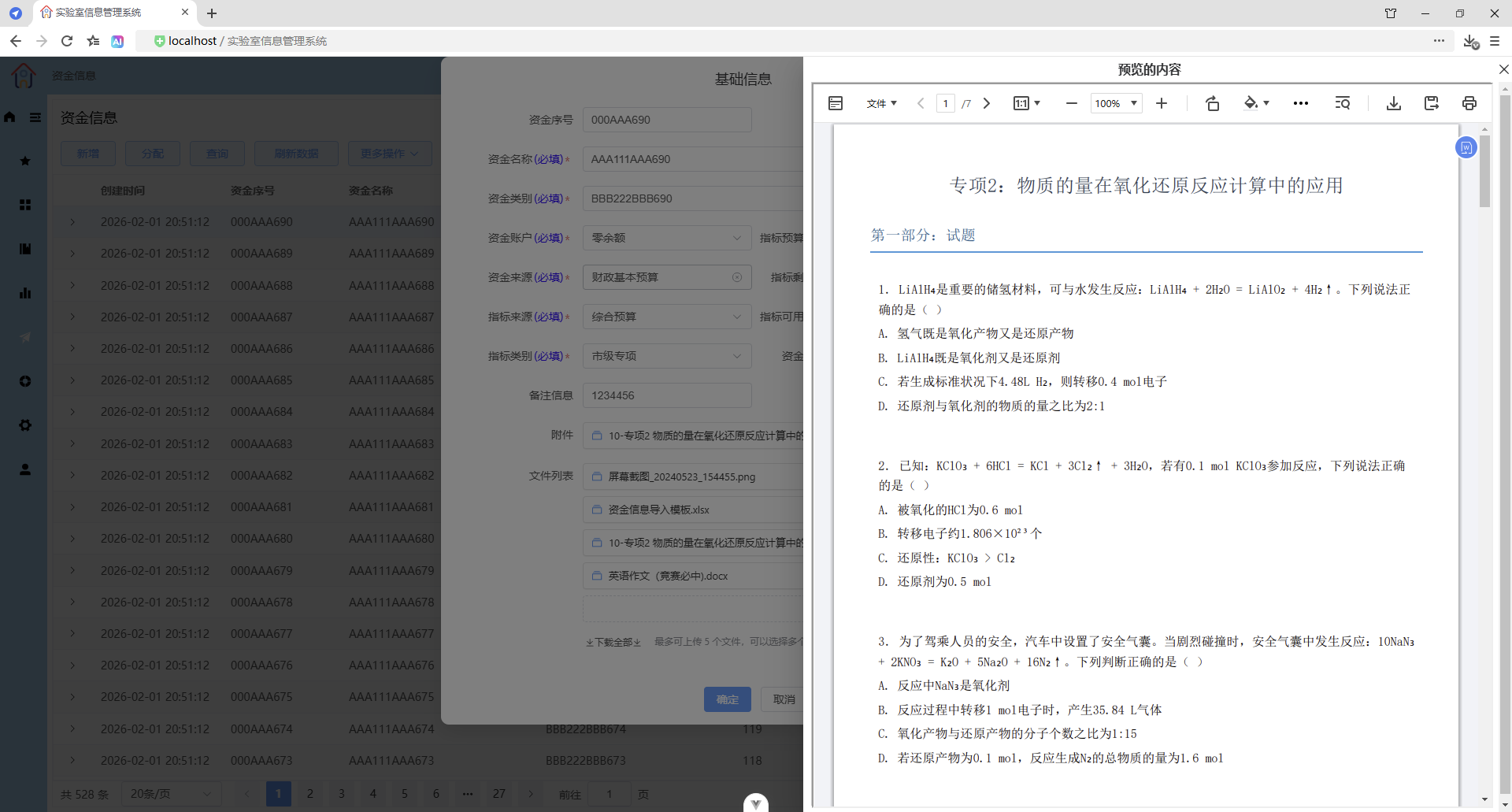
预览docx文件
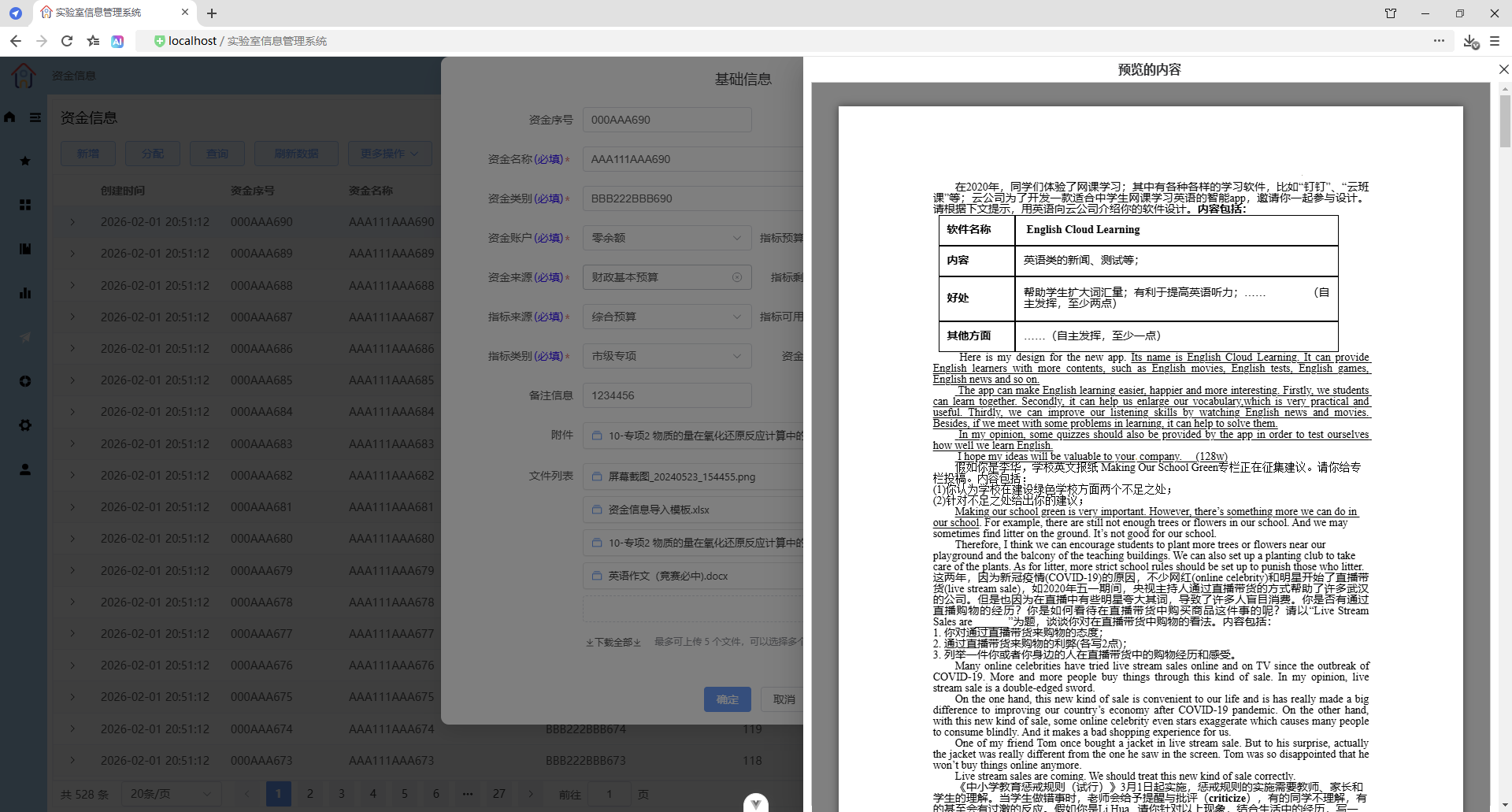
预览其他文件(等同于提取文件)
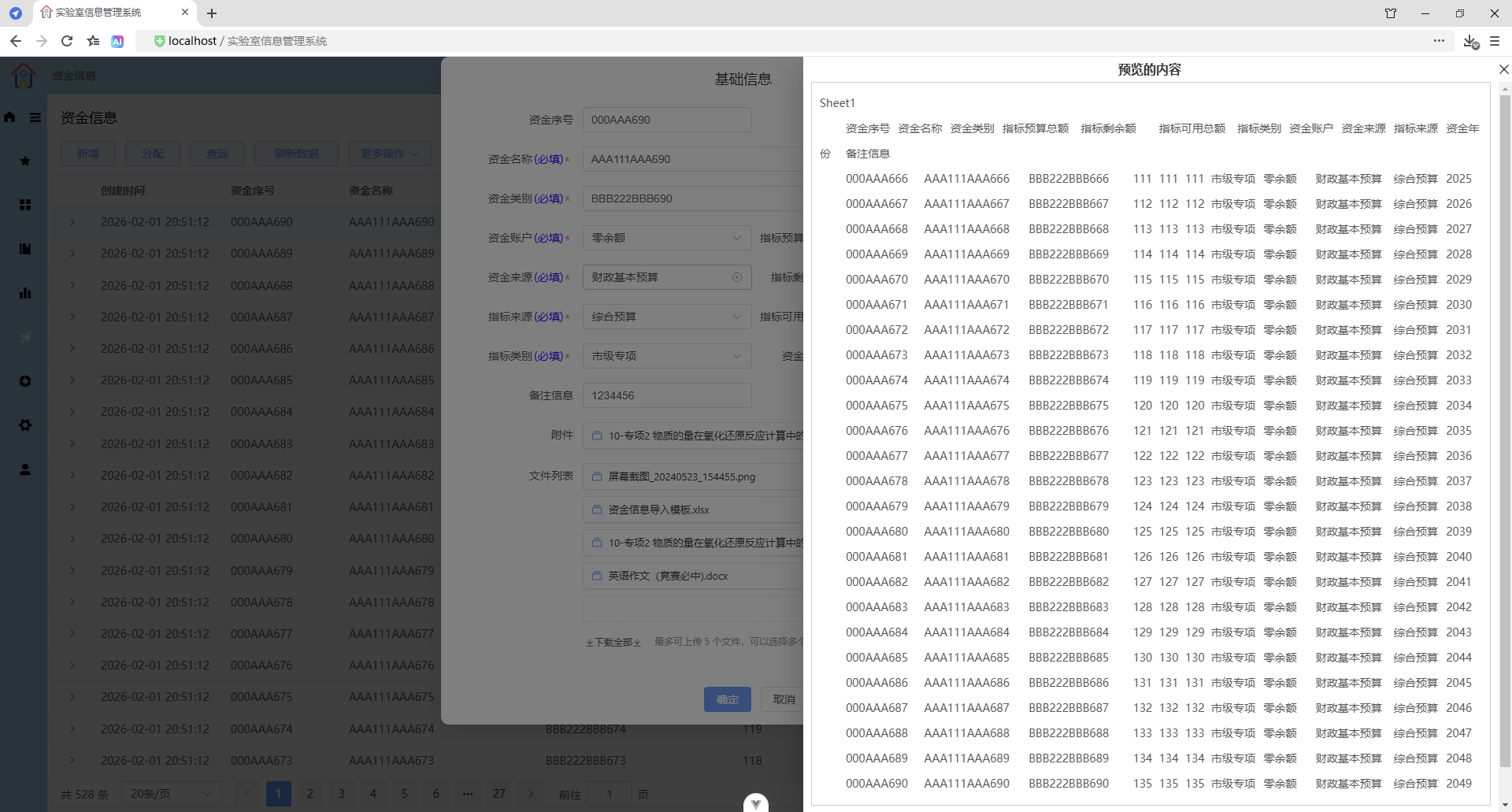
阅览图片文件
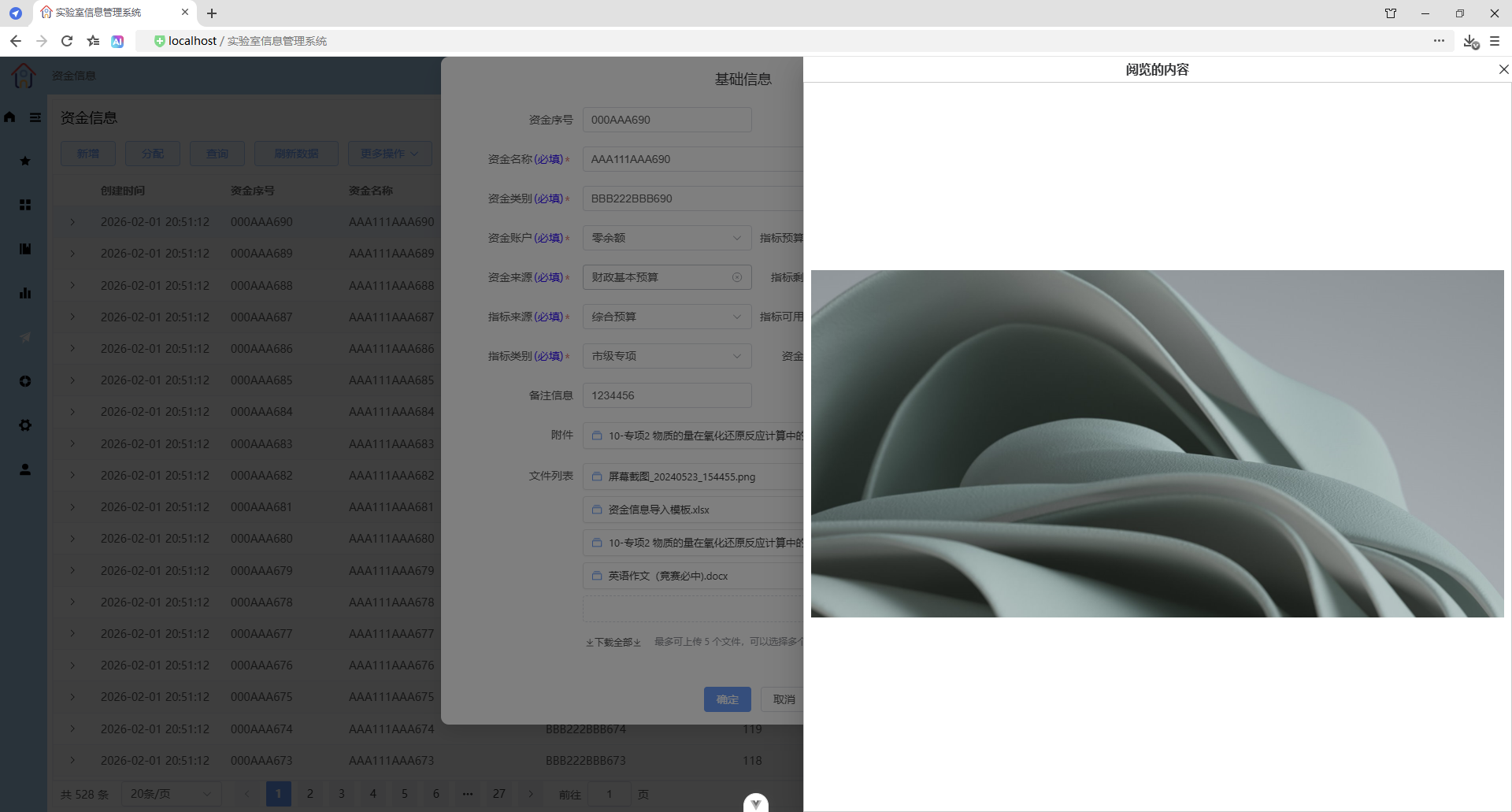
阅览pdf文件
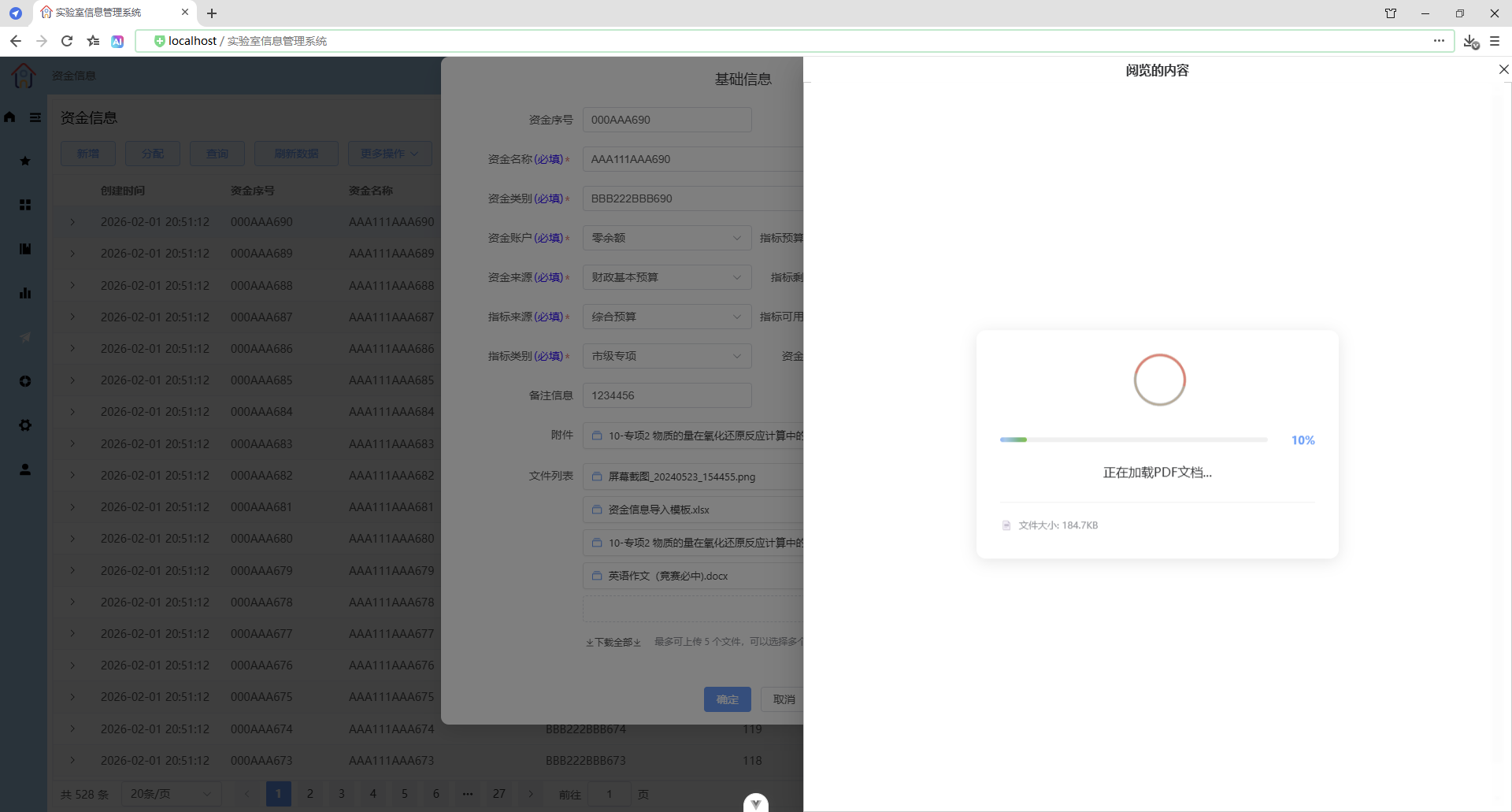
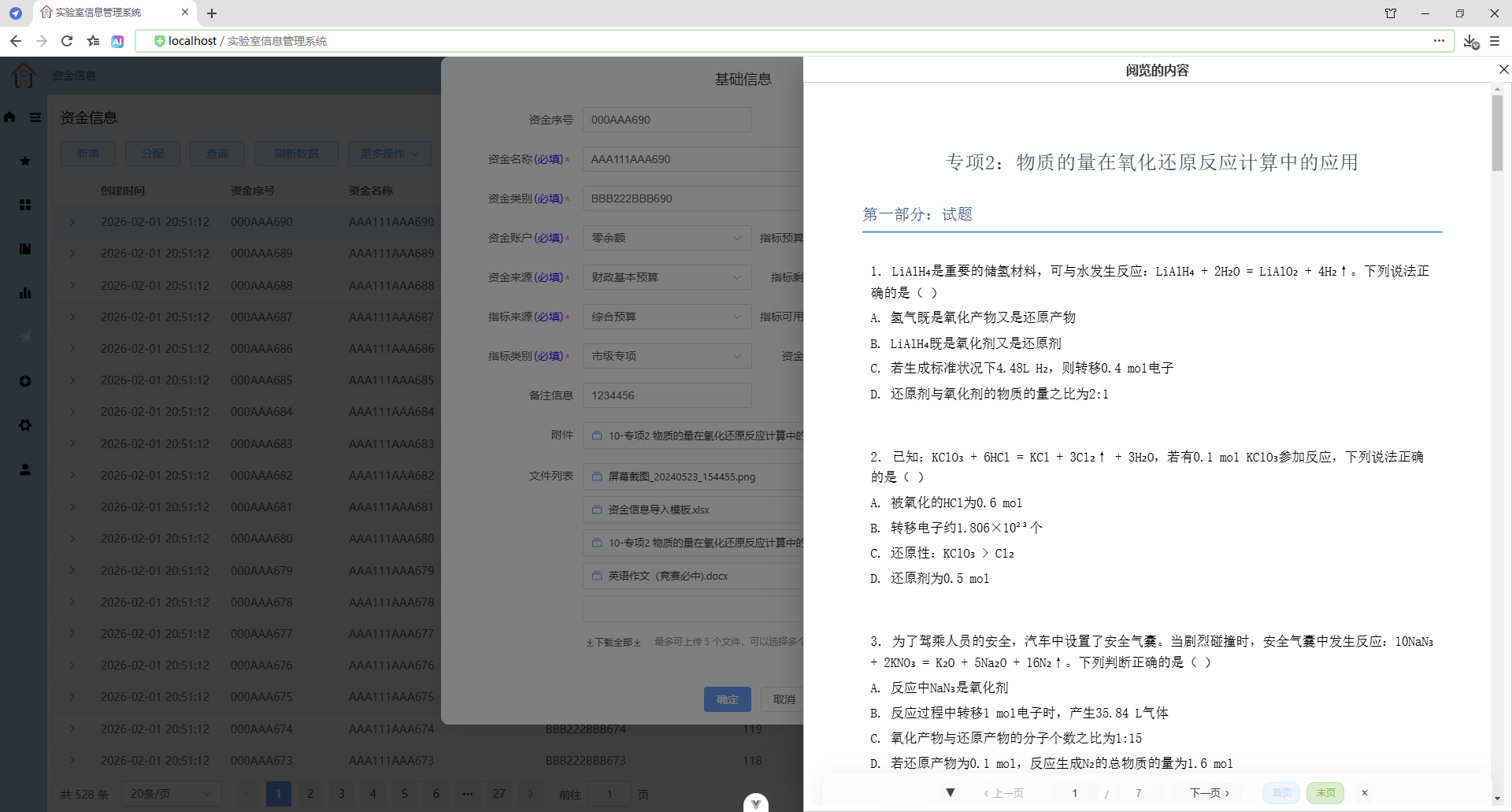
加载进度
显示加载进度信息、进度条
导航功能
显示页码页数、上一页、下一页、首页、末页、跳转到指定页、隐藏导航栏/显示导航栏(热键:Alt+N)、关闭导航栏
阅览docx文件
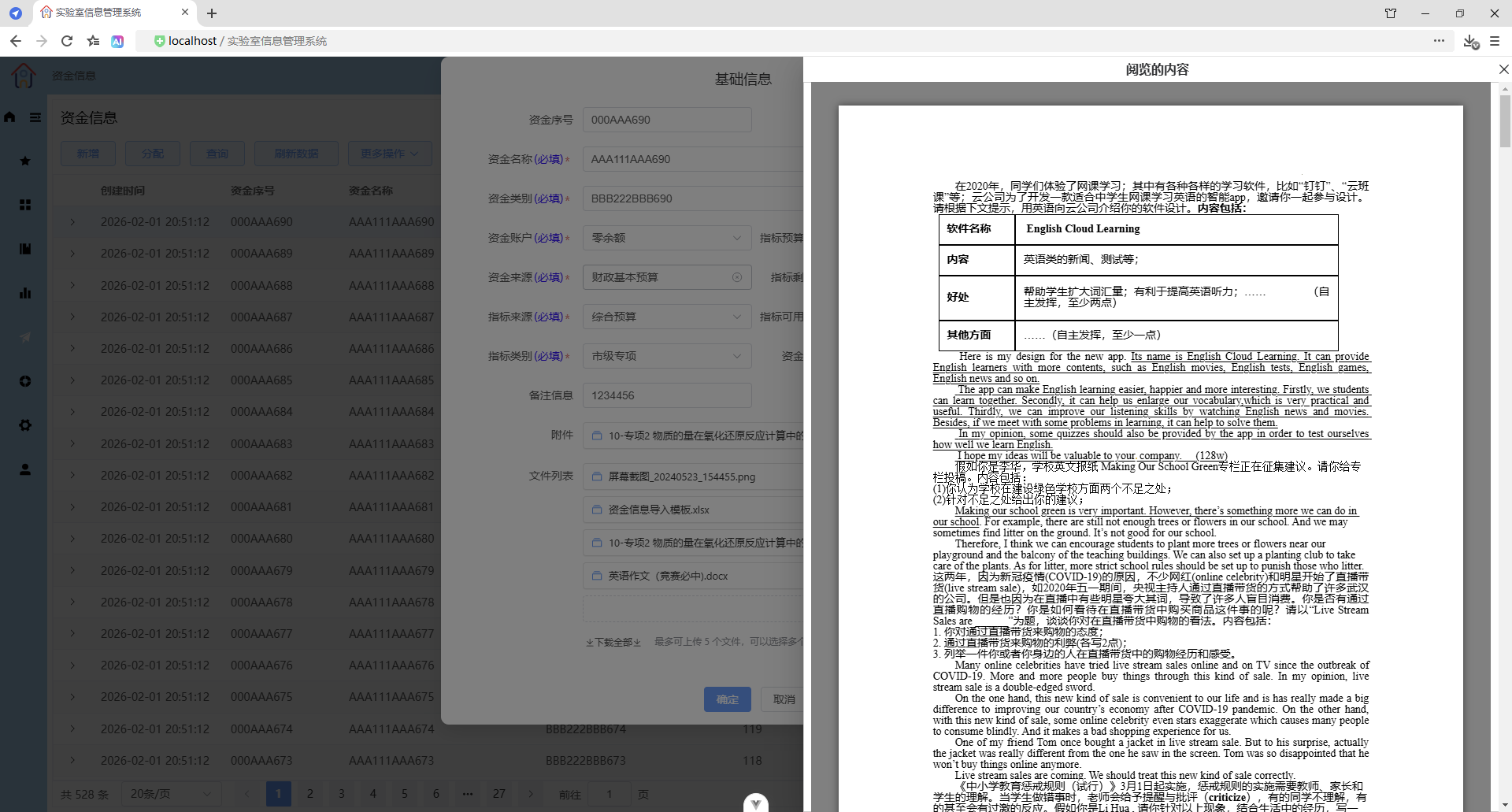
阅览其他文件(等同于提取文件)
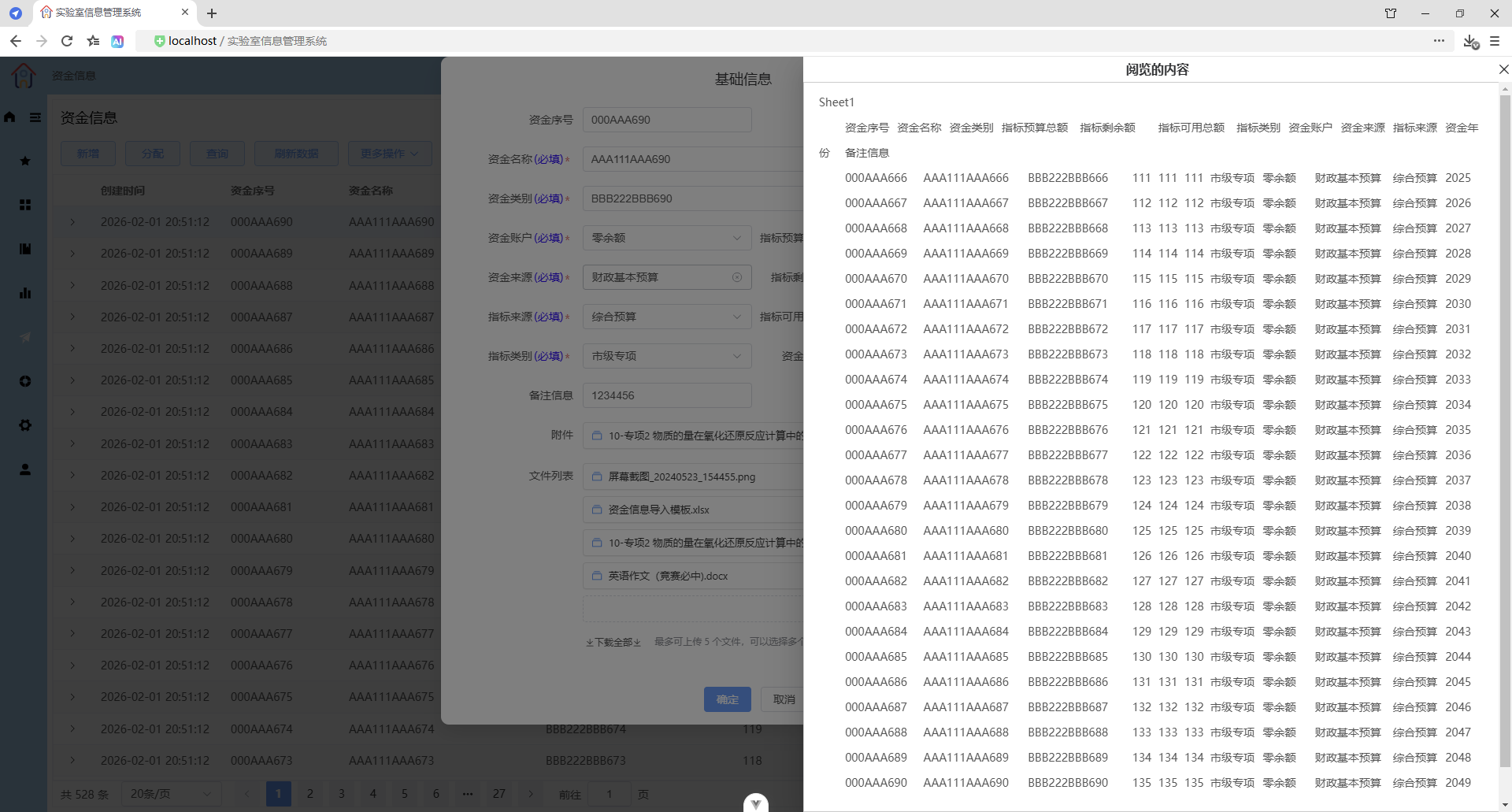
提取文件(附件)
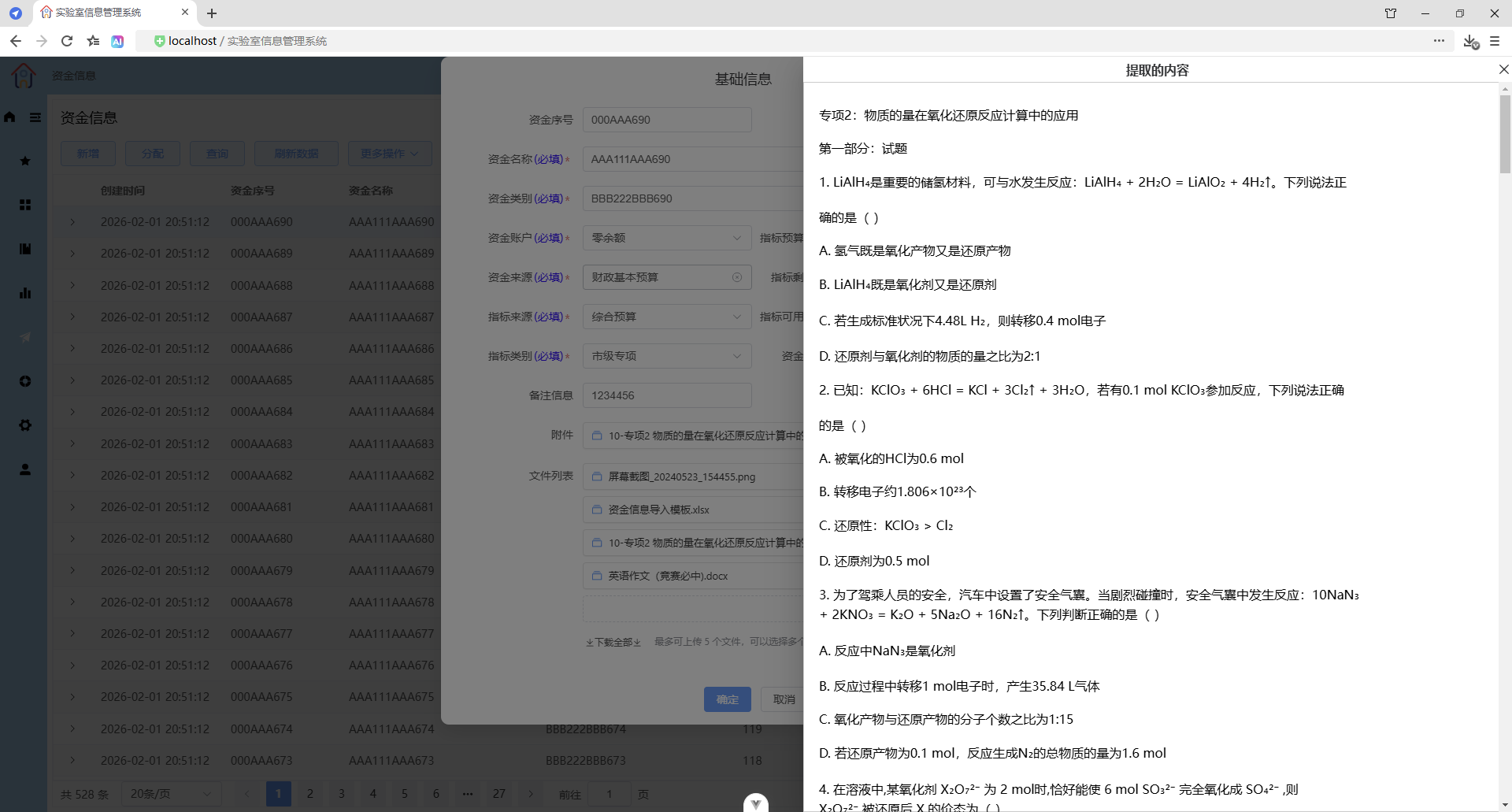
提取图片文件(文件列表)
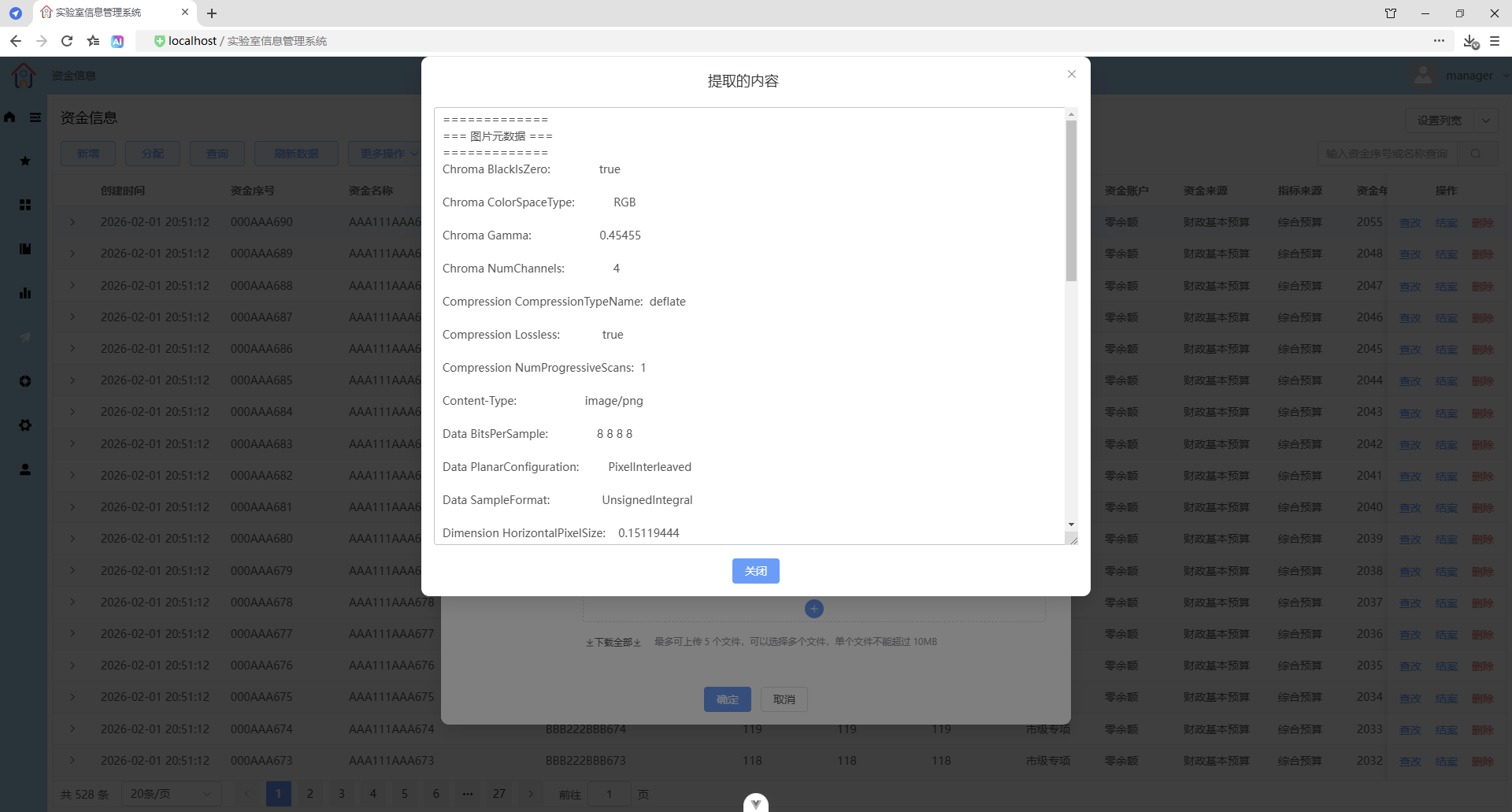
提取pdf文件(文件列表)
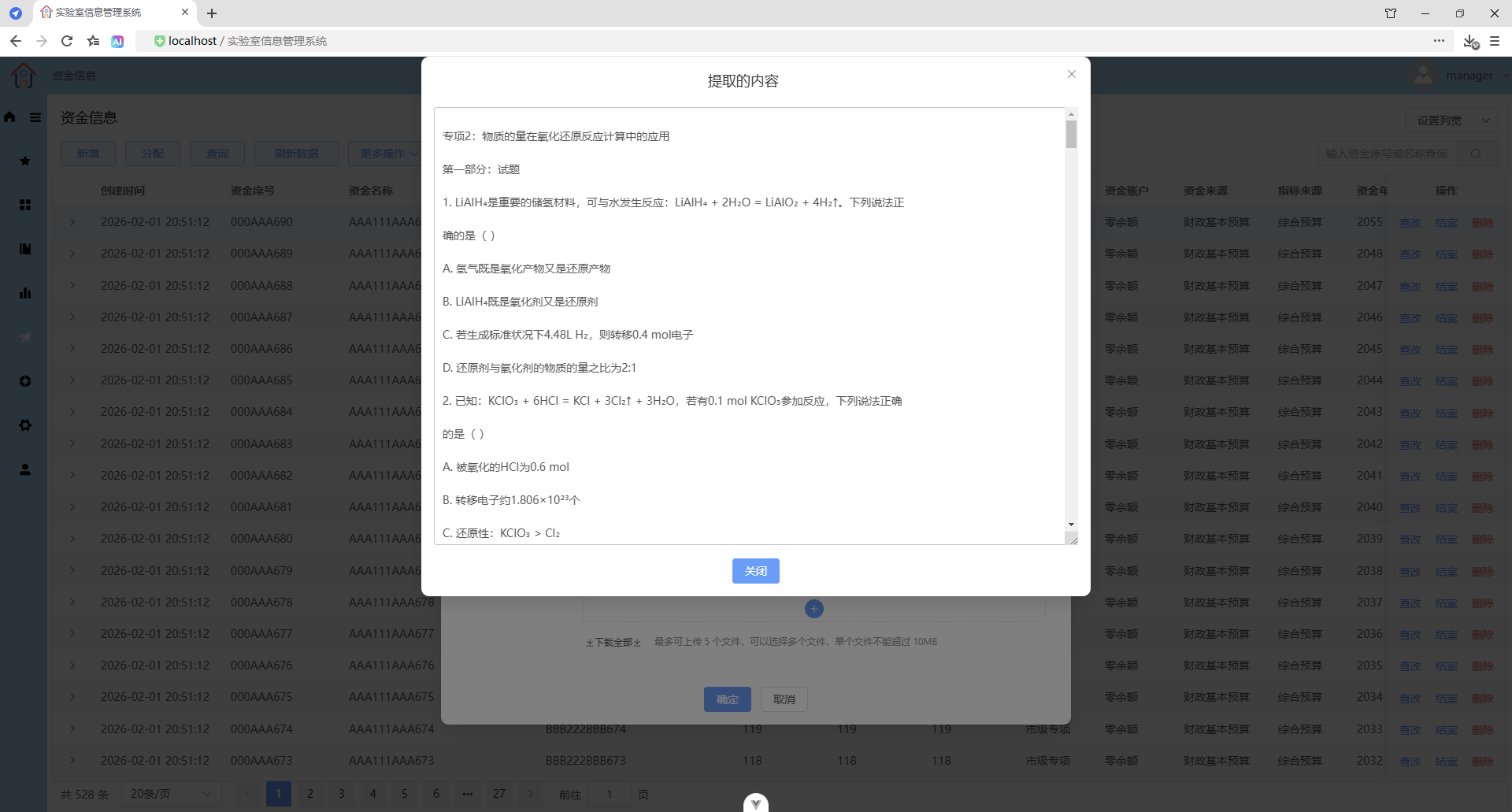
提取docx文件(文件列表)
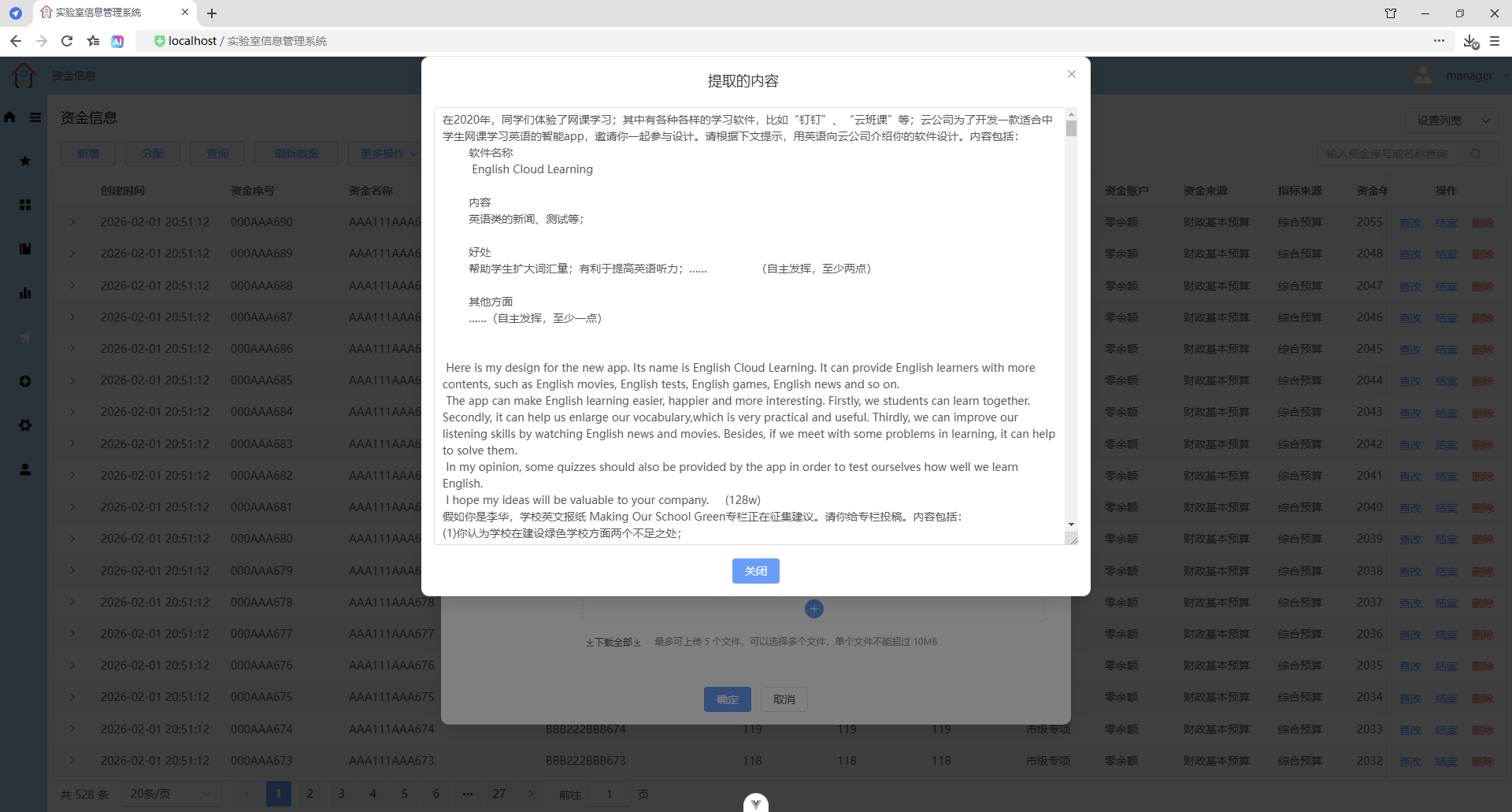
提取其他文件(文件列表)
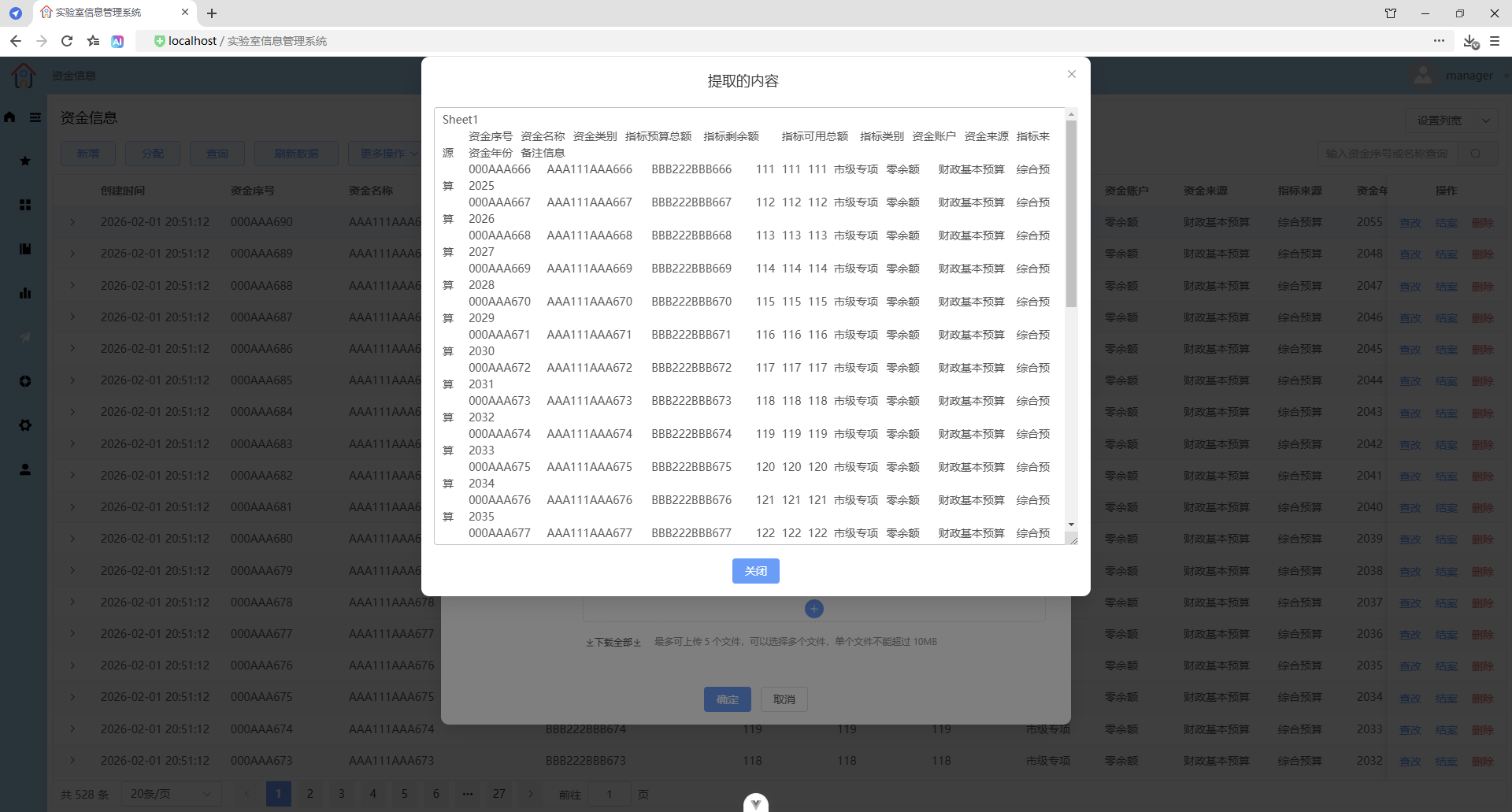
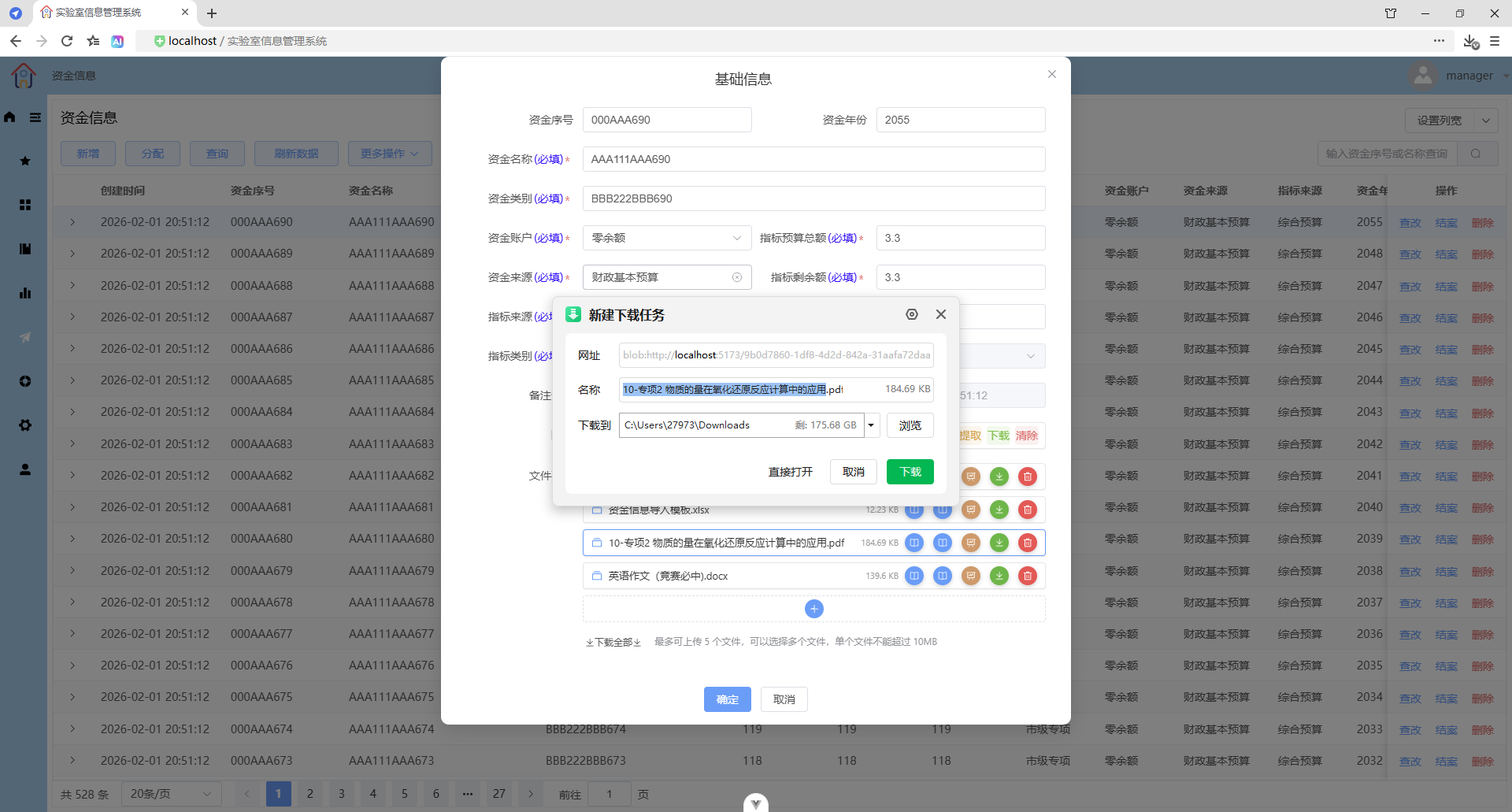
下载文件
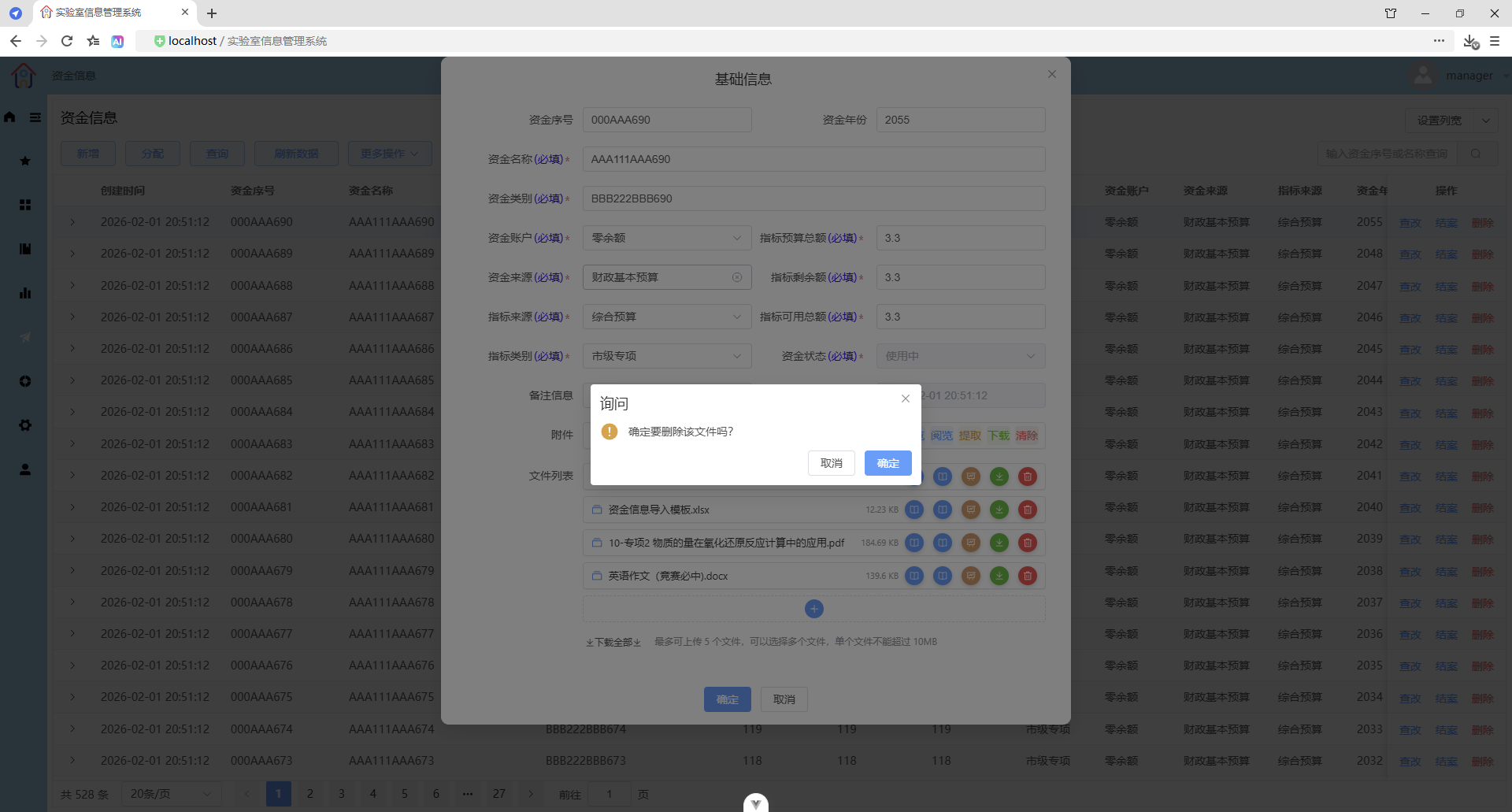
删除文件
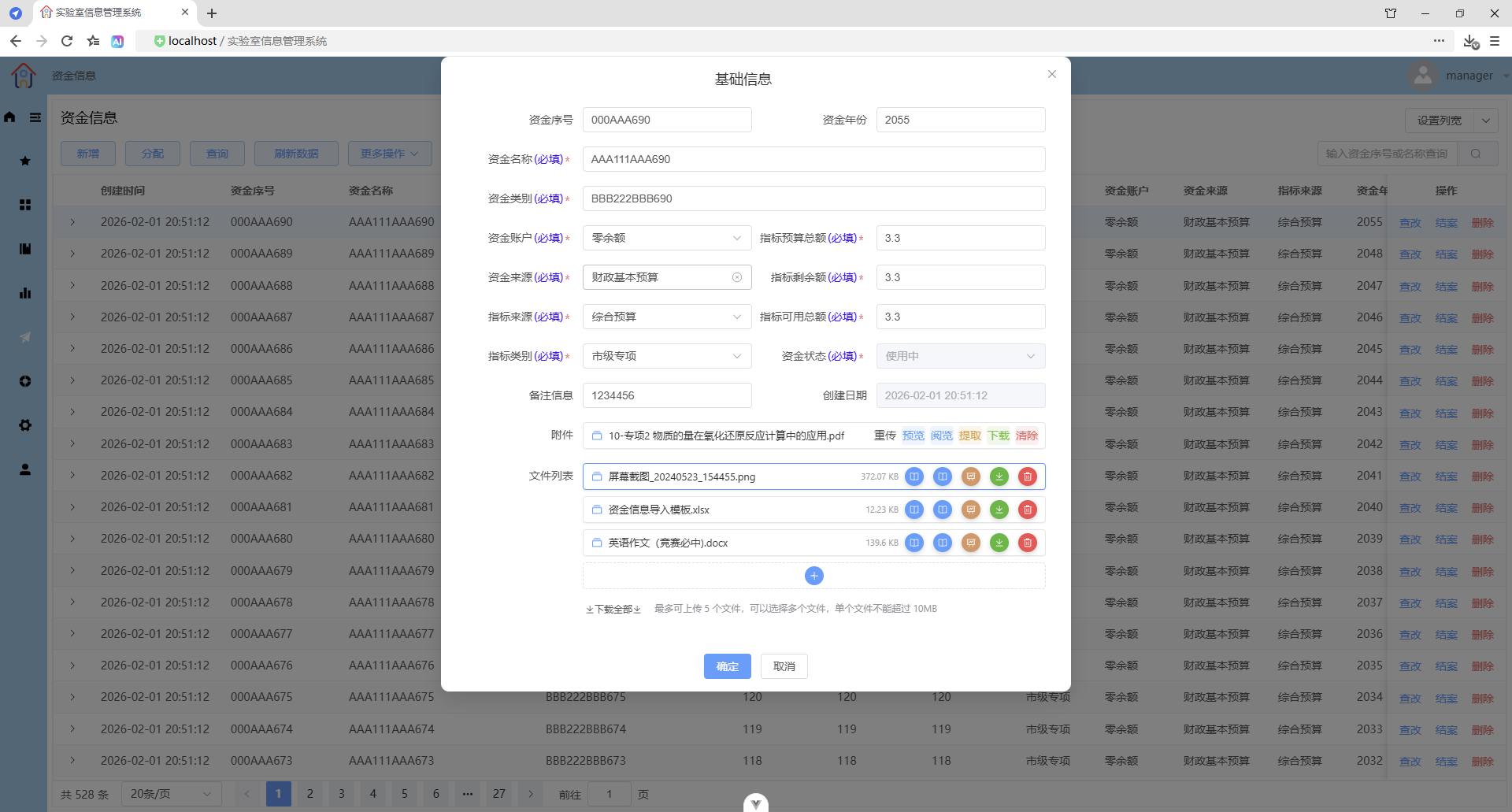
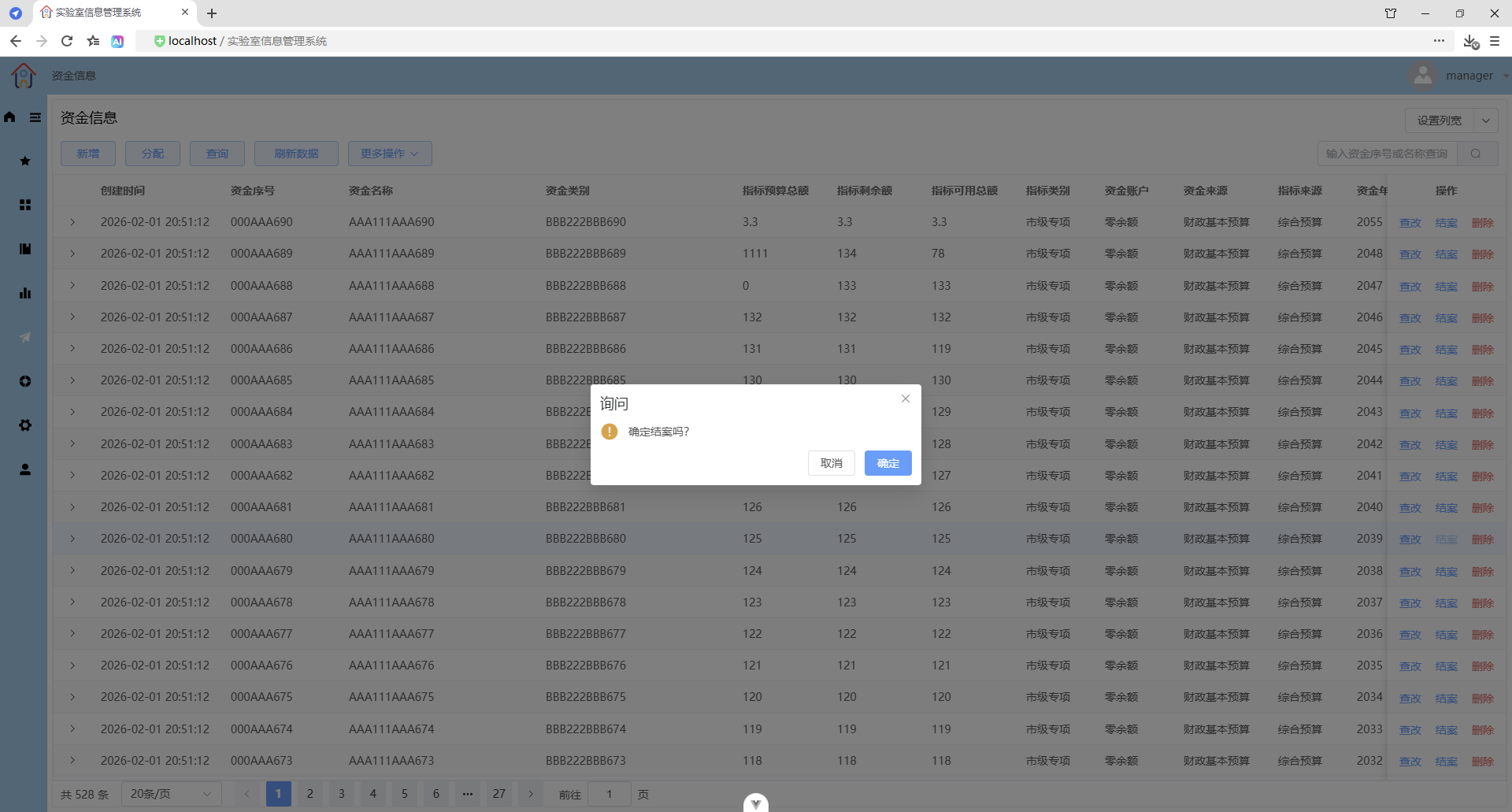
结案
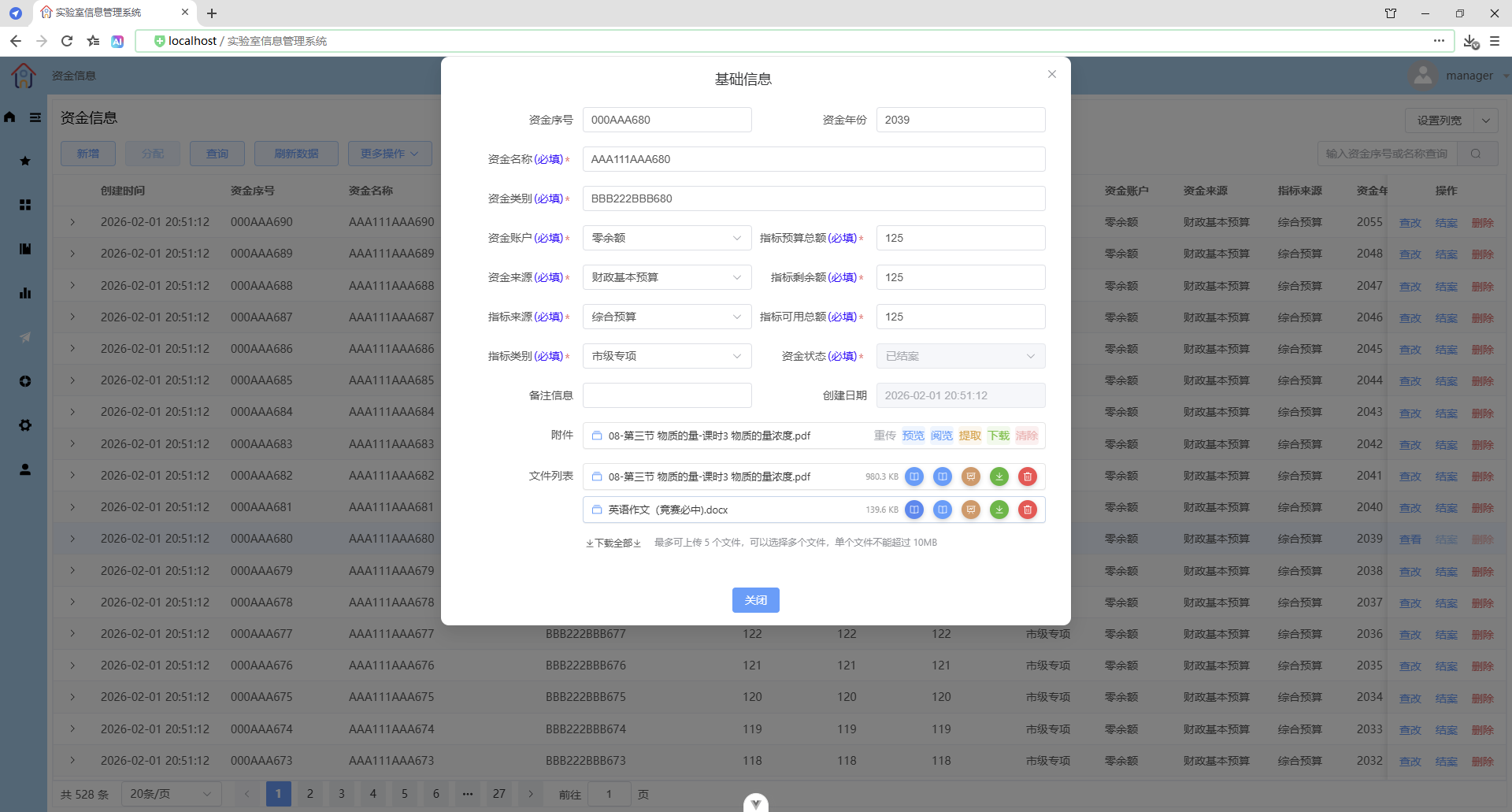
结案后,不能分配,不能查改,只能查看。
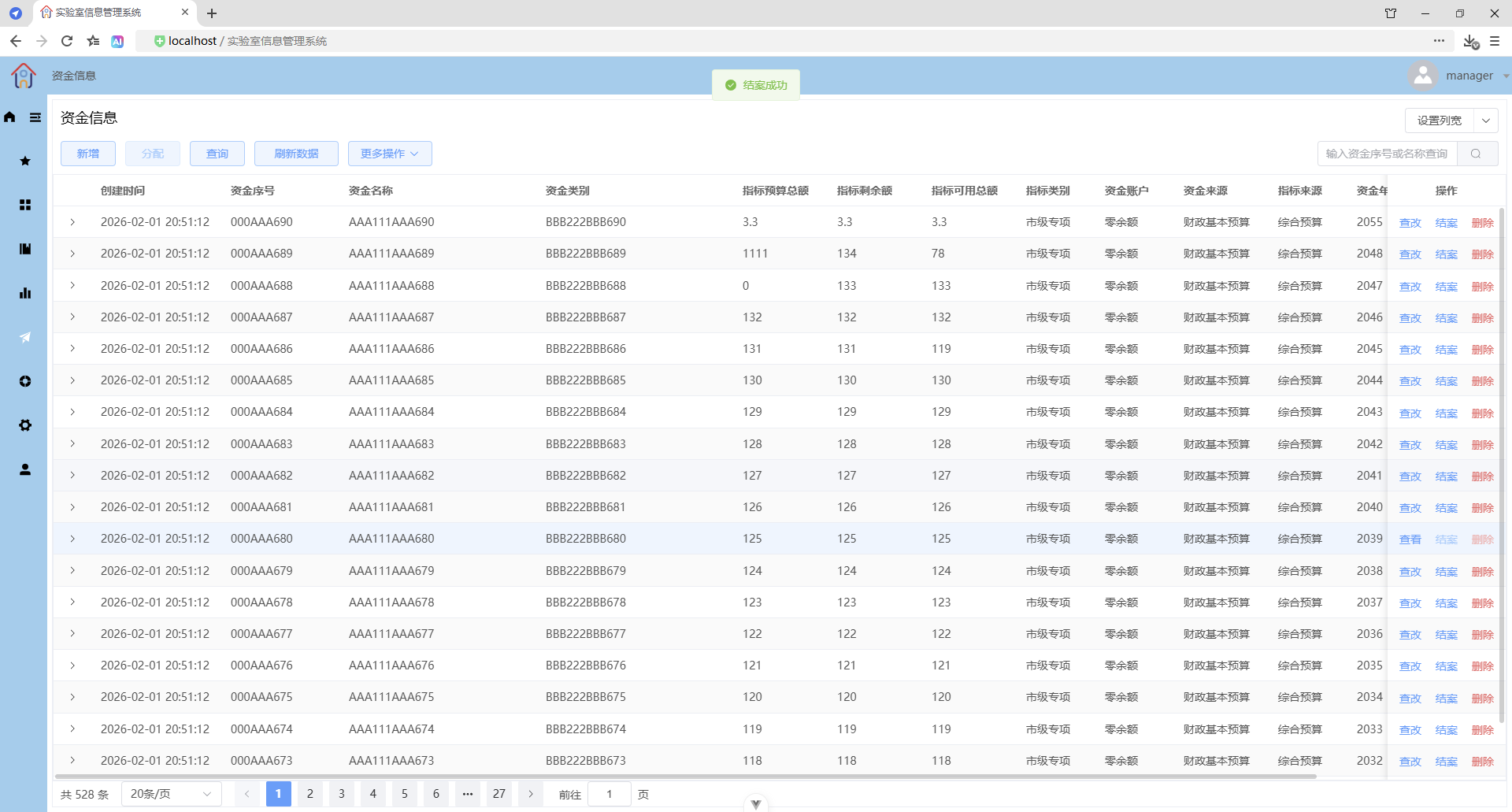
附件不能上传和重传、不能清除
文件列表不能上传和删除
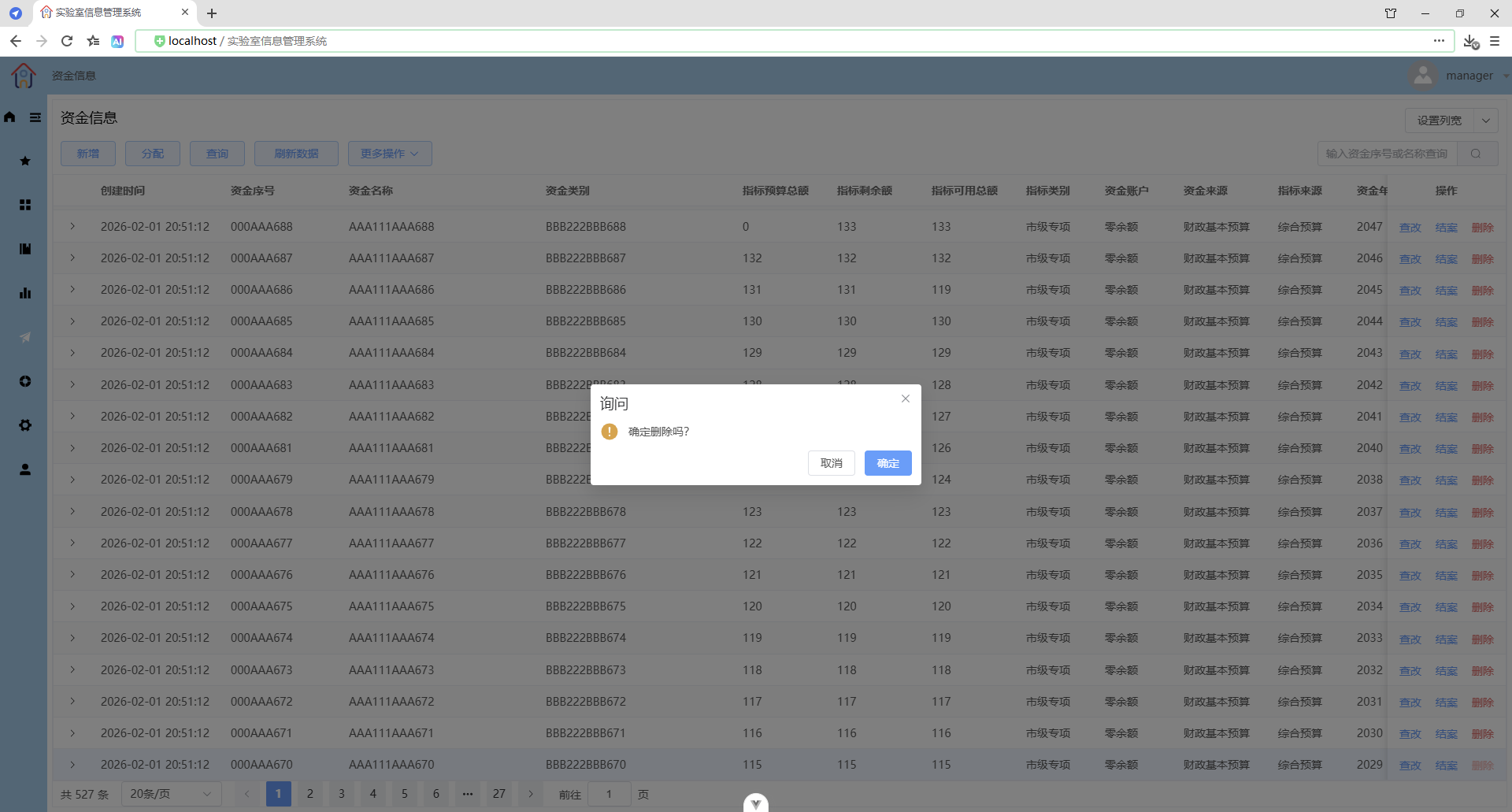
删除
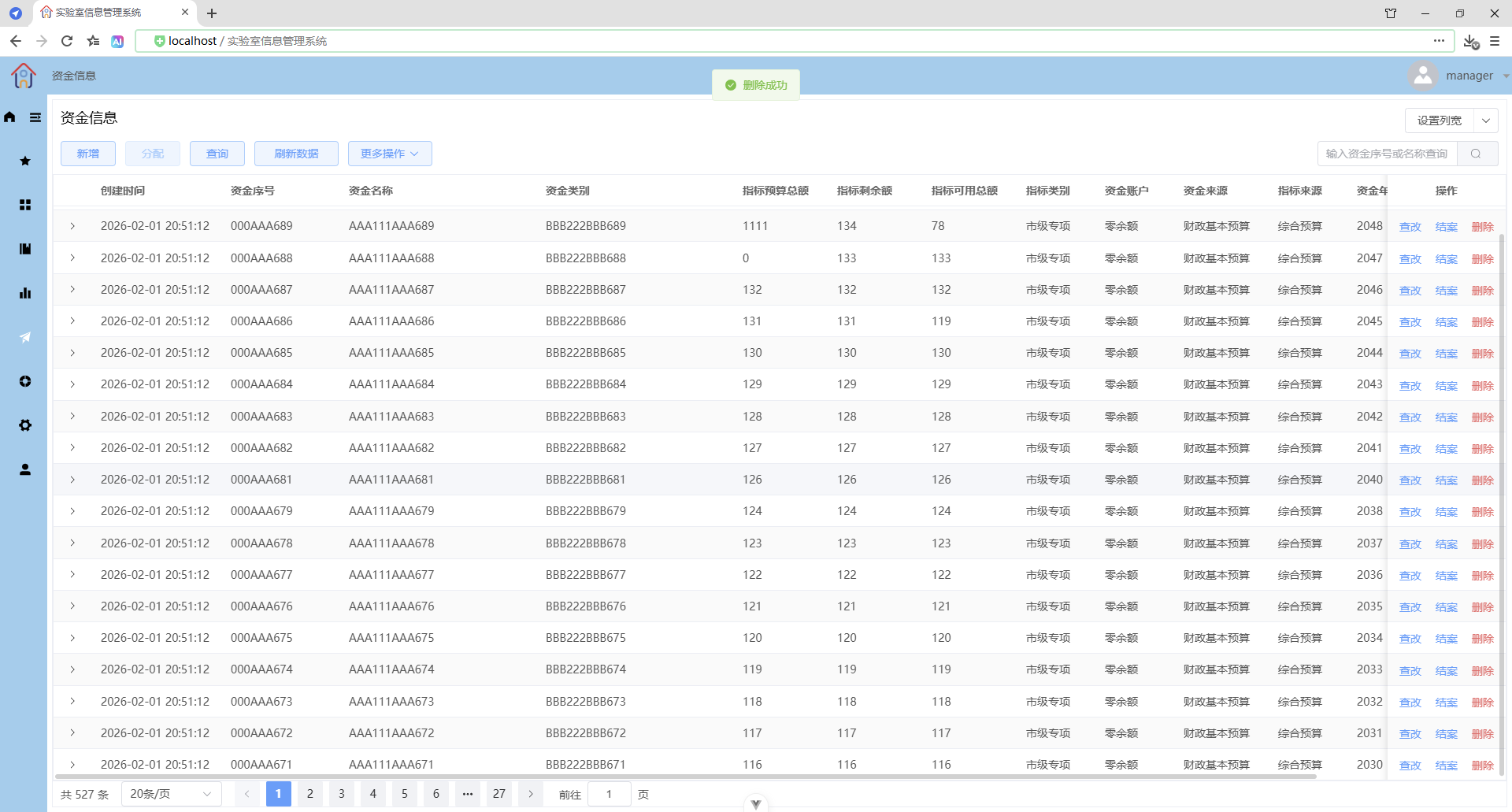
新增
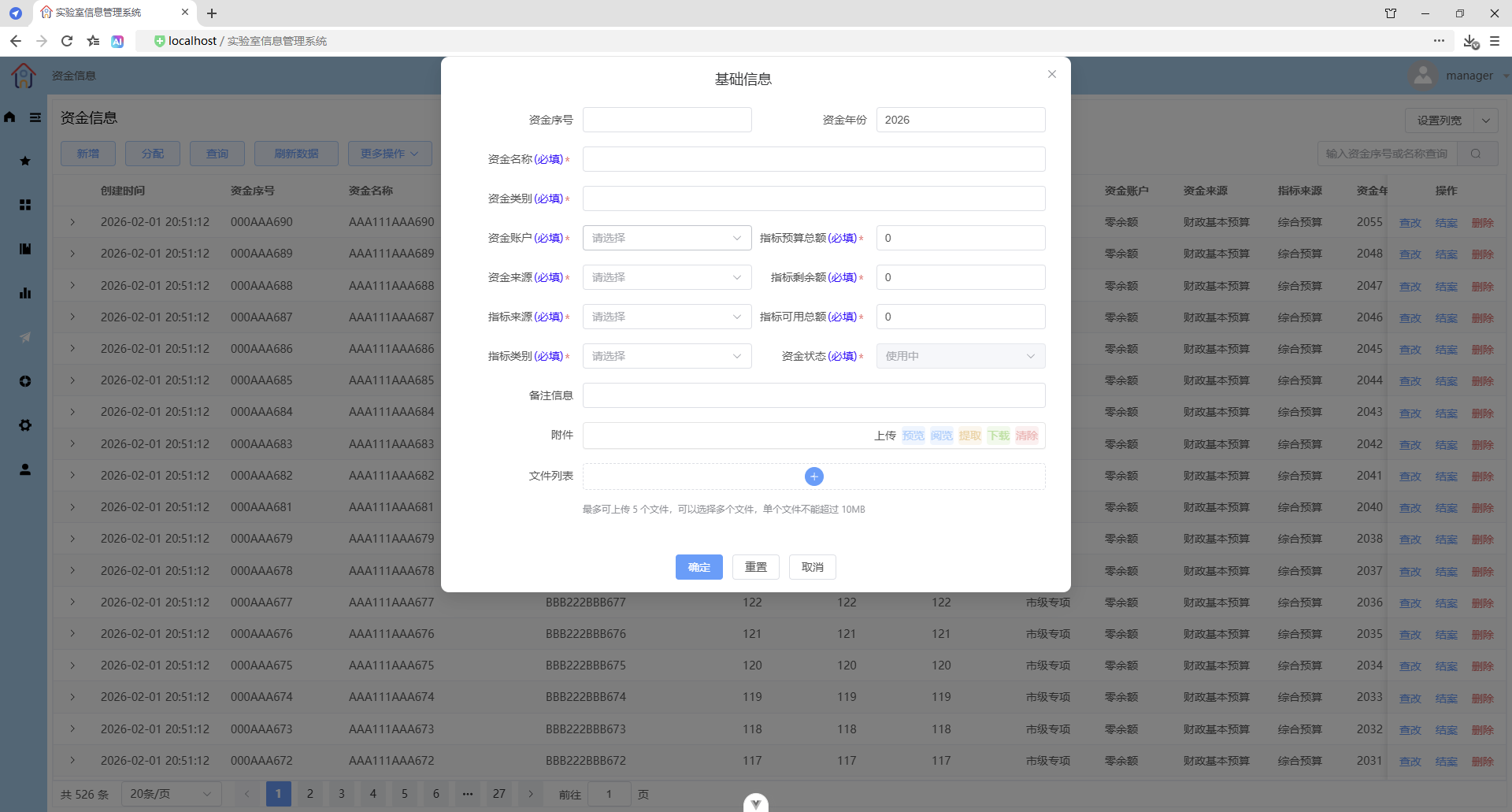
表单校验
录入时触发校验
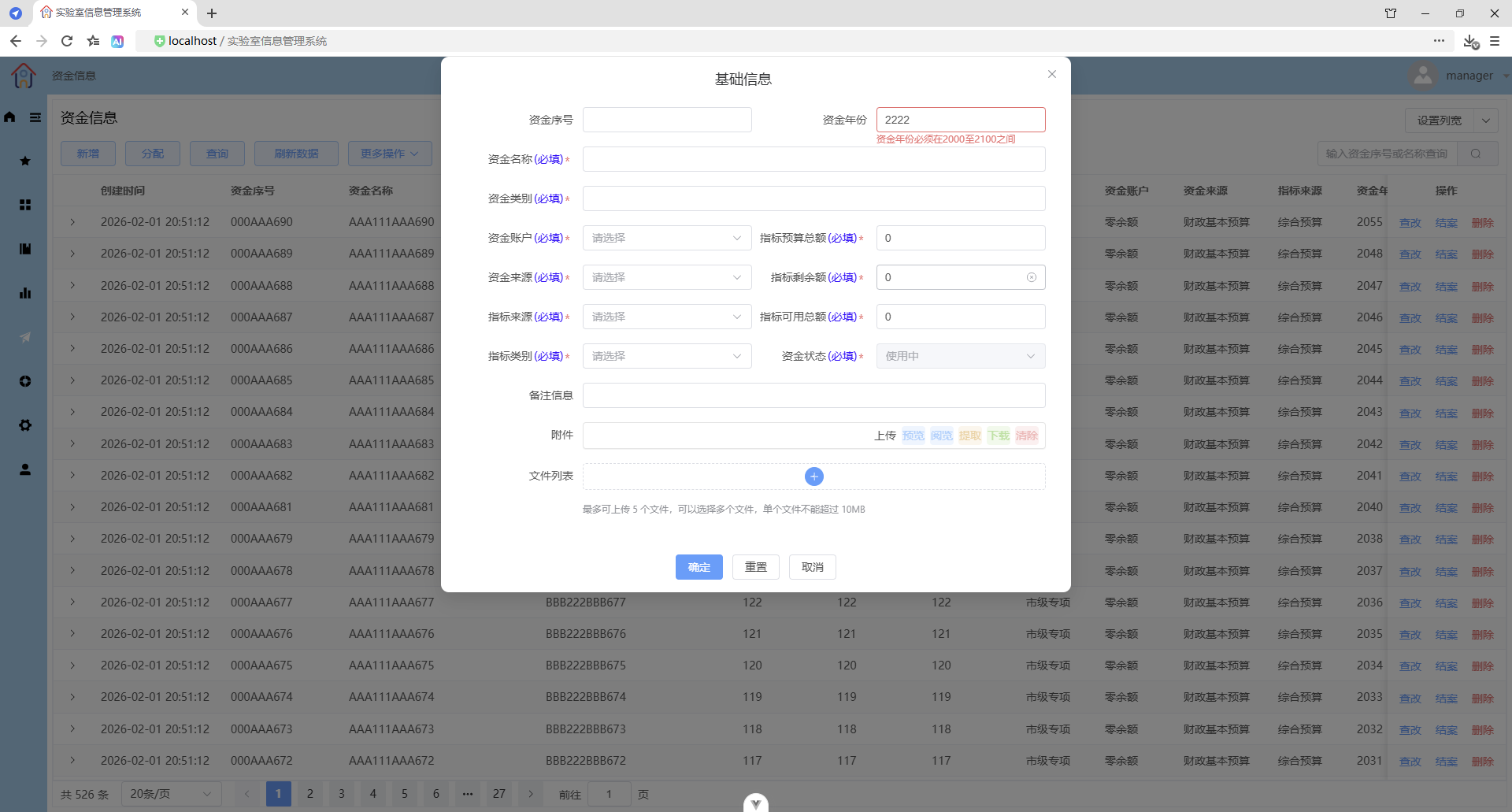
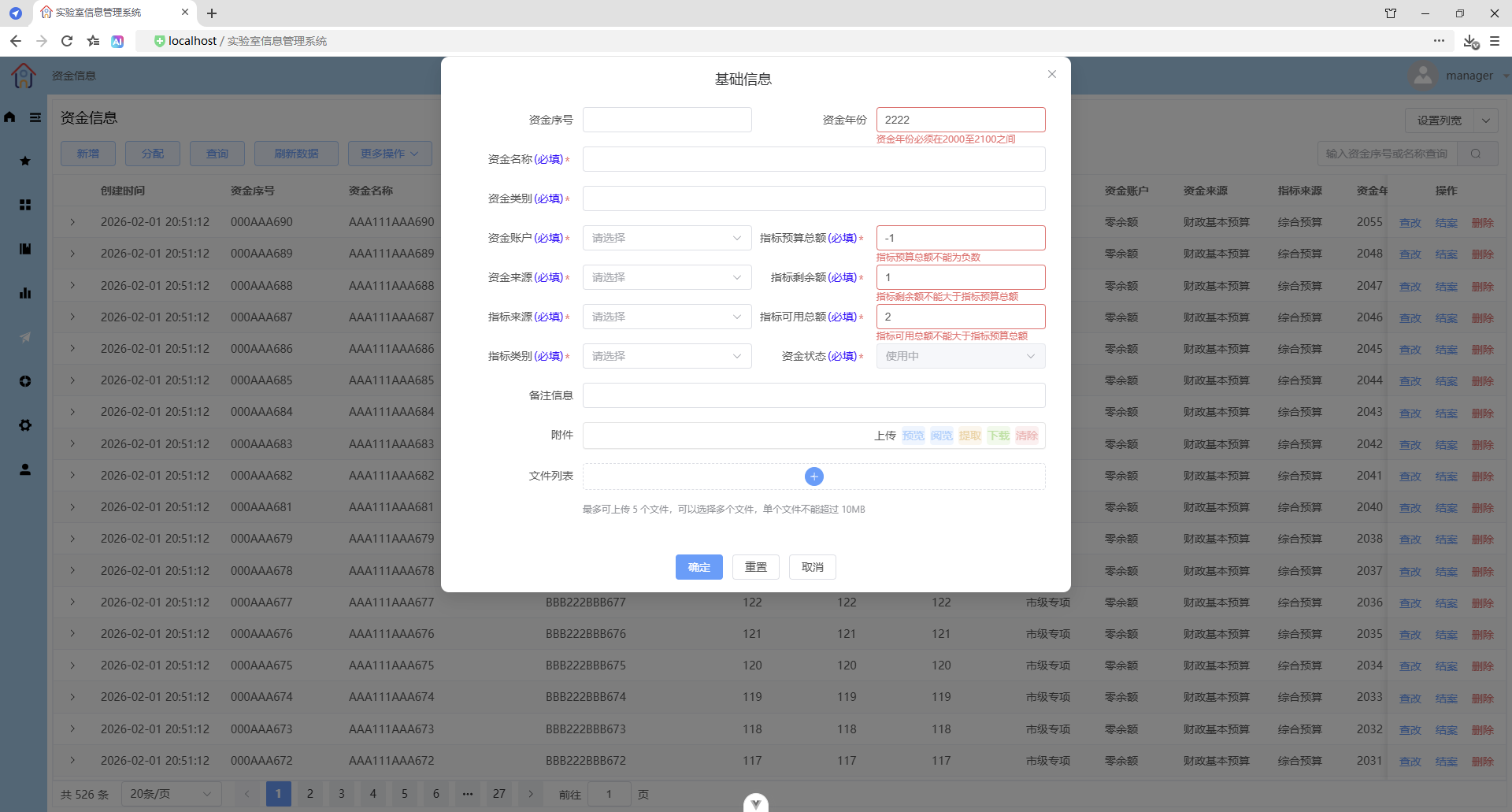
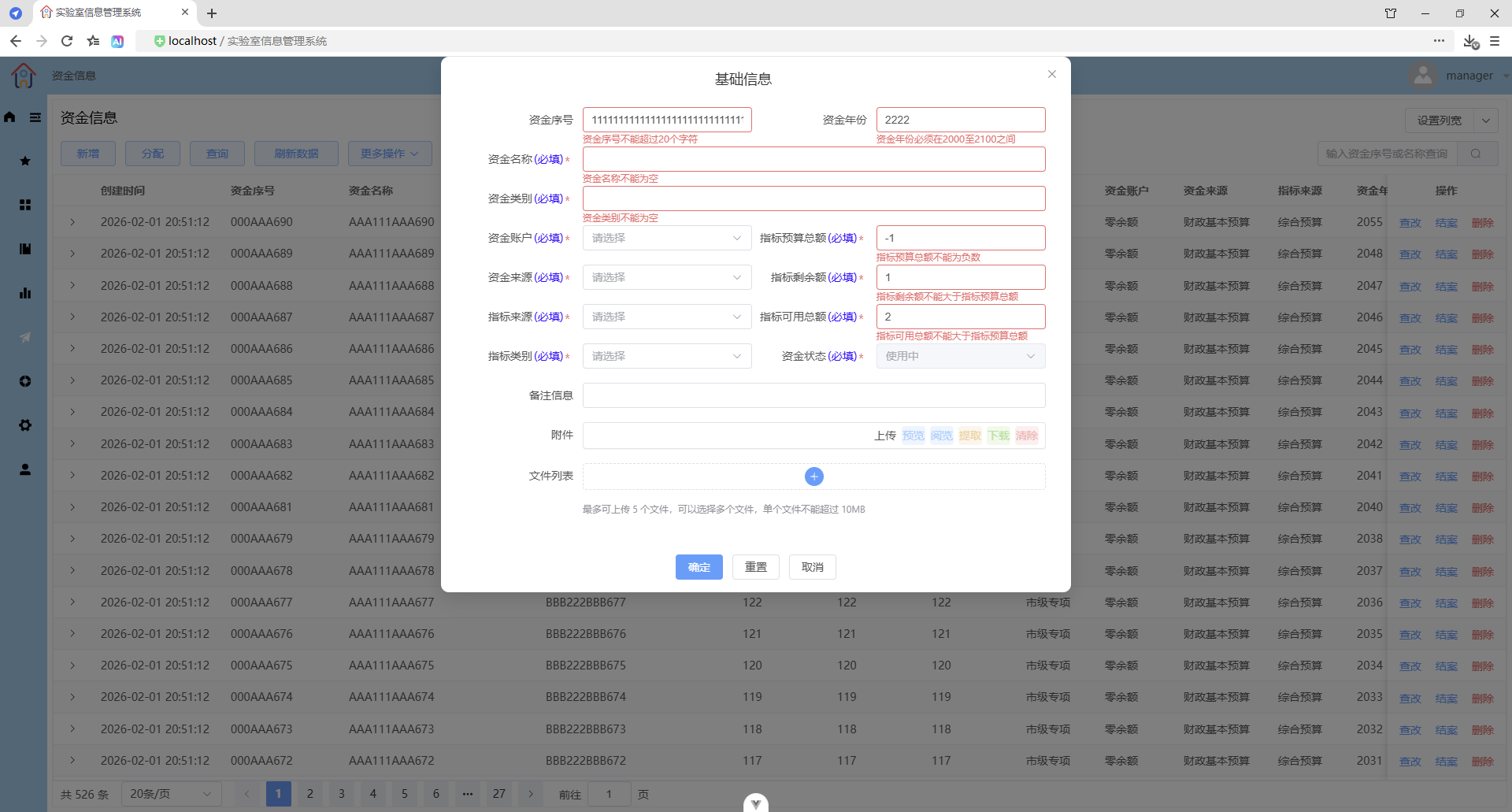
表单提交
确定时触发校验
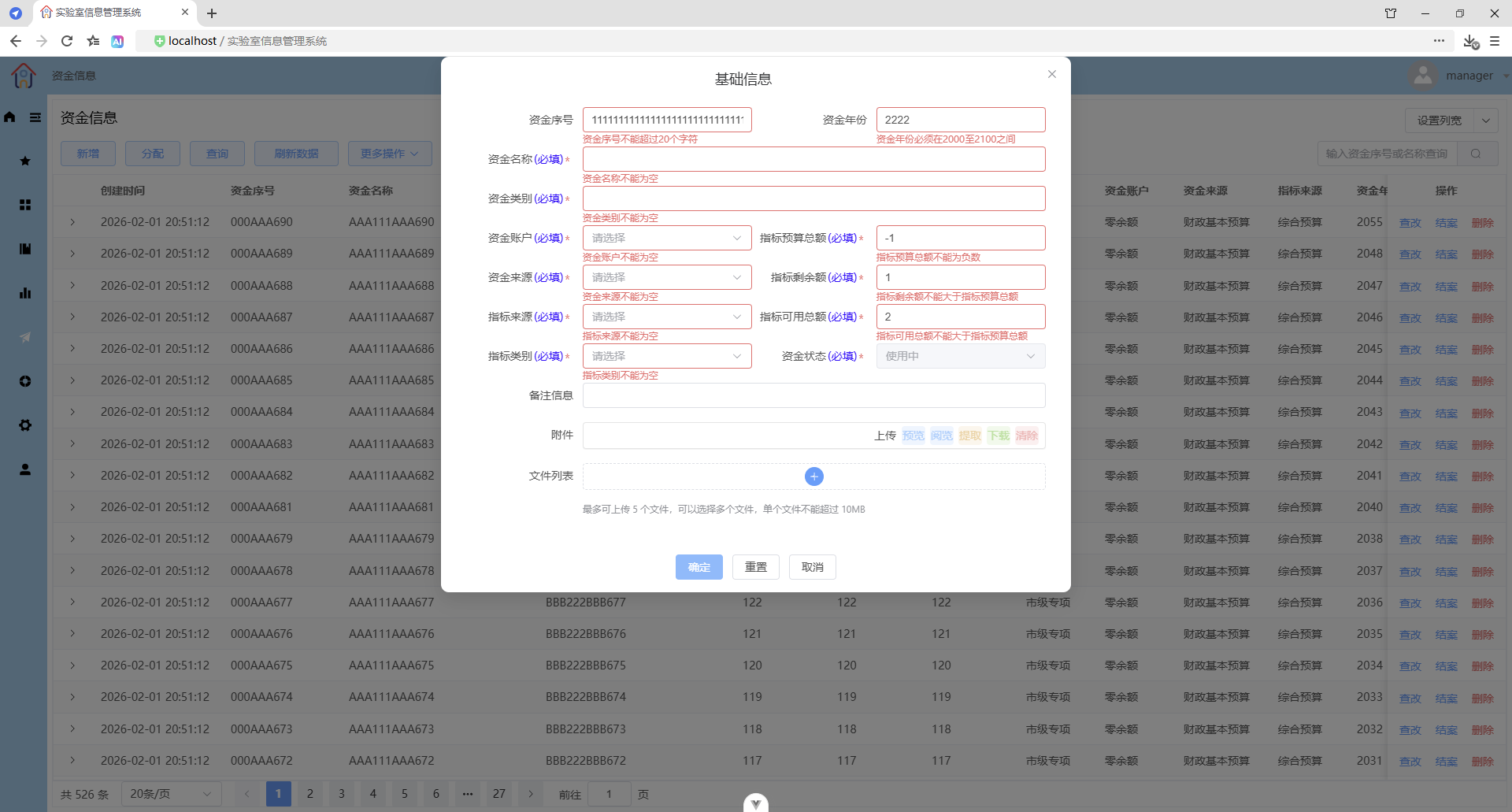
1、可以不上传附件(只能一个文件)和文件(最多五个文件)
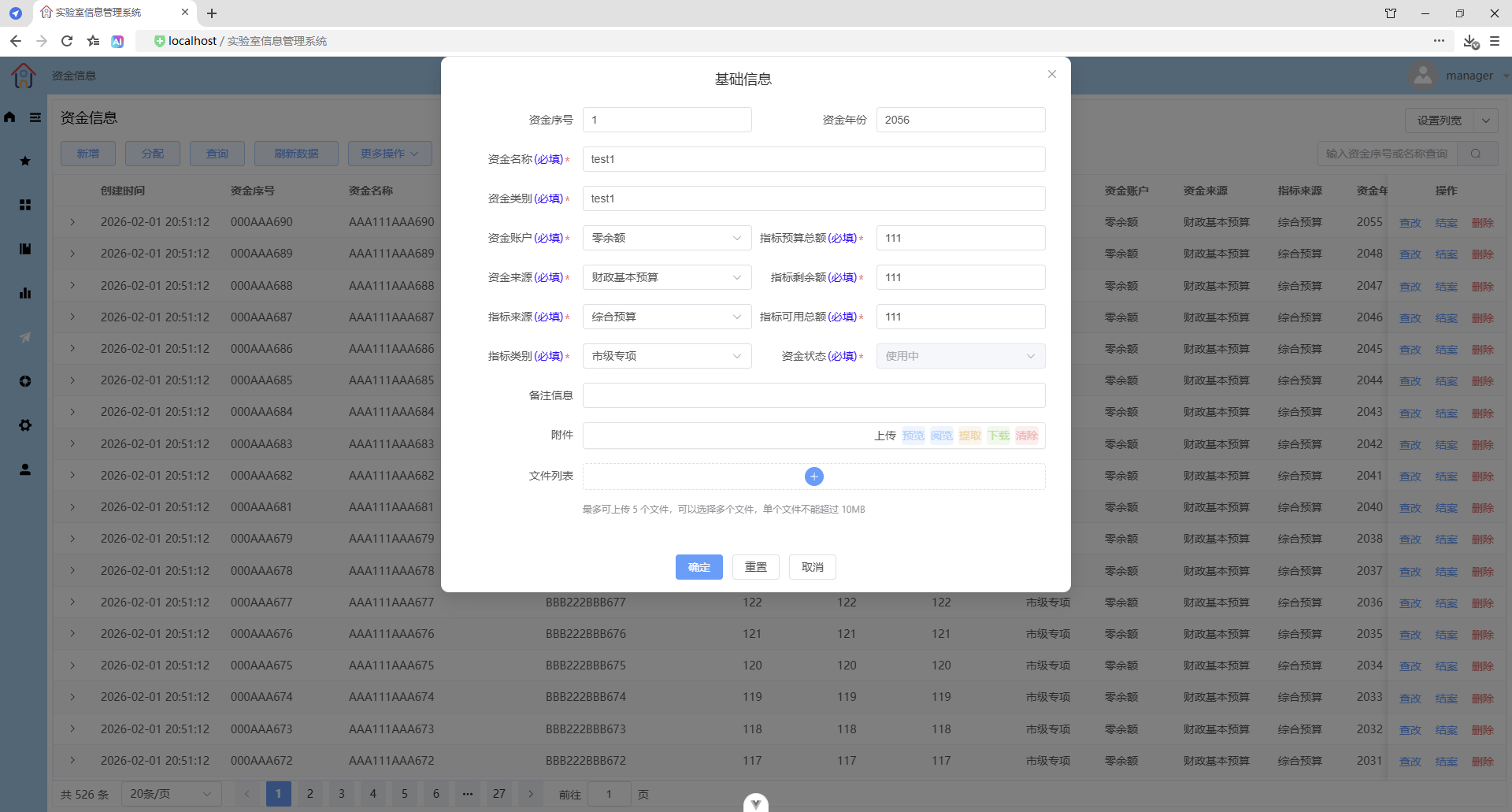
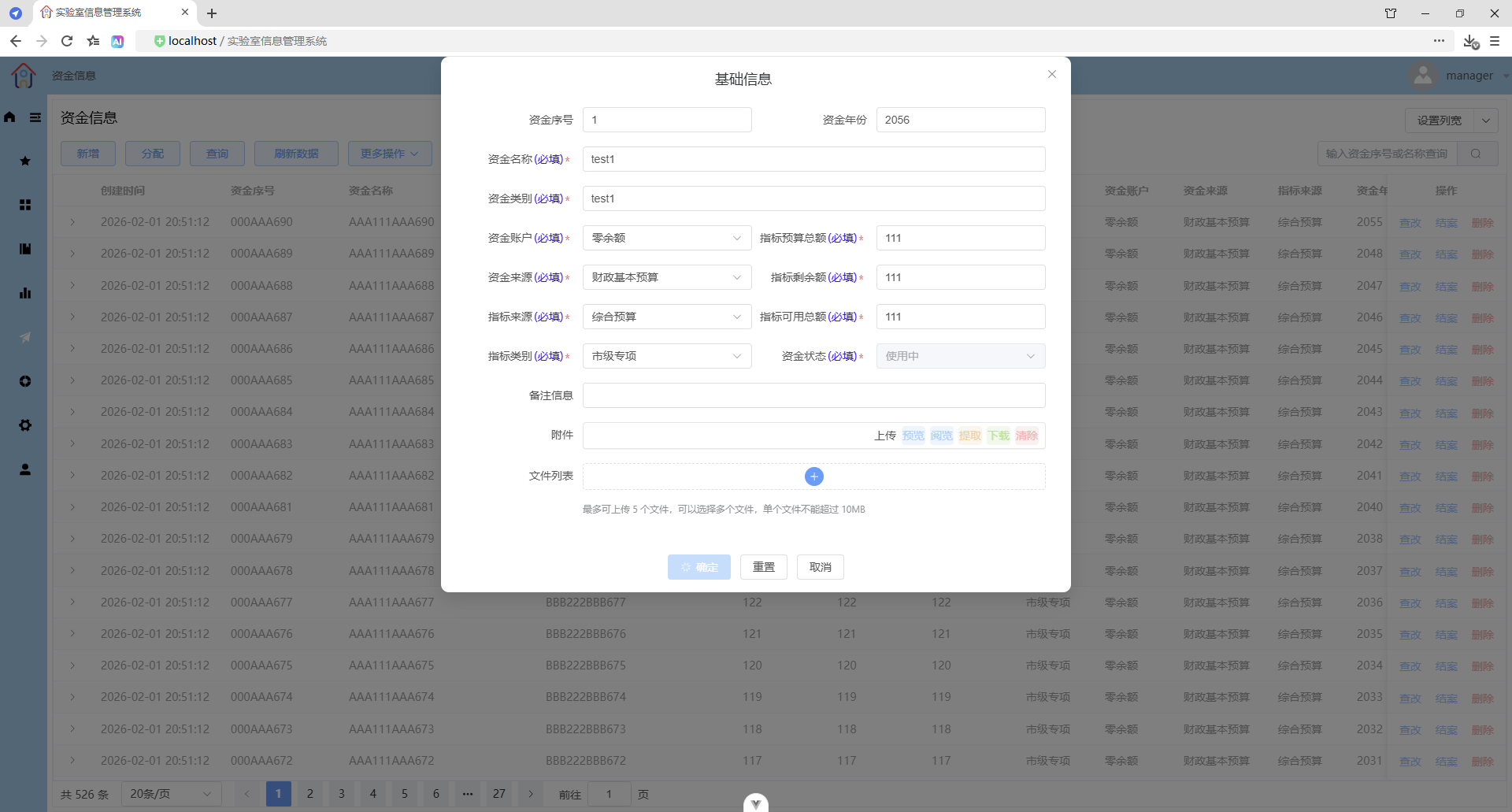
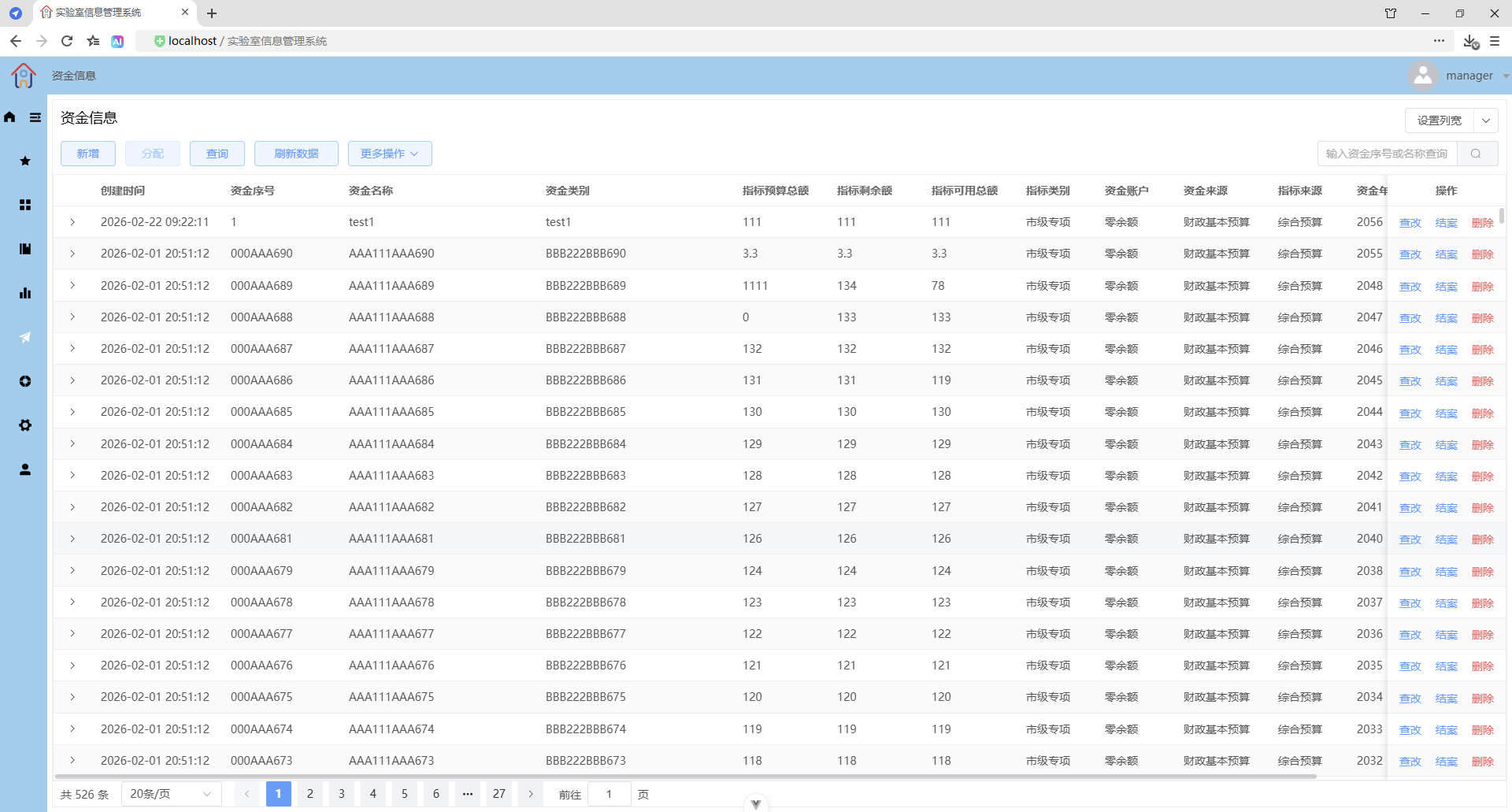
2、可以只上传附件(只能一个文件)或文件(最多五个文件)
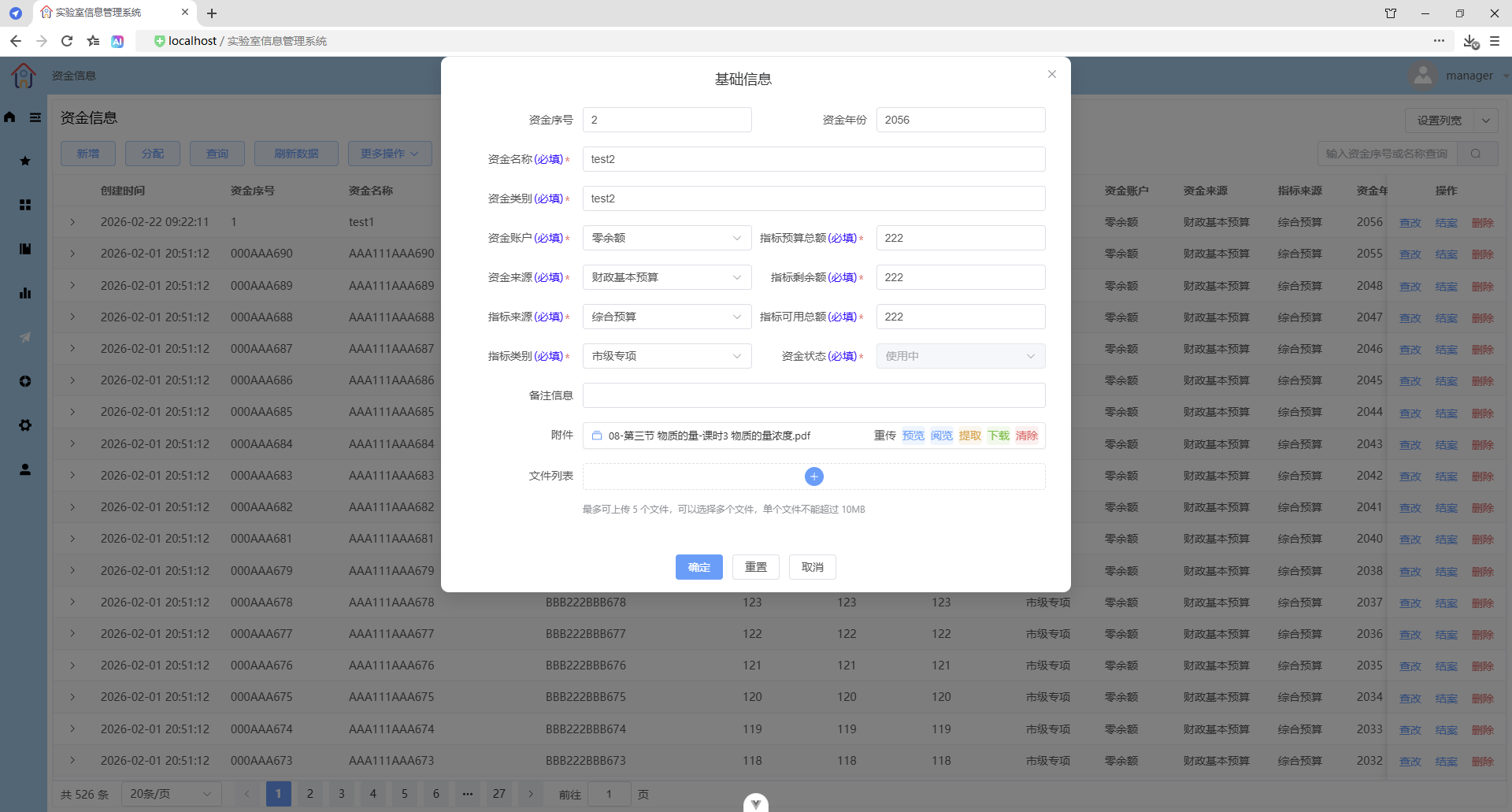
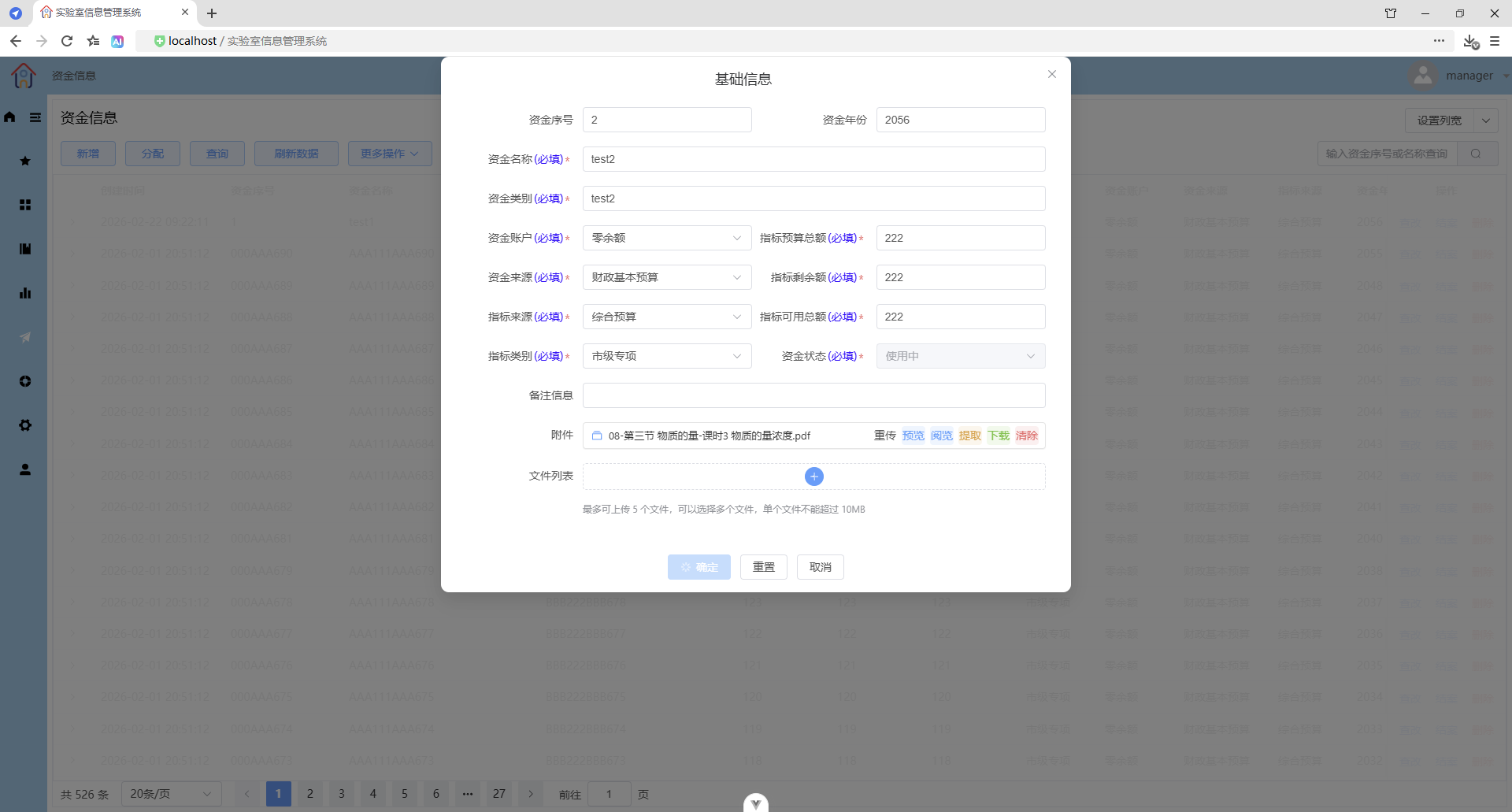
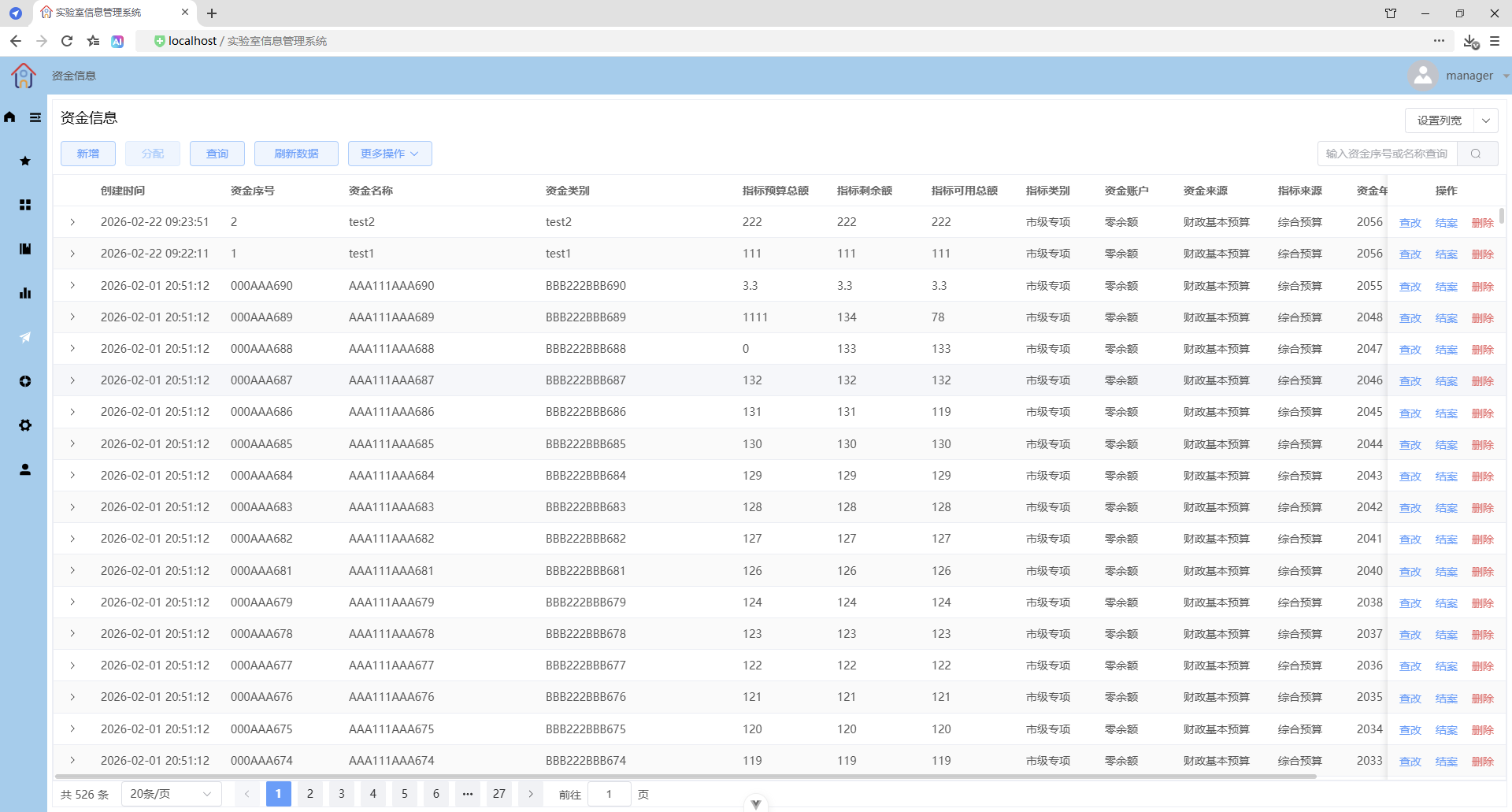
支持同时多选不同格式的文件
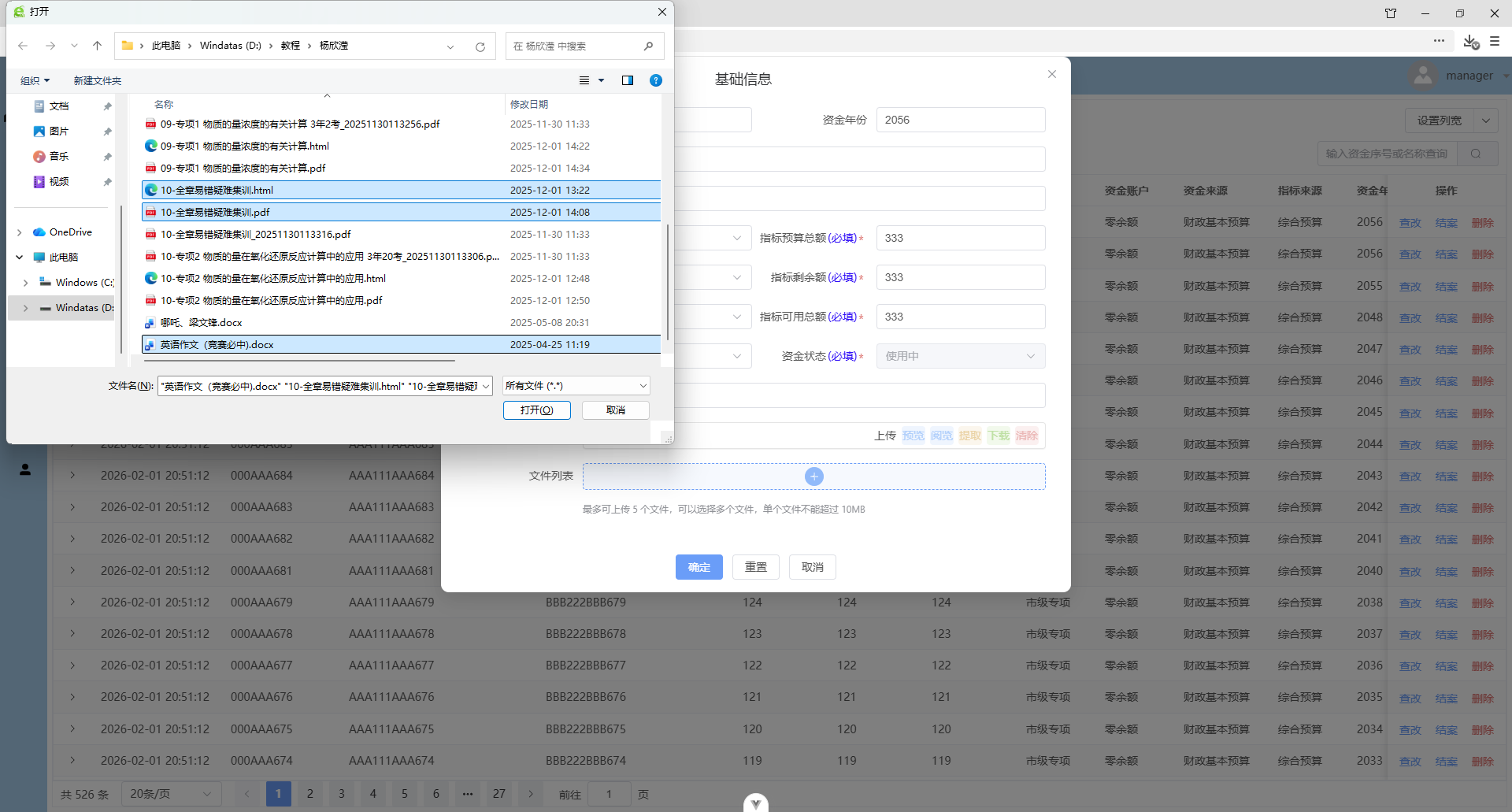
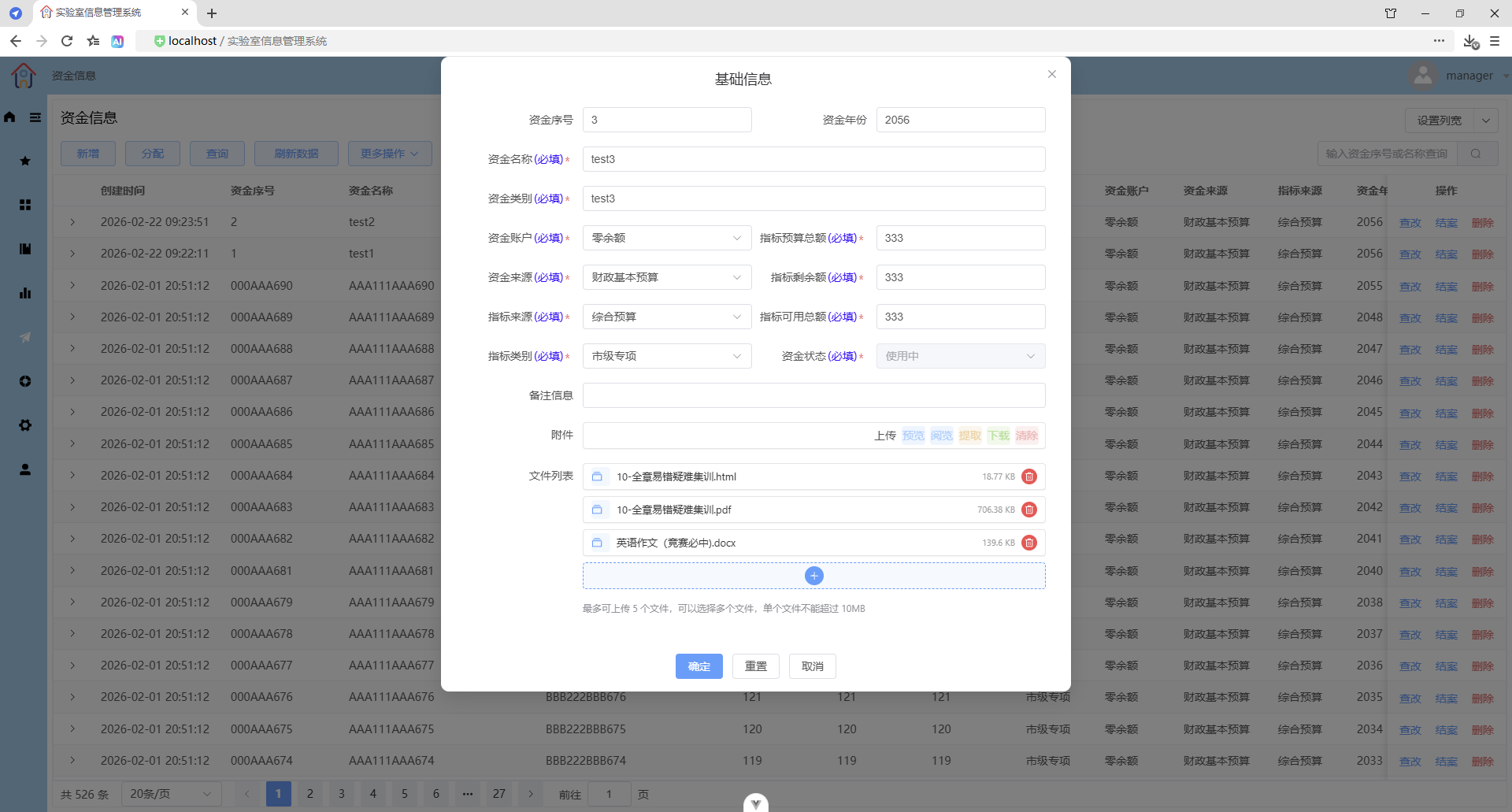
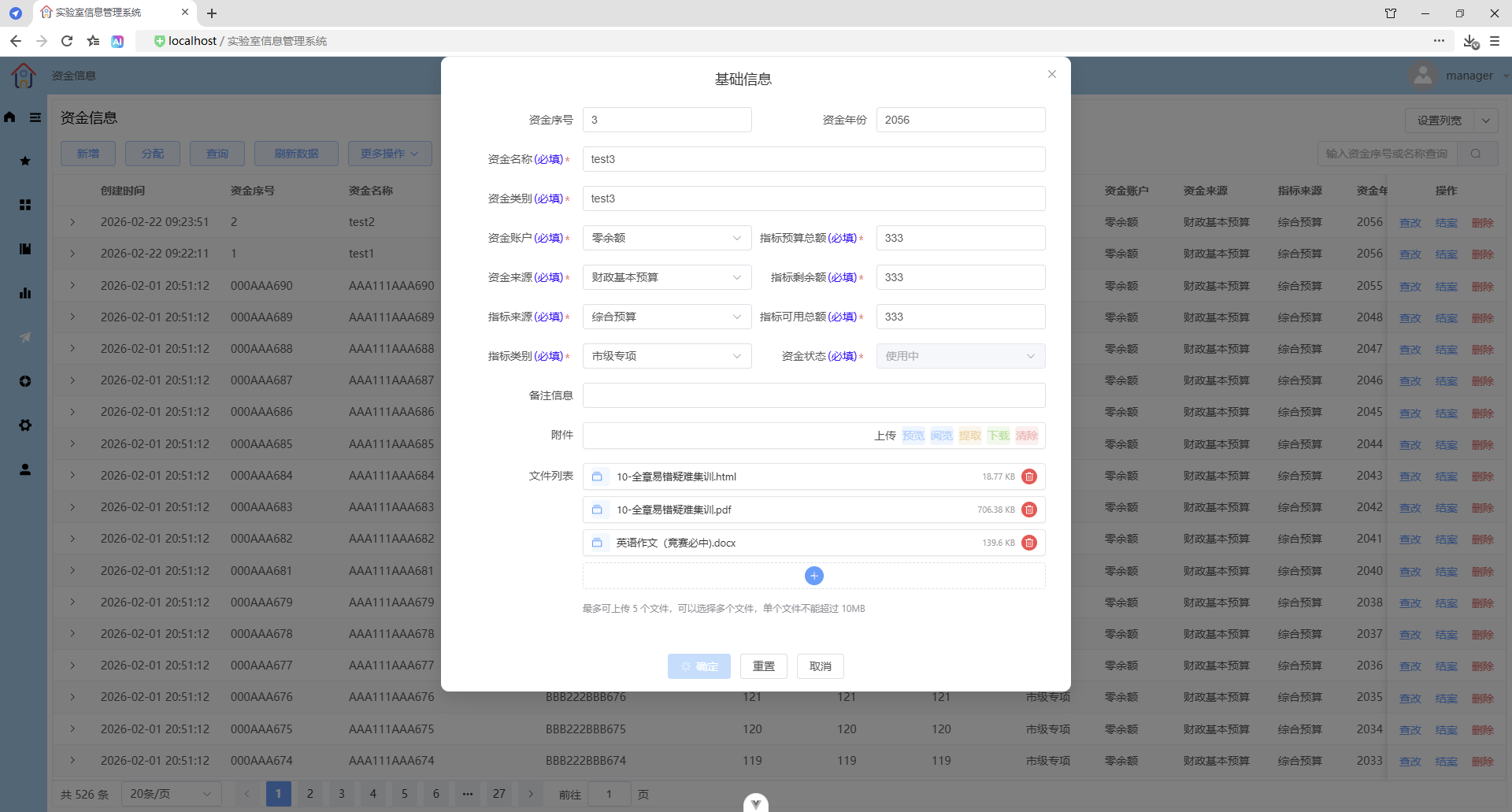
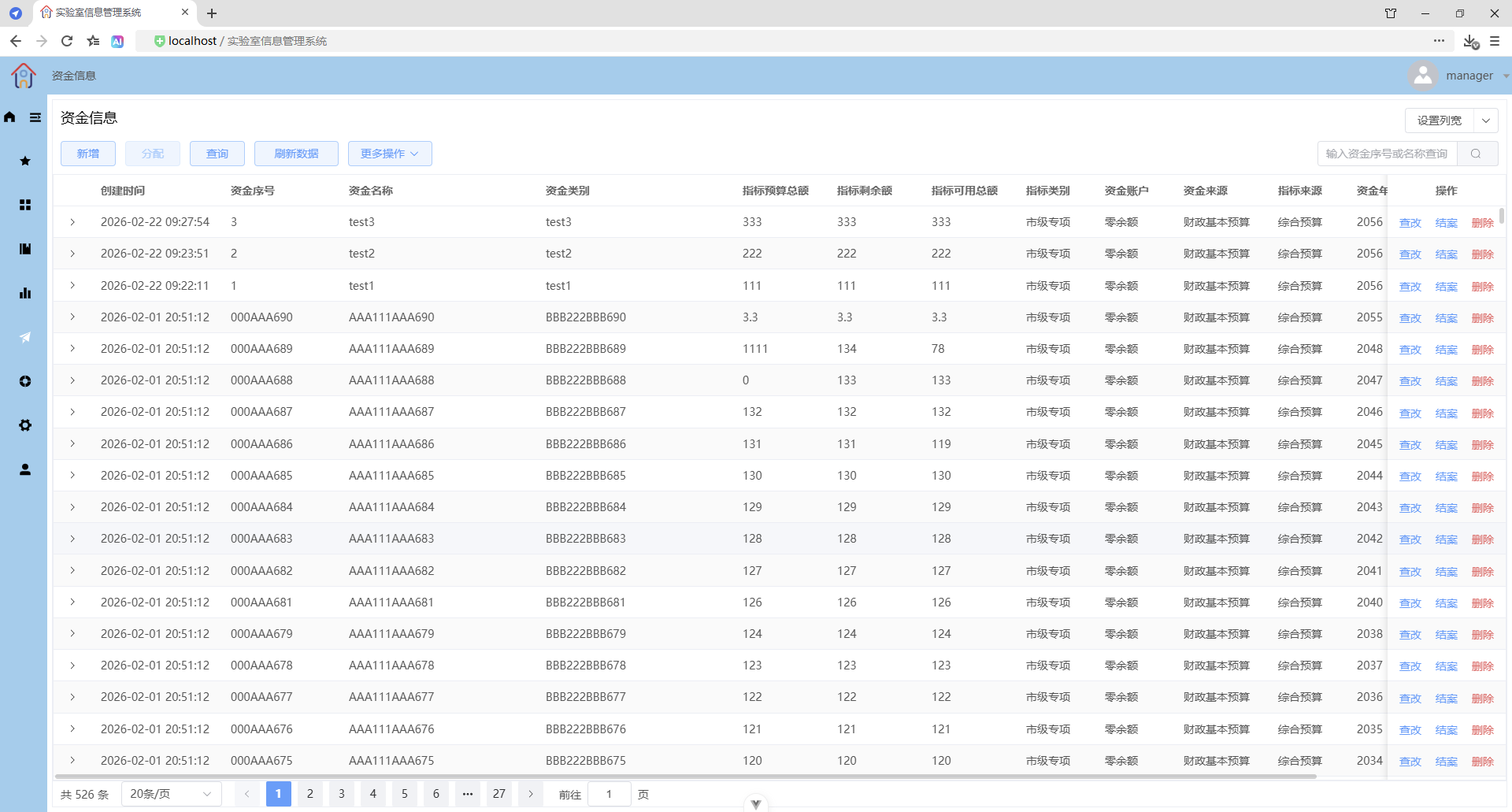
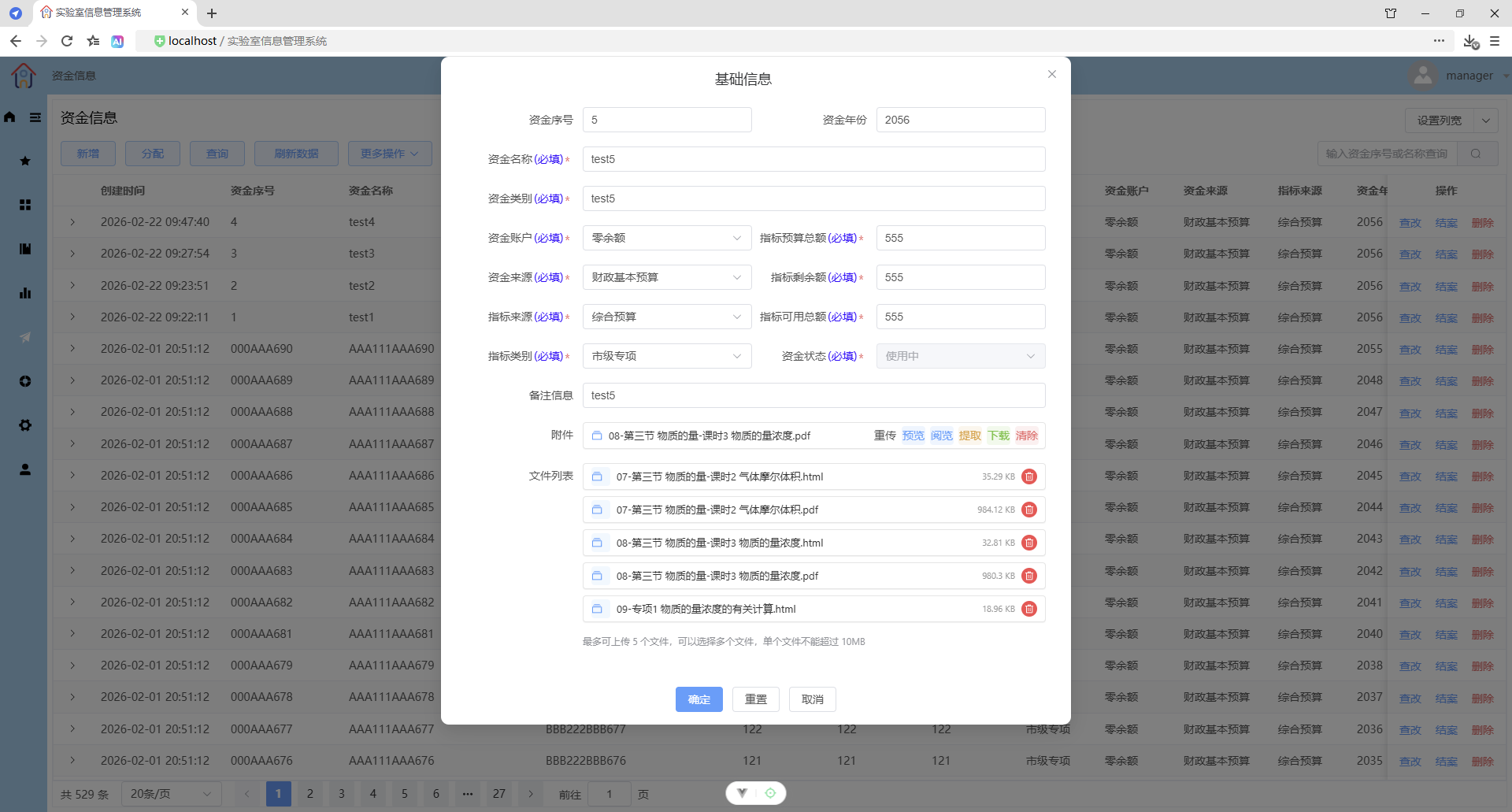
3、可以同时上传附件(只能一个文件)或文件(最多五个文件)
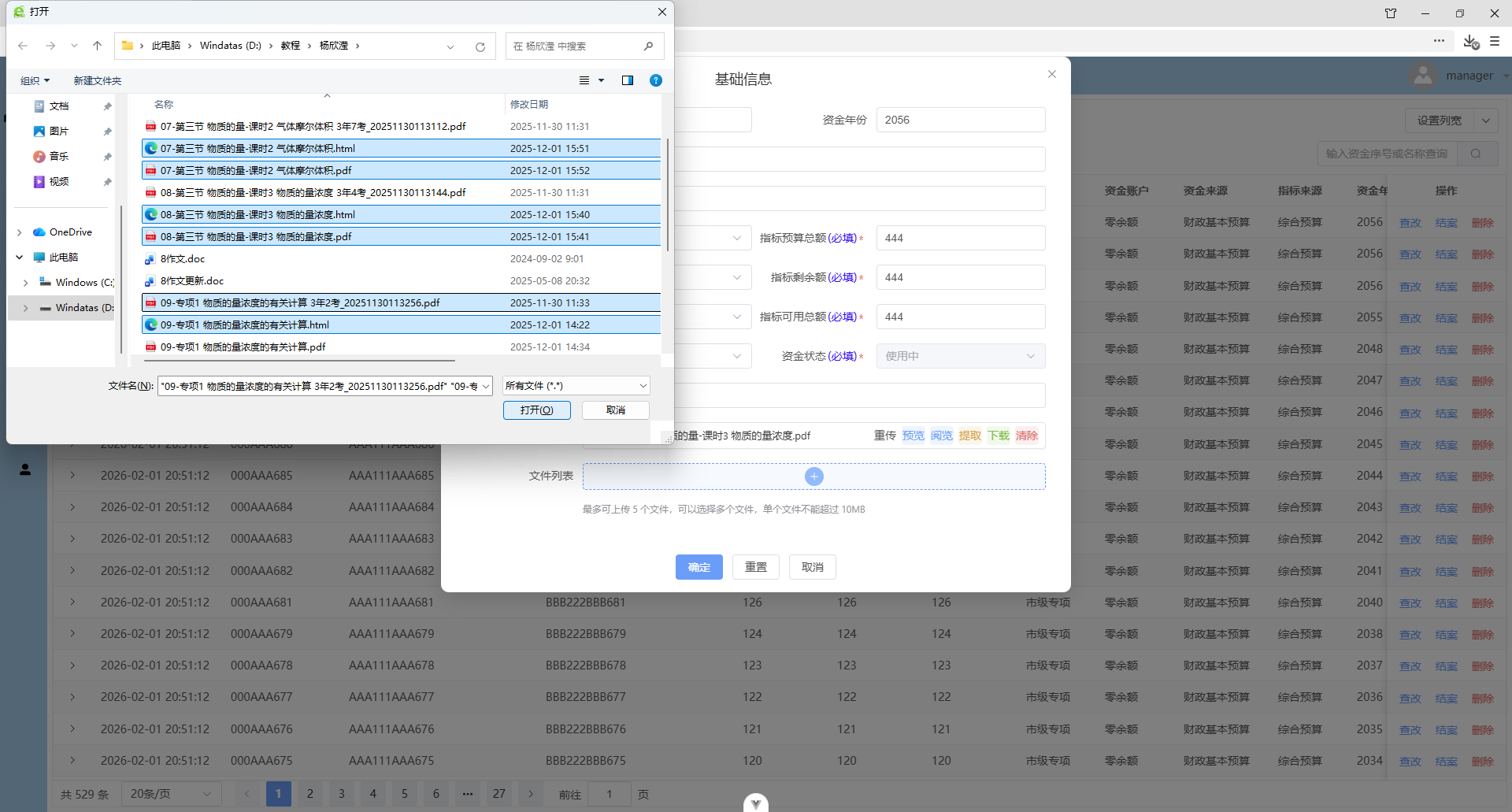
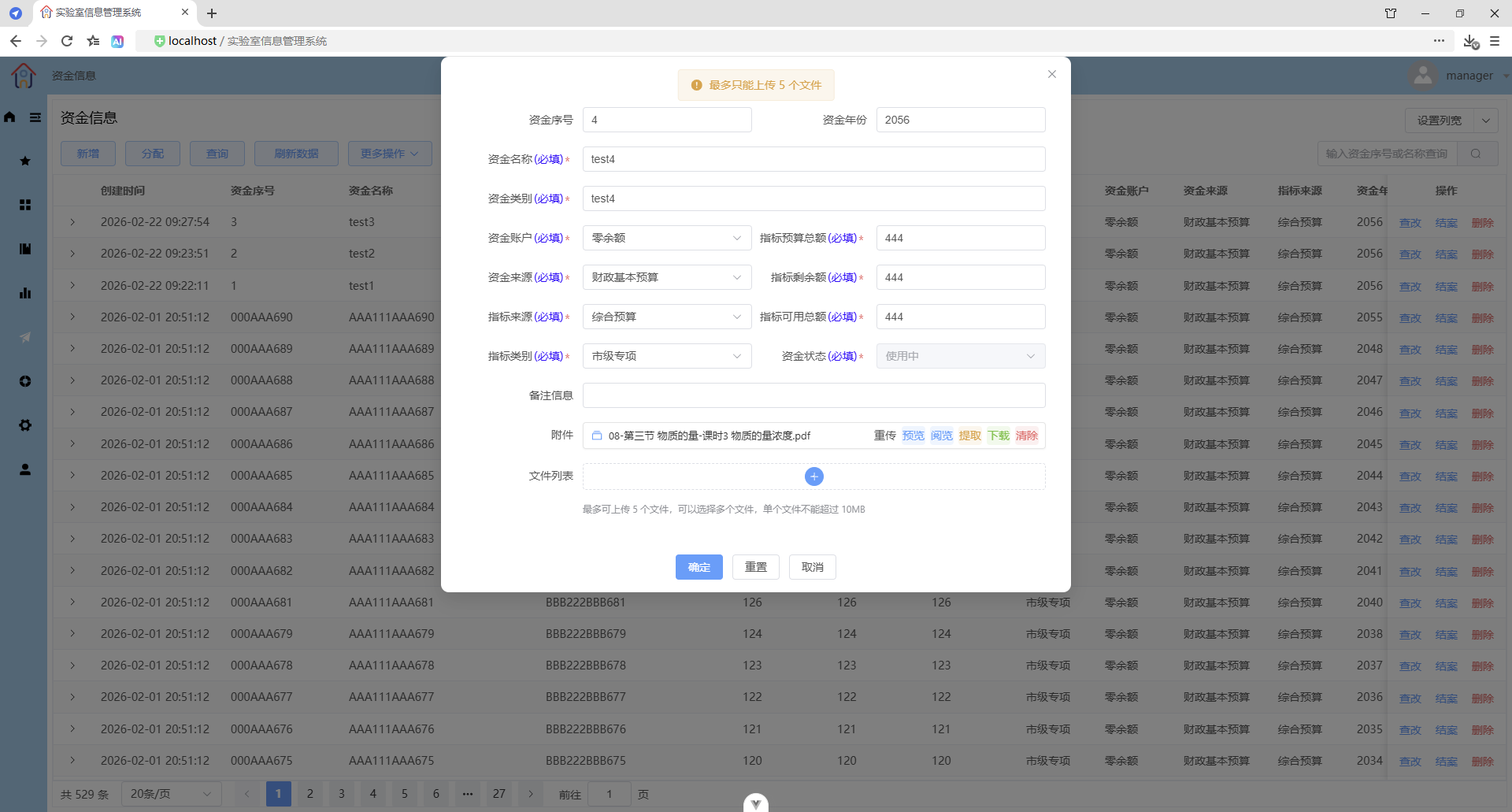
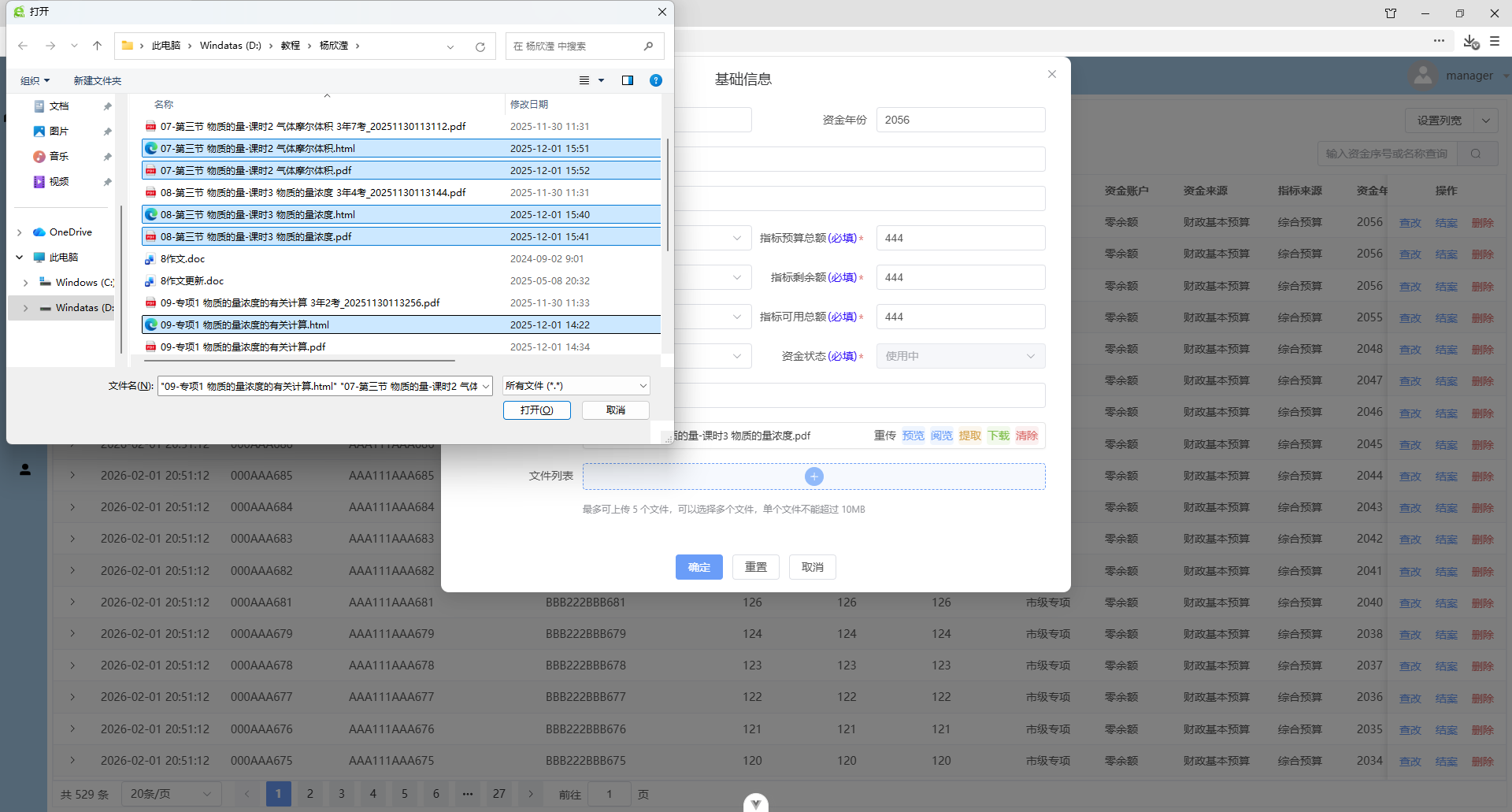
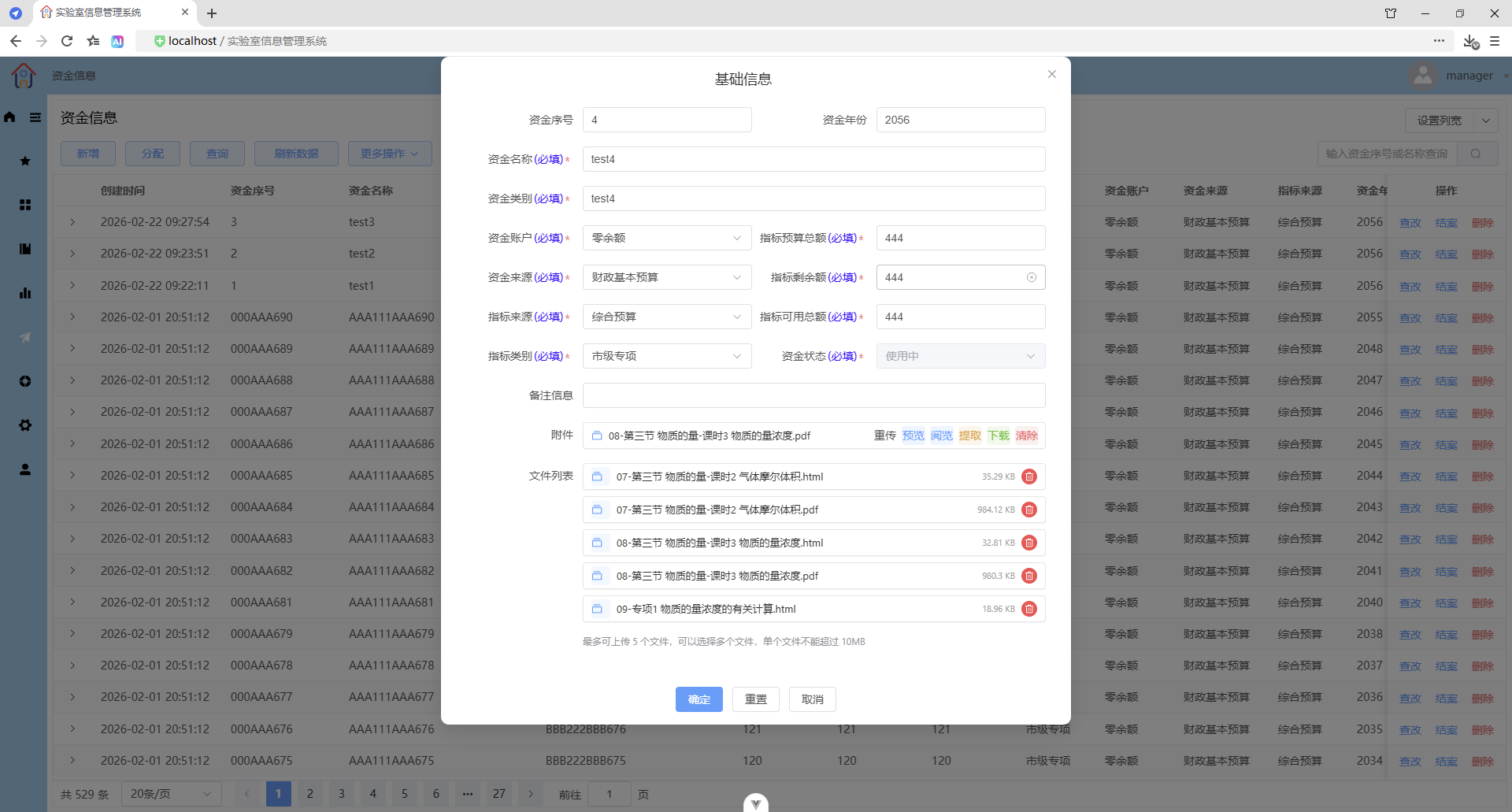
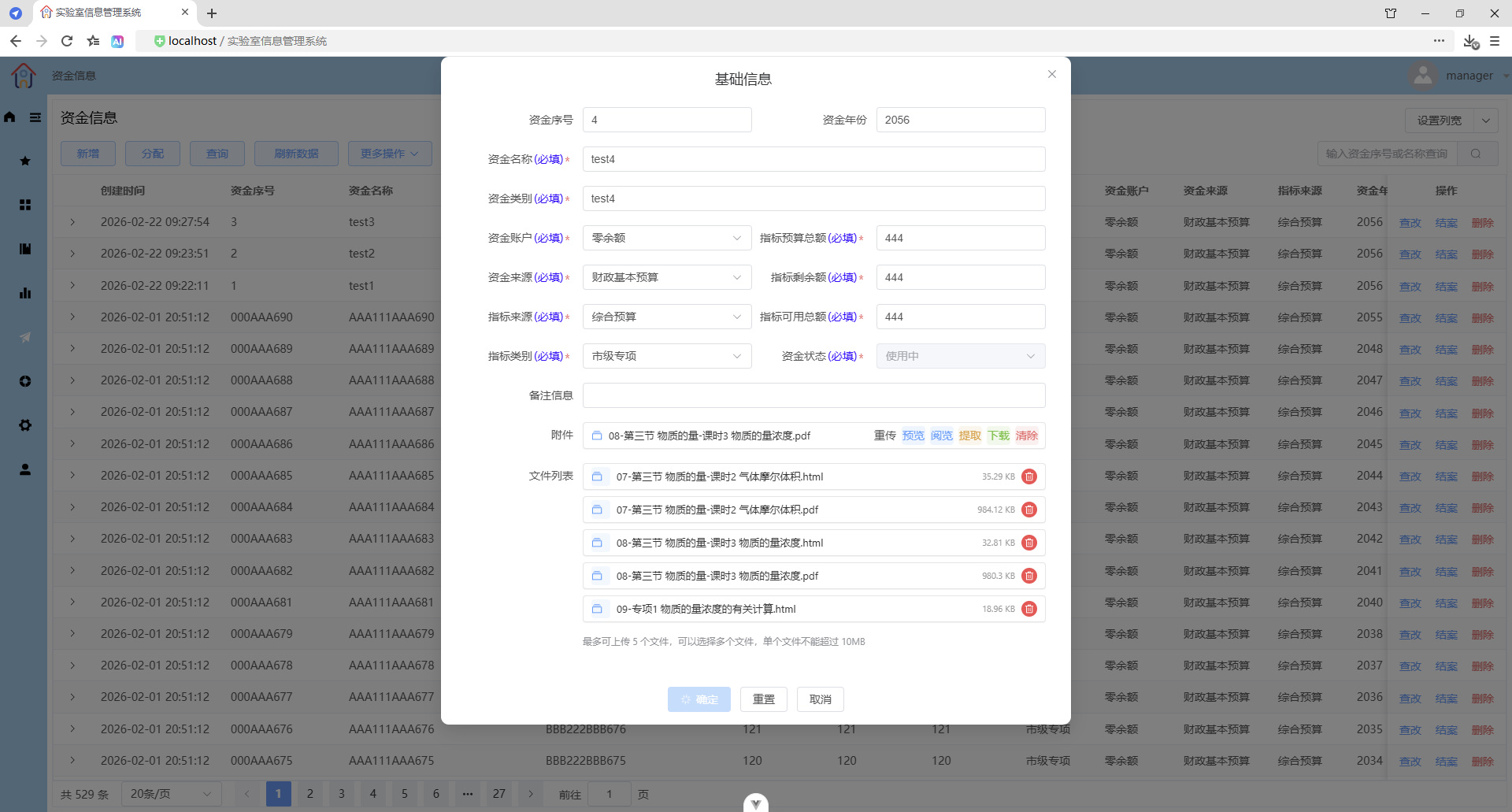
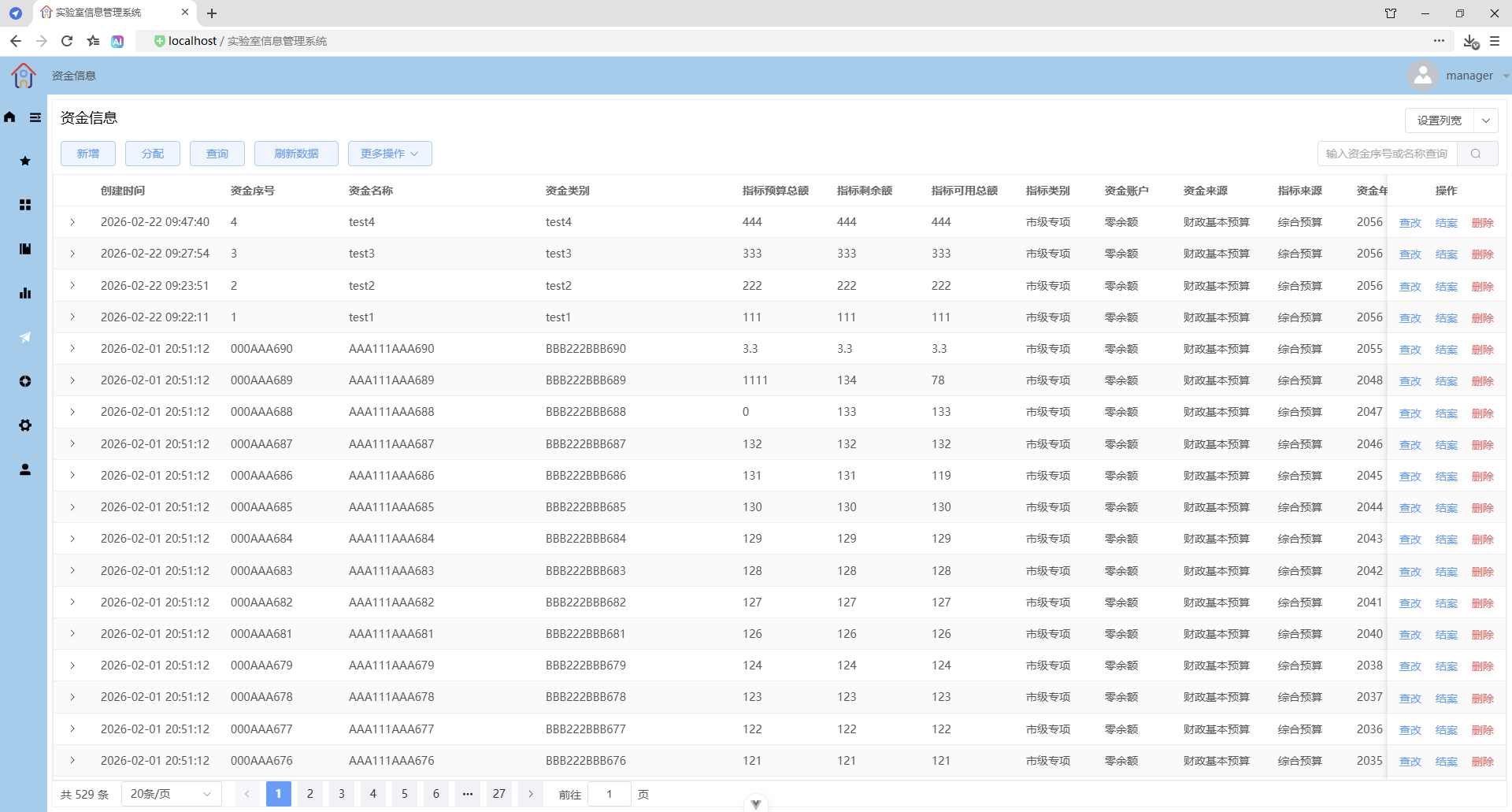
表单重置
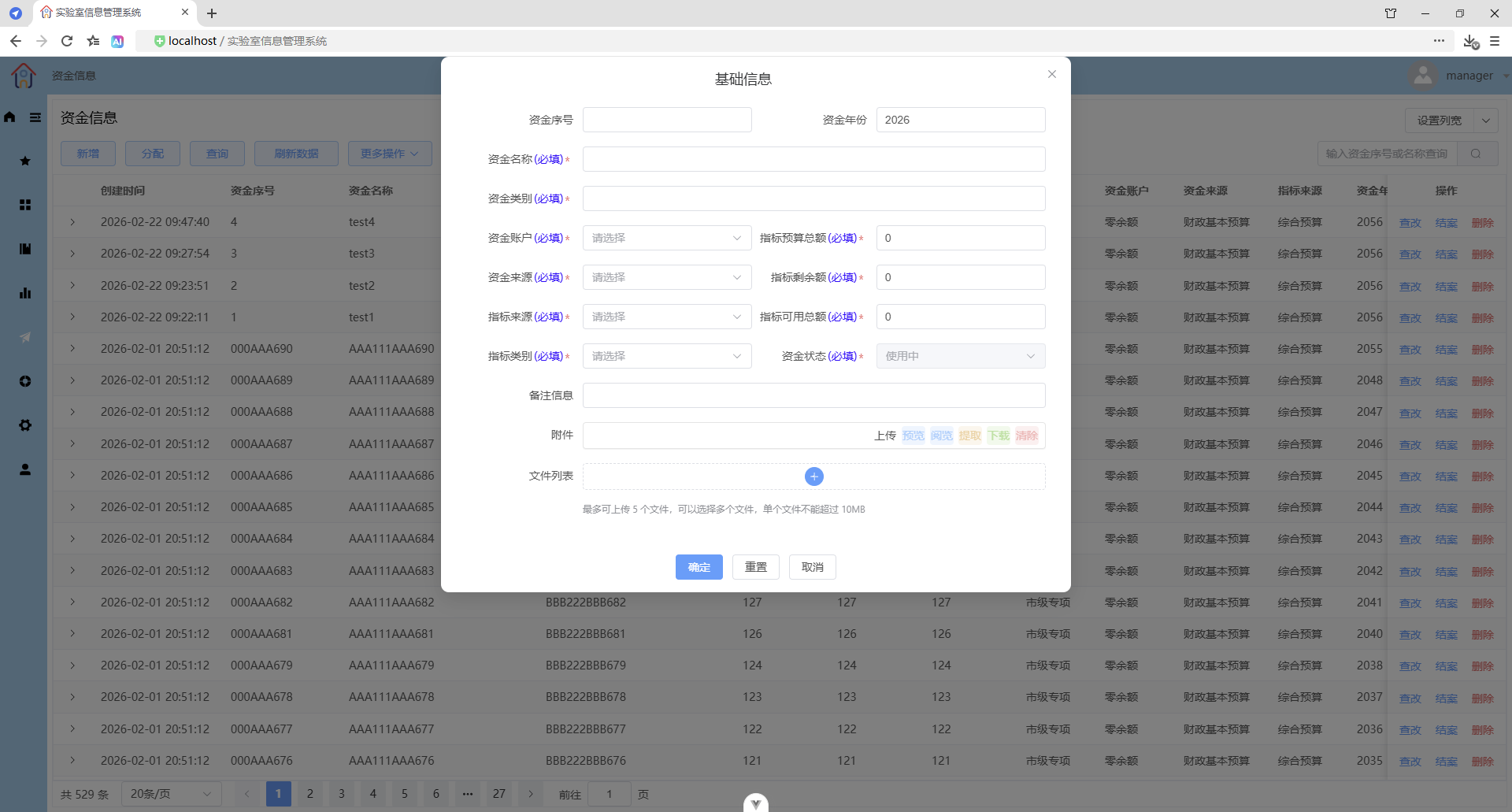
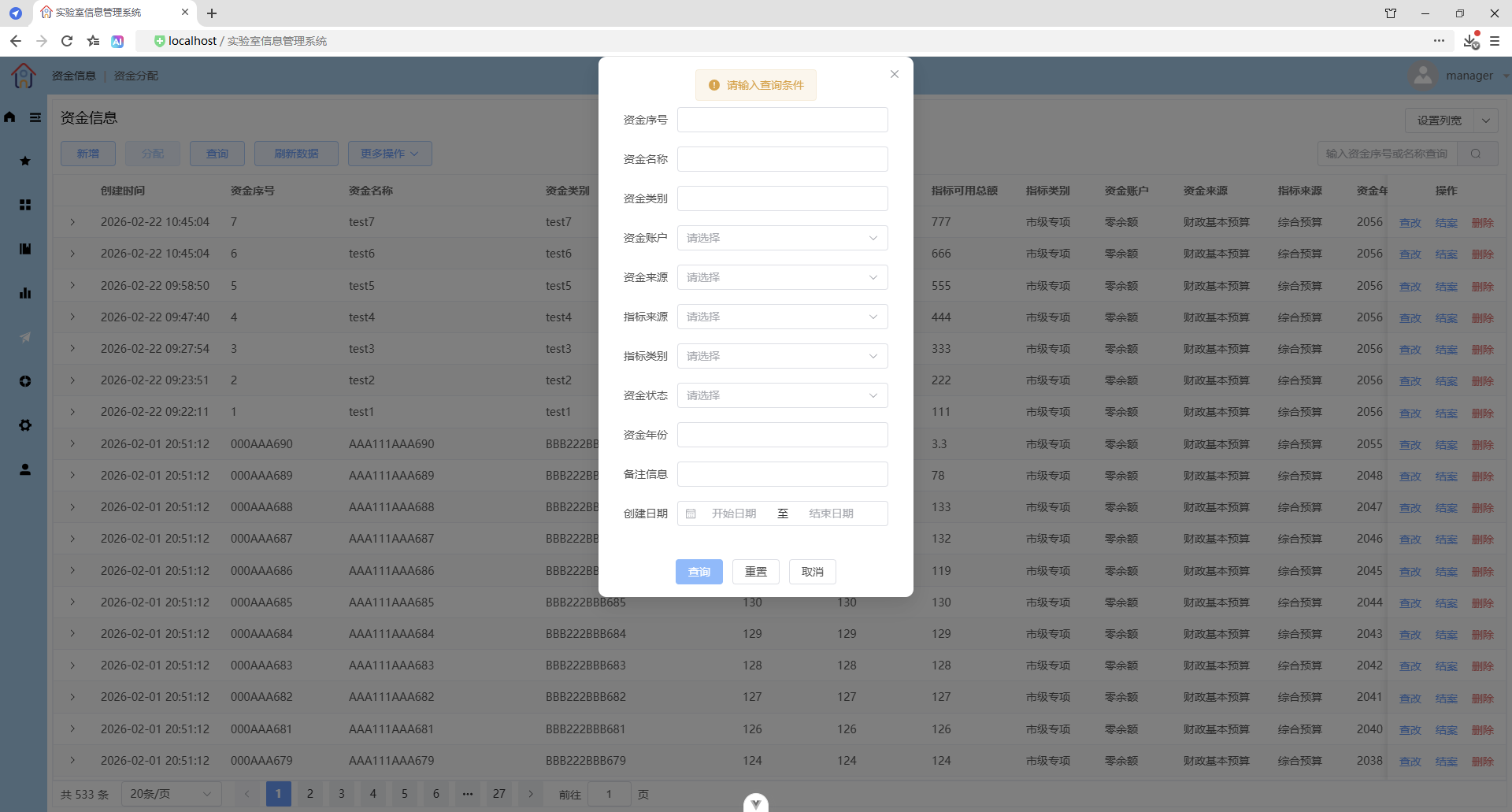
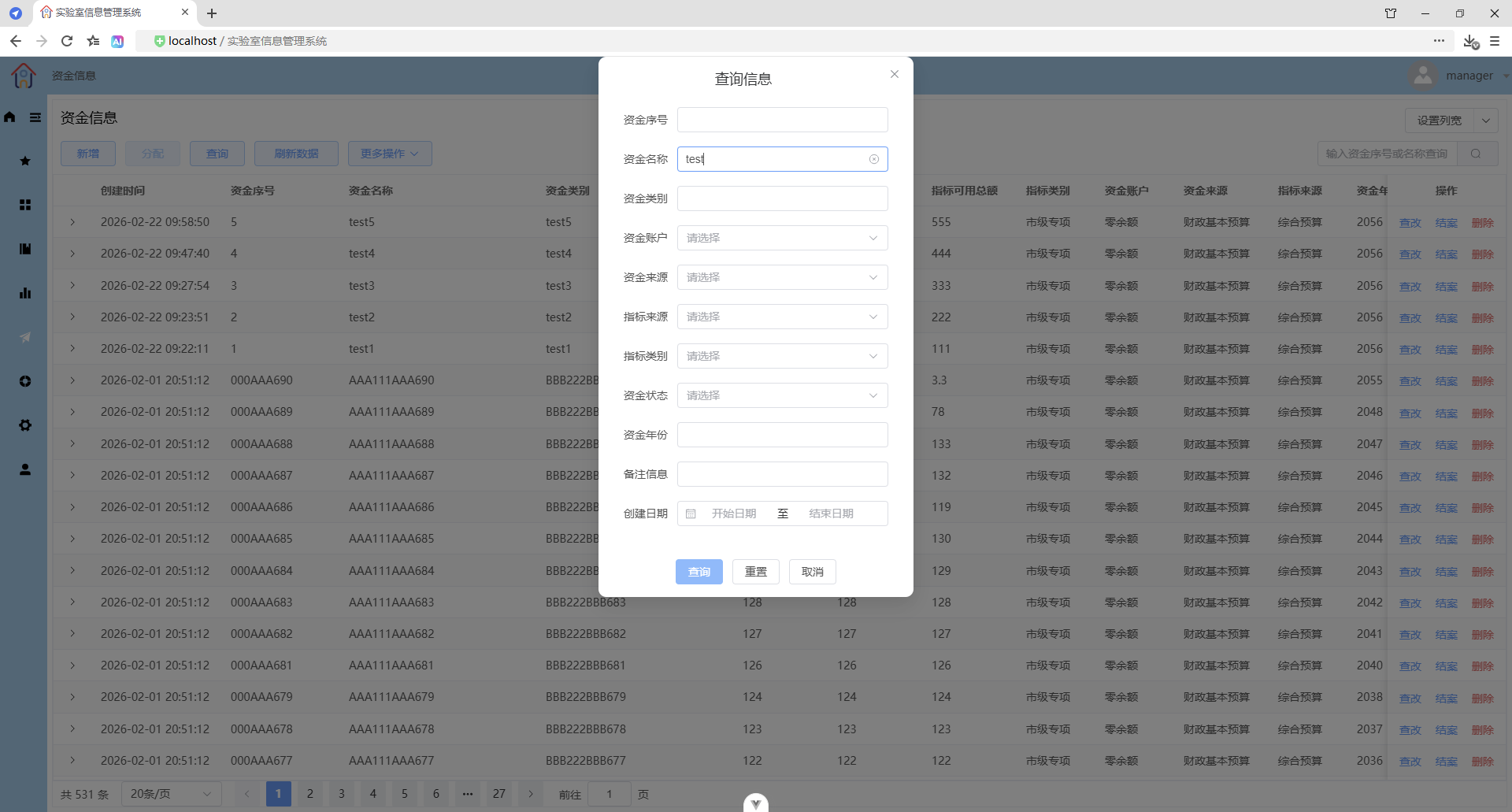
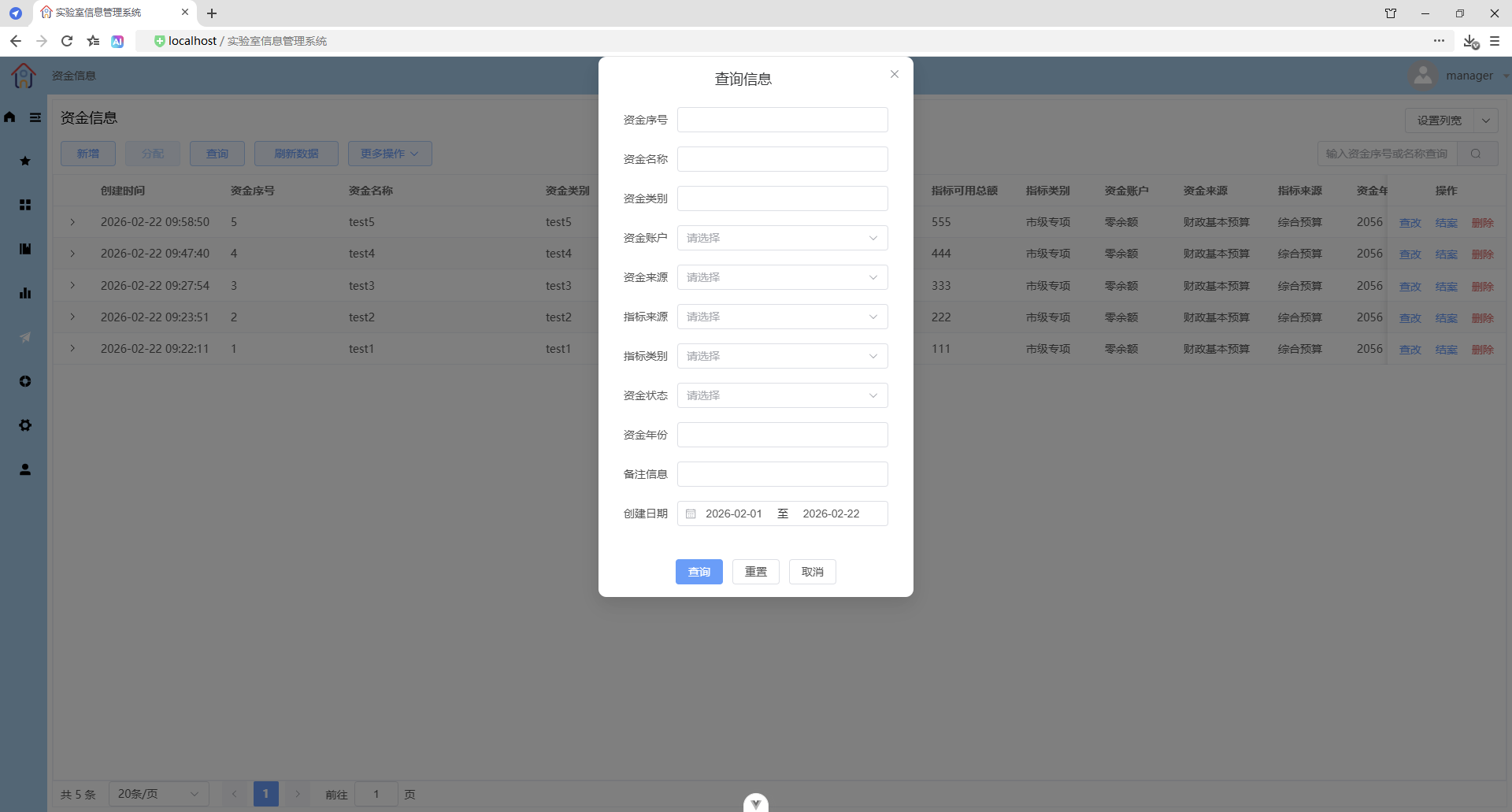
查询
禁止空条件查询
按名称模糊查询
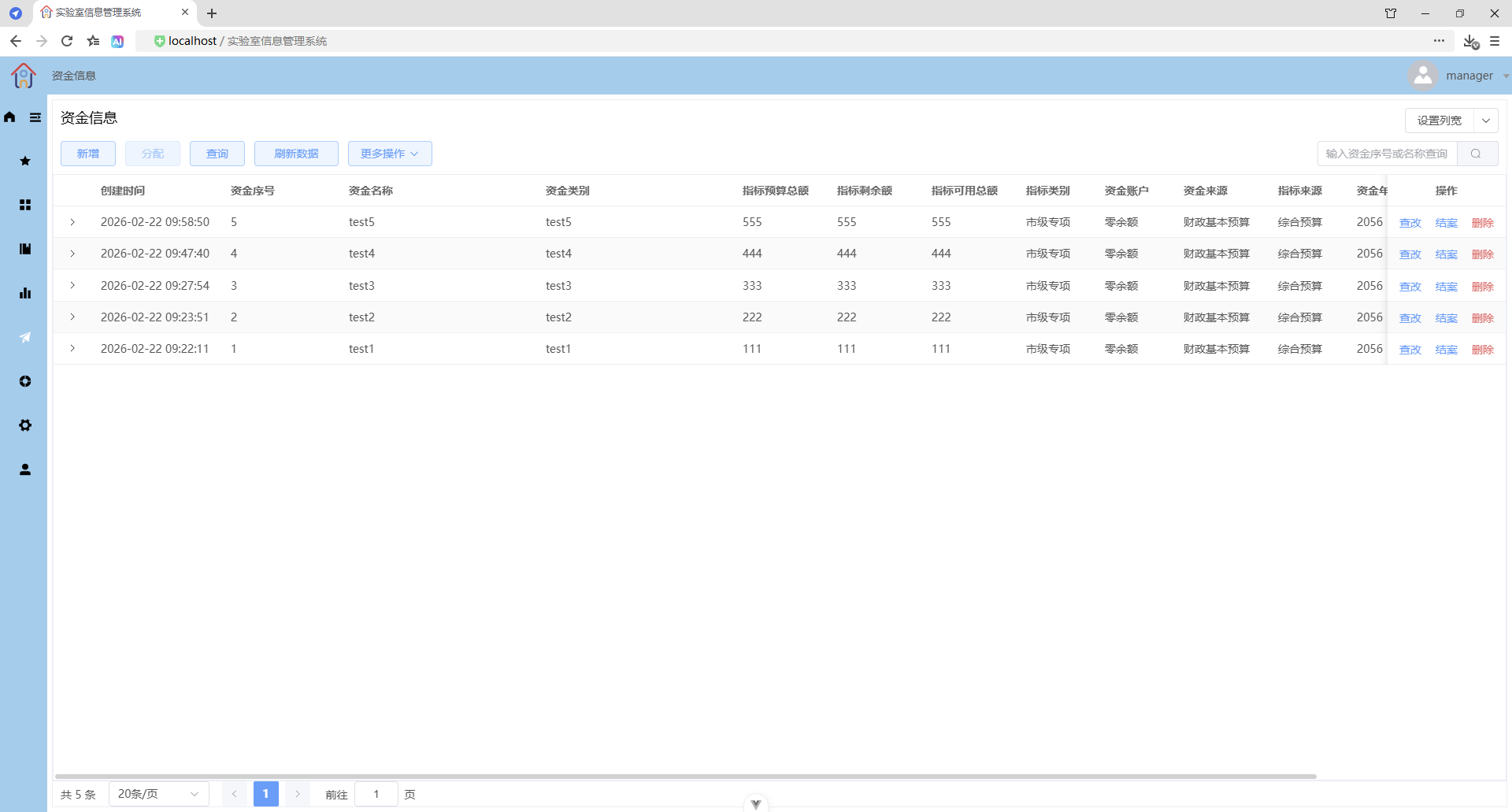
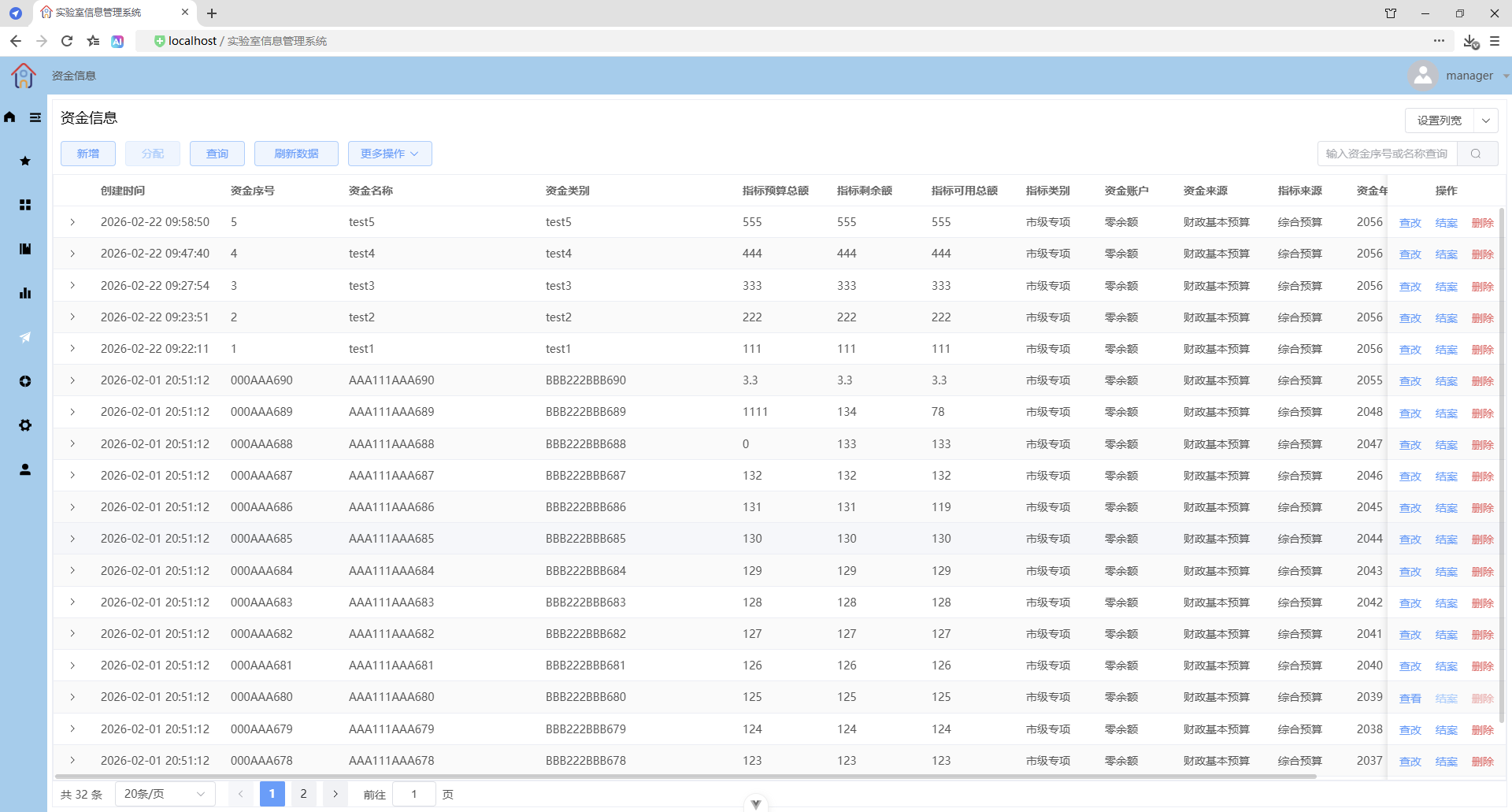
按日期范围查询
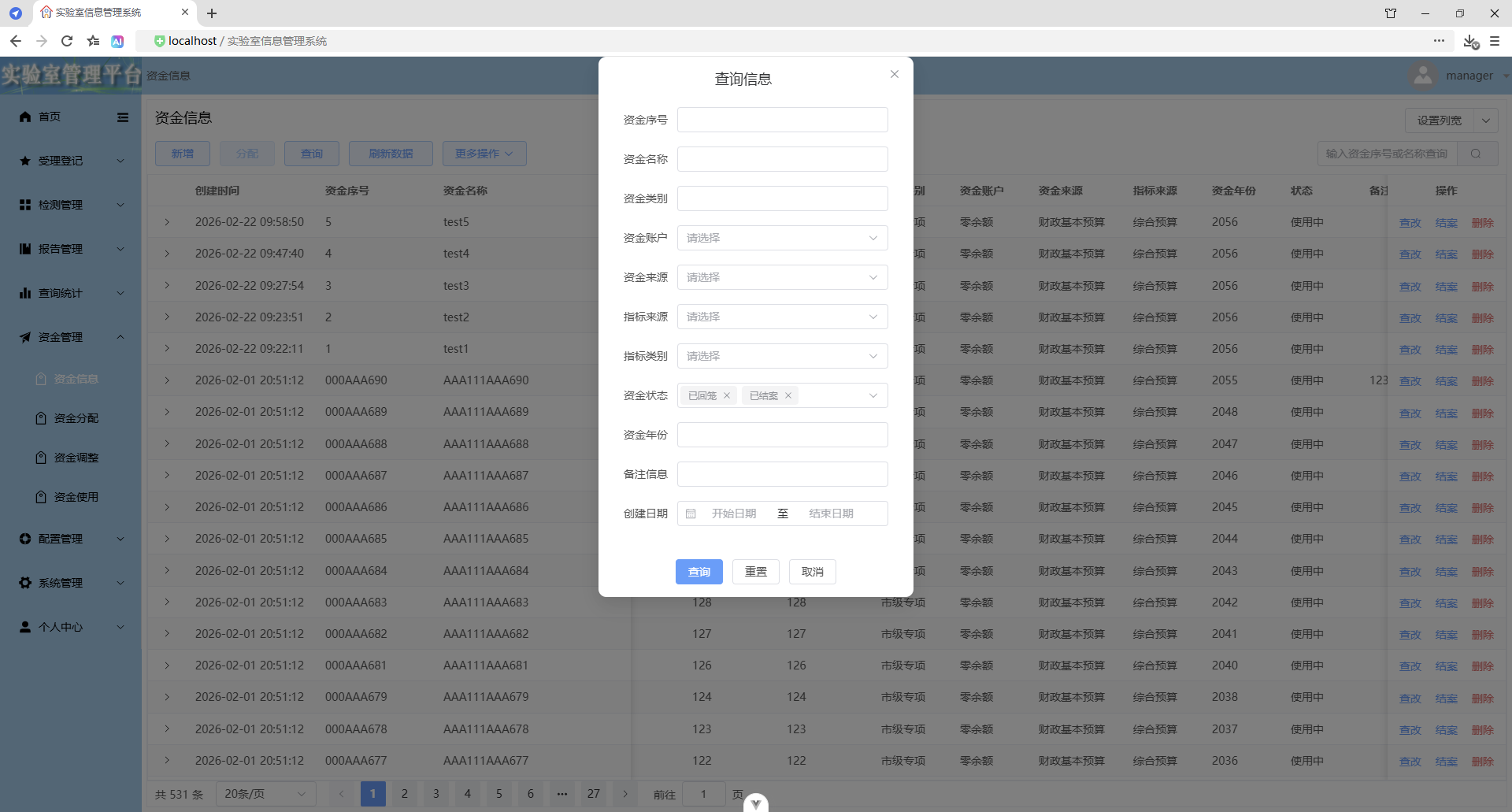
多选状态查询
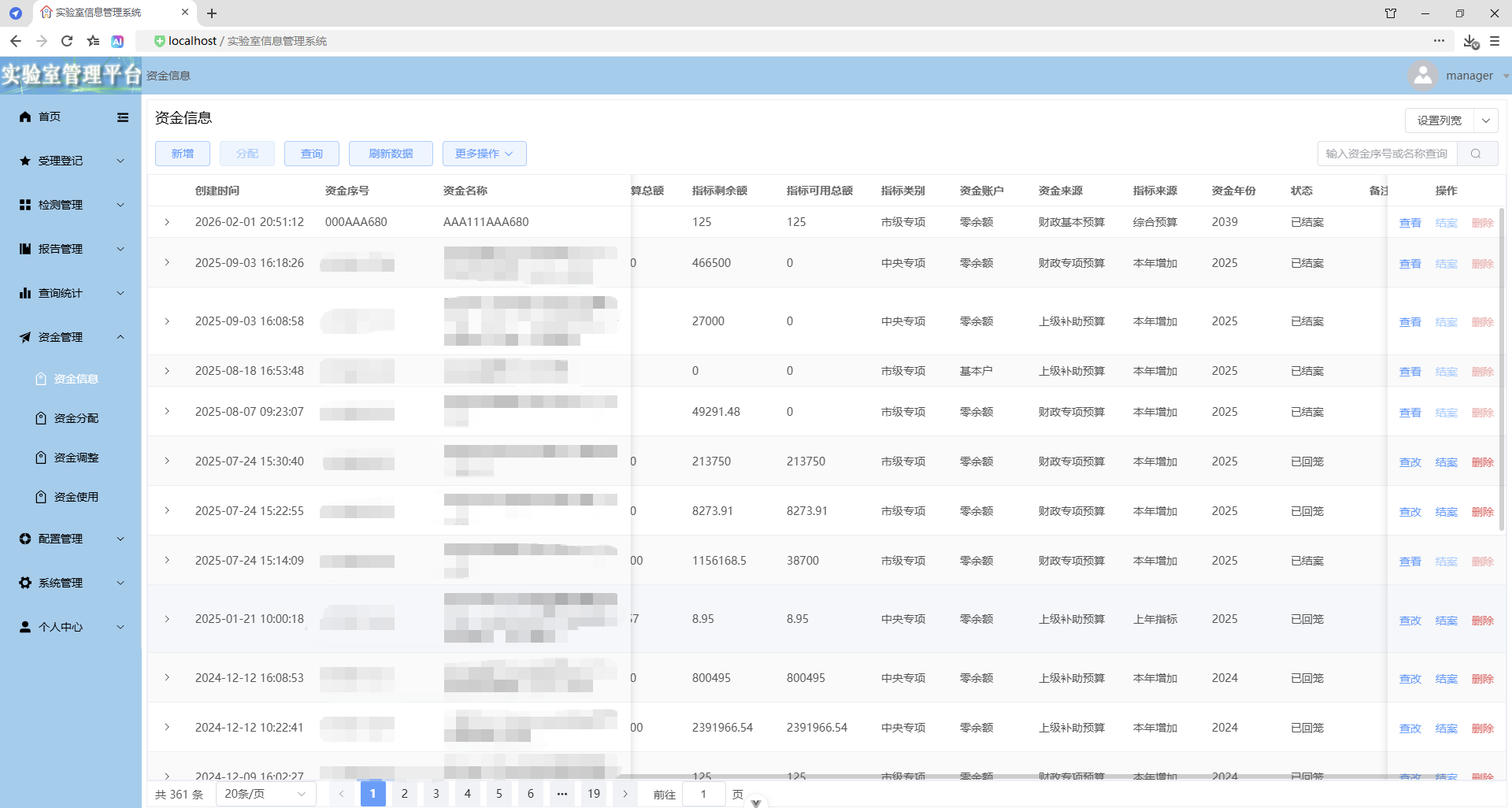
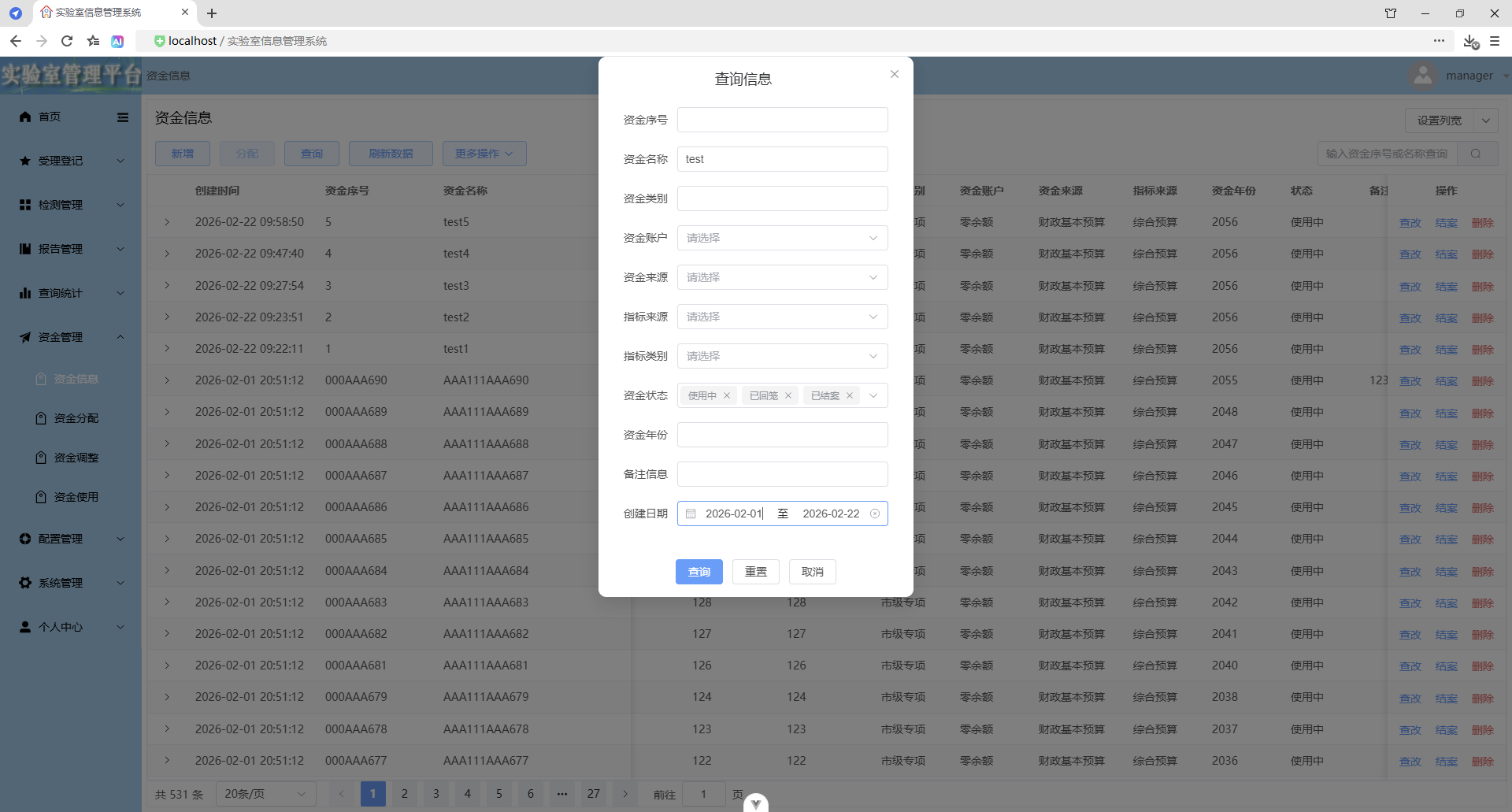
条件组合查询
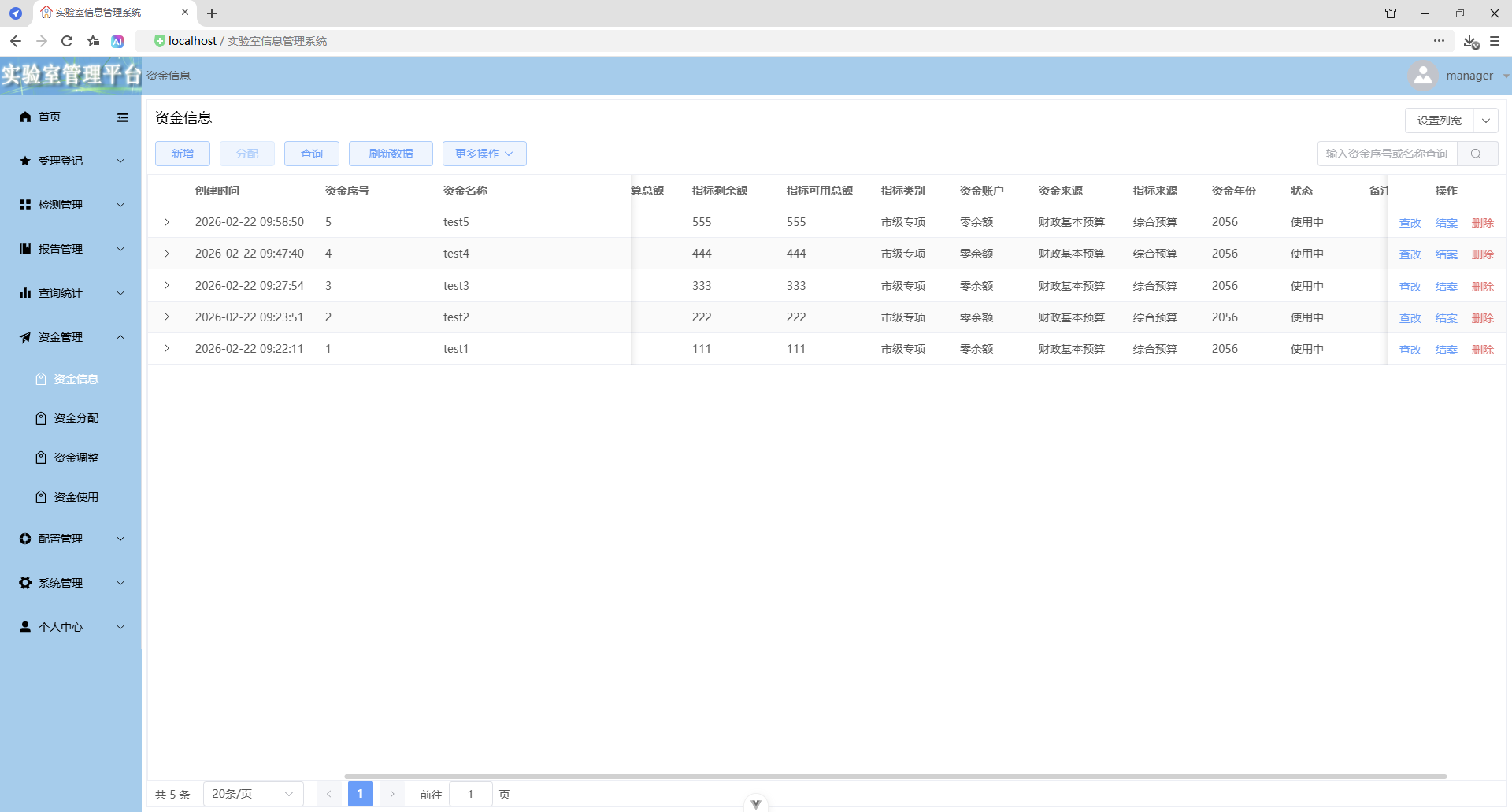
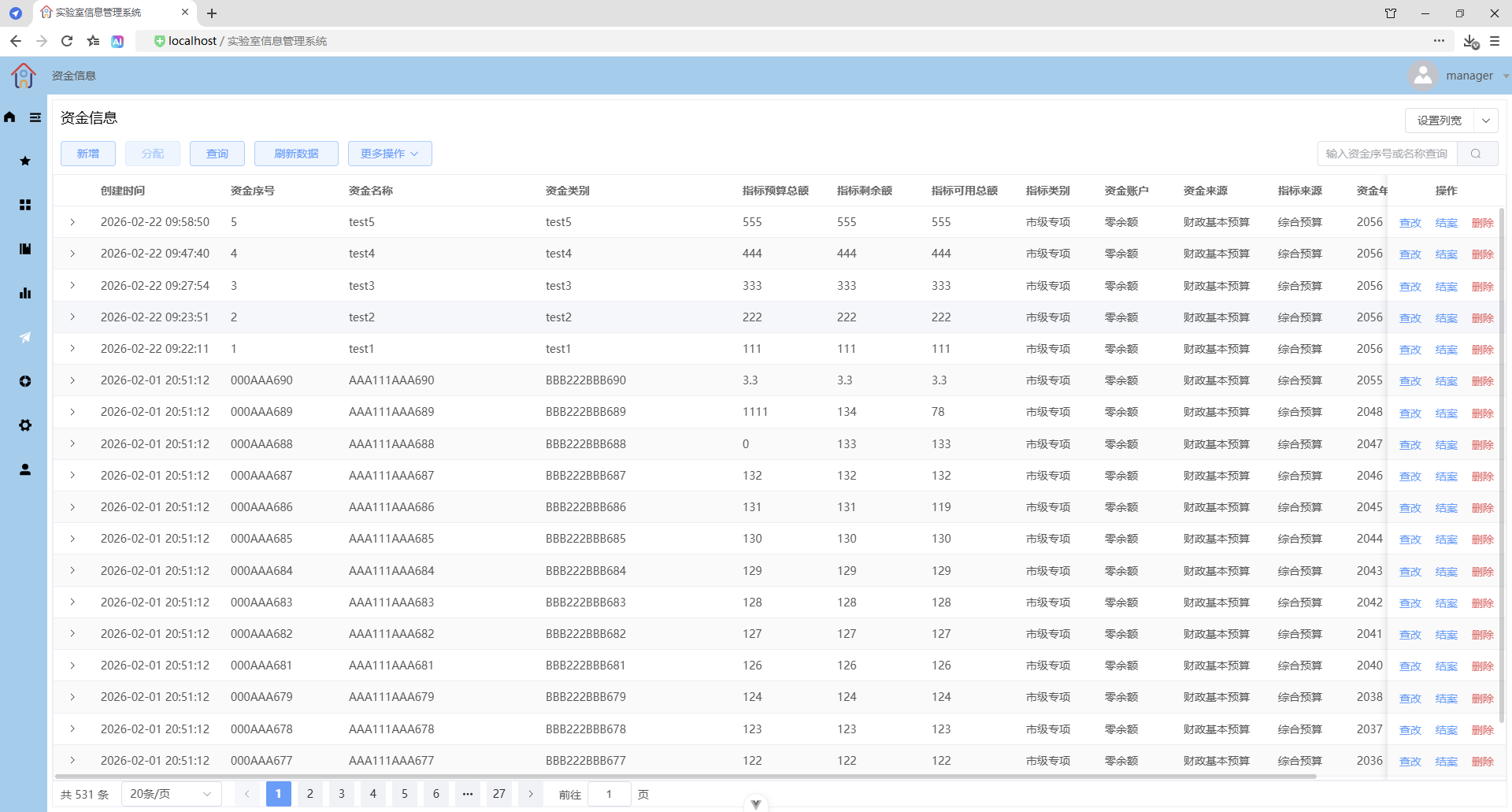
刷新数据
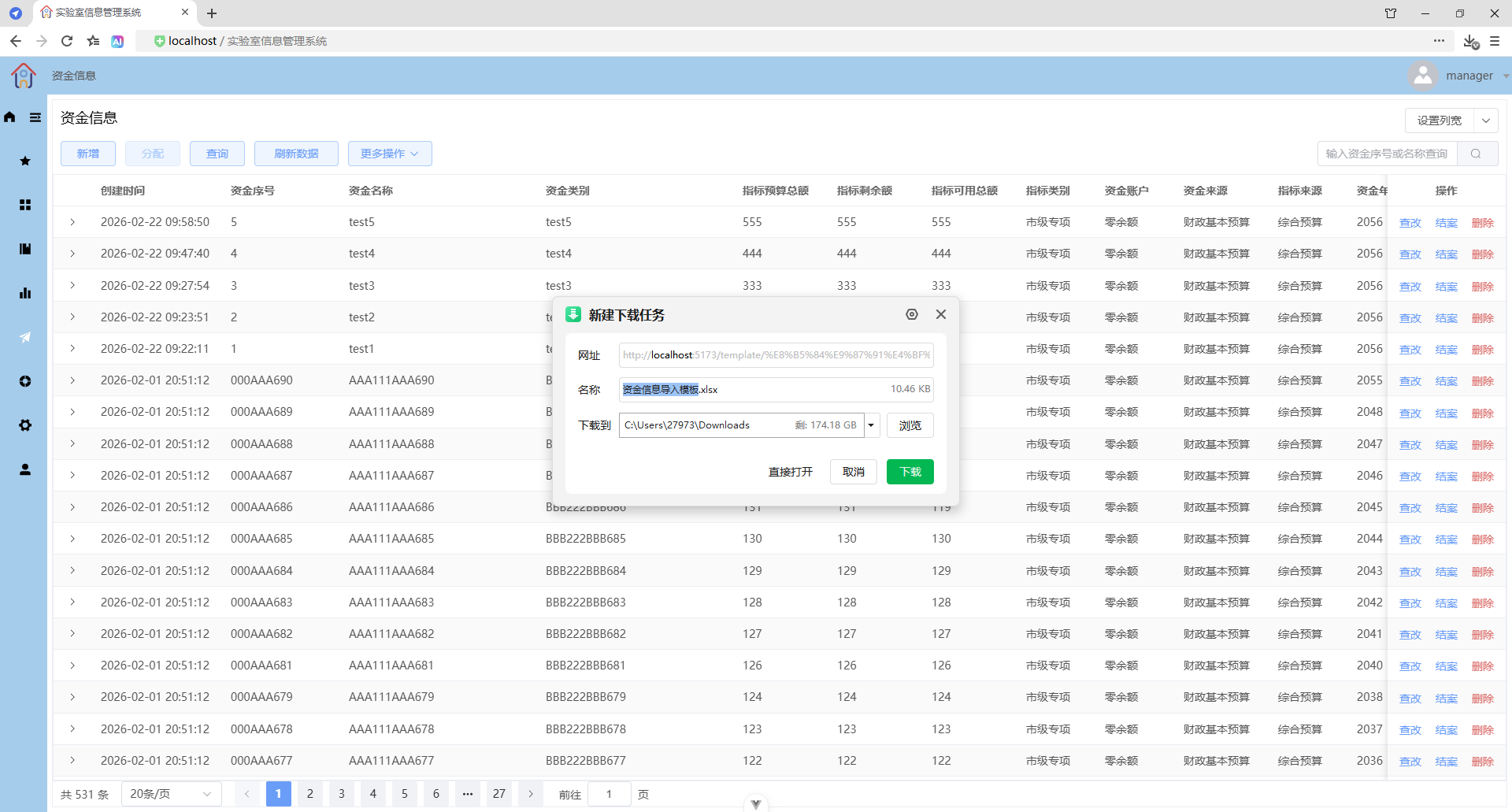
更多操作 - 下载模板
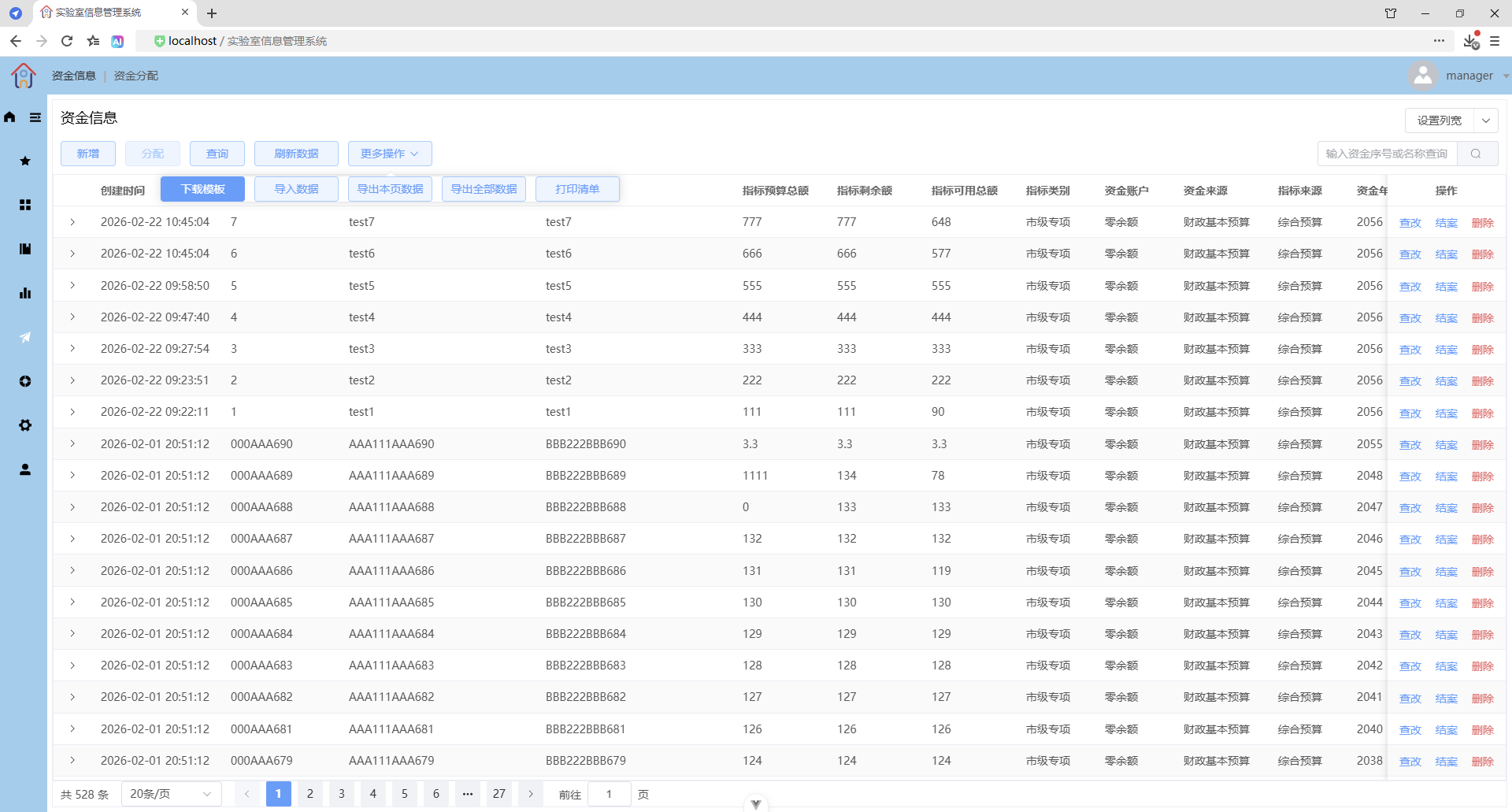
更多操作 - 导入数据
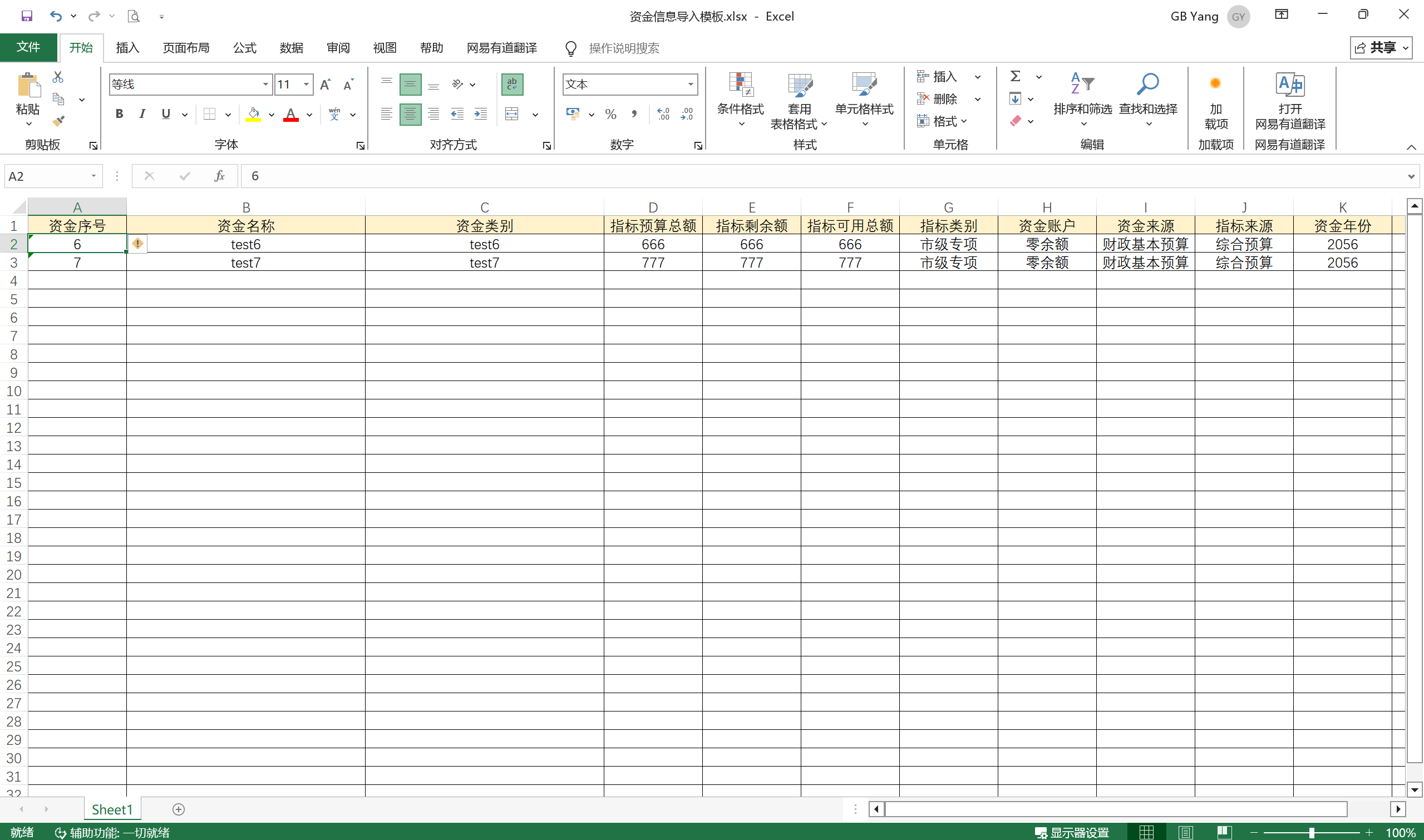
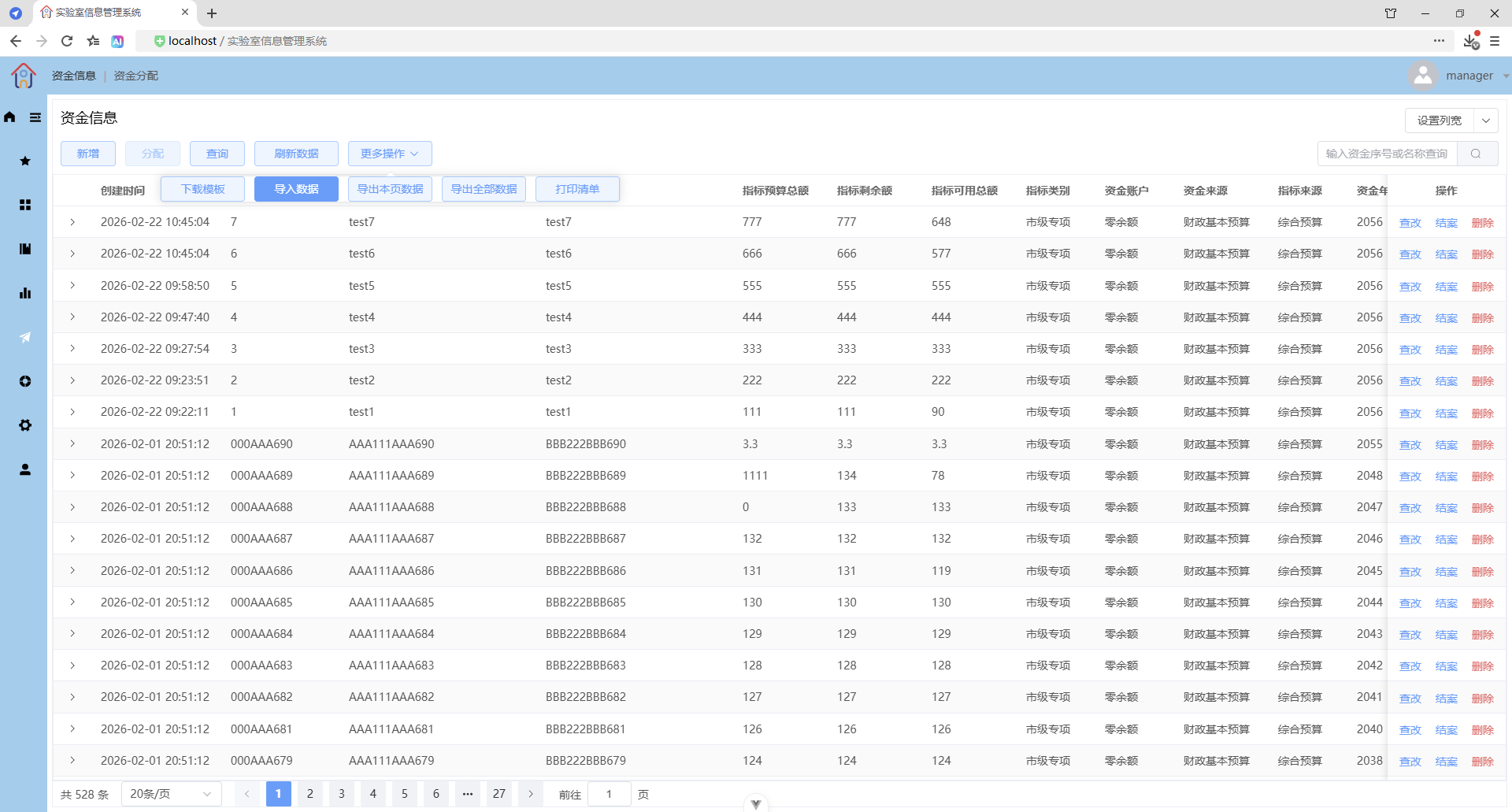
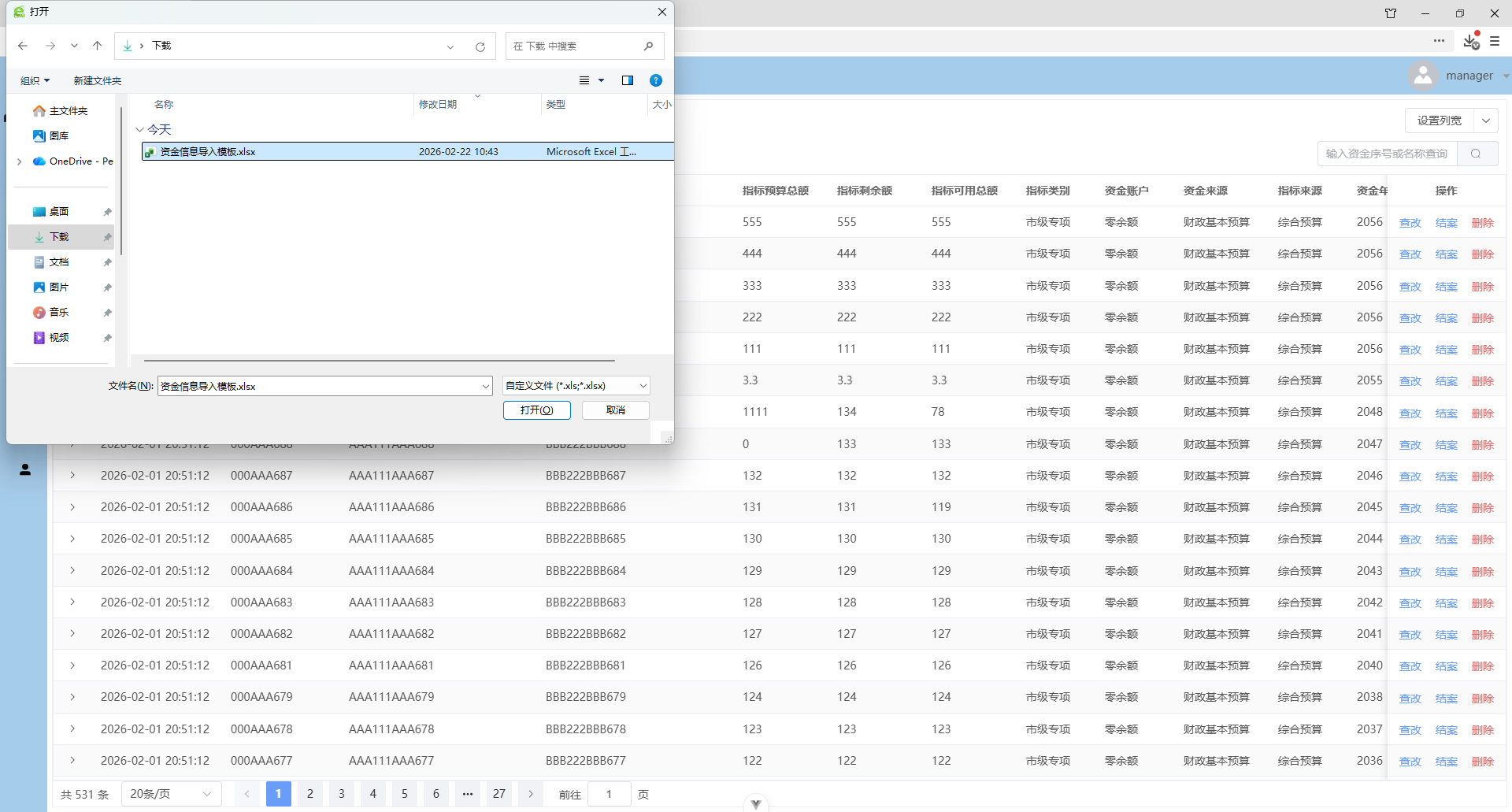
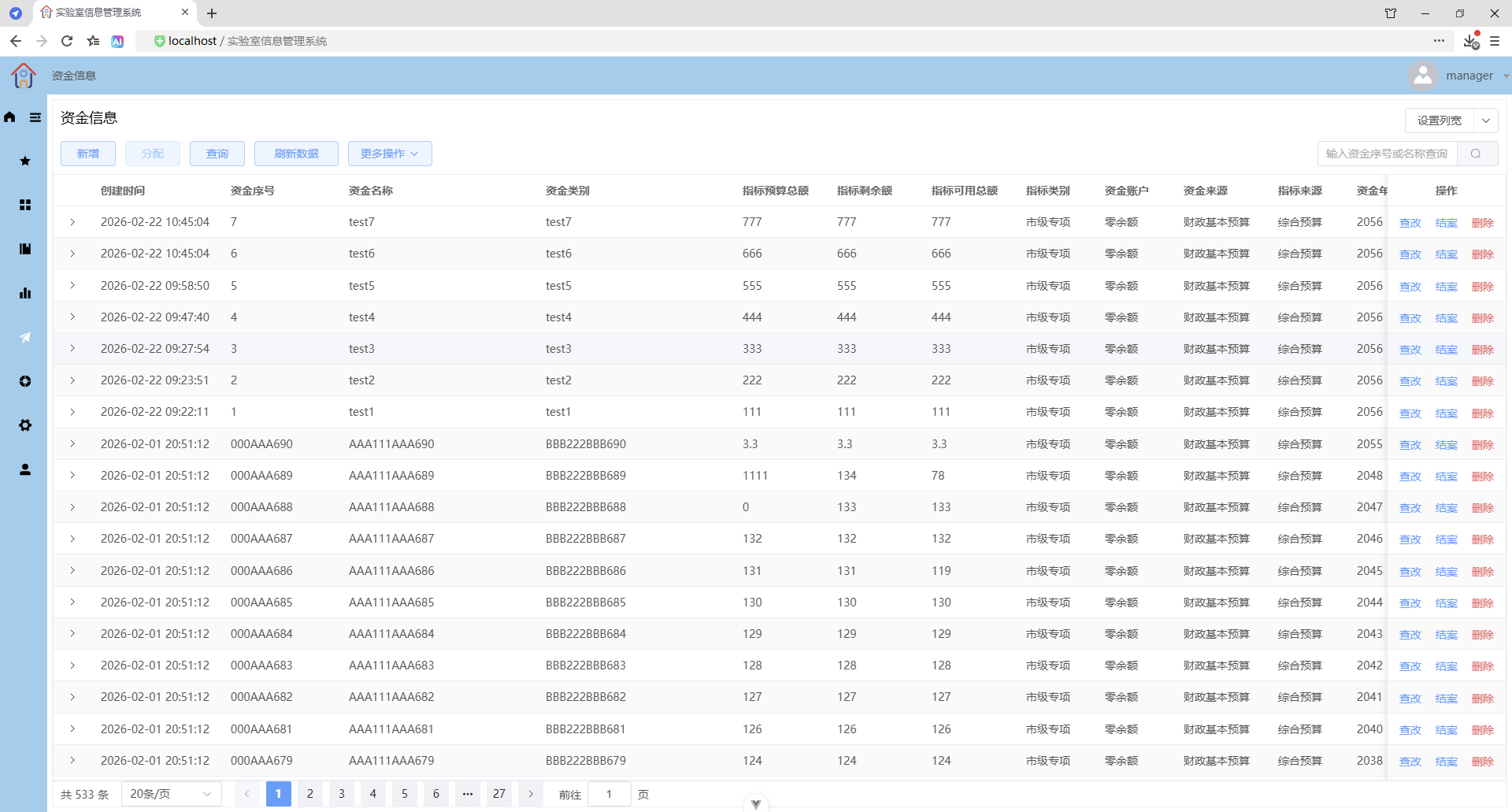
更多操作 - 导出本页数据
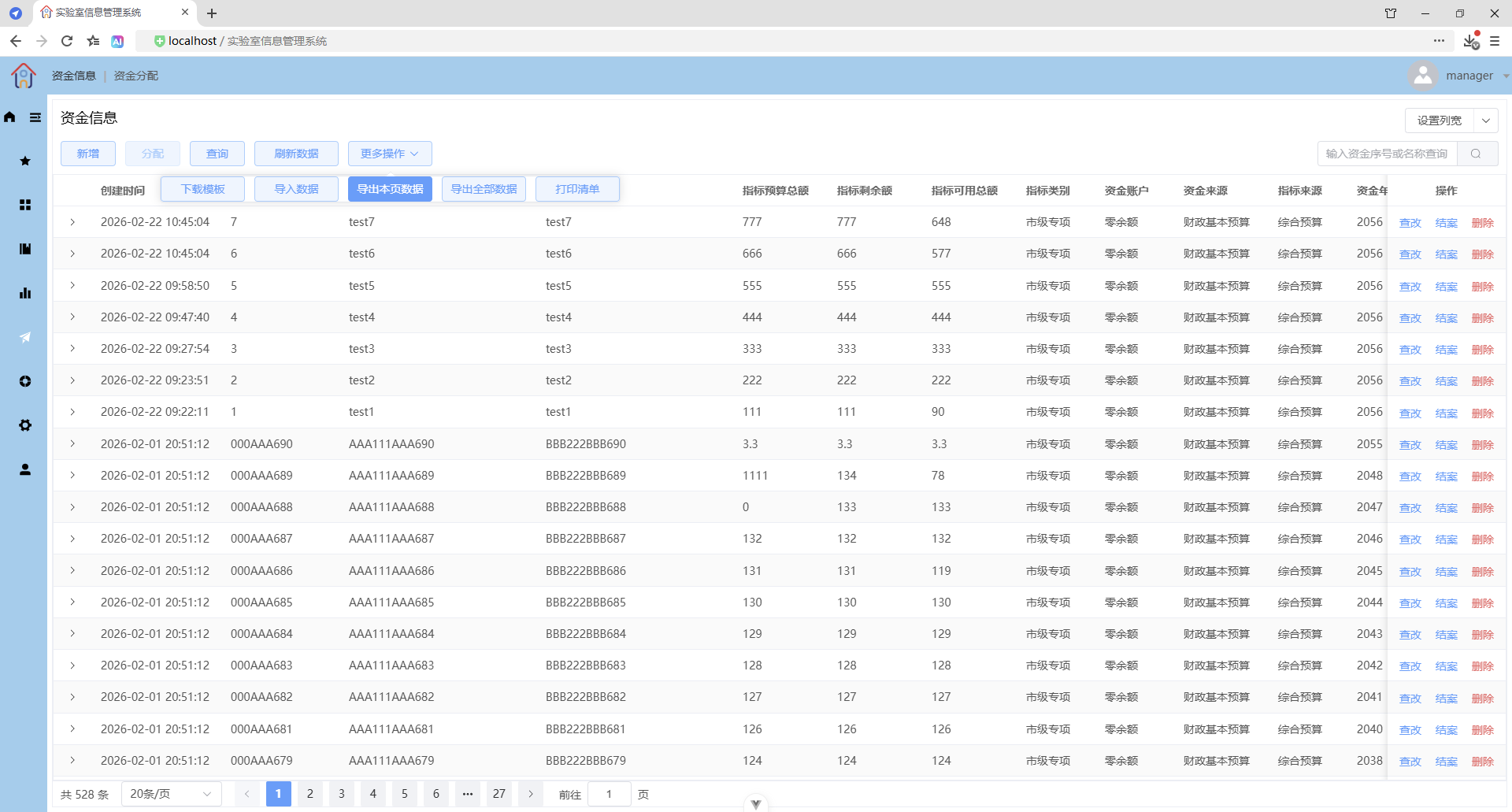
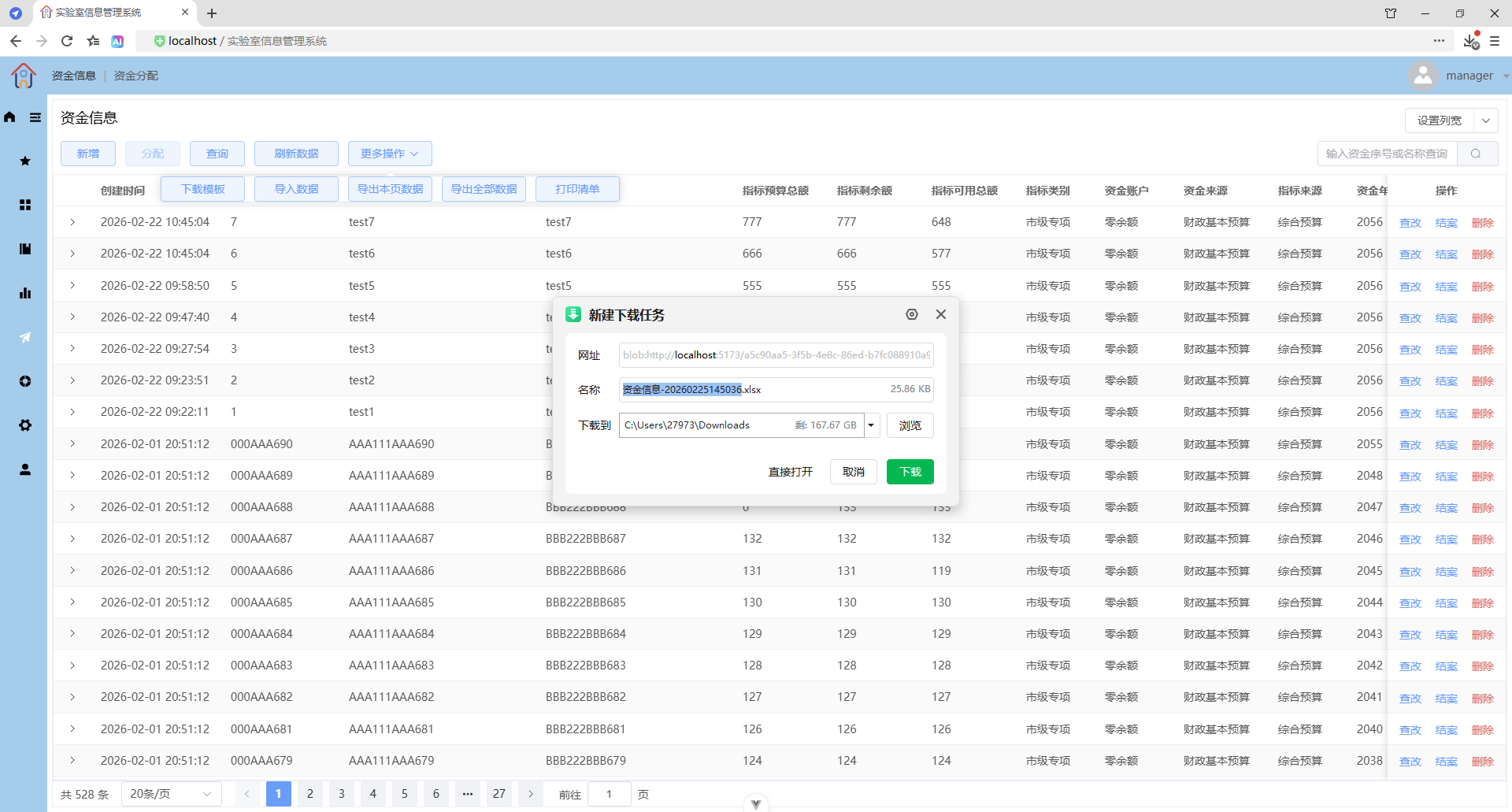
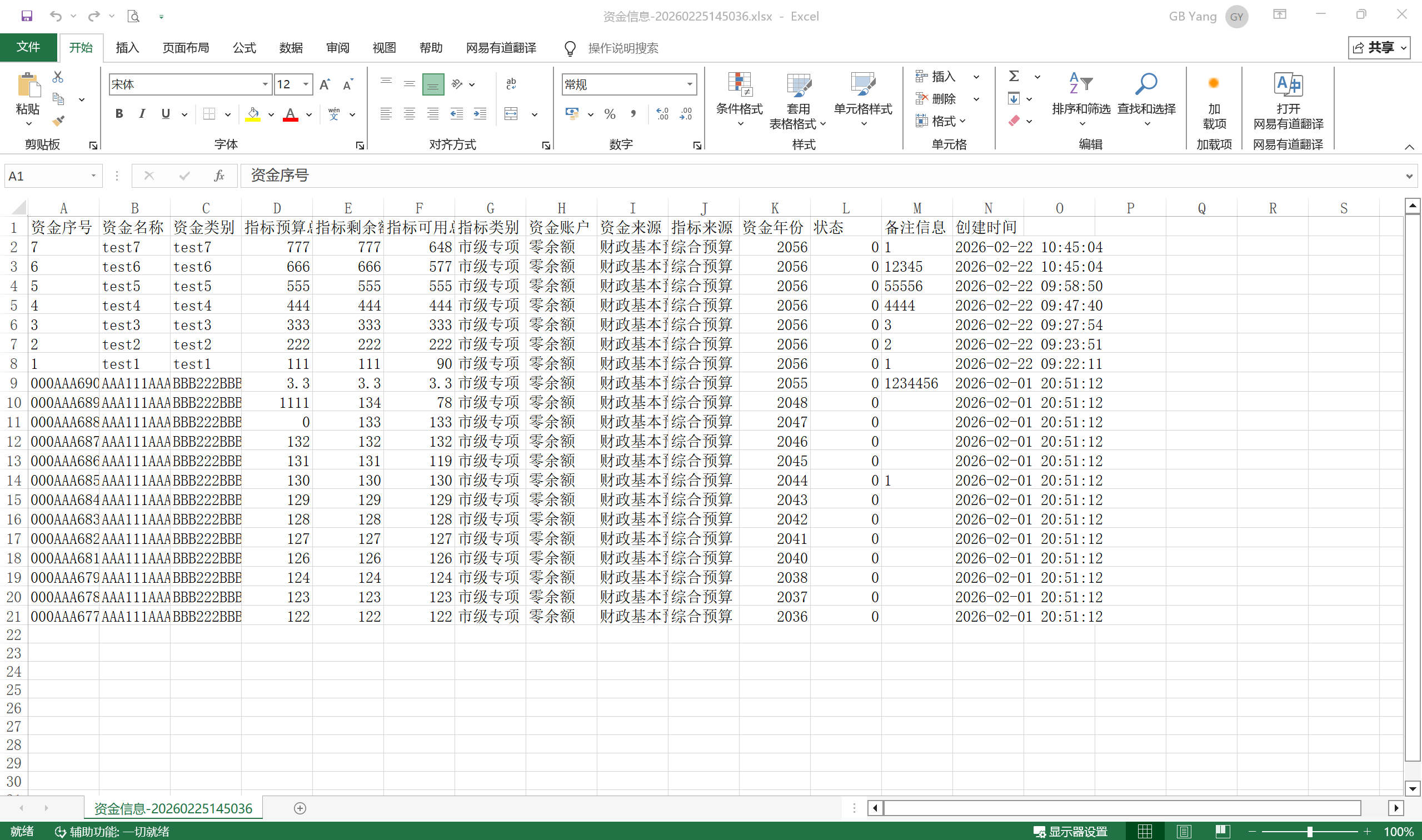
更多操作 - 导出全部数据
导出全部的刷新数据
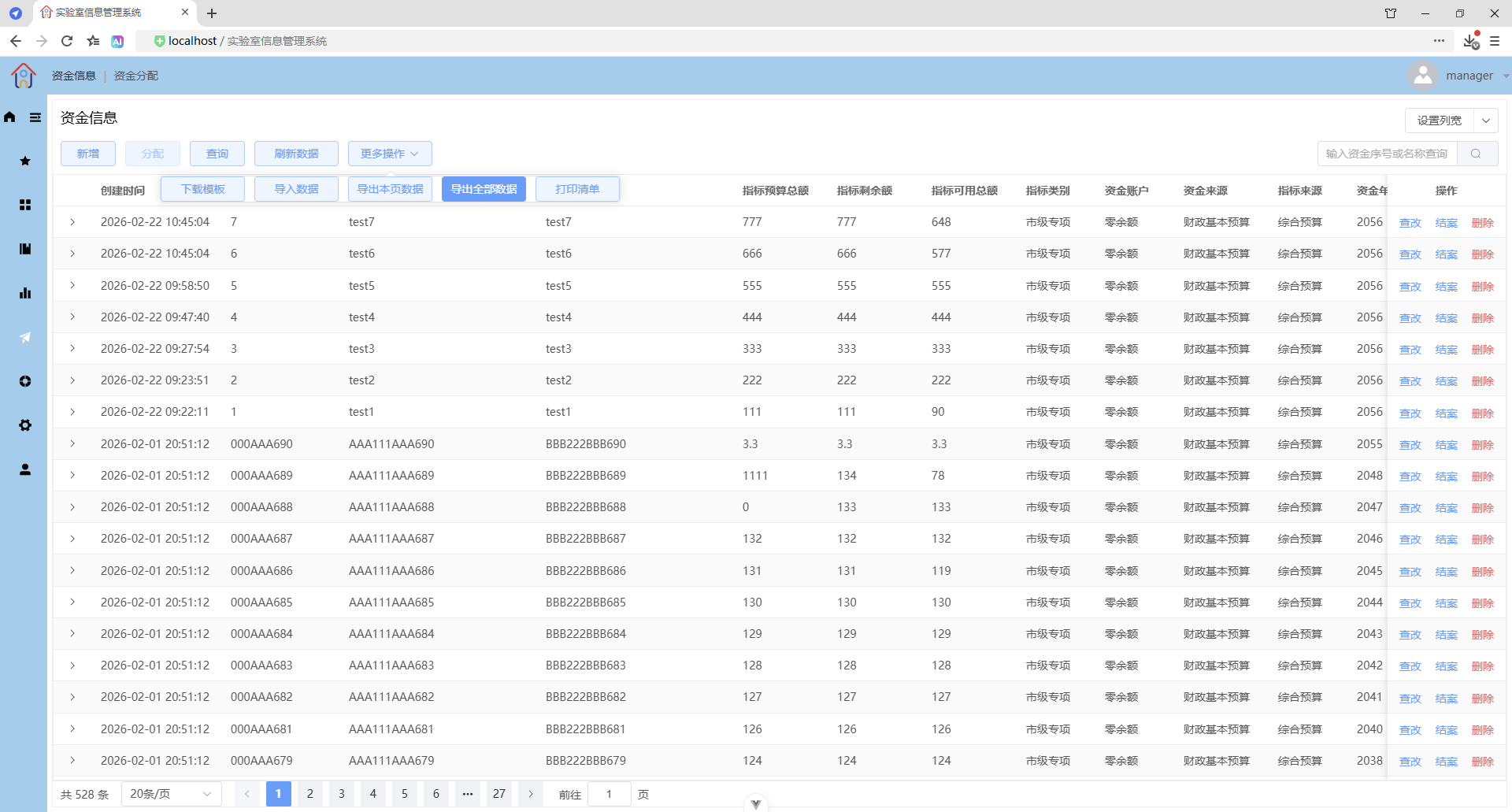
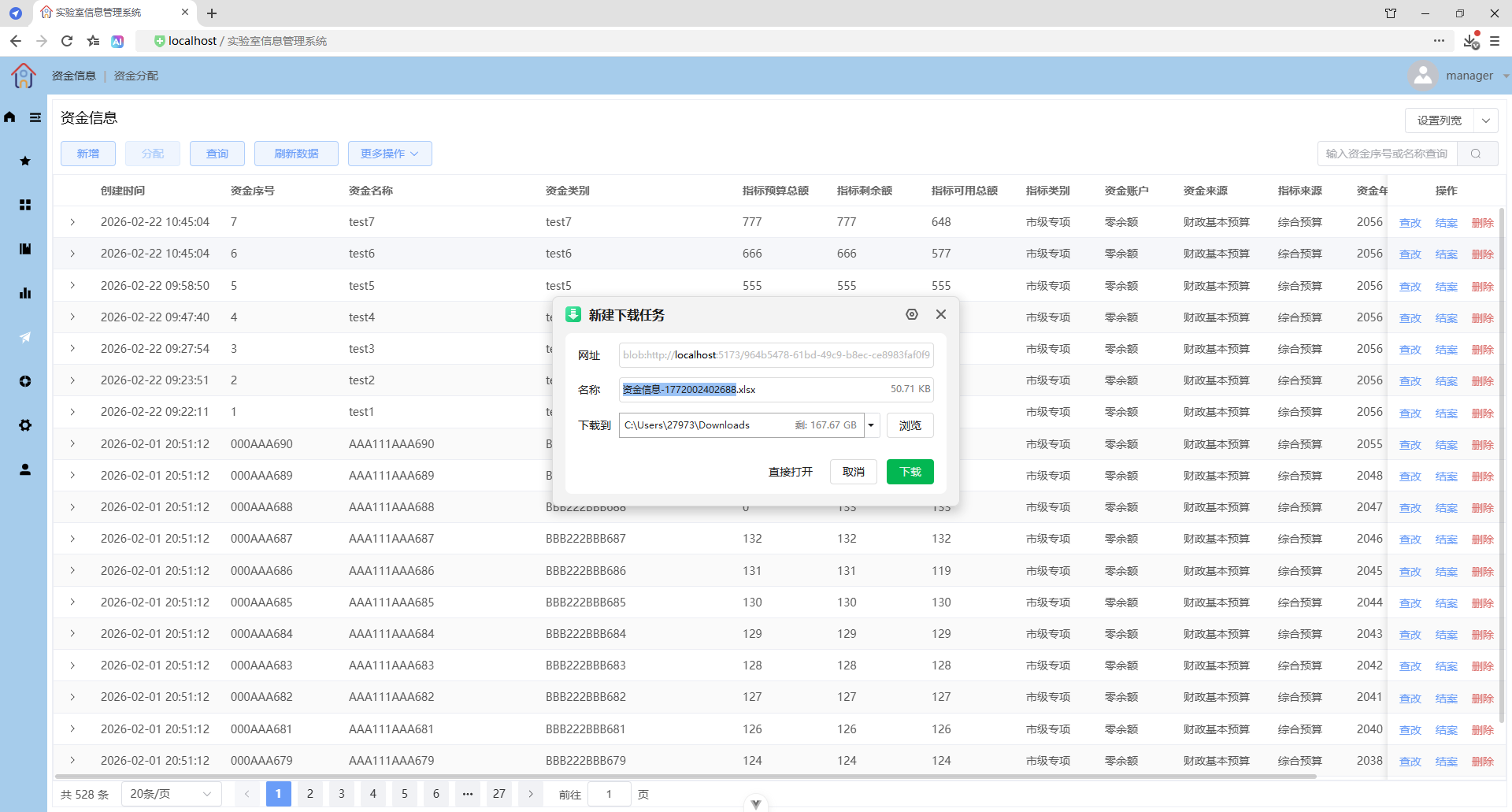
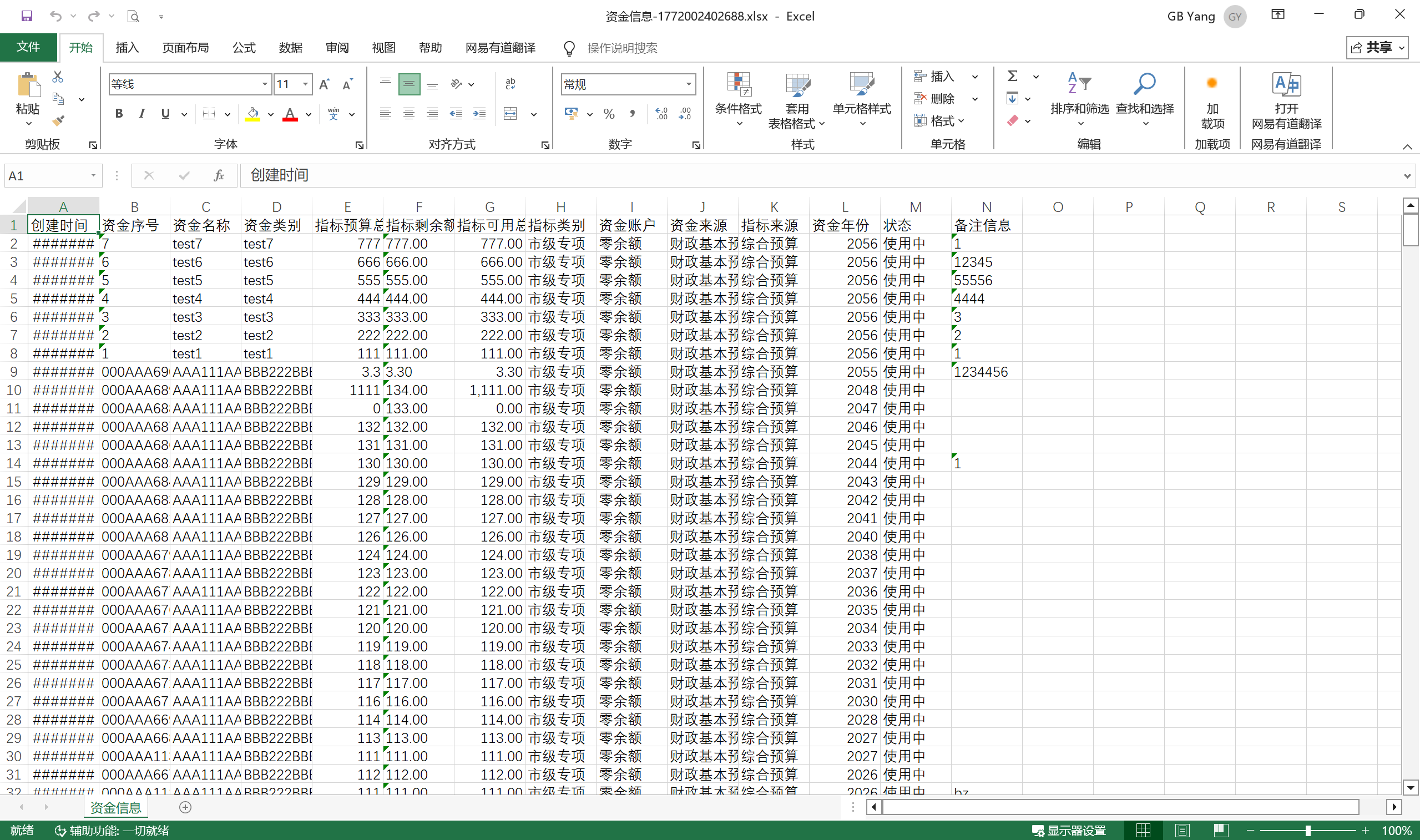
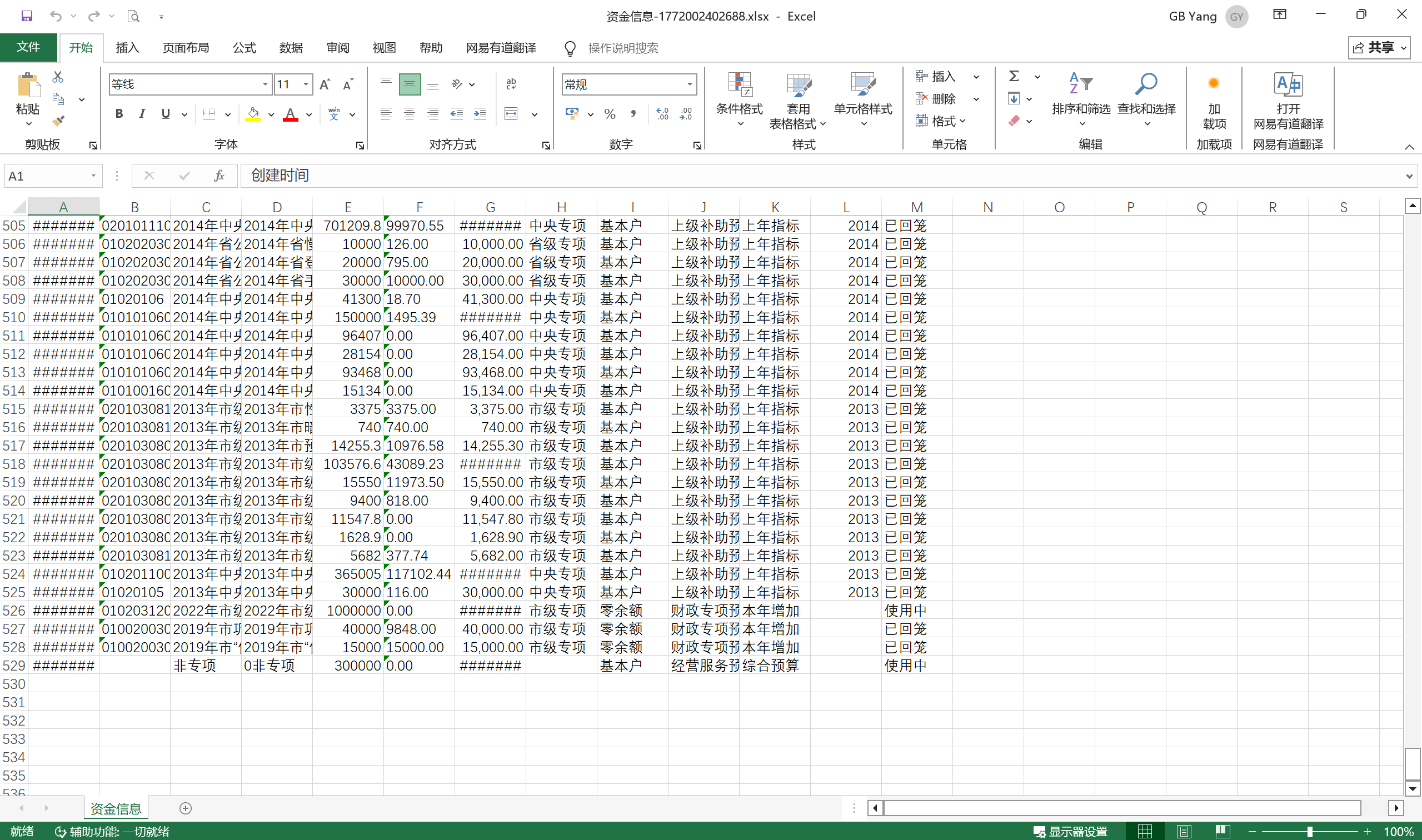
导出全部的查询数据
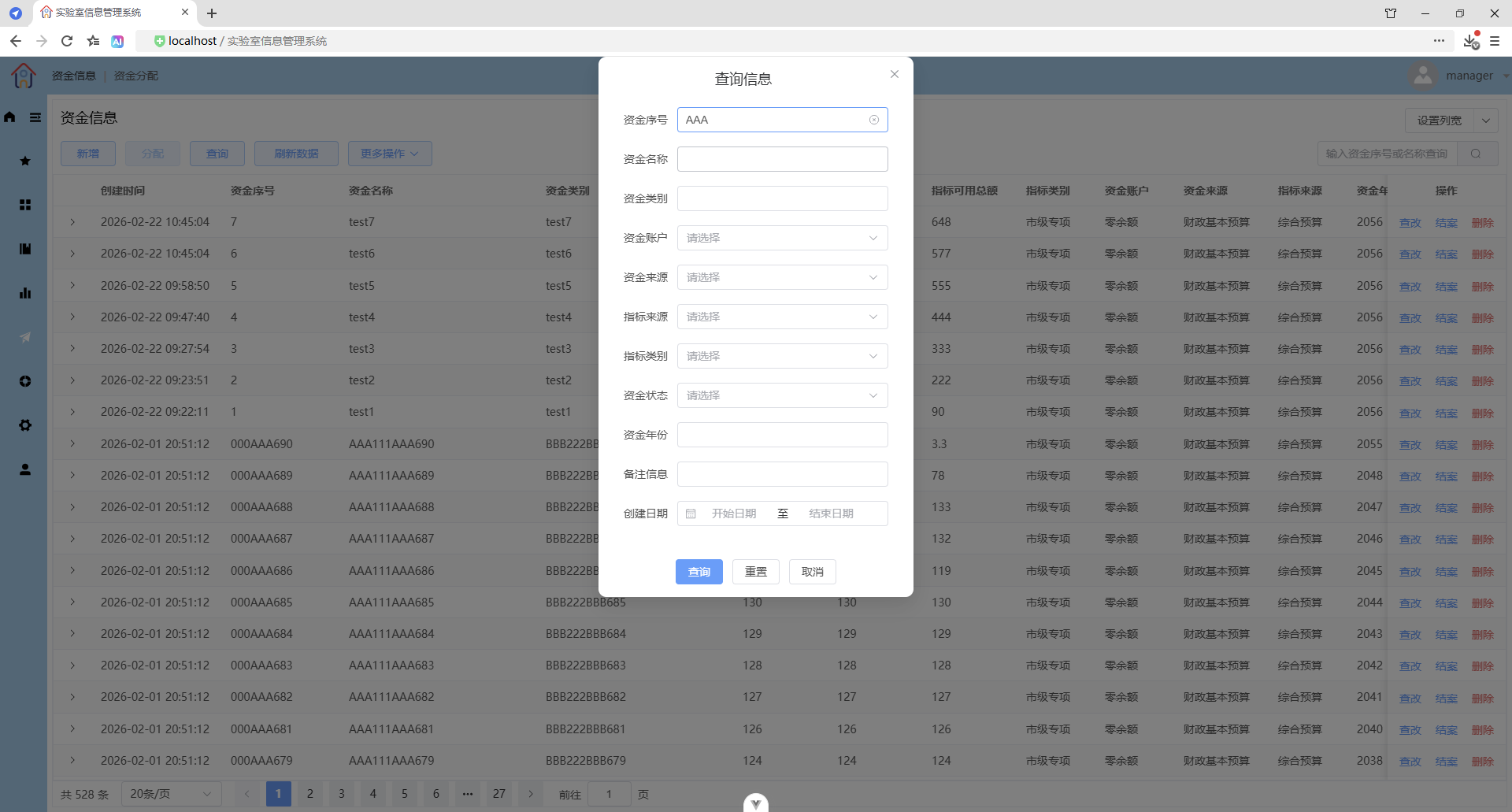
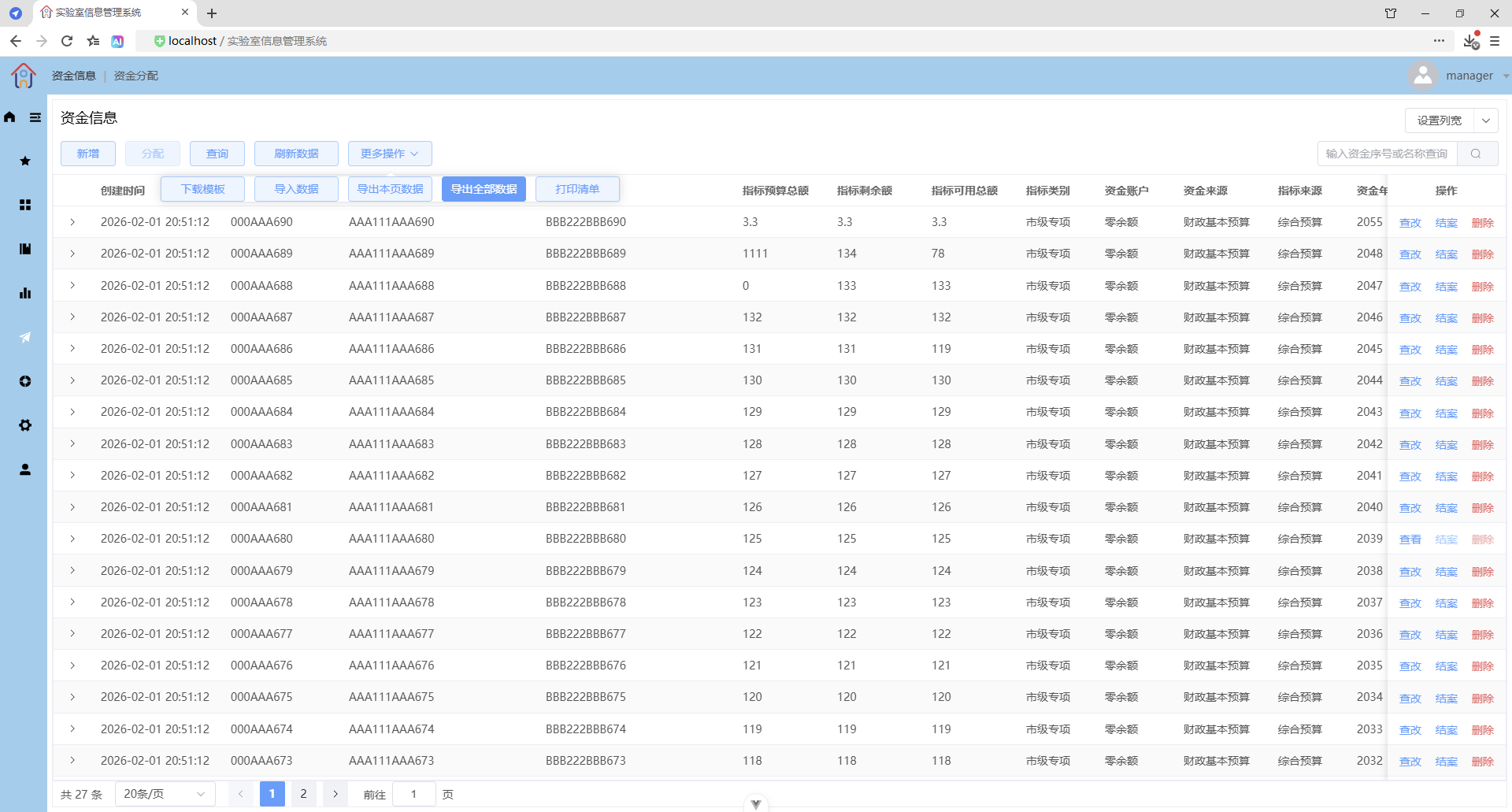
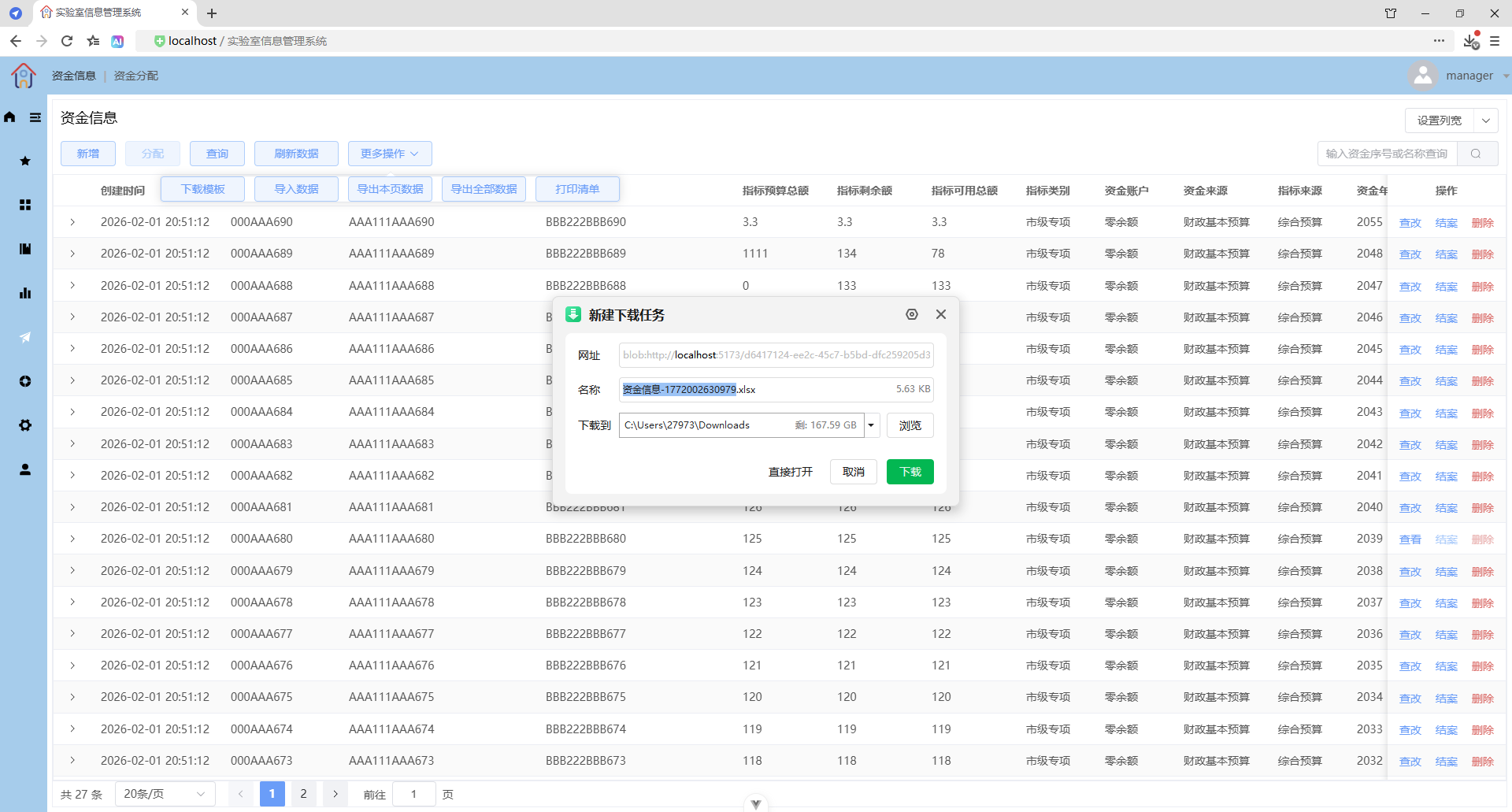
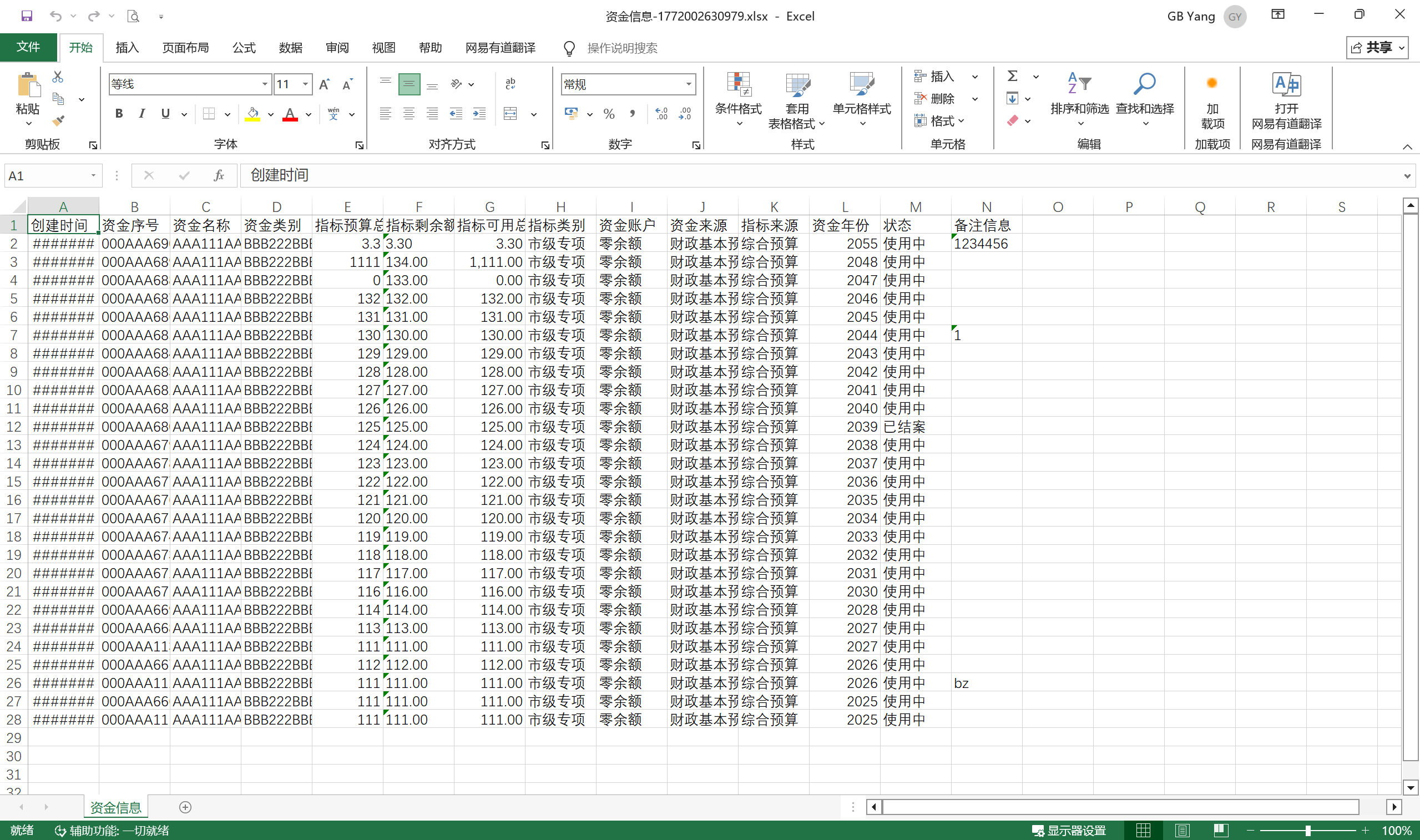
更多操作 - 模板填充导出

少量数据
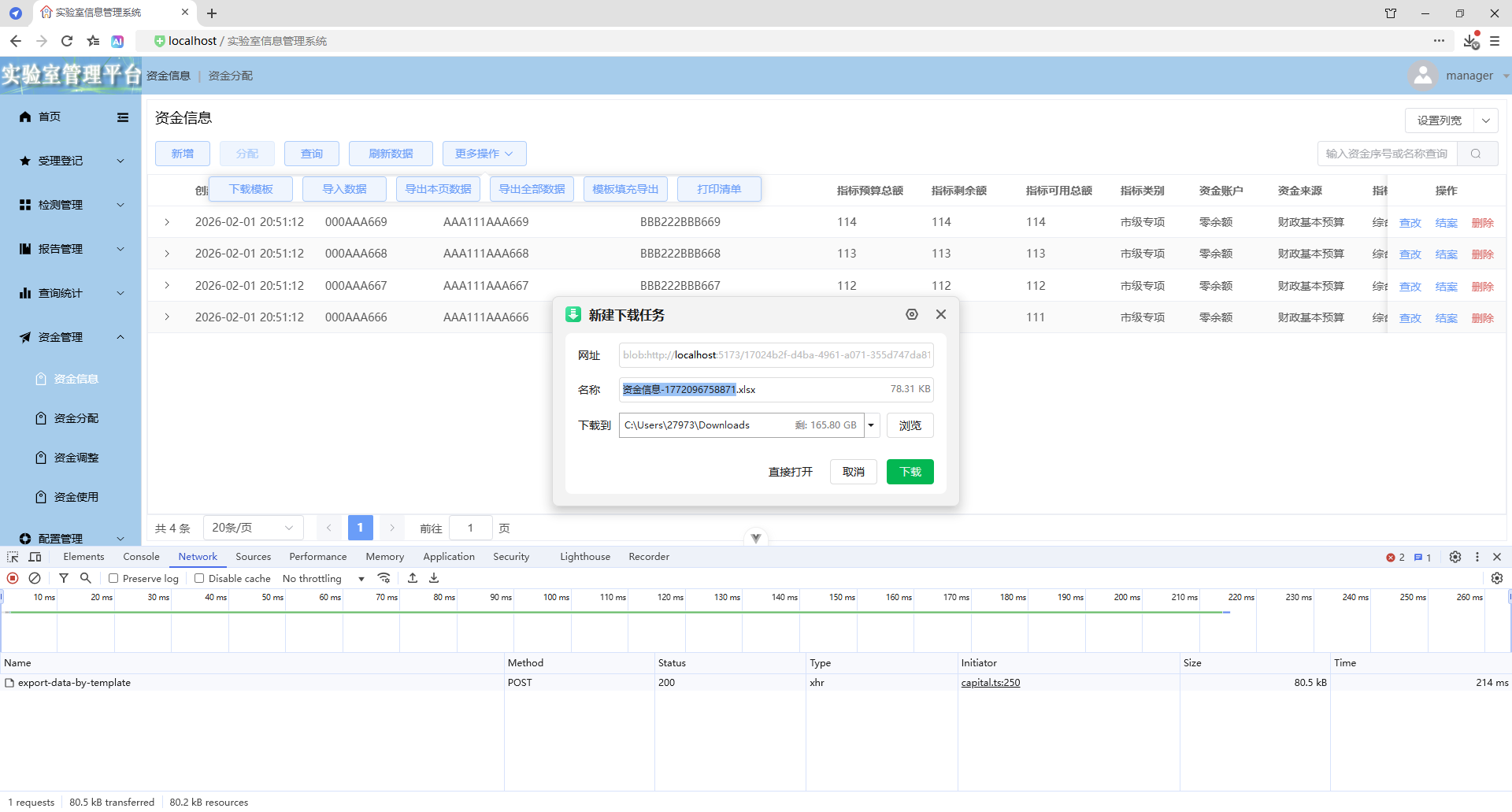
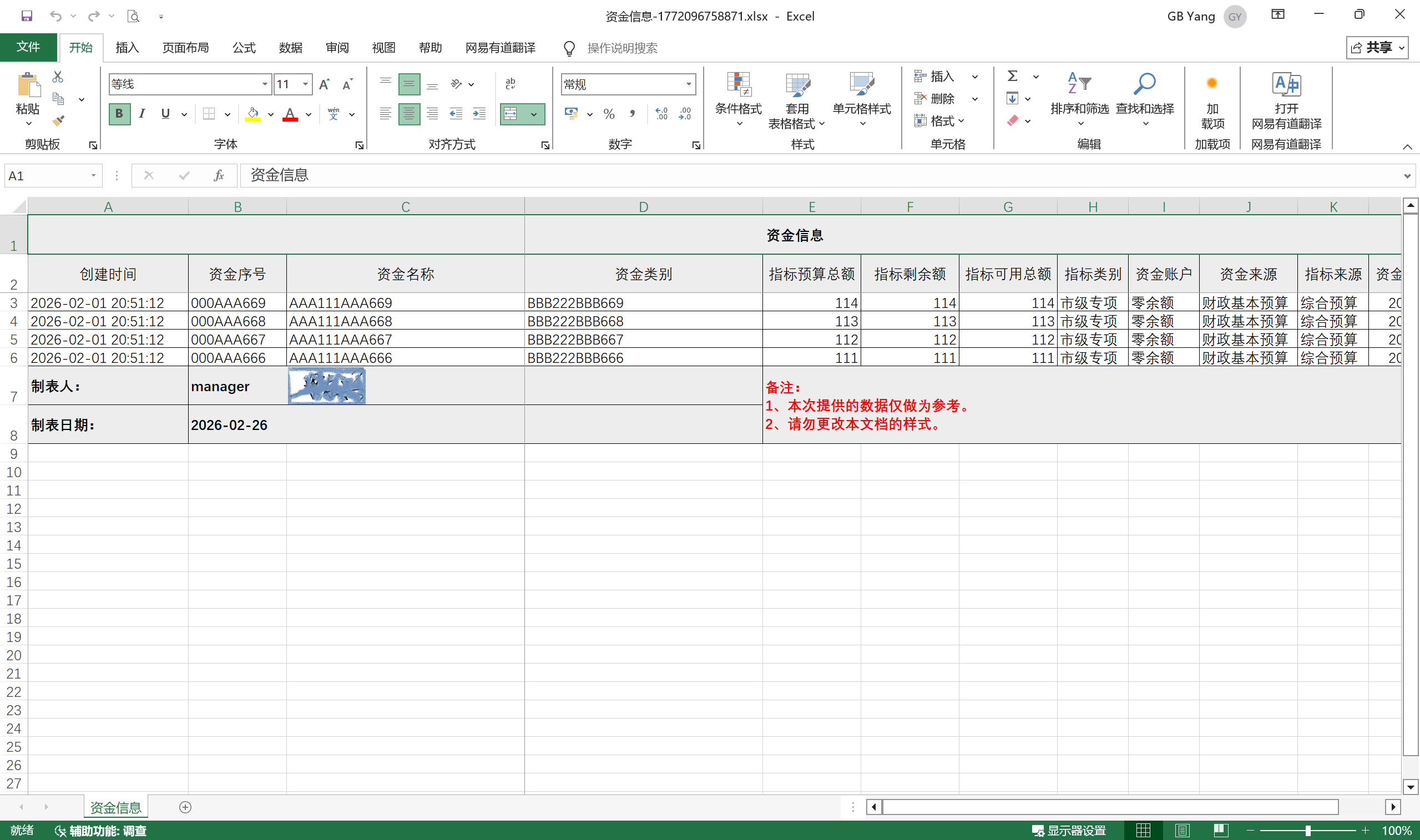
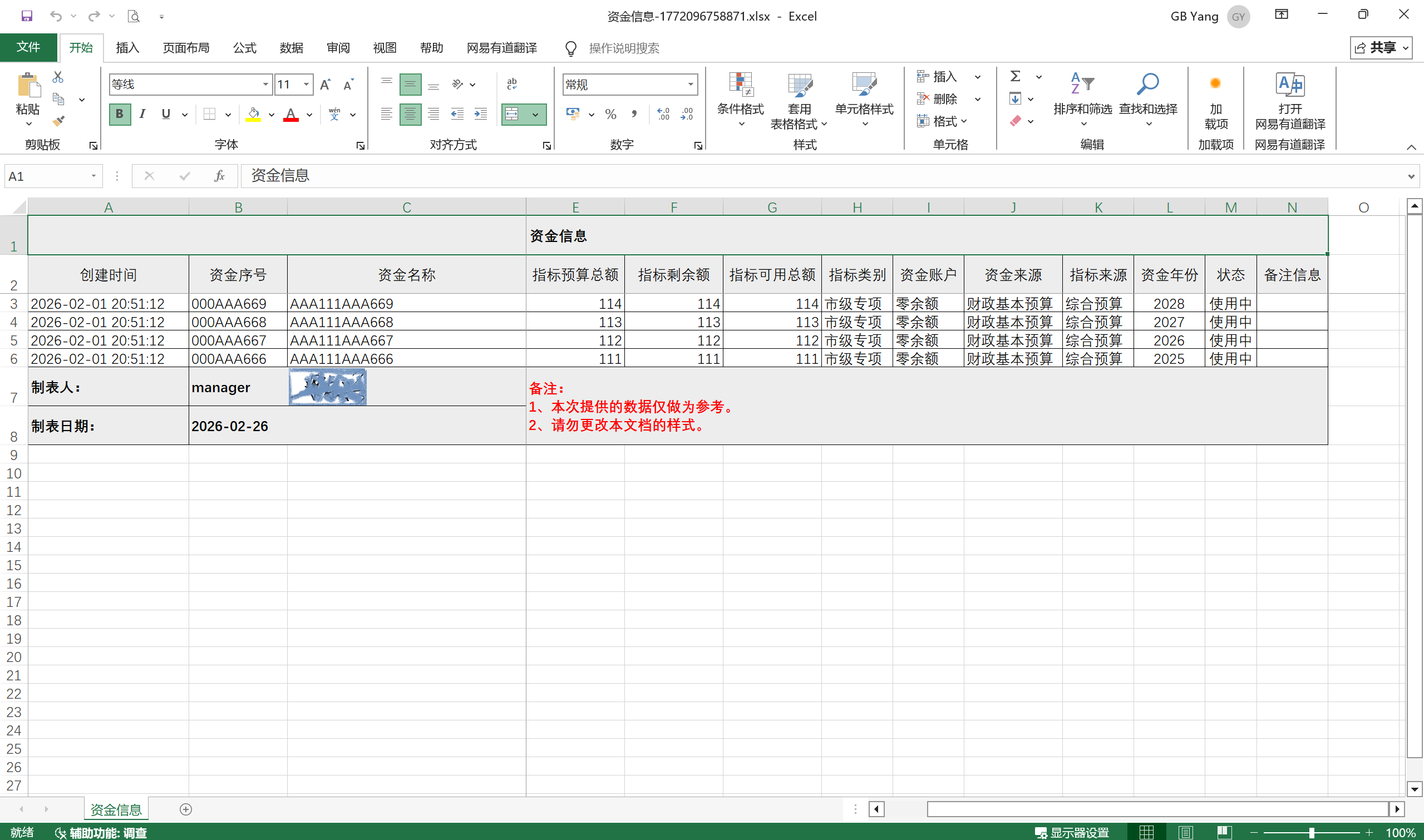
大量数据
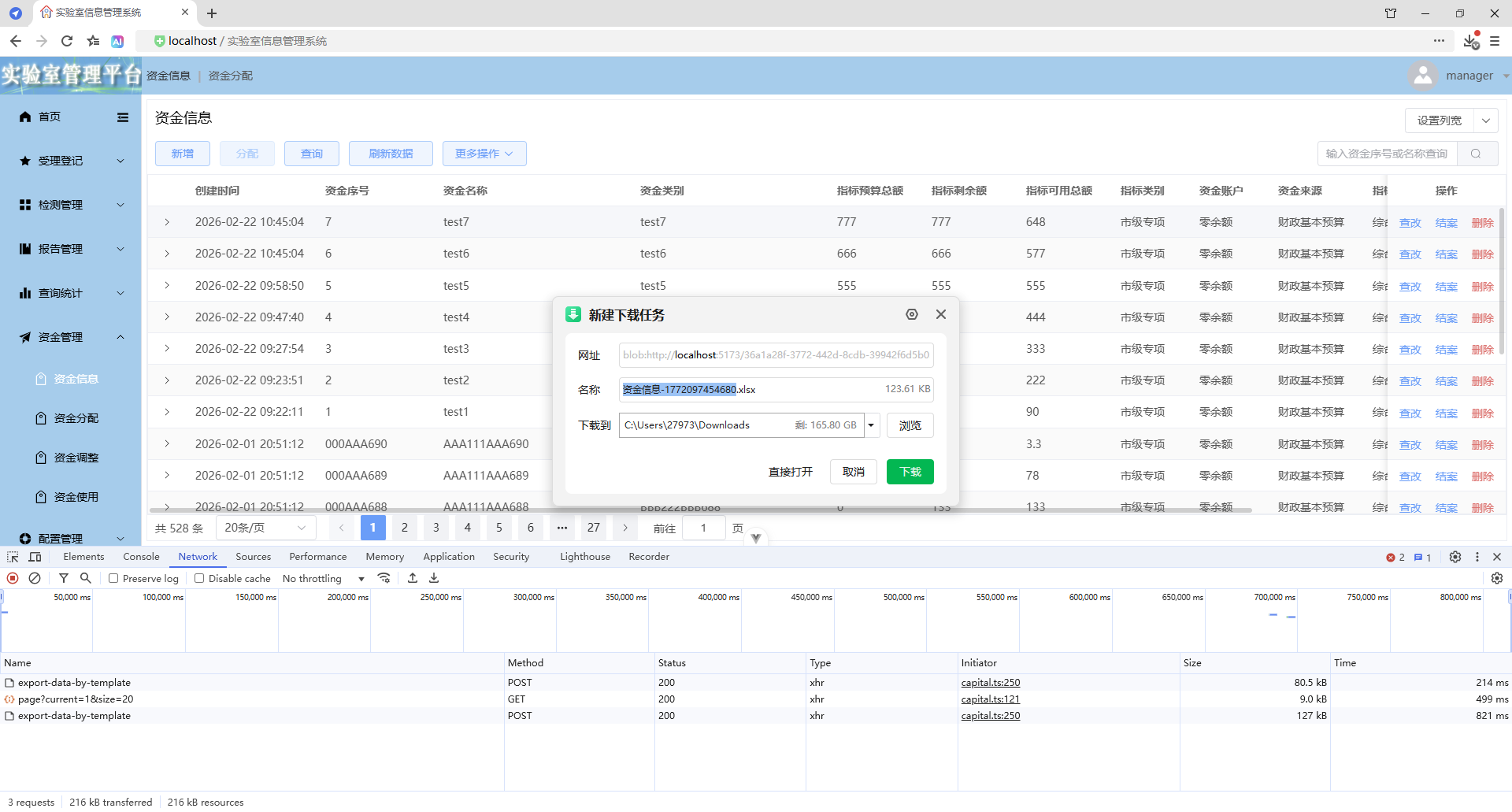
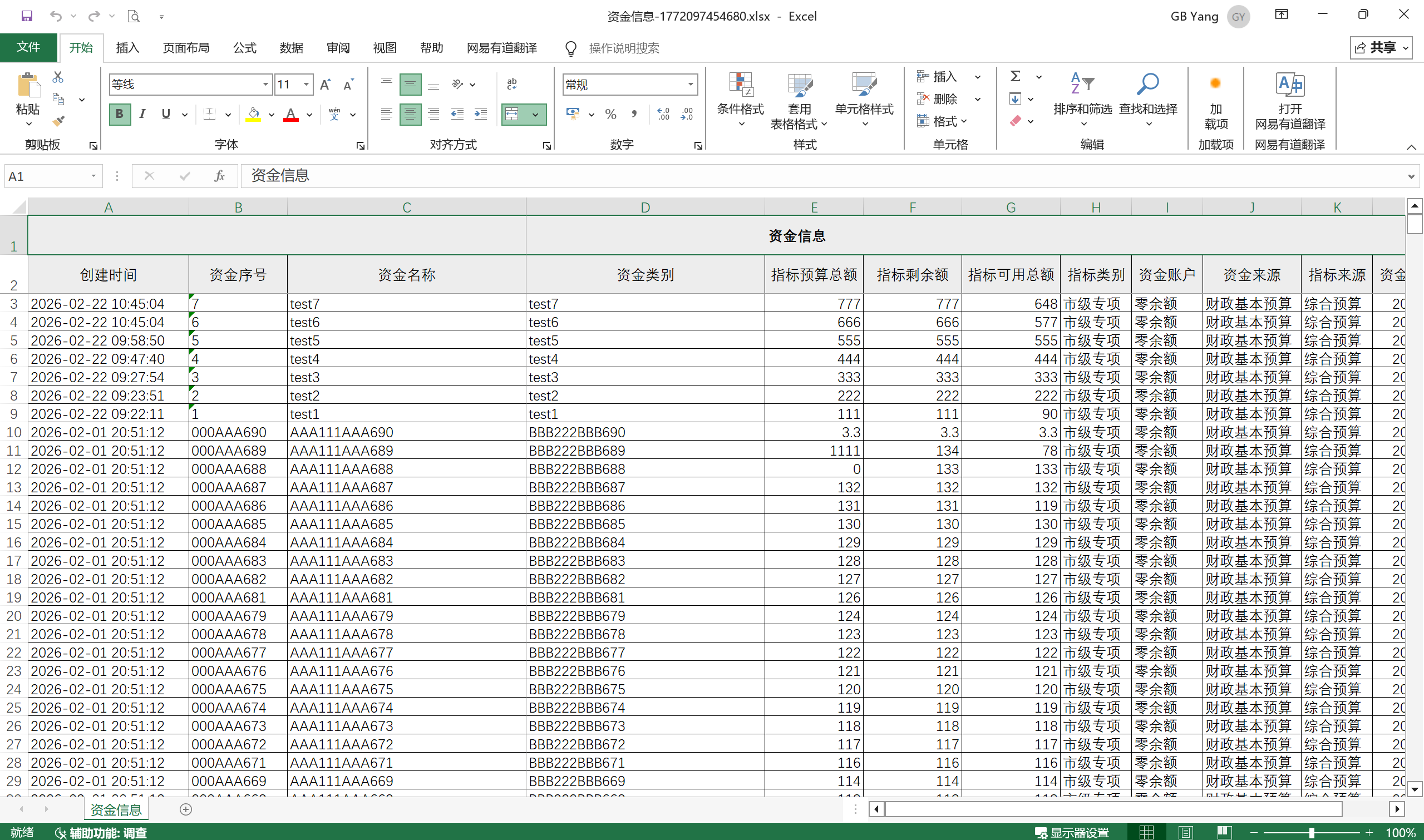
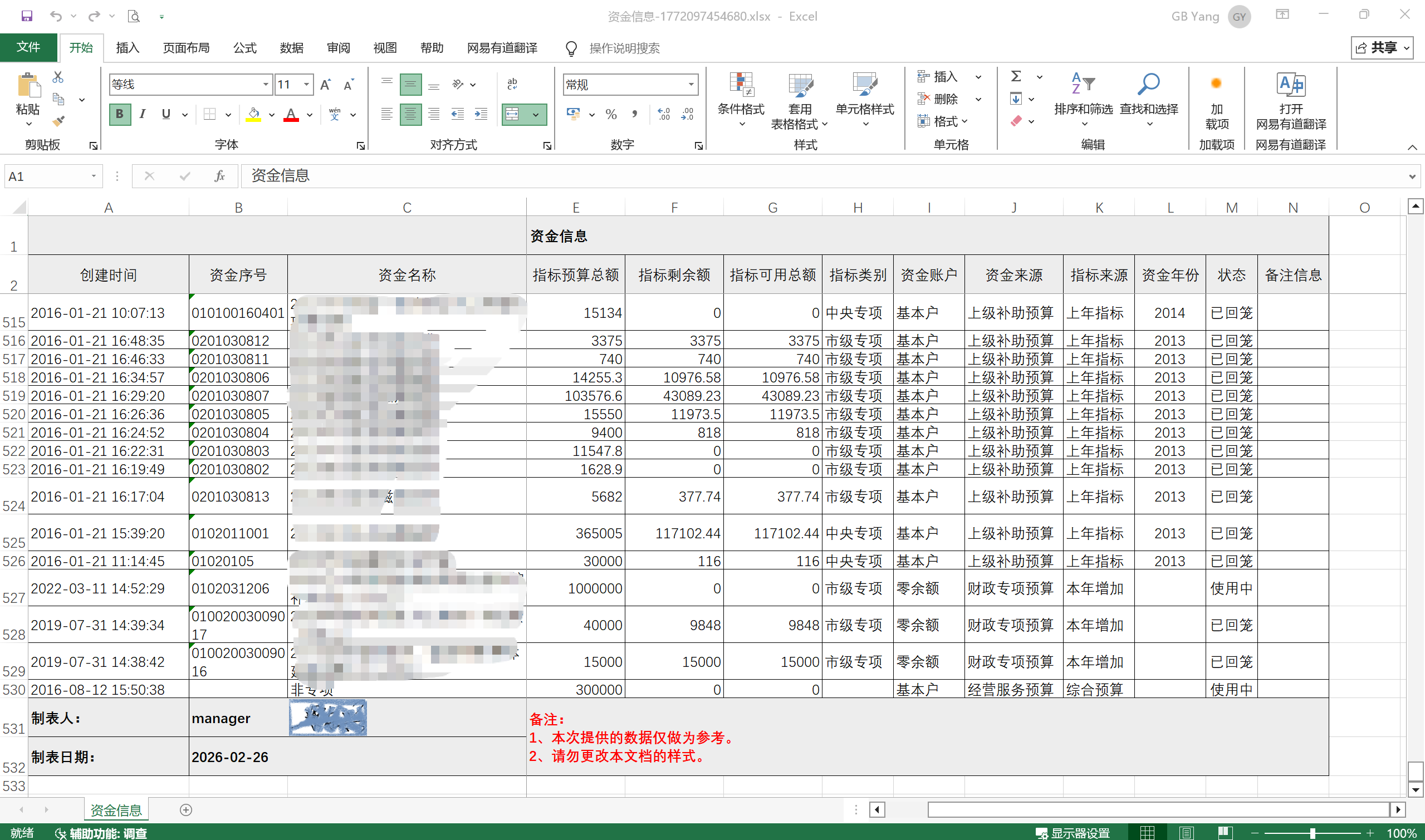
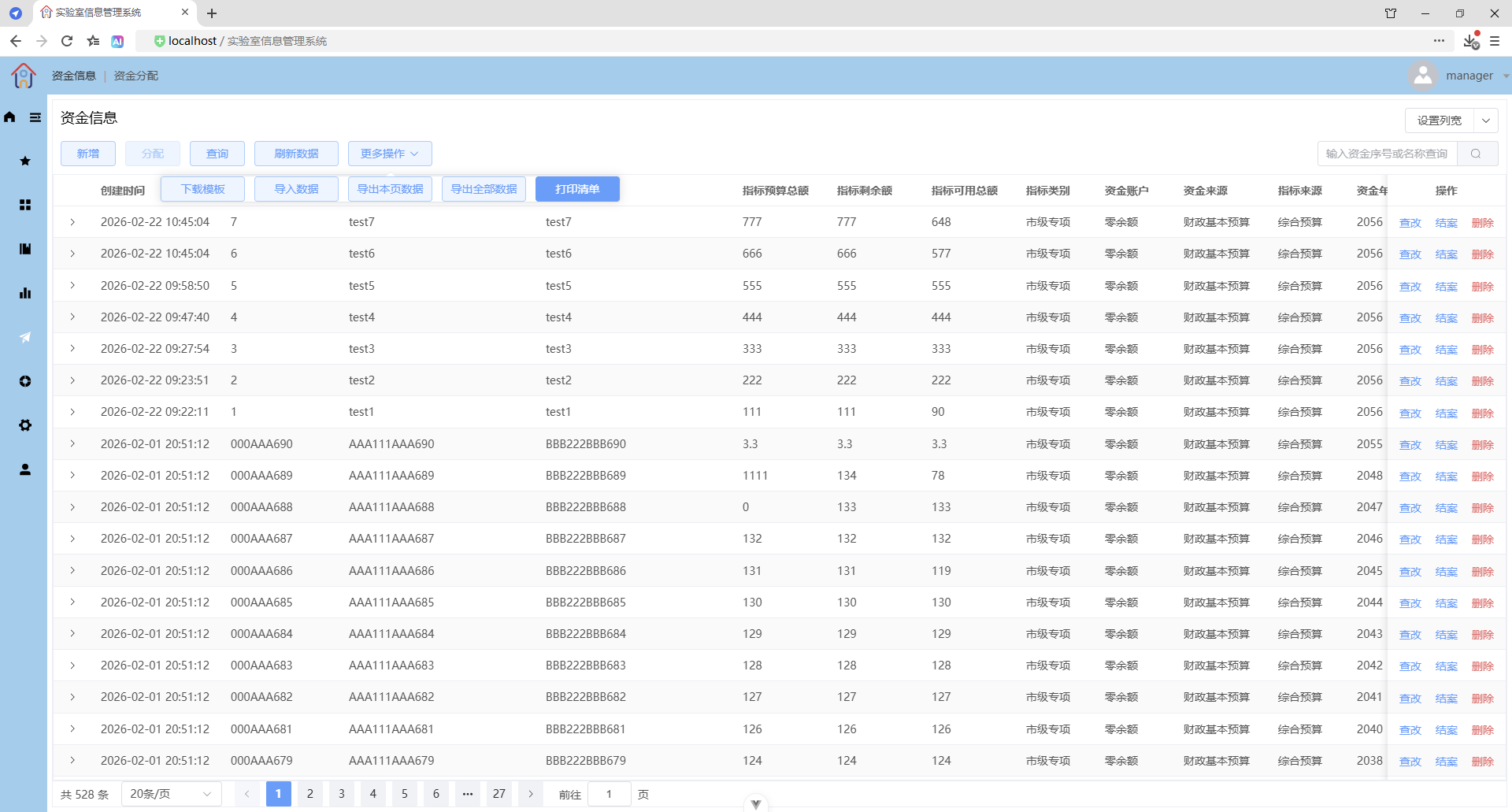
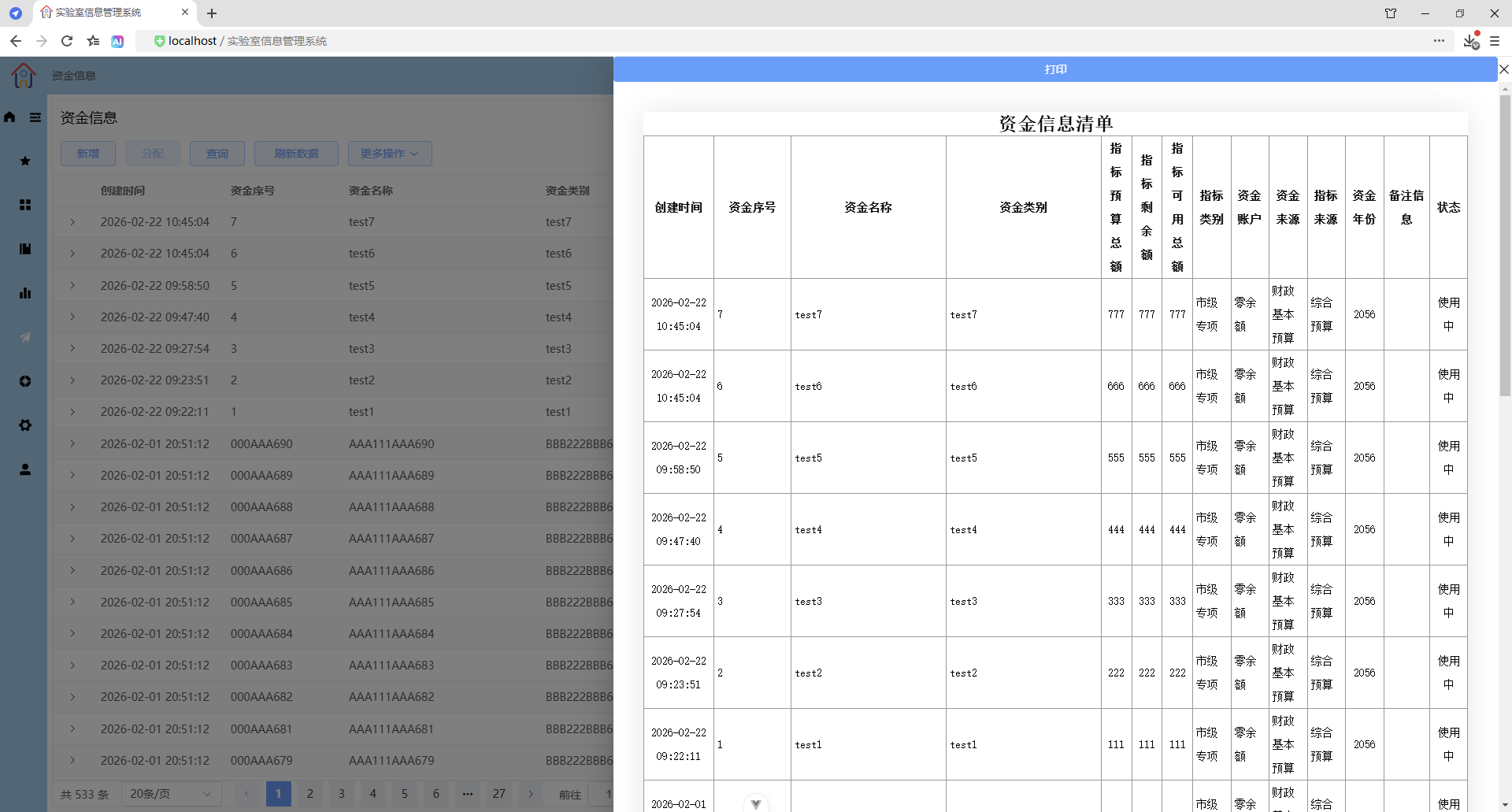
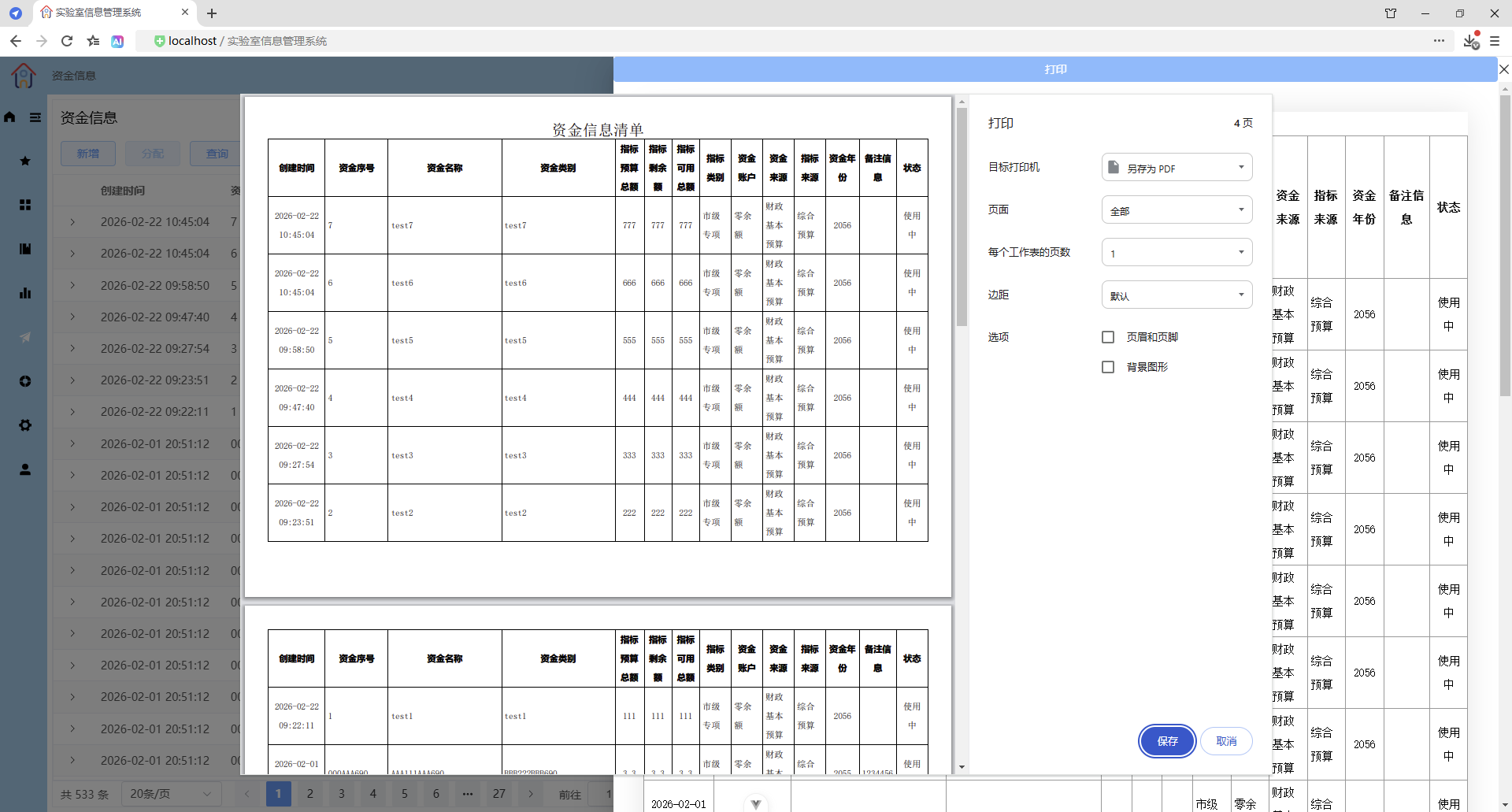
更多操作 - 打印清单
简单查询
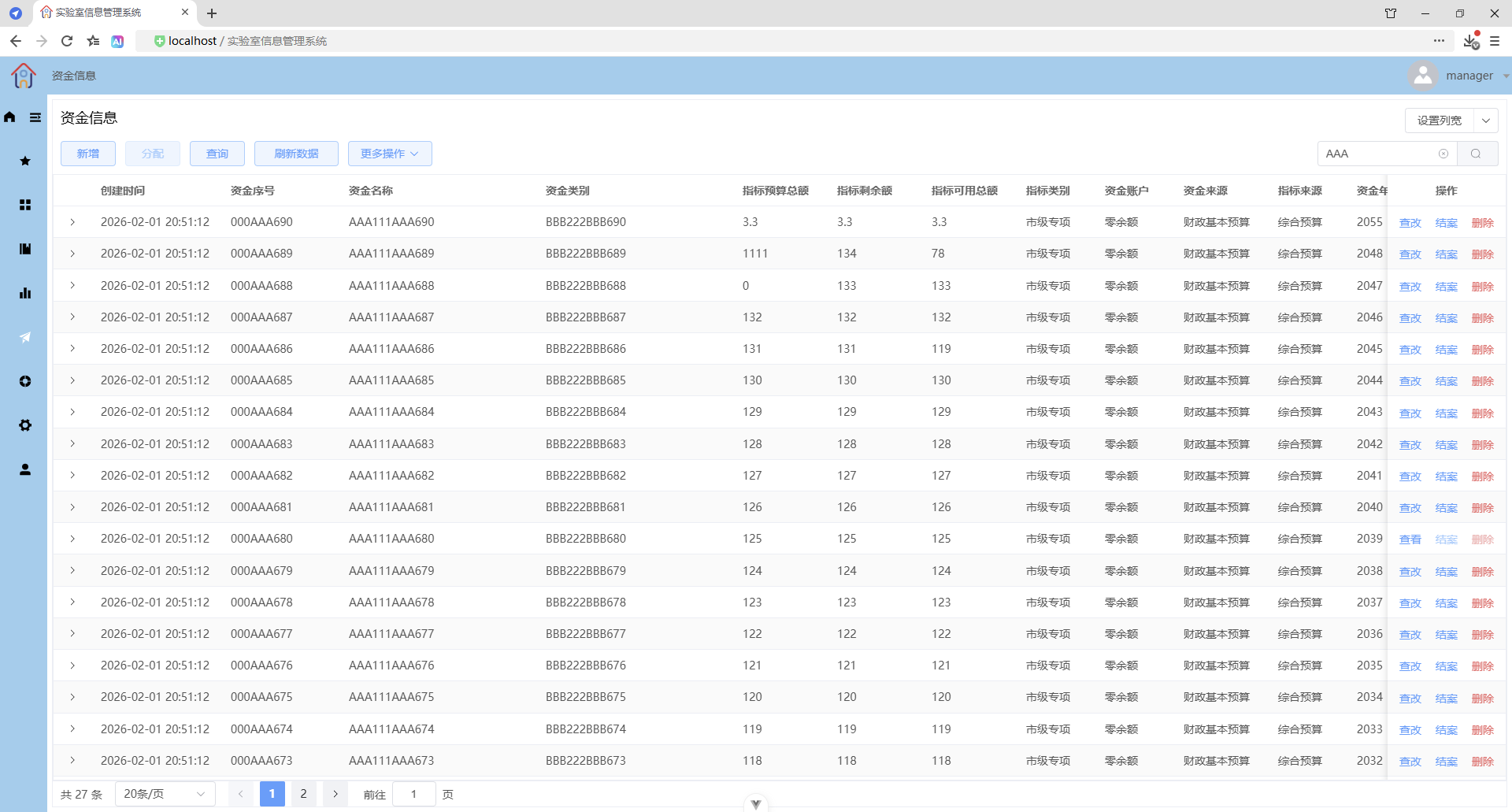
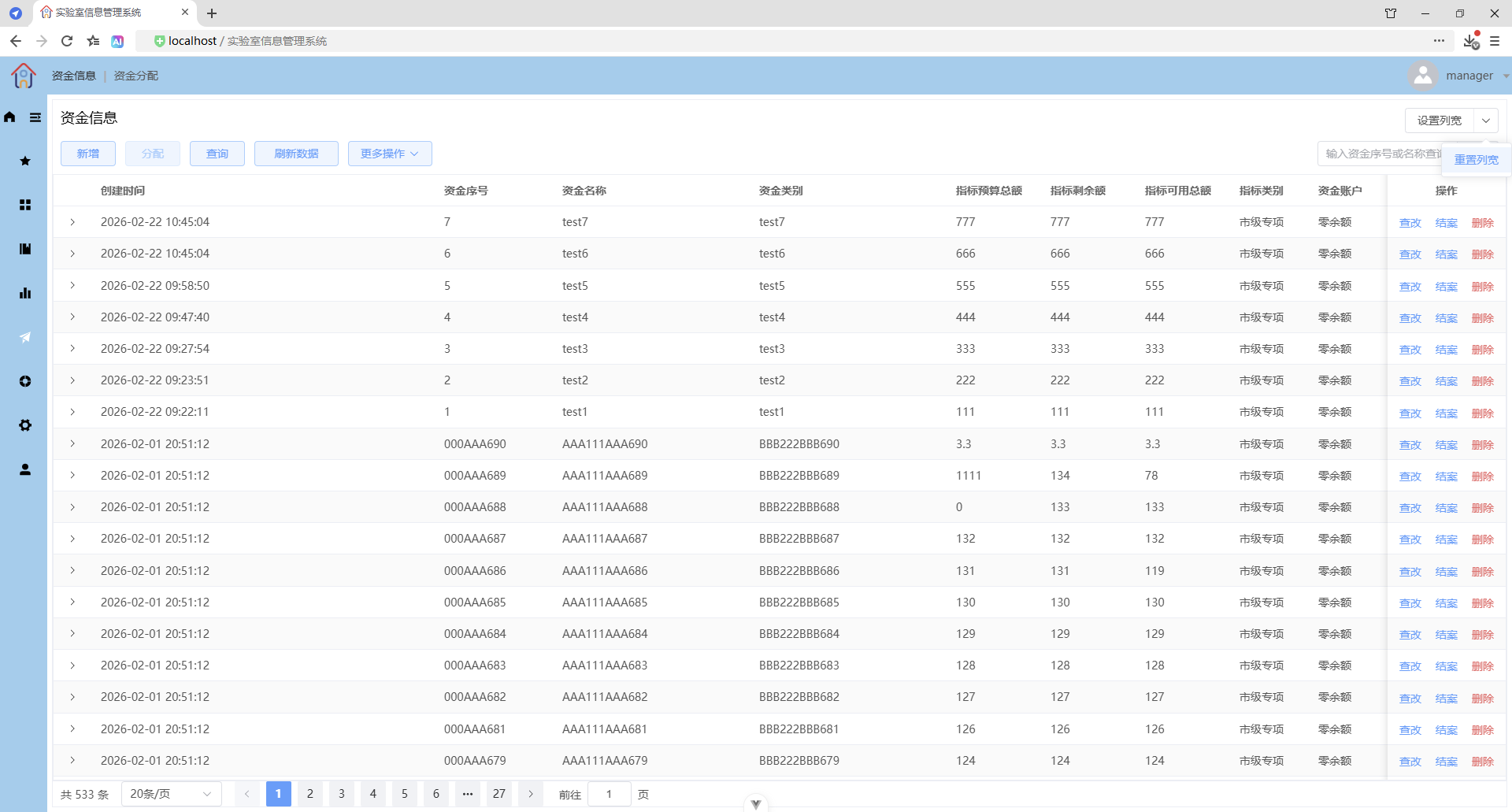
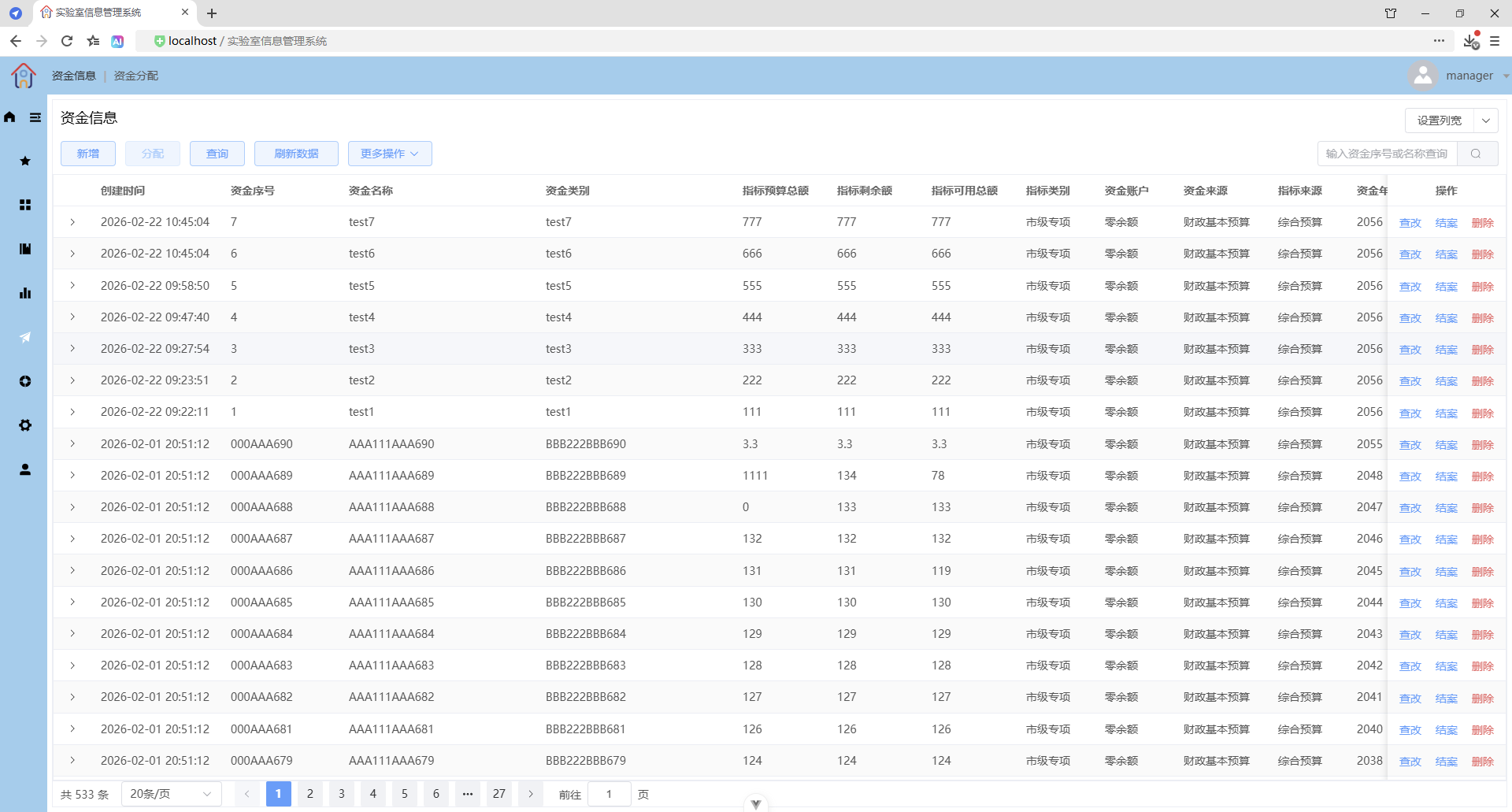
设置列宽(重新加载后依然有效)
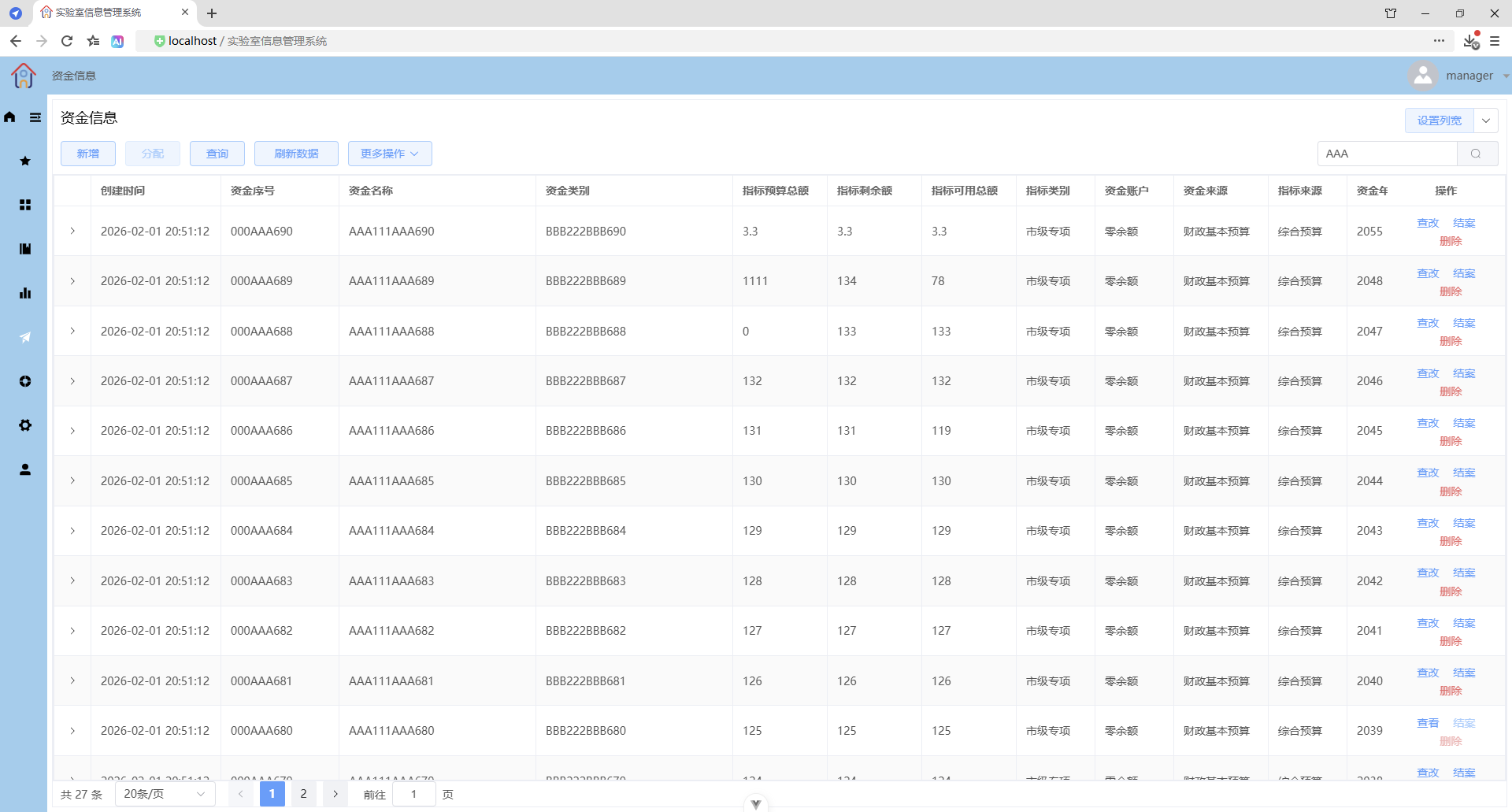
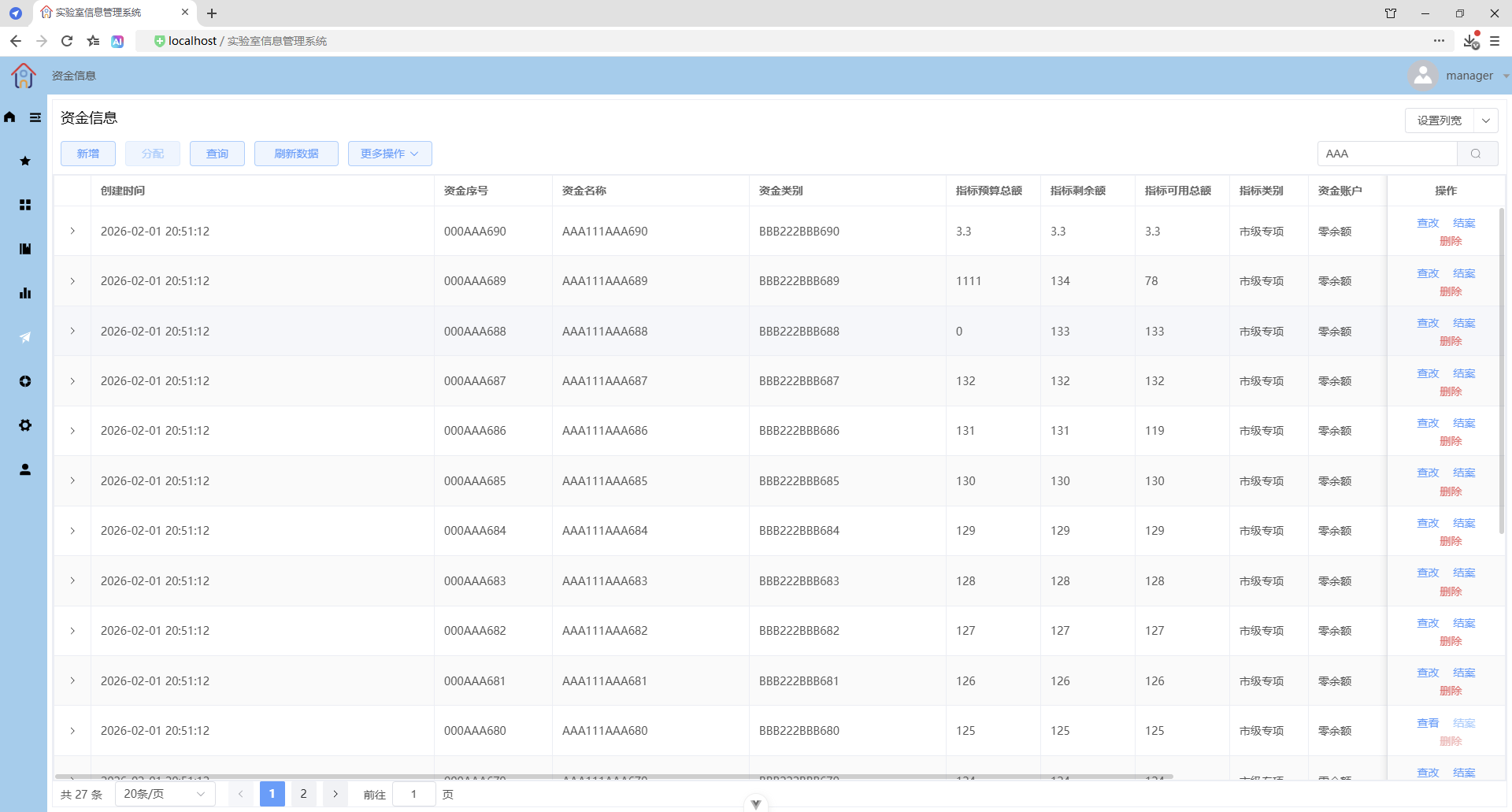
重新加载后依然有效
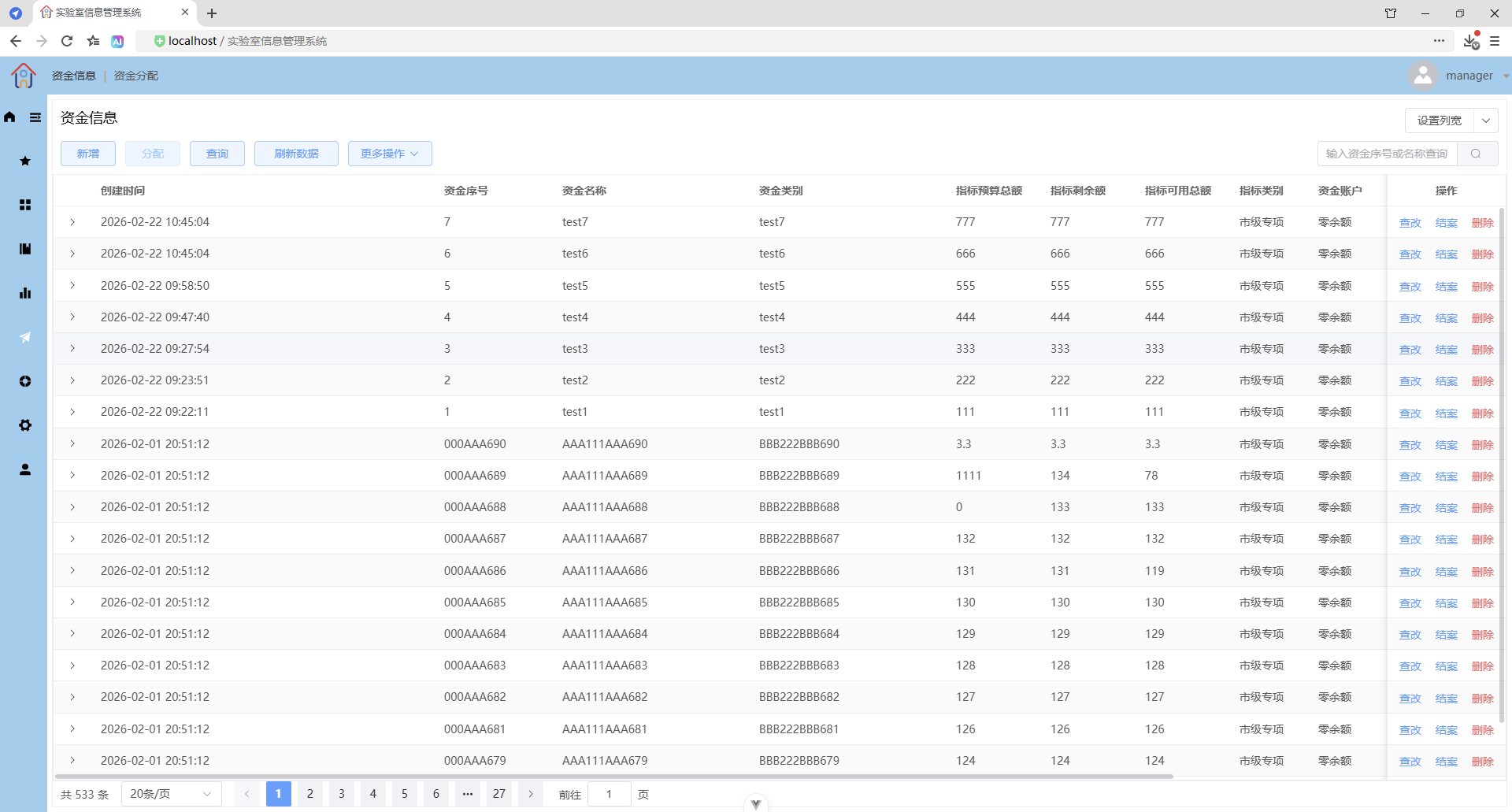
重置列宽(重新加载后生效)
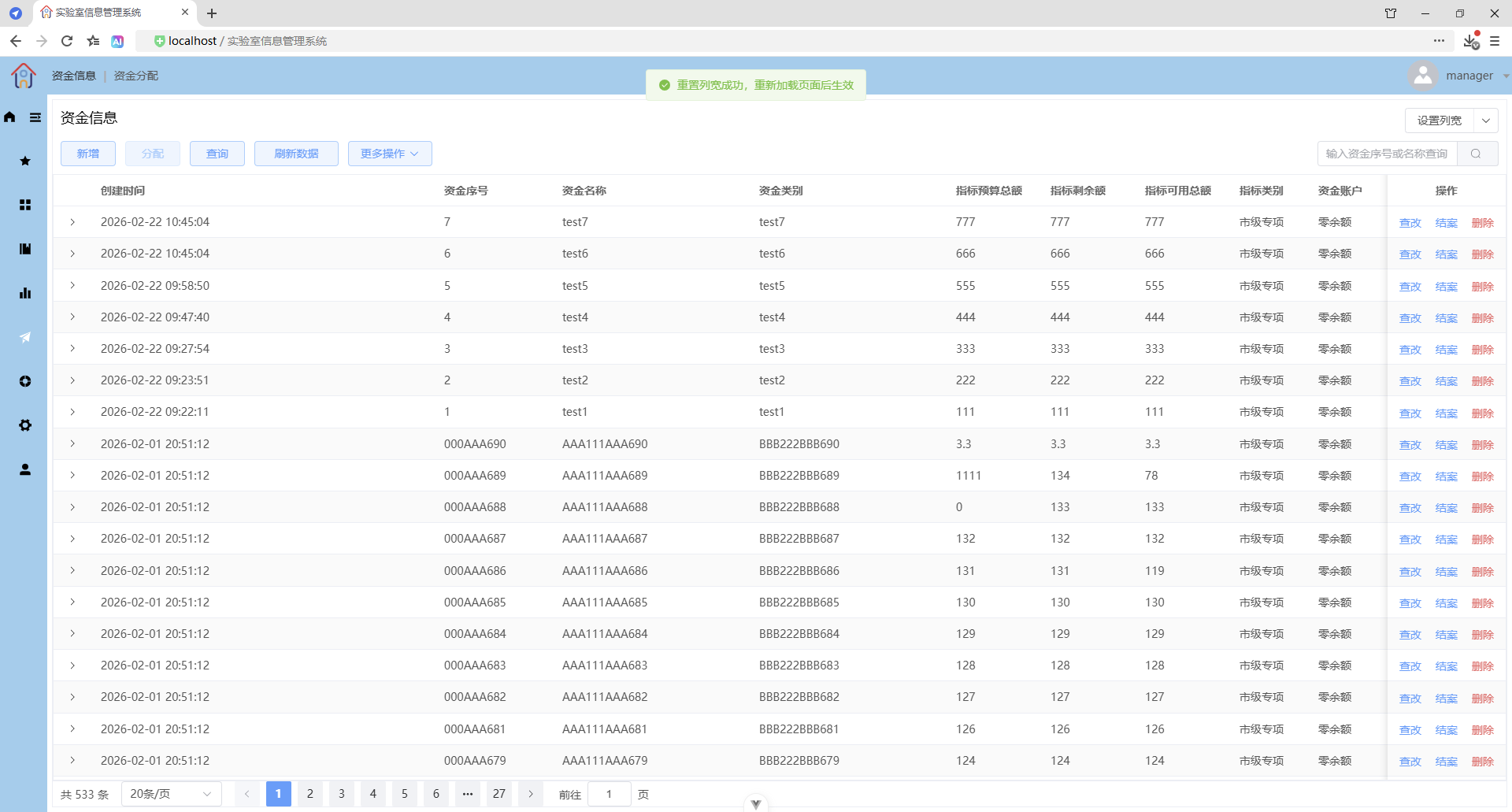
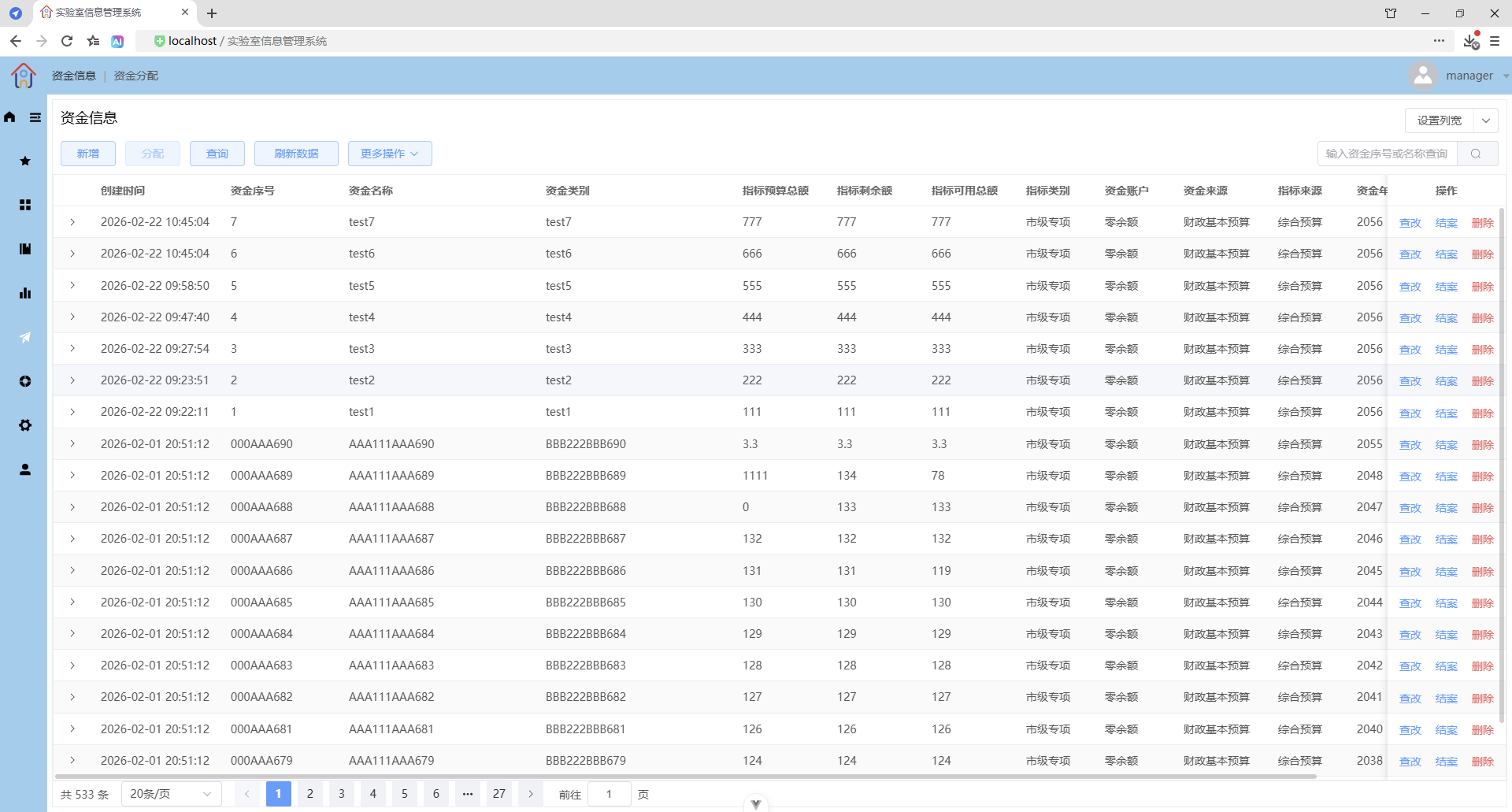
重新加载后
分配
选择目标数据
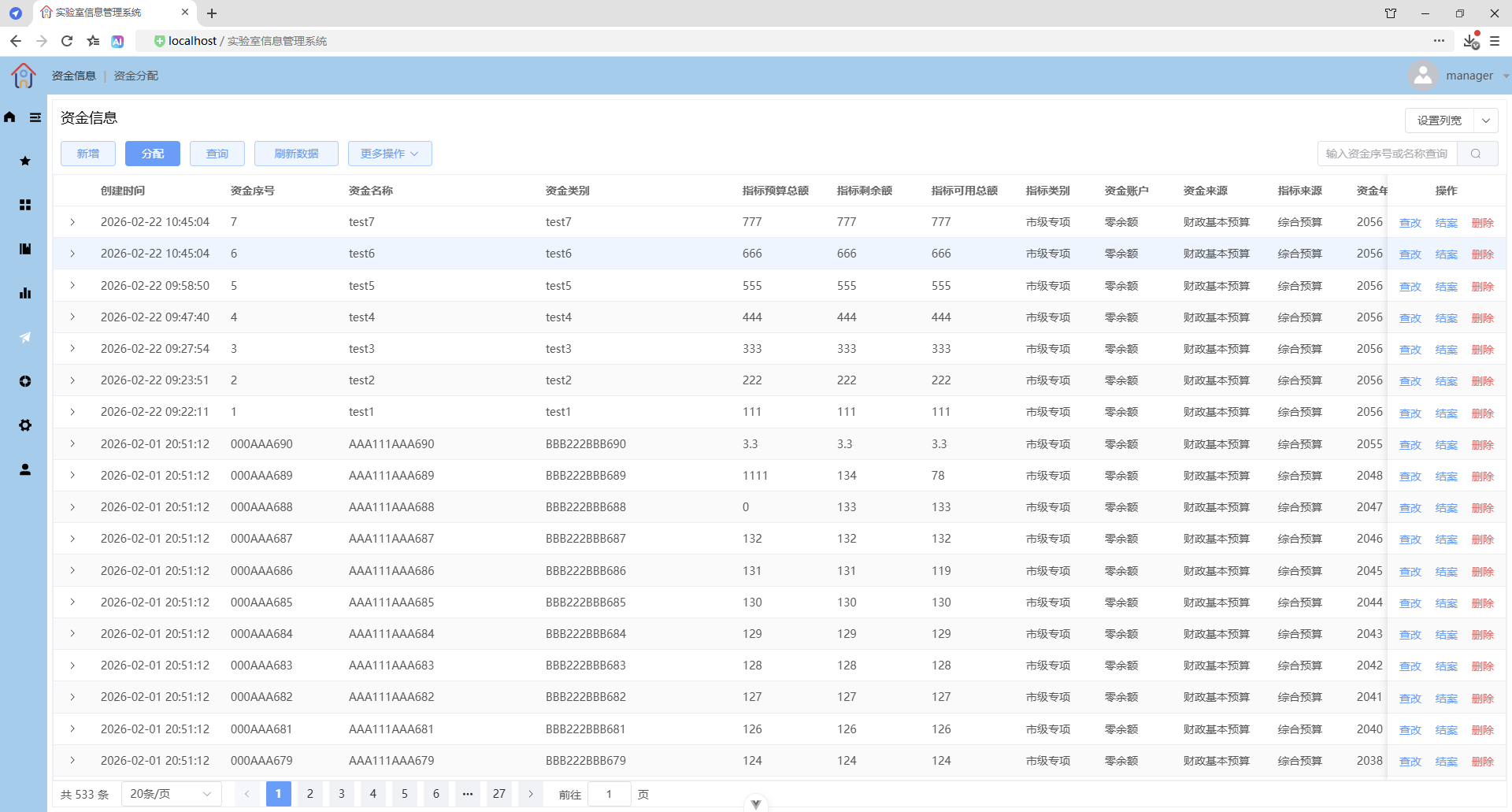
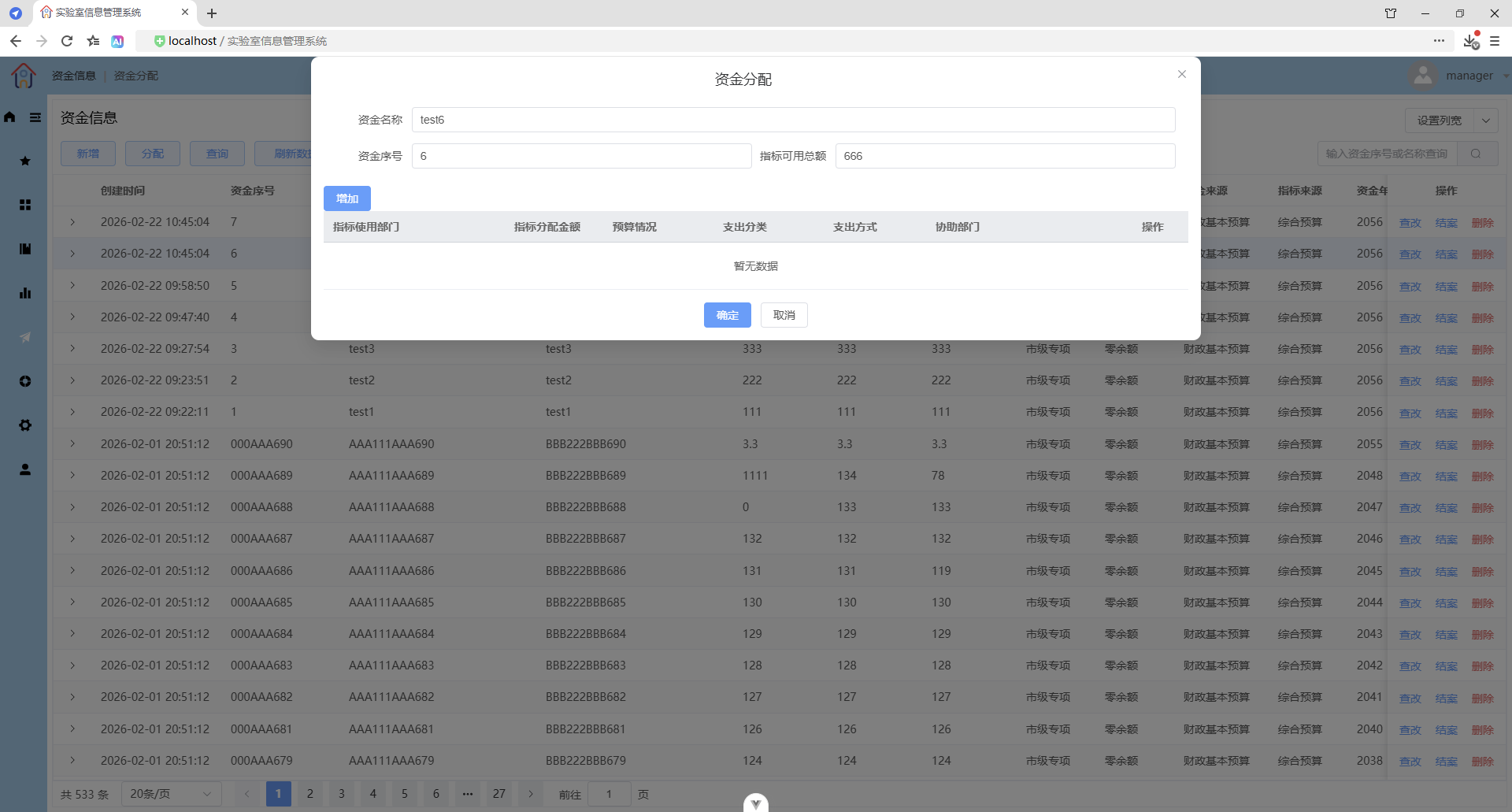
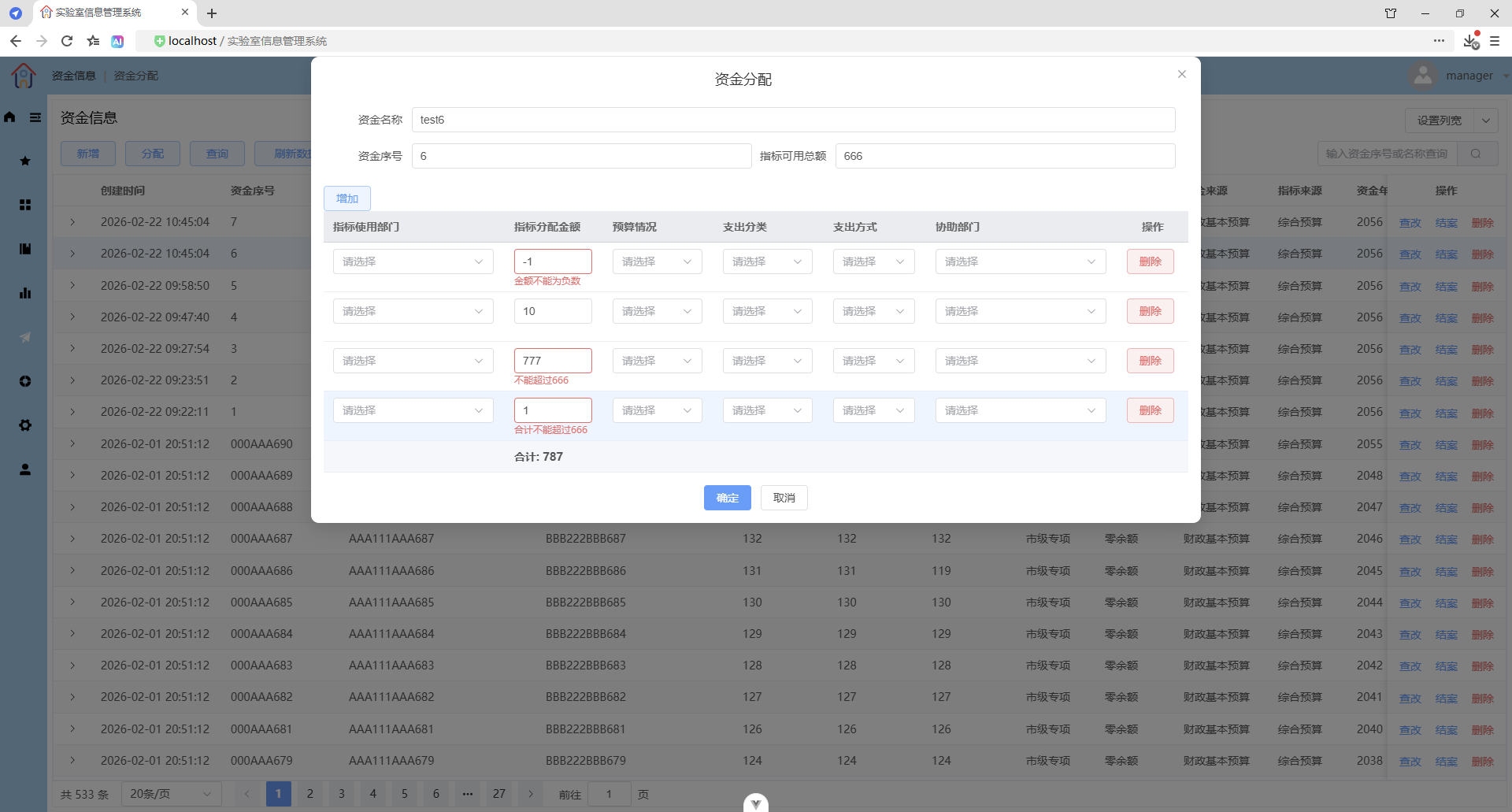
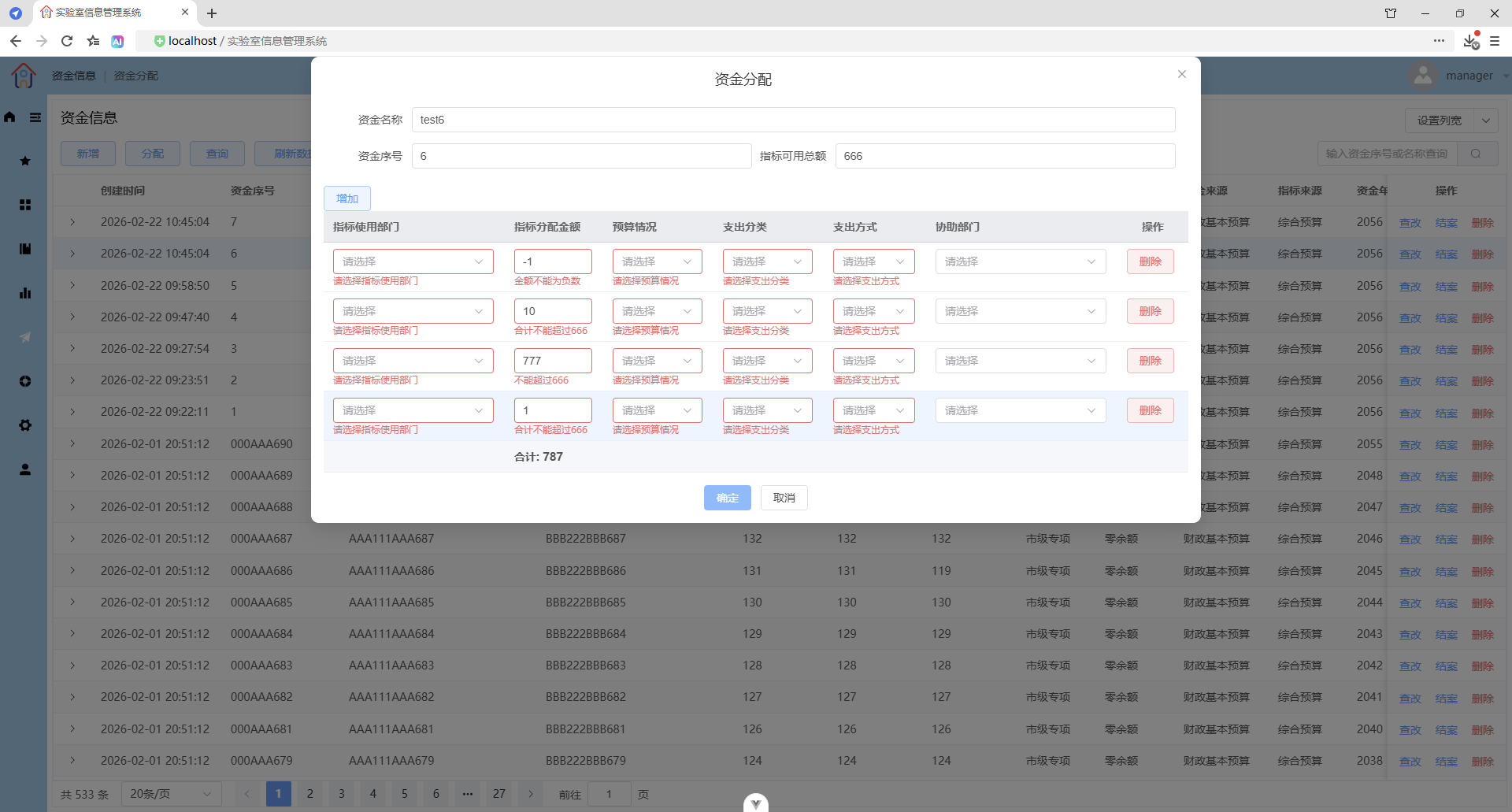
表格校验
录入校验
确定校验
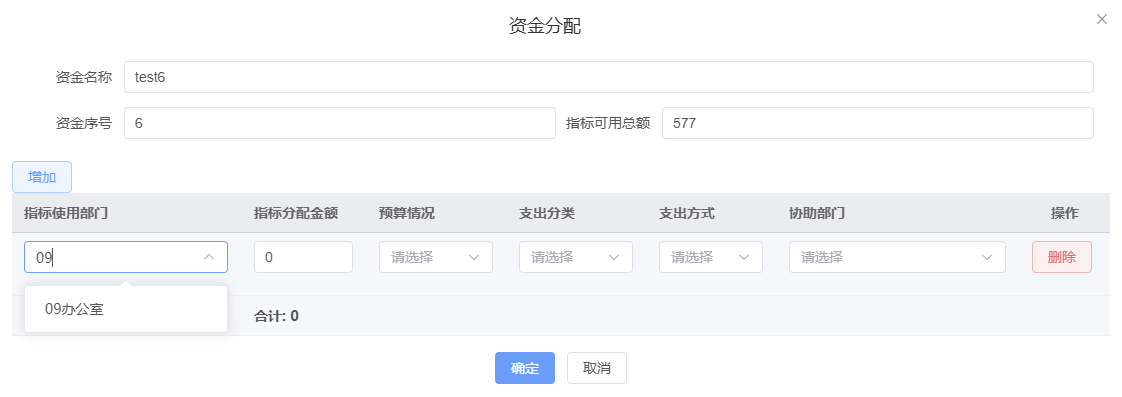
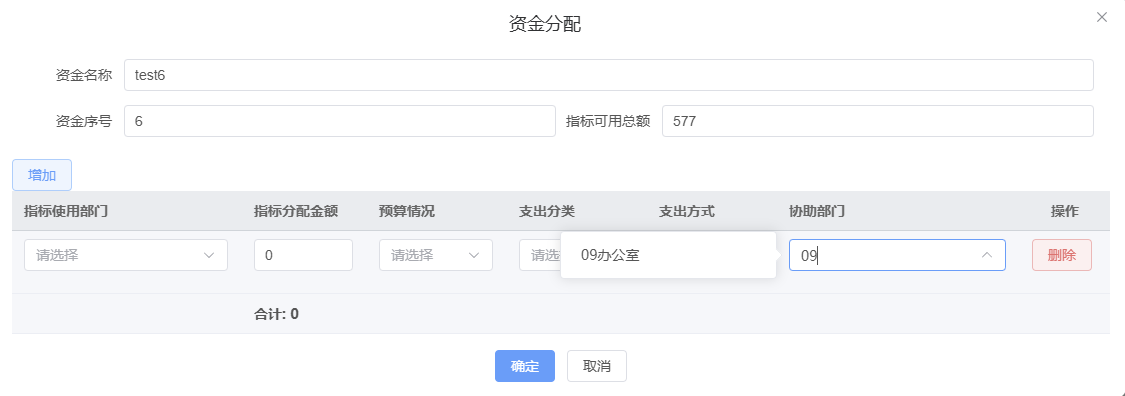
Select选择器下拉框过滤筛选
数据邦定部门编号,使用 filterable + filter-method
数据邦定部门名称,使用 filterable
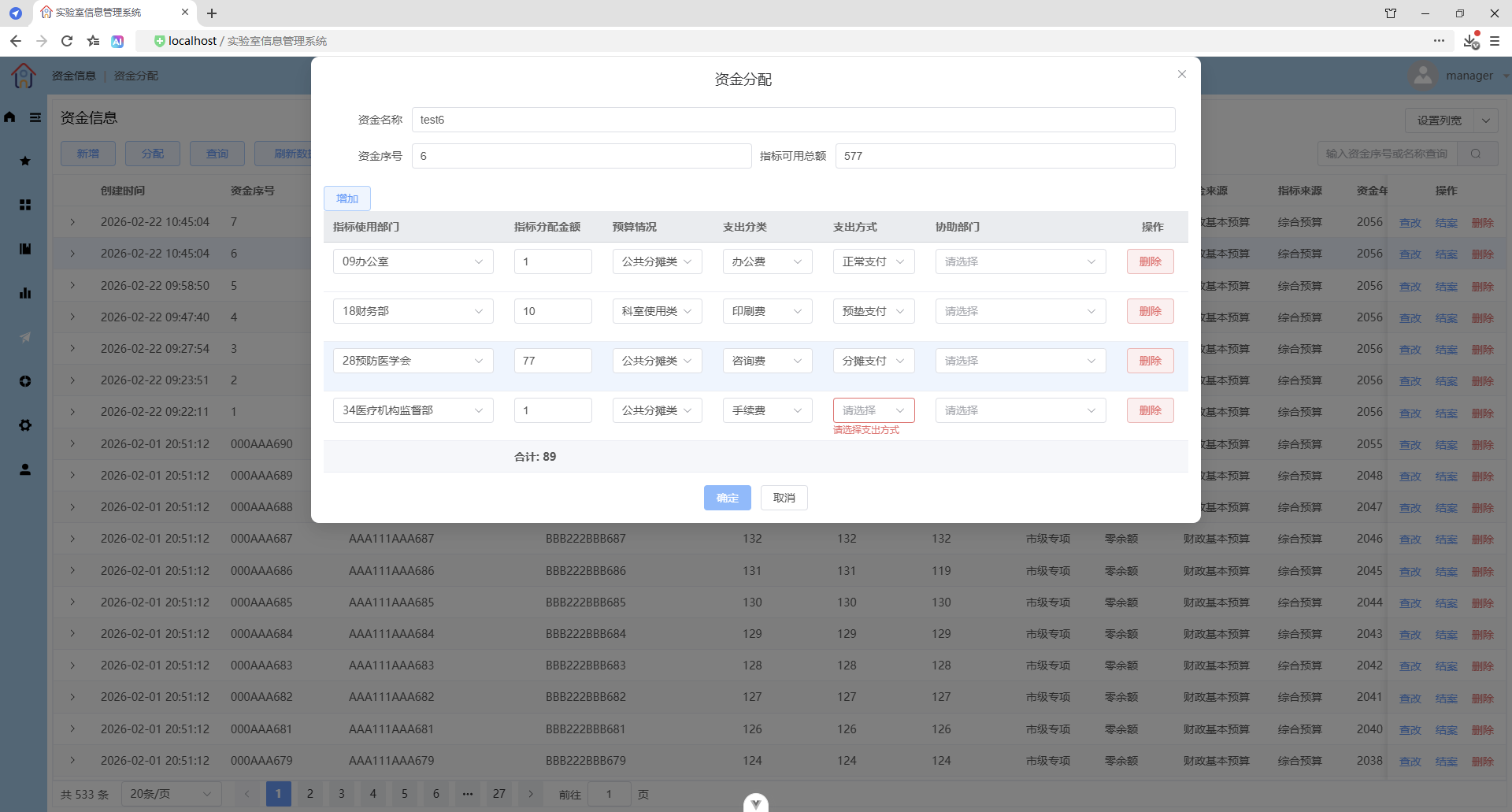
表格合计行(自定义合计行)
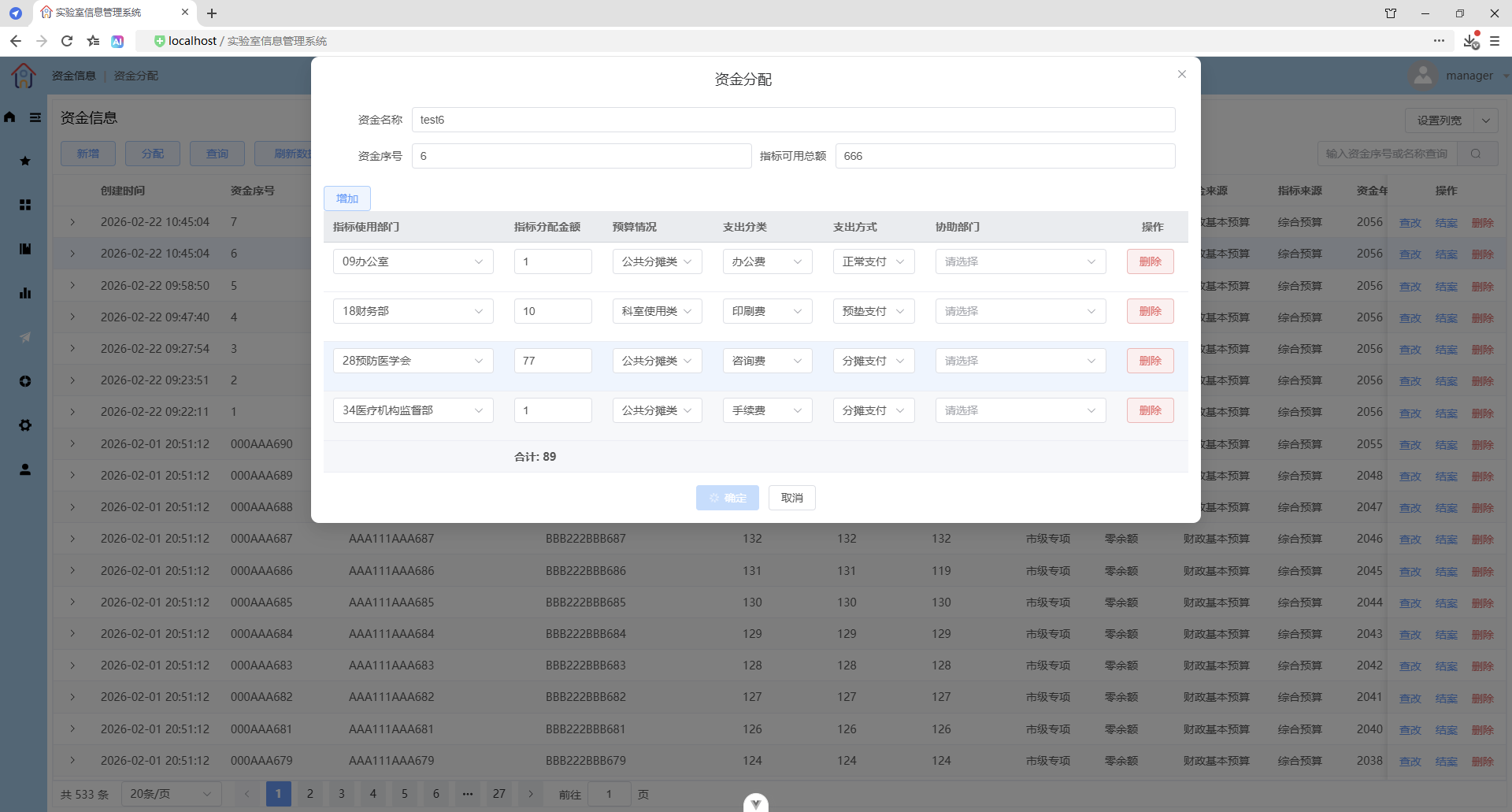
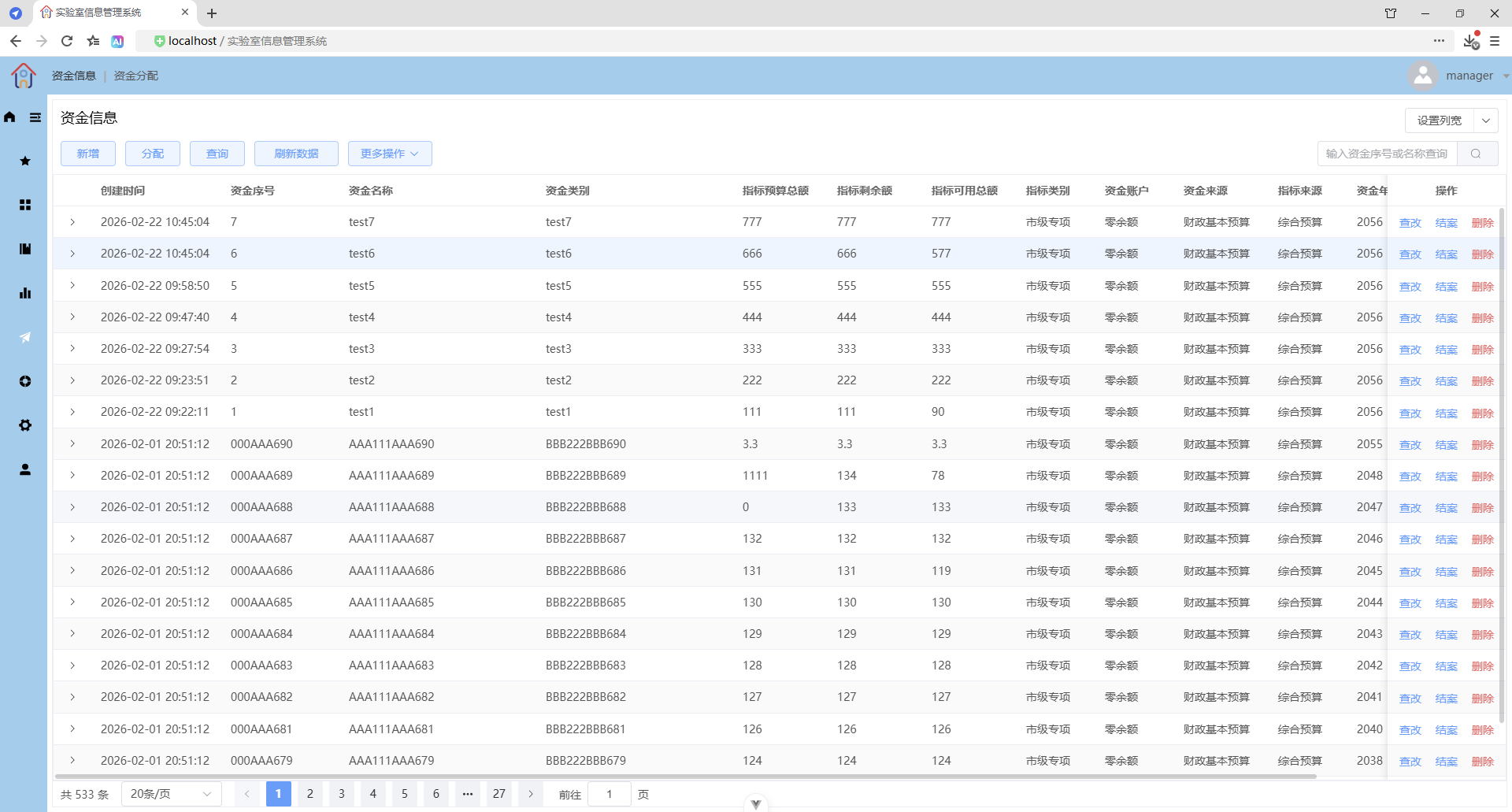
展开行(查看资金分配明细)
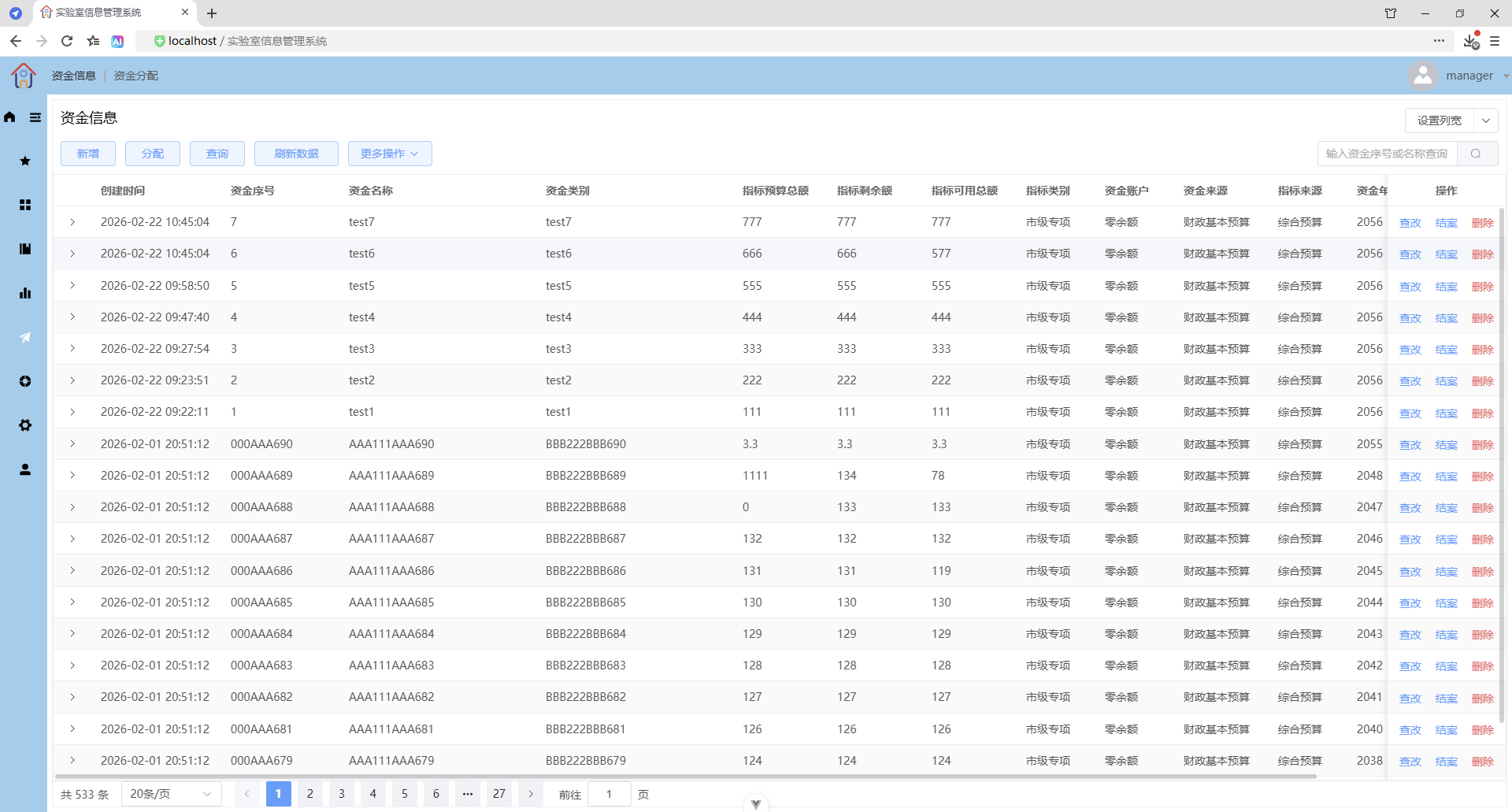
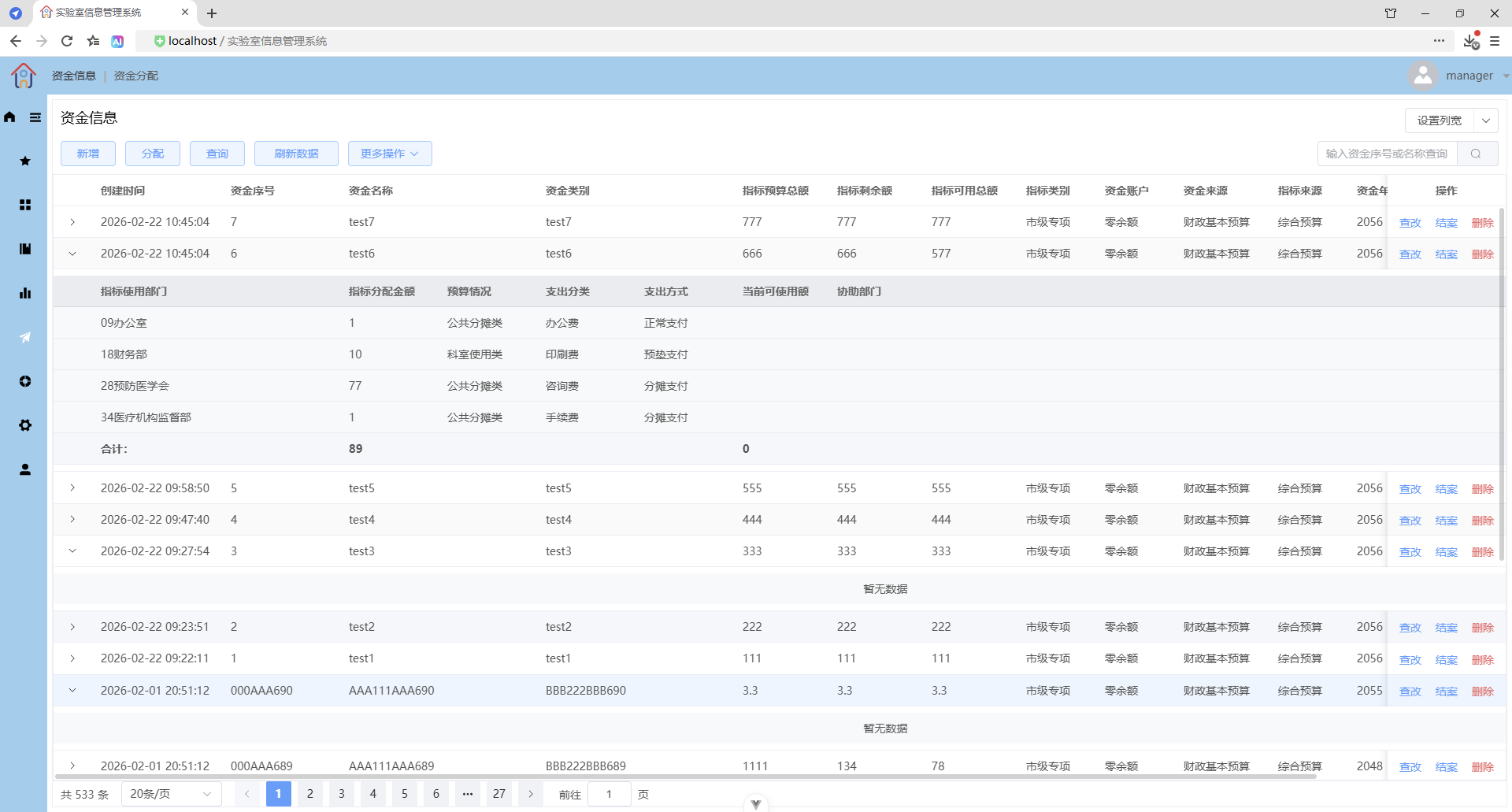
表格合计行(自定义合计行)
分页
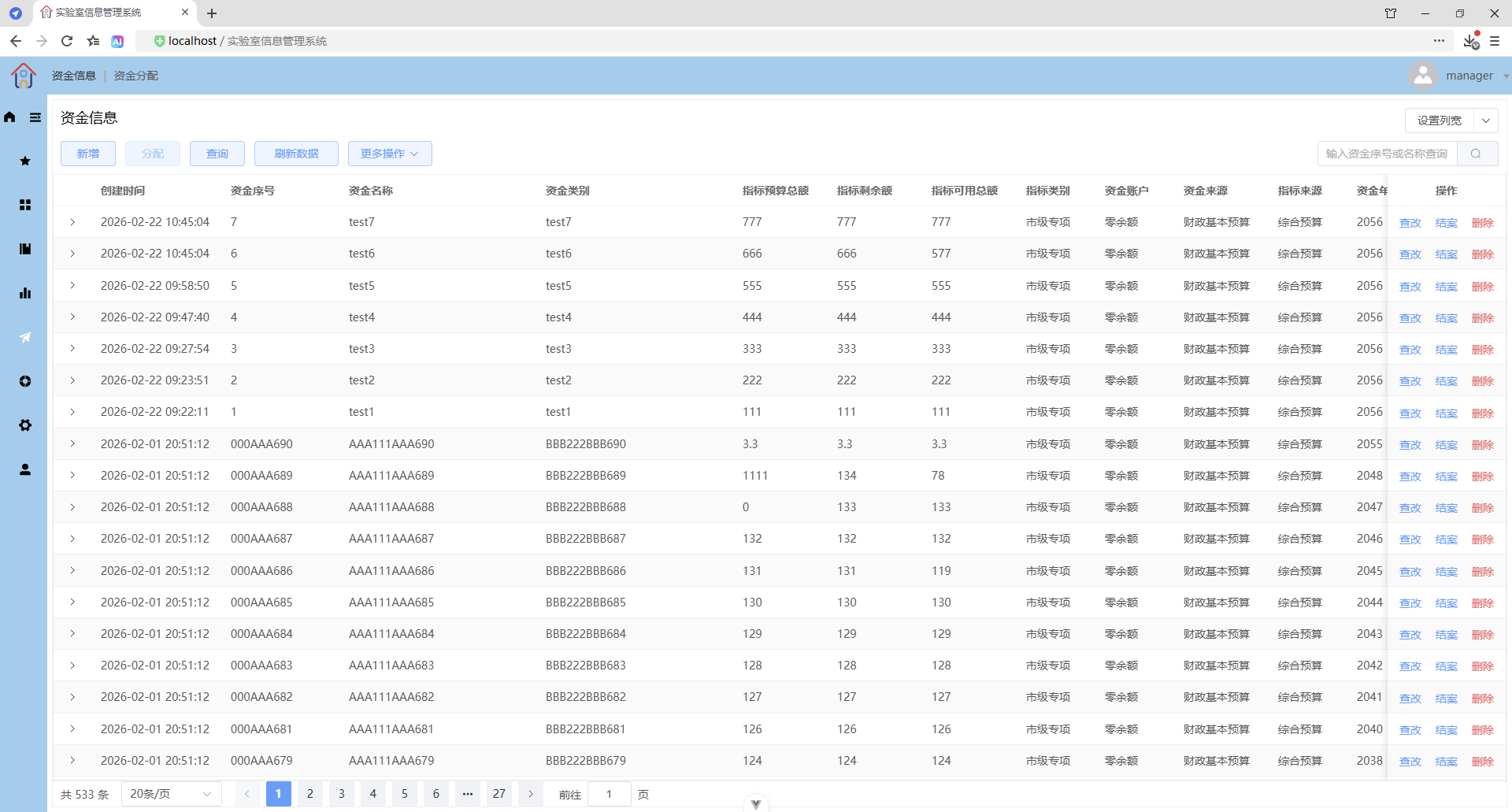
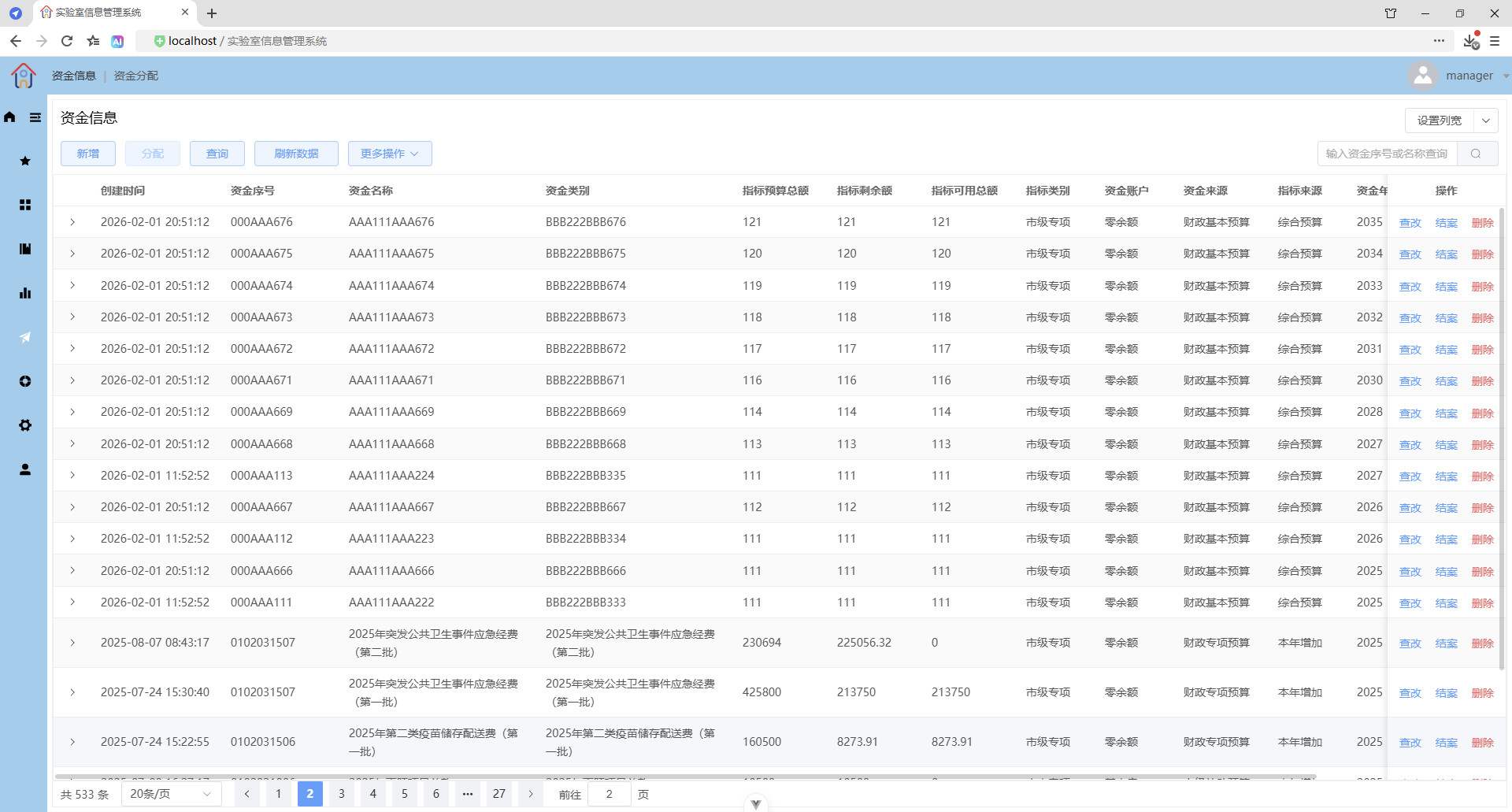
前端核心代码:
src\views\capital\CapitalInfo.vue
<script setup lang="ts">
/**
* 资金信息
*/
defineOptions({
name: "CapitalInfo"
});
import {
BaseFileBrowseDrawer,
BaseFilePreviewDrawer,
BaseFileSelector,
BasePreventReClickButton,
BasePreventReClickButtonEmit,
BaseTotalInput,
BaseYearInput,
CommonFileManager,
PrintDrawer
} from "@/components";
import { TOTAL_INPUT_EXECUTE_CODE } from "@/constants";
import { yearInputDirective } from "@/directives";
import {
useCapitalAccountOptions,
useCapitalBudgetOptions,
useCapitalIndexSourceOptions,
useCapitalIndexTypeOptions,
useCapitalInfoStateFormatter,
useCapitalPayModeOptions,
useCapitalPayTypeOptions,
useCapitalSourceOptions,
useDepartmentList,
useDownloadTemplate,
useElTableExtendedInstance,
useSetTableColumnWidth,
useYearInput
} from "@/hooks";
import { useCapitalInfoStore } from "@/stores";
import type {
CapitalAllocateCreateDTO,
CapitalAllocateDetailVO,
CapitalInfo,
ElTableExtendedInstance,
IColumnConfig
} from "@/types";
import { CapitalInfoQueryMode, CapitalInfoState, PrintDirection, PrintType } from "@/types";
import { convertFileSize, formatDate, formatTotalInput, truncateFileName } from "@/utils";
import { ArrowDown, Files, Search } from "@element-plus/icons-vue";
import type { FormInstance, FormRules, SummaryMethod, TableColumnCtx } from "element-plus";
import { ElMessage, ElMessageBox } from "element-plus";
import { cloneDeep, debounce, isEqual, omit } from "lodash-es";
import { computed, nextTick, onMounted, onUnmounted, reactive, ref, watch, type VNode } from "vue";
const capitalInfoStore = useCapitalInfoStore();
const { formatState } = useCapitalInfoStateFormatter();
// 查询对话框显示标识
const queryDialogVisible = ref(false);
// 信息对话框显示标识
const infoDialogVisible = ref(false);
// 分配对话框显示标识
const allocateDialogVisible = ref(false);
// 分配数据
const allocateDatas = ref<CapitalAllocateCreateDTO[]>([]);
// 合计的分配金额
const sumAllocateTotal = computed(() => {
// 使用 reduce 累加,初始值设为 0
return allocateDatas.value.reduce((total, item) => total + item.total, 0);
});
// 空分配明细
const emptyAllocateDetail: CapitalAllocateCreateDTO = {
deptId: "",
total: 0,
budget: "",
payType: "",
payMode: "",
assistDeptName: ""
};
const { departmentList } = useDepartmentList();
// 搜索部门关键字
const filterDeptText = ref("");
// 计算属性:过滤后的部门列表
const filteredDepartmentList = computed(() => {
if (!filterDeptText.value) {
return departmentList.value;
}
return departmentList.value.filter((item) =>
item.deptName.toLowerCase().includes(filterDeptText.value.toLowerCase())
);
});
// 空资金信息
const emptyCapitalInfo: CapitalInfo = {
id: 0,
capitalNo: "",
capitalName: "",
capitalType: "",
capitalTotal: 0,
capitalLeaveTotal: 0,
capitalValidTotal: 0,
capitalIndexType: "",
capitalAccount: "",
capitalSource: "",
capitalIndexSource: "",
capitalYear: new Date().getFullYear(),
capitalState: 0,
remark: "",
createTime: "",
filePathname: "",
isNullContent: true,
capitalAllocateDetailList: []
};
// 创建本地响应式副本
const localCapitalInfo = reactive<CapitalInfo>({ ...emptyCapitalInfo });
// 文件输入实例对象
const fileInputRef = ref<HTMLInputElement | null>(null);
// 通过 FormData 对象实现文件上传
let formData = new FormData();
// 附件
const file = ref<File | null>(null);
// 文件列表
const fileUrls = ref<string[]>([]);
// 文件预览抽屉实例对象
const filePreviewDrawerRef = ref<InstanceType<typeof BaseFilePreviewDrawer> | null>(null);
// 文件阅览抽屉实例对象
const fileBrowseDrawerRef = ref<InstanceType<typeof BaseFileBrowseDrawer> | null>(null);
// 文件阅览抽屉标题
const fileBrowseDrawerTitle = ref<string>("阅览的内容");
// 预览标识、阅览标识,解决预览和阅览冲突的问题
const isPreview = ref(false);
const isBrowse = ref(false);
// 文件选择器实例
const baseFileSelectorRef = ref<InstanceType<typeof BaseFileSelector> | null>(null);
// 附件功能按钮禁用状态
const attachmentButtonDisabled = computed(
() => localCapitalInfo.isNullContent === true || localCapitalInfo.isNullContent === null
);
// 资金信息表格实例对象
const capitalInfoTableRef = ref<ElTableExtendedInstance | null>(null);
// 资金信息表格数据导出为 Excel 文件
const { tableDataExportToExcelFile } = useElTableExtendedInstance(capitalInfoTableRef);
// 资金信息表格列配置列表
// todo: 从数据库中获取,或者传递参数,由 useSetTableColumnWidth 从数据库中获取
const columnConfigs = ref<IColumnConfig[]>([
{ prop: "createTime", label: "创建时间", width: 165 },
{ prop: "capitalNo", label: "资金序号", width: 150 },
{ prop: "capitalName", label: "资金名称", width: 250 },
{ prop: "capitalType", label: "资金类别", width: 250 },
{ prop: "capitalTotal", label: "指标预算总额", width: 120 },
{ prop: "capitalLeaveTotal", label: "指标剩余额", width: 120 },
{ prop: "capitalValidTotal", label: "指标可用总额", width: 120 },
{ prop: "capitalIndexType", label: "指标类别", width: 100 },
{ prop: "capitalAccount", label: "资金账户", width: 100 },
{ prop: "capitalSource", label: "资金来源", width: 120 },
{ prop: "capitalIndexSource", label: "指标来源", width: 100 },
{ prop: "capitalYear", label: "资金年份", width: 100 },
{ prop: "capitalState", label: "状态", width: 100 }
]);
// 设置表格列宽,使用 computed 定义组合式函数 hook,并且自动处理 null 情况
const setTableColumnWidth = computed(() => {
return capitalInfoTableRef.value
? useSetTableColumnWidth(capitalInfoTableRef, columnConfigs, ref("CapitalInfo_capitalInfo"))
: null;
});
// 边框标识
const isBorder = ref(false);
// 下载模板(下载静态文件)
const { downloadTemplate } = useDownloadTemplate();
// 文件输入实例对象(用于导入数据)
const fileInputForImportRef = ref<HTMLInputElement | null>(null);
// 打印抽屉显示标识
const printDrawerVisible = ref(false);
// 计算属性:年份输入
const yearInput = computed({
get() {
return capitalInfoStore.queryDTO.capitalYear?.toString() || "";
},
set(value) {
// 过滤非数字并限制长度
const numbersOnly = value.replace(/[^\d]/g, "").slice(0, 4);
// 转换为数字,空字符串设为undefined
capitalInfoStore.queryDTO.capitalYear = numbersOnly ? parseInt(numbersOnly, 10) : undefined;
}
});
// 定义年份输入 hook
const yearInputHook = useYearInput(
// getter
() => capitalInfoStore.queryDTO.capitalYear,
// setter
(value) => {
capitalInfoStore.queryDTO.capitalYear = value;
},
// options
{
min: 2000,
max: 2100,
maxLength: 4
}
);
// 定义指令:年份输入指令,规范以v开头,在模板中使用 v-year-input 指令
const vYearInput = yearInputDirective;
// 计算属性:金额输入
const totalInput = computed({
get(): string {
const value = localCapitalInfo.capitalTotal;
// 如果是数字,转换为字符串;如果是空值,返回空字符串
if (value === undefined || value === null || value === 0) {
return "";
}
return value.toString();
},
set(value: string): void {
const formattedValue = formatTotalInput(value);
// 更新到响应式数据
if (formattedValue === "" || formattedValue === "-") {
localCapitalInfo.capitalTotal = 0;
} else {
const numValue = parseFloat(formattedValue);
localCapitalInfo.capitalTotal = isNaN(numValue) ? 0 : numValue;
}
}
});
// 计算属性:日期范围
const dateRangeValue = computed({
get: () => {
const { createDateRange } = capitalInfoStore.queryDTO;
// 如果两个日期都存在,返回数组
if (createDateRange?.beginDate && createDateRange?.endDate) {
return [createDateRange?.beginDate, createDateRange?.endDate];
}
// 返回空数组
return [];
},
set: (value: [string, string] | null) => {
if (value && value.length === 2) {
// 确保createDateRange对象存在
if (!capitalInfoStore.queryDTO.createDateRange) {
capitalInfoStore.queryDTO.createDateRange = {
beginDate: "",
endDate: ""
};
}
capitalInfoStore.queryDTO.createDateRange.beginDate = value[0];
capitalInfoStore.queryDTO.createDateRange.endDate = value[1];
} else {
// 清空日期范围
if (capitalInfoStore.queryDTO.createDateRange) {
capitalInfoStore.queryDTO.createDateRange.beginDate = "";
capitalInfoStore.queryDTO.createDateRange.endDate = "";
}
}
}
});
// 展开加载状态映射
const expandLoading = reactive<Record<number, boolean>>({});
// 基础选项:资金账户选项、资金来源选项、指标来源选项、指标类别选项、预算情况选项、支出分类选项、支出方式选项
const { capitalAccountOptions } = useCapitalAccountOptions();
const { capitalSourceOptions } = useCapitalSourceOptions();
const { capitalIndexSourceOptions } = useCapitalIndexSourceOptions();
const { capitalIndexTypeOptions } = useCapitalIndexTypeOptions();
const { capitalBudgetOptions } = useCapitalBudgetOptions();
const { capitalPayTypeOptions } = useCapitalPayTypeOptions();
const { capitalPayModeOptions } = useCapitalPayModeOptions();
// 表单实例
const formRef = ref<FormInstance | null>(null);
// 表单校验规则,推荐使用 computed 替换 reactive,每次依赖的验证函数或参数改变时,规则对象会重新生成
const formRules = computed<FormRules<CapitalInfo>>(() => ({
capitalNo: [
{
validator: (rule, value, callback) => {
const errorMsg = validateLength(value, 20, "资金序号");
callback(errorMsg ? new Error(errorMsg) : undefined);
},
trigger: "blur"
}
],
capitalName: [
{
required: true,
message: "资金名称不能为空",
trigger: "blur"
},
{
validator: (rule, value, callback) => {
const errorMsg = validateLength(value, 100, "资金名称");
callback(errorMsg ? new Error(errorMsg) : undefined);
},
trigger: "blur"
}
],
capitalType: [
{
required: true,
message: "资金类别不能为空",
trigger: "blur"
},
{
validator: (rule, value, callback) => {
const errorMsg = validateLength(value, 100, "资金类别");
callback(errorMsg ? new Error(errorMsg) : undefined);
},
trigger: "blur"
}
],
capitalAccount: [
{
required: true,
message: "资金账户不能为空",
trigger: "blur"
},
{
validator: (rule, value, callback) => {
const errorMsg = validateLength(value, 100, "资金账户");
callback(errorMsg ? new Error(errorMsg) : undefined);
},
trigger: "blur"
}
],
capitalSource: [
{
required: true,
message: "资金来源不能为空",
trigger: "blur"
},
{
validator: (rule, value, callback) => {
const errorMsg = validateLength(value, 100, "资金来源");
callback(errorMsg ? new Error(errorMsg) : undefined);
},
trigger: "blur"
}
],
capitalIndexSource: [
{
required: true,
message: "指标来源不能为空",
trigger: "blur"
},
{
validator: (rule, value, callback) => {
const errorMsg = validateLength(value, 100, "指标来源");
callback(errorMsg ? new Error(errorMsg) : undefined);
},
trigger: "blur"
}
],
capitalIndexType: [
{
required: true,
message: "指标类别不能为空",
trigger: "blur"
},
{
validator: (rule, value, callback) => {
const errorMsg = validateLength(value, 100, "指标类别");
callback(errorMsg ? new Error(errorMsg) : undefined);
},
trigger: "blur"
}
],
remark: [
{
validator: (rule, value, callback) => {
const errorMsg = validateLength(value, 100, "备注信息");
callback(errorMsg ? new Error(errorMsg) : undefined);
},
trigger: "blur"
}
],
capitalState: [{ required: true, message: "资金状态不能为空", trigger: "blur" }],
capitalYear: [
{
validator: (rule, value, callback) => {
if (value) {
// 检查是否为有效的年份格式(YYYY四位数字)
const yearRegex = /^\d{4}$/;
if (!yearRegex.test(value)) {
callback(new Error("资金年份格式不正确,请输入四位数字"));
return;
}
// 转换为数字并检查范围
const year = parseInt(value);
if (year < 2000 || year > 2100) {
callback(new Error("资金年份必须在2000至2100之间"));
} else {
callback();
}
} else {
// 如果值为空,验证通过(如果有必填要求,应该另外验证)
callback();
}
},
trigger: "blur"
}
],
capitalTotal: [
{
required: true,
message: "指标预算总额不能为空",
trigger: "blur"
},
{
validator: (rule, value, callback) => {
const errorMsg = validateCapitalTotal(value, "指标预算总额");
if (errorMsg) {
callback(new Error(errorMsg));
} else {
callback();
}
},
trigger: "blur"
},
{
validator: (rule, value, callback) => {
const errorMsg = validateNotLessThan(value, localCapitalInfo.capitalLeaveTotal, "指标预算总额", "指标剩余额");
callback(errorMsg ? new Error(errorMsg) : undefined);
},
trigger: "blur"
},
{
validator: (rule, value, callback) => {
const errorMsg = validateNotLessThan(value, localCapitalInfo.capitalValidTotal, "指标预算总额", "指标可用金额");
callback(errorMsg ? new Error(errorMsg) : undefined);
},
trigger: "blur"
}
],
capitalLeaveTotal: [
{
required: true,
message: "指标剩余额不能为空",
trigger: "blur"
},
{
validator: (rule, value, callback) => {
const errorMsg = validateCapitalTotal(value, "指标剩余额");
if (errorMsg) {
callback(new Error(errorMsg));
} else {
callback();
}
},
trigger: "blur"
},
{
validator: (rule, value, callback) => {
const errorMsg = validateNotGreaterThan(value, localCapitalInfo.capitalTotal, "指标剩余额", "指标预算总额");
callback(errorMsg ? new Error(errorMsg) : undefined);
},
trigger: "blur"
}
],
capitalValidTotal: [
{
required: true,
message: "指标可用总额不能为空",
trigger: "blur"
},
{
validator: (rule, value, callback) => {
const errorMsg = validateCapitalTotal(value, "指标可用总额");
if (errorMsg) {
callback(new Error(errorMsg));
} else {
callback();
}
},
trigger: "blur"
},
{
validator: (rule, value, callback) => {
const errorMsg = validateNotGreaterThan(value, localCapitalInfo.capitalTotal, "指标可用总额", "指标预算总额");
callback(errorMsg ? new Error(errorMsg) : undefined);
},
trigger: "blur"
}
]
}));
/**
* 校验长度
* @param value 校验值
* @param maxLength 最大长度
* @param valueDescription 校验值的说明,用于错误消息
* @returns 返回错误消息或 null 表示校验通过
*/
const validateLength = (value: string, maxLength: number, valueDescription: string = ""): string | null => {
if (value && value.length > maxLength) {
return `${valueDescription}不能超过${maxLength}个字符`;
}
return null; // 校验通过
};
//
/**
* 校验资金相关总额
* @param value 校验值
* @param valueDescription 校验值的说明,用于错误消息
* @returns 返回错误消息或 null 表示校验通过
*/
const validateCapitalTotal = (value: string, valueDescription: string = ""): string | null => {
if (!value) {
return null; // 空值视为校验通过
}
// 检查是否为有效的数字格式,只能是数字、负号、小数点
const numberRegex = /^-?\d+(\.\d+)?$/;
if (!numberRegex.test(value)) {
return `${valueDescription}格式不正确`;
}
// 检查小数位数,最多两位
const decimalRegex = /^-?\d+(\.\d{1,2})?$/;
if (!decimalRegex.test(value)) {
return `${valueDescription}最多两位小数`;
}
// 检查货币格式
// const currencyRegex = /^-?\d+(\.\d{2})$/; // 必须有两位小数,如 0.00、1.00、1.20、1.23
// const currencyRegex = /^-?\d+(\.\d{2})?$/; // 只允许整数或带两位小数的数字,如 0、1、123、0.00、1.00、1.20、1.23
// const currencyRegex = /^(-?0(\.00)?|-?\d{1,}[1-9]\.(\d{2}))$/; // 只允许0或带有两位小数的数字,如 0、0.00、1.00、1.20、1.23
// if (!currencyRegex.test(value)) {
// return `${fieldDescription}是货币格式,只允许0或带有两位小数的数字`;
// }
// 转换为数字并检查范围
const number = parseFloat(value);
if (number < 0) {
return `${valueDescription}不能为负数`;
}
return null; // 校验通过
};
/**
* 校验值(前面的值、当前值)不能大于比较值(后面的值)
* @param value 校验值(前面的值、当前值)
* @param compareValue 比较值(后面的值)
* @param currentValueDescription 校验值(前面的值、当前值)的说明,用于错误消息
* @param compareValueDescription 比较值(后面的值)的说明,用于错误消息
* @returns 返回错误消息或 null 表示验证通过
*/
const validateNotGreaterThan = (
value: string | number,
compareValue: string | number,
currentValueDescription: string,
compareValueDescription: string
): string | null => {
// if (!value || !compareValue) return null; // 校验通过,0、null 和 undefined 跳过校验
if (value == null || compareValue == null) return null; // 校验通过,null 和 undefined 跳过校验
const currentNum = parseFloat(String(value));
const compareNum = parseFloat(String(compareValue));
if (isNaN(currentNum) || isNaN(compareNum)) {
return `${currentValueDescription}和${compareValueDescription}都必须是有效数字`;
}
if (currentNum > compareNum) {
return `${currentValueDescription}不能大于${compareValueDescription}`;
}
return null; // 校验通过
};
/**
* 校验值(前面的值、当前值)不能小于比较值(后面的值)
* @param value 校验值(前面的值、当前值)
* @param compareValue 比较值(后面的值)
* @param currentValueDescription 校验值(前面的值、当前值)的说明,用于错误消息
* @param compareValueDescription 比较值(后面的值)的说明,用于错误消息
* @returns 返回错误消息或 null 表示验证通过
*/
const validateNotLessThan = (
value: string | number,
compareValue: string | number,
currentValueDescription: string,
compareValueDescription: string
): string | null => {
// if (!value || !compareValue) return null; // 校验通过,0、null 和 undefined 跳过校验
if (value == null || compareValue == null) return null; // 校验通过,null 和 undefined 跳过校验
const currentNum = parseFloat(String(value));
const compareNum = parseFloat(String(compareValue));
if (isNaN(currentNum) || isNaN(compareNum)) {
return `${currentValueDescription}和${compareValueDescription}都必须是有效数字`;
}
if (currentNum < compareNum) {
return `${currentValueDescription}不能小于${compareValueDescription}`;
}
return null; // 校验通过
};
// 资金分配表单实例
const allocateFormRef = ref<FormInstance | null>(null);
// 添加资金分配表单校验规则,推荐使用 computed 替换 reactive,每次依赖的验证函数或参数改变时,规则对象会重新生成
const allocateFormRules = computed<FormRules<CapitalAllocateCreateDTO>>(() => ({
deptId: [{ required: true, message: "请选择指标使用部门", trigger: "submit" }],
total: [
{ required: true, message: "请输入分配金额", trigger: "submit" },
{
// 自定义校验,自定义 validator 中必须调用 callback,无论成功还是失败。这是 Element Plus 异步校验的约定,遵守它才能让校验流程正常结束。
validator: (rule, value, callback) => {
if (value < 0) {
callback(new Error("金额不能为负数"));
return; // 提前返回,避免继续执行
}
const max = capitalInfoStore.currentSelectedCapitalInfo?.capitalValidTotal || 0;
if (value > max) {
callback(new Error(`不能超过${max}`));
return; // 提前返回,避免继续执行
}
const sumTotal = allocateDatas.value.reduce((total, item) => total + item.total, 0);
if (sumTotal > max) {
callback(new Error(`合计不能超过${max}`));
return; // 提前返回,避免继续执行
}
callback(); // 【必须调用】,表示校验通过。如果不调用 callback(),即使条件都满足,校验也会被认为未完成,表单校验会卡住,导致确定按钮一直处于加载状态。
},
trigger: "blur"
}
],
budget: [{ required: true, message: "请选择预算情况", trigger: "submit" }],
payType: [{ required: true, message: "请选择支出分类", trigger: "submit" }],
payMode: [{ required: true, message: "请选择支出方式", trigger: "submit" }]
}));
// 刷新数据
const onRefreshClick = async () => {
// store 初始化,重置数据状态
capitalInfoStore.$reset();
// 刷新数据列表
// await capitalInfoStore.refreshCapitalInfoList();
// 刷新数据分页
capitalInfoStore.setCurrentPage(1);
await capitalInfoStore.refreshCapitalInfoPage();
};
// 下载模板
const onTemplateClick = () => {
downloadTemplate("资金信息导入模板.xlsx");
};
// 导入数据
const onImportClick = () => {
// 模拟点击元素
if (fileInputForImportRef.value) {
// 重置以允许重复选择相同文件
fileInputForImportRef.value.value = "";
fileInputForImportRef.value.click();
}
};
// 点击【导入数据】触发,上传文件到后端,后端解析文件,插入数据到数据库
const handleImport = async (e: Event) => {
try {
// 导入防抖
if (capitalInfoStore.capitalInfoLoading) return;
capitalInfoStore.setCapitalInfoLoading(true);
// 获取文件对象
const input = e.target as HTMLInputElement;
if (!input.files?.length) return;
const file = input.files[0];
// 校验 Excel 文件
const msg = validateImportExcelFile(file);
if (msg) {
ElMessage.warning(msg);
return;
}
// 清空 FormData 表单数据的内容:重新赋值,创建新实例,旧数据被丢弃(完全清空)
formData = new FormData();
// 将文件对象 file 添加到 formData 对象中,uploadFile 需要与后端接口中接收文件的参数名一致,如果不一致,则后端需要指定参数名,如 @RequestPart("uploadFile") MultipartFile file
formData.append("uploadFile", file);
await capitalInfoStore.importData(formData);
// 刷新资金信息列表,确保无加载状态
capitalInfoStore.setCapitalInfoLoading(false);
await onRefreshClick();
} catch (error) {
ElMessage.error("导入失败");
} finally {
capitalInfoStore.setCapitalInfoLoading(false);
}
};
const validateImportExcelFile = (file: any) => {
let msg = "";
// 校验文件名后缀
if (!/\.(xls|xlsx)$/.test(file.name)) {
msg = "请导入excel文件!";
}
// 校验文件格式
// application/vnd.ms-excel 为 .xls文件
// application/vnd.openxmlformats-officedocument.spreadsheetml.sheet 为 .xlsx文件
else if (
file.type !== "application/vnd.ms-excel" &&
file.type !== "application/vnd.openxmlformats-officedocument.spreadsheetml.sheet"
) {
msg = "excel文件已损坏,请检查!";
}
// 校验文件大小
else if (convertFileSize(file.size, "B", "MB") > 1) {
msg = "文件大小不能超过1MB!";
}
return msg;
};
// 导出本页数据,前端直接将表格数据导出为 Excel 文件
const onExportClick = () => {
// 资金信息表格数据导出为 Excel 文件
tableDataExportToExcelFile("资金信息-" + formatDate(new Date(), "YYYYMMDDHHmmss"));
};
// 导出所有数据,后端解析数据,生成 Excel 文件流数据,前端导出为 Excel 文件
const onExportRemoteClick = async () => {
await capitalInfoStore.exportData();
};
// 使用模板导出数据,后端解析数据,打开 Excel 模板,修改 Excel 文件流数据,前端导出为 Excel 文件
const onExportRemoteByTemplateClick = async () => {
await capitalInfoStore.exportDataByTemplate();
};
// 打印清单
const onPrintClick = () => {
// 打开打印抽屉
openPrintDrawer();
};
// 打开打印抽屉
const openPrintDrawer = () => {
printDrawerVisible.value = true;
};
// 关闭打印抽屉
const closePrintDrawer = () => {
printDrawerVisible.value = false;
};
// 搜索
const onSearchClick = async () => {
capitalInfoStore.setCurrentPage(1);
if (capitalInfoStore.keyword) {
await capitalInfoStore.getCapitalInfoPageByKeyword();
} else {
await capitalInfoStore.refreshCapitalInfoPage();
}
};
// 查询
const onQueryClick = async () => {
queryDialogVisible.value = true;
};
// 查询对话框 - 查询
const onQueryConfirmClick = async () => {
// 检查
if (
!capitalInfoStore.queryDTO.capitalNo &&
!capitalInfoStore.queryDTO.capitalName &&
!capitalInfoStore.queryDTO.capitalType &&
!capitalInfoStore.queryDTO.capitalAccount &&
!capitalInfoStore.queryDTO.capitalSource &&
!capitalInfoStore.queryDTO.capitalIndexType &&
!capitalInfoStore.queryDTO.capitalIndexSource &&
!capitalInfoStore.queryDTO.capitalYear &&
capitalInfoStore.queryDTO.capitalStates?.length === 0 &&
!capitalInfoStore.queryDTO.remark &&
(!capitalInfoStore.queryDTO.createDateRange?.beginDate || !capitalInfoStore.queryDTO.createDateRange?.endDate)
) {
ElMessage.warning("请输入查询条件");
return;
}
capitalInfoStore.setCurrentPage(1);
await capitalInfoStore.getCapitalInfoPage();
onQueryCancelClick();
};
// 查询对话框 - 重置
const onQueryResetClick = () => {
capitalInfoStore.clearQueryDTO();
};
// 查询对话框 - 取消
const onQueryCancelClick = () => {
queryDialogVisible.value = false;
};
// 新增
const onAddClick = async () => {
// 重置
await onInfoResetClick();
// capitalInfoStore.setCurrentSelectedCapitalInfo(emptyCapitalInfo); // ❌浅拷贝:直接引用源对象,修改源数据可能影响目标,修改localCapitalInfo会影响sourceData,从而影响capitalInfoStore.currentSelectedCapitalInfo,从而影响emptyCapitalInfo
// capitalInfoStore.setCurrentSelectedCapitalInfo({ ...emptyCapitalInfo }); // ✅浅拷贝:创建新对象,与源对象解耦,与源数据隔离,更安全,修改localCapitalInfo不会影响sourceData、capitalInfoStore.currentSelectedCapitalInfo和emptyCapitalInfo
// capitalInfoStore.setCurrentSelectedCapitalInfo(structuredClone(emptyCapitalInfo)); // ✅深拷贝:现代浏览器原生方法,现代浏览器原生方法structuredClone无法克隆某些特殊类型的对象(响应式代理对象(reactive/proxy)、函数或方法、Symbol 类型的属性、循环引用、特殊的 DOM 对象),因为emptyCapitalInfo是原始对角不是响应式对象,所以不需要toRaw()
// capitalInfoStore.setCurrentSelectedCapitalInfo(JSON.parse(JSON.stringify(emptyCapitalInfo))); // ✅深拷贝(推荐):
capitalInfoStore.setCurrentSelectedCapitalInfo(cloneDeep(emptyCapitalInfo)); // ✅深拷贝(专业):使用第三方库 lodash/lodash-es 的 cloneDeep,功能全面、可靠、保留更多类型
// 清空附件
// file.value = null;
// 清空文件列表
// fileUrls.value = [];
infoDialogVisible.value = true;
};
// 信息对话框 - 确定
const onInfoConfirmClick = async () => {
// 校验表单规则,校验不通过,退出
if (!(await validateFormRules())) return;
// 新增模式
if (localCapitalInfo.id === 0) {
if (!file.value && !fileUrls.value?.length) {
// 新增
await capitalInfoStore.addCapitalInfo(localCapitalInfo);
} else {
// 清空 FormData 表单数据的内容:重新赋值,创建新实例,旧数据被丢弃(完全清空)
formData = new FormData();
// 后端 Spring Boot 需要设置参数为非必须 @RequestPart(value = "uploadFile", required = false) MultipartFile uploadFile
// 添加文件输入元素 fileInputRef 选中的文件
if (file.value) {
formData.append("uploadFile", file.value); // 附件
}
// 后端 Spring Boot 需要设置参数为非必须 @RequestPart(value = "uploadFiles", required = false) List<MultipartFile> uploadFiles
// 添加文件选择器实例 baseFileSelectorRef 选中的文件
if (baseFileSelectorRef.value) {
const fileObjects = baseFileSelectorRef.value.getAllFileObjects();
for (let i = 0; i < fileObjects.length; i++) {
formData.append("uploadFiles", fileObjects[i]); // 文件列表
}
}
// 将普通对象 localCapitalInfo 转换为 json 字符串 添加到 formData 对象中,后端 spring boot 接收 json 字符串 再转换为 java对象
// formData.append("capitalInfo", JSON.stringify(localCapitalInfo.value));
// ✅ 正确的方式:创建 Blob 并指定 Content-Type,后端 spring boot 接收 java对象
const localCapitalInfoBlob = new Blob([JSON.stringify(localCapitalInfo)], { type: "application/json" });
formData.append("capitalInfo", localCapitalInfoBlob, "data.json");
// 新增(可能附带上传附件和上传文件)
await capitalInfoStore.addCapitalInfoByFormData(formData);
}
// 刷新数据
await capitalInfoStore.refreshCapitalInfoList();
}
// 查改模式
else {
// 比较之前,先使用lodash的omit去除属性(资金分配明细列表 capitalAllocateDetailList)
const localForCompare = omit(localCapitalInfo, ["capitalAllocateDetailList"]);
const storeForCompare = omit(capitalInfoStore.currentSelectedCapitalInfo, ["capitalAllocateDetailList"]);
// 深度比较两个对象是否相等,两个对象不相同,需要更新数据;如果两个对象相同(所有属性值都相同),不需要更新数据
if (!isEqual(storeForCompare, localForCompare)) {
await capitalInfoStore.updateCapitalInfo(localCapitalInfo);
}
}
// 关闭对话框
onInfoCancelClick();
};
// 校验表单规则
const validateFormRules = async () => {
if (!formRef.value) return true;
// 校验标识,默认校验不通过
let rulesValid = false;
// 表单校验
await formRef.value.validate((valid, fields) => {
if (valid) {
// 规则校验通过
rulesValid = true;
} else {
// 规则校验不通过
rulesValid = false;
console.warn("规则校验不通过的属性有:", fields);
}
});
return rulesValid;
};
// 信息对话框 - 重置
const onInfoResetClick = async () => {
// 重置附件和文件列表
file.value = null;
fileUrls.value = [];
formData = new FormData();
// 重置表单数据,方案1: 如果使用 Element Plus 表单的 resetFields,它会重置到初始值并清除表单校验状态
// formRef.value?.resetFields();
// 重置表单数据,方案2: 手动设置默认值(推荐,因为可以精确控制每个字段的默认值)
// Object.assign(localCapitalInfo, emptyCapitalInfo); // ❌浅拷贝:直接引用源对象,修改源数据可能影响目标,修改localCapitalInfo会影响sourceData,从而影响emptyCapitalInfo
// Object.assign(localCapitalInfo, { ...emptyCapitalInfo }); // ✅浅拷贝:创建新对象,与源对象解耦,与源数据隔离,更安全,修改localCapitalInfo不会影响emptyCapitalInfo
// Object.assign(localCapitalInfo, structuredClone(toRaw(emptyCapitalInfo))); // ✅深拷贝:现代浏览器原生方法structuredClone无法克隆某些特殊类型的对象(响应式代理对象(reactive/proxy)、函数或方法、Symbol 类型的属性、循环引用、特殊的 DOM 对象)
// Object.assign(localCapitalInfo, JSON.parse(JSON.stringify(emptyCapitalInfo))); // ✅深拷贝(推荐):因为localCapitalInfo为reactive对象,不能直接赋值,如果是ref对象,可以 localCapitalInfo.value = JSON.parse(JSON.stringify(emptyCapitalInfo));
Object.assign(localCapitalInfo, cloneDeep(emptyCapitalInfo)); // ✅深拷贝(专业):使用第三方库 lodash/lodash-es 的 cloneDeep,功能全面、可靠、保留更多类型
await nextTick();
// 清除表单校验状态
formRef.value?.clearValidate();
};
// 信息对话框 - 取消
const onInfoCancelClick = () => {
// 如果对话框已经关闭,忽略本次调用(通常由 close 事件触发)
if (!infoDialogVisible.value) return;
infoDialogVisible.value = false;
// console.log("信息对话框 - 取消");
};
// 分配
const onAllocateClick = async () => {
allocateDatas.value = [];
await nextTick();
allocateDialogVisible.value = true;
};
// 分配对话框 - 增加
const onAddAllocateDetailClick = () => {
allocateDatas.value.push({ ...emptyAllocateDetail });
};
// 分配对话框 - 删除
const onDeleteAllocateDetailClick = (row: CapitalAllocateCreateDTO) => {
allocateDatas.value = allocateDatas.value.filter((item) => item !== row);
};
// 分配对话框 - 确定
const onAllocateConfirmClick = async () => {
if (!capitalInfoStore.currentSelectedCapitalInfo) return;
// 校验资金分配表单规则,校验不通过,退出
if (!(await validateAllocateFormRules())) return;
// 检查
if (!allocateDatas.value || allocateDatas.value.length === 0) {
ElMessage.warning("请增加分配资金");
return;
}
// if (sumAllocateTotal.value > capitalInfoStore.currentSelectedCapitalInfo.capitalValidTotal) {
// ElMessage.warning("合计的指标分配金额不能大于指标可用总额");
// return;
// }
// 永远不要直接比较浮点数是否相等或大小,而是引入一个极小的容差值(epsilon)
// 请始终使用 Math.abs(a - b) < epsilon 检查"两个数是否明显不相等",a - b > epsilon 检查"a是否明显大于b"。
const epsilon = 1e-10;
if (sumAllocateTotal.value - capitalInfoStore.currentSelectedCapitalInfo.capitalValidTotal > epsilon) {
ElMessage.warning("合计的指标分配金额不能大于指标可用总额");
return;
}
await capitalInfoStore.generateCapitalAllocateWorkflow(
capitalInfoStore.currentSelectedCapitalInfo,
allocateDatas.value
);
// 更新本地数据 - 指标可用总额
capitalInfoStore.currentSelectedCapitalInfo.capitalValidTotal =
capitalInfoStore.currentSelectedCapitalInfo.capitalValidTotal - sumAllocateTotal.value;
onAllocateCancelClick();
};
// 校验资金分配表单规则
const validateAllocateFormRules = async () => {
if (!allocateFormRef.value) return true;
// 校验标识,默认校验不通过
let rulesValid = false;
// 表单校验
await allocateFormRef.value.validate((valid, fields) => {
if (valid) {
// 规则校验通过
rulesValid = true;
} else {
// 规则校验不通过
rulesValid = false;
console.warn("规则校验不通过的属性有:", fields);
}
});
return rulesValid;
};
// 分配对话框 - 取消
const onAllocateCancelClick = () => {
allocateDialogVisible.value = false;
};
// 查改
const onModifyClick = async (rowIndex: number, rowData: CapitalInfo) => {
// 设置当前选中行
capitalInfoStore.setCurrentSelectedCapitalInfo(rowData);
// 设置表格当前行(表格属性已经设置当前行高亮显示)
capitalInfoTableRef.value?.setCurrentRow(rowData);
infoDialogVisible.value = true;
};
// 结案
const onCompleteClick = async (id: number) => {
// 通过id,查找行对象
const rowData = capitalInfoStore.capitalInfoList.find((item) => item.id === id);
if (rowData) {
// 设置当前选中行
capitalInfoStore.setCurrentSelectedCapitalInfo(rowData);
// 设置表格当前行(表格属性已经设置当前行高亮显示)
capitalInfoTableRef.value?.setCurrentRow(rowData);
}
try {
await ElMessageBox.confirm("确定结案吗?", "询问", {
type: "warning",
cancelButtonText: "取消",
confirmButtonText: "确定",
distinguishCancelAndClose: true, // 区分取消按钮和关闭操作
closeOnClickModal: false, // 点击遮罩层不关闭对话框
closeOnPressEscape: false // 按ESC键不关闭对话框
});
await capitalInfoStore.completeCapitalInfo(id);
ElMessage.success("结案成功");
} catch (error) {}
};
// 删除
const onDeleteClick = async (id: number) => {
// 因为不阻止冒泡,由表格行点击事件 @row-click,实现设置当前选中行和设置表格当前行(表格属性已经设置当前行高亮显示)
try {
await ElMessageBox.confirm("确定删除吗?", "询问", {
type: "warning",
cancelButtonText: "取消",
confirmButtonText: "确定",
distinguishCancelAndClose: true, // 区分取消按钮和关闭操作
closeOnClickModal: false, // 点击遮罩层不关闭对话框
closeOnPressEscape: false // 按ESC键不关闭对话框
});
await capitalInfoStore.deleteCapitalInfo(id);
ElMessage.success("删除成功");
} catch (error) {}
};
// 上传,防抖
const onUploadClick = debounce(
() => {
// 模拟点击元素
if (fileInputRef.value) {
// 重置以允许重复选择相同文件
fileInputRef.value.value = "";
fileInputRef.value.click();
}
},
1000,
{ leading: true, trailing: true, maxWait: 1000 }
);
// 点击【上传】触发,实现文件上传
const handleUpload = async (e: Event) => {
// 获取文件对象
const input = e.target as HTMLInputElement;
if (!input.files?.length) return;
file.value = input.files[0];
// 校验文件大小
// if (file.size > 1024 * 1024 * 10) {
// ElMessage.warning("文件大小不能超过10MB");
// return;
// }
if (file.value) {
// 新增模式
if (localCapitalInfo.id === 0) {
// 相关逻辑在点击对话框确认触发 onInfoConfirmClick
}
// 查改模式
else {
// 清空 FormData 表单数据的内容:重新赋值,创建新实例,旧数据被丢弃(完全清空)
formData = new FormData();
// 将文件对象 file 添加到 formData 对象中,uploadFile 需要与后端接口中接收文件的参数名一致,如果不一致,则后端需要指定参数名,如 @RequestPart("uploadFile") MultipartFile file
formData.append("uploadFile", file.value);
// 将普通对象 localCapitalInfo 的 id 属性添加到 formData 对象中
formData.append("key", localCapitalInfo.id.toString());
await capitalInfoStore.uploadAttachment(formData);
}
// 同步更新本地数据
localCapitalInfo.filePathname = file.value.name;
localCapitalInfo.isNullContent = false;
capitalInfoStore.setAttachmentFilePathname(file.value.name);
}
};
// 下载
const onDownloadClick = async (id: number) => {
await capitalInfoStore.downloadAttachment(id);
};
// 预览
const onPreviewClick = async (id: number) => {
isPreview.value = true;
isBrowse.value = false;
await capitalInfoStore.previewAttachment(id);
await nextTick();
filePreviewDrawerRef.value?.openDrawer();
};
// 预览失败的回调,提取附件生成文本内容
const handlePreviewError = async (
content?: Blob | File | string | null,
expandValue?: number | string
): Promise<string> => {
return await capitalInfoStore.extractAttachmentToString(localCapitalInfo.id);
};
// 阅览
const onBrowseClick = async (id: number) => {
isBrowse.value = true;
isPreview.value = false;
fileBrowseDrawerTitle.value = "阅览的内容";
await capitalInfoStore.browseAttachment(id);
await nextTick();
fileBrowseDrawerRef.value?.openDrawer();
};
// 阅览失败的回调,提取附件生成文本内容
const handleBrowseError = async (
content?: Blob | File | string | null,
expandValue?: number | string
): Promise<string> => {
if (expandValue) {
// 尝试将expandValue转换为数字,如果是字符串形式的数字
let id: number | undefined;
if (typeof expandValue === "number") {
id = expandValue;
} else if (typeof expandValue === "string") {
id = Number(expandValue);
}
if (id && !isNaN(id)) {
return await capitalInfoStore.extractAttachmentToString(id);
} else {
return "";
}
} else {
return "";
}
};
// 提取
const onExtractClick = async (id: number) => {
isBrowse.value = true;
isPreview.value = false;
fileBrowseDrawerTitle.value = "提取的内容";
await capitalInfoStore.extractAttachment(id);
await nextTick();
fileBrowseDrawerRef.value?.openDrawer();
};
// 清除
const onClearClick = async (id: number) => {
try {
await ElMessageBox.confirm("确定清除吗?", "询问", {
type: "warning",
cancelButtonText: "取消",
confirmButtonText: "确定",
distinguishCancelAndClose: true, // 区分取消按钮和关闭操作
closeOnClickModal: false, // 点击遮罩层不关闭对话框
closeOnPressEscape: false // 按ESC键不关闭对话框
});
await capitalInfoStore.clearAttachment(id);
// 同步更新本地数据
localCapitalInfo.filePathname = "";
localCapitalInfo.isNullContent = true;
} catch (error) {}
};
// 设置列宽
const onSetColumnWidthClick = () => {
isBorder.value = !isBorder.value;
};
// 重置列宽
const onResetColumnWidthClick = () => {
setTableColumnWidth.value?.resetColumnWidth();
ElMessage.success("重置列宽成功,重新加载页面后生效");
};
// 处理年份输入,最多只能输入四位数字,不能输入其他符号
const handleYearInput = (value: string) => {
// 过滤掉所有非数字字符,只保留数字
const numbersOnly = value.replace(/[^\d]/g, "");
// 限制4位
const limitedValue = numbersOnly.slice(0, 4);
// 转换为数字,空字符串设为0
localCapitalInfo.capitalYear = limitedValue === "" ? 0 : parseInt(limitedValue, 10);
};
// 处理查询年份输入,最多只能输入四位数字,不能输入其他符号
const handleQueryYearInput = (value: string) => {
// 过滤掉所有非数字字符,只保留数字
const numbersOnly = value.replace(/[^\d]/g, "");
// 限制4位
const limitedValue = numbersOnly.slice(0, 4);
// 转换为数字,空字符串设为undefined
capitalInfoStore.queryDTO.capitalYear = limitedValue === "" ? undefined : parseInt(limitedValue, 10);
};
// 金额显示,用于替换绑定的金额字段 localCapitalInfo.capitalTotal
const capitalTotalDisplay = ref("");
// 处理金额输入时,只能输入数字、负号和小数点,最多两位小数,不能0开头,不能小数点开头,只能开头输入负号,只能输入一次负号和小数点
const handleTotalInput = (value: string) => {
let v = value;
// 如果值为空,设置为空字符串
if (v === "") {
localCapitalInfo.capitalTotal = 0;
capitalTotalDisplay.value = "";
return;
}
// 1. 只允许数字、小数点、负号
v = v.replace(/[^\d.-]/g, "");
// 2. 处理负号:只能出现在开头,且只出现一次
let hasNegative = false;
if (v.includes("-")) {
// 检查负号是否在开头
if (v[0] === "-") {
hasNegative = true;
// 保留开头的负号,移除其他位置的负号
v = "-" + v.slice(1).replace(/-/g, "");
} else {
// 负号不在开头,移除所有负号
v = v.replace(/-/g, "");
}
}
// 3. 处理单独的小数点
if (v === ".") v = "0.";
if (v === "-.") v = "-0.";
// 4. 处理前导零:去除整数部分的前导零,但保留小数点和负数的情况
if (hasNegative) {
v = v.replace(/^(-?)0+(\d)/, "$1$2");
} else {
v = v.replace(/^0+(\d)/, "$1");
}
// 5. 去除多余的小数点(只保留第一个)
const firstDot = v.indexOf(".");
if (firstDot !== -1) {
const beforeDot = v.substring(0, firstDot + 1);
const afterDot = v.substring(firstDot + 1).replace(/\./g, "");
v = beforeDot + afterDot;
}
// 6. 限制小数点后最多两位
const dotIndex = v.indexOf(".");
if (dotIndex !== -1) {
const integerPart = v.substring(0, dotIndex);
const decimalPart = v.substring(dotIndex + 1, dotIndex + 3);
v = integerPart + "." + decimalPart;
}
// 7. 特殊情况处理:如果只有负号或负号加0,保留它们
// 对于这些中间状态,我们保持字符串形式
const specialCases = ["-", "-0", "-0.", "-0.0", "-0.00"];
if (specialCases.includes(v)) {
// 保持为字符串输入
capitalTotalDisplay.value = v;
// 但绑定的数字值设为0
localCapitalInfo.capitalTotal = 0;
return;
}
// 8. 处理以0开头的非小数情况
if (v.length > 1 && v[0] === "0" && v[1] !== ".") {
v = v.substring(1);
}
// 9. 更新金额显示(字符串)
capitalTotalDisplay.value = v;
// 10. 更新金额(数字值,如果可以转换为数字)
if (v === "") {
localCapitalInfo.capitalTotal = 0;
} else {
// 尝试转换为数字
const num = parseFloat(v);
if (!isNaN(num)) {
localCapitalInfo.capitalTotal = num;
} else {
// 如果无法转换,设为0
localCapitalInfo.capitalTotal = 0;
}
}
};
// 金额输入失焦时,处理输入,包含但不限于-0、-0.、-0.0、-0.00、0.的情况,将输入的值转换为数字
const handleTotalBlur = (e: Event) => {
const target = e.target as HTMLInputElement;
// 处理输入-0、-0.、-0.0、-0.00、0.的情况,将输入的值转换为0
// if (
// target.value === "-0" ||
// target.value === "-0." ||
// target.value === "-0.0" ||
// target.value === "-0.00" ||
// target.value === "0."
// ) {
// target.value = "0";
// localCapitalInfo.capitalTotal = parseFloat(target.value);
// }
// 处理输入,将输入的值转换为数字
if (target.value) {
localCapitalInfo.capitalTotal = parseFloat(target.value);
}
};
// 改变页码、显示数量
const onPageOrSizeChange = async (currentPage: number, pageSize: number) => {
capitalInfoStore.queryDTO.current = currentPage;
capitalInfoStore.queryDTO.size = pageSize;
await getData();
};
// 获取数据
const getData = async () => {
if (capitalInfoStore.queryMode === CapitalInfoQueryMode.REFRESH) {
await capitalInfoStore.refreshCapitalInfoPage();
return;
}
if (capitalInfoStore.queryMode === CapitalInfoQueryMode.SEARCH) {
await capitalInfoStore.getCapitalInfoPageByKeyword();
return;
}
if (capitalInfoStore.queryMode === CapitalInfoQueryMode.QUERY) {
await capitalInfoStore.getCapitalInfoPage();
return;
}
};
// 资金信息表格行点击
const onRowClick = async (row: CapitalInfo) => {
// 防止重复点击
if (row.id === capitalInfoStore.currentSelectedCapitalInfo?.id) {
return;
}
// 设置当前选择行
capitalInfoStore.setCurrentSelectedCapitalInfo(row);
};
// 资金信息表格行展开
const onExpandChange = async (row: CapitalInfo, expandedRows: CapitalInfo[]) => {
// 设置当前选择行
capitalInfoStore.setCurrentSelectedCapitalInfo(row);
// 设置当前选行择高亮显示
capitalInfoTableRef.value?.setCurrentRow(row);
// 如果是展开操作,检查当前点击的行是否已经在展开的行数组中
if (expandedRows.some((expandedRow) => expandedRow.id === row.id)) {
try {
// 设置当前展开加载状态
expandLoading[row.id] = true;
// 获取资金分配明细列表
await capitalInfoStore.getCapitalAllocateDetailList(row);
} finally {
// 清除当前展开加载状态
expandLoading[row.id] = false;
}
}
};
// 获取展开行的key
const getRowKey = (row: CapitalInfo) => {
return String(row.id);
};
// /**
// * 自定义合计方法【参数定义:JavaScript】,仅合计 "total" 列
// * @param params 包含列定义和表格数据的对象
// * @returns 每列合计行显示内容的数组
// */
// const getSummaries = (params: any) => {
// // 解构参数为列数组columns和数据数组data
// const { columns, data } = params;
// // 计算 total 列的合计值(处理字符串和空值)
// const totalSum = data.reduce((acc: number, row: any) => {
// const val = parseFloat(String(row.total ?? 0)) || 0;
// return acc + val;
// }, 0);
// // 返回与 columns 长度相同的数组,每个元素对应列的合计内容
// return columns.map((column: any) => {
// if (column.property === "total") {
// // 先强制格式化成两位小数,再转换成数字,避免出现1.1+2.2=3.3000000000000003的情况
// return `合计: ${Number(totalSum.toFixed(2))}`;
// }
// // 其他列返回空字符串,合计行单元格即显示空白
// return "";
// });
// };
/**
* 自定义合计方法【参数定义:TypeScript】,仅合计 "total" 列
* @param params 包含列定义和表格数据的对象
* @returns 每列合计行显示内容的数组
*/
const getSummaries = (params: {
columns: TableColumnCtx<CapitalAllocateCreateDTO>[];
data: CapitalAllocateCreateDTO[];
}): (VNode | string)[] => {
// 解构参数为列数组columns和数据数组data
const { columns, data } = params;
// 计算 total 列的合计值(处理字符串和空值),直接使用计算属性sumAllocateTotal(合计的分配金额)
// const totalSum = data.reduce((acc, row) => {
// const val = parseFloat(String(row.total ?? 0)) || 0;
// return acc + val;
// }, 0);
// 返回与 columns 长度相同的数组,每个元素对应列的合计内容
return columns.map((column) => {
if (column.property === "total") {
// 先强制格式化成两位小数,再转换成数字,避免出现1.1+2.2=3.3000000000000003的情况
// return `合计: ${Number(totalSum.toFixed(2))}`;
return `合计: ${Number(sumAllocateTotal.value.toFixed(2))}`;
}
// 其他列返回空字符串,合计行单元格即显示空白
return "";
});
};
// /**
// * 自定义合计方法【使用 Parameters + SummaryMethod】,仅合计 "total、validTotal" 列
// * 利用 TypeScript 内置的 Parameters 获取函数参数的类型
// * @param params 包含列定义和表格数据的对象
// * @returns 每列合计行显示内容的数组
// */
// const getExpandTableSummaries = (params: Parameters<SummaryMethod<CapitalAllocateDetailVO>>[0]): string[] => {
// // 解构参数为列数组columns和数据数组data
// const { columns, data } = params;
// // 计算 total 列的合计值(处理字符串和空值)
// const totalSum = data.reduce((acc, row) => {
// const val = parseFloat(String(row.total ?? 0)) || 0;
// return acc + val;
// }, 0);
// // 计算 validTotal 列的合计值(处理字符串和空值)
// const validTotalSum = data.reduce((acc, row) => {
// const val = parseFloat(String(row.validTotal ?? 0)) || 0;
// return acc + val;
// }, 0);
// // 返回与 columns 长度相同的数组,每个元素对应列的合计内容
// return columns.map((column) => {
// if (column.property === "deptName") {
// return "合计:";
// }
// if (column.property === "total") {
// // 先强制格式化成两位小数,再转换成数字,避免出现1.1+2.2=3.3000000000000003的情况
// return `${Number(totalSum.toFixed(2))}`;
// }
// if (column.property === "validTotal") {
// // 先强制格式化成两位小数,再转换成数字,避免出现1.1+2.2=3.3000000000000003的情况
// return `${Number(validTotalSum.toFixed(2))}`;
// }
// // 其他列返回空字符串,合计行单元格即显示空白
// return "";
// });
// };
/**
* 自定义合计方法【使用 SummaryMethod + 参数解构(直接在参数位置解构)】,合计 "total、validTotal" 列
* @param 参数解构出columns和data 包含列定义和表格数据的对象
* @returns 每列合计行显示内容的数组
*/
const getExpandTableSummaries: SummaryMethod<CapitalAllocateDetailVO> = ({ columns, data }): string[] => {
// 计算 total 列的合计值(处理字符串和空值)
const totalSum = data.reduce((acc, row) => {
const val = parseFloat(String(row.total ?? 0)) || 0;
return acc + val;
}, 0);
// 计算 validTotal 列的合计值(处理字符串和空值)
const validTotalSum = data.reduce((acc, row) => {
const val = parseFloat(String(row.validTotal ?? 0)) || 0;
return acc + val;
}, 0);
// 返回与 columns 长度相同的数组,每个元素对应列的合计内容
return columns.map((column) => {
if (column.property === "deptName") {
return "合计:";
}
if (column.property === "total") {
// 先强制格式化成两位小数,再转换成数字,避免出现1.1+2.2=3.3000000000000003的情况
return `${Number(totalSum.toFixed(2))}`;
}
if (column.property === "validTotal") {
// 先强制格式化成两位小数,再转换成数字,避免出现1.1+2.2=3.3000000000000003的情况
return `${Number(validTotalSum.toFixed(2))}`;
}
// 其他列返回空字符串,合计行单元格即显示空白
return "";
});
};
// 筛选部门
const filterDept = (value: string) => {
filterDeptText.value = value;
};
// 监视信息对话框状态,同步数据
watch(infoDialogVisible, async (newValue) => {
if (newValue) {
// 对话框打开时,从store复制数据到本地副本
const sourceData = capitalInfoStore.currentSelectedCapitalInfo || emptyCapitalInfo;
// Object.assign(localCapitalInfo, sourceData); // ❌浅拷贝:直接引用源对象,修改源数据可能影响目标,修改localCapitalInfo会影响sourceData,从而影响emptyCapitalInfo
// Object.assign(localCapitalInfo, { ...sourceData }); // ✅浅拷贝:创建新对象,与源对象解耦,与源数据隔离,更安全,修改localCapitalInfo不会影响sourceData和emptyCapitalInfo
// Object.assign(localCapitalInfo, structuredClone(toRaw(sourceData))); // ✅深拷贝:现代浏览器原生方法structuredClone无法克隆某些特殊类型的对象(响应式代理对象(reactive/proxy)、函数或方法、Symbol 类型的属性、循环引用、特殊的 DOM 对象),因为sourceData有可以是响应式对象,所以需要使用 toRaw() 剥离响应式代理,获取原始对象
// Object.assign(localCapitalInfo, JSON.parse(JSON.stringify(sourceData))); // ✅深拷贝(推荐):因为localCapitalInfo为reactive对象,不能直接赋值,如果是ref对象,可以 localCapitalInfo.value = JSON.parse(JSON.stringify(sourceData));
Object.assign(localCapitalInfo, cloneDeep(sourceData)); // ✅深拷贝(专业):使用第三方库 lodash/lodash-es 的 cloneDeep,功能全面、可靠、保留更多类型
await nextTick();
// 清除表单校验状态
formRef.value?.clearValidate();
// 文件选择器实例清空资源,以便可以继续选择文件,不然会提示文件限制
baseFileSelectorRef.value?.cleanupResources();
}
});
watch(
() => localCapitalInfo.capitalTotal,
(newValue) => {
capitalTotalDisplay.value = String(newValue);
},
{ immediate: true }
);
onMounted(async () => {
// 刷新资金信息列表
await onRefreshClick();
// 设置表格列宽
setTableColumnWidth.value?.setColumnWidth();
});
onUnmounted(() => {
// 重置数据状态,在组件 onUnmounted 中清理特定订阅而非销毁整个 store 是更安全可行的方案。
capitalInfoStore.$reset();
capitalInfoStore.$dispose(); // 这里还是需要 $dispose(),否则换账号登录后,不会刷新权限
});
</script>
<template>
<el-container class="container">
<el-header class="header">
<!-- 标题 -->
<div class="header-title">
<span>{{ capitalInfoStore.moduleName ?? `资金信息` }}</span>
<el-dropdown split-button trigger="hover" @click="onSetColumnWidthClick">
设置列宽
<template #dropdown>
<el-dropdown-menu>
<el-dropdown-item @click="onResetColumnWidthClick">重置列宽</el-dropdown-item>
</el-dropdown-menu>
</template>
</el-dropdown>
</div>
<!-- 操作栏 -->
<div class="header-operation">
<div class="button-group">
<BasePreventReClickButton class="short-btn" type="primary" plain @Click="onAddClick">
新增
</BasePreventReClickButton>
<BasePreventReClickButton
class="short-btn"
type="primary"
plain
:disabled="
!capitalInfoStore.currentSelectedCapitalInfo ||
capitalInfoStore.currentSelectedCapitalInfo.capitalState === CapitalInfoState.CLOSED
"
@Click="onAllocateClick">
分配
</BasePreventReClickButton>
<BasePreventReClickButton class="short-btn" type="primary" plain @Click="onQueryClick">
查询
</BasePreventReClickButton>
<BasePreventReClickButton class="long-btn" type="primary" plain @Click="onRefreshClick" :delay="500">
刷新数据
</BasePreventReClickButton>
<el-dropdown class="more-operate" trigger="hover">
<el-button type="primary" plain>
更多操作
<el-icon class="el-icon--right"><arrow-down /></el-icon>
</el-button>
<template #dropdown>
<BasePreventReClickButton class="long-btn" type="primary" plain :onClick="onTemplateClick" :delay="500">
下载模板
</BasePreventReClickButton>
<BasePreventReClickButton class="long-btn" type="primary" plain :onClick="onImportClick" :delay="500">
导入数据
</BasePreventReClickButton>
<BasePreventReClickButton class="long-btn" type="primary" plain :onClick="onExportClick" :delay="500">
导出本页数据
</BasePreventReClickButton>
<BasePreventReClickButton
class="long-btn"
type="primary"
plain
:onClick="onExportRemoteClick"
:delay="500">
导出全部数据
</BasePreventReClickButton>
<BasePreventReClickButton
class="long-btn"
type="primary"
plain
:onClick="onExportRemoteByTemplateClick"
:delay="500">
模板填充导出
</BasePreventReClickButton>
<BasePreventReClickButton class="long-btn" type="primary" plain :onClick="onPrintClick" :delay="500">
打印清单
</BasePreventReClickButton>
</template>
</el-dropdown>
<!-- 文件输入元素,不显示,通过点击按钮【导入数据】执行 onImportClick,模拟点击该元素,从而触发 handleImport 事件 -->
<input
ref="fileInputForImportRef"
type="file"
accept=".xls, .xlsx"
style="display: none"
@change="handleImport" />
</div>
<div class="query-div">
<el-input
class="query-input"
v-model="capitalInfoStore.keyword"
placeholder="输入资金序号或名称查询"
clearable>
<template #append>
<BasePreventReClickButton type="primary" :icon="Search" @click="onSearchClick" :delay="100" />
</template>
</el-input>
</div>
</div>
</el-header>
<el-main class="main">
<!-- 资金信息列表 -->
<el-table
ref="capitalInfoTableRef"
:data="capitalInfoStore.capitalInfoList"
v-loading="capitalInfoStore.capitalInfoLoading"
highlight-current-row
stripe
:border="isBorder"
style="height: 100%"
@header-dragend="setTableColumnWidth?.saveColumnWidth"
@row-click="onRowClick"
@expand-change="onExpandChange"
:row-key="getRowKey">
<!-- 展开列 -->
<el-table-column type="expand" width="48" fixed="left">
<template #default="scope">
<div v-if="scope.row.capitalAllocateDetailList?.length || expandLoading[scope.row.id]">
<el-table
class="expand-table"
:data="scope.row.capitalAllocateDetailList"
v-loading="expandLoading[scope.row.id]"
show-summary
:summary-method="getExpandTableSummaries">
<el-table-column prop="index" label="" width="48" show-overflow-tooltip />
<el-table-column prop="deptName" label="指标使用部门" width="315" show-overflow-tooltip />
<el-table-column prop="total" label="指标分配金额" width="125" show-overflow-tooltip />
<el-table-column prop="budget" label="预算情况" width="125" show-overflow-tooltip />
<el-table-column prop="payType" label="支出分类" width="125" show-overflow-tooltip />
<el-table-column prop="payMode" label="支出方式" width="125" show-overflow-tooltip />
<el-table-column prop="validTotal" label="当前可使用额" width="120" show-overflow-tooltip />
<el-table-column prop="assistDeptName" label="协助部门" min-width="250" show-overflow-tooltip />
</el-table>
</div>
<div v-else style="text-align: center; padding: 10px; background-color: #f8f9fa">暂无数据</div>
</template>
</el-table-column>
<!-- 数据列 -->
<el-table-column prop="createTime" label="创建时间" width="165" fixed="left" />
<el-table-column prop="capitalNo" label="资金序号" width="150" fixed="left" />
<el-table-column prop="capitalName" label="资金名称" min-width="250" fixed="left" />
<el-table-column prop="capitalType" label="资金类别" min-width="250" />
<el-table-column prop="capitalTotal" label="指标预算总额" width="120" />
<el-table-column prop="capitalLeaveTotal" label="指标剩余额" width="120" />
<el-table-column prop="capitalValidTotal" label="指标可用总额" width="120" />
<el-table-column prop="capitalIndexType" label="指标类别" width="100" />
<el-table-column prop="capitalAccount" label="资金账户" width="100" />
<el-table-column prop="capitalSource" label="资金来源" width="120" />
<el-table-column prop="capitalIndexSource" label="指标来源" width="100" />
<el-table-column prop="capitalYear" label="资金年份" width="100" />
<el-table-column prop="capitalState" label="状态" width="100">
<template #default="scoped">
{{ formatState(scoped.row.capitalState) }}
</template>
</el-table-column>
<el-table-column prop="remark" label="备注信息" width="120" />
<el-table-column label="操作" width="150" header-align="center" align="center" fixed="right">
<template #default="scope">
<!-- 防抖按钮,使用 @click.stop 阻止冒泡,这样就只会触发表格行内的按钮点击事件 @click,不会触发表格行点击事件 @row-click -->
<BasePreventReClickButtonEmit
class="table-btn"
type="primary"
size="default"
link
:loading="false"
@click.stop="onModifyClick(scope.$index, scope.row)"
>{{ scope.row.capitalState === CapitalInfoState.CLOSED ? "查看" : "查改" }}</BasePreventReClickButtonEmit
>
<!-- 防抖按钮,使用 :prevent-bubble="true" 阻止冒泡,这样就只会触发表格行内的按钮点击事件 @click,不会触发表格行点击事件 @row-click -->
<BasePreventReClickButton
class="table-btn"
type="primary"
size="default"
link
:loading="false"
:disabled="scope.row.capitalState === CapitalInfoState.CLOSED"
:prevent-bubble="true"
@click="onCompleteClick(scope.row.id)"
>结案</BasePreventReClickButton
>
<!-- 防抖按钮,不阻止冒泡,这样触发表格行内的按钮点击事件 @click,也会触发表格行点击事件 @row-click -->
<BasePreventReClickButton
class="table-btn"
type="danger"
size="default"
link
:loading="false"
:disabled="scope.row.capitalState === CapitalInfoState.CLOSED"
@click="onDeleteClick(scope.row.id)"
>删除</BasePreventReClickButton
>
</template>
</el-table-column>
</el-table>
</el-main>
<el-footer class="footer">
<!-- 分页 -->
<el-pagination
:total="capitalInfoStore.total"
:page-sizes="[20, 50, 100, 200, 1000]"
v-model:page-size="capitalInfoStore.queryDTO.size"
v-model:current-page="capitalInfoStore.queryDTO.current"
background
layout="total, sizes, prev, pager, next, jumper"
@change="onPageOrSizeChange" />
</el-footer>
</el-container>
<div>
<!-- 资金信息查询对话框 -->
<el-dialog
class="query-dialog"
title="查询信息"
width="400px"
top="0vh"
center
style="border-radius: 10px"
v-model="queryDialogVisible"
:close-on-press-escape="true"
:close-on-click-modal="false"
:show-close="true"
@close="onQueryCancelClick">
<template #default>
<el-form :model="capitalInfoStore.queryDTO" label-width="auto" style="margin: 8px 16px">
<el-row :gutter="10">
<el-col :span="24">
<el-form-item label="资金序号" label-position="right">
<el-input v-model="capitalInfoStore.queryDTO.capitalNo" clearable />
</el-form-item>
</el-col>
</el-row>
<el-row :gutter="10">
<el-col :span="24">
<el-form-item label="资金名称" label-position="right">
<el-input v-model="capitalInfoStore.queryDTO.capitalName" clearable />
</el-form-item>
</el-col>
</el-row>
<el-row :gutter="10">
<el-col :span="24">
<el-form-item label="资金类别" label-position="right">
<el-input v-model="capitalInfoStore.queryDTO.capitalType" clearable />
</el-form-item>
</el-col>
</el-row>
<el-row :gutter="10">
<el-col :span="24">
<el-form-item label="资金账户" label-position="right">
<el-select
v-model="capitalInfoStore.queryDTO.capitalAccount"
placeholder="请选择"
clearable
filterable
allow-create
default-first-option>
<el-option v-for="item in capitalAccountOptions" :label="item" :value="item" />
</el-select>
</el-form-item>
</el-col>
</el-row>
<el-row :gutter="10">
<el-col :span="24">
<el-form-item label="资金来源" label-position="right">
<el-select
v-model="capitalInfoStore.queryDTO.capitalSource"
placeholder="请选择"
clearable
filterable
allow-create
default-first-option>
<el-option v-for="item in capitalSourceOptions" :label="item" :value="item" />
</el-select>
</el-form-item>
</el-col>
</el-row>
<el-row :gutter="10">
<el-col :span="24">
<el-form-item label="指标来源" label-position="right">
<el-select
v-model="capitalInfoStore.queryDTO.capitalIndexSource"
placeholder="请选择"
clearable
filterable
allow-create
default-first-option>
<el-option v-for="item in capitalIndexSourceOptions" :label="item" :value="item" />
</el-select>
</el-form-item>
</el-col>
</el-row>
<el-row :gutter="10">
<el-col :span="24">
<el-form-item label="指标类别" label-position="right">
<el-select
v-model="capitalInfoStore.queryDTO.capitalIndexType"
placeholder="请选择"
clearable
filterable
allow-create
default-first-option>
<el-option v-for="item in capitalIndexTypeOptions" :label="item" :value="item" />
</el-select>
</el-form-item>
</el-col>
</el-row>
<el-row :gutter="10">
<el-col :span="24">
<el-form-item label="资金状态" label-position="right">
<el-select
v-model="capitalInfoStore.queryDTO.capitalStates"
placeholder="请选择"
clearable
filterable
default-first-option
multiple>
<el-option
v-for="item in capitalInfoStore.capitalStateOptions"
:label="item.label"
:value="item.value" />
</el-select>
</el-form-item>
</el-col>
</el-row>
<el-row :gutter="10">
<el-col :span="24">
<el-form-item label="资金年份" label-position="right">
<!-- 处理年份输入(最多只能输入四位数字,不能输入其他符号) -->
<!-- 方法1:oninput 原生事件 -->
<!-- <el-input
v-model="capitalInfoStore.queryDTO.capitalYear"
oninput="value=value.replace(/\D/g,``).slice(0,4)"
clearable /> -->
<!-- 方法2:@input 事件 -->
<!-- <el-input v-model="capitalInfoStore.queryDTO.capitalYear" @input="handleQueryYearInput" clearable /> -->
<!-- 方法3:使用计算属性:年份输入 yearInput -->
<!-- <el-input v-model="yearInput" clearable /> -->
<!-- 方法4:Element Plus 专属方案,formatter 和 parser -->
<!-- <el-input
v-model.number="capitalInfoStore.queryDTO.capitalYear"
:formatter="(value: string) => value.replace(/\D/g, ``).slice(0, 4)"
:parser="(value: string) => value.replace(/\D/g, ``).slice(0, 4)"
clearable /> -->
<!-- 方法5:使用hook:useYearInput,暂无法实现,总是显示 [object Object] -->
<!-- <el-input v-model="yearInputHook.yearInput" clearable /> -->
<!-- 方法6:组件方式 -->
<!-- <BaseYearInput v-model="capitalInfoStore.queryDTO.capitalYear" clearable /> -->
<!-- 方法7:使用自定义指令:年份输入指令 v-year-input -->
<el-input v-model="capitalInfoStore.queryDTO.capitalYear" v-year-input clearable />
</el-form-item>
</el-col>
</el-row>
<el-row :gutter="10">
<el-col :span="24">
<el-form-item label="备注信息" label-position="right">
<el-input v-model="capitalInfoStore.queryDTO.remark" clearable />
</el-form-item>
</el-col>
</el-row>
<el-row :gutter="10">
<el-col :span="24">
<el-form-item label="创建日期" label-position="right">
<el-date-picker
v-model="dateRangeValue"
style="width: 240px"
type="daterange"
unlink-panels
start-placeholder="开始日期"
range-separator="至"
end-placeholder="结束日期"
format="YYYY-MM-DD"
value-format="YYYY-MM-DD">
</el-date-picker>
</el-form-item>
</el-col>
</el-row>
</el-form>
</template>
<!-- 模态框底部插槽,就算没有内容,也要写一个空的插槽,否则会影响布局 -->
<template #footer>
<div class="footer-div">
<BasePreventReClickButton class="btn" type="primary" @click="onQueryConfirmClick"
>查询</BasePreventReClickButton
>
<el-button class="btn" @click="onQueryResetClick">重置</el-button>
<el-button class="btn" @click="onQueryCancelClick">取消</el-button>
</div>
</template>
</el-dialog>
<!-- 资金信息对话框 -->
<el-dialog
class="query-dialog"
title="基础信息"
width="800px"
top="0vh"
center
style="border-radius: 10px"
v-model="infoDialogVisible"
:close-on-press-escape="true"
:close-on-click-modal="false"
:show-close="true"
@close="onInfoCancelClick">
<template #default>
<el-form ref="formRef" :rules="formRules" :model="localCapitalInfo" label-width="auto" style="margin: 8px 16px">
<el-row :gutter="10">
<el-col :span="12">
<el-form-item label="资金序号" label-position="right" prop="capitalNo">
<el-input v-model="localCapitalInfo.capitalNo" clearable />
</el-form-item>
</el-col>
<el-col :span="12">
<el-form-item label="资金年份" label-position="right" prop="capitalYear">
<BaseYearInput v-model="localCapitalInfo.capitalYear" clearable />
</el-form-item>
</el-col>
</el-row>
<el-row :gutter="10">
<el-col :span="24">
<el-form-item label="资金名称" label-position="right" prop="capitalName">
<el-input v-model="localCapitalInfo.capitalName" clearable />
</el-form-item>
</el-col>
</el-row>
<el-row :gutter="10">
<el-col :span="24">
<el-form-item label="资金类别" label-position="right" prop="capitalType">
<el-input v-model="localCapitalInfo.capitalType" clearable />
</el-form-item>
</el-col>
</el-row>
<el-row :gutter="10">
<el-col :span="12">
<el-form-item label="资金账户" label-position="right" prop="capitalAccount">
<el-select
v-model="localCapitalInfo.capitalAccount"
placeholder="请选择"
clearable
filterable
allow-create
default-first-option>
<el-option v-for="item in capitalAccountOptions" :label="item" :value="item" />
</el-select>
</el-form-item>
</el-col>
<el-col :span="12">
<el-form-item label="指标预算总额" label-position="right" prop="capitalTotal">
<!-- 处理金额输入(只能输入数字、负号和小数点,最多两位小数,不能0开头,只能开头输入负号,只能输入一次负号和小数点),支持.01 -->
<!-- 方法1:oninput 原生事件 -->
<!-- <el-input
v-model="localCapitalInfo.capitalTotal"
oninput="value=value.replace(/[^\d.-]/g, ``).replace(/^(-?)0+(\d)/, `$1$2`).replace(/(?!^)-/g, ``).replace(/(\..*)\./g, `$1`).replace(/^(-?\d*\.\d{0,2}).*/g, `$1`)"
@blur="handleTotalBlur"
clearable /> -->
<!-- 处理金额输入(只能输入数字、负号和小数点,最多两位小数,不能0开头,不能小数点开头,只能开头输入负号,只能输入一次负号和小数点),不支持.01-->
<!-- 方法1:oninput 原生事件,复杂的正则表达式代码 -->
<!-- <el-input
v-model="localCapitalInfo.capitalTotal"
oninput="value=value.replace(/[^\d.-]/g, ``).replace(/^(-?)0+(\d)/, `$1$2`).replace(/(?!^)-/g, ``).replace(/^(-?)(\.)/, `$10.`).replace(/(\..*)\./g, `$1`).replace(/^(-?\d*\.\d{0,2}).*/g, `$1`)"
@blur="handleTotalBlur"
clearable /> -->
<!-- 方法1:oninput 原生事件,易读的JavaScript代码(直接在这里写代码) -->
<!-- <el-input
v-model="localCapitalInfo.capitalTotal"
oninput="
let v = this.value;
// 1. 只允许数字、小数点、负号
v = v.replace(/[^\d.-]/g, '');
// 2. 处理负号:只能出现在开头,且只出现一次
let hasNegative = false;
if (v.includes('-')) {
// 检查负号是否在开头
if (v[0] === '-') {
hasNegative = true;
// 保留开头的负号,移除其他位置的负号
v = '-' + v.slice(1).replace(/-/g, '');
} else {
// 负号不在开头,移除所有负号
v = v.replace(/-/g, '');
}
}
// 3. 处理单独的小数点
if (v === '.') v = '0.';
if (v === '-.') v = '-0.';
// 4. 处理前导零:去除整数部分的前导零,但保留小数点和负数的情况
if (hasNegative) {
// 负数情况:-0.12 应该保留为 -0.12
// 只有当负号后面有多个0,且这些0后面不是小数点时,才去除前导零
// 例如:-0123 应该变成 -123
v = v.replace(/^(-?)0+(\d)/, '$1$2');
} else {
// 正数情况:0123 应该变成 123
v = v.replace(/^0+(\d)/, '$1');
}
// 5. 去除多余的小数点(只保留第一个)
const firstDot = v.indexOf('.');
if (firstDot !== -1) {
const beforeDot = v.substring(0, firstDot + 1);
const afterDot = v.substring(firstDot + 1).replace(/\./g, '');
v = beforeDot + afterDot;
}
// 6. 限制小数点后最多两位
const dotIndex = v.indexOf('.');
if (dotIndex !== -1) {
const integerPart = v.substring(0, dotIndex);
const decimalPart = v.substring(dotIndex + 1, dotIndex + 3);
v = integerPart + '.' + decimalPart;
}
// 7. 特殊情况处理:如果只有负号或负号加0,保留它们
if (v === '-' || v === '-0') {
this.value = v;
return;
}
// 8. 处理以0开头的非小数情况
if (v.length > 1 && v[0] === '0' && v[1] !== '.') {
v = v.substring(1);
}
this.value = v;
"
@blur="handleTotalBlur"
clearable /> -->
<!-- 方法1:oninput 原生事件,易读的JavaScript代码(使用常量) -->
<el-input
v-model="localCapitalInfo.capitalTotal"
:oninput="TOTAL_INPUT_EXECUTE_CODE"
@blur="handleTotalBlur"
clearable />
<!-- 方法2:@input 事件 + @blur -->
<!-- <el-input v-model="capitalTotalDisplay" @input="handleTotalInput" @blur="handleTotalBlur" clearable /> -->
<!-- 方法3:使用计算属性 computed + @blur,暂无法实现 -->
<!-- <el-input v-model="totalInput" @blur="handleTotalBlur" clearable /> -->
<!-- 方法4:自定义指令(全局注册) + @blur -->
<!-- <el-input v-model="localCapitalInfo.capitalTotal" v-total-input @blur="handleTotalBlur" clearable /> -->
<!-- 方法5:组件方式 -->
<!-- <BaseTotalInput v-model="localCapitalInfo.capitalTotal" clearable /> -->
</el-form-item>
</el-col>
</el-row>
<el-row :gutter="10">
<el-col :span="12">
<el-form-item label="资金来源" label-position="right" prop="capitalSource">
<el-select
v-model="localCapitalInfo.capitalSource"
placeholder="请选择"
clearable
filterable
allow-create
default-first-option>
<el-option v-for="item in capitalSourceOptions" :label="item" :value="item" />
</el-select>
</el-form-item>
</el-col>
<el-col :span="12">
<el-form-item label="指标剩余额" label-position="right" prop="capitalLeaveTotal">
<BaseTotalInput v-model="localCapitalInfo.capitalLeaveTotal" clearable />
</el-form-item>
</el-col>
</el-row>
<el-row :gutter="10">
<el-col :span="12">
<el-form-item label="指标来源" label-position="right" prop="capitalIndexSource">
<el-select
v-model="localCapitalInfo.capitalIndexSource"
placeholder="请选择"
clearable
filterable
allow-create
default-first-option>
<el-option v-for="item in capitalIndexSourceOptions" :label="item" :value="item" />
</el-select>
</el-form-item>
</el-col>
<el-col :span="12">
<el-form-item label="指标可用总额" label-position="right" prop="capitalValidTotal">
<BaseTotalInput v-model="localCapitalInfo.capitalValidTotal" clearable />
</el-form-item>
</el-col>
</el-row>
<el-row :gutter="10">
<el-col :span="12">
<el-form-item label="指标类别" label-position="right" prop="capitalIndexType">
<el-select
v-model="localCapitalInfo.capitalIndexType"
placeholder="请选择"
clearable
filterable
allow-create
default-first-option>
<el-option v-for="item in capitalIndexTypeOptions" :label="item" :value="item" />
</el-select>
</el-form-item>
</el-col>
<el-col :span="12">
<el-form-item label="资金状态" label-position="right" prop="capitalState">
<el-select
v-model="localCapitalInfo.capitalState"
placeholder="请选择"
clearable
default-first-option
disabled>
<el-option
v-for="item in capitalInfoStore.capitalStateOptions"
:label="item.label"
:value="item.value" />
</el-select>
</el-form-item>
</el-col>
</el-row>
<el-row :gutter="10">
<el-col :span="localCapitalInfo.id === 0 ? 24 : 12">
<el-form-item label="备注信息" label-position="right" prop="remark">
<el-input v-model="localCapitalInfo.remark" clearable />
</el-form-item>
</el-col>
<el-col :span="12" v-if="localCapitalInfo.id !== 0">
<el-form-item label="创建日期" label-position="right">
<el-input v-model="localCapitalInfo.createTime" clearable disabled />
</el-form-item>
</el-col>
</el-row>
<el-row :gutter="10">
<el-col :span="24">
<el-form-item label="附件" label-position="right">
<div class="file-container">
<div class="file-list">
<div class="file-item">
<div class="file-info">
<div class="file-icon" v-if="!attachmentButtonDisabled">
<el-icon><Files /></el-icon>
</div>
<div class="file-details">
<div class="file-name" :title="localCapitalInfo.filePathname">
{{
localCapitalInfo.filePathname ? truncateFileName(localCapitalInfo.filePathname, 54) : null
}}
</div>
<div class="file-size"></div>
</div>
<div class="file-actions">
<BasePreventReClickButton
:class="true ? `basic-layout` : `basic-layout upload-btn`"
plain
:loading="false"
:disabled="localCapitalInfo.capitalState === CapitalInfoState.CLOSED"
@click="onUploadClick"
>{{ attachmentButtonDisabled ? "上传" : "重传" }}</BasePreventReClickButton
>
<BasePreventReClickButton
:class="true ? `basic-layout` : `basic-layout preview-btn`"
type="primary"
plain
:loading="false"
:disabled="attachmentButtonDisabled"
@click="onPreviewClick(localCapitalInfo.id)"
>预览</BasePreventReClickButton
>
<BasePreventReClickButton
:class="true ? `basic-layout` : `basic-layout browse-btn`"
type="primary"
plain
:loading="false"
:disabled="attachmentButtonDisabled"
@click="onBrowseClick(localCapitalInfo.id)"
>阅览</BasePreventReClickButton
>
<BasePreventReClickButton
:class="true ? `basic-layout` : `basic-layout extract-btn`"
type="warning"
plain
:loading="false"
:disabled="attachmentButtonDisabled"
@click="onExtractClick(localCapitalInfo.id)"
>提取</BasePreventReClickButton
>
<BasePreventReClickButton
:class="true ? `basic-layout` : `basic-layout download-btn`"
type="success"
plain
:loading="false"
:disabled="attachmentButtonDisabled"
@click="onDownloadClick(localCapitalInfo.id)"
>下载</BasePreventReClickButton
>
<BasePreventReClickButton
:class="true ? `basic-layout` : `basic-layout delete-btn`"
type="danger"
plain
:loading="false"
:disabled="
attachmentButtonDisabled || localCapitalInfo.capitalState === CapitalInfoState.CLOSED
"
@click="onClearClick(localCapitalInfo.id)"
>清除</BasePreventReClickButton
>
<!-- 文件输入元素,不显示,通过点击按钮【上传/重传】执行 onUploadClick,模拟点击该元素,从而触发 handleUpload 事件 -->
<input ref="fileInputRef" type="file" style="display: none" @change="handleUpload" />
</div>
</div>
</div>
</div>
</div>
</el-form-item>
</el-col>
</el-row>
<el-row :gutter="10">
<el-col :span="24">
<el-form-item label="文件列表" label-position="right">
<BaseFileSelector
v-if="localCapitalInfo.id === 0"
ref="baseFileSelectorRef"
v-model="fileUrls"
:max-file-name-width="72" />
<CommonFileManager
v-else
business-type="CapitalInfo"
:business-key="String(localCapitalInfo.id)"
:max-file-name-width="54"
action-layout="upload, preview, browse, extract, download, delete"
:disabled-upload-and-delete="localCapitalInfo.capitalState === CapitalInfoState.CLOSED" />
</el-form-item>
</el-col>
</el-row>
</el-form>
</template>
<!-- 模态框底部插槽,就算没有内容,也要写一个空的插槽,否则会影响布局 -->
<template #footer>
<div class="footer-div">
<BasePreventReClickButton
class="btn"
type="primary"
@click="onInfoConfirmClick"
v-if="localCapitalInfo.capitalState !== CapitalInfoState.CLOSED"
>确定</BasePreventReClickButton
>
<el-button class="btn" @click="onInfoResetClick" v-if="localCapitalInfo.id === 0">重置</el-button>
<el-button
class="btn"
:type="localCapitalInfo.capitalState === CapitalInfoState.CLOSED ? `primary` : `default`"
@click="onInfoCancelClick"
>{{ localCapitalInfo.capitalState === CapitalInfoState.CLOSED ? "关闭" : "取消" }}</el-button
>
</div>
</template>
</el-dialog>
<!-- 资金分配对话框 -->
<el-dialog
class="allocate-dialog"
title="资金分配"
width="1130px"
top="0vh"
center
style="border-radius: 10px"
v-model="allocateDialogVisible"
:close-on-press-escape="true"
:close-on-click-modal="false"
:show-close="true"
draggable
overflow
@close="onAllocateCancelClick">
<template #default>
<el-form label-width="auto" style="margin: 8px 16px">
<el-row :gutter="10">
<el-col :span="24">
<el-form-item label="资金名称" label-position="right">
<el-input :model-value="capitalInfoStore.currentSelectedCapitalInfo?.capitalName" />
</el-form-item>
</el-col>
</el-row>
<el-row :gutter="10">
<el-col :span="12">
<el-form-item label="资金序号" label-position="right">
<el-input :model-value="capitalInfoStore.currentSelectedCapitalInfo?.capitalNo" />
</el-form-item>
</el-col>
<el-col :span="12">
<el-form-item label="指标可用总额" label-position="right">
<el-input :model-value="capitalInfoStore.currentSelectedCapitalInfo?.capitalValidTotal" />
</el-form-item>
</el-col>
</el-row>
</el-form>
<!-- 操作栏 -->
<div class="operation">
<el-button type="primary" plain @click="onAddAllocateDetailClick">增加</el-button>
</div>
<!-- 表单 el-form 可以省略 :rules="allocateFormRules,因为表格中需要校验的每一列的表单项 el-form-item 都通过:rules="allocateFormRules.xxx" 直接邦定了校验规则 -->
<!-- <el-form ref="allocateFormRef" :model="allocateDatas" label-width="auto"> -->
<!-- 为未来可能新增的表单项提供默认规则,保留 :rules="allocateFormRules" -->
<el-form ref="allocateFormRef" :rules="allocateFormRules" :model="allocateDatas" label-width="auto">
<!-- 表格 -->
<el-table
class="allocate-table"
:data="allocateDatas"
highlight-current-row
show-summary
:summary-method="getSummaries">
<el-table-column prop="deptName" label="指标使用部门" width="230" show-overflow-tooltip>
<template #default="{ row, $index }">
<el-form-item :prop="`${$index}.deptId`" :rules="allocateFormRules.deptId">
<el-select v-model="row.deptId" clearable filterable :filter-method="filterDept">
<el-option
v-for="item in filteredDepartmentList"
:key="item.deptId"
:label="item.deptName"
:value="item.deptId" />
</el-select>
</el-form-item>
</template>
</el-table-column>
<el-table-column prop="total" label="指标分配金额" width="125" show-overflow-tooltip>
<template #default="{ row, $index }">
<el-form-item :prop="`${$index}.total`" :rules="allocateFormRules.total">
<BaseTotalInput v-model="row.total" />
</el-form-item>
</template>
</el-table-column>
<el-table-column prop="budget" label="预算情况" width="140" show-overflow-tooltip>
<template #default="{ row, $index }">
<el-form-item :prop="`${$index}.budget`" :rules="allocateFormRules.budget">
<el-select
v-model="row.budget"
placeholder="请选择"
clearable
filterable
allow-create
default-first-option>
<el-option v-for="item in capitalBudgetOptions" :label="item" :value="item" />
</el-select>
</el-form-item>
</template>
</el-table-column>
<el-table-column prop="payType" label="支出分类" width="140" show-overflow-tooltip>
<template #default="{ row, $index }">
<el-form-item :prop="`${$index}.payType`" :rules="allocateFormRules.payType">
<el-select
v-model="row.payType"
placeholder="请选择"
clearable
filterable
allow-create
default-first-option>
<el-option v-for="item in capitalPayTypeOptions" :label="item" :value="item" />
</el-select>
</el-form-item>
</template>
</el-table-column>
<el-table-column prop="payMode" label="支出方式" width="130" show-overflow-tooltip>
<template #default="{ row, $index }">
<el-form-item :prop="`${$index}.payMode`" :rules="allocateFormRules.payMode">
<el-select
v-model="row.payMode"
placeholder="请选择"
clearable
filterable
allow-create
default-first-option>
<el-option v-for="item in capitalPayModeOptions" :label="item" :value="item" />
</el-select>
</el-form-item>
</template>
</el-table-column>
<el-table-column prop="assistDeptName" label="协助部门" min-width="230" show-overflow-tooltip>
<template #default="{ row }">
<!-- 添加一个空的 el-form-item,不绑定校验规则 -->
<el-form-item>
<el-select v-model="row.assistDeptName" clearable filterable placement="left">
<el-option
v-for="item in departmentList"
:key="item.deptName"
:label="item.deptName"
:value="item.deptName" />
</el-select>
</el-form-item>
</template>
</el-table-column>
<el-table-column label="操作" width="90" header-align="center" align="center">
<template #default="{ row }">
<!-- 添加一个空的 el-form-item,不绑定校验规则 -->
<el-form-item>
<el-button
class="table-btn"
type="danger"
size="default"
plain
@click="onDeleteAllocateDetailClick(row)"
>删除</el-button
>
</el-form-item>
</template>
</el-table-column>
</el-table>
</el-form>
</template>
<!-- 模态框底部插槽,就算没有内容,也要写一个空的插槽,否则会影响布局 -->
<template #footer>
<div class="footer-div">
<BasePreventReClickButton class="btn" type="primary" @click="onAllocateConfirmClick"
>确定</BasePreventReClickButton
>
<el-button class="btn" @click="onAllocateCancelClick">取消</el-button>
</div>
</template>
</el-dialog>
<!-- 文件预览抽屉 -->
<BaseFilePreviewDrawer
v-if="isPreview"
ref="filePreviewDrawerRef"
:show-toolbar="false"
:content="capitalInfoStore.currentFileContent"
:on-error="handlePreviewError" />
<!-- 文件阅览抽屉,用于阅览和提取 -->
<BaseFileBrowseDrawer
v-if="isBrowse"
ref="fileBrowseDrawerRef"
:title="fileBrowseDrawerTitle"
:content="capitalInfoStore.currentFileContent"
:expand-value="localCapitalInfo.id"
:on-error="handleBrowseError" />
<!-- 打印抽屉,用于打印清单 -->
<PrintDrawer
:print-visible="printDrawerVisible"
:print-type="PrintType.CAPITAL_INFO"
:print-selection="capitalInfoStore.capitalInfoList"
is-print-data
:print-direction="PrintDirection.LANDSCAPE"
@close-print-drawer="closePrintDrawer" />
</div>
</template>
<style scoped lang="scss">
// 选择 container 所有直接子元素(不包括孙级)
.container > * {
margin: 0;
padding: 0;
}
.container {
height: 100%;
border: 1px solid #ebeef5;
.header {
height: auto;
.header-title {
margin: 10px;
font-size: 18px;
display: flex;
justify-content: space-between;
// border-bottom: 1px solid #ebeef5;
}
.header-operation {
margin: 10px;
display: flex;
justify-content: space-between;
.query-div {
display: flex;
justify-content: flex-end;
.query-select {
width: 120px;
margin-left: 12px;
}
.query-input {
width: 230px;
}
}
.more-operate {
margin-left: 12px;
}
}
}
.main {
border: 1px solid #ebeef5;
.content-container {
height: 100%;
.content-container-aside {
border-right: 1px solid #ebeef5;
padding-right: 2px;
width: 200px;
}
.content-container-main {
margin: 0;
padding: 0;
}
}
}
.footer {
height: auto;
padding: 0 10px;
}
}
// 附件容器样式
.file-container {
width: 100%;
font-family:
-apple-system, BlinkMacSystemFont, "Segoe UI", Roboto, Oxygen, Ubuntu, Cantarell, "Open Sans", "Helvetica Neue",
sans-serif;
.file-list {
.file-item {
position: relative;
height: 32px;
border: 1px solid #e5e5e5;
border-radius: 4px;
background-color: #fff;
transition: all 0.2s ease;
box-shadow: 0 1px 1px rgba(0, 0, 0, 0.05);
&:hover {
box-shadow: 0 1px 4px rgba(0, 0, 0, 0.1);
border-color: #409eff;
}
.file-info {
display: flex;
align-items: center;
padding: 0 8px;
height: 100%;
.file-icon {
display: flex;
align-items: center;
// width: 24px;
height: 24px;
border-radius: 4px;
// background-color: #f0f8ff;
margin-right: 8px;
margin-left: 2px;
:deep(.el-icon) {
font-size: 14px;
color: #409eff;
}
}
.file-details {
flex: 1;
min-width: 0;
display: flex;
align-items: center;
.file-name {
font-size: 13px;
color: #333;
overflow: hidden;
text-overflow: ellipsis;
white-space: nowrap;
flex: 1;
margin-right: 8px;
}
.file-size {
font-size: 11px;
color: #999;
white-space: nowrap;
flex-shrink: 0;
}
}
.file-actions {
display: flex;
align-items: center;
margin-left: 2px;
.preview-btn,
.browse-btn {
background-color: #409eff;
color: white;
box-shadow: 0 2px 6px rgba(0, 0, 0, 0.2);
&:hover {
background-color: #243dcc;
}
}
.extract-btn {
background-color: #de9763;
color: white;
box-shadow: 0 2px 6px rgba(0, 0, 0, 0.2);
&:hover {
background-color: #e3782b;
}
}
.download-btn {
background-color: #46b835;
color: white;
box-shadow: 0 2px 6px rgba(0, 0, 0, 0.2);
&:hover {
background-color: #1a6603;
}
}
.delete-btn {
background-color: #ff4d4f;
color: white;
box-shadow: 0 2px 6px rgba(0, 0, 0, 0.2);
&:hover {
background-color: #f5222d;
}
}
.upload-btn {
box-shadow: 0 2px 6px rgba(0, 0, 0, 0.2);
}
}
}
}
}
}
// 按钮基础布局,使用 v-bind 动态设置按钮宽度样式
.basic-layout {
width: 28px;
height: 24px;
min-width: 28px;
margin: 0 0 0 6px;
border: none;
}
// 校验必填红星标识样式
:deep(.el-form-item.is-required:not(.is-no-asterisk)) .el-form-item__label::before {
margin-top: 3px; /* 设置上边距,使得红星标识与标签垂直居中 */
order: 2; /* 0为靠左对齐(默认)、2(或非0)为靠右对齐 */
margin-left: 2px; /* 靠右对齐时,设置左边距,使得红星标识与标签之间有间距 */
}
// 校验必填红星说明样式
:deep(.el-form-item.is-required:not(.is-no-asterisk)) .el-form-item__label::after {
content: "(必填)"; /* 设置红星说明内容 */
color: blue;
margin-left: 2px;
order: 0; /* 红星标识靠右对齐时(非靠右对齐可以不设置该属性),0:红星说明在红星标识左边、2(或非0):红星说明在红星标识右边 */
}
/* 展开表格整体样式 */
.expand-table {
/* 移除表格默认边框,使背景色更统一 */
// --el-table-border-color: transparent;
// --el-table-bg-color: transparent;
// --el-table-header-bg-color: #e9ecef; /* 表头背景色 */
// --el-table-row-hover-bg-color: #dee2e6; /* 行悬浮背景色 */
// --el-table-header-text-color: #212529; /* 表头文字颜色 */
/* 表格背景透明,让容器背景色显示 */
background-color: transparent !important;
}
/* 使用深度选择器修改展开表格的样式 */
:deep(.expand-table) {
/* 表头样式 */
.el-table__header-wrapper {
background-color: #e9ecef;
}
/* 表头单元格样式 */
.el-table__header th {
background-color: #e9ecef !important;
// color: #212529;
// font-weight: 600;
border-bottom: 1px solid #ced4da;
}
/* 表格主体行样式 */
.el-table__body tr {
background-color: #f8f9fa; /* 行背景色 */
}
/* 表格主体行悬停样式 */
.el-table__body tr:hover > td {
background-color: #dee2e6 !important;
}
/* 交替行背景色 */
.el-table__body tr.el-table__row--striped {
background-color: #f1f3f5 !important;
}
/* 表格单元格样式 */
.el-table__body td {
border-bottom: 1px solid #e9ecef;
}
/* 合计行所有单元格内容加粗 */
.el-table__footer .cell {
font-weight: bold;
}
/* 指定列(第3列,指标分配金额)的合计单元格的样式,使用 nth-child(3) */
.el-table__footer .el-table__cell:nth-child(3) .cell {
text-align: left; /* 靠左对齐(默认) */
}
}
/* 使用深度选择器修改分配表格的样式 */
:deep(.allocate-table) {
/* 表头样式 */
.el-table__header-wrapper {
background-color: #e9ecef;
}
/* 表头单元格样式 */
.el-table__header th {
background-color: #e9ecef !important;
// color: #212529;
// font-weight: 600;
border-bottom: 1px solid #ced4da;
}
/* 合计行所有单元格内容加粗 */
.el-table__footer .cell {
font-weight: bold;
}
}
/* 资金分配操作栏样式 */
.operation {
display: flex;
justify-content: space-between; /* 两端分散对齐 */
align-items: center; /* 垂直居中 */
}
.allocate-dialog .el-form-item {
margin-bottom: 0; /* 移除默认下边距,el-form-item 默认有底部外边距(margin-bottom) */
margin-bottom: 14px; /* 移除默认下边距后,为解决校验信息无法显示,还是需要设置下边距 */
}
</style>
src\stores\capitalInfoStore.ts
import { capitalInfoApi } from "@/api";
import { useModuleName } from "@/hooks";
import type { CapitalAllocateCreateDTO, CapitalInfo, CapitalInfoQueryDTO } from "@/types";
import { CapitalInfoQueryMode, CapitalInfoState, ModuleAuthority } from "@/types";
import { downloadFile } from "@/utils";
import { defineStore } from "pinia";
import { nextTick, reactive, ref, shallowRef, watch } from "vue";

/**
 * 资金信息 Store
 */
export const useCapitalInfoStore = defineStore("capitalInfo", () => {
  /** 模块名称 */
  const { moduleName } = useModuleName(ModuleAuthority.CapitalInfo);
  /** 资金信息总数 */
  const total = ref(0);
  /** 资金信息列表 */
  const capitalInfoList = ref<CapitalInfo[]>([]);
  /** 当前选择的资金信息 */
  const currentSelectedCapitalInfo = ref<CapitalInfo | null>(null);
  /** 资金查询方式 */
  const queryMode = ref(CapitalInfoQueryMode.REFRESH);
  /** 获取默认查询字段(使用函数返回默认值,每次返回全新对象,既避免了引用共享,又比深拷贝更直观,不处理分页参数) */
  const getDefaultQueryFields = () => ({
    capitalNo: "",
    capitalName: "",
    capitalType: "",
    capitalIndexType: "",
    capitalAccount: "",
    capitalSource: "",
    capitalIndexSource: "",
    remark: "",
    capitalYear: undefined,
    capitalStates: [],
    createDateRange: {
      beginDate: "",
      endDate: ""
    }
  });
  /** 资金信息查询对象 */
  const queryDTO = reactive<CapitalInfoQueryDTO>({
    ...getDefaultQueryFields(), // 展开默认查询字段
    current: 1,
    size: 20
  });
  /** 搜索关键字 */
  const keyword = ref("");
  /** 当前文件内容(二进制或文本),使用shallowRef优化大对象 */
  // const currentFileContent = ref<Blob | File | string | null>(null);
  const currentFileContent = shallowRef<Blob | File | string | null>(null);
  /** 资金信息加载状态 */
  const capitalInfoLoading = ref(false);
  // /** 资金账户选项 */
  // const capitalAccountOptions = ref<string[]>(["零余额", "基本户", "工行户"]);
  // /** 资金来源选项 */
  // const capitalSourceOptions = ref<string[]>([
  //   "财政基本预算",
  //   "财政专项预算",
  //   "上级补助预算",
  //   "经营服务预算",
  //   "行政收费预算",
  //   "其他预算"
  // ]);
  // /** 指标来源选项 */
  // const capitalIndexSourceOptions = ref<string[]>(["综合预算", "本年增加", "上年指标"]);
  // /** 指标类别选项 */
  // const capitalIndexTypeOptions = ref<string[]>(["市级专项", "省级专项", "中央专项", "课题专项"]);
  /** 资金状态选项,优化响应式状态:capitalStateOptions无需响应式,直接使用as const断言类型。 */
  const capitalStateOptions = [
    { label: "使用中", value: CapitalInfoState.IN_USE },
    { label: "已回笼", value: CapitalInfoState.RETURNED },
    { label: "已结案", value: CapitalInfoState.CLOSED }
  ] as const;

  /**
   * 增加资金信息
   * @param capitalInfo 资金信息
   */
  const addCapitalInfo = async (capitalInfo: CapitalInfo) => {
    await capitalInfoApi.addCapitalInfo(capitalInfo);
  };

  /**
   * 增加资金信息(可能附带上传附件和上传文件)
   * @param formData 表单数据,包含的数据有:文件数据(uploadFile和uploadFiles)和资金信息(capitalInfo)
   */
  const addCapitalInfoByFormData = async (formData: FormData) => {
    await capitalInfoApi.addCapitalInfoByFormData(formData);
  };

  /**
   * 获取资金信息列表或分页数据的通用方法,封装了数据获取、加载状态管理和错误处理逻辑,提升代码复用性和可维护性。
   * @param apiCall API 调用函数,返回包含data属性的Promise对象
   * @param onSuccess 成功回调函数,处理返回的数据
   * @param mode 查询模式,默认为 CapitalInfoQueryMode.QUERY
   * @returns Promise<void> 无返回值的异步函数
   */
  const getData = async <T>(
    apiCall: () => Promise<{ data: T }>,
    onSuccess: (data: T) => void,
    mode: CapitalInfoQueryMode = CapitalInfoQueryMode.QUERY
  ) => {
    // 防止重复请求
    if (capitalInfoLoading.value) return;
    capitalInfoLoading.value = true;
    try {
      const result = await apiCall();
      onSuccess(result.data);
      queryMode.value = mode;
    } catch (error) {
      // 错误处理逻辑(可根据需要补充具体实现)
      // 开发环境打印错误日志
      if (import.meta.env.DEV) {
        console.error("数据获取失败:", error);
      }
    } finally {
      // 确保加载状态最终被重置
      capitalInfoLoading.value = false;
    }
  };

  /**
   * 获取资金信息列表
   */
  const getCapitalInfoList = async () => {
    // try {
    //   if (capitalInfoLoading.value) return;
    //   capitalInfoLoading.value = true;
    //   const result = await capitalInfoApi.getCapitalInfoList(queryDTO);
    //   capitalInfoList.value = result.data;
    //   queryMode.value = CapitalInfoQueryMode.QUERY;
    // } catch (error) {
    // } finally {
    //   capitalInfoLoading.value = false;
    // }

    await getData(
      () => capitalInfoApi.getCapitalInfoList(queryDTO),
      (data) => (capitalInfoList.value = data),
      CapitalInfoQueryMode.QUERY
    );
  };

  /**
   * 获取资金信息分页
   */
  const getCapitalInfoPage = async () => {
    // try {
    //   if (capitalInfoLoading.value) return;
    //   capitalInfoLoading.value = true;
    //   const result = await capitalInfoApi.getCapitalInfoPage(queryDTO);
    //   capitalInfoList.value = result.data.rows;
    //   total.value = result.data.total;
    //   queryMode.value = CapitalInfoQueryMode.QUERY;
    // } catch (error) {
    // } finally {
    //   capitalInfoLoading.value = false;
    // }

    await getData(
      () => capitalInfoApi.getCapitalInfoPage(queryDTO),
      (data) => {
        capitalInfoList.value = data.rows;
        total.value = data.total;
      },
      CapitalInfoQueryMode.QUERY
    );
  };

  /**
   * 通过关键字获取资金信息列表
   */
  const getCapitalInfoListByKeyword = async () => {
    // try {
    //   if (capitalInfoLoading.value) return;
    //   capitalInfoLoading.value = true;
    //   const result = await capitalInfoApi.getCapitalInfoListByKeyword(keyword.value);
    //   capitalInfoList.value = result.data;
    //   queryMode.value = CapitalInfoQueryMode.SEARCH;
    // } catch (error) {
    // } finally {
    //   capitalInfoLoading.value = false;
    // }

    await getData(
      () => capitalInfoApi.getCapitalInfoListByKeyword(keyword.value),
      (data) => (capitalInfoList.value = data),
      CapitalInfoQueryMode.SEARCH
    );
  };

  /**
   * 通过关键字获取资金信息分页
   */
  const getCapitalInfoPageByKeyword = async () => {
    // try {
    //   if (capitalInfoLoading.value) return;
    //   capitalInfoLoading.value = true;
    //   const result = await capitalInfoApi.getCapitalInfoPageByKeyword(
    //     queryDTO.current ?? 1,
    //     queryDTO.size ?? 20,
    //     keyword.value
    //   );
    //   capitalInfoList.value = result.data.rows;
    //   total.value = result.data.total;
    //   queryMode.value = CapitalInfoQueryMode.SEARCH;
    // } catch (error) {
    // } finally {
    //   capitalInfoLoading.value = false;
    // }

    await getData(
      () => capitalInfoApi.getCapitalInfoPageByKeyword(queryDTO.current ?? 1, queryDTO.size ?? 20, keyword.value),
      (data) => {
        capitalInfoList.value = data.rows;
        total.value = data.total;
      },
      CapitalInfoQueryMode.SEARCH
    );
  };

  /**
   * 刷新资金信息列表
   */
  const refreshCapitalInfoList = async () => {
    // try {
    //   if (capitalInfoLoading.value) return;
    //   capitalInfoLoading.value = true;
    //   const result = await capitalInfoApi.refreshCapitalInfoList();
    //   capitalInfoList.value = result.data;
    //   queryMode.value = CapitalInfoQueryMode.REFRESH;
    // } catch (error) {
    // } finally {
    //   capitalInfoLoading.value = false;
    // }

    await getData(
      () => capitalInfoApi.refreshCapitalInfoList(),
      (data) => (capitalInfoList.value = data),
      CapitalInfoQueryMode.REFRESH
    );
  };

  /**
   * 刷新资金信息分页
   */
  const refreshCapitalInfoPage = async () => {
    // try {
    //   if (capitalInfoLoading.value) return;
    //   capitalInfoLoading.value = true;
    //   const result = await capitalInfoApi.refreshCapitalInfoPage(queryDTO.current ?? 1, queryDTO.size ?? 20);
    //   capitalInfoList.value = result.data.rows;
    //   total.value = result.data.total;
    //   queryMode.value = CapitalInfoQueryMode.REFRESH;
    // } catch (error) {
    // } finally {
    //   capitalInfoLoading.value = false;
    // }

    await getData(
      () => capitalInfoApi.refreshCapitalInfoPage(queryDTO.current ?? 1, queryDTO.size ?? 20),
      (data) => {
        capitalInfoList.value = data.rows;
        total.value = data.total;
      },
      CapitalInfoQueryMode.REFRESH
    );
  };

  /**
   * 修改资金信息
   * @param capitalInfo 资金信息
   */
  const updateCapitalInfo = async (capitalInfo: CapitalInfo) => {
    await capitalInfoApi.updateCapitalInfo(capitalInfo);

    // 本地更新:保持数组引用不变,直接修改原对象
    const index = capitalInfoList.value.findIndex((item) => item.id === capitalInfo.id);
    if (index !== -1) {
      // 使用 Object.assign 更新原对象属性,保持对象引用不变,保持响应式
      Object.assign(capitalInfoList.value[index], capitalInfo);

      // 【可选:增加稳健性】同步更新当前选中行,将选中行重新指向列表中的同一对象(确保引用一致)
      if (currentSelectedCapitalInfo.value?.id === capitalInfo.id) {
        currentSelectedCapitalInfo.value = capitalInfoList.value[index];
      }
    }
  };

  /**
   * 删除资金信息
   * @param id 主键id
   */
  const deleteCapitalInfo = async (id: number) => {
    await capitalInfoApi.deleteCapitalInfo(id);

    // 本地删除
    capitalInfoList.value = capitalInfoList.value.filter((item) => item.id !== id);
  };

  /**
   * 结案资金信息
   * @param id 主键id
   */
  const completeCapitalInfo = async (id: number) => {
    await capitalInfoApi.completeCapitalInfo(id);

    // 本地更新:保持数组引用不变,直接修改原对象
    const index = capitalInfoList.value.findIndex((item) => item.id === id);
    if (index !== -1) {
      const capitalInfo = { ...capitalInfoList.value[index], capitalState: CapitalInfoState.CLOSED };
      // 使用 Object.assign 更新原对象属性,保持对象引用不变,保持响应式
      Object.assign(capitalInfoList.value[index], capitalInfo);

      // 【可选:增加稳健性】同步更新当前选中行,将选中行重新指向列表中的同一对象(确保引用一致)
      if (currentSelectedCapitalInfo.value?.id === capitalInfo.id) {
        currentSelectedCapitalInfo.value = capitalInfoList.value[index];
      }
    }
  };

  /**
   * 上传附件
   * @param formData 表单数据,包含的数据有:文件数据(uploadFile)和 主键(key) {@link FormData}
   */
  const uploadAttachment = async (formData: FormData) => {
    await capitalInfoApi.uploadAttachment(formData);
  };

  /**
   * 下载附件
   * @param id 主键id
   */
  const downloadAttachment = async (id: number) => {
    const result = await capitalInfoApi.downloadAttachment(id);
    downloadFile(result);
  };

  /**
   * 预览附件
   * @param id 主键id
   */
  const previewAttachment = async (id: number) => {
    // 只有在当前有文件时才清除,避免不必要的响应式更新
    if (currentFileContent.value) {
      currentFileContent.value = null;
      await nextTick();
    }

    const result = await capitalInfoApi.downloadAttachment(id);
    currentFileContent.value = result.data;
  };

  /**
   * 阅览附件
   * @param id 主键id
   */
  const browseAttachment = async (id: number) => {
    await previewAttachment(id);
  };

  /**
   * 提取附件文本内容
   * @param id 主键id
   */
  const extractAttachment = async (id: number) => {
    // 只有在当前有文件时才清除,避免不必要的响应式更新
    if (currentFileContent.value) {
      currentFileContent.value = null;
      await nextTick();
    }

    const result = await capitalInfoApi.extractAttachment(id);
    currentFileContent.value = result.data;
  };

  /**
   * 清除附件
   * @param id 主键id
   */
  const clearAttachment = async (id: number) => {
    await capitalInfoApi.clearAttachment(id);

    currentFileContent.value = null;

    // 同步更新本地数据
    setAttachmentFilePathname("");
  };

  /**
   * 提取附件生成文本内容
   * @param id 主键id
   * @returns 文本内容
   */
  const extractAttachmentToString = async (id: number): Promise<string> => {
    const result = await capitalInfoApi.extractAttachment(id);
    return result.data ?? "";
  };

  /**
   * 导入数据,上传excel文件 + 后端解析excel文件 + 后端保存数据到数据库
   * @param formData 表单数据,包含的数据有:文件数据(uploadFile)
   */
  const importData = async (formData: FormData) => {
    await capitalInfoApi.importData(formData);
  };

  /**
   * 导出数据,后端解析数据,生成 Excel 文件流数据,前端导出为 Excel 文件
   */
  const exportData = async () => {
    const result = await capitalInfoApi.exportData(queryDTO);
    downloadFile(result);
  };

  /**
   * 使用模板导出数据,后端解析数据,打开 Excel 模板,修改 Excel 文件流数据,前端导出为 Excel 文件
   */
  const exportDataByTemplate = async () => {
    const result = await capitalInfoApi.exportDataByTemplate(queryDTO);
    downloadFile(result);
  };

  /**
   * 获取资金分配明细列表
   * @param capitalInfo 资金信息对象
   */
  const getCapitalAllocateDetailList = async (capitalInfo: CapitalInfo) => {
    const result = await capitalInfoApi.getCapitalAllocateDetailList(capitalInfo.id);
    // capitalInfo.capitalAllocateDetailList = result.data;

    // 创建新对象,更新列表中的项
    const updated = { ...capitalInfo, capitalAllocateDetailList: result.data };

    // 更新本地数据,使用不可变方式
    const index = capitalInfoList.value.findIndex((item) => item.id === updated.id);
    if (index !== -1) {
      capitalInfoList.value[index] = updated;
    }

    // 如果当前选中的是这一项,同步更新,更新本地数据,使用不可变方式
    if (currentSelectedCapitalInfo.value?.id === updated.id) {
      currentSelectedCapitalInfo.value = updated;
    }
  };

  /**
   * 生成资金分派工作流程
   * @param capitalInfo 资金信息对象
   * @param capitalAllocateDatas 资金分配数据
   */
  const generateCapitalAllocateWorkflow = async (
    capitalInfo: CapitalInfo,
    capitalAllocateDatas: CapitalAllocateCreateDTO[]
  ) => {
    await capitalInfoApi.generateCapitalAllocateWorkflow(capitalInfo.id, capitalAllocateDatas);
  };

  /**
   * 设置附件路径名称
   * @param filePathname 文件路径名称
   */
  const setAttachmentFilePathname = (filePathname: string) => {
    if (!currentSelectedCapitalInfo.value) return;

    // 同步更新本地数据
    // if (filePathname) {
    //   currentSelectedCapitalInfo.value.filePathname = filePathname;
    //   currentSelectedCapitalInfo.value.isNullContent = false;
    // } else {
    //   currentSelectedCapitalInfo.value.filePathname = "";
    //   currentSelectedCapitalInfo.value.isNullContent = true;
    // }

    const updated = {
      ...currentSelectedCapitalInfo.value,
      filePathname, // filePathname: filePathname 的语法糖(简写)
      isNullContent: !filePathname
    };

    // 更新列表中的对应项
    const index = capitalInfoList.value.findIndex((item) => item.id === updated.id);
    if (index !== -1) {
      capitalInfoList.value[index] = updated;
    }

    // 更新当前选中项
    currentSelectedCapitalInfo.value = updated;
  };

  /**
   * 设置当前选择的资金信息
   * @param capitalInfo 资金信息
   */
  const setCurrentSelectedCapitalInfo = (capitalInfo: CapitalInfo) => {
    currentSelectedCapitalInfo.value = capitalInfo;
  };

  /**
   * 设置资金信息加载状态
   * @param loading 加载状态
   */
  const setCapitalInfoLoading = (loading: boolean) => {
    capitalInfoLoading.value = loading;
  };

  /**
   * 设置分页当前页码
   * @param current 当前页码
   */
  const setCurrentPage = (current: number) => {
    queryDTO.current = current;
  };

  /**
   * 清空资金信息查询对象(保留分页参数)
   */
  const clearQueryDTO = () => {
    // 仅将默认查询字段浅拷贝到 queryDTO,current 和 size 保持不变
    Object.assign(queryDTO, getDefaultQueryFields()); // 每次重置都取全新默认字段,使用Object.assign浅拷贝+函数返回全新默认对象的方式,这样既简单又可靠,无需引入深拷贝的复杂性。
  };

  /**
   * 重置数据状态
   */
  const $reset = () => {
    capitalInfoList.value = [];
    total.value = 0;
    currentSelectedCapitalInfo.value = null;
    keyword.value = "";
    currentFileContent.value = null;
    capitalInfoLoading.value = false;
    clearQueryDTO();
  };

  // 监听响应式 ref capitalInfoList 的变化
  watch(capitalInfoList, () => {
    // 重新赋值时,清除 currentSelectedCapitalInfo
    currentSelectedCapitalInfo.value = null;
  });

  return {
    /** 模块名称 */
    moduleName,
    /** 资金信息总数 */
    total,
    /** 资金信息列表 */
    capitalInfoList,
    /** 当前选择的资金信息 */
    currentSelectedCapitalInfo,
    /** 资金信息加载状态 */
    capitalInfoLoading,
    /** 资金查询方式 */
    queryMode,
    /** 资金信息查询对象 */
    queryDTO,
    /** 搜索关键字 */
    keyword,
    /** 当前文件内容(二进制或文本) */
    currentFileContent,
    // /** 资金账户选项 */
    // capitalAccountOptions,
    // /** 资金来源选项 */
    // capitalSourceOptions,
    // /** 指标来源选项 */
    // capitalIndexSourceOptions,
    // /** 指标类别选项 */
    // capitalIndexTypeOptions,
    /** 资金状态选项 */
    capitalStateOptions,
    /** 增加资金信息 */
    addCapitalInfo,
    /** 增加资金信息(可能附带上传附件和上传文件) */
    addCapitalInfoByFormData,
    /** 获取资金信息列表 */
    getCapitalInfoList,
    /** 获取资金信息分页 */
    getCapitalInfoPage,
    /** 通过关键字获取资金信息列表 */
    getCapitalInfoListByKeyword,
    /** 通过关键字获取资金信息分页 */
    getCapitalInfoPageByKeyword,
    /** 刷新资金信息列表 */
    refreshCapitalInfoList,
    /** 刷新资金信息分页 */
    refreshCapitalInfoPage,
    /** 修改资金信息 */
    updateCapitalInfo,
    /** 删除资金信息 */
    deleteCapitalInfo,
    /** 结案资金信息 */
    completeCapitalInfo,
    /** 上传附件 */
    uploadAttachment,
    /** 下载附件 */
    downloadAttachment,
    /** 预览附件 */
    previewAttachment,
    /** 阅览附件 */
    browseAttachment,
    /** 提取附件文本内容 */
    extractAttachment,
    /** 清除附件 */
    clearAttachment,
    /** 提取附件生成文本内容 */
    extractAttachmentToString,
    /** 导入数据 */
    importData,
    /** 导出数据 */
    exportData,
    /** 使用模板导出数据 */
    exportDataByTemplate,
    /** 获取资金分配明细列表 */
    getCapitalAllocateDetailList,
    /** 生成资金分派工作流程 */
    generateCapitalAllocateWorkflow,
    /** 设置附件路径名称 */
    setAttachmentFilePathname,
    /** 设置当前选择的资金信息 */
    setCurrentSelectedCapitalInfo,
    /** 设置资金信息加载状态 */
    setCapitalInfoLoading,
    /** 设置分页当前页码 */
    setCurrentPage,
    /** 清空资金信息查询对象 */
    clearQueryDTO,
    /** 重置数据状态 */
    $reset
  };
});

export default useCapitalInfoStore;
src\api\capital.ts
import type {
  CapitalAllocateCreateDTO,
  CapitalAllocateDetailVO,
  CapitalInfo,
  CapitalInfoQueryDTO,
  PageResult
} from "@/types";
import { request } from "@/utils";

// 基础选项,如:资金账户选项、资金来源选项、指标来源选项、指标类别选项、预算情况选项、支出分类选项、支出方式选项

/**
 * 获取资金账户选项
 * @returns 字符串列表
 */
export const getCapitalAccountOptions = () => {
  return request.get<string[]>("/capital/options/account");
};

/**
 * 获取资金来源选项
 * @returns 字符串列表
 */
export const getCapitalSourceOptions = () => {
  return request.get<string[]>("/capital/options/source");
};

/**
 * 获取指标来源选项
 * @returns 字符串列表
 */
export const getCapitalIndexSourceOptions = () => {
  return request.get<string[]>("/capital/options/index-source");
};

/**
 * 获取指标类别选项
 * @returns 字符串列表
 */
export const getCapitalIndexTypeOptions = () => {
  return request.get<string[]>("/capital/options/index-type");
};

/**
 * 获取预算情况选项
 * @returns 字符串列表
 */
export const getCapitalBudgetOptions = () => {
  return request.get<string[]>("/capital/options/budget");
};

/**
 * 获取支出分类选项
 * @returns 字符串列表
 */
export const getCapitalPayTypeOptions = () => {
  return request.get<string[]>("/capital/options/pay-type");
};

/**
 * 获取支出方式选项
 * @returns 字符串列表
 */
export const getCapitalPayModeOptions = () => {
  return request.get<string[]>("/capital/options/pay-mode");
};

// 资金信息

/**
 * 增加资金信息
 * @param capitalInfo 资金信息
 * @returns 返回新增记录的ID
 */
export const addCapitalInfo = (capitalInfo: CapitalInfo) => {
  return request.post<number>("/capital/info/add", capitalInfo);
};

/**
 * 增加资金信息(可能附带上传附件和上传文件)
 * @param formData 表单数据,包含的数据有:文件数据(uploadFile和uploadFiles)和资金信息(capitalInfo)
 * @returns
 */
export const addCapitalInfoByFormData = (formData: FormData) => {
  return request.post<number>("/capital/info/add-by-formdata", formData);
};

/**
 * 获取资金信息列表
 * @param queryDTO 查询对象,包含查询条件
 * @returns 返回资金信息数组
 */
export const getCapitalInfoList = (queryDTO: CapitalInfoQueryDTO) => {
  return request.post<CapitalInfo[]>("/capital/info/list", queryDTO);
};

/**
 * 获取资金信息分页
 * @param queryDTO 查询对象,包含查询条件
 * @returns 返回资金信息分页结果
 */
export const getCapitalInfoPage = (queryDTO: CapitalInfoQueryDTO) => {
  return request.post<PageResult<CapitalInfo>>("/capital/info/page", queryDTO);
};

/**
 * 刷新资金信息列表
 * @returns 返回所有资金信息的数组
 */
export const refreshCapitalInfoList = () => {
  return request.get<CapitalInfo[]>("/capital/info/list");
};

/**
 * 刷新资金信息分页
 * @param current 当前页码
 * @param size 每页大小
 * @returns 返回资金信息分页结果
 */
export const refreshCapitalInfoPage = (current: number, size: number) => {
  return request.get<PageResult<CapitalInfo>>("/capital/info/page", {
    params: {
      current: current,
      size: size
    }
  });
};

/**
 * 通过关键字获取资金信息列表
 * @param keyword 搜索关键字
 * @returns 返回匹配的资金信息数组
 */
export const getCapitalInfoListByKeyword = (keyword: string) => {
  return request.get<CapitalInfo[]>("/capital/info/list-keyword", {
    params: {
      keyword: keyword
    }
  });
};

/**
 * 通过关键字获取资金信息分页
 * @param keyword 搜索关键字
 * @returns 返回匹配的资金信息分页结果
 */
export const getCapitalInfoPageByKeyword = (current: number, size: number, keyword: string) => {
  return request.get<PageResult<CapitalInfo>>("/capital/info/page-keyword", {
    params: {
      current: current,
      size: size,
      keyword: keyword
    }
  });
};

/**
 * 修改资金信息
 * @param capitalInfo 包含更新后资金信息的对象
 * @returns 返回受影响的记录数
 */
export const updateCapitalInfo = (capitalInfo: CapitalInfo) => {
  return request.post<number>("/capital/info/update", capitalInfo);
};

/**
 * 删除资金信息
 * @param id 主键id
 * @returns 返回删除操作的结果
 */
export const deleteCapitalInfo = (id: number) => {
  return request.delete<void>(`/capital/info/${id}`);
};

/**
 * 结案资金信息
 * @param id 主键id
 * @returns 返回操作结果
 */
export const completeCapitalInfo = (id: number) => {
  return request.post<number>(`/capital/info/update-complete/${id}`);
};

/**
 * 上传附件
 * @param formData 表单数据,包含的数据有:文件数据(uploadFile)和主键(key)
 * @returns 返回上传操作的结果
 */
export const uploadAttachment = (formData: FormData) => {
  return request.post<void>("/capital/info/upload-attachment", formData);
};

/**
 * 下载附件
 * @param id 主键id
 * @returns 返回Blob类型的附件数据
 */
export const downloadAttachment = (id: number) => {
  return request.get<Blob>(`/capital/info/download-attachment/${id}`, {
    // 响应类型为 blob,用于接收二进制数据流
    responseType: "blob"
  });
};

/**
 * 提取附件文本内容
 * @param id 主键id
 * @returns 返回文本内容
 */
export const extractAttachment = (id: number) => {
  return request.get<string>(`/capital/info/extract-attachment/${id}`);
};

/**
 * 清除附件
 * @param id 主键id
 * @returns 返回清除操作的结果
 */
export const clearAttachment = (id: number) => {
  return request.post<void>(`/capital/info/clear-attachment/${id}`);
};

/**
 * 导入数据,上传excel文件 + 后端解析excel文件 + 后端保存数据到数据库
 * @param formData 表单数据,包含的数据有:文件数据(uploadFile)
 * @returns 返回操作的结果
 */
export const importData = (formData: FormData) => {
  return request.post<void>("/capital/info/import-data", formData);
};

/**
 * 导出数据,后端解析数据,生成 Excel 文件流数据
 * @param queryDTO 查询对象,包含查询条件
 * @returns 返回Blob类型的excel文件数据
 */
export const exportData = (queryDTO: CapitalInfoQueryDTO) => {
  return request.post<Blob>("/capital/info/export-data", queryDTO, {
    // 响应类型为 blob,用于接收二进制数据流
    responseType: "blob"
  });
};

/**
 * 使用模板导出数据,后端解析数据,打开 Excel 模板,修改 Excel 文件流数据
 * @param queryDTO 查询对象,包含查询条件
 * @returns 返回Blob类型的excel文件数据
 */
export const exportDataByTemplate = (queryDTO: CapitalInfoQueryDTO) => {
  return request.post<Blob>("/capital/info/export-data-by-template", queryDTO, {
    // 响应类型为 blob,用于接收二进制数据流
    responseType: "blob"
  });
};

// 资金分配

/**
 * 获取资金分配明细列表
 * @param id 主键关联id
 * @returns 返回资金分配明细列表
 */
export const getCapitalAllocateDetailList = (id: number) => {
  return request.get<CapitalAllocateDetailVO[]>(`/capital/allocate/detail-list/${id}`);
};

/**
 * 生成资金分派工作流程
 * @param id 资金信息id
 * @param capitalAllocateDatas 资金分配数据
 * @returns 返回操作的结果
 */
export const generateCapitalAllocateWorkflow = (id: number, capitalAllocateDatas: CapitalAllocateCreateDTO[]) => {
  return request.post<void>(`/capital/allocate/generate-workflow/${id}`, capitalAllocateDatas);
};

// 可选:基础选项API集合,便于统一管理相关API方法,提供聚合对象,便于某些场景使用
export const capitalOptionsApi = {
  getAccountOptions: getCapitalAccountOptions,
  getSourceOptions: getCapitalSourceOptions,
  getIndexSourceOptions: getCapitalIndexSourceOptions,
  getIndexTypeOptions: getCapitalIndexTypeOptions,
  getBudgetOptions: getCapitalBudgetOptions,
  getPayTypeOptions: getCapitalPayTypeOptions,
  getPayModeOptions: getCapitalPayModeOptions
};

// 可选:资金信息API集合,便于统一管理相关API方法,提供聚合对象,便于某些场景使用
export const capitalInfoApi = {
  addCapitalInfo,
  addCapitalInfoByFormData,
  getCapitalInfoList,
  getCapitalInfoPage,
  getCapitalInfoListByKeyword,
  getCapitalInfoPageByKeyword,
  refreshCapitalInfoList,
  refreshCapitalInfoPage,
  updateCapitalInfo,
  deleteCapitalInfo,
  completeCapitalInfo,
  uploadAttachment,
  downloadAttachment,
  extractAttachment,
  clearAttachment,
  importData,
  exportData,
  exportDataByTemplate,
  getCapitalAllocateDetailList,
  generateCapitalAllocateWorkflow
};

// 可选:资金分配API集合,便于统一管理相关API方法,提供聚合对象,便于某些场景使用
export const capitalAllocateApi = {
  getDetail: getCapitalAllocateDetailList,
  generateWorkflow: generateCapitalAllocateWorkflow
};
src\types\Capital.ts
import type { BasePageQuery } from "./BasePageQuery";

/** 资金信息 */
export interface CapitalInfo {
  /** 唯一id */
  id: number;
  /** 资金序号 */
  capitalNo: string;
  /** 资金名称 */
  capitalName: string;
  /** 资金类别 */
  capitalType: string;
  /** 指标预算总额 */
  capitalTotal: number;
  /** 指标剩余额 */
  capitalLeaveTotal: number;
  /** 指标可用总额 */
  capitalValidTotal: number;
  /** 指标类别 */
  capitalIndexType: string;
  /** 资金账户 */
  capitalAccount: string;
  /** 资金来源 */
  capitalSource: string;
  /** 指标来源 */
  capitalIndexSource: string;
  /** 资金年份 */
  capitalYear: number;
  /** 资金状态 */
  capitalState: number;
  /** 备注信息 */
  remark: string;
  /** 创建时间 */
  createTime: string;
  /** 附件路径名称 */
  filePathname: string;
  /** 附件是否空内容 */
  isNullContent: boolean;
  /** 资金分配明细列表 */
  capitalAllocateDetailList?: CapitalAllocateDetailVO[];
}

/** 资金信息查询对象 */
export interface CapitalInfoQueryDTO extends BasePageQuery  {
  /** 资金序号 */
  capitalNo?: string;
  /** 资金名称 */
  capitalName?: string;
  /** 资金类别 */
  capitalType?: string;
  /** 指标类别 */
  capitalIndexType?: string;
  /** 资金账户 */
  capitalAccount?: string;
  /** 资金来源 */
  capitalSource?: string;
  /** 指标来源 */
  capitalIndexSource?: string;
  /** 资金年份 */
  capitalYear?: number;
  /** 资金状态 */
  capitalStates?: number[];
  /** 备注信息 */
  remark?: string;
  /** 创建日期范围 */
  // createDateRange?: string[];
  // createDateRange?: [string, string] | []; // 元组
  // createBeginDate?: string;
  // createEndDate?: string;
  createDateRange?: DateRange;
}

/** 日期范围 */
export interface DateRange {
  beginDate?: string;
  endDate?: string;
}

/** 资金分配明细(基础属性) */
export interface CapitalAllocateDetailBase {
  /** id */
  id: number;
  /** 指标使用部门 */
  deptId: string;
  /** 指标分配金额 */
  total: number;
  /** 预算情况 */
  budget: string;
  /** 支出分类 */
  payType: string;
  /** 支出方式 */
  payMode: string;
  /** 当前可使用额 */
  validTotal: number;
  /** 协助部门名称 */
  assistDeptName: string;
  /** 回笼金额 */
  backTotal: number;
  /** 回笼日期 */
  backTime: string;
}

/** 资金分配明细列表 */
export interface CapitalAllocateDetailVO extends CapitalAllocateDetailBase {
  /** 指标使用部门名称 */
  deptName: string;
}

/** 资金分配生成工作流程表单数据 */
export interface CapitalAllocateCreateDTO {
  /** 指标使用部门 */
  deptId: string;
  /** 指标分配金额 */
  total: number;
  /** 预算情况 */
  budget: string;
  /** 支出分类 */
  payType: string;
  /** 支出方式 */
  payMode: string;
  /** 协助部门名称 */
  assistDeptName: string;
}
src\constants\ExecutionCode.constants.ts
// 执行代码类常量

/**
 * 金额输入框数输入时执行的代码,遇到需转义的符号(如反斜杠 \),需要使用两个反斜杠(\\)处理反斜杠(\)
 */
// export const TOTAL_INPUT_EXECUTE_CODE = `
//   let v = this.value;

//   // 1. 只允许数字、小数点、负号
//   v = v.replace(/[^\\d.-]/g, '');

//   // 2. 处理负号:只能出现在开头,且只出现一次
//   let hasNegative = false;
//   if (v.includes('-')) {
//     // 检查负号是否在开头
//     if (v[0] === '-') {
//       hasNegative = true;
//       // 保留开头的负号,移除其他位置的负号
//       v = '-' + v.slice(1).replace(/-/g, '');
//     } else {
//       // 负号不在开头,移除所有负号
//       v = v.replace(/-/g, '');
//     }
//   }

//   // 3. 处理单独的小数点
//   if (v === '.') v = '0.';
//   if (v === '-.') v = '-0.';

//   // 4. 处理前导零:去除整数部分的前导零,但保留小数点和负数的情况
//   if (hasNegative) {
//     // 负数情况:-0.12 应该保留为 -0.12
//     // 只有当负号后面有多个0,且这些0后面不是小数点时,才去除前导零
//     // 例如:-0123 应该变成 -123
//     v = v.replace(/^(-?)0+(\\d)/, '$1$2');
//   } else {
//     // 正数情况:0123 应该变成 123
//     v = v.replace(/^0+(\\d)/, '$1');
//   }

//   // 5. 去除多余的小数点(只保留第一个)
//   const firstDot = v.indexOf('.');
//   if (firstDot !== -1) {
//     const beforeDot = v.substring(0, firstDot + 1);
//     const afterDot = v.substring(firstDot + 1).replace(/\\./g, '');
//     v = beforeDot + afterDot;
//   }

//   // 6. 限制小数点后最多两位
//   const dotIndex = v.indexOf('.');
//   if (dotIndex !== -1) {
//     const integerPart = v.substring(0, dotIndex);
//     const decimalPart = v.substring(dotIndex + 1, dotIndex + 3);
//     v = integerPart + '.' + decimalPart;
//   }

//   // 7. 特殊情况处理:如果只有负号或负号加0,保留它们
//   if (v === '-' || v === '-0') {
//     this.value = v;
//     return;
//   }

//   // 8. 处理以0开头的非小数情况
//   if (v.length > 1 && v[0] === '0' && v[1] !== '.') {
//     v = v.substring(1);
//   }

//   this.value = v;
// `;

/**
 * 金额输入框数输入时执行的代码,使用 String.raw 可以原样处理字符串,不解析转义序列,对于正则表达式,String.raw 非常有用
 */
export const TOTAL_INPUT_EXECUTE_CODE = String.raw`
  let v = this.value;

  // 1. 只允许数字、小数点、负号
  v = v.replace(/[^\d.-]/g, '');

  // 2. 处理负号:只能出现在开头,且只出现一次
  let hasNegative = false;
  if (v.includes('-')) {
    // 检查负号是否在开头
    if (v[0] === '-') {
      hasNegative = true;
      // 保留开头的负号,移除其他位置的负号
      v = '-' + v.slice(1).replace(/-/g, '');
    } else {
      // 负号不在开头,移除所有负号
      v = v.replace(/-/g, '');
    }
  }

  // 3. 处理单独的小数点
  if (v === '.') v = '0.';
  if (v === '-.') v = '-0.';

  // 4. 处理前导零:去除整数部分的前导零,但保留小数点和负数的情况
  if (hasNegative) {
    // 负数情况:-0.12 应该保留为 -0.12
    // 只有当负号后面有多个0,且这些0后面不是小数点时,才去除前导零
    // 例如:-0123 应该变成 -123
    v = v.replace(/^(-?)0+(\d)/, '$1$2');
  } else {
    // 正数情况:0123 应该变成 123
    v = v.replace(/^0+(\d)/, '$1');
  }

  // 5. 去除多余的小数点(只保留第一个)
  const firstDot = v.indexOf('.');
  if (firstDot !== -1) {
    const beforeDot = v.substring(0, firstDot + 1);
    const afterDot = v.substring(firstDot + 1).replace(/\./g, '');
    v = beforeDot + afterDot;
  }

  // 6. 限制小数点后最多两位
  const dotIndex = v.indexOf('.');
  if (dotIndex !== -1) {
    const integerPart = v.substring(0, dotIndex);
    const decimalPart = v.substring(dotIndex + 1, dotIndex + 3);
    v = integerPart + '.' + decimalPart;
  }

  // 7. 特殊情况处理:如果只有负号或负号加0,保留它们
  if (v === '-' || v === '-0') {
    this.value = v;
    return;
  }

  // 8. 处理以0开头的非小数情况
  if (v.length > 1 && v[0] === '0' && v[1] !== '.') {
    v = v.substring(1);
  }

  this.value = v;
`;
src\directives\yearInputDirective.ts
import type { Directive } from "vue";

// 使用 WeakMap 存储事件处理器,避免直接在 DOM 元素上添加自定义属性
const handlerMap = new WeakMap<HTMLInputElement, (e: Event) => void>();

/**
 * 自定义指令:年份输入指令,最多只能输入四位数字,不能输入其他符号
 * 该指令限制输入框只能输入最多4位数字字符,通常用于年份输入场景
 */
export const yearInputDirective: Directive = {
  /**
   * 指令挂载到元素上时的钩子函数
   * @param el - 指令绑定的DOM元素
   */
  mounted(el: HTMLElement | HTMLInputElement) {
    // 找到 input 元素
    let input: HTMLInputElement | null = null;

    if (el.tagName === "INPUT") {
      input = el as HTMLInputElement;
    } else {
      input = el.querySelector && el.querySelector("input");
    }

    if (!input) return;

    // 设置最大长度为4位数字
    const maxLength = 4;

    // 处理输入事件的函数,过滤掉非数字字符并限制长度
    const handler = (e: Event) => {
      const target = e.target as HTMLInputElement;

      // 移除非数字字符(\D表示非数字),然后截取前maxLength个字符
      const value = target.value.replace(/\D/g, "").slice(0, maxLength);

      if (value !== target.value) {
        const oldValue = target.value;
        target.value = value;

        // 如果值发生了变化,触发input事件以确保Vue的数据绑定更新
        if (oldValue !== value) {
          target.dispatchEvent(new Event("input", { bubbles: true }));
        }
      }
    };

    // 监听输入事件
    input.addEventListener("input", handler);

    // 使用 WeakMap 存储处理器引用,以便后续移除
    handlerMap.set(input, handler);
  },

  /**
   * 指令从元素解绑时的钩子函数
   * 清理事件监听器以避免内存泄漏
   * @param el - 指令绑定的DOM元素
   */
  unmounted(el: HTMLElement | HTMLInputElement) {
    let input: HTMLInputElement | null = null;

    if (el.tagName === "INPUT") {
      input = el as HTMLInputElement;
    } else {
      input = el.querySelector && el.querySelector("input");
    }

    if (input) {
      const storedHandler = handlerMap.get(input);
      if (storedHandler) {
        // 移除事件监听器以防止内存泄漏
        input.removeEventListener("input", storedHandler);
        handlerMap.delete(input);
      }
    }
  }
};
src\directives\totalInputDirective.ts
import { formatTotalInput } from "@/utils";
import type { Directive } from "vue";

// 使用 WeakMap 存储事件处理器,避免直接在 DOM 元素上添加自定义属性,需在指令外部定义
const handlerMap = new WeakMap<HTMLInputElement, (e: Event) => void>();

/**
 * 自定义指令:金额输入指令,只能输入数字、负号和小数点,最多两位小数,不能0开头,不能小数点开头,只能开头输入负号,只能输入一次负号和小数点
 */
export const totalInputDirective: Directive = {
  /**
   * 指令挂载到元素上时的钩子函数
   * @param el - 指令绑定的DOM元素
   */
  mounted(el: HTMLElement | HTMLInputElement) {
    // 找到 input 元素
    let input: HTMLInputElement | null = null;

    if (el.tagName === "INPUT") {
      input = el as HTMLInputElement;
    } else {
      input = el.querySelector && el.querySelector("input");
    }

    if (!input) return;

    // 处理输入事件的函数
    const handler = (e: Event) => {
      const target = e.target as HTMLInputElement;

      // 获取输入的值
      const inputValue = target.value;

      const value = formatTotalInput(inputValue);

      if (value !== target.value) {
        const oldValue = target.value;
        target.value = value;

        // 如果值发生了变化,触发input事件以确保Vue的数据绑定更新
        if (oldValue !== value) {
          target.dispatchEvent(new Event("input", { bubbles: true }));
        }
      }
    };

    // 监听输入事件
    input.addEventListener("input", handler);

    // 使用 WeakMap 存储处理器引用,以便后续移除
    handlerMap.set(input, handler);
  },

  /**
   * 指令从元素解绑时的钩子函数
   * 清理事件监听器以避免内存泄漏
   * @param el - 指令绑定的DOM元素
   */
  unmounted(el: HTMLElement | HTMLInputElement) {
    let input: HTMLInputElement | null = null;

    if (el.tagName === "INPUT") {
      input = el as HTMLInputElement;
    } else {
      input = el.querySelector && el.querySelector("input");
    }

    if (input) {
      const storedHandler = handlerMap.get(input);
      if (storedHandler) {
        // 移除事件监听器以防止内存泄漏
        input.removeEventListener("input", storedHandler);
        handlerMap.delete(input);
      }
    }
  }
};
src\hooks\useCapitalAccountOptions.ts
import { onMounted, ref } from "vue";
import { getCapitalAccountOptions } from "@/api";

/**
 * 资金账户选项 hook
 */
export const useCapitalAccountOptions = () => {
  const capitalAccountOptions = ref<string[]>([]);

  const fetchCapitalAccountOptions = async () => {
    const result = await getCapitalAccountOptions();
    capitalAccountOptions.value = result.data;
  };

  onMounted(async () => {
    await fetchCapitalAccountOptions();
  });

  return {
    capitalAccountOptions,
    fetchCapitalAccountOptions
  };
};

export default useCapitalAccountOptions;
src\hooks\useCapitalBudgetOptions.ts
import { onMounted, ref } from "vue";
import { getCapitalBudgetOptions } from "@/api";

/**
 * 预算情况选项 hook
 */
export const useCapitalBudgetOptions = () => {
  const capitalBudgetOptions = ref<string[]>([]);

  const fetchCapitalBudgetOptions = async () => {
    const result = await getCapitalBudgetOptions();
    capitalBudgetOptions.value = result.data;
  };

  onMounted(async () => {
    await fetchCapitalBudgetOptions();
  });

  return {
    capitalBudgetOptions,
    fetchCapitalBudgetOptions
  };
};

export default useCapitalBudgetOptions;
src\hooks\useCapitalIndexSourceOptions.ts
import { onMounted, ref } from "vue";
import { getCapitalIndexSourceOptions } from "@/api";

/**
 * 指标来源选项 hook
 */
export const useCapitalIndexSourceOptions = () => {
  const capitalIndexSourceOptions = ref<string[]>([]);

  const fetchCapitalIndexSourceOptions = async () => {
    const result = await getCapitalIndexSourceOptions();
    capitalIndexSourceOptions.value = result.data;
  };

  onMounted(async () => {
    await fetchCapitalIndexSourceOptions();
  });

  return {
    capitalIndexSourceOptions,
    fetchCapitalIndexSourceOptions
  };
};

export default useCapitalIndexSourceOptions;
src\hooks\useCapitalIndexTypeOptions.ts
import { onMounted, ref } from "vue";
import { getCapitalIndexTypeOptions } from "@/api";

/**
 * 指标类别选项 hook
 */
export const useCapitalIndexTypeOptions = () => {
  const capitalIndexTypeOptions = ref<string[]>([]);

  const fetchCapitalIndexTypeOptions = async () => {
    const result = await getCapitalIndexTypeOptions();
    capitalIndexTypeOptions.value = result.data;
  };

  onMounted(async () => {
    await fetchCapitalIndexTypeOptions();
  });

  return {
    capitalIndexTypeOptions,
    fetchCapitalIndexTypeOptions
  };
};

export default useCapitalIndexTypeOptions;
src\hooks\useCapitalInfoStateFormatter.ts
/**
 * 资金信息状态格式化 hook
 * @returns
 */
export const useCapitalInfoStateFormatter = () => {
  const CAPITAL_STATE_MAP = {
    0: "使用中",
    1: "已回笼",
    2: "已结案"
  } as const;

  const formatState = (state: number): string => {
    return CAPITAL_STATE_MAP[state as keyof typeof CAPITAL_STATE_MAP] ?? "未知";
  };

  const getStateOptions = () => {
    return Object.entries(CAPITAL_STATE_MAP).map(([value, label]) => ({
      value: Number(value),
      label
    }));
  };

  return {
    formatState,
    getStateOptions
  };
};

export default useCapitalInfoStateFormatter;
src\hooks\useCapitalPayModeOptions.ts
import { onMounted, ref } from "vue";
import { getCapitalPayModeOptions } from "@/api";

/**
 * 支出方式选项 hook
 */
export const useCapitalPayModeOptions = () => {
  const capitalPayModeOptions = ref<string[]>([]);

  const fetchCapitalPayModeOptions = async () => {
    const result = await getCapitalPayModeOptions();
    capitalPayModeOptions.value = result.data;
  };

  onMounted(async () => {
    await fetchCapitalPayModeOptions();
  });

  return {
    capitalPayModeOptions,
    fetchCapitalPayModeOptions
  };
};

export default useCapitalPayModeOptions;
src\hooks\useCapitalPayTypeOptions.ts
import { onMounted, ref } from "vue";
import { getCapitalPayTypeOptions } from "@/api";

/**
 * 支出分类选项 hook
 */
export const useCapitalPayTypeOptions = () => {
  const capitalPayTypeOptions = ref<string[]>([]);

  const fetchCapitalPayTypeOptions = async () => {
    const result = await getCapitalPayTypeOptions();
    capitalPayTypeOptions.value = result.data;
  };

  onMounted(async () => {
    await fetchCapitalPayTypeOptions();
  });

  return {
    capitalPayTypeOptions,
    fetchCapitalPayTypeOptions
  };
};

export default useCapitalPayTypeOptions;
src\hooks\useCapitalSourceOptions.ts
import { onMounted, ref } from "vue";
import { getCapitalSourceOptions } from "@/api";

/**
 * 资金来源选项 hook
 */
export const useCapitalSourceOptions = () => {
  const capitalSourceOptions = ref<string[]>([]);

  const fetchCapitalSourceOptions = async () => {
    const result = await getCapitalSourceOptions();
    capitalSourceOptions.value = result.data;
  };

  onMounted(async () => {
    await fetchCapitalSourceOptions();
  });

  return {
    capitalSourceOptions,
    fetchCapitalSourceOptions
  };
};

export default useCapitalSourceOptions;
src\api\file.ts
import type { FileListParams, FileSource, FileUploadDTO } from "@/types";
import { request } from "@/utils";

class FileApi {
  /**
   * 上传单个文件,文件数据为二进制流数据
   * @param uploadData 上传数据(表单)
   * @returns 文件ID,便于上传后删除(通过文件ID删除)
   */
  static uploadFile(uploadData: FormData) {
    return request.post<number>("/file/upload-file", uploadData);
  }

  /**
   * 上传单个文件到数据库,文件数据为Base64编码字符串,适用于小文件
   * @param uploadData 上传数据(对象)
   * @returns 文件ID,便于上传后立即删除(通过文件ID删除)
   */
  static uploadFileToDatabaseByBase64(uploadData: FileUploadDTO) {
    return request.post<number>("/file/upload-file-to-database-base64", uploadData);
  }

  /**
   * 上传单个文件到系统目录,文件数据为Base64编码字符串,适用于小文件
   * @param uploadData 上传数据(对象)
   * @returns 文件ID,便于上传后删除(通过文件ID删除)
   */
  static uploadFileToDirectoryByBase64(uploadData: FileUploadDTO) {
    return request.post<number>("/file/upload-file-to-directory-base64", uploadData);
  }

  /**
   * 上传单个文件到数据库,文件数据为二进制流数据,适用于大文件
   * @param uploadData 上传数据(表单)
   * @returns 文件ID,便于上传后立即删除(通过文件ID删除)
   */
  static uploadFileToDatabaseByStream(uploadData: FormData) {
    return request.post<number>("/file/upload-file-to-database-stream", uploadData);
  }

  /**
   * 上传单个文件到系统目录,文件数据为二进制流数据,适用于大文件
   * @param uploadData 上传数据(表单)
   * @returns 文件ID,便于上传后删除(通过文件ID删除)
   */
  static uploadFileToDirectoryByStream(uploadData: FormData) {
    return request.post<number>("/file/upload-file-to-directory-stream", uploadData);
  }

  /**
   * 上传多个文件,文件数据为二进制流数据
   * @param uploadData 上传数据(表单)
   * @returns 文件资源列表(不含文件数据) {@link FileSource}[]
   */
  static uploadFiles(uploadData: FormData) {
    return request.post<FileSource[]>("/file/upload-files", uploadData);
  }

  /**
   * 上传多个图片,文件数据为二进制流数据
   * @param uploadData 上传数据(表单)
   * @returns 文件资源列表(包含文件数据,Base64编码字符串) {@link FileSource}[]
   */
  static uploadImages(uploadData: FormData) {
    return request.post<FileSource[]>("/file/upload-images", uploadData);
  }

  /**
   * 上传多个图片到数据库,文件数据为Base64编码字符串,适用于小文件
   * @param uploadData 上传数据(对象列表)
   * @returns 文件资源列表(包含文件数据,Base64编码字符串) {@link FileSource}[]
   */
  static uploadImagesToDatabaseByBase64(uploadData: FileUploadDTO[]) {
    return request.post<FileSource[]>("/file/upload-images-to-database-base64", uploadData);
  }

  /**
   * 上传多个图片到系统目录,文件数据为Base64编码字符串,适用于小文件
   * @param uploadData 上传数据(对象列表)
   * @returns 文件资源列表(包含文件数据,Base64编码字符串) {@link FileSource}[]
   */
  static uploadImagesToDirectoryByBase64(uploadData: FileUploadDTO[]) {
    return request.post<FileSource[]>("/file/upload-images-to-directory-base64", uploadData);
  }

  /**
   * 上传多个图片到数据库,文件数据为二进制流数据,适用于大文件
   * @param uploadData 上传数据(表单)
   * @returns 文件资源列表(包含文件数据,Base64编码字符串) {@link FileSource}[]
   */
  static uploadImagesToDatabaseByStream(uploadData: FormData) {
    return request.post<FileSource[]>("/file/upload-images-to-database-stream", uploadData);
  }

  /**
   * 上传多个图片到系统目录,文件数据为二进制流数据,适用于大文件
   * @param uploadData 上传数据(表单)
   * @returns 文件资源列表(包含文件数据,Base64编码字符串) {@link FileSource}[]
   */
  static uploadImagesToDirectoryByStream(uploadData: FormData) {
    return request.post<FileSource[]>("/file/upload-images-to-directory-stream", uploadData);
  }

  /**
   * 获取文件资源列表(不含文件数据)
   * @param params 查询参数
   * @returns 文件资源列表 {@link FileSource}[]
   */
  static fetchFileList(params: FileListParams) {
    return request.post<FileSource[]>("/file/list", params);
  }

  /**
   * 获取文件列表(包含文件数据,Base64编码字符串)
   * @param params 查询参数
   * @returns 文件资源列表 {@link FileSource}[]
   */
  static fetchFileListWithData(params: FileListParams) {
    return request.post<FileSource[]>("/file/list-with-data-base64", params);
  }

  /**
   * 下载单个文件
   * @param fileId 文件ID
   * @returns 文件流 {@link Blob}
   */
  static downloadFile(fileId: number) {
    return request.get<Blob>(`/file/download-file/${fileId}`, {
      // 响应类型为 blob,用于接收二进制数据流
      responseType: "blob"
    });
  }

  /**
   * 下载多个文件
   * @param fileIds 文件ID列表
   * @returns 文件流 {@link Blob}
   */
  static downloadFilesByFileIds(fileIds: number[]) {
    return request.post<Blob>("/file/download-files-ids", fileIds, {
      // 响应类型为 blob,用于接收二进制数据流
      responseType: "blob"
    });
  }

  /**
   * 下载多个文件
   * @param params 查询参数
   * @returns 文件流 {@link Blob}
   */
  static downloadFilesByParams(params: FileListParams) {
    return request.post<Blob>("/file/download-files-params", params, {
      // 响应类型为 blob,用于接收二进制数据流
      responseType: "blob"
    });
  }

  /**
   * 删除文件资源
   * @param fileId 文件ID
   */
  static deleteFile(fileId: number) {
    return request.delete(`/file/${fileId}`);
  }

  /**
   * 从文件或文件流中提取文本内容
   * @param fileId 文件ID
   * @returns 文本内容
   */
  static extractFile(fileId: number) {
    return request.get<string>(`/file/extract-file/${fileId}`);
  }

  /**
   * 从文件流提取文本内容
   * @param formData 表单
   * @returns 文本内容
   */
  static extractStream(formData: FormData) {
    return request.post<string>("/file/extract-file", formData);
  }
}

export default FileApi;
src\types\FileSource.ts
export interface FileSource {
  /** 唯一id */
  fileId: number;
  /** 文件名称 */
  fileName: string;
  /** 文件数据(base64编码) */
  fileDataBase64?: string;
  /** 文件后缀 */
  fileExtension?: string;
  /** 文件大小 */
  fileSize?: number;
}

export type ImageSource = FileSource;

export interface FileUploadDTO {
  fileName: string;
  base64Data: string;
  businessType: string;
  businessKey: string;
}

export interface FileListParams {
  businessType: string;
  businessKey: string;
}
后端核心代码:
src/main/java/com/weiyu/controller/CapitalInfoController.java
package com.weiyu.controller;
import com.fasterxml.jackson.core.JsonProcessingException;
import com.fasterxml.jackson.databind.ObjectMapper;
import com.weiyu.annotation.Debounce;
import com.weiyu.enumeration.CapitalInfoStateEnum;
import com.weiyu.exception.ResourceNotFoundException;
import com.weiyu.model.*;
import com.weiyu.service.CapitalInfoService;
import com.weiyu.util.FileUtils;
import com.weiyu.util.SecurityUtils;
import jakarta.validation.Valid;
import jakarta.validation.constraints.Min;
import jakarta.validation.constraints.NotBlank;
import jakarta.validation.constraints.NotNull;
import lombok.RequiredArgsConstructor;
import lombok.extern.slf4j.Slf4j;
import org.apache.commons.text.StringEscapeUtils;
import org.springframework.core.io.Resource;
import org.springframework.core.io.UrlResource;
import org.springframework.http.MediaType;
import org.springframework.http.ResponseEntity;
import org.springframework.util.StringUtils;
import org.springframework.web.bind.annotation.*;
import org.springframework.web.multipart.MultipartFile;
import java.io.IOException;
import java.net.URLEncoder;
import java.nio.charset.StandardCharsets;
import java.nio.file.Path;
import java.nio.file.Paths;
import java.util.List;
import java.util.Objects;
/**
* 资金信息控制器
*/
@RestController
@RequestMapping({"/capital/info", "/capital/options"})
@Slf4j
@RequiredArgsConstructor
public class CapitalInfoController {
private final CapitalInfoService capitalInfoService;
/**
* 获取资金信息列表
*
* @param queryDTO 查询对象
* @return {@link Result}<{@link List}<{@link CapitalInfoVO}>>
*/
@PostMapping("/list")
public Result<List<CapitalInfoVO>> queryList(@RequestBody @Valid CapitalInfoQueryDTO queryDTO) {
String endpoint = "/capital/info/list";
String method = "queryList";
log.info("【资金信息】查询资金信息列表,{},{},queryDTO = {}", endpoint, method, SecurityUtils.safeForLog(queryDTO));
// 1、基本校验已由 @Valid 完成,Spring会自动执行以下验证:
// a. 检查@Pattern注解(格式验证)
// b. 调用@AssertTrue注解的方法(业务逻辑验证)
// 2、处理业务逻辑校验,检查空条件
if (isAllQueryParamsEmpty(queryDTO)) {
log.warn("【资金信息】至少需要一个查询条件,{},{}", endpoint, method);
return Result.error("请至少输入一个查询条件");
}
// 3、处理业务逻辑校验 - 日期范围
String dateRangeError = validateDateRange(queryDTO.getCreateDateRange());
if (dateRangeError != null) {
return Result.error(dateRangeError);
}
try {
List<CapitalInfoVO> capitalInfos = capitalInfoService.queryList(queryDTO);
return Result.success(capitalInfos);
} catch (Exception e) {
log.error("【资金信息】查询资金信息列表失败,{},{}", endpoint, method, e);
return Result.error("查询资金信息列表失败");
}
}
/**
* 获取资金信息分页
*
* @param queryDTO 查询对象
* @return {@link Result}<{@link PageResult}<{@link CapitalInfoVO}>>
*/
@PostMapping("/page")
public Result<PageResult<CapitalInfoVO>> queryPage(@RequestBody @Valid CapitalInfoQueryDTO queryDTO) {
String endpoint = "/capital/info/page";
String method = "queryPage";
log.info("【资金信息】查询资金信息分页,{},{},queryDTO = {}", endpoint, method, SecurityUtils.safeForLog(queryDTO));
// 1、基本校验已由 @Valid 完成,Spring会自动执行以下验证:
// a. 检查@Pattern注解(格式验证)
// b. 调用@AssertTrue注解的方法(业务逻辑验证)
// 处理校验结果,由全局异常 【处理方法参数验证异常(MethodArgumentNotValidException)】 处理校验结果
// 2、处理业务逻辑校验,检查空条件
if (isAllQueryParamsEmpty(queryDTO)) {
log.warn("【资金信息】 至少需要一个查询条件,{},{}", endpoint, method);
return Result.error("请至少输入一个查询条件");
}
// 3、处理业务逻辑校验 - 日期范围
String dateRangeError = validateDateRange(queryDTO.getCreateDateRange());
if (dateRangeError != null) {
return Result.error(dateRangeError);
}
try {
PageResult<CapitalInfoVO> capitalInfoPage = capitalInfoService.queryPage(queryDTO);
return Result.success(capitalInfoPage);
} catch (Exception e) {
log.error("【资金信息】查询资金信息分页失败,{},{}", endpoint, method, e);
return Result.error("查询资金信息分页失败");
}
}
/**
* 通过关键字获取资金信息列表
*
* @param keyword 关键字
* @return {@link Result}<{@link List}<{@link CapitalInfoVO}>>
*/
@GetMapping("/list-keyword")
public Result<List<CapitalInfoVO>> queryListByKeyword(@RequestParam @NotBlank String keyword) {
String endpoint = "/capital/info/list-keyword";
String method = "queryListByKeyword";
log.info("【资金信息】通过关键字获取资金信息列表,{},{},keyword = {}", endpoint, method, SecurityUtils.safeForLog(keyword));
// 检查空条件
if (!StringUtils.hasText(keyword)) {
log.warn("【资金信息】搜索关键字不能为空,{},{}", endpoint, method);
return Result.error("搜索关键字不能为空");
}
try {
List<CapitalInfoVO> capitalInfos = capitalInfoService.queryListByKeyword(keyword);
return Result.success(capitalInfos);
} catch (Exception e) {
log.error("【资金信息】通过关键字获取资金信息列表失败,{},{}", endpoint, method, e);
return Result.error("通过关键字获取资金信息列表失败");
}
}
/**
* 通过关键字获取资金信息分页
*
* @param keyword 关键字
* @return {@link Result}<{@link PageResult}<{@link CapitalInfoVO}>>
*/
@GetMapping("/page-keyword")
public Result<PageResult<CapitalInfoVO>> queryPageByKeyword(
@RequestParam(value = "current", defaultValue = "1") Integer current,
@RequestParam(value = "size", defaultValue = "20") Integer size,
@RequestParam("keyword") @NotBlank String keyword
) {
String endpoint = "/capital/info/page-keyword";
String method = "queryPageByKeyword";
log.info("【资金信息】通过关键字获取资金信息分页,{},{},current = {},size = {},keyword = {}",
endpoint, method, current, size, SecurityUtils.safeForLog(keyword));
// 检查空条件
if (!StringUtils.hasText(keyword)) {
log.warn("【资金信息】 搜索关键字不能为空,{},{}", endpoint, method);
return Result.error("搜索关键字不能为空");
}
try {
PageResult<CapitalInfoVO> capitalInfoPage = capitalInfoService.queryPageByKeyword(current, size, keyword);
return Result.success(capitalInfoPage);
} catch (Exception e) {
log.error("【资金信息】通过关键字获取资金信息分页失败,{},{}", endpoint, method, e);
return Result.error("通过关键字获取资金信息分页失败");
}
}
/**
* 刷新资金信息列表
*
* @return {@link Result}<{@link List}<{@link CapitalInfoVO}>>
*/
@GetMapping("/list")
public Result<List<CapitalInfoVO>> refreshList() {
String endpoint = "/capital/info/list";
String method = "refreshList";
log.info("【资金信息】刷新资金信息列表,{},{}", endpoint, method);
try {
List<CapitalInfoVO> capitalInfos = capitalInfoService.refreshList();
return Result.success(capitalInfos);
} catch (Exception e) {
log.error("【资金信息】刷新资金信息列表失败,{},{}", endpoint, method, e);
return Result.error("刷新资金信息列表失败");
}
}
/**
* 刷新资金信息分页
*
* @param current 当前页码
* @param size 每页大小
* @return {@link Result}<{@link PageResult}<{@link CapitalInfoVO}>>
*/
@GetMapping("/page")
public Result<PageResult<CapitalInfoVO>> refreshPage(
@RequestParam(value = "current", defaultValue = "1") Integer current,
@RequestParam(value = "size", defaultValue = "20") Integer size
) {
String endpoint = "/capital/info/page";
String method = "refreshPage";
log.info("【资金信息】刷新资金信息分页,{},{},current = {},size = {}", endpoint, method, current, size);
try {
PageResult<CapitalInfoVO> capitalInfoPage = capitalInfoService.refreshPage(current, size);
return Result.success(capitalInfoPage);
} catch (Exception e) {
log.error("【资金信息】刷新资金信息分页失败,{},{}", endpoint, method, e);
return Result.error("刷新资金信息分页失败");
}
}
/**
* 新增资金信息
*
* @param createDTO 创建对象
* @return {@link Result}<{@link Integer}>
*/
@PostMapping("/add")
public Result<Integer> add(@RequestBody CapitalInfoCreateDTO createDTO) {
String endpoint = "/capital/info/add";
String method = "add";
log.info("【资金信息】新增资金信息,{},{},createDTO = {}", endpoint, method, SecurityUtils.safeForLog(createDTO));
try {
Integer id = capitalInfoService.add(createDTO);
return Result.success(id);
} catch (Exception e) {
log.error("【资金信息】新增资金信息失败,{},{}", endpoint, method, e);
return Result.error("新增资金信息失败");
}
}
/**
* 新增资金信息(可能附带上传附件和上传文件)
*
* @param createDTO 创建对象
* @param uploadFile 上传附件
* @param uploadFiles 上传文件
* @return {@link Result}<{@link Integer}>
*/
@PostMapping("/add-by-formdata")
@Debounce(keyType = Debounce.KeyType.USER, value = 0) // value=0 表示使用配置值
public Result<Integer> add(@RequestPart("capitalInfo") CapitalInfoCreateDTO createDTO,
@RequestPart(value = "uploadFile", required = false) MultipartFile uploadFile,
@RequestPart(value = "uploadFiles", required = false) List<MultipartFile> uploadFiles) {
String endpoint = "/capital/info/add-by-formdata";
String method = "add";
log.info("【资金信息】新增资金信息(可能附带上传附件和上传文件),{},{},createDTO = {},uploadFile = {}, uploadFiles = {}",
endpoint, method, SecurityUtils.safeForLog(createDTO), uploadFile, uploadFiles);
try {
Integer id = capitalInfoService.add(createDTO, uploadFile, uploadFiles);
return Result.success(id);
} catch (Exception e) {
log.error("【资金信息】新增资金信息(可能附带上传附件和上传文件)失败,{},{}", endpoint, method, e);
return Result.error("新增资金信息(可能附带上传附件和上传文件)失败");
}
}
/**
* 更新资金信息
*
* @param updateDTO 更新对象
* @return {@link Result}<{@link Integer}>
*/
@PostMapping("/update")
public Result<Integer> update(@RequestBody CapitalInfoUpdateDTO updateDTO) {
String endpoint = "/capital/info/update";
String method = "update";
log.info("【资金信息】更新资金信息,{},{},updateDTO = {}", endpoint, method, SecurityUtils.safeForLog(updateDTO));
// 检查
if (updateDTO == null) {
log.warn("【资金信息】更新对象不能为空,{},{}", endpoint, method);
return Result.error("更新对象不能为空");
}
if (Objects.equals(updateDTO.getCapitalState(), CapitalInfoStateEnum.CLOSED.getValue())) {
log.warn("【资金信息】资金状态为已结案不能更新,{},{}", endpoint, method);
return Result.error("资金状态为已结案不能更新");
}
try {
Integer rows = capitalInfoService.update(updateDTO);
return Result.success(rows);
} catch (Exception e) {
log.error("【资金信息】更新资金信息失败,{},{}", endpoint, method, e);
return Result.error("更新资金信息失败");
}
}
/**
* 删除资金信息
*
* @param id 主键id
*/
@DeleteMapping("/{id}")
public Result<Void> delete(@PathVariable @Min(1) Integer id) {
String endpoint = "/capital/info/";
String method = "delete";
log.info("【资金信息】删除资金信息,{}{},{}", endpoint, id, method);
try {
boolean success = capitalInfoService.delete(id);
return success ? Result.success() : Result.error("删除失败");
} catch (Exception e) {
log.error("【资金信息】删除资金信息失败,{}{},{}:", endpoint, id, method, e);
return Result.error("删除资金信息失败");
}
}
/**
* 结案资金信息
*
* @param id 主键id
* @return {@link Result}<{@link Integer}>
*/
@PostMapping("/update-complete/{id}")
public Result<Integer> updateStateToComplete(@PathVariable @Min(1) Integer id) {
String endpoint = "/capital/info/update-complete/";
String method = "updateStateToComplete";
log.info("【资金信息】结案资金信息,{}{},{}", endpoint, id, method);
try {
Integer rows = capitalInfoService.updateStateToComplete(id);
return Result.success(rows);
} catch (Exception e) {
log.error("【资金信息】结案资金信息失败,{}{},{}:", endpoint, id, method, e);
return Result.error("结案资金信息失败");
}
}
/**
* 上传附件
*
* @param uploadFile 上传文件 {@link MultipartFile}
* @param id 主键id
* @return {@link Result}<{@link Void}>
*/
@PostMapping("upload-attachment")
@Debounce(keyType = Debounce.KeyType.USER, value = 0) // value=0 表示使用配置值
public Result<Void> uploadAttachment(@RequestParam("uploadFile") MultipartFile uploadFile,
@RequestParam("key") @Min(1) Integer id) {
String endpoint = "/capital/info/upload-attachment";
String method = "uploadAttachment";
log.info("【资金信息】上传附件,{},{},id = {},uploadFile = {}", endpoint, method, id, uploadFile);
try {
capitalInfoService.uploadAttachment(uploadFile, id);
return Result.success();
} catch (Exception e) {
log.error("【资金信息】上传附件失败,{},{}", endpoint, method, e);
return Result.error("上传附件失败,请稍后重试");
}
}
/**
* 下载附件
*
* @param id 主键id
* @return {@link ResponseEntity}<{@link Resource}>
*/
@GetMapping("/download-attachment/{id}")
@Debounce(keyType = Debounce.KeyType.USER, value = -1) // value=-1 表示使用配置值
public ResponseEntity<Resource> downloadAttachment(@PathVariable @Min(1) Integer id) {
String endpoint = "/capital/info/download-attachment/";
String method = "downloadAttachment";
log.info("【资金信息】下载附件,{}{},{}", endpoint, id, method);
try {
ResponseEntity<Resource> response = capitalInfoService.downloadAttachment(id);
log.info("【资金信息】下载附件成功,{}{},{}", endpoint, id, method);
return response;
} catch (ResourceNotFoundException e) {
log.warn("【资金信息】下载附件失败,文件不存在,{}{},{}", endpoint, id, method);
return ResponseEntity.notFound().build();
} catch (Exception e) {
log.error("【资金信息】下载附件失败,{}{},{},异常信息:{}", endpoint, id, method, e.getMessage(), e);
return ResponseEntity.status(500).build();
}
}
/**
* 提取附件文本内容
*
* @param id 主键id
* @return {@link Result}<{@link String}>
*/
@GetMapping("/extract-attachment/{id}")
@Debounce(keyType = Debounce.KeyType.USER, value = 3000) // value=3000 表示固定3秒,不使用配置
public Result<String> extractAttachment(@PathVariable @Min(1) Integer id) {
String endpoint = "/capital/info/extract-attachment/";
String method = "extractAttachment";
log.info("【资金信息】提取附件文本内容,{}{},{}", endpoint, id, method);
try {
String text = capitalInfoService.extractAttachment(id);
return Result.success(text);
} catch (Exception e) {
log.error("【资金信息】提取附件文本内容失败,{}{},{}:", endpoint, id, method, e);
return Result.error("提取附件文本内容失败,请稍后重试");
}
}
/**
* 清除附件
*
* @param id 主键id
* @return {@link Result}<{@link Void}>
*/
@PostMapping("/clear-attachment/{id}")
public Result<Void> clearAttachment(@PathVariable @Min(1) Integer id) {
String endpoint = "/capital/info/clear-attachment/";
String method = "clearAttachment";
log.info("【资金信息】清除附件,{}{},{}", endpoint, id, method);
try {
capitalInfoService.clearAttachment(id);
return Result.success();
} catch (Exception e) {
log.error("【资金信息】清除附件失败,{}{},{}:", endpoint, id, method, e);
return Result.error("清除附件失败,请稍后重试");
}
}
/**
* 导入数据
*
* @param uploadFile 上传文件 {@link MultipartFile}
* @return {@link Result}<{@link Void}>
*/
@PostMapping("/import-data")
@Debounce(keyType = Debounce.KeyType.USER, value = 0) // value=0 表示使用配置值
public Result<Void> importData(@RequestParam("uploadFile") @NotNull MultipartFile uploadFile) {
String endpoint = "/capital/info/import-data";
String method = "importData";
log.info("【资金信息】导入数据,{},{},uploadFile = {}", endpoint, method, uploadFile);
try {
capitalInfoService.importData(uploadFile);
return Result.success();
} catch (Exception e) {
log.error("【资金信息】导入数据失败,{},{}", endpoint, method, e);
return Result.error("导入数据失败,请稍后重试");
}
}
/**
* 导出数据
*
* @param queryDTO 查询对象
* @return {@link ResponseEntity}<{@link Resource}>
*/
@PostMapping("/export-data")
@Debounce(keyType = Debounce.KeyType.USER, value = -1) // value=-1 表示使用配置值
public ResponseEntity<Resource> exportData(@RequestBody @Valid CapitalInfoQueryDTO queryDTO) throws JsonProcessingException {
String endpoint = "/capital/info/export-data";
String method = "exportData";
// 对日志输出进行HTML转义(防XSS),使用自定义工具类SecurityUtils,如:将<script>alert(1)</script>转换成<script>alert(1)</script>
// log.info("【资金信息】导出数据,{},{},queryDTO = {}", endpoint, method, SecurityUtils.safeForLog(queryDTO));
// 对日志输出进行HTML转义(防XSS),使用第三方工具类Apache Commons Text的StringEscapeUtils,如:将<script>alert(1)</script>转换成<script>alert(1)</script>
ObjectMapper mapper = new ObjectMapper();
String jsonDTO = mapper.writeValueAsString(queryDTO);
log.info("【资金信息】导出数据,{},{},queryDTO = {}", endpoint, method, StringEscapeUtils.escapeHtml4(jsonDTO));
try {
// 获取导出数据文件路径
String filePath = capitalInfoService.exportFile(queryDTO);
// 创建文件路径
Path path = Paths.get(filePath);
// 创建资源
Resource resource = new UrlResource(path.toUri());
// 资源不存在
if (!resource.exists()) {
return ResponseEntity.notFound().build();
}
log.info("【资金信息】导出数据成功,{},{}", endpoint, method);
// 返回响应实体
return ResponseEntity
// 设置状态
.ok()
// 设置内容类型为 MediaType.APPLICATION_OCTET_STREAM,八位字节的二进制数据流
.contentType(MediaType.APPLICATION_OCTET_STREAM).contentLength(resource.contentLength())
// 设置响应标头,添加属性 Content-Disposition,Content-Disposition就是当用户想把请求所得的内容存为一个文件的时候提供一个默认的文件名。
// 其属性值必须要加上attachment,如: attachment;filename="name.xlsx",就是文件名称的信息,并且文件名称需要用双引号包裹(不支持中文编码,需要编码转换)
// 设置内容处置为附件,并指定文件名,到时前端就可以解析这个响应头拿到这个文件名称进行下载
// .header("Content-Disposition", "attachment;filename=\"" + URLEncoder.encode(fileName, StandardCharsets.UTF_8) +"\"")
// 实际测试发现文件名称不用双引号包裹,也是可以达到需求目标,并且前端通过正则表达式解析出文件名称时还简单一些
// 文件名通常放在双引号内,如果文件名包含空格或特殊字符,使用双引号是必要的
.header("Content-Disposition", "attachment;filename=" + URLEncoder.encode(FileUtils.getFileName(filePath), StandardCharsets.UTF_8))
// 设置响应消息体为 resource
.body(resource);
} catch (ResourceNotFoundException e) {
log.warn("【资金信息】导出数据失败,文件不存在,{},{}", endpoint, method);
return ResponseEntity.notFound().build();
} catch (Exception e) {
log.error("【资金信息】导出数据失败,{},{},异常信息:{}", endpoint, method, e.getMessage(), e);
return ResponseEntity.internalServerError().build(); // 等同 ResponseEntity.status(500).build()
}
}
/**
* 使用模板导出数据
*
* @param queryDTO 查询对象
* @return {@link ResponseEntity}<{@link Resource}>
*/
@PostMapping("/export-data-by-template")
@Debounce(keyType = Debounce.KeyType.USER, value = -1) // value=-1 表示使用配置值
public ResponseEntity<Resource> exportDataByTemplate(@RequestBody @Valid CapitalInfoQueryDTO queryDTO) throws IOException {
String endpoint = "/capital/info/export-data-by-template";
String method = "exportDataByTemplate";
// 对日志输出进行HTML转义(防XSS),使用自定义工具类SecurityUtils,如:将<script>alert(1)</script>转换成<script>alert(1)</script>
log.info("【资金信息】使用模板导出数据,{},{},queryDTO = {}", endpoint, method, SecurityUtils.safeForLog(queryDTO));
// 输出示例:【资金信息】使用模板导出数据,/capital/info/export-data-by-template,exportDataByTemplate,queryDTO = CapitalInfoQueryDTO(super=BasePageQuery(current=1, size=20), capitalNo=AAA66, capitalName=, capitalType=, capitalIndexType=, capitalAccount=, capitalSource=, capitalIndexSource=, capitalYear=null, capitalStates=[], remark=, createDateRange=DateRange(beginDate=, endDate=))
// 对日志输出进行HTML转义(防XSS),使用第三方工具类Apache Commons Text的StringEscapeUtils,如:将<script>alert(1)</script>转换成<script>alert(1)</script>
// ObjectMapper mapper = new ObjectMapper();
// String jsonDTO = mapper.writeValueAsString(queryDTO);
// log.info("【资金信息】使用模板导出数据,{},{},queryDTO = {}", endpoint, method, StringEscapeUtils.escapeHtml4(jsonDTO));
// 输出示例:资金信息】使用模板导出数据,/capital/info/export-data-by-template,exportDataByTemplate,queryDTO = {"current":1,"size":20,"capitalNo":"AAA66","capitalName":"","capitalType":"","capitalIndexType":"","capitalAccount":"","capitalSource":"","capitalIndexSource":"","capitalYear":null,"capitalStates":[],"remark":"","createDateRange":{"beginDate":"","endDate":""}}
// 获取导出数据文件路径
String filePath = capitalInfoService.exportFileByTemplate(queryDTO);
// 创建文件路径
Path path = Paths.get(filePath);
// 创建资源
Resource resource = new UrlResource(path.toUri());
// 资源不存在则抛出异常(由全局处理器处理)
if (!resource.exists()) {
throw new ResourceNotFoundException("资源文件不存在");
}
log.info("【资金信息】使用模板导出数据成功,{},{}", endpoint, method);
// 返回响应实体
return ResponseEntity
// 设置状态
.ok()
// 设置内容类型为 MediaType.APPLICATION_OCTET_STREAM,八位字节的二进制数据流
.contentType(MediaType.APPLICATION_OCTET_STREAM).contentLength(resource.contentLength())
// 设置响应标头,添加属性 Content-Disposition,Content-Disposition就是当用户想把请求所得的内容存为一个文件的时候提供一个默认的文件名。
// 其属性值必须要加上attachment,如: attachment;filename="name.xlsx",就是文件名称的信息,并且文件名称需要用双引号包裹(不支持中文编码,需要编码转换)
// 设置内容处置为附件,并指定文件名,到时前端就可以解析这个响应头拿到这个文件名称进行下载
// .header("Content-Disposition", "attachment;filename=\"" + URLEncoder.encode(fileName, StandardCharsets.UTF_8) +"\"")
// 实际测试发现文件名称不用双引号包裹,也是可以达到需求目标,并且前端通过正则表达式解析出文件名称时还简单一些
// 文件名通常放在双引号内,如果文件名包含空格或特殊字符,使用双引号是必要的
.header("Content-Disposition", "attachment;filename=" + URLEncoder.encode(FileUtils.getFileName(filePath), StandardCharsets.UTF_8))
// 设置响应消息体为 resource
.body(resource);
}
/**
* 查询资金账户选项
*
* @return {@link Result}<{@link List}<{@link String}>>
*/
@GetMapping("/account")
public Result<List<String>> queryCapitalAccountOptions() {
String endpoint = "/capital/options/account";
String method = "queryCapitalAccountOptions";
log.info("【基础选项】查询资金账户选项,{},{}", endpoint, method);
try {
List<String> options = capitalInfoService.queryCapitalAccountOptions();
return Result.success(options);
} catch (Exception e) {
log.error("【基础选项】查询资金账户选项失败,{},{}", endpoint, method, e);
return Result.error("查询资金账户选项失败,请稍后重试");
}
}
/**
* 查询资金来源选项
*
* @return {@link Result}<{@link List}<{@link String}>>
*/
@GetMapping("/source")
public Result<List<String>> queryCapitalSourceOptions() {
String endpoint = "/capital/options/source";
String method = "queryCapitalSourceOptions";
log.info("【基础选项】查询资金来源选项,{},{}", endpoint, method);
try {
List<String> options = capitalInfoService.queryCapitalSourceOptions();
return Result.success(options);
} catch (Exception e) {
log.error("【基础选项】查询资金来源选项失败,{},{}", endpoint, method, e);
return Result.error("查询资金来源选项失败,请稍后重试");
}
}
/**
* 查询指标来源选项
*
* @return {@link Result}<{@link List}<{@link String}>>
*/
@GetMapping("/index-source")
public Result<List<String>> queryCapitalIndexSourceOptions() {
String endpoint = "/capital/options/index-source";
String method = "queryCapitalIndexSourceOptions";
log.info("【基础选项】查询指标来源选项,{},{}", endpoint, method);
try {
List<String> options = capitalInfoService.queryCapitalIndexSourceOptions();
return Result.success(options);
} catch (Exception e) {
log.error("【基础选项】查询指标来源选项失败,{},{}", endpoint, method, e);
return Result.error("查询指标来源选项失败,请稍后重试");
}
}
/**
* 查询指标类别选项
*
* @return {@link Result}<{@link List}<{@link String}>>
*/
@GetMapping("/index-type")
public Result<List<String>> queryCapitalIndexTypeOptions() {
String endpoint = "/capital/options/index-type";
String method = "queryCapitalIndexTypeOptions";
log.info("【基础选项】查询指标类别选项,{},{}", endpoint, method);
try {
List<String> options = capitalInfoService.queryCapitalIndexTypeOptions();
return Result.success(options);
} catch (Exception e) {
log.error("【基础选项】查询指标类别选项失败,{},{}", endpoint, method, e);
return Result.error("查询指标类别选项失败,请稍后重试");
}
}
/**
* 查询预算情况选项
*
* @return {@link Result}<{@link List}<{@link String}>>
*/
@GetMapping("/budget")
public Result<List<String>> queryCapitalBudgetOptions() {
String endpoint = "/capital/options/budget";
String method = "queryCapitalBudgetOptions";
log.info("【基础选项】查询预算情况选项,{},{}", endpoint, method);
try {
List<String> options = capitalInfoService.queryCapitalBudgetOptions();
return Result.success(options);
} catch (Exception e) {
log.error("【基础选项】查询预算情况选项失败,{},{}", endpoint, method, e);
return Result.error("查询预算情况选项失败,请稍后重试");
}
}
/**
* 查询支出分类选项
*
* @return {@link Result}<{@link List}<{@link String}>>
*/
@GetMapping("/pay-type")
public Result<List<String>> queryCapitalPayTypeOptions() {
String endpoint = "/capital/options/pay-type";
String method = "queryCapitalPayTypeOptions";
log.info("【基础选项】查询支出分类选项,{},{}", endpoint, method);
try {
List<String> options = capitalInfoService.queryCapitalPayTypeOptions();
return Result.success(options);
} catch (Exception e) {
log.error("【基础选项】查询支出分类选项失败,{},{}", endpoint, method, e);
return Result.error("查询支出分类选项失败,请稍后重试");
}
}
/**
* 查询支出方式选项
*
* @return {@link Result}<{@link List}<{@link String}>>
*/
@GetMapping("/pay-mode")
public Result<List<String>> queryCapitalPayModeOptions() {
String endpoint = "/capital/options/pay-mode";
String method = "queryCapitalPayTypeOptions";
log.info("【基础选项】查询支出方式选项,{},{}", endpoint, method);
try {
List<String> options = capitalInfoService.queryCapitalPayModeOptions();
return Result.success(options);
} catch (Exception e) {
log.error("【基础选项】查询支出方式选项失败,{},{}", endpoint, method, e);
return Result.error("查询支出方式选项失败,请稍后重试");
}
}
/**
* 检查所有查询条件是否都为空
*/
private boolean isAllQueryParamsEmpty(CapitalInfoQueryDTO queryDTO) {
if (queryDTO == null) {
return true;
}
// return (queryDTO.getCapitalNo() == null || queryDTO.getCapitalNo().trim().isEmpty())
// && (queryDTO.getCapitalName() == null || queryDTO.getCapitalName().trim().isEmpty())
// && (queryDTO.getCapitalType() == null || queryDTO.getCapitalType().trim().isEmpty())
// && (queryDTO.getCapitalIndexType() == null || queryDTO.getCapitalIndexType().trim().isEmpty())
// && (queryDTO.getCapitalAccount() == null || queryDTO.getCapitalAccount().trim().isEmpty())
// && (queryDTO.getCapitalSource() == null || queryDTO.getCapitalSource().trim().isEmpty())
// && (queryDTO.getCapitalIndexSource() == null || queryDTO.getCapitalIndexSource().trim().isEmpty())
// && queryDTO.getCapitalYear() == null
// && (queryDTO.getCapitalStates() == null || queryDTO.getCapitalStates().isEmpty())
// && (queryDTO.getRemark() == null || queryDTO.getRemark().trim().isEmpty())
// && (queryDTO.getCreateDateRange() == null || queryDTO.getCreateDateRange().getBeginDateTime().isEmpty())
// && (queryDTO.getCreateDateRange() == null || queryDTO.getCreateDateRange().getEndDateTime().isEmpty());
return !StringUtils.hasText(queryDTO.getCapitalNo())
&& !StringUtils.hasText(queryDTO.getCapitalName())
&& !StringUtils.hasText(queryDTO.getCapitalType())
&& !StringUtils.hasText(queryDTO.getCapitalIndexType())
&& !StringUtils.hasText(queryDTO.getCapitalAccount())
&& !StringUtils.hasText(queryDTO.getCapitalSource())
&& !StringUtils.hasText(queryDTO.getCapitalIndexSource())
&& queryDTO.getCapitalYear() == null
&& (queryDTO.getCapitalStates() == null || queryDTO.getCapitalStates().isEmpty())
&& !StringUtils.hasText(queryDTO.getRemark())
&& (queryDTO.getCreateDateRange() == null
|| (!StringUtils.hasText(queryDTO.getCreateDateRange().getBeginDate())
&& !StringUtils.hasText(queryDTO.getCreateDateRange().getEndDate())));
}
/**
* 校验日期范围
*/
private String validateDateRange(DateRange createDateRange) {
if (createDateRange == null) {
return null; // 校验通过
}
// 检查是否选择了日期范围
if (createDateRange.hasDateRange()) {
// 检查是否完整(两个都有值或两个都没有值)
if (createDateRange.isIncomplete()) {
log.warn("【资金信息】日期范围不完整,开始日期:{},结束日期:{}",
createDateRange.getBeginDate(), createDateRange.getEndDate());
return "请填写完整的日期范围";
}
// 检查是否有效
if (createDateRange.hasValidDateRange()) {
// 日期范围有效,可以正常查询
log.info("【资金信息】使用日期范围查询:{} 至 {}",
createDateRange.getBeginDate(), createDateRange.getEndDate());
return null; // 校验通过
} else {
// 日期范围无效(开始日期晚于结束日期)
log.warn("【资金信息】开始日期不能晚于结束日期,开始日期:{},结束日期:{}",
createDateRange.getBeginDate(), createDateRange.getEndDate());
return "开始日期不能晚于结束日期";
}
} else {
// 没有选择日期范围,可以正常查询其他条件
log.info("【资金信息】未使用日期范围查询");
return null; // 校验通过
}
}
}
src/main/java/com/weiyu/service/CapitalInfoService.java
package com.weiyu.service;
import com.baomidou.mybatisplus.core.conditions.query.LambdaQueryWrapper;
import com.baomidou.mybatisplus.core.conditions.update.LambdaUpdateWrapper;
import com.baomidou.mybatisplus.extension.service.impl.ServiceImpl;
import com.github.pagehelper.PageHelper;
import com.github.pagehelper.PageInfo;
import com.weiyu.constant.CapitalInfoStateConstants;
import com.weiyu.enumeration.CapitalInfoStateEnum;
import com.weiyu.exception.BusinessException;
import com.weiyu.mapper.*;
import com.weiyu.model.*;
import com.weiyu.util.ExcelCellReader;
import com.weiyu.util.FileSaveUtils;
import com.weiyu.util.FileUtils;
import com.weiyu.util.PublicUtils;
import jakarta.validation.constraints.NotNull;
import lombok.RequiredArgsConstructor;
import lombok.extern.slf4j.Slf4j;
import org.apache.poi.hssf.usermodel.HSSFWorkbook;
import org.apache.poi.ss.usermodel.*;
import org.apache.poi.xssf.usermodel.XSSFRow;
import org.apache.poi.xssf.usermodel.XSSFSheet;
import org.apache.poi.xssf.usermodel.XSSFWorkbook;
import org.apache.tika.exception.TikaException;
import org.springframework.beans.BeanUtils;
import org.springframework.core.io.ByteArrayResource;
import org.springframework.core.io.Resource;
import org.springframework.http.MediaType;
import org.springframework.http.ResponseEntity;
import org.springframework.stereotype.Service;
import org.springframework.transaction.annotation.Transactional;
import org.springframework.util.StringUtils;
import org.springframework.web.multipart.MultipartFile;
import org.springframework.web.util.UriUtils;
import java.io.ByteArrayInputStream;
import java.io.FileOutputStream;
import java.io.IOException;
import java.io.InputStream;
import java.math.BigDecimal;
import java.nio.charset.StandardCharsets;
import java.time.LocalDate;
import java.util.ArrayList;
import java.util.Arrays;
import java.util.Collections;
import java.util.List;
import java.util.stream.Collectors;
/**
* 资金信息服务
*/
@Service
@RequiredArgsConstructor
@Slf4j
public class CapitalInfoService extends ServiceImpl<CapitalInfoMapper, CapitalInfo> {
private final CapitalInfoMapper capitalInfoMapper;
private final CapitalAccountMapper accountMapper;
private final CapitalSourceMapper sourceMapper;
private final CapitalIndexSourceMapper indexSourceMapper;
private final CapitalIndexTypeMapper indexTypeMapper;
private final CapitalBudgetMapper budgetMapper;
private final CapitalPayTypeMapper payTypeMapper;
private final CapitalPayModeMapper payModeMapper;
private final FileService fileService;
private final FileSaveUtils fileSaveUtils;
// 常量定义,支持的导入文件后缀
private static final List<String> SUPPORTED_IMPORTFILE_EXTENSIONS = Arrays.asList("xls", "xlsx");
/**
* 获取资金信息列表
*/
public List<CapitalInfoVO> queryList(@NotNull CapitalInfoQueryDTO queryDTO) {
LambdaQueryWrapper<CapitalInfo> queryWrapper = createQueryWrapperByQuery(queryDTO);
List<CapitalInfo> capitalInfos = capitalInfoMapper.selectList(queryWrapper);
// List<CapitalInfo> -> List<CapitalInfoVO>
return convertToCapitalInfoVOs(capitalInfos);
}
/**
* 获取资金信息分页
*/
public PageResult<CapitalInfoVO> queryPage(@NotNull CapitalInfoQueryDTO queryDTO) {
LambdaQueryWrapper<CapitalInfo> queryWrapper = createQueryWrapperByQuery(queryDTO);
return getPageResult(queryDTO.getCurrent(), queryDTO.getSize(), queryWrapper);
}
/**
* 通过关键字获取资金信息列表
*/
public List<CapitalInfoVO> queryListByKeyword(String keyword) {
LambdaQueryWrapper<CapitalInfo> queryWrapper = createQueryWrapperByKeyword(keyword);
List<CapitalInfo> capitalInfos = capitalInfoMapper.selectList(queryWrapper);
// List<CapitalInfo> -> List<CapitalInfoVO>
return convertToCapitalInfoVOs(capitalInfos);
}
/**
* 通过关键字获取资金信息分页
*/
public PageResult<CapitalInfoVO> queryPageByKeyword(Integer current, Integer size, String keyword) {
LambdaQueryWrapper<CapitalInfo> queryWrapper = createQueryWrapperByKeyword(keyword);
return getPageResult(current, size, queryWrapper);
}
/**
* 刷新资金信息列表
*/
public List<CapitalInfoVO> refreshList() {
LambdaQueryWrapper<CapitalInfo> queryWrapper = createQueryWrapperByRefresh();
List<CapitalInfo> capitalInfos = capitalInfoMapper.selectList(queryWrapper);
// List<CapitalInfo> -> List<CapitalInfoVO>
return convertToCapitalInfoVOs(capitalInfos);
}
/**
* 刷新资金信息分页
*/
public PageResult<CapitalInfoVO> refreshPage(Integer current, Integer size) {
LambdaQueryWrapper<CapitalInfo> queryWrapper = createQueryWrapperByRefresh();
return getPageResult(current, size, queryWrapper);
}
/**
* 新增资金信息
*/
public Integer add(CapitalInfoCreateDTO createDTO) {
CapitalInfo capitalInfo = new CapitalInfo();
BeanUtils.copyProperties(createDTO, capitalInfo);
capitalInfoMapper.insert(capitalInfo);
return capitalInfo.getId();
}
/**
* 新增资金信息(可能附带上传附件和上传文件)
*/
@Transactional
public Integer add(CapitalInfoCreateDTO createDTO, MultipartFile uploadFile, List<MultipartFile> uploadFiles) {
Integer id = add(createDTO);
if (uploadFile != null) {
uploadAttachment(uploadFile, id);
}
if (uploadFiles != null && !uploadFiles.isEmpty()) {
fileService.uploadFiles(uploadFiles, "CapitalInfo", String.valueOf(id));
}
return id;
}
/**
* 更新资金信息
*/
public Integer update(CapitalInfoUpdateDTO updateDTO) {
CapitalInfo capitalInfo = new CapitalInfo();
BeanUtils.copyProperties(updateDTO, capitalInfo);
// 全量更新,更新所有字段,包括 null 值
// LambdaUpdateWrapper<CapitalInfo> updateWrapper = new LambdaUpdateWrapper<>();
// updateWrapper.eq(CapitalInfo::getId, capitalInfo.getId());
// capitalInfoMapper.update(capitalInfo, updateWrapper);
CapitalInfo storeCapitalInfo = capitalInfoMapper.selectById(updateDTO.getId());
if (storeCapitalInfo == null) return 0;
// 是否存在有修改过的属性
boolean hasModifiedPropertie = false;
// 只更新有修改过的属性,通过数据新旧值对比,如果数据没有变化,设置为 null,就不会进行更新
// 资金序号
if (storeCapitalInfo.getCapitalNo() != null && capitalInfo.getCapitalNo() != null &&
storeCapitalInfo.getCapitalNo().equals(capitalInfo.getCapitalNo())) {
capitalInfo.setCapitalNo(null);
} else {
hasModifiedPropertie = true;
}
// 资金名称
if (storeCapitalInfo.getCapitalName() != null && capitalInfo.getCapitalName() != null &&
storeCapitalInfo.getCapitalName().equals(capitalInfo.getCapitalName())) {
capitalInfo.setCapitalName(null);
} else {
hasModifiedPropertie = true;
}
// 资金类别
if (storeCapitalInfo.getCapitalType() != null && capitalInfo.getCapitalType() != null &&
storeCapitalInfo.getCapitalType().equals(capitalInfo.getCapitalType())) {
capitalInfo.setCapitalType(null);
} else {
hasModifiedPropertie = true;
}
// 指标预算总额,使用 compareTo 比较 BigDecimal
if (storeCapitalInfo.getCapitalTotal() != null && capitalInfo.getCapitalTotal() != null &&
storeCapitalInfo.getCapitalTotal().compareTo(capitalInfo.getCapitalTotal()) == 0) {
capitalInfo.setCapitalTotal(null);
} else {
hasModifiedPropertie = true;
}
// 指标剩余额,使用 compareTo 比较 BigDecimal
if (storeCapitalInfo.getCapitalLeaveTotal() != null && capitalInfo.getCapitalLeaveTotal() != null &&
storeCapitalInfo.getCapitalLeaveTotal().compareTo(capitalInfo.getCapitalLeaveTotal()) == 0) {
capitalInfo.setCapitalLeaveTotal(null);
} else {
hasModifiedPropertie = true;
}
// 指标可用总额,使用 compareTo 比较 BigDecimal
if (storeCapitalInfo.getCapitalValidTotal() != null && capitalInfo.getCapitalValidTotal() != null &&
storeCapitalInfo.getCapitalValidTotal().compareTo(capitalInfo.getCapitalValidTotal()) == 0) {
capitalInfo.setCapitalValidTotal(null);
} else {
hasModifiedPropertie = true;
}
// 指标类别
if (storeCapitalInfo.getCapitalIndexType() != null && capitalInfo.getCapitalIndexType() != null &&
storeCapitalInfo.getCapitalIndexType().equals(capitalInfo.getCapitalIndexType())) {
capitalInfo.setCapitalIndexType(null);
} else {
hasModifiedPropertie = true;
}
// 资金账户
if (storeCapitalInfo.getCapitalAccount() != null && capitalInfo.getCapitalAccount() != null &&
storeCapitalInfo.getCapitalAccount().equals(capitalInfo.getCapitalAccount())) {
capitalInfo.setCapitalAccount(null);
} else {
hasModifiedPropertie = true;
}
// 资金来源
if (storeCapitalInfo.getCapitalSource() != null && capitalInfo.getCapitalSource() != null &&
storeCapitalInfo.getCapitalSource().equals(capitalInfo.getCapitalSource())) {
capitalInfo.setCapitalSource(null);
} else {
hasModifiedPropertie = true;
}
// 指标来源
if (storeCapitalInfo.getCapitalIndexSource() != null && capitalInfo.getCapitalIndexSource() != null &&
storeCapitalInfo.getCapitalIndexSource().equals(capitalInfo.getCapitalIndexSource())) {
capitalInfo.setCapitalIndexSource(null);
} else {
hasModifiedPropertie = true;
}
// 资金年份
if (storeCapitalInfo.getCapitalYear() != null && capitalInfo.getCapitalYear() != null &&
storeCapitalInfo.getCapitalYear().equals(capitalInfo.getCapitalYear())) {
capitalInfo.setCapitalYear(null);
} else {
hasModifiedPropertie = true;
}
// 备注信息
if (storeCapitalInfo.getRemark() != null && capitalInfo.getRemark() != null &&
storeCapitalInfo.getRemark().equals(capitalInfo.getRemark())) {
capitalInfo.setRemark(null);
} else {
hasModifiedPropertie = true;
}
// 资金状态不能修改
capitalInfo.setCapitalState(null);
if (hasModifiedPropertie) {
// 根据 ID 更新,更新非空字段,null 值不更新
return capitalInfoMapper.updateById(capitalInfo);
}
return 0;
}
/**
* 删除资金信息
*/
@Transactional
public boolean delete(Integer id) {
// int result = capitalInfoMapper.deleteById(id);
LambdaQueryWrapper<CapitalInfo> queryWrapper = new LambdaQueryWrapper<>();
// 构造删除SQL,DELETE FROM CapitalInfoManage WHERE (cim_ID = ? AND cim_State <> ?)
queryWrapper
.eq(CapitalInfo::getId, id)
// 已结案的不能删除
.ne(CapitalInfo::getCapitalState, CapitalInfoStateEnum.CLOSED.getValue());
int result = capitalInfoMapper.delete(queryWrapper);
// 删除相关联的文件
fileService.deleteByBusinessTypeKey("CapitalInfo", String.valueOf(id));
return result > 0;
}
/**
* 结案资金信息
*/
public Integer updateStateToComplete(Integer id) {
LambdaUpdateWrapper<CapitalInfo> updateWrapper = new LambdaUpdateWrapper<>();
// 构造更新SQL,UPDATE CapitalInfoManage SET cim_State=? WHERE (cim_ID = ? AND cim_State <> ?)
updateWrapper
.set(CapitalInfo::getCapitalState, CapitalInfoStateConstants.CLOSED)
.eq(CapitalInfo::getId, id)
// 已结案的不能更新
.ne(CapitalInfo::getCapitalState, CapitalInfoStateConstants.CLOSED);
// 这两种写法完全等价
// return capitalInfoMapper.update(null, updateWrapper);
return capitalInfoMapper.update(updateWrapper);
}
/**
* 上传附件
*/
public void uploadAttachment(MultipartFile uploadFile, Integer id) {
try {
LambdaUpdateWrapper<CapitalInfo> updateWrapper = new LambdaUpdateWrapper<>();
// 构造更新SQL,UPDATE CapitalInfoManage SET cim_File=?, cim_FileName=?, cim_FileIsNull=? WHERE (cim_ID = ? AND cim_State <> ?)
updateWrapper
.set(CapitalInfo::getFileContent, uploadFile.getBytes())
.set(CapitalInfo::getFileName, uploadFile.getOriginalFilename())
.set(CapitalInfo::getFileIsNull, false)
.eq(CapitalInfo::getId, id)
// 已结案的不能更新
.ne(CapitalInfo::getCapitalState, CapitalInfoStateConstants.CLOSED);
// 这两种写法完全等价
// capitalInfoMapper.update(null, updateWrapper);
capitalInfoMapper.update(updateWrapper);
} catch (Exception e) {
// 抛出运行异常
throw new RuntimeException(e.getMessage());
}
}
/**
* 下载附件
*/
public ResponseEntity<Resource> downloadAttachment(Integer id) {
LambdaQueryWrapper<CapitalInfo> queryWrapper = new LambdaQueryWrapper<>();
// 构造查询SQL,SELECT cim_File AS fileContent,cim_FileName AS fileName FROM CapitalInfoManage WHERE (cim_ID = ?)
queryWrapper
.select(
CapitalInfo::getFileContent,
CapitalInfo::getFileName
)
.eq(CapitalInfo::getId, id);
CapitalInfo capitalInfo = capitalInfoMapper.selectOne(queryWrapper);
FileData fileData = new FileData();
BeanUtils.copyProperties(capitalInfo, fileData);
if (fileData.getFileContent() == null) {
return ResponseEntity.noContent().build();
}
// 创建资源对象
ByteArrayResource resource = new ByteArrayResource(fileData.getFileContent());
// 资源为 null
if (resource.contentLength() == 0) {
return ResponseEntity.noContent().build();
}
// 统一编码解码规则:后端使用 UriUtils 编码,前端使用 decodeURIComponent 解码,此方案支持空格和+等非安全字符
String encodedFileName = UriUtils.encode(fileData.getFileName(), StandardCharsets.UTF_8);
// 返回响应实体
return ResponseEntity
// 设置状态
.ok()
// 设置内容类型为 MediaType.APPLICATION_OCTET_STREAM,八位字节的二进制数据流
.contentType(MediaType.APPLICATION_OCTET_STREAM).contentLength(resource.contentLength())
// 设置响应标头,添加属性 Content-Disposition,Content-Disposition就是当用户想把请求所得的内容存为一个文件的时候提供一个默认的文件名。
.header("Content-Disposition", "attachment;filename=" + encodedFileName)
// 设置响应消息体为 resource
.body(resource);
}
/**
* 提取附件文本内容
*/
public String extractAttachment(Integer id) throws TikaException, IOException {
LambdaQueryWrapper<CapitalInfo> queryWrapper = new LambdaQueryWrapper<>();
// 构造查询SQL,SELECT cim_File AS fileContent FROM CapitalInfoManage WHERE (cim_ID = ?)
queryWrapper
.select(CapitalInfo::getFileContent)
.eq(CapitalInfo::getId, id);
CapitalInfo capitalInfo = capitalInfoMapper.selectOne(queryWrapper);
if (capitalInfo == null || capitalInfo.getFileContent() == null) {
throw new IllegalArgumentException("文件不存在,ID: " + id);
}
byte[] fileBytes = capitalInfo.getFileContent();
// 使用字节数组创建ByteArrayInputStream(支持mark/reset)
try (ByteArrayInputStream inputStream = new ByteArrayInputStream(fileBytes)) {
// 1. 检测文件类型
String mimeType = FileUtils.getMimeType(inputStream);
// 重置流以便重新读取(ByteArrayInputStream支持reset)
inputStream.reset();
// 2. 根据文件类型选择处理方式
if (FileUtils.isImageFile(mimeType)) {
// 图片文件:提取元数据
return FileUtils.extractImageMetadata(inputStream);
} else {
// 非图片文件:提取文本内容
return FileUtils.extractFile(inputStream);
}
}
}
/**
* 清除附件
*/
public void clearAttachment(Integer id) {
LambdaUpdateWrapper<CapitalInfo> updateWrapper = new LambdaUpdateWrapper<>();
// 构造更新SQL,UPDATE CapitalInfoManage SET cim_File=?,cim_FileName=?,cim_FileIsNull=? WHERE (cim_ID = ? AND cim_State <> ?)
updateWrapper
.set(CapitalInfo::getFileContent, null)
.set(CapitalInfo::getFileName, "")
.set(CapitalInfo::getFileIsNull, true)
.eq(CapitalInfo::getId, id)
// 已结案的不能更新
.ne(CapitalInfo::getCapitalState, CapitalInfoStateConstants.CLOSED);
// 这两种写法完全等价
// capitalInfoMapper.update(null, updateWrapper);
capitalInfoMapper.update(updateWrapper);
}
/**
* 导入数据
*/
public void importData(MultipartFile uploadFile) {
// 1、校验文件
validateFile(uploadFile);
// 2、创建输入流 MultipartFile -> InputStream
try (InputStream fileIn = uploadFile.getInputStream()) {
// 3、创建工作薄
Workbook workbook = createWorkbook(fileIn, uploadFile.getOriginalFilename());
// 4、解析excel数据
List<CapitalInfo> capitalInfos = parseExcelData(workbook);
// 5、保存数据
if (!capitalInfos.isEmpty()) {
// 批量增加资金信息,每批100条
List<List<CapitalInfo>> lists = (List<List<CapitalInfo>>) PublicUtils.splitList(capitalInfos, 100);
for (List<CapitalInfo> list : lists) {
capitalInfoMapper.insertBatch(list);
}
}
} catch (IOException e) {
log.error("Excel文件读取失败: {}", uploadFile.getOriginalFilename(), e);
throw new BusinessException("Excel文件读取失败,请检查文件格式");
} catch (Exception e) {
log.error("导入数据失败: {}", uploadFile.getOriginalFilename(), e);
throw new BusinessException("导入数据失败: " + e.getMessage());
}
}
/**
* 导出数据文件
*/
public String exportFile(CapitalInfoQueryDTO queryDTO) {
// 获取资金信息列表
List<CapitalInfoVO> capitalInfoVOs;
if (isAllQueryParamsEmpty(queryDTO)) {
capitalInfoVOs = refreshList();
} else {
capitalInfoVOs = queryList(queryDTO);
}
try {
// 1、创建工作薄(excel文件,.xlsx文件)
XSSFWorkbook workbook = new XSSFWorkbook();
// 2、创建工作表
XSSFSheet sheet = workbook.createSheet("资金信息");
// 3、创建工作表表头
XSSFRow headerRow = sheet.createRow(0);
headerRow.createCell(0).setCellValue("创建时间");
headerRow.createCell(1).setCellValue("资金序号");
headerRow.createCell(2).setCellValue("资金名称");
headerRow.createCell(3).setCellValue("资金类别");
headerRow.createCell(4).setCellValue("指标预算总额");
headerRow.createCell(5).setCellValue("指标剩余额");
headerRow.createCell(6).setCellValue("指标可用总额");
headerRow.createCell(7).setCellValue("指标类别");
headerRow.createCell(8).setCellValue("资金账户");
headerRow.createCell(9).setCellValue("资金来源");
headerRow.createCell(10).setCellValue("指标来源");
headerRow.createCell(11).setCellValue("资金年份");
headerRow.createCell(12).setCellValue("状态");
headerRow.createCell(13).setCellValue("备注信息");
// 创建日期格式样式
CellStyle dateCellStyle = workbook.createCellStyle();
CreationHelper createHelper = workbook.getCreationHelper();
dateCellStyle.setDataFormat(createHelper.createDataFormat().getFormat("yyyy-MM-dd HH:mm:ss"));
// 创建数字格式样式
CellStyle numberCellStyle = workbook.createCellStyle();
numberCellStyle.setDataFormat(workbook.createDataFormat().getFormat("#,##0.00"));
// 4、填充数据
int rowIndex = 1;
for (CapitalInfoVO capitalInfoVO : capitalInfoVOs) {
Row row = sheet.createRow(rowIndex++);
// 日期类型:创建时间
if (capitalInfoVO.getCreateTime() != null) {
Cell cell = row.createCell(0);
cell.setCellValue(capitalInfoVO.getCreateTime());
// 设置日期样式
cell.setCellStyle(dateCellStyle);
}
// 字符串类型
row.createCell(1).setCellValue(capitalInfoVO.getCapitalNo());
row.createCell(2).setCellValue(capitalInfoVO.getCapitalName());
row.createCell(3).setCellValue(capitalInfoVO.getCapitalType());
row.createCell(7).setCellValue(capitalInfoVO.getCapitalIndexType());
row.createCell(8).setCellValue(capitalInfoVO.getCapitalAccount());
row.createCell(9).setCellValue(capitalInfoVO.getCapitalSource());
row.createCell(10).setCellValue(capitalInfoVO.getCapitalIndexSource());
row.createCell(13).setCellValue(capitalInfoVO.getRemark());
// 浮点数类型(BigDecimal类型),其值为null时抛出异常的问题
if (capitalInfoVO.getCapitalTotal() != null) {
// 方案一:转换为 double(推荐,适合数值计算)
row.createCell(4).setCellValue(capitalInfoVO.getCapitalTotal().doubleValue());
}
if (capitalInfoVO.getCapitalLeaveTotal() != null) {
// 方案二:转换为字符串(保留原格式)
row.createCell(5).setCellValue(capitalInfoVO.getCapitalLeaveTotal().toString());
}
if (capitalInfoVO.getCapitalValidTotal() != null) {
// 方案三:设置数字格式(最佳实践)
Cell cell = row.createCell(6);
cell.setCellValue(capitalInfoVO.getCapitalTotal().doubleValue());
// 设置数字样式
cell.setCellStyle(numberCellStyle);
}
// 整数类型(Integer类型),其值为null时抛出异常的问题
if (capitalInfoVO.getCapitalYear() != null) {
row.createCell(11).setCellValue(capitalInfoVO.getCapitalYear());
}
if (capitalInfoVO.getCapitalState() != null) {
String value = switch (capitalInfoVO.getCapitalState()) {
case 0 -> CapitalInfoStateEnum.IN_USE.getDescription();
case 1 -> CapitalInfoStateEnum.RETURNED.getDescription();
case 2 -> CapitalInfoStateEnum.CLOSED.getDescription();
default -> "";
};
row.createCell(12).setCellValue(value);
}
}
// 5、生成excel文件
// 使用当前时间戳使文件名唯一
String timestamp = String.valueOf(System.currentTimeMillis());
String filename = "资金信息-" + timestamp + ".xlsx";
String filePath = fileSaveUtils.getAppDirectory() + filename;
FileOutputStream fileOut = new FileOutputStream(filePath);
workbook.write(fileOut);
// 关闭文件输出流,释放资源
fileOut.close();
// 关闭workbook对象,释放资源
workbook.close();
// 返回文件绝对路径
return filePath;
} catch (IOException e) {
throw new RuntimeException(e);
}
}
/**
* 更新指标可用总额
*/
public void updateCapitalValidTotal(Integer id, BigDecimal validTotal) {
LambdaUpdateWrapper<CapitalInfo> updateWrapper = new LambdaUpdateWrapper<>();
// 构造更新SQL,UPDATE CapitalInfoManage SET cim_CapitalValidTotal=? WHERE (cim_ID = ? AND cim_State <> ?)
updateWrapper
.set(CapitalInfo::getCapitalValidTotal, validTotal)
.eq(CapitalInfo::getId, id)
// 已结案的不能更新
.ne(CapitalInfo::getCapitalState, CapitalInfoStateConstants.CLOSED);
// 这两种写法完全等价
// capitalInfoMapper.update(null, updateWrapper);
capitalInfoMapper.update(updateWrapper);
}
/**
* 转换为资金信息 VO
*/
private List<CapitalInfoVO> convertToCapitalInfoVOs(List<CapitalInfo> capitalInfos) {
return capitalInfos.stream()
.map(capitalInfo -> {
CapitalInfoVO capitalInfoVO = new CapitalInfoVO();
// 复制属性
BeanUtils.copyProperties(capitalInfo, capitalInfoVO);
// 手动处理其他属性(属性名称不一致的)
capitalInfoVO.setFilePathname(capitalInfo.getFileName());
capitalInfoVO.setIsNullContent(capitalInfo.getFileIsNull());
return capitalInfoVO;
})
.collect(Collectors.toList());
}
/**
* 验证文件
*/
private void validateFile(MultipartFile uploadFile) {
if (uploadFile == null || uploadFile.isEmpty()) {
throw new BusinessException("请上传文件");
}
String filename = uploadFile.getOriginalFilename();
if (!StringUtils.hasText(filename)) {
throw new BusinessException("文件名不能为空");
}
String extName = FileUtils.getFileExtension(filename).toLowerCase();
if (!SUPPORTED_IMPORTFILE_EXTENSIONS.contains(extName)) {
throw new BusinessException(String.format(
"请上传Excel文件(支持格式:%s),当前文件类型:%s",
String.join("、", SUPPORTED_IMPORTFILE_EXTENSIONS), extName
));
}
}
/**
* 创建Workbook实例
*/
private Workbook createWorkbook(InputStream inputStream, String filename) throws IOException {
String extName = FileUtils.getFileExtension(filename).toLowerCase();
return switch (extName) {
case "xls" -> new HSSFWorkbook(inputStream);
case "xlsx" -> new XSSFWorkbook(inputStream);
// 理论上不会走到这里,因为已在validateFile中验证
default -> throw new BusinessException("不支持的Excel格式: " + extName);
};
}
/**
* 解析Excel数据
*/
private List<CapitalInfo> parseExcelData(Workbook workbook) {
Sheet sheet = workbook.getSheetAt(0);
if (sheet == null) {
return Collections.emptyList();
}
List<CapitalInfo> capitalInfos = new ArrayList<>();
int lastRowNum = sheet.getLastRowNum();
// 从第2行开始(跳过标题行)
for (int rowIndex = 1; rowIndex <= lastRowNum; rowIndex++) {
Row row = sheet.getRow(rowIndex);
if (row != null && !isEmptyRow(row)) {
CapitalInfo capitalInfo = convertRowToCapitalInfo(row);
capitalInfos.add(capitalInfo);
}
}
return capitalInfos;
}
/**
* 转换行数据为CapitalInfo对象
*/
private CapitalInfo convertRowToCapitalInfo(Row row) {
CapitalInfo capitalInfo = new CapitalInfo();
// 设置字符串类型字段
capitalInfo.setCapitalNo(ExcelCellReader.getCellStringValue(row.getCell(0)));
capitalInfo.setCapitalName(ExcelCellReader.getCellStringValue(row.getCell(1)));
capitalInfo.setCapitalType(ExcelCellReader.getCellStringValue(row.getCell(2)));
capitalInfo.setCapitalIndexType(ExcelCellReader.getCellStringValue(row.getCell(6)));
capitalInfo.setCapitalAccount(ExcelCellReader.getCellStringValue(row.getCell(7)));
capitalInfo.setCapitalSource(ExcelCellReader.getCellStringValue(row.getCell(8)));
capitalInfo.setCapitalIndexSource(ExcelCellReader.getCellStringValue(row.getCell(9)));
capitalInfo.setRemark(ExcelCellReader.getCellStringValue(row.getCell(11)));
// 设置数值类型字段
capitalInfo.setCapitalTotal(ExcelCellReader.getCellNumericValue(row.getCell(3)));
capitalInfo.setCapitalLeaveTotal(ExcelCellReader.getCellNumericValue(row.getCell(4)));
capitalInfo.setCapitalValidTotal(ExcelCellReader.getCellNumericValue(row.getCell(5)));
// 设置整数类型字段,资金年份
Integer year = ExcelCellReader.getCellIntValue(row.getCell(10));
capitalInfo.setCapitalYear(year != null ? year : LocalDate.now().getYear());
return capitalInfo;
}
/**
* 判断是否为空行
*/
private boolean isEmptyRow(Row row) {
for (int i = 0; i < row.getLastCellNum(); i++) {
Cell cell = row.getCell(i);
if (cell != null && cell.getCellType() != CellType.BLANK) {
return false;
}
}
return true;
}
/**
* 构造查询条件,查询模式
*/
private LambdaQueryWrapper<CapitalInfo> createQueryWrapperByQuery(@NotNull CapitalInfoQueryDTO queryDTO) {
LambdaQueryWrapper<CapitalInfo> queryWrapper = new LambdaQueryWrapper<>();
// 构造查询条件
queryWrapper
// 模糊查询 - 资金序号
.like(StringUtils.hasText(queryDTO.getCapitalNo()), CapitalInfo::getCapitalNo, queryDTO.getCapitalNo())
// 模糊查询 - 资金名称
.like(StringUtils.hasText(queryDTO.getCapitalName()), CapitalInfo::getCapitalName, queryDTO.getCapitalName())
// 精确查询 - 资金类别
.eq(StringUtils.hasText(queryDTO.getCapitalType()), CapitalInfo::getCapitalType, queryDTO.getCapitalType())
// 精确查询 - 指标类别
.eq(StringUtils.hasText(queryDTO.getCapitalIndexType()), CapitalInfo::getCapitalIndexType, queryDTO.getCapitalIndexType())
// 模糊查询 - 资金账户
.like(StringUtils.hasText(queryDTO.getCapitalAccount()), CapitalInfo::getCapitalAccount, queryDTO.getCapitalAccount())
// 精确查询 - 资金来源
.eq(StringUtils.hasText(queryDTO.getCapitalSource()), CapitalInfo::getCapitalSource, queryDTO.getCapitalSource())
// 精确查询 - 指标来源
.eq(StringUtils.hasText(queryDTO.getCapitalIndexSource()), CapitalInfo::getCapitalIndexSource, queryDTO.getCapitalIndexSource())
// 精确查询 - 资金年份
.eq(queryDTO.getCapitalYear() != null, CapitalInfo::getCapitalYear, queryDTO.getCapitalYear())
// in查询 - 资金状态
.in(
queryDTO.getCapitalStates() != null && !queryDTO.getCapitalStates().isEmpty(),
CapitalInfo::getCapitalState,
queryDTO.getCapitalStates()
)
// 模糊查询 - 备注信息
.like(StringUtils.hasText(queryDTO.getRemark()), CapitalInfo::getRemark, queryDTO.getRemark());
// 处理日期范围查询
if (queryDTO.getCreateDateRange() != null) {
DateRange dateRange = queryDTO.getCreateDateRange();
// 只有完整且有效的日期范围才添加查询条件
if (dateRange.hasValidDateRange()) {
dateRange.getBeginDateTime().ifPresent(
begin -> dateRange.getEndDateTime().ifPresent(
// between查询 - 日期范围查询
end -> queryWrapper.between(CapitalInfo::getCreateTime, begin, end)));
}
// 如果日期范围不完整或无效,则不添加日期查询条件,避免因为前端传了空字符串而导致查询失败
}
queryWrapper
// 倒序排序 - 资金年份
.orderByDesc(CapitalInfo::getCapitalYear)
// 倒序排序 - 主键id
.orderByDesc(CapitalInfo::getId);
return queryWrapper;
}
/**
* 构造查询条件,关键字模式
*/
private LambdaQueryWrapper<CapitalInfo> createQueryWrapperByKeyword(String keyword) {
LambdaQueryWrapper<CapitalInfo> queryWrapper = new LambdaQueryWrapper<>();
// 构造查询条件,WHERE (cim_CapitalNo LIKE ? OR cim_CapitalName LIKE ?) ORDER BY cim_CapitalYear DESC,cim_ID DESC
queryWrapper
// 模糊查询 - 资金序号
.like(StringUtils.hasText(keyword), CapitalInfo::getCapitalNo, keyword)
// 或者
.or()
// 模糊查询 - 资金名称
.like(StringUtils.hasText(keyword), CapitalInfo::getCapitalName, keyword)
// 倒序排序 - 资金年份
.orderByDesc(CapitalInfo::getCapitalYear)
// 倒序排序 - 主键id
.orderByDesc(CapitalInfo::getId);
return queryWrapper;
}
/**
* 构造查询条件,刷新模式
*/
private LambdaQueryWrapper<CapitalInfo> createQueryWrapperByRefresh() {
LambdaQueryWrapper<CapitalInfo> queryWrapper = new LambdaQueryWrapper<>();
// 构造查询条件,WHERE (cim_State IN (?,?)) ORDER BY cim_CapitalYear DESC,cim_ID DESC
queryWrapper
// in - 资金状态为使用中或已回笼,使用常量替换魔法数字0,使用枚举替换魔法数字1
.in(
CapitalInfo::getCapitalState,
Arrays.asList(
CapitalInfoStateConstants.IN_USE,
CapitalInfoStateEnum.RETURNED.getValue()
)
)
// 倒序排序 - 资金年份
.orderByDesc(CapitalInfo::getCapitalYear)
// 倒序排序 - 主键id
.orderByDesc(CapitalInfo::getId);
return queryWrapper;
}
/**
* 获取分页结果
*/
private PageResult<CapitalInfoVO> getPageResult(
Integer current,
Integer size,
LambdaQueryWrapper<CapitalInfo> queryWrapper
) {
// 1、分页查询
// 1.1、启用分页
// PageHelper.startPage(queryDTO.getCurrent(), queryDTO.getSize());
// 1.2、查询
// List<CapitalInfo> capitalInfos = capitalInfoMapper.selectList(queryWrapper);
// 1.3、转换成分页,使用Page包装查询结果
// Page<CapitalInfo> page = (Page<CapitalInfo>) capitalInfos;
// 1.3、转换成分页,使用PageInfo包装查询结果(推荐,更安全)
// PageInfo<CapitalInfo> page = new PageInfo<>(capitalInfos);
// 1、分页查询,使用Lambda表达式(更简洁)
PageInfo<CapitalInfo> page = PageHelper.startPage(current, size)
.doSelectPageInfo(() -> capitalInfoMapper.selectList(queryWrapper));
// 2、数据转换,Entity -> VO,List<CapitalInfo> -> List<CapitalInfoVO>
List<CapitalInfoVO> list = convertToCapitalInfoVOs(page.getList());
// 3、分页结果
PageResult<CapitalInfoVO> pageResult = new PageResult<>();
pageResult.setRows(list);
pageResult.setTotal(page.getTotal());
return pageResult;
}
/**
* 检查所有查询条件是否都为空
*/
private boolean isAllQueryParamsEmpty(CapitalInfoQueryDTO queryDTO) {
if (queryDTO == null) {
return true;
}
return !StringUtils.hasText(queryDTO.getCapitalNo())
&& !StringUtils.hasText(queryDTO.getCapitalName())
&& !StringUtils.hasText(queryDTO.getCapitalType())
&& !StringUtils.hasText(queryDTO.getCapitalIndexType())
&& !StringUtils.hasText(queryDTO.getCapitalAccount())
&& !StringUtils.hasText(queryDTO.getCapitalSource())
&& !StringUtils.hasText(queryDTO.getCapitalIndexSource())
&& queryDTO.getCapitalYear() == null
&& (queryDTO.getCapitalStates() == null || queryDTO.getCapitalStates().isEmpty())
&& !StringUtils.hasText(queryDTO.getRemark())
&& (queryDTO.getCreateDateRange() == null
|| (!StringUtils.hasText(queryDTO.getCreateDateRange().getBeginDate())
&& !StringUtils.hasText(queryDTO.getCreateDateRange().getEndDate())));
}
/**
* 询资金账户选项
*/
public List<String> queryCapitalAccountOptions() {
LambdaQueryWrapper<CapitalAccount> queryWrapper = new LambdaQueryWrapper<>();
queryWrapper.select(CapitalAccount::getName);
return accountMapper.selectObjs(queryWrapper);
}
/**
* 查询资金来源选项
*/
public List<String> queryCapitalSourceOptions() {
LambdaQueryWrapper<CapitalSource> queryWrapper = new LambdaQueryWrapper<>();
queryWrapper.select(CapitalSource::getName);
return sourceMapper.selectObjs(queryWrapper);
}
/**
* 查询指标来源选项
*/
public List<String> queryCapitalIndexSourceOptions() {
LambdaQueryWrapper<CapitalIndexSource> queryWrapper = new LambdaQueryWrapper<>();
queryWrapper.select(CapitalIndexSource::getName);
return indexSourceMapper.selectObjs(queryWrapper);
}
/**
* 查询指标类别选项
*/
public List<String> queryCapitalIndexTypeOptions() {
LambdaQueryWrapper<CapitalIndexType> queryWrapper = new LambdaQueryWrapper<>();
queryWrapper.select(CapitalIndexType::getName);
return indexTypeMapper.selectObjs(queryWrapper);
}
/**
* 查询预算情况选项
*/
public List<String> queryCapitalBudgetOptions() {
LambdaQueryWrapper<CapitalBudget> queryWrapper = new LambdaQueryWrapper<>();
queryWrapper.select(CapitalBudget::getName);
return budgetMapper.selectObjs(queryWrapper);
}
/**
* 查询支出分类选项
*/
public List<String> queryCapitalPayTypeOptions() {
LambdaQueryWrapper<CapitalPayType> queryWrapper = new LambdaQueryWrapper<>();
queryWrapper.select(CapitalPayType::getName);
return payTypeMapper.selectObjs(queryWrapper);
}
/**
* 查询支出方式选项
*/
public List<String> queryCapitalPayModeOptions() {
LambdaQueryWrapper<CapitalPayMode> queryWrapper = new LambdaQueryWrapper<>();
queryWrapper.select(CapitalPayMode::getName);
return payModeMapper.selectObjs(queryWrapper);
}
}
src/main/java/com/weiyu/mapper/CapitalInfoMapper.java
package com.weiyu.mapper;

import com.baomidou.mybatisplus.core.mapper.BaseMapper;
import com.weiyu.model.CapitalInfo;

import java.util.List;

/**
 * 资金信息 Mapper
 */
public interface CapitalInfoMapper extends BaseMapper<CapitalInfo> {
    /**
     * 批量插入资金信息
     */
    void insertBatch(List<CapitalInfo> capitalInfos);
}
src/main/resources/com/weiyu/mapper/CapitalInfoMapper.xml
<?xml version="1.0" encoding="UTF-8" ?>
<!DOCTYPE mapper
        PUBLIC "-//mybatis.org//DTD Mapper 3.0//EN"
        "http://mybatis.org/dtd/mybatis-3-mapper.dtd">
<mapper namespace="com.weiyu.mapper.CapitalInfoMapper">
    <!-- mssql -->
    <!-- 批量插入资金信息 -->
    <insert id="insertBatch" parameterType="com.weiyu.model.CapitalInfo">
        insert into CapitalInfoManage (
        cim_CapitalNo, cim_CapitalName, cim_CapitalType,
        cim_CapitalTotal, cim_CapitalLeaveTotal, cim_CapitalValidTotal,
        cim_CapitalIndexType, cim_CapitalAccount, cim_CapitalSource,
        cim_CapitalIndexSource, cim_CapitalYear, cim_Remark,
        cim_State, cim_FileIsNull, cim_CreateDate
        )
        values
        <foreach collection="list" item="item" separator=",">
            (
            #{item.capitalNo}, #{item.capitalName}, #{item.capitalType},
            #{item.capitalTotal}, #{item.capitalLeaveTotal}, #{item.capitalValidTotal},
            #{item.capitalIndexType}, #{item.capitalAccount}, #{item.capitalSource},
            #{item.capitalIndexSource}, #{item.capitalYear}, #{item.remark},
            0, 1, getdate()
            )
        </foreach>
    </insert>
</mapper>
src/main/java/com/weiyu/controller/CapitalAllocateController.java
package com.weiyu.controller;
import com.weiyu.model.CapitalAllocateCreateDTO;
import com.weiyu.model.CapitalAllocateDetailVO;
import com.weiyu.model.Result;
import com.weiyu.service.CapitalAllocateService;
import com.weiyu.util.SecurityUtils;
import jakarta.validation.Valid;
import jakarta.validation.constraints.Min;
import lombok.RequiredArgsConstructor;
import lombok.extern.slf4j.Slf4j;
import org.springframework.validation.annotation.Validated;
import org.springframework.web.bind.annotation.*;
import java.util.List;
/**
* 资金分配控制器
*/
@RestController
@RequestMapping("/capital/allocate")
@RequiredArgsConstructor
@Slf4j
@Validated
public class CapitalAllocateController {
private final CapitalAllocateService allocateService;
/**
* 查询资金分配明细列表
*
* @param capitalId 资金信息id
* @return {@link Result}<{@link List}<{@link CapitalAllocateDetailVO}>>
*/
@GetMapping("/detail-list/{capitalId}")
public Result<List<CapitalAllocateDetailVO>> queryDetailList(@PathVariable @Min(1) Integer capitalId) {
String endpoint = "/capital/allocate/detail-list/";
String method = "queryDetailList";
log.info("【资金分配】查询资金分配明细列表,{}{},{}", endpoint, capitalId, method);
try {
List<CapitalAllocateDetailVO> list = allocateService.queryDetailList(capitalId);
return Result.success(list);
} catch (Exception e) {
log.error("【资金分配】查询资金分配明细列表失败,{},{}", endpoint, method, e);
return Result.error("查询资金分配明细列表失败");
}
}
/**
* 生成资金分派工作流程
*
* @param capitalId 资金信息id
* @param createDTOs 资金分配明细列表
* @return {@link Result}<{@link Void}>
*/
@PostMapping("/generate-workflow/{capitalId}")
public Result<Void> generateWorkflow(
@PathVariable @Min(value = 1, message = "资金信息id不能小于1") Integer capitalId,
@RequestBody @Valid List<CapitalAllocateCreateDTO> createDTOs
) {
String endpoint = "/capital/allocate/generate-workflow/";
String method = "generateWorkflow";
log.info("【资金分配】生成资金分配工作流程,{}{},{},createDTOs = {}",
endpoint, capitalId, method, SecurityUtils.safeForLog(createDTOs));
try {
allocateService.generateWorkflow(capitalId, createDTOs);
return Result.success();
} catch (Exception e) {
log.error("【资金分配】生成资金分配工作流程失败,{},{}", endpoint, method, e);
return Result.error("生成资金分配工作流程失败");
}
}
}
src/main/java/com/weiyu/service/CapitalAllocateService.java
package com.weiyu.service;

import com.weiyu.mapper.CapitalAllocateDetailMapper;
import com.weiyu.mapper.CapitalAllocateMapper;
import com.weiyu.model.*;
import com.weiyu.util.PublicUtils;
import lombok.RequiredArgsConstructor;
import lombok.extern.slf4j.Slf4j;
import org.springframework.beans.BeanUtils;
import org.springframework.stereotype.Service;
import org.springframework.transaction.annotation.Transactional;

import java.math.BigDecimal;
import java.util.List;
import java.util.stream.Collectors;

/**
 * 资金分配服务
 */
@Service
@RequiredArgsConstructor
@Slf4j
public class CapitalAllocateService {

    private final CapitalAllocateDetailMapper allocateDetailMapper;
    private final CapitalAllocateMapper allocateMapper;

    private final CapitalInfoService capitalInfoService;
    private final UserService userService;

    /**
     * 查询资金分配明细列表
     */
    public List<CapitalAllocateDetailVO> queryDetailList(Integer capitalId) {
        return allocateDetailMapper.selectListByCapitalInfoId(capitalId);
    }

    /**
     * 生成资金分派工作流程
     */
    @Transactional
    public void generateWorkflow(Integer capitalId, List<CapitalAllocateCreateDTO> createDTOs) {
        // 累计指标分配金额,赋初值
        BigDecimal sumtotal = BigDecimal.ZERO;

        String userName = PublicUtils.getUserName();
        User user = userService.queryByUserName(userName);

        for (CapitalAllocateCreateDTO createDTO : createDTOs) {
            // 插入资金分配从表(明细表)
            CapitalAllocateDetail allocateDetail = new CapitalAllocateDetail();
            BeanUtils.copyProperties(createDTO, allocateDetail);
            allocateDetail.setMasterId(0);
            allocateDetail.setAllocater(user.getMoniker());
            allocateDetailMapper.insert(allocateDetail);

            // 计算累计指标分配金额
            sumtotal = sumtotal.add(allocateDetail.getTotal());
        }

        // 生成资金分配工作流程,执行存储过程(有输入参数,无输出参数,无返回数据集)
        allocateMapper.generateWorkflow(userName, capitalId);

        // 计算资金信息指标可用总额
        CapitalInfo capitalInfo = capitalInfoService.getById(capitalId);
        if (capitalInfo == null || capitalInfo.getCapitalTotal() == null) return;
        BigDecimal validTotal = capitalInfo.getCapitalValidTotal();
        validTotal = validTotal.subtract(sumtotal);

        // 更新资金信息指标可用总额
        capitalInfoService.updateCapitalValidTotal(capitalId, validTotal);
    }

    /**
     * 转换为资金分配明细列表 VO
     */
    @SuppressWarnings("unused")
    private List<CapitalAllocateDetailVO> convertToCapitalAllocateDetailListVOs(
            List<CapitalAllocateDetail> capitalAllocateDetails
    ) {
        return capitalAllocateDetails.stream()
                .map(allocateDetail -> {
                    CapitalAllocateDetailVO allocateDetailListVO = new CapitalAllocateDetailVO();

                    // 复制属性
                    BeanUtils.copyProperties(allocateDetail, allocateDetailListVO);

                    // 手动处理其他属性(属性名称不一致的)

                    return allocateDetailListVO;
                })
                .collect(Collectors.toList());
    }
}
src/main/java/com/weiyu/mapper/CapitalAllocateMapper.java
package com.weiyu.mapper;

import com.baomidou.mybatisplus.core.mapper.BaseMapper;
import com.weiyu.model.CapitalAllocateMaster;

/**
 * 资金分配 Mapper
 */
public interface CapitalAllocateMapper extends BaseMapper<CapitalAllocateMaster> {
    /**
     * 生成资金分配工作流程
     */
    void generateWorkflow(String userName, Integer capitalId);
}
src/main/resources/com/weiyu/mapper/CapitalAllocateMapper.xml
<?xml version="1.0" encoding="UTF-8" ?>
<!DOCTYPE mapper
        PUBLIC "-//mybatis.org//DTD Mapper 3.0//EN"
        "http://mybatis.org/dtd/mybatis-3-mapper.dtd">
<mapper namespace="com.weiyu.mapper.CapitalAllocateMapper">
    <!-- mssql -->
    <!-- 生成资金分配工作流程,使用标准 JDBC 调用语法,jdbcType 保留与否均可,建议保留以提高数据库兼容性 -->
    <update id="generateWorkflow" statementType="CALLABLE">
        {
        call proc_CapitalAllocate(
        #{userName, jdbcType=VARCHAR},
        #{capitalId, jdbcType=INTEGER}
        )
        }
    </update>
</mapper>
src/main/java/com/weiyu/mapper/CapitalAllocateDetailMapper.java
package com.weiyu.mapper;

import com.baomidou.mybatisplus.core.mapper.BaseMapper;
import com.weiyu.model.CapitalAllocateDetail;
import com.weiyu.model.CapitalAllocateDetailVO;

import java.util.List;

/**
 * 资金分配明细 Mapper
 */
public interface CapitalAllocateDetailMapper extends BaseMapper<CapitalAllocateDetail> {
    /**
     * 查询资金分配明细列表
     */
    List<CapitalAllocateDetailVO> selectListByCapitalInfoId(Integer capitalId);
}
src/main/resources/com/weiyu/mapper/CapitalAllocateDetailMapper.xml
<?xml version="1.0" encoding="UTF-8" ?>
<!DOCTYPE mapper
        PUBLIC "-//mybatis.org//DTD Mapper 3.0//EN"
        "http://mybatis.org/dtd/mybatis-3-mapper.dtd">
<mapper namespace="com.weiyu.mapper.CapitalAllocateDetailMapper">
    <!-- mssql -->
    <!-- 查询资金分配明细列表 -->
    <select id="selectListByCapitalInfoId" resultType="com.weiyu.model.CapitalAllocateDetailVO">
        select
        cad.cad_ID as id,
        cad.cad_CapitalIndexDept as deptId,
        dept1.dep_Name as deptName,
        cad.cad_CapitalIndexTotal as total,
        cad.cad_CapitalBudgetPlan as budget,
        cad.cad_CapitalPayType as payType,
        cad.cad_CapitalPayMode as payMode,
        cad.cad_CapitalIndexValidTotal as validTotal,
        cad.cad_CapitalIndexAssistDept as assistDeptName,
        cad.cad_CapitalIndexBackTotal as backTotal,
        cad.cad_CapitalIndexBackTime as backTime
        from CapitalAllocateDetail cad
        inner join CapitalAllocateMaster cam on cam.cam_ID = cad.cad_MasterID
        inner join CapitalInfoManage cim on cim.cim_ID = cam.cam_MasterID
        left join Department dept1 on dept1.dep_ID = cad.cad_CapitalIndexDept
        where cim_ID = #{capitalId}
    </select>
</mapper>
src/main/java/com/weiyu/model/CapitalInfo.java
package com.weiyu.model;

import com.baomidou.mybatisplus.annotation.*;
import jakarta.validation.constraints.*;
import lombok.Data;
import lombok.EqualsAndHashCode;

import java.math.BigDecimal;
import java.time.LocalDateTime;

/**
 * 资金信息实体类
 */
@Data
@EqualsAndHashCode(callSuper = false)
@TableName("CapitalInfoManage")
public class CapitalInfo {
    /**
     * 主键id
     */
    @TableId(value = "cim_ID", type = IdType.AUTO)
    private Integer id;

    /**
     * 资金序号
     */
    @TableField("cim_CapitalNo")
    @Size(max = 20, message = "资金序号不能超过20个字符")
    private String capitalNo;

    /**
     * 资金名称
     */
    @TableField("cim_CapitalName")
    @NotBlank(message = "资金名称不能为空")
    @Size(max = 100, message = "资金名称不能超过100个字符")
    private String capitalName;

    /**
     * 资金类别
     */
    @TableField("cim_CapitalType")
    @NotBlank(message = "资金类别不能为空")
    @Size(max = 100, message = "资金类别不能超过100个字符")
    private String capitalType;

    /**
     * 指标预算总额
     */
    @TableField("cim_CapitalTotal")
    @NotNull(message = "指标预算总额不能为空")
    @DecimalMin(value = "0.0", message = "指标预算总额不能为负数")
    @Digits(integer = 18, fraction = 2, message = "指标预算总额整数部分不能超过18位,小数部分不能超过2位")
    private BigDecimal capitalTotal;

    /**
     * 指标剩余额
     */
    @TableField("cim_CapitalLeaveTotal")
    @NotNull(message = "指标剩余额不能为空")
    @DecimalMin(value = "0.0", message = "指标剩余额不能为负数")
    @Digits(integer = 18, fraction = 2, message = "指标剩余额整数部分不能超过18位,小数部分不能超过2位")
    private BigDecimal capitalLeaveTotal;

    /**
     * 指标可用总额
     */
    @TableField("cim_CapitalValidTotal")
    @NotNull(message = "指标可用总额不能为空")
    @DecimalMin(value = "0.0", message = "指标可用总额不能为负数")
    @Digits(integer = 18, fraction = 2, message = "指标可用总额整数部分不能超过18位,小数部分不能超过2位")
    private BigDecimal capitalValidTotal;

    /**
     * 指标类别
     */
    @TableField("cim_CapitalIndexType")
    @NotBlank(message = "指标类别不能为空")
    @Size(max = 100, message = "指标类别不能超过100个字符")
    private String capitalIndexType;

    /**
     * 资金账户
     */
    @TableField("cim_CapitalAccount")
    @NotBlank(message = "资金账户不能为空")
    @Size(max = 100, message = "资金账户不能超过100个字符")
    private String capitalAccount;

    /**
     * 资金来源
     */
    @TableField("cim_CapitalSource")
    @NotBlank(message = "资金来源不能为空")
    @Size(max = 100, message = "资金来源不能超过100个字符")
    private String capitalSource;

    /**
     * 指标来源
     */
    @TableField("cim_CapitalIndexSource")
    @NotBlank(message = "指标来源不能为空")
    @Size(max = 100, message = "指标来源不能超过100个字符")
    private String capitalIndexSource;

    /**
     * 资金年份
     */
    @TableField("cim_CapitalYear")
    @NotNull(message = "资金年份不能为空")
    @Min(value = 2000, message = "资金年份不能早于2000年")
    @Max(value = 2100, message = "资金年份不能晚于2100年")
    private Integer capitalYear;

    /**
     * 资金状态
     */
    @TableField("cim_State")
    @NotNull(message = "状态不能为空")
    private Integer capitalState;

    /**
     * 备注信息
     */
    @TableField("cim_Remark")
    @Size(max = 100, message = "备注信息不能超过100个字符")
    private String remark;

    /**
     * 创建时间
     */
    @TableField(value = "cim_CreateDate", fill = FieldFill.INSERT)
    private LocalDateTime createTime;

    /**
     * 附件
     */
    @TableField(value = "cim_File", select = false)
    private byte[] fileContent;

    /**
     * 附件名称
     */
    @TableField(value = "cim_FileName")
    private String fileName;

    /**
     * 附件是否为空
     */
    @TableField(value = "cim_FileIsNull")
    private Boolean fileIsNull;
}
src/main/java/com/weiyu/model/CapitalInfoCreateDTO.java
package com.weiyu.model;

import jakarta.validation.constraints.*;
import lombok.Data;

import java.math.BigDecimal;

/**
 * 资金信息创建 DTO
 */
@Data
public class CapitalInfoCreateDTO {
    /**
     * 资金序号
     */
    @Size(max = 20, message = "资金序号不能超过20个字符")
    private String capitalNo;

    /**
     * 资金名称
     */
    @NotBlank(message = "资金名称不能为空")
    @Size(max = 100, message = "资金名称不能超过100个字符")
    private String capitalName;

    /**
     * 资金类别
     */
    @NotBlank(message = "资金类别不能为空")
    @Size(max = 100, message = "资金类别不能超过100个字符")
    private String capitalType;

    /**
     * 指标预算总额
     */
    @NotNull(message = "指标预算总额不能为空")
    @DecimalMin(value = "0.0", message = "指标预算总额不能为负数")
    @Digits(integer = 18, fraction = 2, message = "指标预算总额整数部分不能超过18位,小数部分不能超过2位")
    private BigDecimal capitalTotal;

    /**
     * 指标剩余额
     */
    @NotNull(message = "指标剩余额不能为空")
    @DecimalMin(value = "0.0", message = "指标剩余额不能为负数")
    @Digits(integer = 18, fraction = 2, message = "指标剩余额整数部分不能超过18位,小数部分不能超过2位")
    private BigDecimal capitalLeaveTotal;

    /**
     * 指标可用总额
     */
    @NotNull(message = "指标可用总额不能为空")
    @DecimalMin(value = "0.0", message = "指标可用总额不能为负数")
    @Digits(integer = 18, fraction = 2, message = "指标可用总额整数部分不能超过18位,小数部分不能超过2位")
    private BigDecimal capitalValidTotal;

    /**
     * 指标类别
     */
    @NotBlank(message = "指标类别不能为空")
    @Size(max = 100, message = "指标类别不能超过100个字符")
    private String capitalIndexType;

    /**
     * 资金账户
     */
    @NotBlank(message = "资金账户不能为空")
    @Size(max = 100, message = "资金账户不能超过100个字符")
    private String capitalAccount;

    /**
     * 资金来源
     */
    @NotBlank(message = "资金来源不能为空")
    @Size(max = 100, message = "资金来源不能超过100个字符")
    private String capitalSource;

    /**
     * 指标来源
     */
    @NotBlank(message = "指标来源不能为空")
    @Size(max = 100, message = "指标来源不能超过100个字符")
    private String capitalIndexSource;

    /**
     * 资金年份
     */
    @NotNull(message = "资金年份不能为空")
    @Min(value = 2000, message = "资金年份不能早于2000年")
    @Max(value = 2100, message = "资金年份不能晚于2100年")
    private Integer capitalYear;

    /**
     * 资金状态
     */
    @NotNull(message = "状态不能为空")
    private Integer capitalState;

    /**
     * 备注信息
     */
    @Size(max = 100, message = "备注信息不能超过100个字符")
    private String remark;
}
src/main/java/com/weiyu/model/CapitalInfoUpdateDTO.java
package com.weiyu.model;

import com.baomidou.mybatisplus.annotation.TableField;
import jakarta.validation.constraints.Max;
import jakarta.validation.constraints.Min;
import jakarta.validation.constraints.NotBlank;
import jakarta.validation.constraints.NotNull;
import lombok.Data;

import java.math.BigDecimal;

/**
 * 资金信息更新 DTO
 */
@Data
public class CapitalInfoUpdateDTO {
    /**
     * 主键id
     */
    private Integer id;

    /**
     * 资金序号
     */
    private String capitalNo;

    /**
     * 资金名称
     */
    @NotBlank(message = "资金名称不能为空")
    private String capitalName;

    /**
     * 资金类别
     */
    @NotBlank(message = "资金类别不能为空")
    private String capitalType;

    /**
     * 指标预算总额
     */
    @NotNull(message = "指标预算总额不能为空")
    private BigDecimal capitalTotal;

    /**
     * 指标剩余额
     */
    @NotNull(message = "指标剩余额不能为空")
    private BigDecimal capitalLeaveTotal;

    /**
     * 指标可用总额
     */
    @NotNull(message = "指标可用总额不能为空")
    private BigDecimal capitalValidTotal;

    /**
     * 指标类别
     */
    @NotBlank(message = "指标类别不能为空")
    private String capitalIndexType;

    /**
     * 资金账户
     */
    @NotBlank(message = "资金账户不能为空")
    private String capitalAccount;

    /**
     * 资金来源
     */
    @NotBlank(message = "资金来源不能为空")
    private String capitalSource;

    /**
     * 指标来源
     */
    @NotBlank(message = "指标来源不能为空")
    private String capitalIndexSource;

    /**
     * 资金年份
     */
    @NotNull(message = "资金年份不能为空")
    @Min(value = 2000, message = "资金年份不能早于2000年")
    @Max(value = 2100, message = "资金年份不能晚于2100年")
    private Integer capitalYear;

    /**
     * 资金状态
     */
    @NotNull(message = "状态不能为空")
    private Integer capitalState;

    /**
     * 备注信息
     */
    @TableField("cim_Remark")
    private String remark;
}
src/main/java/com/weiyu/model/CapitalInfoQueryDTO.java
package com.weiyu.model;

import jakarta.validation.Valid;
import jakarta.validation.constraints.Size;
import lombok.*;

import java.util.List;

/**
 * 资金信息查询 DTO
 */
@Data
//@ToString // 默认callSuper = false,toString()方法不会包含父类的字段,如实例序列化内容:queryDTO = CapitalInfoQueryDTO(capitalNo=11, capitalName=, capitalType=, capitalIndexType=, capitalAccount=, capitalSource=, capitalIndexSource=, capitalYear=null, capitalState=null, remark=, createDateRange=[])
@ToString(callSuper = true) // toString()方法才会包含父类的字段,如如实例序列化内容:queryDTO = CapitalInfoQueryDTO(super=BasePageQuery(current=3, size=20), capitalNo=11, capitalName=, capitalType=, capitalIndexType=, capitalAccount=, capitalSource=, capitalIndexSource=, capitalYear=null, capitalState=null, remark=, createDateRange=[])
@EqualsAndHashCode(callSuper = true) // equals()和hashCode()方法才会包含父类的字段,默认不会包含父类的字段
@NoArgsConstructor // 生成无参构造,总是,确保框架兼容性,用于框架反序列化
//@AllArgsConstructor // 生成全参构造,可选,按需添加:Builder需要、测试时方便创建对象
public class CapitalInfoQueryDTO extends BasePageQuery {
    /**
     * 资金序号
     */
    //@ToString.Exclude // 排除字段,适用于实例序列化时屏蔽敏感信息,如:queryDTO = CapitalInfoQueryDTO(super=BasePageQuery(current=1, size=20), capitalName=, capitalType=, capitalIndexType=, capitalAccount=, capitalSource=, capitalIndexSource=, capitalYear=null, capitalState=null, remark=, createDateRange=[])
    @Size(max = 20) // 默认为"个数必须在0和20之间",可以在全局异常处理器中处理为"资金序号个数必须在0和20之间"
    private String capitalNo;

    /**
     * 资金名称
     */
    //@ToString.Include(name = "capitalName(资金名称)") // 设置字段名称,增强日志可读性,如:queryDTO = CapitalInfoQueryDTO(super=BasePageQuery(current=1, size=20), capitalName(资金名称)=, capitalType=, capitalIndexType=, capitalAccount=, capitalSource=, capitalIndexSource=, capitalYear=null, capitalState=null, remark=, createDateRange=[])
    @Size(max = 100) // 默认为"个数必须在0和100之间",可以在全局异常处理器中处理为"资金名称个数必须在0和100之间"
    private String capitalName;

    /**
     * 资金类别
     */
    //@ToString.Include(name = "capitalType(资金类别)") // 配合 @ToString(callSuper = true, onlyExplicitlyIncluded = true),只包含该字段,如:queryPage,queryDTO = CapitalInfoQueryDTO(super=BasePageQuery(current=1, size=20), capitalName(资金名称)=, capitalType(资金类别)=)
    @Size(max = 100) // 默认为"个数必须在0和100之间",可以在全局异常处理器中处理为"资金类别个数必须在0和100之间"
    private String capitalType;

    /**
     * 指标类别
     */
    //@NotBlank(message = "指标类别不能为空")
    @Size(max = 100) // 默认为"个数必须在0和100之间",可以在全局异常处理器中处理为"指标类别个数必须在0和100之间"
    private String capitalIndexType;

    /**
     * 资金账户
     */
    //@NotBlank // 默认为"不能为空",可以在全局异常处理器中处理为"资金账户不能为空"
    @Size(max = 100) // 默认为"个数必须在0和100之间",可以在全局异常处理器中处理为"资金账户个数必须在0和100之间"
    private String capitalAccount;

    /**
     * 资金来源
     */
    @Size(max = 100) // 默认为"个数必须在0和100之间",可以在全局异常处理器中处理为"资金来源个数必须在0和100之间"
    private String capitalSource;

    /**
     * 指标来源
     */
    @Size(max = 100) // 默认为"个数必须在0和100之间",可以在全局异常处理器中处理为"指标来源个数必须在0和100之间"
    private String capitalIndexSource;

    /**
     * 资金年份
     */
    private Integer capitalYear;

    /**
     * 资金状态
     */
    private List<Integer> capitalStates;

    /**
     * 备注信息
     */
    @Size(max = 100) // 默认为"个数必须在0和100之间",可以在全局异常处理器中处理为"备注信息个数必须在0和100之间"
    private String remark;

    /**
     * 创建日期范围
     */
    // private List<String> createDateRange;
    @Valid  // 启用嵌套验证
    private DateRange createDateRange;
}
src/main/java/com/weiyu/model/CapitalInfoVO.java
package com.weiyu.model;

import lombok.Data;

import java.math.BigDecimal;
import java.time.LocalDateTime;

/**
 * 资金信息 VO
 */
@Data
public class CapitalInfoVO {
    /**
     * 主键id
     */
    private Integer id;

    /**
     * 资金序号
     */
    private String capitalNo;

    /**
     * 资金名称
     */
    private String capitalName;

    /**
     * 资金类别
     */
    private String capitalType;

    /**
     * 指标预算总额
     */
    private BigDecimal capitalTotal;

    /**
     * 指标剩余额
     */
    private BigDecimal capitalLeaveTotal;

    /**
     * 指标可用总额
     */
    private BigDecimal capitalValidTotal;

    /**
     * 指标类别
     */
    private String capitalIndexType;

    /**
     * 资金账户
     */
    private String capitalAccount;

    /**
     * 资金来源
     */
    private String capitalSource;

    /**
     * 指标来源
     */
    private String capitalIndexSource;

    /**
     * 资金年份
     */
    private Integer capitalYear;

    /**
     * 资金状态
     */
    private Integer capitalState;

    /**
     * 备注信息
     */
    private String remark;

    /**
     * 创建时间
     */
    private LocalDateTime createTime;

    /**
     * 附件名称
     */
    private String filePathname;

    /**
     * 附件是否为空
     */
    private Boolean isNullContent;
}
src/main/java/com/weiyu/model/CapitalAllocateMaster.java
package com.weiyu.model;

import com.baomidou.mybatisplus.annotation.*;
import jakarta.validation.constraints.Min;
import jakarta.validation.constraints.NotNull;
import lombok.Data;
import lombok.NoArgsConstructor;

import java.time.LocalDateTime;

/**
 * 资金分配主表实体类
 */
@Data
@NoArgsConstructor
@TableName("CapitalAllocateMaster")
public class CapitalAllocateMaster {
    /**
     * 主键id
     */
    @TableId(value = "cam_ID", type = IdType.AUTO)
    private Integer id;

    /**
     * 关联主表id(CapitalInfo.id)
     */
    @TableField("cam_MasterID")
    @NotNull(message = "关联主表id不能为空")
    @Min(value = 1, message = "关联主表id不能小于1")
    private Integer masterId;

    /**
     * 创建时间
     */
    @TableField(value = "cam_CreateDate", fill = FieldFill.INSERT)
    private LocalDateTime createTime;
}
src/main/java/com/weiyu/model/CapitalAllocateDetail.java
package com.weiyu.model;

import com.baomidou.mybatisplus.annotation.*;
import jakarta.validation.constraints.DecimalMin;
import jakarta.validation.constraints.Min;
import jakarta.validation.constraints.NotBlank;
import jakarta.validation.constraints.NotNull;
import lombok.Data;
import lombok.NoArgsConstructor;

import java.math.BigDecimal;
import java.time.LocalDateTime;

/**
 * 资金分配明细实体类
 */
@Data
@NoArgsConstructor
@TableName("CapitalAllocateDetail")
public class CapitalAllocateDetail {
    /**
     * 主键id
     */
    @TableId(value = "cad_ID", type = IdType.AUTO)
    private Integer id;

    /**
     * 关联主表id(CapitalAllocateMaster.id)
     */
    @TableField("cad_MasterID")
    @NotNull(message = "关联主表id不能为空")
    @Min(value = 0, message = "关联主表id不能为负数")
    private Integer masterId;

    /**
     * 指标使用部门
     */
    @TableField("cad_CapitalIndexDept")
    @NotBlank(message = "指标使用部门不能为空")
    private String deptId;

    /**
     * 指标分配金额
     */
    @TableField("cad_CapitalIndexTotal")
    @NotNull(message = "指标分配金额不能为空")
    @DecimalMin(value = "0.0", message = "指标分配金额不能为负数")
    private BigDecimal total;

    /**
     * 预算情况
     */
    @TableField("cad_CapitalBudgetPlan")
    @NotBlank(message = "预算情况不能为空")
    private String budget;

    /**
     * 支出分类
     */
    @TableField("cad_CapitalPayType")
    @NotBlank(message = "支出分类不能为空")
    private String payType;

    /**
     * 支出方式
     */
    @TableField("cad_CapitalPayMode")
    @NotBlank(message = "支出方式不能为空")
    private String payMode;

    /**
     * 指标可用金额
     */
    @TableField("cad_CapitalIndexValidTotal")
    private BigDecimal validTotal;

    /**
     * 协助部门名称
     */
    @TableField("cad_CapitalIndexAssistDept")
    private String assistDeptName;

    /**
     * 回笼金额
     */
    @TableField("cad_CapitalIndexBackTotal")
    @DecimalMin(value = "0.0", message = "回笼金额不能为负数")
    private BigDecimal backTotal;

    /**
     * 回笼日期
     */
    @TableField("cad_CapitalIndexBackTime")
    private LocalDateTime backTime;

    /**
     * 分配人姓名
     */
    @TableField("cad_Remark")
    private String allocater;

    /**
     * 创建时间
     */
    @TableField(value = "cad_CreateDate", fill = FieldFill.INSERT)
    private LocalDateTime createTime;
}
src/main/java/com/weiyu/model/CapitalAllocateCreateDTO.java
package com.weiyu.model;

import jakarta.validation.constraints.NotBlank;
import jakarta.validation.constraints.NotNull;
import lombok.Data;
import lombok.NoArgsConstructor;

import java.math.BigDecimal;

/**
 * 资金分配创建 DTO
 */
@Data
@NoArgsConstructor
public class CapitalAllocateCreateDTO {
    /**
     * 指标使用部门
     */
    @NotBlank(message = "指标使用部门不能为空")
    private String deptId;

    /**
     * 指标分配金额
     */
    @NotNull(message = "指标分配金额不能为空")
    private BigDecimal total;

    /**
     * 预算情况
     */
    @NotBlank(message = "预算情况不能为空")
    private String budget;

    /**
     * 支出分类
     */
    @NotBlank(message = "支出分类不能为空")
    private String payType;

    /**
     * 支出方式
     */
    @NotBlank(message = "支出方式不能为空")
    private String payMode;

    /**
     * 协助部门名称
     */
    private String assistDeptName;
}
src/main/java/com/weiyu/model/CapitalAllocateDetailVO.java
package com.weiyu.model;

import lombok.Data;
import lombok.NoArgsConstructor;

import java.math.BigDecimal;
import java.time.LocalDateTime;

/**
 * 资金分配明细列表
 */
@Data
@NoArgsConstructor
public class CapitalAllocateDetailVO {
    /**
     * 主键id
     */
    private Integer id;

    /**
     * 指标使用部门
     */
    private String deptId;

    /**
     * 指标使用部门名称
     */
    private String deptName;

    /**
     * 指标分配金额
     */
    private BigDecimal total;

    /**
     * 预算情况
     */
    private String budget;

    /**
     * 支出分类
     */
    private String payType;

    /**
     * 支出分类
     */
    private String payMode;

    /**
     * 指标分配金额
     */
    private BigDecimal validTotal;

    /**
     * 协助部门名称
     */
    private String assistDeptName;

    /**
     * 回笼金额
     */
    private BigDecimal backTotal;

    /**
     * 回笼日期
     */
    private LocalDateTime backTime;
}
src/main/java/com/weiyu/model/CapitalAccount.java
package com.weiyu.model;

import com.baomidou.mybatisplus.annotation.IdType;
import com.baomidou.mybatisplus.annotation.TableField;
import com.baomidou.mybatisplus.annotation.TableId;
import com.baomidou.mybatisplus.annotation.TableName;
import jakarta.validation.constraints.NotBlank;
import jakarta.validation.constraints.Size;
import lombok.Data;
import lombok.NoArgsConstructor;

/**
 * 资金账户实体类
 */
@Data
@NoArgsConstructor
@TableName("CapitalAccount")
public class CapitalAccount {
    /**
     * 主键id
     */
    @TableId(value = "ca_ID", type = IdType.AUTO)
    private Integer id;

    /**
     * 名称
     */
    @TableField("ca_Name")
    @NotBlank(message = "名称不能为空")
    @Size(max = 100, message = "名称不能超过100个字符")
    private String name;

    /**
     * 备注
     */
    @TableField("ca_Remark")
    private String remark;
}
src/main/java/com/weiyu/model/CapitalBudget.java
package com.weiyu.model;

import com.baomidou.mybatisplus.annotation.IdType;
import com.baomidou.mybatisplus.annotation.TableField;
import com.baomidou.mybatisplus.annotation.TableId;
import com.baomidou.mybatisplus.annotation.TableName;
import jakarta.validation.constraints.NotBlank;
import jakarta.validation.constraints.Size;
import lombok.Data;
import lombok.NoArgsConstructor;

/**
 * 预算情况实体类
 */
@Data
@NoArgsConstructor
@TableName("CapitalBudgetPlan")
public class CapitalBudget {
    /**
     * 主键id
     */
    @TableId(value = "cbp_ID", type = IdType.AUTO)
    private Integer id;

    /**
     * 名称
     */
    @TableField("cbp_Name")
    @NotBlank(message = "名称不能为空")
    @Size(max = 100, message = "名称不能超过100个字符")
    private String name;

    /**
     * 备注
     */
    @TableField("cbp_Remark")
    private String remark;
}
src/main/java/com/weiyu/model/CapitalIndexSource.java
package com.weiyu.model;

import com.baomidou.mybatisplus.annotation.IdType;
import com.baomidou.mybatisplus.annotation.TableField;
import com.baomidou.mybatisplus.annotation.TableId;
import com.baomidou.mybatisplus.annotation.TableName;
import jakarta.validation.constraints.NotBlank;
import jakarta.validation.constraints.Size;
import lombok.Data;
import lombok.NoArgsConstructor;

/**
 * 指标来源实体类
 */
@Data
@NoArgsConstructor
@TableName("CapitalIndexSource")
public class CapitalIndexSource {
    /**
     * 主键id
     */
    @TableId(value = "cis_ID", type = IdType.AUTO)
    private Integer id;

    /**
     * 名称
     */
    @TableField("cis_Name")
    @NotBlank(message = "名称不能为空")
    @Size(max = 100, message = "名称不能超过100个字符")
    private String name;

    /**
     * 备注
     */
    @TableField("cis_Remark")
    private String remark;
}
src/main/java/com/weiyu/model/CapitalIndexType.java
package com.weiyu.model;

import com.baomidou.mybatisplus.annotation.IdType;
import com.baomidou.mybatisplus.annotation.TableField;
import com.baomidou.mybatisplus.annotation.TableId;
import com.baomidou.mybatisplus.annotation.TableName;
import jakarta.validation.constraints.NotBlank;
import jakarta.validation.constraints.Size;
import lombok.Data;
import lombok.NoArgsConstructor;

/**
 * 指标类别实体类
 */
@Data
@NoArgsConstructor
@TableName("CapitalIndexType")
public class CapitalIndexType {
    /**
     * 主键id
     */
    @TableId(value = "cit_ID", type = IdType.AUTO)
    private Integer id;

    /**
     * 名称
     */
    @TableField("cit_Name")
    @NotBlank(message = "名称不能为空")
    @Size(max = 100, message = "名称不能超过100个字符")
    private String name;

    /**
     * 备注
     */
    @TableField("cit_Remark")
    private String remark;
}
src/main/java/com/weiyu/model/CapitalPayMode.java
package com.weiyu.model;

import com.baomidou.mybatisplus.annotation.IdType;
import com.baomidou.mybatisplus.annotation.TableField;
import com.baomidou.mybatisplus.annotation.TableId;
import com.baomidou.mybatisplus.annotation.TableName;
import jakarta.validation.constraints.NotBlank;
import jakarta.validation.constraints.Size;
import lombok.Data;
import lombok.NoArgsConstructor;

/**
 * 支出方式实体类
 */
@Data
@NoArgsConstructor
@TableName("CapitalPayMode")
public class CapitalPayMode {
    /**
     * 主键id
     */
    @TableId(value = "cpm_ID", type = IdType.AUTO)
    private Integer id;

    /**
     * 名称
     */
    @TableField("cpm_Name")
    @NotBlank(message = "名称不能为空")
    @Size(max = 100, message = "名称不能超过100个字符")
    private String name;

    /**
     * 备注
     */
    @TableField("cpm_Remark")
    private String remark;
}
src/main/java/com/weiyu/model/CapitalPayType.java
package com.weiyu.model;

import com.baomidou.mybatisplus.annotation.IdType;
import com.baomidou.mybatisplus.annotation.TableField;
import com.baomidou.mybatisplus.annotation.TableId;
import com.baomidou.mybatisplus.annotation.TableName;
import jakarta.validation.constraints.NotBlank;
import jakarta.validation.constraints.Size;
import lombok.Data;
import lombok.NoArgsConstructor;

/**
 * 支出分类实体类
 */
@Data
@NoArgsConstructor
@TableName("CapitalPayType")
public class CapitalPayType {
    /**
     * 主键id
     */
    @TableId(value = "cpt_ID", type = IdType.AUTO)
    private Integer id;

    /**
     * 名称
     */
    @TableField("cpt_Name")
    @NotBlank(message = "名称不能为空")
    @Size(max = 100, message = "名称不能超过100个字符")
    private String name;

    /**
     * 备注
     */
    @TableField("cpt_Remark")
    private String remark;
}
src/main/java/com/weiyu/model/CapitalSource.java
package com.weiyu.model;

import com.baomidou.mybatisplus.annotation.IdType;
import com.baomidou.mybatisplus.annotation.TableField;
import com.baomidou.mybatisplus.annotation.TableId;
import com.baomidou.mybatisplus.annotation.TableName;
import jakarta.validation.constraints.NotBlank;
import jakarta.validation.constraints.Size;
import lombok.Data;
import lombok.NoArgsConstructor;

/**
 * 资金来源实体类
 */
@Data
@NoArgsConstructor
@TableName("CapitalSource")
public class CapitalSource {
    /**
     * 主键id
     */
    @TableId(value = "cs_ID", type = IdType.AUTO)
    private Integer id;

    /**
     * 名称
     */
    @TableField("cs_Name")
    @NotBlank(message = "名称不能为空")
    @Size(max = 100, message = "名称不能超过100个字符")
    private String name;

    /**
     * 备注
     */
    @TableField("cs_Remark")
    private String remark;
}
src/main/java/com/weiyu/model/BasePageQuery.java
package com.weiyu.model;

import jakarta.validation.constraints.Max;
import jakarta.validation.constraints.Min;
import lombok.AllArgsConstructor;
import lombok.Data;
import lombok.NoArgsConstructor;

/**
 * 分页查询基类
 */
@Data
@NoArgsConstructor
@AllArgsConstructor
public class BasePageQuery {
    /**
     * 当前页码
     */
    @Min(value = 1, message = "当前页码不能小于1")
    private Integer current = 1;

    /**
     * 每页大小
     */
    @Min(value = 1, message = "每页大小不能小于1")
    @Max(value = 1000, message = "每页大小不能大于1000")
    private Integer size = 20;

    // 使用 @Data 替代实现
    /*
    public Integer getCurrent() {
        return this.current;
    }

    public Integer getSize() {
        return this.size;
    }

    public void setCurrent(Integer current) {
        this.current = current;
    }

    public void setSize(Integer size) {
        this.size = size;
    }

    public String toString() {
        return "BasePageQuery(current=" + this.current + ", size=" + this.size + ")";
    }
     */
}
src/main/java/com/weiyu/model/DateRange.java
package com.weiyu.model;

import com.fasterxml.jackson.annotation.JsonIgnore;
import jakarta.validation.constraints.AssertTrue;
import jakarta.validation.constraints.Pattern;
import lombok.Data;
import lombok.ToString;
import org.springframework.util.StringUtils;

import java.time.LocalDate;
import java.time.LocalDateTime;
import java.time.LocalTime;
import java.time.format.DateTimeFormatter;
import java.util.Optional;

/**
 * 日期范围查询 DTO
 */
@Data
@ToString(exclude = {"cachedBeginDate", "cachedEndDate", "cachedBeginDateTime", "cachedEndDateTime"}) // toString时排除缓存字段
@SuppressWarnings("unused")
public class DateRange {
    /**
     * 开始日期
     */
    //@Pattern(regexp = "^\\d{4}-\\d{2}-\\d{2}$", message = "日期格式必须为yyyy-MM-dd") // 不允许空字符串,使用分支(|)
    //@Pattern(regexp = "^\\d{4}-\\d{2}-\\d{2}$|^$", message = "日期格式必须为yyyy-MM-dd") // 允许空字符串,使用分支(|)
    //@Pattern(regexp = "^(\\d{4}-\\d{2}-\\d{2})$", message = "日期格式必须为yyyy-MM-dd") // 不允许空字符串,使用可选组(?),现代正则最佳实践
    @Pattern(regexp = "^(\\d{4}-\\d{2}-\\d{2})?$", message = "日期格式必须为yyyy-MM-dd") // 允许空字符串,使用可选组(?),现代正则最佳实践
    //@DateTimeFormat(pattern = "yyyy-MM-dd") // 格式化入参,前端→后端(接收参数),处理表单提交、URL参数、请求参数中的日期时间字符串转换,对JSON请求无效,可以移除
    //@JsonFormat(pattern = "yyyy-MM-dd") // 格式化出参,后端→前端(返回数据),处理 JSON 数据与 Java 对象之间的转换,但用于String类型时作用有限,可以移除
    private String beginDate;

    /**
     * 结束日期
     */
    //@Pattern(regexp = "^\\d{4}-\\d{2}-\\d{2}$", message = "日期格式必须为yyyy-MM-dd") // 不允许空字符串,使用分支(|)
    //@Pattern(regexp = "^\\d{4}-\\d{2}-\\d{2}$|^$", message = "日期格式必须为yyyy-MM-dd") // 允许空字符串,使用分支(|)
    //@Pattern(regexp = "^(\\d{4}-\\d{2}-\\d{2})$", message = "日期格式必须为yyyy-MM-dd") // 不允许空字符串,使用可选组(?),现代正则最佳实践
    @Pattern(regexp = "^(\\d{4}-\\d{2}-\\d{2})?$", message = "日期格式必须为yyyy-MM-dd") // 允许空字符串,使用可选组(?),现代正则最佳实践
    //@DateTimeFormat(pattern = "yyyy-MM-dd") // 格式化入参,前端→后端(接收参数),处理表单提交、URL参数、请求参数中的日期时间字符串转换,对JSON请求无效,可以移除
    //@JsonFormat(pattern = "yyyy-MM-dd") // 格式化出参,后端→前端(返回数据),处理 JSON 数据与 Java 对象之间的转换,但用于String类型时作用有限,可以移除
    private String endDate;

    private static final DateTimeFormatter DATE_FORMATTER = DateTimeFormatter.ofPattern("yyyy-MM-dd");

    // 缓存字段,避免重复解析
    @JsonIgnore
    private transient LocalDate cachedBeginDate;

    @JsonIgnore
    private transient LocalDate cachedEndDate;

    @JsonIgnore
    private transient LocalDateTime cachedBeginDateTime;

    @JsonIgnore
    private transient LocalDateTime cachedEndDateTime;

    // ========== 业务方法 ==========

    /**
     * 获取解析后的开始日期(计算属性,使用缓存)
     * 注意:此方法提供更直接的LocalDate访问,减少重复解析
     */
    @JsonIgnore
    public Optional<LocalDate> getParsedBeginDate() {
        // 优先返回缓存
        if (cachedBeginDate != null) {
            return Optional.of(cachedBeginDate);
        }

        if (!StringUtils.hasText(beginDate)) {
            return Optional.empty();
        }

        try {
            // 计算并缓存
            cachedBeginDate = LocalDate.parse(beginDate, DATE_FORMATTER);
            return Optional.of(cachedBeginDate);
        } catch (Exception e) {
            return Optional.empty();
        }
    }

    /**
     * 获取解析后的结束日期(计算属性,使用缓存)
     * 注意:此方法提供更直接的LocalDate访问,减少重复解析
     */
    @JsonIgnore
    public Optional<LocalDate> getParsedEndDate() {
        // 优先返回缓存
        if (cachedEndDate != null) {
            return Optional.of(cachedEndDate);
        }

        if (!StringUtils.hasText(endDate)) {
            return Optional.empty();
        }

        try {
            // 计算并缓存
            cachedEndDate = LocalDate.parse(endDate, DATE_FORMATTER);
            return Optional.of(cachedEndDate);
        } catch (Exception e) {
            return Optional.empty();
        }
    }

    /**
     * 获取开始日期时间(计算属性,使用缓存)
     * 注意:此方法提供更直接的LocalDateTime访问,减少重复解析
     */
    @JsonIgnore
    public Optional<LocalDateTime> getBeginDateTime() {
        // 优先返回缓存
        if (cachedBeginDateTime != null) {
            return Optional.of(cachedBeginDateTime);
        }

        Optional<LocalDate> beginDateOpt = getParsedBeginDate();
        if (beginDateOpt.isEmpty()) {
            return Optional.empty();
        }

        // 计算并缓存
        cachedBeginDateTime = beginDateOpt.get().atStartOfDay();
        return Optional.of(cachedBeginDateTime);
    }

    /**
     * 获取结束日期时间(计算属性,使用缓存)
     * 注意:此方法提供更直接的LocalDateTime访问,减少重复解析
     */
    @JsonIgnore
    public Optional<LocalDateTime> getEndDateTime() {
        // 优先返回缓存
        if (cachedEndDateTime != null) {
            return Optional.of(cachedEndDateTime);
        }

        Optional<LocalDate> endDateOpt = getParsedEndDate();
        if (endDateOpt.isEmpty()) {
            return Optional.empty();
        }

        // 计算并缓存
        cachedEndDateTime = endDateOpt.get().atTime(LocalTime.MAX);
        return Optional.of(cachedEndDateTime);
    }

    /**
     * 验证日期范围是否有效(开始日期 ≤ 结束日期)
     * 注意:当日期为空字符串时,返回 true
     */
    @JsonIgnore
    @AssertTrue(message = "开始日期不能晚于结束日期") // @AssertTrue 专门用于跨字段验证(涉及多个字段的业务逻辑验证)
    public boolean isValid() {
        Optional<LocalDate> beginOpt = getParsedBeginDate();  // 使用缓存方法
        Optional<LocalDate> endOpt = getParsedEndDate();      // 使用缓存方法

        if (beginOpt.isPresent() && endOpt.isPresent()) {
            return !beginOpt.get().isAfter(endOpt.get());
        }
        return true; // 允许部分为空
    }

    /**
     * 是否有有效的日期范围
     * 返回:true=有有效日期范围,false=无日期范围或无效
     */
    @JsonIgnore
    @SuppressWarnings("BooleanMethodIsAlwaysInverted") // 抑制反转方法警告
    public boolean hasValidDateRange() {
        // 两个都有值且有效
        return StringUtils.hasText(beginDate) &&
               StringUtils.hasText(endDate) &&
               isValid();
    }

    /**
     * 检查是否选择了日期范围(无论是否有效)
     */
    @JsonIgnore
    public boolean hasDateRange() {
        return StringUtils.hasText(beginDate) ||
               StringUtils.hasText(endDate);
    }

    /**
     * 检查日期范围是否完整(两个都有值或两个都没有值)
     */
    @JsonIgnore
    public boolean isComplete() {
        boolean hasBegin = StringUtils.hasText(beginDate);
        boolean hasEnd = StringUtils.hasText(endDate);
        return (hasBegin && hasEnd) || (!hasBegin && !hasEnd);
    }

    /**
     * 检查日期范围是否不完整(只有一个有值)
     */
    @JsonIgnore
    public boolean isIncomplete() {
        boolean hasBegin = StringUtils.hasText(beginDate);
        boolean hasEnd = StringUtils.hasText(endDate);
        return hasBegin != hasEnd; // 异或:只有一个有值
    }

    /**
     * 创建新的DateRange
     */
    public static DateRange of(String beginDate, String endDate) {
        DateRange range = new DateRange();
        range.setBeginDate(beginDate);
        range.setEndDate(endDate);
        return range;
    }

    // ========== 自定义setter以支持缓存清理 ==========

    /**
     * 自定义setter,设置beginDate时清除缓存
     * 注意:使用@Setter注解时无法直接添加缓存清理逻辑,需要显式定义setter
     */
    public void setBeginDate(String beginDate) {
        this.beginDate = beginDate;
        this.cachedBeginDate = null;      // 清除日期缓存
        this.cachedBeginDateTime = null;  // 清除日期时间缓存
    }

    /**
     * 自定义setter,设置endDate时清除缓存
     * 注意:使用@Setter注解时无法直接添加缓存清理逻辑,需要显式定义setter
     */
    public void setEndDate(String endDate) {
        this.endDate = endDate;
        this.cachedEndDate = null;        // 清除日期缓存
        this.cachedEndDateTime = null;    // 清除日期时间缓存
    }

    /**
     * 清除所有缓存
     */
    @JsonIgnore
    public void clearCache() {
        this.cachedBeginDate = null;
        this.cachedEndDate = null;
        this.cachedBeginDateTime = null;
        this.cachedEndDateTime = null;
    }

    /**
     * 预加载所有缓存(适用于频繁访问的场景)
     */
    @JsonIgnore
    public void preloadCache() {
        getBeginDateTime();  // 这会触发缓存加载
        getEndDateTime();    // 这会触发缓存加载
    }

    /**
     * 检查缓存是否已加载
     */
    @JsonIgnore
    public boolean isCacheLoaded() {
        return cachedBeginDateTime != null && cachedEndDateTime != null;
    }

    // ========== Builder模式支持 ==========

    @JsonIgnore
    public DateRangeBuilder toBuilder() {
        return new DateRangeBuilder()
                .beginDate(beginDate)
                .endDate(endDate);
    }

    public static DateRangeBuilder builder() {
        return new DateRangeBuilder();
    }

    public static class DateRangeBuilder {
        private String beginDate;
        private String endDate;

        public DateRangeBuilder beginDate(String beginDate) {
            this.beginDate = beginDate;
            return this;
        }

        public DateRangeBuilder endDate(String endDate) {
            this.endDate = endDate;
            return this;
        }

        public DateRange build() {
            return DateRange.of(beginDate, endDate);
        }
    }
}
src/main/java/com/weiyu/enumeration/CapitalInfoStateEnum.java
package com.weiyu.enumeration;

import lombok.Getter;

/**
 * 资金信息状态枚举
 */
@Getter
public enum CapitalInfoStateEnum {
    /**
     * 使用中
     */
    IN_USE(0, "使用中"),

    /**
     * 已回笼
     */
    RETURNED(1, "已回笼"),

    /**
     * 已结案
     */
    CLOSED(2, "已结案");

    private final Integer value;
    private final String description;

    CapitalInfoStateEnum(Integer value, String description) {
        this.value = value;
        this.description = description;
    }
}
src/main/java/com/weiyu/controller/FileController.java
package com.weiyu.controller;
import com.weiyu.annotation.Debounce;
import com.weiyu.config.properties.FileUploadProperties;
import com.weiyu.exception.FileDownloadException;
import com.weiyu.exception.FileUploadException;
import com.weiyu.exception.ResourceNotFoundException;
import com.weiyu.model.FileSourceDTO;
import com.weiyu.model.FileUploadDTO;
import com.weiyu.model.Result;
import com.weiyu.service.FileService;
import com.weiyu.validation.FileValidator;
import jakarta.servlet.http.HttpServletRequest;
import lombok.RequiredArgsConstructor;
import lombok.extern.slf4j.Slf4j;
import org.springframework.core.io.Resource;
import org.springframework.dao.DataAccessException;
import org.springframework.http.ResponseEntity;
import org.springframework.util.StringUtils;
import org.springframework.validation.annotation.Validated;
import org.springframework.web.bind.annotation.*;
import org.springframework.web.multipart.MultipartFile;
import jakarta.validation.constraints.Min;
import java.io.InputStream;
import java.util.List;
/**
* 文件控制器
*
* <p>提供文件的统一上传、下载、删除等管理功能。支持多种存储方式(数据库、文件系统)和多种数据格式(二进制流、Base64编码)。</p>
*
* <p><b>功能特性:</b></p>
* <ul>
* <li>文件类型安全校验</li>
* <li>文件大小限制</li>
* <li>防抖机制防止重复提交</li>
* <li>统一异常处理</li>
* <li>支持批量操作</li>
* </ul>
*/
@Validated
@RestController
@RequestMapping("/file")
@Slf4j
@RequiredArgsConstructor
public class FileController {
private final FileService fileService;
private final FileUploadProperties fileProperties;
/**
* 上传单个文件(文件数据为二进制流)
*
* @param uploadFile 上传文件 {@link MultipartFile}
* @param businessType 业务类型(数据库表名 或 文件系统路径 或 实体名称 或 业务名称)
* @param businessKey 业务主键
* @return 统一响应结果 {@link Result}<{@link Integer}>
* @apiNote 本接口使用防抖机制,3s 内重复请求会被忽略
*/
@PostMapping("/upload-file")
// @Debounce(key = "/upload-file", value = 3000) // value=3000 表示固定3秒,不使用配置
@Debounce(keyType = Debounce.KeyType.USER, value = 0) // value=0 表示使用配置值
public Result<Integer> uploadFile(@RequestParam("uploadFile") MultipartFile uploadFile,
@RequestParam("businessType") String businessType,
@RequestParam("businessKey") String businessKey) {
String endpoint = "/file/upload-file";
String method = "uploadFile";
log.info("【文件】上传单个文件(文件数据为二进制流),{},{}," +
"businessType = {},businessKey = {},fileName = {},fileSize = {}",
endpoint, method, businessType, businessKey,
uploadFile != null ? uploadFile.getOriginalFilename() : "null",
uploadFile != null ? uploadFile.getSize() : 0);
try {
// 参数校验和文件验证
validateUploadRequest(uploadFile, businessType, businessKey);
// 业务参数安全过滤
String sanitizedBusinessType = sanitizeBusinessType(businessType);
String sanitizedBusinessKey = sanitizeBusinessKey(businessKey);
Integer fileId = fileService.uploadFile(uploadFile, sanitizedBusinessType, sanitizedBusinessKey);
log.info("【文件】上传单个文件(文件数据为二进制流)成功,{},fileName = {},fileId = {}",
endpoint, uploadFile.getOriginalFilename(), fileId);
return Result.success(fileId);
} catch (DataAccessException e) {
log.error("【文件】数据库异常,{},{},异常信息:{}", endpoint, method, e.getMessage(), e);
return Result.error("文件存储失败,请稍后重试");
} catch (FileUploadException e) {
log.error("【文件】上传单个文件(文件数据为二进制流)异常,{},{},异常信息:{}", endpoint, method, e.getMessage(), e);
return Result.error(e.getMessage());
} catch (Exception e) {
log.error("【文件】{},系统异常,fileName = {},异常信息:{}",
endpoint, uploadFile != null ? uploadFile.getOriginalFilename() : "null", e.getMessage(), e);
return Result.error("系统繁忙,请稍后重试");
}
}
/**
* 上传单个文件到数据库(文件数据为Base64编码字符串)
*
* @param fileUploadDTO 上传数据
* @return 统一响应结果 {@link Result}<{@link Integer}>
* @apiNote 本接口使用防抖机制,3s 内重复请求会被忽略
*/
@PostMapping("/upload-file-to-database-base64")
@Debounce(keyType = Debounce.KeyType.USER, value = 0) // value=0 表示使用配置值
public Result<Integer> uploadFileToDatabaseByBase64(@RequestBody FileUploadDTO fileUploadDTO) {
String endpoint = "/file/upload-file-to-database-base64";
String method = "uploadFileToDatabaseByBase64";
log.info("【文件】上传单个文件到数据库(文件数据为Base64编码字符串),{},{}," +
"fileUploadDTO = {}", endpoint, method, fileUploadDTO);
try {
// Base64数据验证
validateBase64FileUpload(fileUploadDTO);
Integer fileId = fileService.uploadFileToDatabaseByBase64(fileUploadDTO);
log.info("【文件】上传单个文件到数据库(文件数据为Base64编码字符串)成功,{},fileName = {},fileId = {}",
endpoint, fileUploadDTO.getFileName(), fileId);
return Result.success(fileId);
} catch (FileUploadException e) {
log.error("【文件】上传单个文件到数据库(文件数据为Base64编码字符串)异常,{},{},异常信息:{}",
endpoint, method, e.getMessage(), e);
return Result.error(e.getMessage());
} catch (Exception e) {
log.error("【文件】上传单个文件到数据库(文件数据为Base64编码字符串)失败,{},{},异常信息:{}",
endpoint, method, e.getMessage(), e);
return Result.error("上传失败");
}
}
/**
* 上传单个文件到系统目录(文件数据为Base64编码字符串)
*
* @param fileUploadDTO 上传数据
* @return 统一响应结果 {@link Result}<{@link Integer}>
* @apiNote 本接口使用防抖机制,3s 内重复请求会被忽略
*/
@PostMapping("/upload-file-to-directory-base64")
@Debounce(keyType = Debounce.KeyType.USER, value = 0) // value=0 表示使用配置值
public Result<Integer> uploadFileToDirectoryByBase64(@RequestBody FileUploadDTO fileUploadDTO) {
String endpoint = "/file/upload-file-to-directory-base64";
String method = "uploadFileToDirectoryByBase64";
log.info("【文件】上传单个文件到系统目录(文件数据为Base64编码字符串),{},{}," +
"fileUploadDTO = {}", endpoint, method, fileUploadDTO);
try {
// Base64数据验证
validateBase64FileUpload(fileUploadDTO);
Integer fileId = fileService.uploadFileToDirectoryByBase64(fileUploadDTO);
log.info("【文件】上传单个文件到系统目录(文件数据为Base64编码字符串)成功,{},fileName = {},fileId = {}",
endpoint, fileUploadDTO.getFileName(), fileId);
return Result.success(fileId);
} catch (FileUploadException e) {
log.error("【文件】上传单个文件到系统目录(文件数据为Base64编码字符串)异常,{},{},异常信息:{}",
endpoint, method, e.getMessage(), e);
return Result.error(e.getMessage());
} catch (Exception e) {
log.error("【文件】上传单个文件到系统目录(文件数据为Base64编码字符串)失败,{},{},异常信息:{}",
endpoint, method, e.getMessage(), e);
return Result.error("上传失败");
}
}
/**
* 上传单个文件到数据库(文件数据为二进制流)
*
* @param uploadFile 上传文件 {@link MultipartFile}
* @param businessType 业务类型(数据库表名 或 文件系统路径 或 实体名称 或 业务名称)
* @param businessKey 业务主键
* @return 统一响应结果 {@link Result}<{@link Integer}>
* @apiNote 本接口使用防抖机制,3s 内重复请求会被忽略
*/
@PostMapping("/upload-file-to-database-stream")
@Debounce(keyType = Debounce.KeyType.USER, value = 0) // value=0 表示使用配置值
public Result<Integer> uploadFileToDatabaseByStream(@RequestParam MultipartFile uploadFile,
@RequestParam String businessType,
@RequestParam String businessKey) {
String endpoint = "/file/upload-file-to-database-stream";
String method = "uploadFileToDatabaseByStream";
log.info("【文件】上传单个文件到数据库(文件数据为二进制流),使用@RequestParam解析参数,{},{}," +
"businessType = {},businessKey = {},uploadFile = {}",
endpoint, method, businessType, businessKey, uploadFile);
try {
// 参数校验和文件验证
validateUploadRequest(uploadFile, businessType, businessKey);
Integer fileId = fileService.uploadFileToDatabaseByStream(uploadFile, businessType, businessKey);
log.info("【文件】上传单个文件到数据库(文件数据为二进制流)成功,{},fileName = {},fileId = {}",
endpoint, uploadFile.getOriginalFilename(), fileId);
return Result.success(fileId);
} catch (FileUploadException e) {
log.error("【文件】上传单个文件到数据库(文件数据为二进制流)异常,{},{},异常信息:{}",
endpoint, method, e.getMessage(), e);
return Result.error(e.getMessage());
} catch (Exception e) {
log.error("【文件】上传单个文件到数据库(文件数据为二进制流)失败,{},{},异常信息:{}",
endpoint, method, e.getMessage(), e);
return Result.error("文件上传失败");
}
}
/**
* 上传单个文件到系统目录(文件数据为二进制流)
*
* @param uploadFile 上传文件 {@link MultipartFile}
* @param businessType 业务类型(数据库表名 或 文件系统路径 或 实体名称 或 业务名称)
* @param businessKey 业务主键
* @return 统一响应结果 {@link Result}<{@link Integer}>
* @apiNote 本接口使用防抖机制,3s 内重复请求会被忽略
*/
@PostMapping("/upload-file-to-directory-stream")
@Debounce(keyType = Debounce.KeyType.USER, value = 0) // value=0 表示使用配置值
public Result<Integer> uploadFileToDirectoryByStream(@RequestPart MultipartFile uploadFile,
@RequestPart String businessType,
@RequestPart String businessKey) {
String endpoint = "/file/upload-file-to-directory-stream";
String method = "uploadFileToDirectoryByStream";
log.info("【文件】上传单个文件到系统目录(文件数据为二进制流),使用RequestPart解析参数,{},{}," +
"businessType = {},businessKey = {},uploadFile = {}",
endpoint, method, businessType, businessKey, uploadFile);
try {
// 参数校验和文件验证
validateUploadRequest(uploadFile, businessType, businessKey);
Integer fileId = fileService.uploadFileToDirectoryByStream(uploadFile, businessType, businessKey);
log.info("【文件】上传单个文件到系统目录(文件数据为二进制流)成功,{},fileName = {},fileId = {}",
endpoint, uploadFile.getOriginalFilename(), fileId);
return Result.success(fileId);
} catch (FileUploadException e) {
log.error("【文件】上传单个文件到系统目录(文件数据为二进制流)异常,{},{},异常信息:{}",
endpoint, method, e.getMessage(), e);
return Result.error(e.getMessage());
} catch (Exception e) {
log.error("【文件】上传单个文件到系统目录(文件数据为二进制流)失败,{},{},异常信息:{}",
endpoint, method, e.getMessage(), e);
return Result.error("文件上传失败");
}
}
/**
* 上传多个文件(文件数据为二进制流)
*
* @param uploadFiles 多个文件 {@link List}<{@link MultipartFile}>
* @param businessType 业务类型(数据库表名 或 文件系统路径 或 实体名称 或 业务名称)
* @param businessKey 业务主键
* @return 统一响应结果 {@link Result}<{@link Integer}>
* @apiNote 本接口使用防抖机制,3s 内重复请求会被忽略
*/
@PostMapping("/upload-files")
@Debounce(keyType = Debounce.KeyType.USER, value = 0) // value=0 表示使用配置值
public Result<List<FileSourceDTO>> uploadFiles(@RequestParam List<MultipartFile> uploadFiles,
@RequestParam String businessType,
@RequestParam String businessKey) {
String endpoint = "/file/upload-files";
String method = "uploadFiles";
log.info("【文件】上传多个文件(文件数据为二进制流),使用@RequestParam解析参数,{},{}," +
"businessType = {}, businessKey = {},fileCount = {}",
endpoint, method, businessType, businessKey, uploadFiles != null ? uploadFiles.size() : 0);
if (uploadFiles == null || uploadFiles.isEmpty()) {
return Result.error("请选择至少一个文件");
}
try {
// 业务参数验证
validateBusinessParams(businessType, businessKey);
// 验证每个文件
for (MultipartFile file : uploadFiles) {
validateFileUpload(file, file.getOriginalFilename());
}
List<FileSourceDTO> fileSources = fileService.uploadFiles(uploadFiles, businessType, businessKey);
log.info("【文件】上传多个文件(文件数据为二进制流)成功,{}", endpoint);
return Result.success(fileSources);
} catch (FileUploadException e) {
log.error("【文件】上传多个文件(文件数据为二进制流)异常,{},{},异常信息:{}",
endpoint, method, e.getMessage(), e);
return Result.error(e.getMessage());
} catch (Exception e) {
log.error("【文件】上传多个文件(文件数据为二进制流)失败,{},{},异常信息:{}",
endpoint, method, e.getMessage(), e);
return Result.error("上传失败");
}
}
/**
* 上传多个图片(文件数据为二进制流)
*
* @param uploadFiles 多个图片 {@link List}<{@link MultipartFile}>
* @param businessType 业务类型(数据库表名 或 文件系统路径 或 实体名称 或 业务名称)
* @param businessKey 业务主键
* @return 统一响应结果 {@link Result}<{@link Integer}>
* @apiNote 本接口使用防抖机制,3s 内重复请求会被忽略
*/
@PostMapping("/upload-images")
@Debounce(keyType = Debounce.KeyType.USER, value = 0) // value=0 表示使用配置值
public Result<List<FileSourceDTO>> uploadImages(@RequestParam List<MultipartFile> uploadFiles,
@RequestParam String businessType,
@RequestParam String businessKey) {
String endpoint = "/file/upload-images";
String method = "uploadImages";
log.info("【文件】上传多个图片(文件数据为二进制流),使用@RequestParam解析参数,{},{}," +
"businessType = {}, businessKey = {},fileCount = {}",
endpoint, method, businessType, businessKey, uploadFiles != null ? uploadFiles.size() : 0);
if (uploadFiles == null || uploadFiles.isEmpty()) {
return Result.error("请选择至少一个图片");
}
try {
// 业务参数验证
validateBusinessParams(businessType, businessKey);
// 验证每个文件
for (MultipartFile file : uploadFiles) {
validateFileUpload(file, file.getOriginalFilename());
}
List<FileSourceDTO> fileSources = fileService.uploadImages(uploadFiles, businessType, businessKey);
log.info("【文件】上传多个图片(文件数据为二进制流)成功,{}", endpoint);
return Result.success(fileSources);
} catch (FileUploadException e) {
log.error("【文件】上传多个图片(文件数据为二进制流)异常,{},{},异常信息:{}",
endpoint, method, e.getMessage(), e);
return Result.error(e.getMessage());
} catch (Exception e) {
log.error("【文件】上传多个图片(文件数据为二进制流)失败,{},{},异常信息:{}",
endpoint, method, e.getMessage(), e);
return Result.error("上传失败");
}
}
/**
* 上传多个图片到数据库(文件数据为Base64编码字符串)
*
* @param fileUploadDTOS 上传数据列表
* @return 统一响应结果 {@link Result}<{@link List}<{@link FileSourceDTO}>>
* @apiNote 本接口使用防抖机制,3s 内重复请求会被忽略
*/
@PostMapping({
"/upload-files-to-database-base64",
"/upload-images-to-database-base64"
})
@Debounce(keyType = Debounce.KeyType.USER, value = 0) // value=0 表示使用配置值
public Result<List<FileSourceDTO>> uploadImagesToDatabaseByBase64(
@RequestBody List<FileUploadDTO> fileUploadDTOS,
HttpServletRequest request) {
// 动态获取当前请求的端点
String endpoint = request.getRequestURI();
String method = "uploadImagesToDatabaseByBase64";
log.info("【文件】上传多个图片到数据库(文件数据为Base64编码字符串),{},{}," +
"文件数量 = {}", endpoint, method, fileUploadDTOS.size());
try {
// 验证每个Base64文件
for (FileUploadDTO dto : fileUploadDTOS) {
validateBase64FileUpload(dto);
}
List<FileSourceDTO> fileSources = fileService.uploadImagesToDatabaseByBase64(fileUploadDTOS);
log.info("【文件】上传多个图片到数据库(文件数据为Base64编码字符串)成功,{}", endpoint);
return Result.success(fileSources);
} catch (FileUploadException e) {
log.error("【文件】上传多个图片到数据库(文件数据为Base64编码字符串)异常,{},{},异常信息:{}",
endpoint, method, e.getMessage(), e);
return Result.error(e.getMessage());
} catch (Exception e) {
log.error("【文件】上传多个图片到数据库(文件数据为Base64编码字符串)失败,{},{},异常信息:{}",
endpoint, method, e.getMessage(), e);
return Result.error("上传失败");
}
}
/**
* 上传多个图片到系统目录(文件数据为Base64编码字符串)
*
* @param fileUploadDTOS 上传数据列表
* @return 统一响应结果 {@link Result}<{@link List}<{@link FileSourceDTO}>>
* @apiNote 本接口使用防抖机制,3s 内重复请求会被忽略
*/
@PostMapping({
"/upload-files-to-directory-base64",
"/upload-images-to-directory-base64",
})
@Debounce(keyType = Debounce.KeyType.USER, value = 0) // value=0 表示使用配置值
public Result<List<FileSourceDTO>> uploadImagesToDirectoryByBase64(
@RequestBody List<FileUploadDTO> fileUploadDTOS,
HttpServletRequest request) {
// 动态获取当前请求的端点
String endpoint = request.getRequestURI();
String method = "uploadImagesToDirectoryByBase64";
log.info("【文件】上传多个图片到系统目录(文件数据为Base64编码字符串),{},{}," +
"文件数量 = {}", endpoint, method, fileUploadDTOS.size());
try {
// 验证每个Base64文件
for (FileUploadDTO dto : fileUploadDTOS) {
validateBase64FileUpload(dto);
}
List<FileSourceDTO> fileSources = fileService.uploadImagesToDirectoryByBase64(fileUploadDTOS);
log.info("【文件】上传多个图片到系统目录(文件数据为Base64编码字符串)成功,{}", endpoint);
return Result.success(fileSources);
} catch (FileUploadException e) {
log.error("【文件】上传多个图片到系统目录(文件数据为Base64编码字符串)异常,{},{},异常信息:{}",
endpoint, method, e.getMessage(), e);
return Result.error(e.getMessage());
} catch (Exception e) {
log.error("【文件】上传多个图片到系统目录(文件数据为Base64编码字符串)失败,{},{},异常信息:{}",
endpoint, method, e.getMessage(), e);
return Result.error("上传失败");
}
}
/**
* 上传多个图片到数据库(文件数据为二进制流)
*
* @param uploadFiles 多个图片 {@link List}<{@link MultipartFile}>
* @param businessType 业务类型(数据库表名 或 文件系统路径 或 实体名称 或 业务名称)
* @param businessKey 业务主键
* @return 统一响应结果 {@link Result}<{@link List}<{@link FileSourceDTO}>>
* @apiNote 本接口使用防抖机制,3s 内重复请求会被忽略
*/
@PostMapping({
"/upload-files-to-database-stream",
"/upload-images-to-database-stream"
})
@Debounce(keyType = Debounce.KeyType.USER, value = 0) // value=0 表示使用配置值
public Result<List<FileSourceDTO>> uploadImagesToDatabaseByStream(
@RequestPart List<MultipartFile> uploadFiles,
@RequestPart String businessType,
@RequestPart String businessKey,
HttpServletRequest request) {
// 动态获取当前请求的端点
String endpoint = request.getRequestURI();
String method = "uploadImagesToDatabaseByStream";
log.info("【文件】上传多个图片到数据库(文件数据为二进制流),使用@RequestPart解析参数,{},{}," +
"businessType = {}, businessKey = {},fileCount = {}",
endpoint, method, businessType, businessKey, uploadFiles != null ? uploadFiles.size() : 0);
if (uploadFiles == null || uploadFiles.isEmpty()) {
return Result.error("请选择至少一个图片");
}
try {
// 业务参数验证
validateBusinessParams(businessType, businessKey);
// 验证每个文件
for (MultipartFile file : uploadFiles) {
validateFileUpload(file, file.getOriginalFilename());
}
List<FileSourceDTO> fileSources = fileService.uploadImagesToDatabaseByStream(uploadFiles, businessType, businessKey);
log.info("【文件】上传多个图片到数据库(文件数据为二进制流)成功,{}", endpoint);
return Result.success(fileSources);
} catch (FileUploadException e) {
log.error("【文件】上传多个图片到数据库(文件数据为二进制流)异常,{},{},异常信息:{}",
endpoint, method, e.getMessage(), e);
return Result.error(e.getMessage());
} catch (Exception e) {
log.error("【文件】上传多个图片到数据库(文件数据为二进制流)失败,{},{},异常信息:{}",
endpoint, method, e.getMessage(), e);
return Result.error("上传失败");
}
}
/**
* 上传多个图片到系统目录(文件数据为二进制流)
*
* @param uploadFiles 多个图片 {@link List}<{@link MultipartFile}>
* @param businessType 业务类型(数据库表名 或 文件系统路径 或 实体名称 或 业务名称)
* @param businessKey 业务主键
* @return 统一响应结果 {@link Result}<{@link List}<{@link FileSourceDTO}>>
* @apiNote 本接口使用防抖机制,3s 内重复请求会被忽略
*/
@PostMapping({
"/upload-files-to-directory-stream",
"/upload-images-to-directory-stream"})
@Debounce(keyType = Debounce.KeyType.USER, value = 0) // value=0 表示使用配置值
public Result<List<FileSourceDTO>> uploadImagesToDirectoryByStream(
@RequestPart List<MultipartFile> uploadFiles,
@RequestPart String businessType,
@RequestPart String businessKey,
HttpServletRequest request) {
// 动态获取当前请求的端点
String endpoint = request.getRequestURI();
String method = "uploadImagesToDirectoryByStream";
log.info("【文件】上传多个图片到系统目录(文件数据为二进制流),使用@RequestPart解析参数,{},{}," +
"businessType = {}, businessKey = {},fileCount = {}",
endpoint, method, businessType, businessKey, uploadFiles != null ? uploadFiles.size() : 0);
if (uploadFiles == null || uploadFiles.isEmpty()) {
return Result.error("请选择至少一个图片");
}
try {
// 业务参数验证
validateBusinessParams(businessType, businessKey);
// 验证每个文件
for (MultipartFile file : uploadFiles) {
validateFileUpload(file, file.getOriginalFilename());
}
List<FileSourceDTO> fileSources = fileService.uploadImagesToDirectoryByStream(uploadFiles, businessType, businessKey);
log.info("【文件】上传多个图片到系统目录(文件数据为二进制流)成功,{}", endpoint);
return Result.success(fileSources);
} catch (FileUploadException e) {
log.error("【文件】上传多个图片到系统目录(文件数据为二进制流)异常,{},{},异常信息:{}",
endpoint, method, e.getMessage(), e);
return Result.error(e.getMessage());
} catch (Exception e) {
log.error("【文件】上传多个图片到系统目录(文件数据为二进制流)失败,{},{},异常信息:{}",
endpoint, method, e.getMessage(), e);
return Result.error("上传失败");
}
}
/**
* 通过业务类型和业务主键查询文件资源(不含文件数据)
*
* @param requestDTO 请求数据对象
* @return 统一响应结果 {@link Result}<{@link List}<{@link FileSourceDTO}>>
*/
@PostMapping("/list")
public Result<List<FileSourceDTO>> queryList(@RequestBody FileSourceDTO requestDTO) {
String endpoint = "/file/list";
String method = "queryList";
log.info("【文件】通过业务类型和业务主键查询文件资源列表(不含文件数据),{},{}," +
"requestDTO = {}", endpoint, method, requestDTO);
String businessType = requestDTO.getBusinessType();
String businessKey = requestDTO.getBusinessKey();
try {
List<FileSourceDTO> fileSources = fileService.queryList(businessType, businessKey);
return Result.success(fileSources);
} catch (Exception e) {
log.error("【文件】查询文件资源列表失败,{},{},异常信息:{}", endpoint, method, e.getMessage(), e);
return Result.error("查询失败");
}
}
/**
* 通过业务类型和业务主键查询文件资源(包含文件数据,Base64编码字符串)
*
* @param requestDTO 请求数据对象
* @return 统一响应结果 {@link Result}<{@link List}<{@link FileSourceDTO}>>
*/
@PostMapping("/list-with-data-base64")
public Result<List<FileSourceDTO>> queryListWithDataOfBase64(@RequestBody FileSourceDTO requestDTO) {
String endpoint = "/file/list-with-data-base64";
String method = "queryListWithDataOfBase64";
log.info("【文件】通过业务类型和业务主键查询文件资源列表(包含文件数据,Base64编码字符串),{},{}," +
"requestDTO = {}", endpoint, method, requestDTO);
String businessType = requestDTO.getBusinessType();
String businessKey = requestDTO.getBusinessKey();
try {
List<FileSourceDTO> fileSources = fileService.queryListWithDataOfBase64(businessType, businessKey);
return Result.success(fileSources);
} catch (Exception e) {
log.error("【文件】查询文件资源列表失败,{},{},异常信息:{}", endpoint, method, e.getMessage(), e);
return Result.error("查询失败");
}
}
/**
* 下载单个文件
*
* @param id 文件id
* @return 文件数据流 {@link ResponseEntity}<{@link Resource}>
* @apiNote 本接口使用防抖机制,3s 内重复请求会被忽略
*/
@GetMapping("/download-file/{id}")
// @Debounce(key = "/download-file", value = 3000) // value=3000 表示固定3秒,不使用配置
@Debounce(keyType = Debounce.KeyType.USER, value = -1) // value=-1 表示使用配置值
public ResponseEntity<Resource> downloadFile(@PathVariable @Min(1) Integer id) {
String endpoint = "/file/download-file/";
String method = "downloadFile";
log.info("【文件】下载单个文件,{}{},{}", endpoint, id, method);
try {
ResponseEntity<Resource> response = fileService.downloadFile(id);
log.info("【文件】下载单个文件成功,id = {}", id);
return response;
} catch (ResourceNotFoundException e) {
log.warn("【文件】下载单个文件失败,文件不存在,id = {}", id);
return ResponseEntity.notFound().build();
} catch (Exception e) {
log.error("【文件】下载单个文件失败,{}{},{},异常信息:{}", endpoint, id, method, e.getMessage(), e);
return ResponseEntity.status(500).build();
}
}
/**
* 下载多个文件
* <p>
* 将多个文件打包,最终下载一个打包文件
*
* @param ids 文件id列表
* @return 文件数据流 {@link ResponseEntity}<{@link Resource}>
* @apiNote 本接口使用防抖机制,3s 内重复请求会被忽略
*/
@PostMapping("/download-files-ids")
@Debounce(keyType = Debounce.KeyType.USER, value = -1) // value=-1 表示使用配置值
public ResponseEntity<Resource> downloadFilesByIds(@RequestBody List<Integer> ids) {
String endpoint = "/file/download-files-ids";
String method = "downloadFilesByIds";
log.info("【文件】下载多个文件,{},{},ids = {}", endpoint, method, ids);
try {
ResponseEntity<Resource> response = fileService.downloadFiles(ids);
log.info("【文件】下载多个文件成功,文件数量 = {}", ids.size());
return response;
} catch (ResourceNotFoundException e) {
log.warn("【文件】下载多个文件失败,文件不存在,ids = {}", ids);
return ResponseEntity.notFound().build();
} catch (FileDownloadException e) {
log.error("【文件】下载多个文件失败,ids = {},异常信息:{}", ids, e.getMessage(), e);
return ResponseEntity.status(500).build();
} catch (Exception e) {
log.error("【文件】下载多个文件失败,{},{},异常信息:{}", endpoint, method, e.getMessage(), e);
return ResponseEntity.status(500).build();
}
}
/**
* 下载多个文件
* <p>
* 将多个文件打包,最终下载一个打包文件
*
* @param requestDTO 请求数据对象
* @return 文件数据流 {@link ResponseEntity}<{@link Resource}>
* @apiNote 本接口使用防抖机制,3s 内重复请求会被忽略
*/
@PostMapping("/download-files-params")
@Debounce(keyType = Debounce.KeyType.USER, value = -1) // value=-1 表示使用配置值
public ResponseEntity<Resource> downloadFilesByParams(@RequestBody FileSourceDTO requestDTO) {
String endpoint = "/file/download-files-params";
String method = "downloadFilesByParams";
log.info("【文件】下载多个文件,{},{},requestDTO = {}", endpoint, method, requestDTO);
String businessType = requestDTO.getBusinessType();
String businessKey = requestDTO.getBusinessKey();
try {
ResponseEntity<Resource> response = fileService.downloadFiles(businessType, businessKey);
log.info("【文件】按业务下载多个文件成功,businessType = {}, businessKey = {}", businessType, businessKey);
return response;
} catch (ResourceNotFoundException e) {
log.warn("【文件】按业务下载多个文件失败,文件不存在,businessType = {}, businessKey = {}", businessType, businessKey);
return ResponseEntity.notFound().build();
} catch (FileDownloadException e) {
log.error("【文件】按业务下载多个文件失败,businessType = {}, businessKey = {},异常信息:{}",
businessType, businessKey, e.getMessage(), e);
return ResponseEntity.status(500).build();
} catch (Exception e) {
log.error("【文件】下载多个文件失败,{},{},异常信息:{}", endpoint, method, e.getMessage(), e);
return ResponseEntity.status(500).build();
}
}
/**
* 通过id删除文件资源
*
* @param id 文件id
*/
@DeleteMapping("/{id}")
public Result<?> deleteById(@PathVariable @Min(1) Integer id) {
String endpoint = "/file/";
String method = "deleteById";
log.info("【文件】通过id删除文件资源,{}{},{}", endpoint, id, method);
try {
fileService.deleteById(id);
log.info("【文件】删除文件成功,id = {}", id);
return Result.success();
} catch (Exception e) {
log.error("【文件】删除文件失败,{}{},{},异常信息:{}", endpoint, id, method, e.getMessage(), e);
return Result.error("删除失败");
}
}
/**
* 从文件或文件流中提取文本内容
*
* @param id 文件id
* @return 文本内容
* @apiNote 本接口使用防抖机制,3s 内重复请求会被忽略
*/
@GetMapping({"/parse-file/{id}", "/extract-file/{id}"})
@Debounce(keyType = Debounce.KeyType.USER, value = 3000)
public Result<String> extractFile(@PathVariable @Min(1) Integer id) {
String endpoint = "/file/extract-file/";
String method = "extractFile";
log.info("【文件】提取文件中的文本内容,{}{},{}", endpoint, id, method);
try {
String fileContentStr = fileService.extractFile(id);
log.info("【文件】提取文件中的文本内容,id = {}", id);
return Result.success(fileContentStr);
} catch (Exception e) {
log.error("【文件】提取文件中的文本内容失败,{}{},{},异常信息:{}", endpoint, id, method, e.getMessage(), e);
return Result.error("提取文件中的文本内容失败");
}
}
/**
* 从文件流提取文本内容
*
* @param uploadFile 数据流
* @return 文本内容
* @apiNote 本接口使用防抖机制,3s 内重复请求会被忽略
*/
@PostMapping({"/parse-file", "/extract-file"})
@Debounce(keyType = Debounce.KeyType.USER, value = 3000)
public Result<String> extractFile(@RequestParam("uploadFile") MultipartFile uploadFile) {
String endpoint = "/file/extract-file";
String method = "extractFile";
log.info("【文件】提取文件流中的文本内容, {},{},uploadFile = {}", endpoint, method, uploadFile);
try {
InputStream inputStream = uploadFile.getInputStream();
String fileContentStr = fileService.extractFile(inputStream);
log.info("【文件】提取文件中的文本内容成功");
return Result.success(fileContentStr);
} catch (Exception e) {
log.error("【文件】提取文件中的文本内容失败,{},{},异常信息:{}", endpoint, method, e.getMessage(), e);
return Result.error("提取文件中的文本内容失败");
}
}
/**
* 文件上传请求验证
*/
private void validateUploadRequest(MultipartFile uploadFile, String businessType, String businessKey) {
// 1. 参数基础校验
if (uploadFile == null || uploadFile.isEmpty()) {
throw new FileUploadException("请选择要上传的文件");
}
if (!StringUtils.hasText(businessType)) {
throw new FileUploadException("业务类型不能为空");
}
if (!StringUtils.hasText(businessKey)) {
throw new FileUploadException("业务主键不能为空");
}
// 2. 文件验证
validateFileUpload(uploadFile, uploadFile.getOriginalFilename());
// 3. 业务参数验证
validateBusinessParams(businessType, businessKey);
}
/**
* 文件上传验证
*/
private void validateFileUpload(MultipartFile uploadFile, String originalFilename) {
// 文件名安全性校验
if (!StringUtils.hasText(originalFilename)) {
throw new FileUploadException("文件名不能为空");
}
// 文件名长度限制
if (originalFilename.length() > fileProperties.getMaxFilenameLength()) {
throw new FileUploadException("文件名长度超过限制");
}
// 文件名特殊字符检查(防止路径遍历攻击)
if (!FileValidator.isSafeFilename(originalFilename)) {
throw new FileUploadException("文件名包含不安全字符");
}
// 文件大小校验
long fileSize = uploadFile.getSize();
if (fileSize <= 0) {
throw new FileUploadException("文件内容为空");
}
if (fileSize > fileProperties.getMaxFileSizeInBytes()) {
throw new FileUploadException(
String.format("文件大小超过限制,最大允许 %s", fileProperties.getMaxFileSizeHumanReadable())
);
}
// 文件类型校验(基于扩展名和内容类型)
if (!FileValidator.isAllowedFileType(originalFilename, uploadFile.getContentType(),
fileProperties.getAllowedFileTypes(), fileProperties.getAllowedContentTypes())) {
throw new FileUploadException("不支持的文件类型");
}
}
/**
* Base64文件上传验证
*/
private void validateBase64FileUpload(FileUploadDTO fileUploadDTO) {
if (!StringUtils.hasText(fileUploadDTO.getFileName())) {
throw new FileUploadException("文件名不能为空");
}
if (!StringUtils.hasText(fileUploadDTO.getBase64Data())) {
throw new FileUploadException("文件数据不能为空");
}
if (!FileValidator.isSafeFilename(fileUploadDTO.getFileName())) {
throw new FileUploadException("文件名包含不安全字符");
}
if (fileUploadDTO.getFileName().length() > fileProperties.getMaxFilenameLength()) {
throw new FileUploadException("文件名长度超过限制");
}
// 检查文件类型
if (!FileValidator.isAllowedFileType(fileUploadDTO.getFileName(), null,
fileProperties.getAllowedFileTypes(), fileProperties.getAllowedContentTypes())) {
throw new FileUploadException("不支持的文件类型");
}
}
/**
* 业务参数验证
*/
private void validateBusinessParams(String businessType, String businessKey) {
if (!FileValidator.isValidBusinessType(businessType)) {
throw new FileUploadException("业务类型格式不正确");
}
if (!FileValidator.isValidBusinessKey(businessKey)) {
throw new FileUploadException("业务主键格式不正确");
}
}
/**
* 业务类型安全过滤
*/
private String sanitizeBusinessType(String businessType) {
if (!StringUtils.hasText(businessType)) {
return businessType;
}
// 移除可能的SQL注入字符等
return businessType.replaceAll("['\"\\-;]", "");
}
/**
* 业务主键安全过滤
*/
private String sanitizeBusinessKey(String businessKey) {
if (!StringUtils.hasText(businessKey)) {
return businessKey;
}
// 保留中文、字母、数字、部分符号,移除危险字符
return businessKey.replaceAll("[<>\"'&;]", "");
}
}
src/main/java/com/weiyu/service/impl/FileServiceImpl.java
src/main/java/com/weiyu/model/FileSource.java
package com.weiyu.model;

import com.baomidou.mybatisplus.annotation.*;
import lombok.Data;

import java.time.LocalDateTime;

/**
 * 文件资源
 */
@Data
@TableName("FileSource")
public class FileSource {

    @TableId(value = "file_id", type = IdType.AUTO)
    private Integer fileId;             // 唯一id

    private String fileName;            // 文件名
    private String originalName;        // 文件原始名
    private String fileExtension;       // 文件后缀
    private Integer fileSize;           // 文件大小
    private byte[] fileData;            // 文件字节数组(二进制流)

    @TableField(exist = false)
    private String fileDataBase64;      // 用于Base64传输

    private String businessType;        // 业务类型,如,Emergency:应急物资图片
    private String businessKey;         // 业务主键

    // 在插入操作时自动填充
    @TableField(fill = FieldFill.INSERT)
    private LocalDateTime createTime;   // 创建时间
    // 在插入和更新操作时自动填充
    @TableField(fill = FieldFill.INSERT_UPDATE)
    private LocalDateTime updateTime;   // 更新时间

    @TableLogic
    private Boolean deleted;            // 逻辑删除标识
}
导入模板文件(静态文件)
存放路径
模板内容
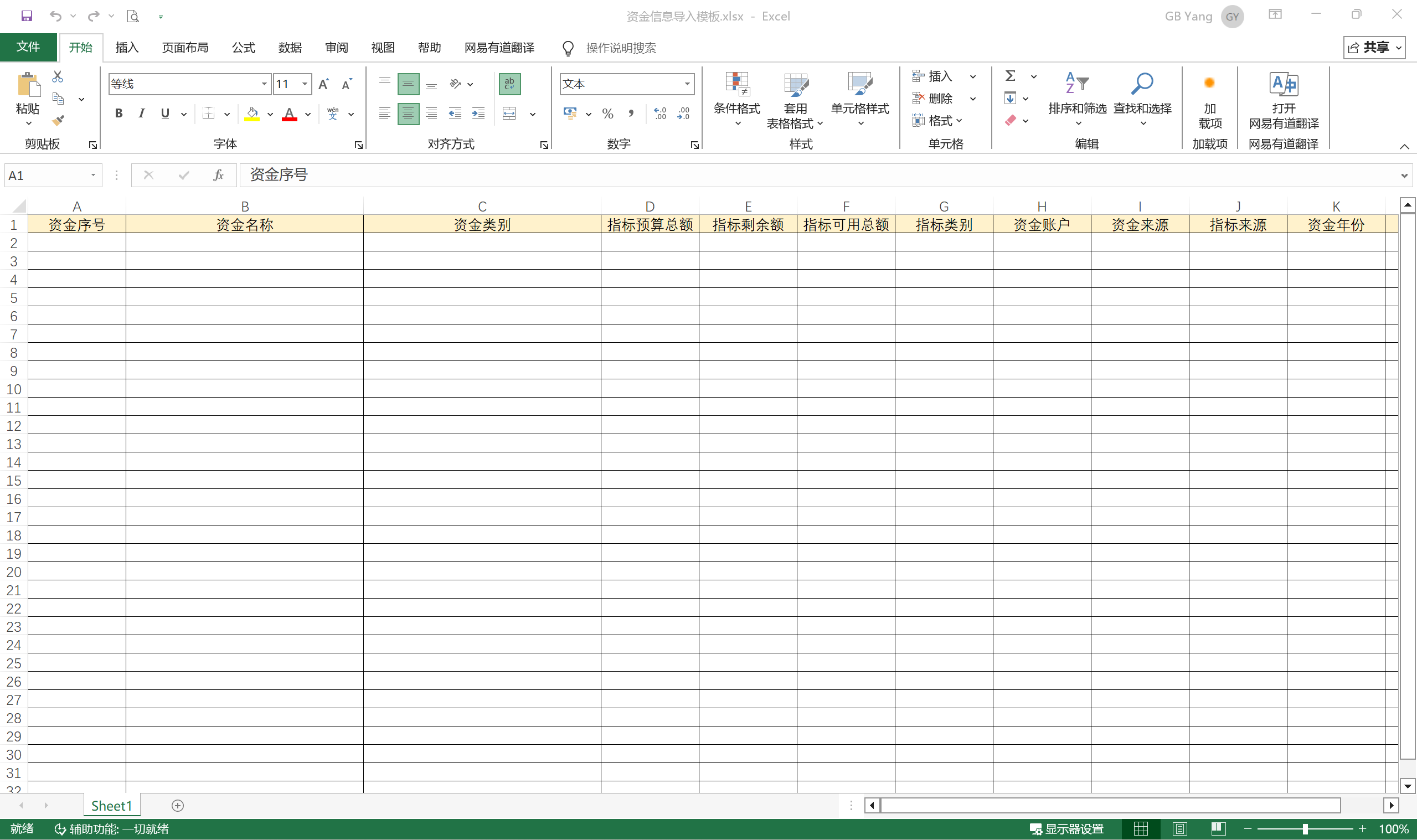
单元格配置下拉选项
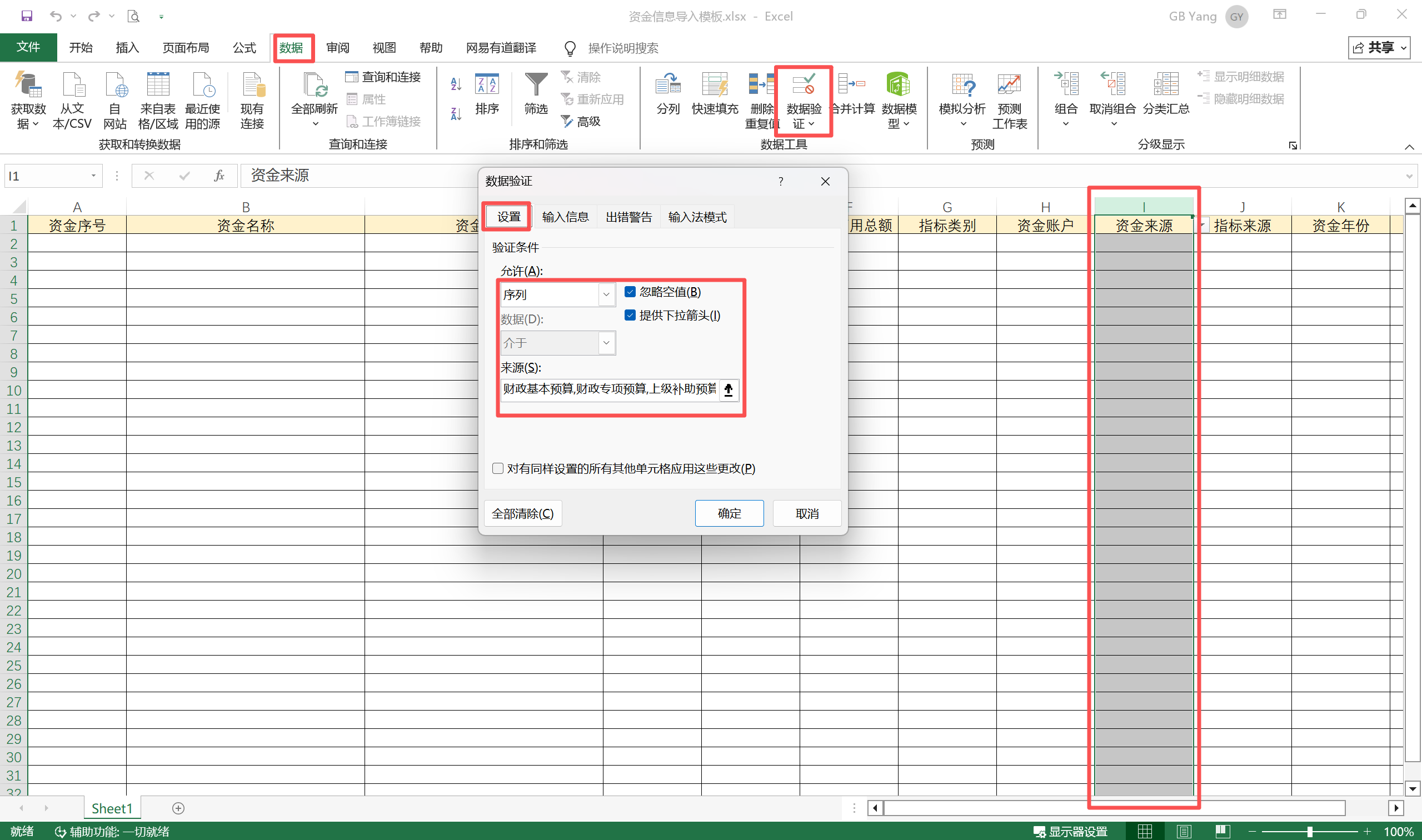
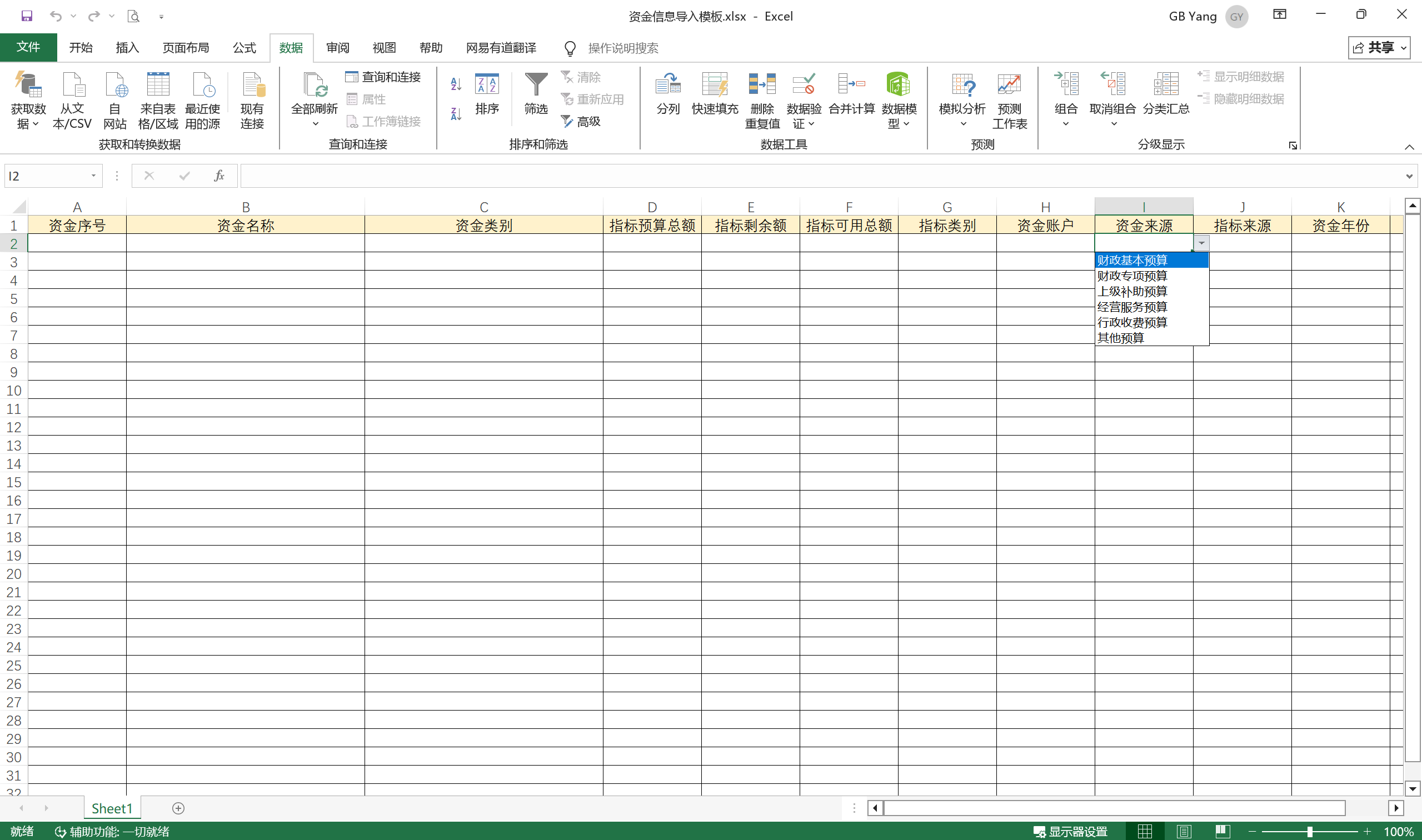
输入验证 + 出错警告
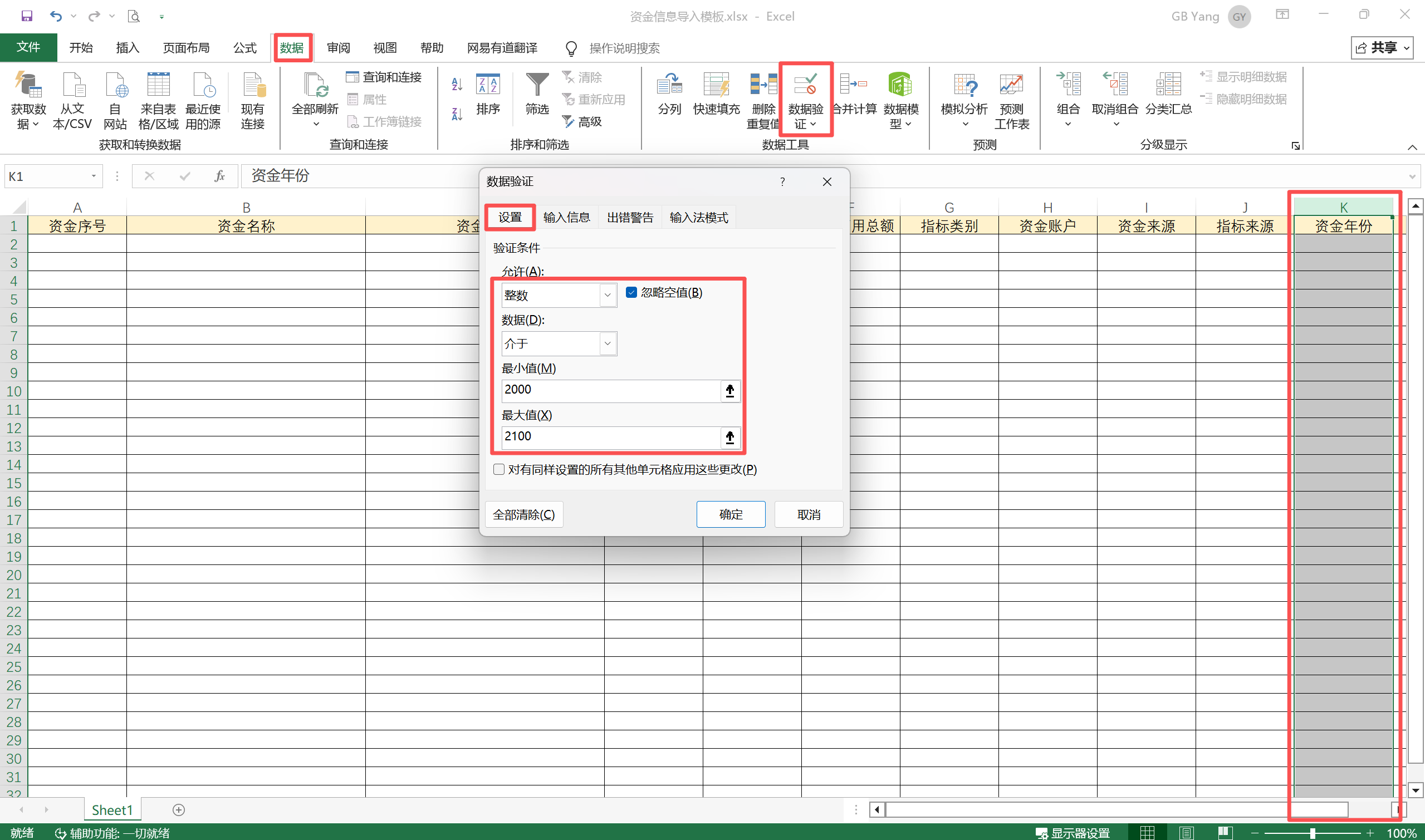
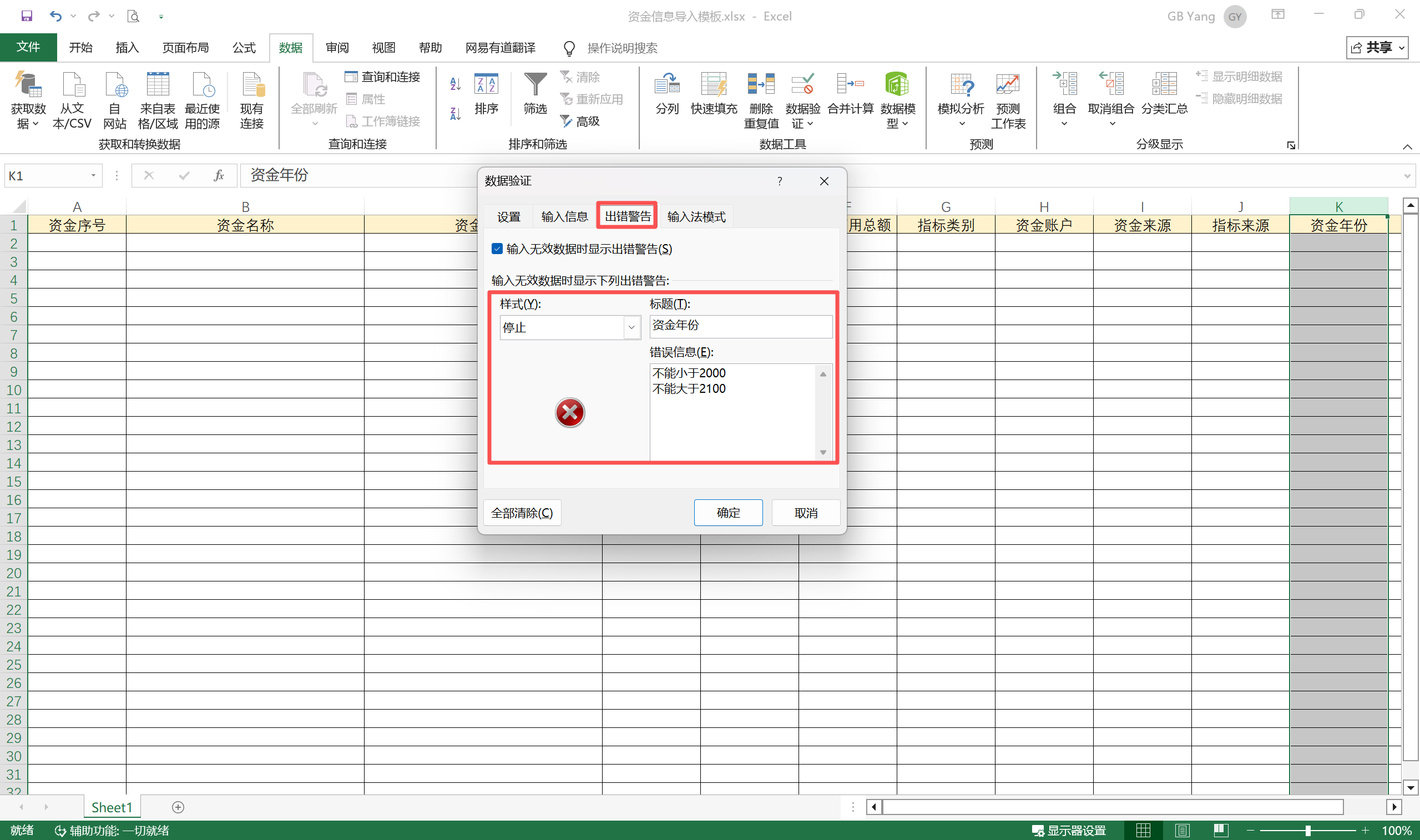
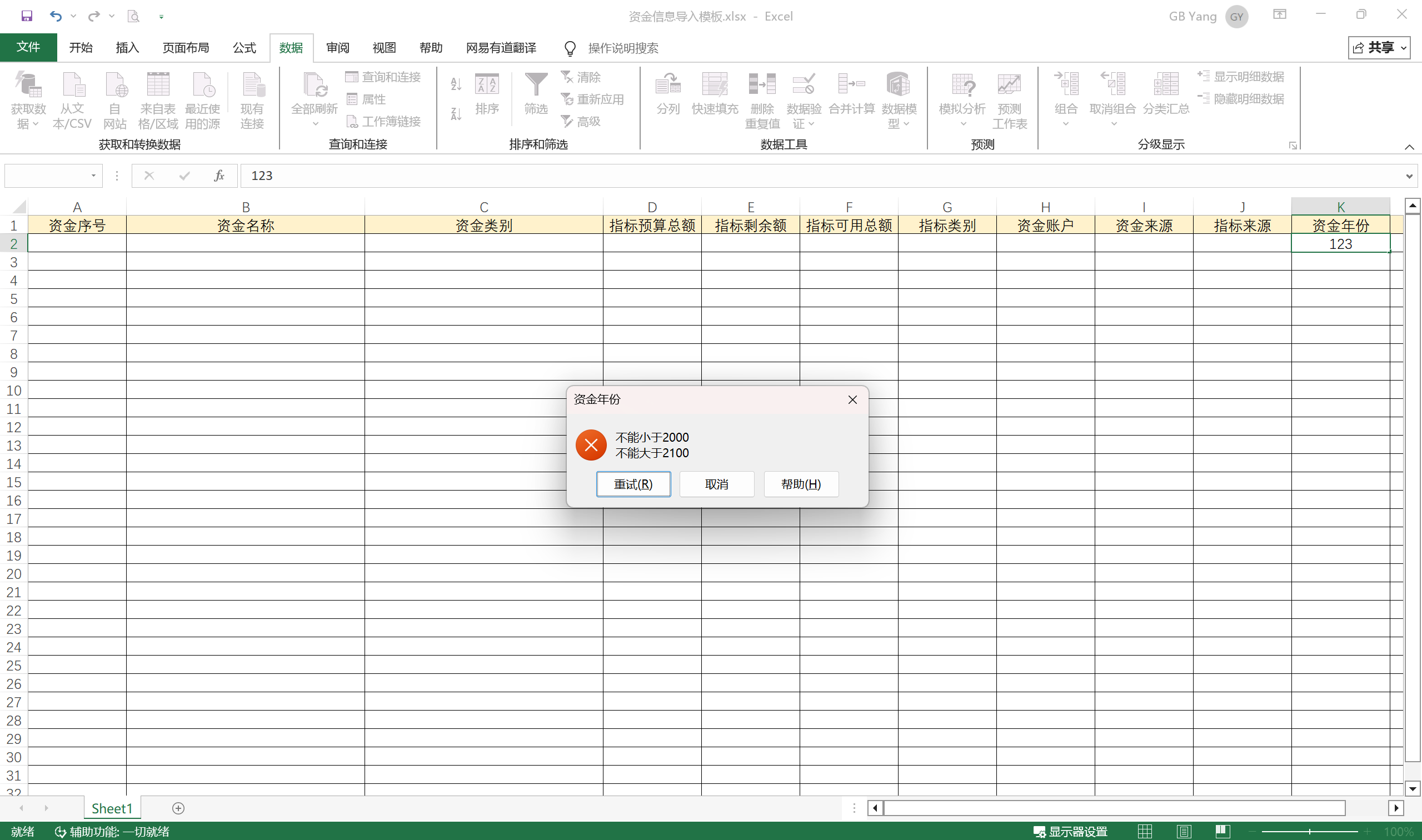
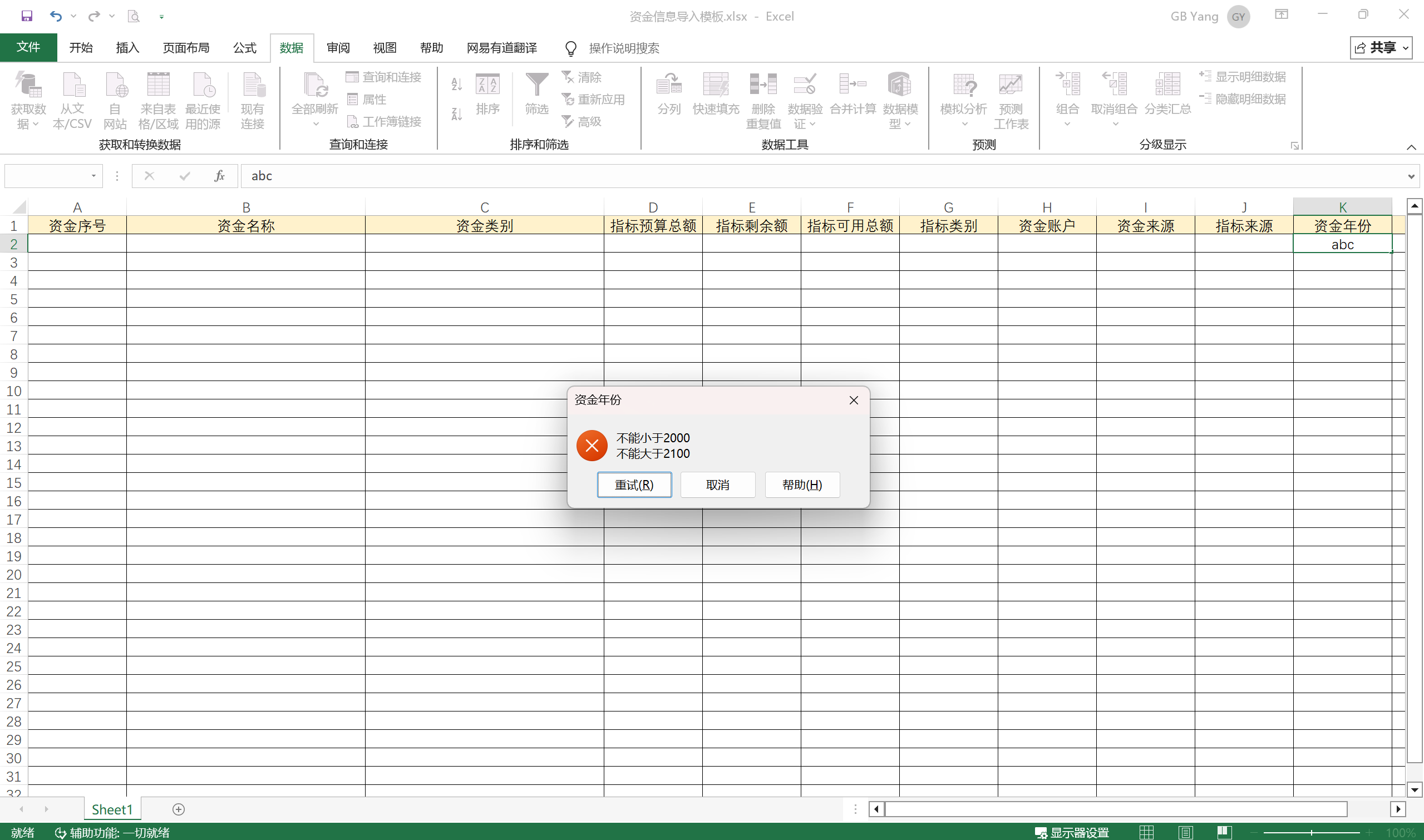
导出模板文件(项目部署文件)
存放路径
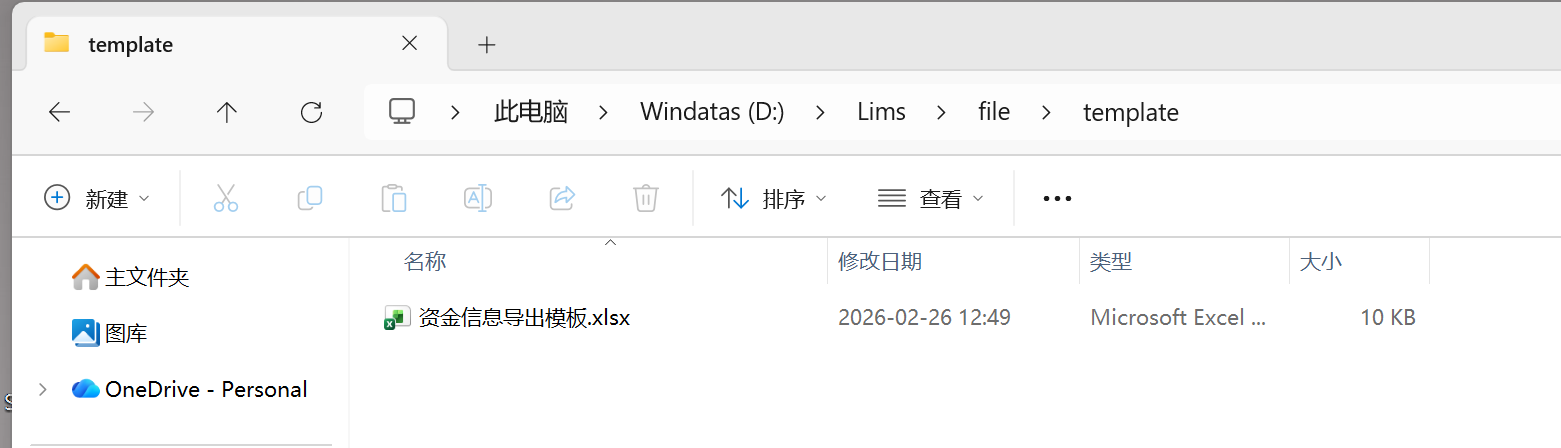
模板内容
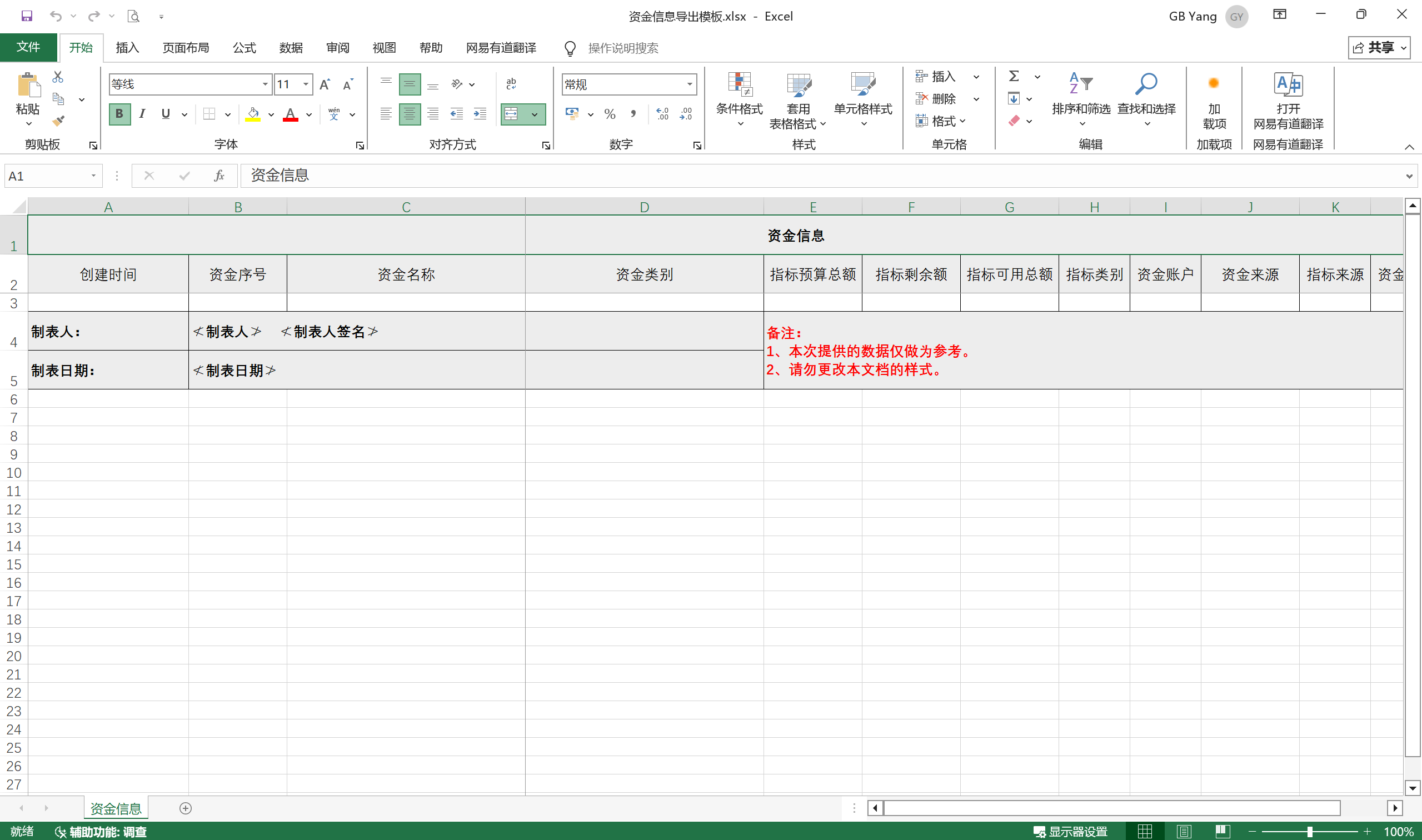

汇聚全球AI编程工具,助力开发者即刻编程。
更多推荐

 26
26 0
0- 0


 已为社区贡献49条内容

所有评论(0)