
Mongodb 7.0.4Windows 版本二进制文件安装
Mongodb 7.0.4Windows 版本二进制文件安装
下载安装包和mongo shell
https://www.mongodb.com/try/download/shell
https://www.mongodb.com/try/download/community
1、解压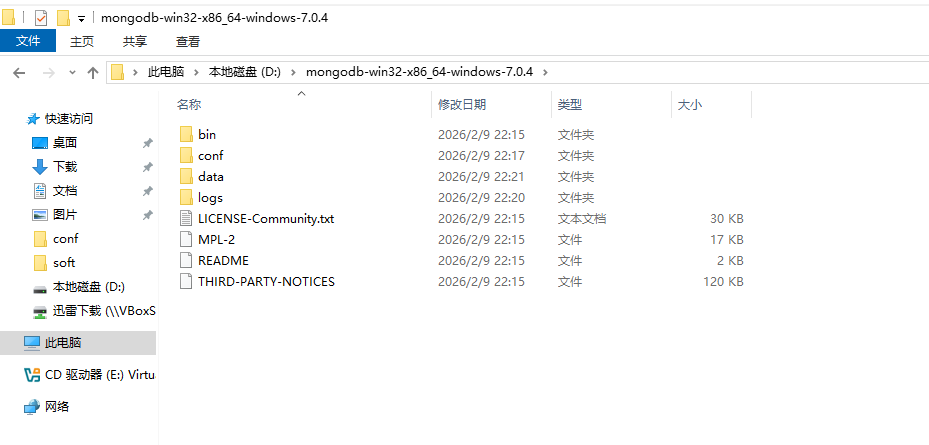
2、创建相关目录
data logs conf
3、增加配置文件
storage:
    dbPath: "D:\\mongodb-win32-x86_64-windows-7.0.4\\data"
systemLog:
    destination: "file"
    path: "D:\\mongodb-win32-x86_64-windows-7.0.4\\logs\\mongodb.log"
net:
  port: 27017
4、创建并启动服务
D:\mongodb-win32-x86_64-windows-7.0.4\bin>mongod --config "D:\mongodb-win32-x86_64-windows-7.0.4\conf\mongodb.cfg" --serviceName MongoDB --serviceDisplayName MongoDB --install

D:\mongodb-win32-x86_64-windows-7.0.4\bin>services.msc

D:\mongodb-win32-x86_64-windows-7.0.4\bin>net start mongodb
MongoDB 服务正在启动 .
MongoDB 服务已经启动成功。
5、查看版本号
D:\mongodb-win32-x86_64-windows-7.0.4\bin>mongod.exe --version
db version v7.0.4
Build Info: {
    "version": "7.0.4",
    "gitVersion": "38f3e37057a43d2e9f41a39142681a76062d582e",
    "modules": [],
    "allocator": "tcmalloc",
    "environment": {
        "distmod": "windows",
        "distarch": "x86_64",
        "target_arch": "x86_64"
    }
}

D:\mongodb-win32-x86_64-windows-7.0.4\bin>
6、mongo shell登陆验证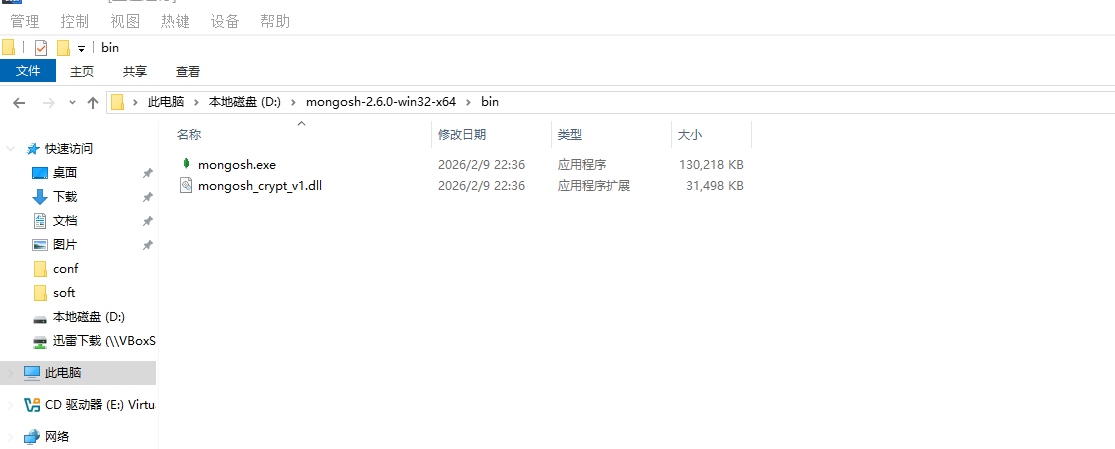
D:\mongosh-2.6.0-win32-x64\bin>mongosh.exe
Current Mongosh Log ID: 6989f0f081e7dcf372628c9f
Connecting to:          mongodb://127.0.0.1:27017/?directConnection=true&serverSelectionTimeoutMS=2000&appName=mongosh+2.6.0
Using MongoDB:          7.0.4
Using Mongosh:          2.6.0

For mongosh info see: https://www.mongodb.com/docs/mongodb-shell/


To help improve our products, anonymous usage data is collected and sent to MongoDB periodically (https://www.mongodb.com/legal/privacy-policy).
You can opt-out by running the disableTelemetry() command.

------
   The server generated these startup warnings when booting
   2026-02-09T22:20:12.844+08:00: Access control is not enabled for the database. Read and write access to data and configuration is unrestricted
   2026-02-09T22:20:12.844+08:00: This server is bound to localhost. Remote systems will be unable to connect to this server. Start the server with --bind_ip <address> to specify which IP addresses it should serve responses from, or with --bind_ip_all to bind to all interfaces. If this behavior is desired, start the server with --bind_ip 127.0.0.1 to disable this warning
------

test>
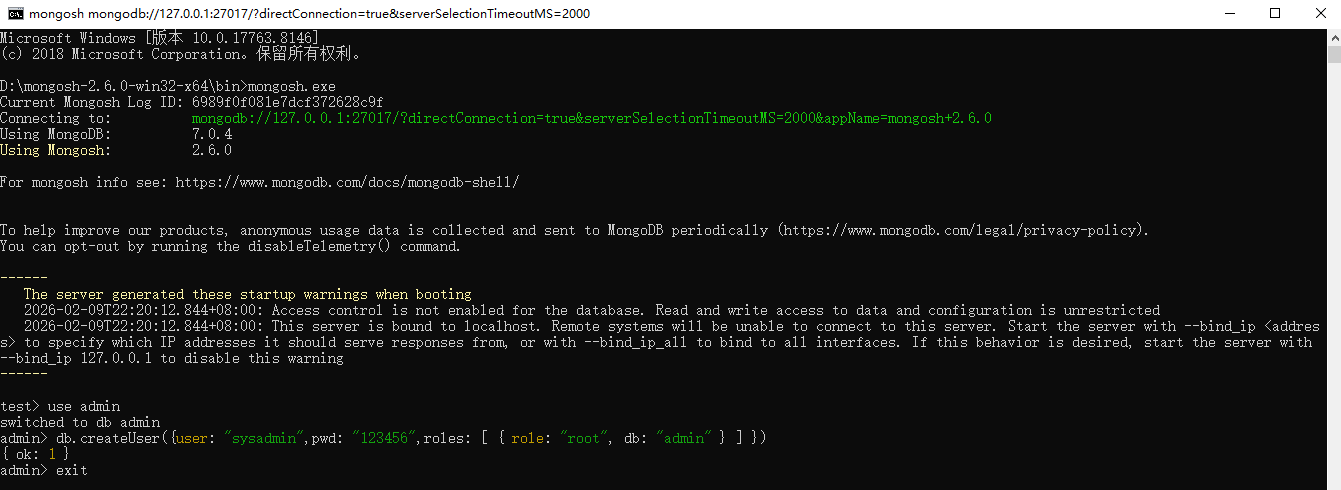
7、创建管理员账号
创建管理员账号
test> use admin
switched to db admin
admin> db.createUser({user: "sysadmin",pwd: "123456",roles: [ { role: "root", db: "admin" } ] })
{ ok: 1 }
admin>
8、修改数据库参数启用密码验证
增加如下参数:
security:
authorization: enabled
storage:
    dbPath: "D:\\mongodb-win32-x86_64-windows-7.0.4\\data"
systemLog:
    destination: "file"
    path: "D:\\mongodb-win32-x86_64-windows-7.0.4\\logs\\mongodb.log"
net:
  port: 27017
security:
  authorization: enabled
服务器本地登陆可以直接使用mongosh.exe执行
D:\mongosh-2.6.0-win32-x64\bin>mongosh.exe
Current Mongosh Log ID: 6989f2d93601236550628c9f
Connecting to:          mongodb://127.0.0.1:27017/?directConnection=true&serverSelectionTimeoutMS=2000&appName=mongosh+2.6.0
Using MongoDB:          7.0.4
Using Mongosh:          2.6.0

For mongosh info see: https://www.mongodb.com/docs/mongodb-shell/

test>
或者是通过如下命令指定参数登陆
mongosh “mongodb://ip:port”
mongosh ip:port/数据库 -u 用户名 -p 密码
mongosh -u 用户名 -p 密码 --port 端口号 --host ip 数据库名
D:\mongosh-2.6.0-win32-x64\bin>mongosh mongodb://127.0.0.1:27017/admin
Current Mongosh Log ID: 6989f3eaf782bf7b9a628c9f
Connecting to:          mongodb://127.0.0.1:27017/admin?directConnection=true&serverSelectionTimeoutMS=2000&appName=mongosh+2.6.0
Using MongoDB:          7.0.4
Using Mongosh:          2.6.0

For mongosh info see: https://www.mongodb.com/docs/mongodb-shell/

admin>

admin>
D:\mongosh-2.6.0-win32-x64\bin>mongosh mongodb://127.0.0.1:27017/admin -u sysadmin -p
Enter password: ******
Current Mongosh Log ID: 6989f41a8f9e4645f0628c9f
Connecting to:          mongodb://<credentials>@127.0.0.1:27017/admin?directConnection=true&serverSelectionTimeoutMS=2000&appName=mongosh+2.6.0
Using MongoDB:          7.0.4
Using Mongosh:          2.6.0

For mongosh info see: https://www.mongodb.com/docs/mongodb-shell/

------
   The server generated these startup warnings when booting
   2026-02-09T22:42:46.476+08:00: This server is bound to localhost. Remote systems will be unable to connect to this server. Start the server with --bind_ip <address> to specify which IP addresses it should serve responses from, or with --bind_ip_all to bind to all interfaces. If this behavior is desired, start the server with --bind_ip 127.0.0.1 to disable this warning
------

admin>
登陆数据库提示如下告警,处理方法是在配置文件中增加绑定地址
------
   The server generated these startup warnings when booting
   2026-02-09T22:42:46.476+08:00: This server is bound to localhost. Remote systems will be unable to connect to this server. Start the server with --bind_ip <address> to specify which IP addresses it should serve responses from, or with --bind_ip_all to bind to all interfaces. If this behavior is desired, start the server with --bind_ip 127.0.0.1 to disable this warning
------
增加如下配置,重启数据库再次登陆不会再提示。
storage:
    dbPath: "D:\\mongodb-win32-x86_64-windows-7.0.4\\data"
systemLog:
    destination: "file"
    path: "D:\\mongodb-win32-x86_64-windows-7.0.4\\logs\\mongodb.log"
net:
  bindIp: 0.0.0.0
  port: 27017
security:
  authorization: enabled
测试创建数据库创建集合和文档
常用命令:
show dbs # 查看所有的数据库
use demodb # 创建demodb数据库
db # 查看当前数据库
db.user.insert({name: “Chaitanya”, age: 30}) # 创建user集合并插入一条记录
db.user.find() #查看user集合
#插入多个记录
var beginners =
[
{
“StudentId” : 1001,
“StudentName” : “Steve”,
“age”: 30
},
{
“StudentId” : 1002,
“StudentName” : “Negan”,
“age”: 42
},
{
“StudentId” : 3333,
“StudentName” : “Rick”,
“age”: 35
},
];
db.students.insert(beginners);
示例:
admin> use demodb
switched to db demodb
demodb> show dbs
admin   132.00 KiB
config  108.00 KiB
local    72.00 KiB
demodb>

demodb> db.user.insert({name: "Chaitanya", age: 30})
DeprecationWarning: Collection.insert() is deprecated. Use insertOne, insertMany, or bulkWrite.
{
  acknowledged: true,
  insertedIds: { '0': ObjectId('6989f6468b0747a5a4628ca0') }
}
demodb> show dbs
admin   132.00 KiB
config  108.00 KiB
demodb    8.00 KiB
local    72.00 KiB
demodb> db.collection_name.find()

demodb> db.user.find()
[
  {
    _id: ObjectId('6989f6468b0747a5a4628ca0'),
    name: 'Chaitanya',
    age: 30
  }
]
demodb> var beginners =
...  [
...     {
...     "StudentId" : 1001,
...     "StudentName" : "Steve",
...         "age": 30
...     },
...     {
...     "StudentId" : 1002,
...     "StudentName" : "Negan",
...         "age": 42
...     },
...     {
...     "StudentId" : 3333,
...     "StudentName" : "Rick",
...         "age": 35
...     },
... ];

demodb> db.students.insert(beginners);
{
  acknowledged: true,
  insertedIds: {
    '0': ObjectId('6989f7798b0747a5a4628ca1'),
    '1': ObjectId('6989f7798b0747a5a4628ca2'),
    '2': ObjectId('6989f7798b0747a5a4628ca3')
  }
}
demodb> db.students.find()
[
  {
    _id: ObjectId('6989f7798b0747a5a4628ca1'),
    StudentId: 1001,
    StudentName: 'Steve',
    age: 30
  },
  {
    _id: ObjectId('6989f7798b0747a5a4628ca2'),
    StudentId: 1002,
    StudentName: 'Negan',
    age: 42
  },
  {
    _id: ObjectId('6989f7798b0747a5a4628ca3'),
    StudentId: 3333,
    StudentName: 'Rick',
    age: 35
  }
]
demodb>

汇聚全球AI编程工具,助力开发者即刻编程。
更多推荐
 0
0 0
0- 0


 已为社区贡献5条内容

所有评论(0)