
【JavaEE】【SpringCloud】配置管理 spring cloud consul

一、consul 简介
Consul 是HashiCorp开发的⼀款开源的组件,主要⽤于服务发现、配置管理和分布式系统的健康检查。
它的主要功能包括:
- 服务注册/发现:服务在启动时向Consul注册,并在需要时,向Consul查询其他服务的地址和状态
- 健康检查:Consul提供了健康检查机制,确保只有健康的服务实例对外提供服务,防⽌服务转发到故障的服务
- 配置管理: Consul提供了⼀个Key/Value存储系统,⽤于存储配置数据和其他需要共享的信息。
- 服务分段:Consul⽀持服务分段,允许你创建隔离的环境,例如开发,测试和⽣产环境。
Consul和Nacos对比
| 功能 | Consul | Nacos |
|---|---|---|
| 服务注册/发现 | ⽀持 DNS 和 HTTP API | ⽀持 DNS 和 HTTP API |
| 健康检查 | 服务端主动探测(如 HTTP/TCP 检查) | 客⼾端主动上报⼼跳(被动检查) + 服务端主动探测 |
| 配置管理 | 基于 Key-Value 存储,功能较基础 | 专⽤配置中⼼,⽀持动态推送、版本管理、灰度发布 |
| ⼀致性协议 | 基于 Raft 算法的强⼀致性(CP 模型) | 默认 AP(⾼可⽤)模式,可切换为 CP(强⼀致)模式 |
| 性能 | Consul在强⼀致性场景下更可靠,但性能可能有所牺牲 | 吞吐量上更⾼,尤其是处理⼤量实例时 |
二、consul 安装
下载地址:https://developer.hashicorp.com/consul/install
Windows解压之后,⾥⾯是⼀个exe⽂件,使⽤cmd进⼊到该⽬录输⼊ .\consul.exe --version 如果正确显⽰版本,则说明下载正确

启动consul.\consul.exe agent -dev
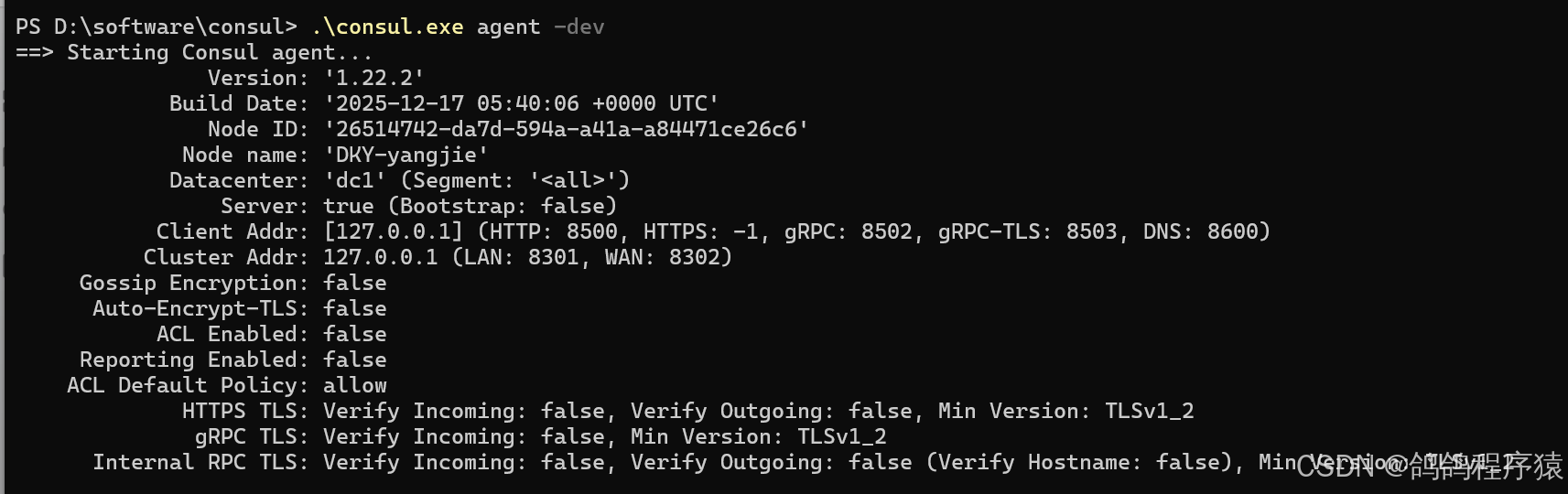
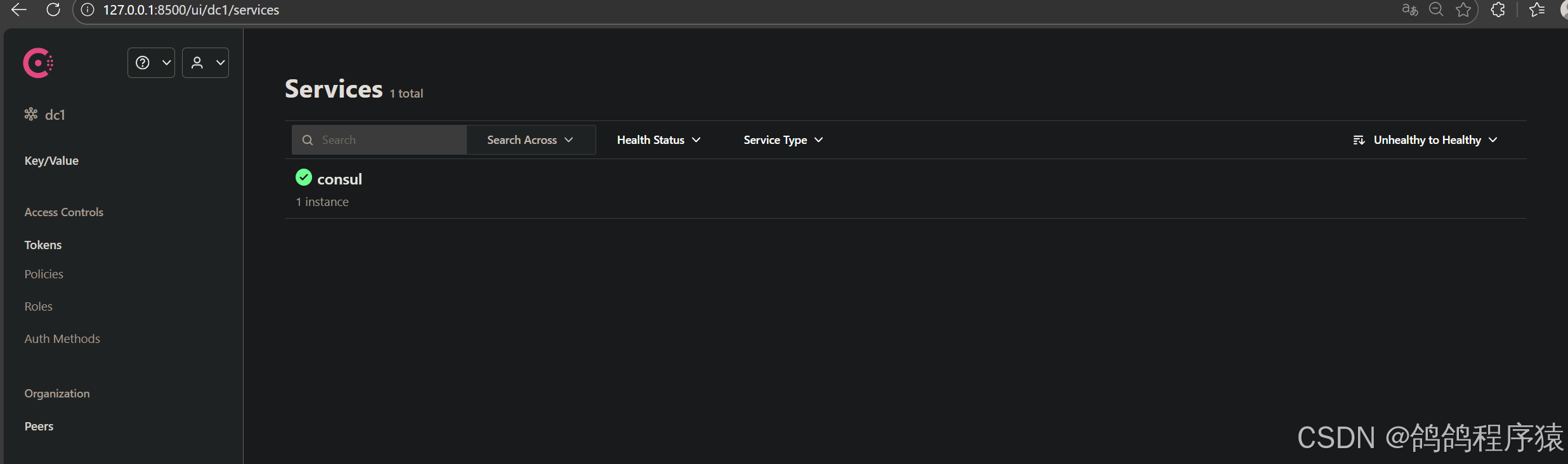
Linux环境直接输入官网的对应命令即可
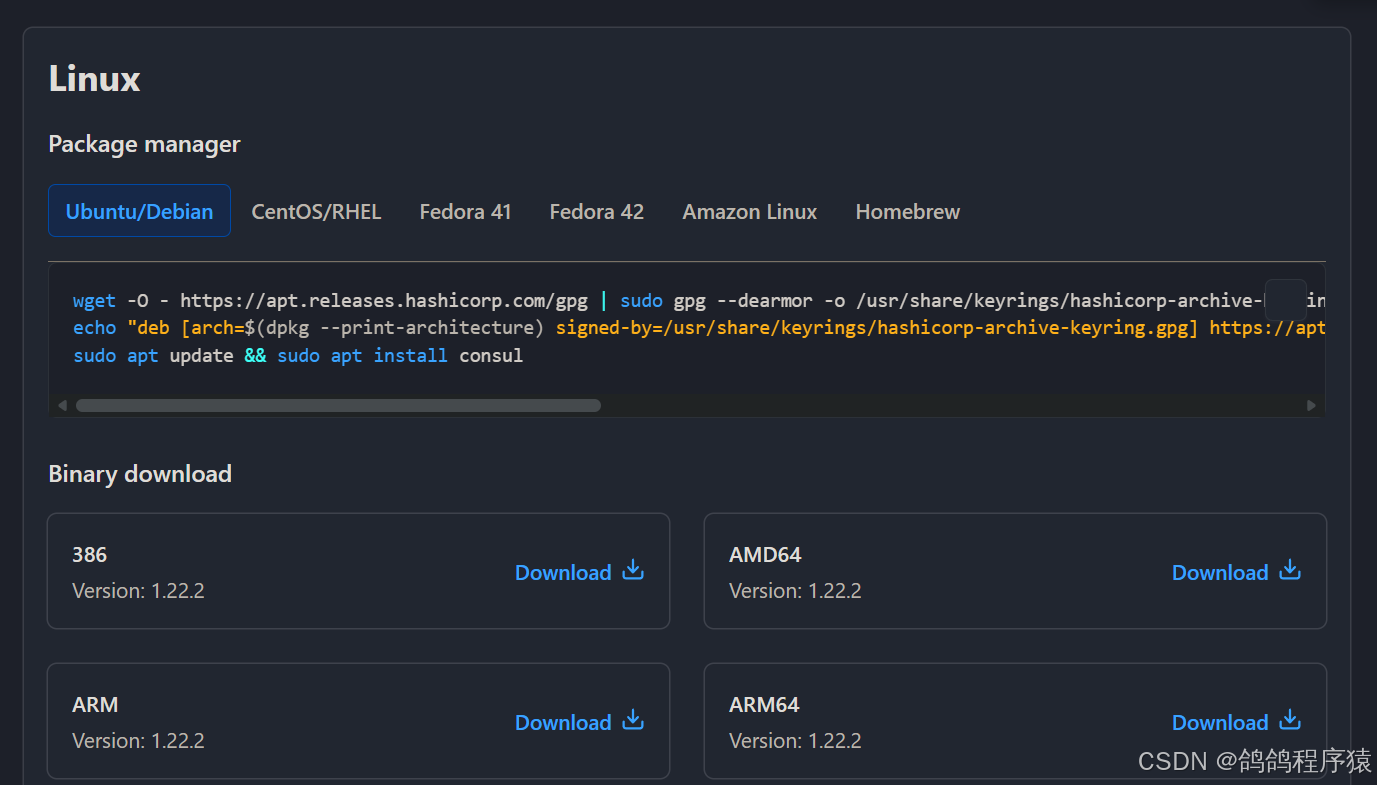
安装完后consul -v确认版本,nohup consul agent -dev -client 0.0.0.0 -ui &启动consul。
停⽌consul服务
consul leave
卸载consul软件包
sudo apt-get remove consul
sudo apt-get autoremove consul
清理残留⽂件
sudo apt-get autoclean
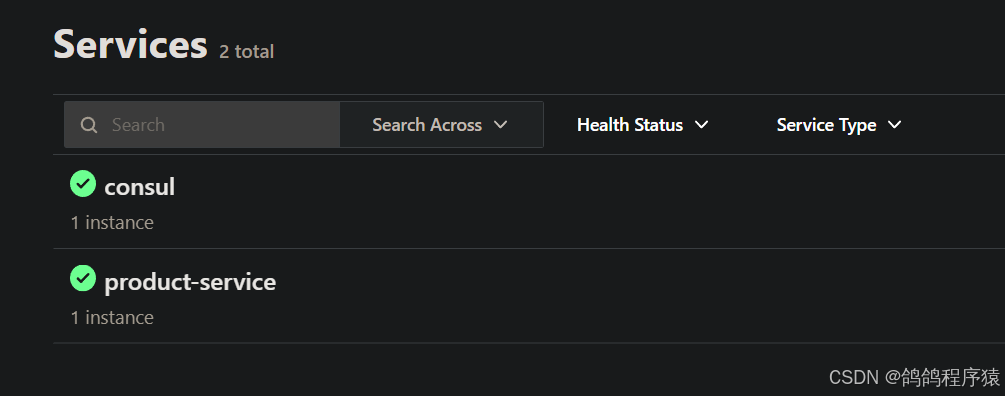
三、服务注册/发现
官方文档:https://docs.spring.io/spring-cloud-consul/reference/discovery.html
我们还是使用 【JavaEE】【SpringCloud】环境与工程搭建 文章的工程实现。
- 添加依赖
Consul ⽀持健康检查,以确保只有健康的服务实例可被发现,Consul 使⽤了actuator提供服务的健康检查,所以除了consul之外,还需要引⼊actuator的依赖
在product-service的pom文件中添加依赖:
            <dependency>
                <groupId>org.springframework.cloud</groupId>
                <artifactId>spring-cloud-starter-consul-discovery</artifactId>
            </dependency>
            <dependency>
                <groupId>org.springframework.boot</groupId>
                <artifactId>spring-boot-starter-actuator</artifactId>
            </dependency>
- 添加配置
在product-service添加配置:
spring:
  application:
    name: product-service
  cloud:
    consul:
      host: localhost
      port: 8500
      discovery:
        service-name: product-service
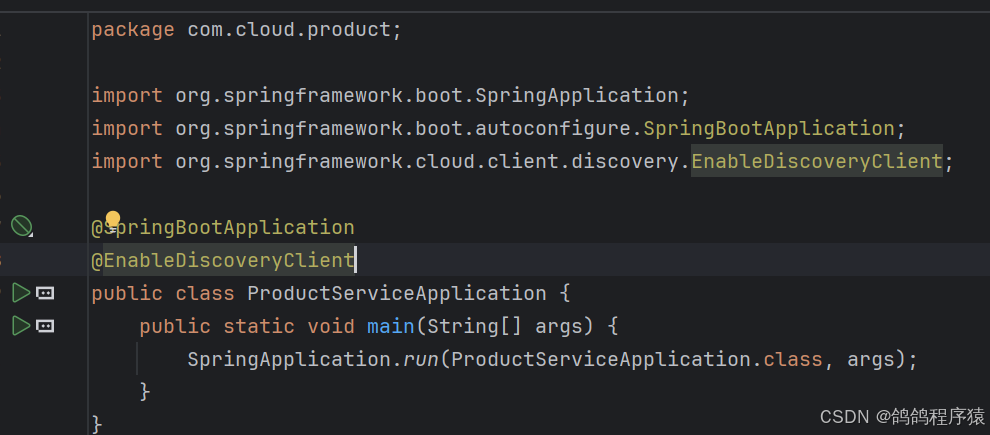
- 添加注解 @EnableDiscoveryClient
在主启动类添加注解 @EnableDiscoveryClient
四、服务配置
官方链接:https://docs.spring.io/spring-cloud-consul/reference/config.html
Consul 提供了⼀个键值存储(K-V Store)⽤于存储服务配置和其他元数据。是Spring Cloud Config的替代⽅案,在特殊的"bootstrap"阶段,配置被加载到Spring 环境中。默认情况下,配置存储在 /config ⽂件夹中。根据应⽤程序的名称和激活的配置⽂件,会创建多个 PropertySource实例。当前配置在应⽤程序启动时读取,向/refresh发送HTTP POST请求将导致配置重新加载。Config Watch也会⾃动检测变化并重新加载应⽤程序上下⽂。
4.1 初始化配置
-
创建⽬录
创建⽬录,把配置信息存储⾄ Consul。
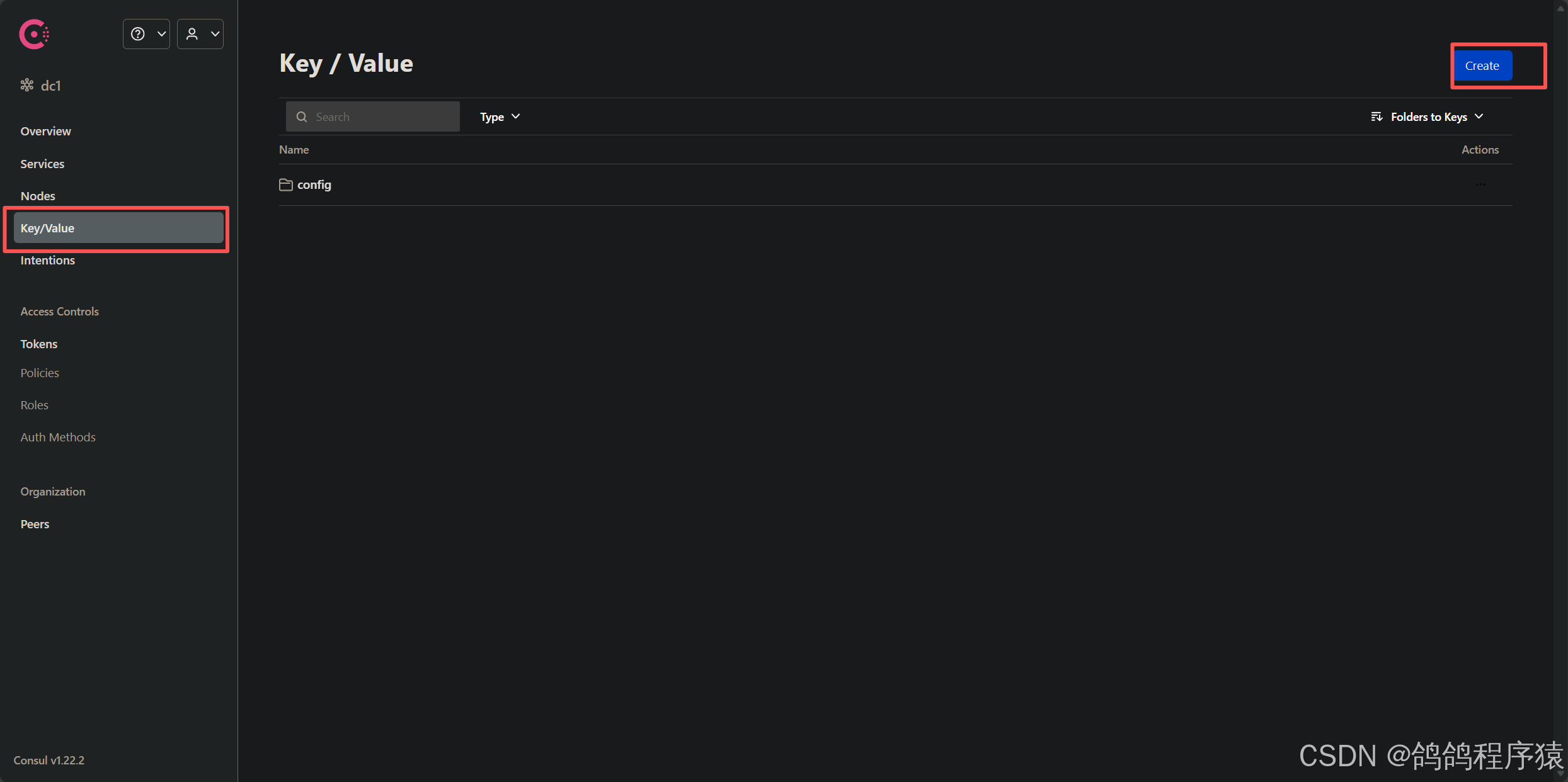
点击菜单 Key/Value -> Create 按钮 -> 创建 config/ 基本⽬录 可以把config理解为配置⽂件所在的最外层⽂件夹(⽂件夹以 / 结尾 )。
-
创建应⽤⽬录
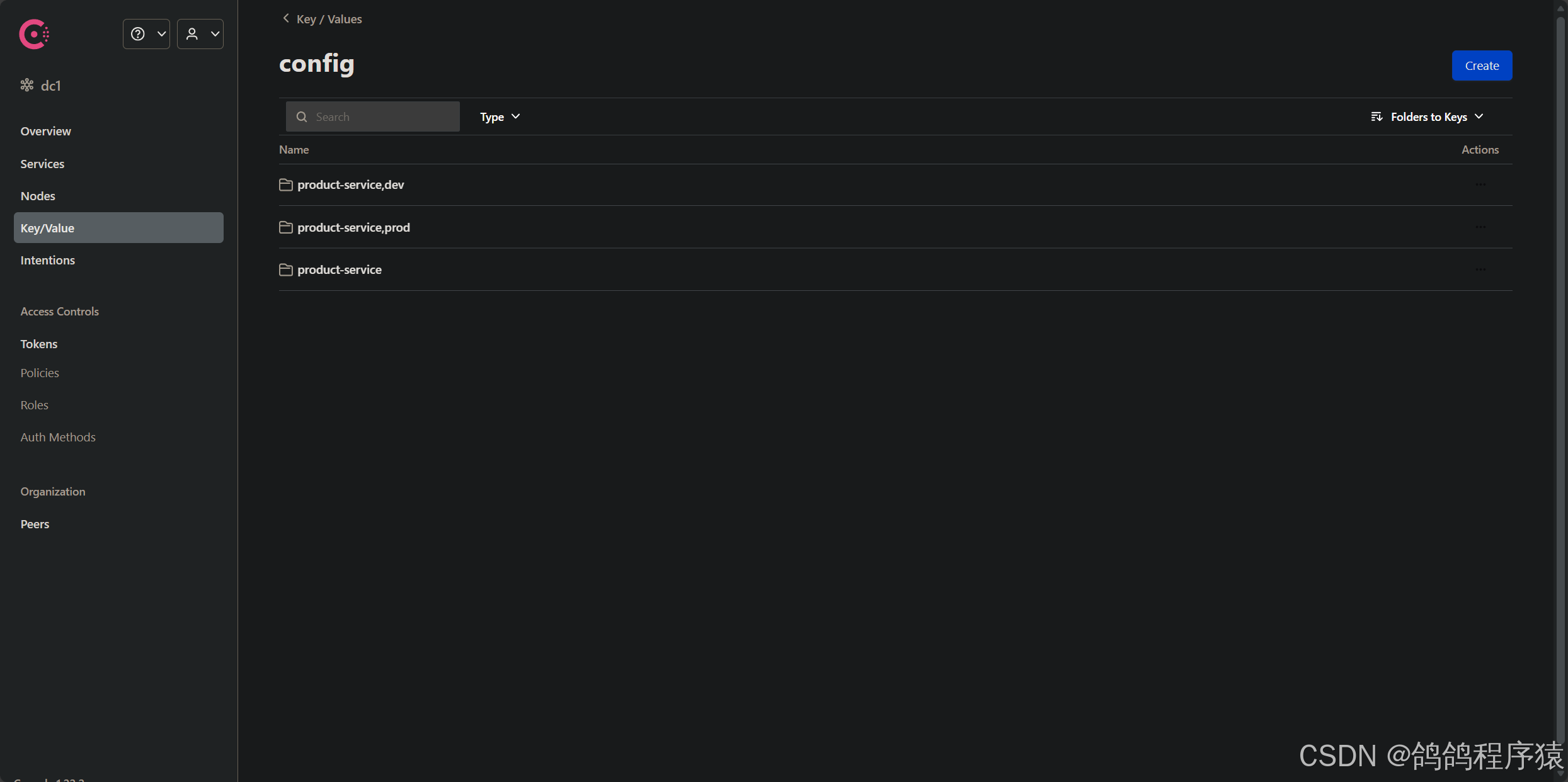
点击 config 进⼊⽂件夹,再点击 Create 按钮
创建 product-service/ 应⽤⽬录,存储对应微服务应⽤的 default 环境配置信息,如果我们的项⽬有多个环境;default,dev,prod,就在 config ⽬录下创建对应的多环境⽬录
• config/product-service/ 对应使⽤ config 前缀的,名称为 product-service 的应⽤
• config/product-service,dev/ 对应使⽤ config 前缀的,名称为 product-service,且启⽤ dev profile 的应⽤
• config/product-service,prod/ 对应使⽤ config 前缀的,名称为 product-service,且启⽤prod profile 的应⽤
-
添加配置信息
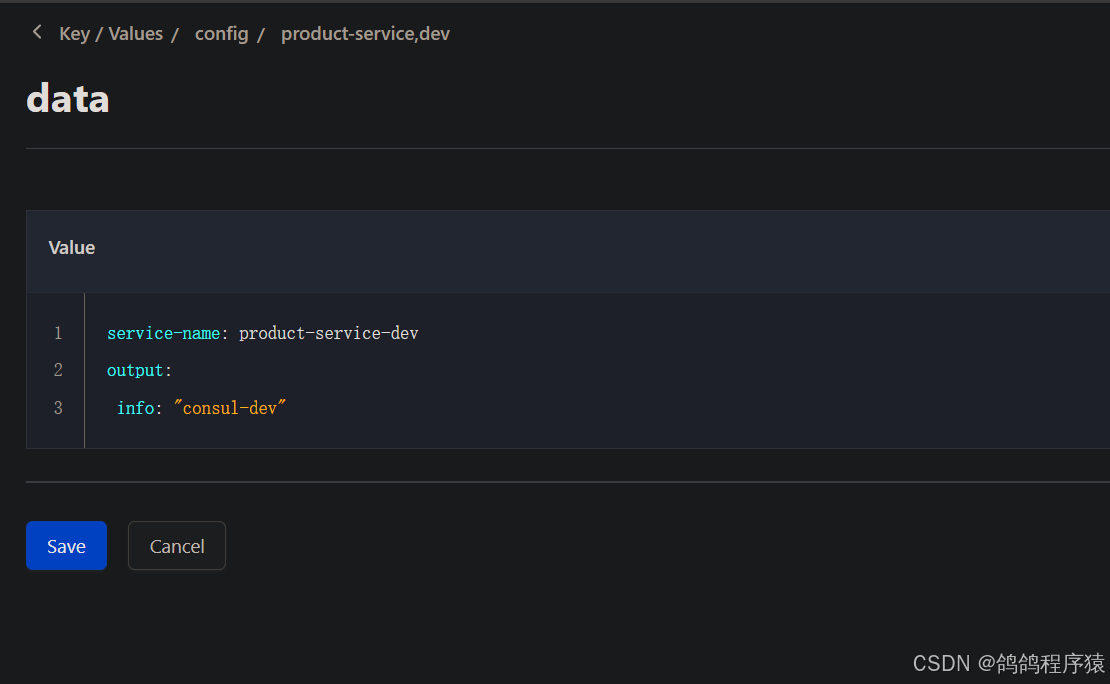
在product-service下创建⽂件
填写key: data
填写value:
service-name: product-service-default
output:
 info: "consul-default"
在product-service,dev下创建⽂件
填写key: data
填写value:
service-name: product-service-dev
output:
 info: "consul-dev"
在product-service,prod下创建⽂件
填写key: data
填写value:
service-name: product-service-prod
output:
 info: "consul-prod"
4.2 项目配置
- 添加依赖
Spring Cloud 会创建⼀个 Bootstrap Context ,作为Spring 应⽤"Application Context" 的⽗上下⽂。在Spring应⽤启动的初始化阶段, Bootstrap Context 负责从外部源(如Consul)加载配置属性并解析配置。
所以除了添加 spring-cloud-starter-consul-config 依赖之外,还需要加⼊依赖 springcloud-starter-bootstrap
来实现。
在product-service中添加配置:
        <dependency>
            <groupId>org.springframework.cloud</groupId>
            <artifactId>spring-cloud-starter-consul-config</artifactId>
        </dependency>
        <dependency>
            <groupId>org.springframework.cloud</groupId>
            <artifactId>spring-cloud-starter-bootstrap</artifactId>
        </dependency>
- 配置⽂件
Bootstrap属性具有⾼优先级,也就是说在 bootstrap.yml 或 bootstrap.properties 中定义的配置会优先于application.yml 或 application.properties 中的配置。bootstrap.yml 主要⽤于配置应⽤启动时所需的外部依赖和环境,⽽ application.yml ⽤于业务逻辑相关的配置(如数据库连接等)
bootstrap.yml
spring:
  application:
    name: product-service
  cloud:
    consul:
      host: 127.0.0.1
      port: 8500
      config:
        format: YAML
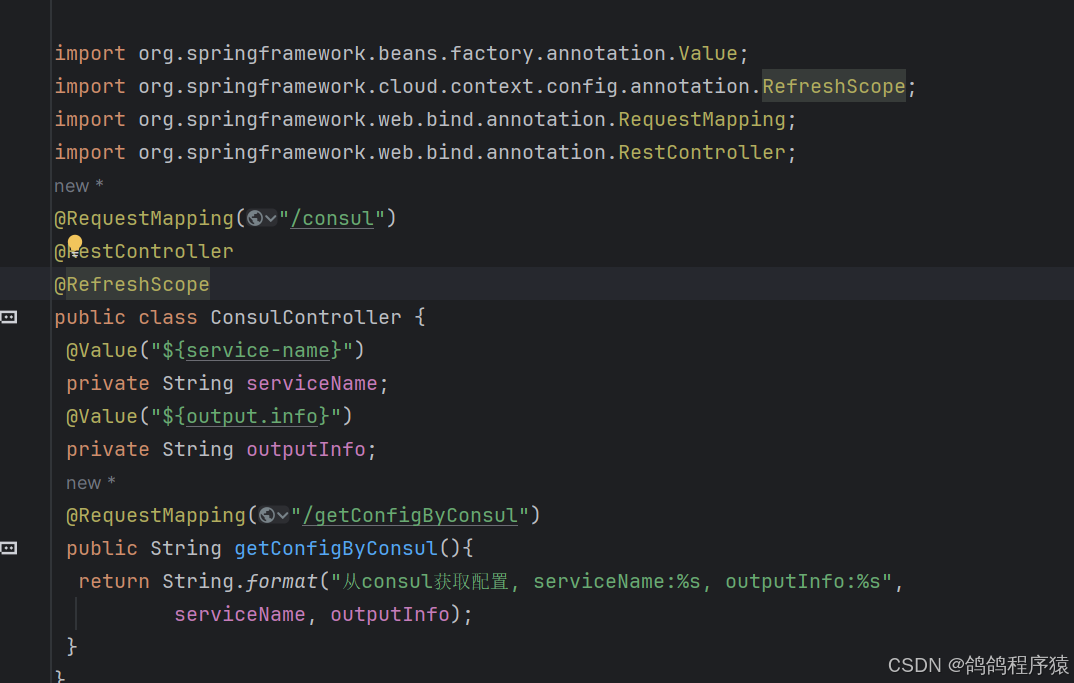
测试代码:
package com.cloud.product.controller;

import org.springframework.beans.factory.annotation.Value;
import org.springframework.web.bind.annotation.RequestMapping;
import org.springframework.web.bind.annotation.RestController;
@RequestMapping("/consul")
@RestController
public class ConsulController {
 @Value("${service-name}")
 private String serviceName;
 @Value("${output.info}")
 private String outputInfo;
 @RequestMapping("/getConfigByConsul")
 public String getConfigByConsul(){
  return String.format("从consul获取配置, serviceName:%s, outputInfo:%s",
          serviceName, outputInfo);
 }
}

五、动态刷新
动态刷新只针对修改文件,不针对新增文件。
Consul⽀持动态刷新配置,在配置类上添加 @RefreshScope 注解,可以标记需要动态刷新的Bean。
当接收到刷新事件时,这些Bean会重新加载最新的配置。
Consul会对配置更新进⾏检查,跟服务器上⾯的配置⽂件的版本进⾏⽐较,如果版本不⼀致,则调⽤Spring的刷新事件,触发事件刷新,否则代表配置没有变化。
默认的检查频率为 1000 单位毫秒,可以通过 spring.cloud.consul.config.watch.delay 配置。
spring:
  application:
    name: product-service
  cloud:
    consul:
      host: 127.0.0.1
      port: 8500
      config:
        format: YAML
        watch:
          # 刷新频率,单位:毫秒,默认值 1000
          delay: 1000
六、其他配置
默认情况下,配置的路径前缀是 /config,不同的 application 和 profile 对应不同的配置路径。
config/product-service,dev/
config/product-service/
config/application,dev/
config/application/
- config/application/ 全局公共配置,对应使⽤ config 前缀的所有应⽤
- config/application,dev/ 全局dev公共配置,对应使⽤ config 前缀的所有,且启⽤ dev profile 的应⽤
这个列表从上往下分别对应的配置优先级从⾼到低,优先级⾼的同样配置项会覆盖优先级低的配置项。
配置项:
spring:
  cloud:
    consul:
      host: 127.0.0.1
      port: 8500
      config:
  # 是否启⽤配置中⼼,默认值 true 开启
        enabled: true
  # 设置配置的基本⽂件夹,默认值 config 可以理解为配置⽂件所在的最外层⽂件夹
        prefix: config
  # 配置环境分隔符,默认值 "," 和 default-context 配置项搭配
  # 例如应⽤ product-service 分别有环境 default, dev, prod
  # 需在 config ⽂件夹下创建 product-service, product-service-dev, product-service-prod ⽂件夹即可
        profile-separator: '-'
# 指定配置格式为 yaml
        format: YAML
# Consul 的 Key/Values 中的 Key, Value 对应整个配置⽂件
        data-key: productConfig
# 以上配置可以理解为:加载 config/product-service/ ⽂件夹下 Key 为 productConfig 的 Value 对应的配置信息
        watch:
# 是否开启⾃动刷新,默认值 true 开启
          enabled: true
# 刷新频率,单位:毫秒,默认值 1000
          delay: 1000
七、配置持久化
当我们重启Consul时,会发现Consul存储的数据都会丢失了,这与我们的启动命令有关。
启动命令:
consul agent [options]
- -dev: 开发模式,关闭所有持久化选项,⽤于快速开启consul代理
- -server:以服务器模式启动 Consul 代理
- -client:以客⼾端模式启动 Consul 代理
- -ui:启⽤ Consul 的 Web ⽤⼾界⾯
- -bootstrap-expect:设置期望加⼊的服务器节点数,⽤于初始化集群
- -data-dir:指定数据存储⽬录
开发模式( -dev )主要⽤于快速启动单节点 Consul 环境,适⽤于开发和测试,不适⽤于⽣产环境,因为它不会持久化任何状态.⽽服务器模式(-server)和客⼾端模式(-client)则更多地⽤于⽣产环境,以构建⼀个完整的 Consul 集群。
服务器模式是 Consul 集群的核⼼,负责处理集群的管理和数据存储。客⼾端模式更轻量级,主要⽤于服务发现和健康检查,不参与集群的管理和数据存储。

汇聚全球AI编程工具,助力开发者即刻编程。
更多推荐

 29
29 0
0- 0


 已为社区贡献15条内容

所有评论(0)