
nginx重启命令出错:nginx -s reload nginx: [error] invalid PID number ““ in “/run/nginx.pid“
·
问题
运行nginx重启命令出错:
nginx -s reload
nginx: [error] invalid PID number "" in "/run/nginx.pid"
但是nginx 进程在运行:
(base) [root@localhost sbin]# ps -ef | grep nginx
root     127906 173936  0 12:01 pts/1    00:00:00 grep --color=auto nginx
root     197107 196964  0 Jan08 ?        00:00:00 nginx: master process /usr/sbin/nginx
root     197108 197107  0 Jan08 ?        00:00:00 nginx: worker process
root     197109 197107  0 Jan08 ?        00:00:00 nginx: worker process
root     197110 197107  0 Jan08 ?        00:00:00 nginx: worker process
root     197111 197107  0 Jan08 ?        00:00:00 nginx: worker process
root     197112 197107  0 Jan08 ?        00:00:00 nginx: worker process
root     197113 197107  0 Jan08 ?        00:00:00 nginx: worker process
root     197114 197107  0 Jan08 ?        00:00:00 nginx: worker process
root     197115 197107  0 Jan08 ?        00:00:00 nginx: worker process
解决:
1.网上查阅资料后,发现:
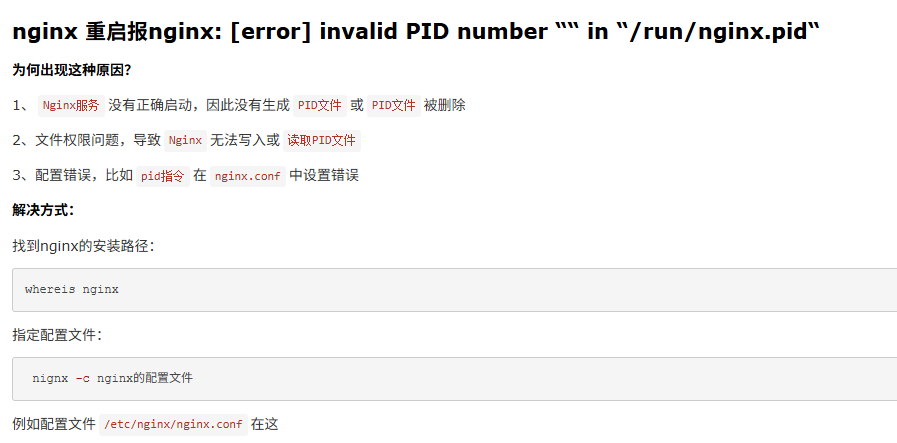
2.我的/run/nginx.pid目录下的文件为空,所以我觉得是文件为空问题,deepseek推荐我:
# 1. 删除空的PID文件
rm -f /run/nginx.pid

# 2. 写入正确的PID(197107)
echo 197107 > /run/nginx.pid

# 3. 设置权限
chmod 644 /run/nginx.pid

# 4. 现在可以正常重载了
nginx -s reload
我只执行了第二步:echo 197107 > /run/nginx.pid,然后第四步nginx重启就成功了。

汇聚全球AI编程工具,助力开发者即刻编程。
更多推荐


 1
1 0
0- 0


 已为社区贡献1条内容

所有评论(0)