
基于Vue+Spring Boot+MySQL的企业资产管理系统设计与实现
企业资产管理系统
摘要
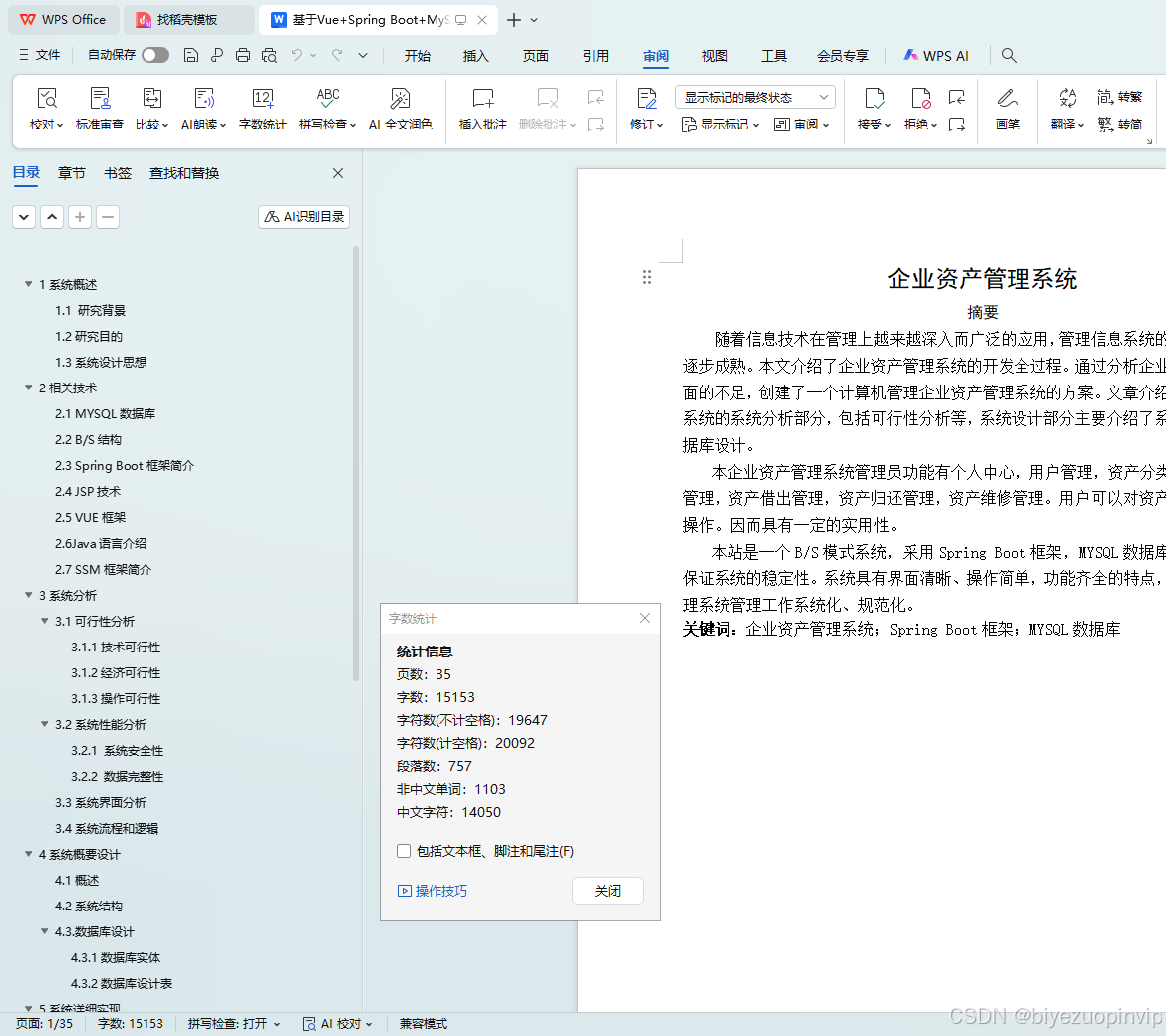
随着信息技术在管理上越来越深入而广泛的应用,管理信息系统的实施在技术上已逐步成熟。本文介绍了企业资产管理系统的开发全过程。通过分析企业资产管理系统方面的不足,创建了一个计算机管理企业资产管理系统的方案。文章介绍了企业资产管理系统的系统分析部分,包括可行性分析等,系统设计部分主要介绍了系统功能设计和数据库设计。
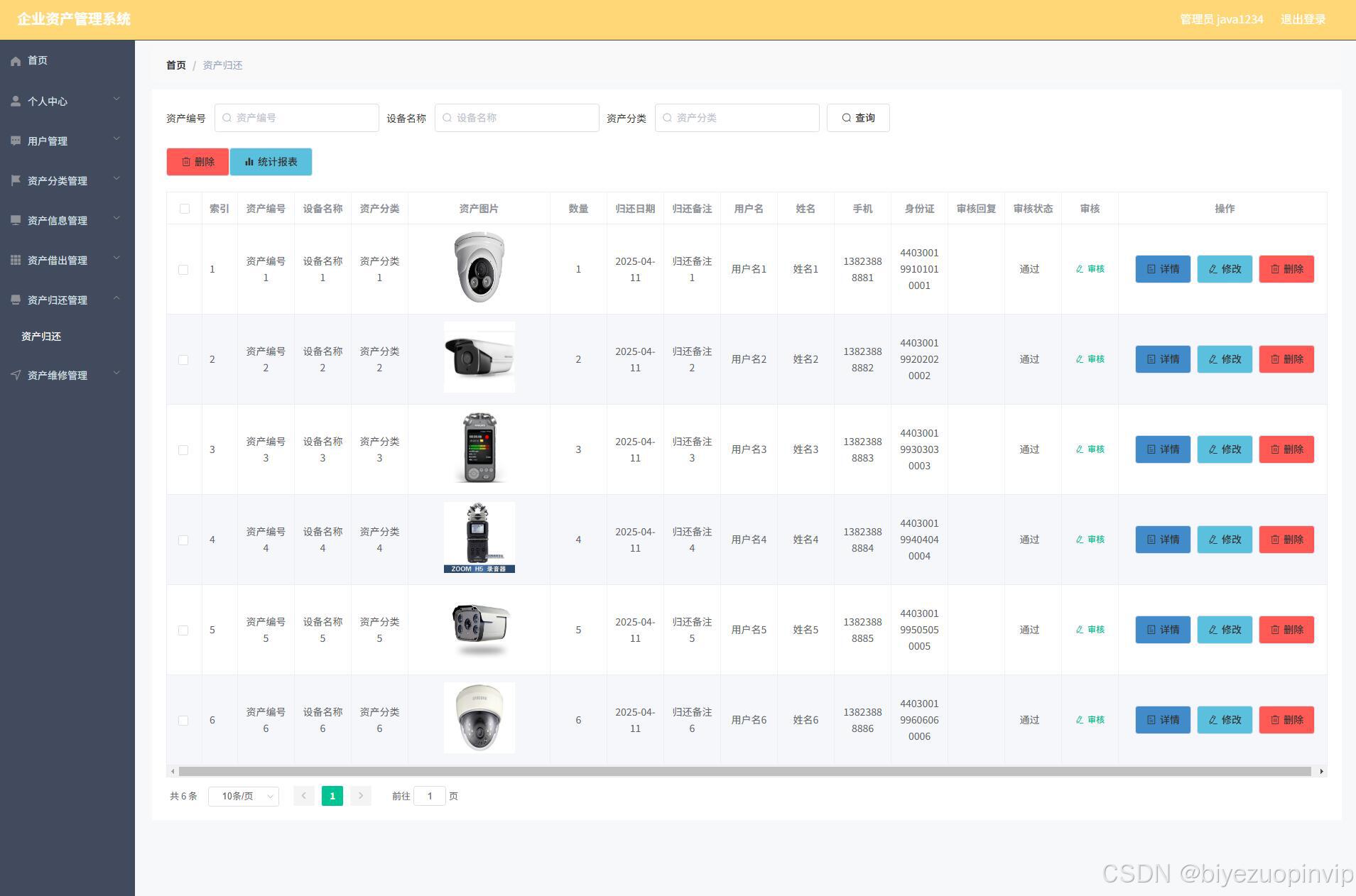
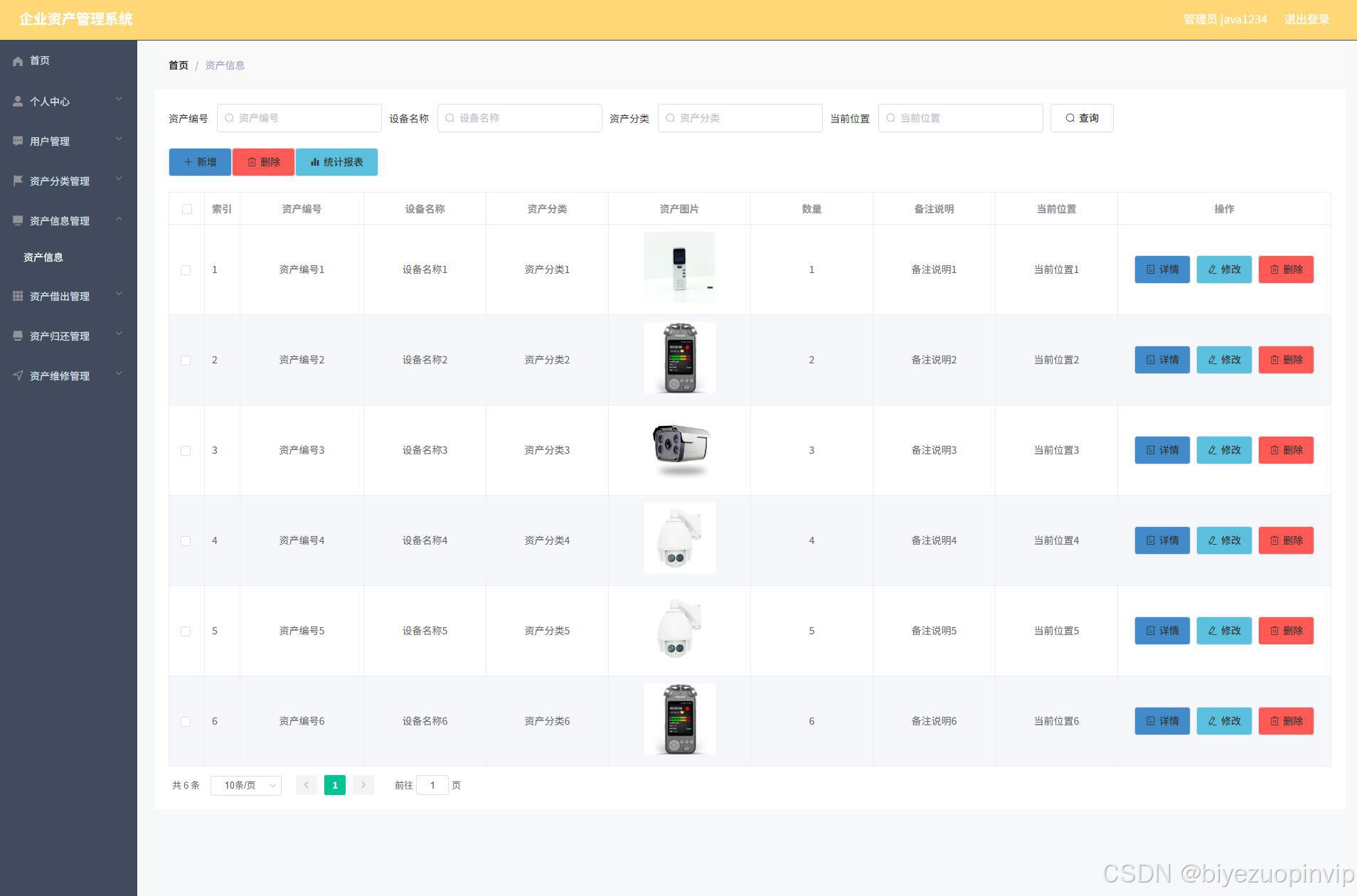
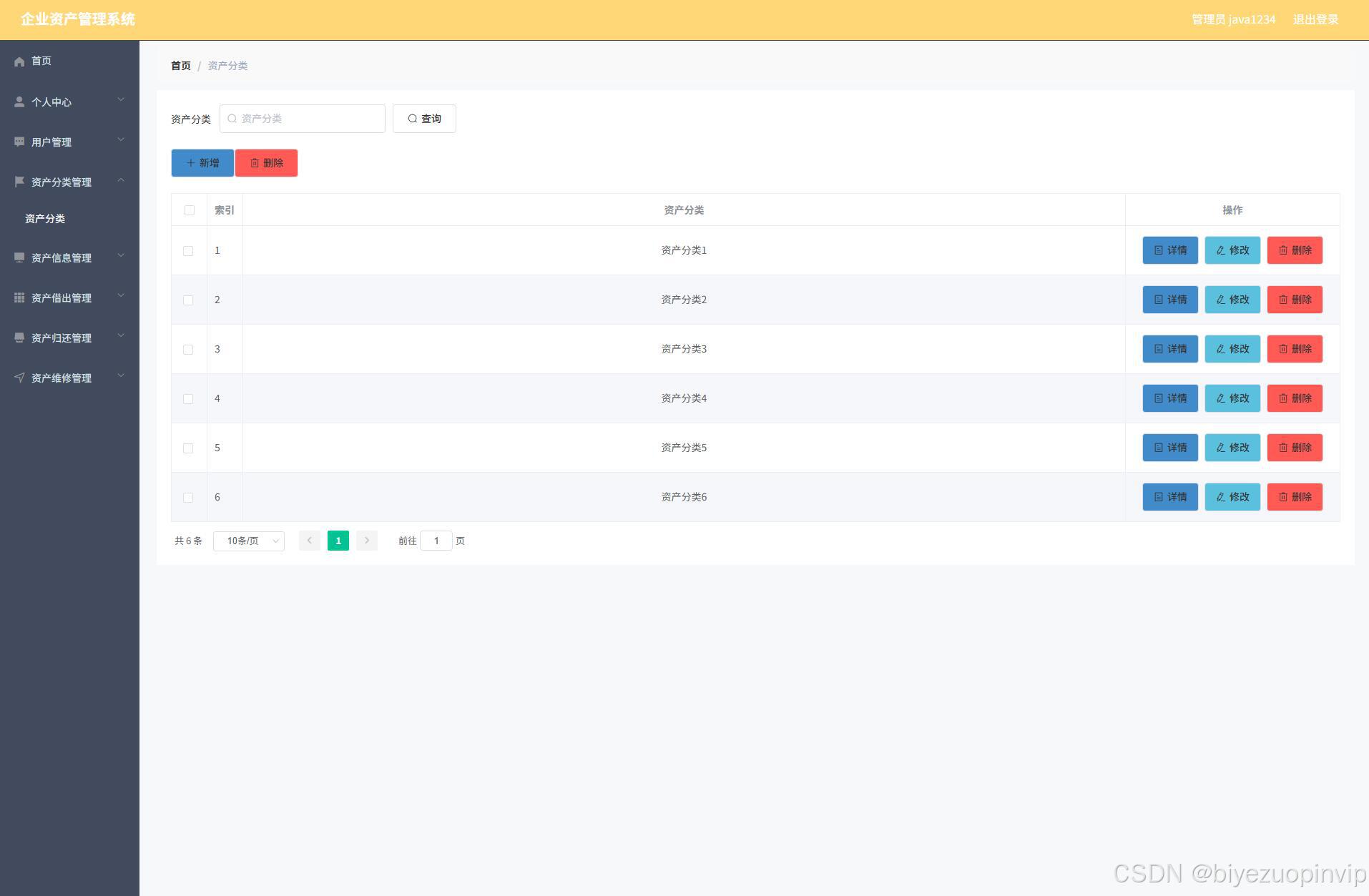
本企业资产管理系统管理员功能有个人中心,用户管理,资产分类管理,资产信息管理,资产借出管理,资产归还管理,资产维修管理。用户可以对资产进行借出和归还操作。因而具有一定的实用性。
本站是一个B/S模式系统,采用Spring Boot框架,MYSQL数据库设计开发,充分保证系统的稳定性。系统具有界面清晰、操作简单,功能齐全的特点,使得企业资产管理系统管理工作系统化、规范化。
关键词:企业资产管理系统;Spring Boot框架;MYSQL数据库
Abstract
With the deepening and extensive application of information technology in management, the implementation of management information systems has gradually matured in technology. This article introduces the entire development process of the enterprise asset management system. By analyzing the shortcomings of the enterprise asset management system, a solution for computer management of the enterprise asset management system was created. The article introduces the system analysis part of the enterprise asset management system, including feasibility analysis, etc. The system design part mainly introduces the system function design and database design.
The corporate asset management system administrator functions include personal center, user management, asset classification management, asset information management, asset loan management, asset return management, and asset maintenance management. Users can lend and return assets. So it has a certain practicability.
This site is a B/S model system, using Spring Boot framework, MYSQL database design and development, fully guarantee the stability of the system. The system has the characteristics of clear interface, simple operation and complete functions, which makes the management of enterprise asset management system systematized and standardized.
Keywords:Enterprise asset management system; Spring Boot framework; MYSQL database
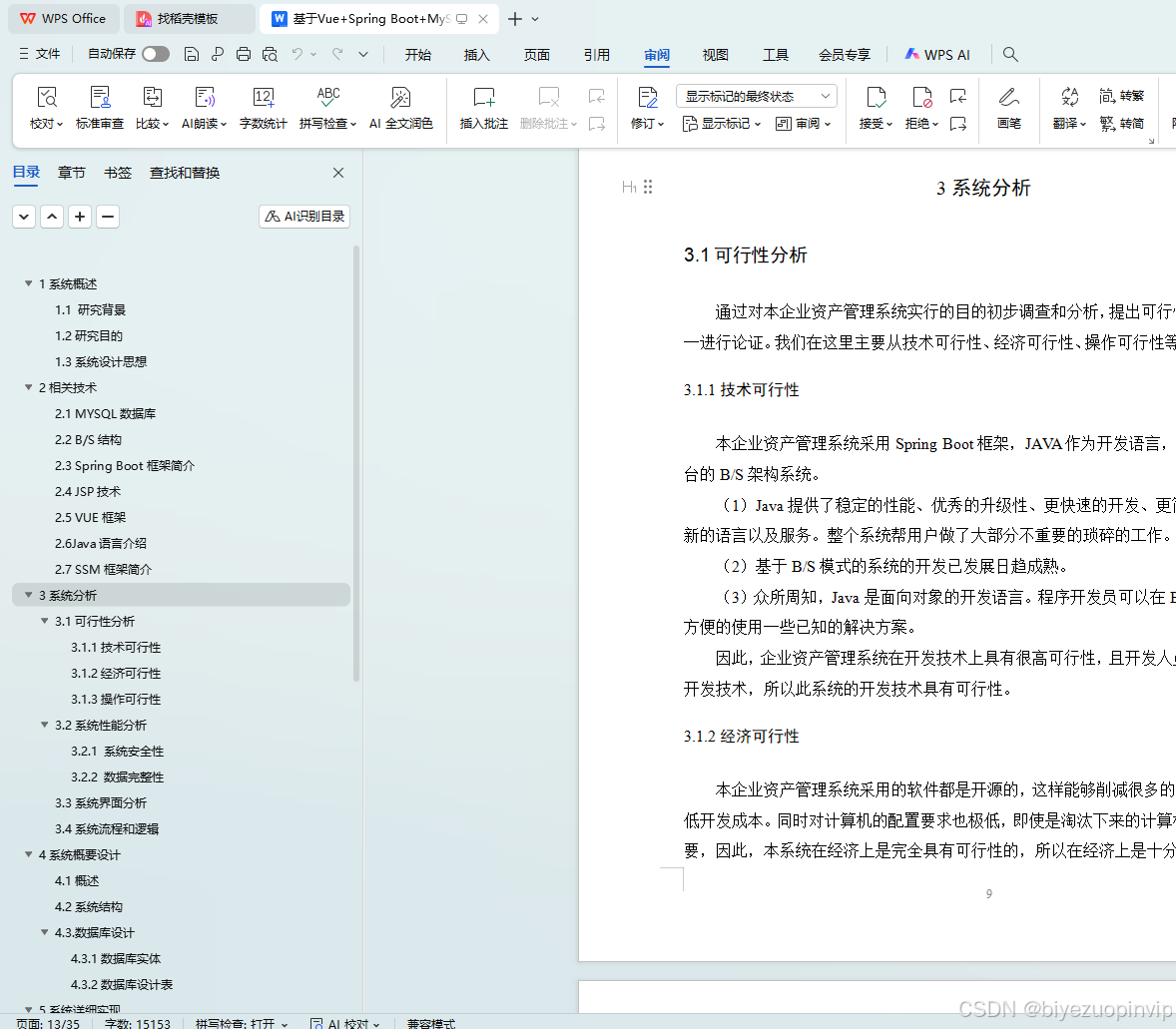
目录
1系统概述 1
1.1 研究背景 1
1.2研究目的 1
1.3系统设计思想 1
2相关技术 3
2.1 MYSQL数据库 3
2.2 B/S结构 3
2.3 Spring Boot框架简介 4
2.4 JSP技术 5
2.5 VUE框架 5
2.6Java语言介绍 6
2.7 SSM框架简介 7
3系统分析 9
3.1可行性分析 9
3.1.1技术可行性 9
3.1.2经济可行性 9
3.1.3操作可行性 10
3.2系统性能分析 10
3.2.1 系统安全性 10
3.2.2 数据完整性 10
3.3系统界面分析 10
3.4系统流程和逻辑 12
4系统概要设计 13
4.1概述 13
4.2系统结构 15
4.3.数据库设计 15
4.3.1数据库实体 16
4.3.2数据库设计表 17
5系统详细实现 20
5.1 用户信息管理 20
5.2 用户审核管理 21
5.3 资产分类管理 21
5.4 资产信息管理 22
5.5 资产信息添加 23
5.6 资产借出统计 23
5.7 资产归还审核 24
5.8 资产维修管理 24
5.9 资产维修添加 25
6系统测试 25
6.1概念和意义 25
6.2特性 26
6.3重要性 26
6.4测试方法 26
6.5 功能测试 27
6.6可用性测试 27
6.7性能测试 28
6.8测试分析 28
6.9测试结果分析 29
结论 29
致谢语 30
参考文献 31
<template>
  <div>
    <div class="container loginIn" style="backgroundImage: url(http://codegen.caihongy.cn/20210508/7d18faa17f0b435a8534875c1ac94802.jpg)">

      <div :class="2 == 1 ? 'left' : 2 == 2 ? 'left center' : 'left right'" style="backgroundColor: rgba(234, 242, 235, 0.55)">
        <el-form class="login-form" label-position="left" :label-width="1 == 3 ? '56px' : '0px'">
          <div class="title-container"><h3 class="title" style="color: rgba(104, 223, 240, 1)">企业资产管理系统登录</h3></div>
          <el-form-item :label="1 == 3 ? '用户名' : ''" :class="'style'+1">
            <span v-if="1 != 3" class="svg-container" style="color:rgba(104, 223, 240, 1);line-height:44px"><svg-icon icon-class="user" /></span>
            <el-input placeholder="请输入用户名" name="username" type="text" v-model="rulesForm.username" />
          </el-form-item>
          <el-form-item :label="1 == 3 ? '密码' : ''" :class="'style'+1">
            <span v-if="1 != 3" class="svg-container" style="color:rgba(104, 223, 240, 1);line-height:44px"><svg-icon icon-class="password" /></span>
            <el-input placeholder="请输入密码" name="password" type="password" v-model="rulesForm.password" />
          </el-form-item>
          <el-form-item v-if="0 == '1'" class="code" :label="1 == 3 ? '验证码' : ''" :class="'style'+1">
            <span v-if="1 != 3" class="svg-container" style="color:rgba(104, 223, 240, 1);line-height:44px"><svg-icon icon-class="code" /></span>
            <el-input placeholder="请输入验证码" name="code" type="text" v-model="rulesForm.code" />
            <div class="getCodeBt" @click="getRandCode(4)" style="height:44px;line-height:44px">
              <span v-for="(item, index) in codes" :key="index" :style="{color:item.color,transform:item.rotate,fontSize:item.size}">{{ item.num }}</span>
            </div>
          </el-form-item>
          <el-form-item label="角色" prop="loginInRole" class="role">
            <el-radio
              v-for="item in menus"
	      v-if="item.hasBackLogin=='是'"
              v-bind:key="item.roleName"
              v-model="rulesForm.role"
              :label="item.roleName"
            >{{item.roleName}}</el-radio>
          </el-form-item>
          <el-button type="primary" @click="login()" class="loginInBt" style="padding:0;font-size:16px;border-radius:50px;height:44px;line-height:44px;width:100%;backgroundColor:rgba(104, 223, 240, 1); borderColor:rgba(104, 223, 240, 1); color:rgba(255, 255, 255, 1)">{{'1' == '1' ? '登录' : 'login'}}</el-button>
          <el-form-item class="setting">
            <div style="color:rgba(255, 255, 255, 1)" class="register" @click="register('yonghu')">注册用户</div>
            <!-- <div style="color:rgba(255, 255, 255, 1)" class="reset">修改密码</div> -->
            <a href="http://www.java1234.com/a/bysj/javaweb/" target='_blank'><font color=red>Java1234收藏整理</font></a>
          </el-form-item>
        </el-form>
      </div>

    </div>
  </div>
</template>
<script>
import menu from "@/utils/menu";
export default {
  data() {
    return {
      rulesForm: {
        username: "",
        password: "",
        role: "",
        code: '',
      },
      menus: [],
      tableName: "",
      codes: [{
        num: 1,
        color: '#000',
        rotate: '10deg',
        size: '16px'
      },{
        num: 2,
        color: '#000',
        rotate: '10deg',
        size: '16px'
      },{
        num: 3,
        color: '#000',
        rotate: '10deg',
        size: '16px'
      },{
        num: 4,
        color: '#000',
        rotate: '10deg',
        size: '16px'
      }],
    };
  },
  mounted() {
    let menus = menu.list();
    this.menus = menus;
  },
  created() {
    this.setInputColor()
    this.getRandCode()
  },
  methods: {
    setInputColor(){
      this.$nextTick(()=>{
        document.querySelectorAll('.loginIn .el-input__inner').forEach(el=>{
          el.style.backgroundColor = "rgba(255, 255, 255, 1)"
          el.style.color = "rgba(51, 51, 51, 1)"
          el.style.height = "44px"
          el.style.lineHeight = "44px"
          el.style.borderRadius = "50px"
        })
        document.querySelectorAll('.loginIn .style3 .el-form-item__label').forEach(el=>{
          el.style.height = "44px"
          el.style.lineHeight = "44px"
        })
        document.querySelectorAll('.loginIn .el-form-item__label').forEach(el=>{
          el.style.color = "rgba(104, 223, 240, 1)"
        })
        setTimeout(()=>{
          document.querySelectorAll('.loginIn .role .el-radio__label').forEach(el=>{
            el.style.color = "#fff"
          })
        },350)
      })

    },
    register(tableName){
      this.$storage.set("loginTable", tableName);
      this.$router.push({path:'/register'})
    },
    // 登陆
    login() {
      let code = ''
      for(let i in this.codes) {
        code += this.codes[i].num
      }
	  if ('0' == '1' && !this.rulesForm.code) {
	     this.$message.error("请输入验证码");
	    return;
	  }
      if ('0' == '1' && this.rulesForm.code.toLowerCase() != code.toLowerCase()) {
         this.$message.error("验证码输入有误");
		this.getRandCode()
        return;
      }
      if (!this.rulesForm.username) {
         this.$message.error("请输入用户名");
        return;
      }
      if (!this.rulesForm.password) {
         this.$message.error("请输入密码");
        return;
      }
      if (!this.rulesForm.role) {
         this.$message.error("请选择角色");
        return;
      }
      let menus = this.menus;
      for (let i = 0; i < menus.length; i++) {
        if (menus[i].roleName == this.rulesForm.role) {
          this.tableName = menus[i].tableName;
        }
      }
      this.$http({
        url: `${this.tableName}/login?username=${this.rulesForm.username}&password=${this.rulesForm.password}`,
        method: "post"
      }).then(({ data }) => {
        if (data && data.code === 0) {
          this.$storage.set("Token", data.token);
          this.$storage.set("role", this.rulesForm.role);
          this.$storage.set("sessionTable", this.tableName);
          this.$storage.set("adminName", this.rulesForm.username);
          this.$router.replace({ path: "/index/" });
        } else {
          this.$message.error(data.msg);
        }
      });
    },
    getRandCode(len = 4){
      this.randomString(len)
    },
    randomString(len = 4) {
      let chars = [
          "a", "b", "c", "d", "e", "f", "g", "h", "i", "j", "k",
          "l", "m", "n", "o", "p", "q", "r", "s", "t", "u", "v",
          "w", "x", "y", "z", "A", "B", "C", "D", "E", "F", "G",
          "H", "I", "J", "K", "L", "M", "N", "O", "P", "Q", "R",
          "S", "T", "U", "V", "W", "X", "Y", "Z", "0", "1", "2",
          "3", "4", "5", "6", "7", "8", "9"
      ]
      let colors = ["0", "1", "2","3", "4", "5", "6", "7", "8", "9", "a", "b", "c", "d", "e", "f"]
      let sizes = ['14', '15', '16', '17', '18']

      let output = [];
      for (let i = 0; i < len; i++) {
        // 随机验证码
        let key = Math.floor(Math.random()*chars.length)
        this.codes[i].num = chars[key]
        // 随机验证码颜色
        let code = '#'
        for (let j = 0; j < 6; j++) {
          let key = Math.floor(Math.random()*colors.length)
          code += colors[key]
        }
        this.codes[i].color = code
        // 随机验证码方向
        let rotate = Math.floor(Math.random()*60)
        let plus = Math.floor(Math.random()*2)
        if(plus == 1) rotate = '-'+rotate
        this.codes[i].rotate = 'rotate('+rotate+'deg)'
        // 随机验证码字体大小
        let size = Math.floor(Math.random()*sizes.length)
        this.codes[i].size = sizes[size]+'px'
      }
    },
  }
};
</script>
<style lang="scss" scoped>
.loginIn {
  min-height: 100vh;
  position: relative;
  background-repeat: no-repeat;
  background-position: center center;
  background-size: cover;

  .left {
    position: absolute;
    left: 0;
    top: 0;
    width: 360px;
    height: 100%;

    .login-form {
      background-color: transparent;
      width: 100%;
      right: inherit;
      padding: 0 12px;
      box-sizing: border-box;
      display: flex;
      justify-content: center;
      flex-direction: column;
    }

    .title-container {
      text-align: center;
      font-size: 24px;

      .title {
        margin: 20px 0;
      }
    }

    .el-form-item {
      position: relative;

      .svg-container {
        padding: 6px 5px 6px 15px;
        color: #889aa4;
        vertical-align: middle;
        display: inline-block;
        position: absolute;
        left: 0;
        top: 0;
        z-index: 1;
        padding: 0;
        line-height: 40px;
        width: 30px;
        text-align: center;
      }

      .el-input {
        display: inline-block;
        height: 40px;
        width: 100%;

        & /deep/ input {
          background: transparent;
          border: 0px;
          -webkit-appearance: none;
          padding: 0 15px 0 30px;
          color: #fff;
          height: 40px;
        }
      }

    }


  }

  .center {
    position: absolute;
    left: 50%;
    top: 50%;
    width: 360px;
    transform: translate3d(-50%,-50%,0);
    height: 446px;
    border-radius: 8px;
  }

  .right {
    position: absolute;
    left: inherit;
    right: 0;
    top: 0;
    width: 360px;
    height: 100%;
  }

  .code {
    .el-form-item__content {
      position: relative;

      .getCodeBt {
        position: absolute;
        right: 0;
        top: 0;
        line-height: 40px;
        width: 100px;
        background-color: rgba(51,51,51,0.4);
        color: #fff;
        text-align: center;
        border-radius: 0 4px 4px 0;
        height: 40px;
        overflow: hidden;

        span {
          padding: 0 5px;
          display: inline-block;
          font-size: 16px;
          font-weight: 600;
        }
      }

      .el-input {
        & /deep/ input {
          padding: 0 130px 0 30px;
        }
      }
    }
  }

  .setting {
    & /deep/ .el-form-item__content {
      padding: 0 15px;
      box-sizing: border-box;
      line-height: 32px;
      height: 32px;
      font-size: 14px;
      color: #999;
      margin: 0 !important;

      .register {
        float: left;
        width: 50%;
      }

      .reset {
        float: right;
        width: 50%;
        text-align: right;
      }
    }
  }

  .style2 {
    padding-left: 30px;

    .svg-container {
      left: -30px !important;
    }

    .el-input {
      & /deep/ input {
        padding: 0 15px !important;
      }
    }
  }

  .code.style2, .code.style3 {
    .el-input {
      & /deep/ input {
        padding: 0 115px 0 15px;
      }
    }
  }

  .style3 {
    & /deep/ .el-form-item__label {
      padding-right: 6px;
    }

    .el-input {
      & /deep/ input {
        padding: 0 15px !important;
      }
    }
  }

  .role {
    & /deep/ .el-form-item__label {
      width: 56px !important;
    }

    & /deep/ .el-radio {
      margin-right: 12px;
    }
  }

}
</style>


汇聚全球AI编程工具,助力开发者即刻编程。
更多推荐
 32
32 0
0- 0


 已为社区贡献1条内容

所有评论(0)