
WebUploader分块上传在JAVA源码分析
·
大文件传输系统解决方案
作为江西某软件公司的项目负责人,面对公司产品部门提出的高要求大文件传输功能需求,我进行了全面的技术调研和方案设计。以下是我们针对该需求的详细解决方案。
需求分析与挑战
核心需求概述
- 大文件传输:支持单文件100GB级别传输
- 文件夹结构保留:完整保留上传/下载的文件夹层级结构
- 高稳定性断点续传:支持浏览器刷新/关闭后不丢失进度
- 加密传输存储:支持SM4、AES算法,可配置
- 非打包下载:避免服务器内存问题
- 广泛兼容性:支持多操作系统、多浏览器(含IE8)
- 系统集成:兼容现有JSP/Vue技术栈和MySQL数据库
主要技术挑战
- 100GB文件的分块处理与校验
- 文件夹结构的递归处理与状态管理
- 断点续传信息持久化存储
- 高效加密/解密流程设计
- 多浏览器兼容性处理(特别是IE8)
- 高并发下的服务器资源管理
架构设计
整体架构
[客户端(Vue2)]
  ↔ [JSP服务层]
  ↔ [文件处理服务]
  ↔ [阿里云OSS/本地存储]
       ↓
[MySQL/其他数据库]
技术选型
-
前端:
- 基于Vue2的上传组件开发
- 兼容层:IE8使用jQuery+Flash方案
- 现代浏览器使用HTML5 File API
-
后端:
- JSP服务层(兼容现有系统)
- Java文件处理服务
- 数据库:MySQL(可扩展其他)
-
存储:
- 阿里云OSS接口封装
- 本地存储适配层
核心功能实现
1. 大文件分块上传
前端实现(Vue2组件)
// FileUploader.vue
export default {
  data() {
    return {
      chunkSize: 5 * 1024 * 1024, // 5MB分块
      maxConcurrent: 3, // 最大并发数
      fileList: [],
      folderList: [],
      uploading: false,
      progress: {}
    }
  },
  methods: {
    async uploadFiles() {
      for (const file of this.fileList) {
        await this.uploadFile(file);
      }
      for (const folder of this.folderList) {
        await this.uploadFolder(folder);
      }
    },

    async uploadFile(file) {
      const totalChunks = Math.ceil(file.size / this.chunkSize);
      const fileId = generateFileId(file);

      // 检查已上传分块
      const { uploadedChunks } = await this.checkUploadStatus(fileId);

      for (let chunkIndex = 0; chunkIndex < totalChunks; chunkIndex++) {
        if (uploadedChunks.includes(chunkIndex)) continue;

        const chunk = file.slice(
          chunkIndex * this.chunkSize,
          Math.min(file.size, (chunkIndex + 1) * this.chunkSize)
        );

        await this.uploadChunk(fileId, chunk, chunkIndex, totalChunks);
        this.progress[fileId] = (chunkIndex + 1) / totalChunks * 100;
      }

      await this.mergeFile(fileId, file.name, file.size);
    },

    uploadFolder(folder) {
      // 递归处理文件夹结构
      return this.processDirectory(folder);
    },

    // 其他辅助方法...
  }
}
IE8兼容方案
// 使用Flash上传方案
function initIe8Uploader() {
  if (!window.File || !window.FileReader) {
    // 初始化Flash上传组件
    swfobject.embedSWF(
      "/static/uploader.swf",
      "flash-uploader",
      "100%", "400",
      "10.0.0",
      false,
      {
        uploadUrl: "/upload",
        chunkSize: this.chunkSize,
        token: getToken()
      },
      {
        allowScriptAccess: "always",
        wmode: "transparent"
      }
    );
  }
}
2. 后端JSP处理层
<%@ page import="com.xxx.file.UploadService" %>
<%@ page import="com.xxx.file.model.FileChunk" %>

<%
// upload.jsp
String action = request.getParameter("action");

UploadService uploadService = new UploadService();

if ("uploadChunk".equals(action)) {
    String fileId = request.getParameter("fileId");
    int chunkIndex = Integer.parseInt(request.getParameter("chunkIndex"));
    int totalChunks = Integer.parseInt(request.getParameter("totalChunks"));
    Part filePart = request.getPart("chunk");

    FileChunk chunk = new FileChunk();
    chunk.setFileId(fileId);
    chunk.setChunkIndex(chunkIndex);
    chunk.setTotalChunks(totalChunks);
    chunk.setInputStream(filePart.getInputStream());

    uploadService.saveChunk(chunk);

    out.print("{\"status\":\"success\"}");
} else if ("mergeFile".equals(action)) {
    String fileId = request.getParameter("fileId");
    String fileName = request.getParameter("fileName");
    long fileSize = Long.parseLong(request.getParameter("fileSize"));

    uploadService.mergeFile(fileId, fileName, fileSize);

    out.print("{\"status\":\"success\"}");
}
%>
3. 断点续传持久化
// FileUploadDAO.java
public class FileUploadDAO {
    public void saveUploadProgress(String sessionId, String fileId, int[] chunkIndexes) {
        // 序列化进度信息
        String progressJson = serializeProgress(chunkIndexes);

        // 保存到数据库
        String sql = "REPLACE INTO file_upload_progress " +
                     "(session_id, file_id, progress, update_time) " +
                     "VALUES (?, ?, ?, NOW())";

        try (Connection conn = dataSource.getConnection();
             PreparedStatement pstmt = conn.prepareStatement(sql)) {
            pstmt.setString(1, sessionId);
            pstmt.setString(2, fileId);
            pstmt.setString(3, progressJson);
            pstmt.executeUpdate();
        } catch (SQLException e) {
            throw new RuntimeException(e);
        }
    }

    public int[] getUploadProgress(String sessionId, String fileId) {
        String sql = "SELECT progress FROM file_upload_progress " +
                     "WHERE session_id = ? AND file_id = ?";

        try (Connection conn = dataSource.getConnection();
             PreparedStatement pstmt = conn.prepareStatement(sql)) {
            pstmt.setString(1, sessionId);
            pstmt.setString(2, fileId);

            try (ResultSet rs = pstmt.executeQuery()) {
                if (rs.next()) {
                    return deserializeProgress(rs.getString("progress"));
                }
            }
        } catch (SQLException e) {
            throw new RuntimeException(e);
        }
        return new int[0];
    }
}
4. 文件夹结构处理
// FolderProcessor.java
public class FolderProcessor {
    public void uploadFolder(File folder, String remotePath) {
        File[] files = folder.listFiles();
        if (files == null) return;

        for (File file : files) {
            String currentPath = remotePath + "/" + file.getName();

            if (file.isDirectory()) {
                // 创建远程目录
                createRemoteDirectory(currentPath);
                // 递归处理子目录
                uploadFolder(file, currentPath);
            } else {
                // 上传文件
                uploadFile(file, currentPath);
            }
        }
    }

    public void downloadFolder(String remotePath, File localFolder) {
        List filePaths = listRemoteFiles(remotePath);

        for (String filePath : filePaths) {
            File localFile = new File(localFolder,
                filePath.substring(remotePath.length()));

            if (filePath.endsWith("/")) {
                // 创建本地目录
                localFile.mkdirs();
            } else {
                // 下载文件
                downloadFile(filePath, localFile);
            }
        }
    }
}
5. 加密传输实现
// FileEncryptor.java
public class FileEncryptor {
    private String algorithm; // SM4 or AES
    private String key;

    public InputStream encryptStream(InputStream input) {
        Cipher cipher = getCipher(Cipher.ENCRYPT_MODE);
        return new CipherInputStream(input, cipher);
    }

    public InputStream decryptStream(InputStream input) {
        Cipher cipher = getCipher(Cipher.DECRYPT_MODE);
        return new CipherInputStream(input, cipher);
    }

    private Cipher getCipher(int mode) {
        try {
            SecretKeySpec keySpec = new SecretKeySpec(
                key.getBytes(StandardCharsets.UTF_8), algorithm);

            Cipher cipher = Cipher.getInstance(algorithm);
            cipher.init(mode, keySpec);
            return cipher;
        } catch (Exception e) {
            throw new RuntimeException(e);
        }
    }
}
部署方案
私有化部署架构
[负载均衡]
  ↓
[Web服务器集群] - [文件处理集群] - [数据库集群]
                   ↓
                [存储集群(OSS/本地)]
性能优化措施
- 分块大小动态调整:根据网络状况自动调整分块大小
- 压缩传输:对文本类文件进行压缩后再传输
- 智能调度:根据服务器负载动态分配上传/下载任务
- 缓存策略:高频访问文件的元数据缓存
商务合作建议
基于贵公司的需求,我建议采取以下合作模式:
- 买断授权:预算98万元以内,获得永久无限制使用权
- 技术交付:
- 完整源代码交付
- 详细技术文档
- 一对一技术培训
- 售后支持:
- 3年免费技术支持
- 终身bug修复
- 合规材料:
- 提供5个以上央企/国企合作案例
- 完整软件著作权证书
- 信创环境适配认证
- 银行转账凭证等商务材料
实施计划
-
第一阶段(1个月):核心功能开发与测试
- 大文件分块上传/下载
- 基础加密功能
- IE8兼容方案
-
第二阶段(2个月):高级功能开发
- 文件夹结构处理
- 断点续传持久化
- 性能优化
-
第三阶段(1个月):系统集成与部署
- 与现有系统集成
- 私有化部署
- 压力测试与优化
-
第四阶段(2周):验收与培训
- 系统验收
- 技术培训
- 文档交付
结语
此方案全面考虑了贵公司对大文件传输系统的各项需求,特别针对文件夹结构保留、高稳定性断点续传、加密传输等核心功能进行了深度设计。通过分层架构和模块化设计,确保系统既能满足当前需求,又具备良好的扩展性以应对未来业务发展。
导入项目
导入到Eclipse:点南查看教程
导入到IDEA:点击查看教程
springboot统一配置:点击查看教程
工程
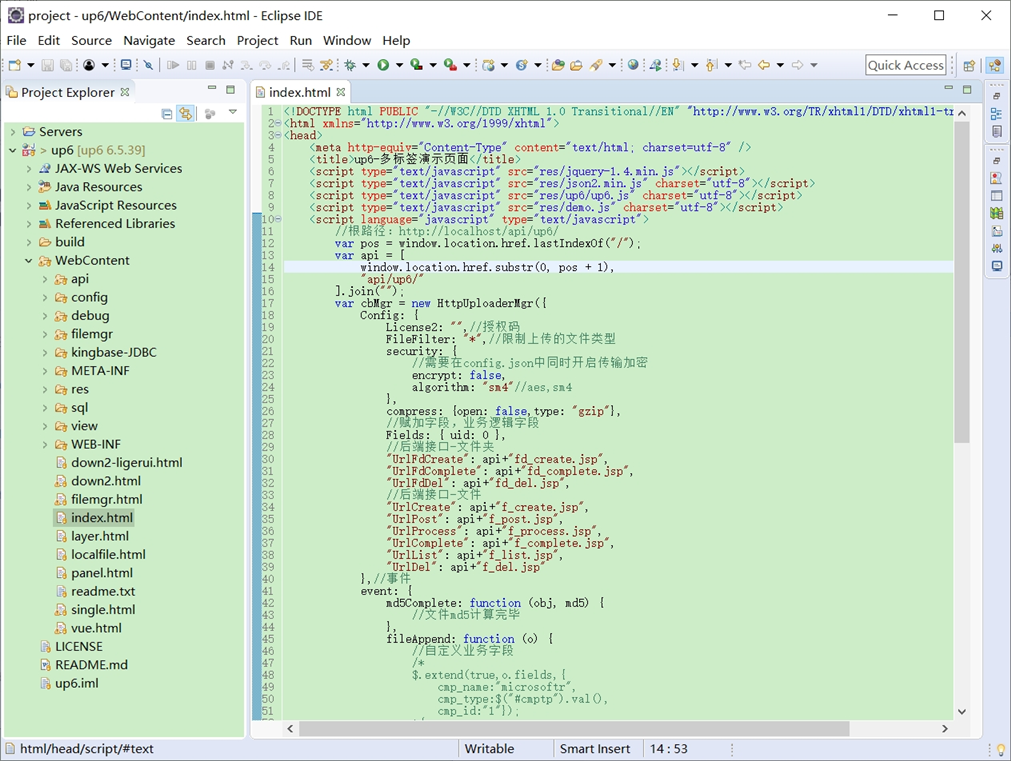
NOSQL
NOSQL示例不需要任何配置,可以直接访问测试
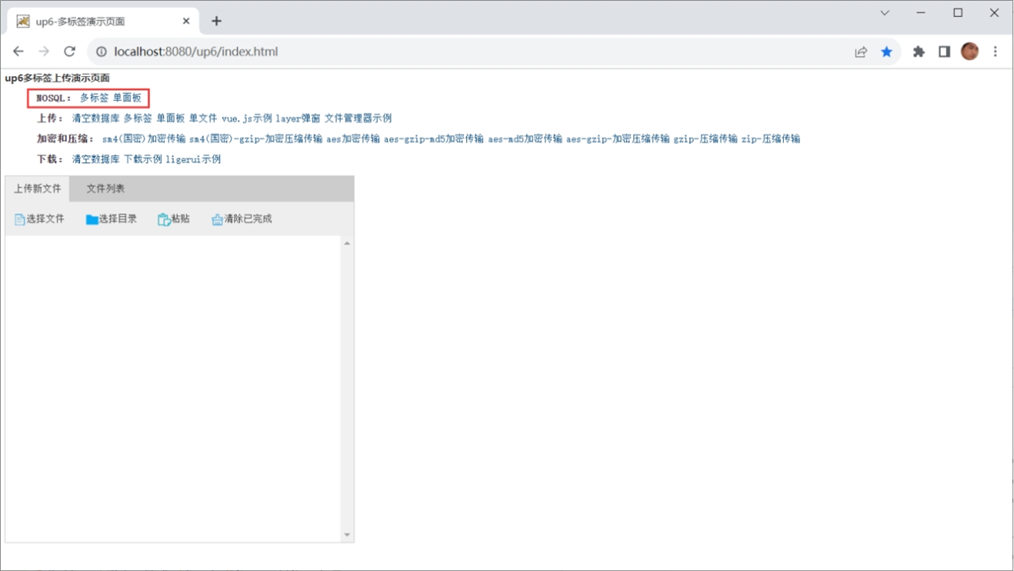
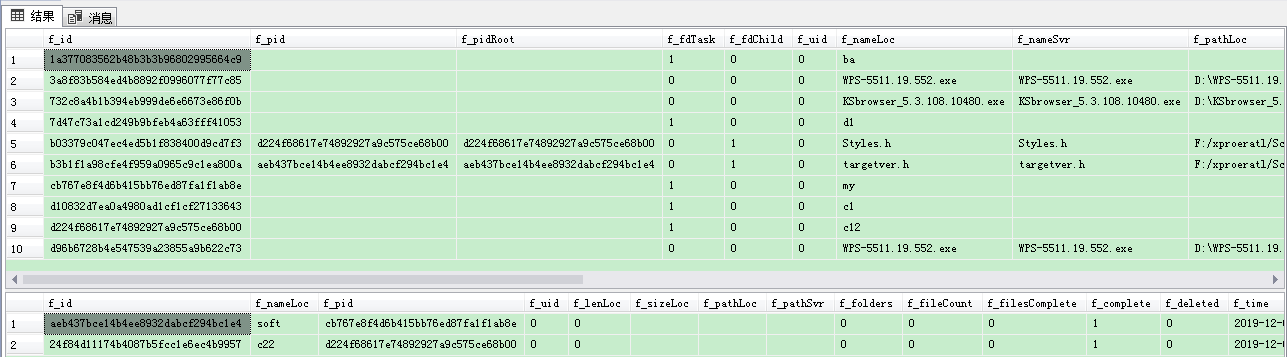
创建数据表
选择对应的数据表脚本,这里以SQL为例
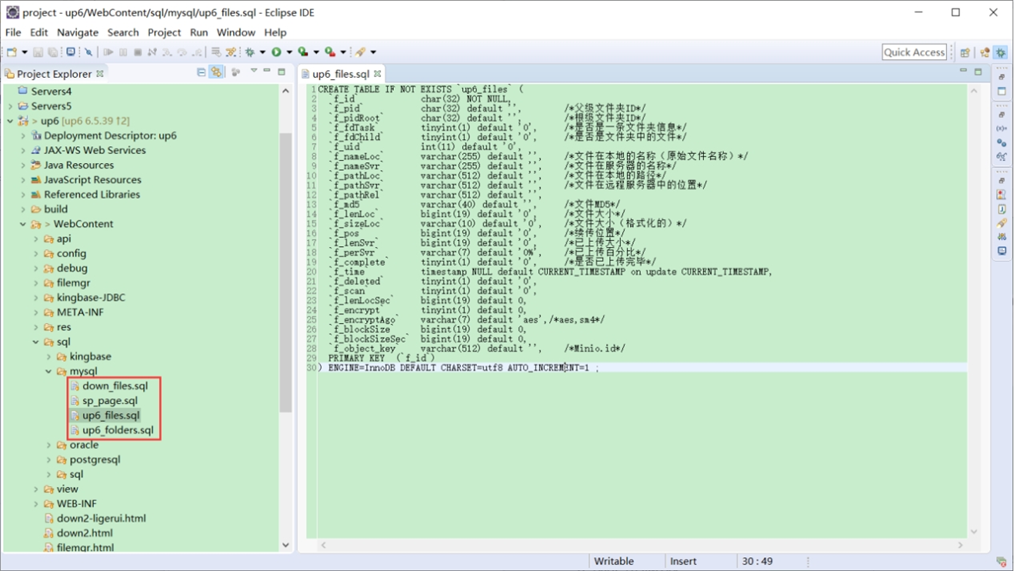
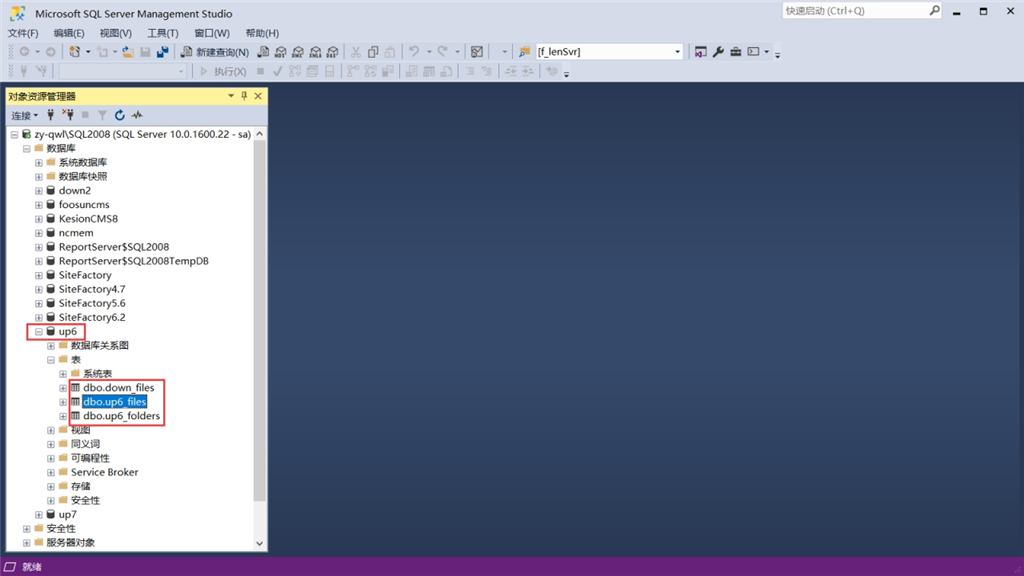
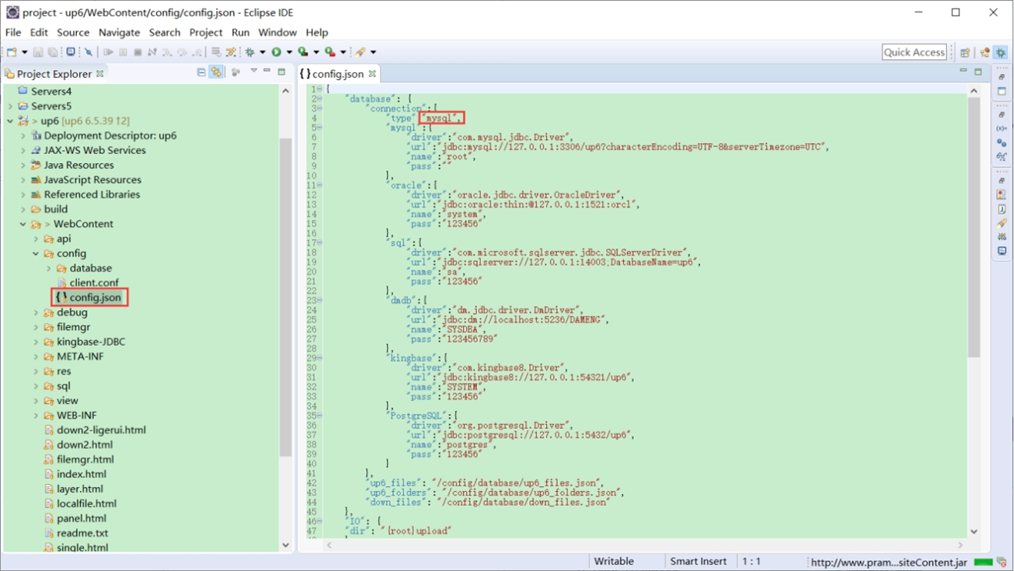
修改数据库连接信息
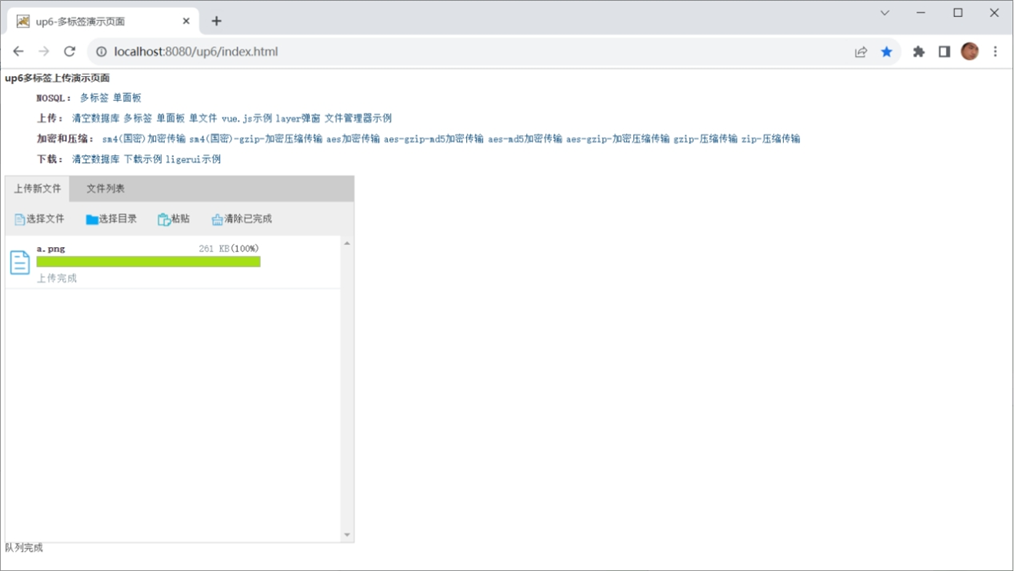
访问页面进行测试
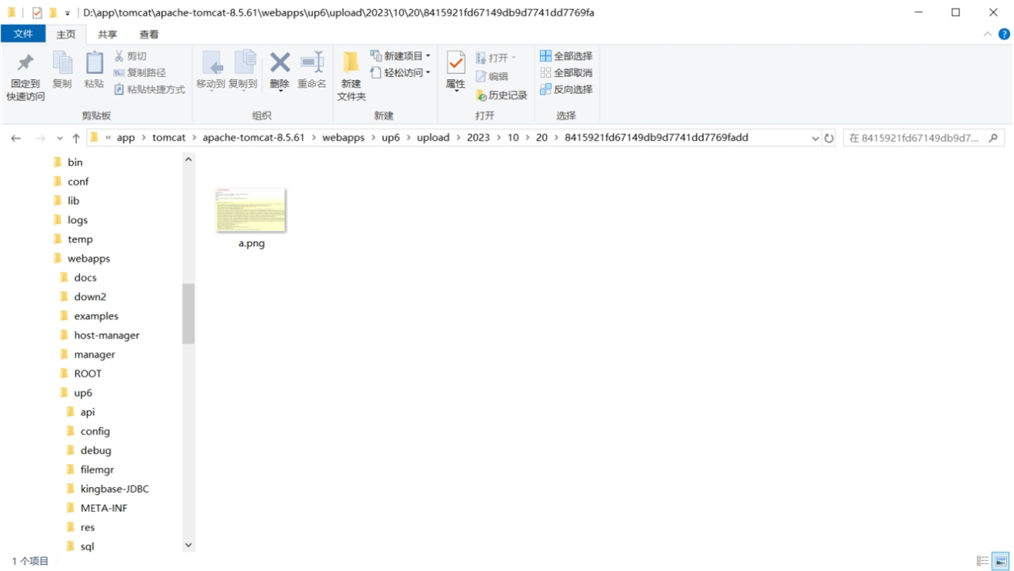
文件存储路径
up6/upload/年/月/日/guid/filename
效果预览
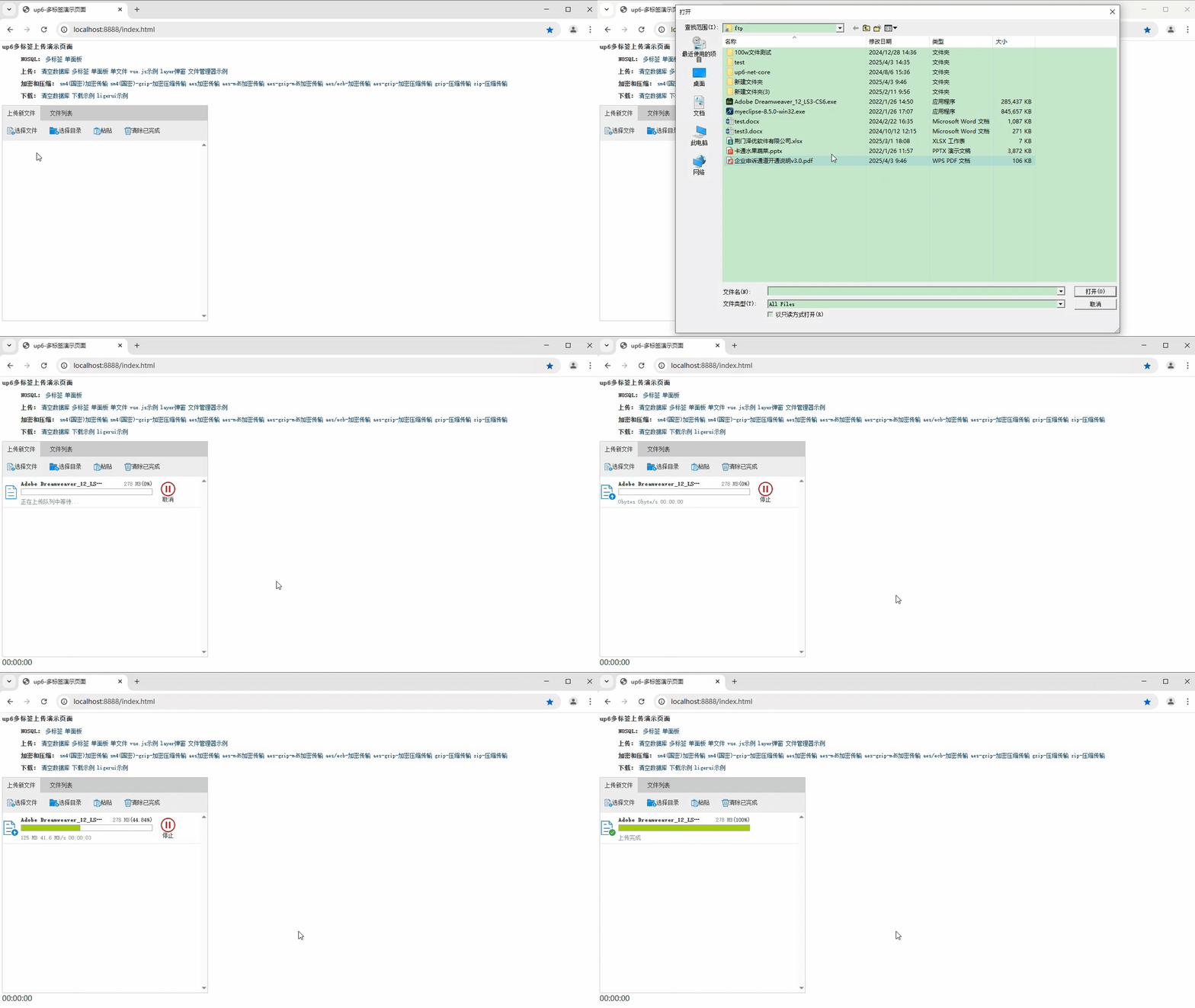
文件上传
文件刷新续传
支持离线保存文件进度,在关闭浏览器,刷新浏览器后进行不丢失,仍然能够继续上传

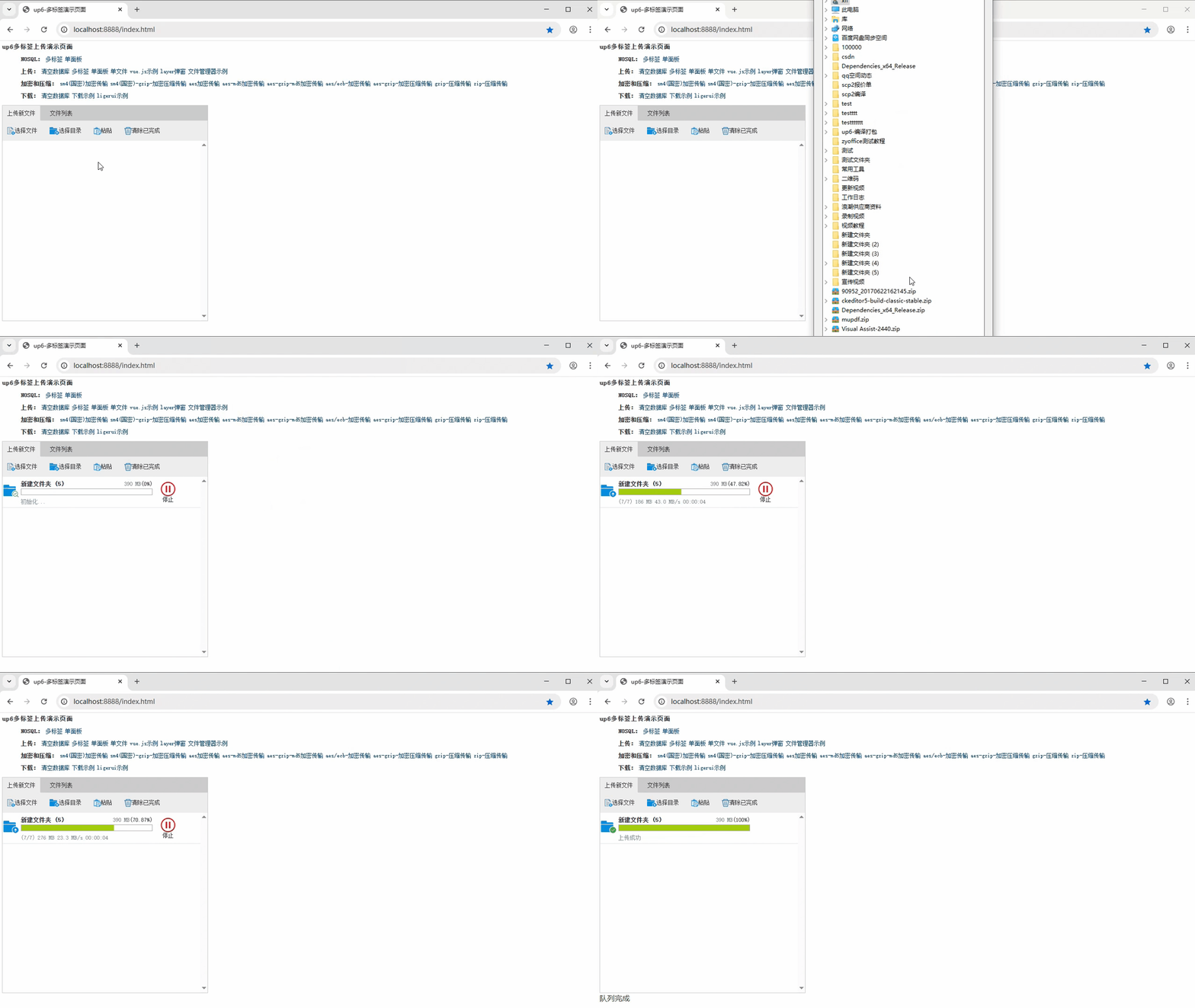
文件夹上传
支持上传文件夹并保留层级结构,同样支持进度信息离线保存,刷新页面,关闭页面,重启系统不丢失上传进度。
下载示例

汇聚全球AI编程工具,助力开发者即刻编程。
更多推荐

 23
23 0
0- 0


 已为社区贡献6条内容

所有评论(0)