
java基础-IO流(压缩流和解压缩流)
·
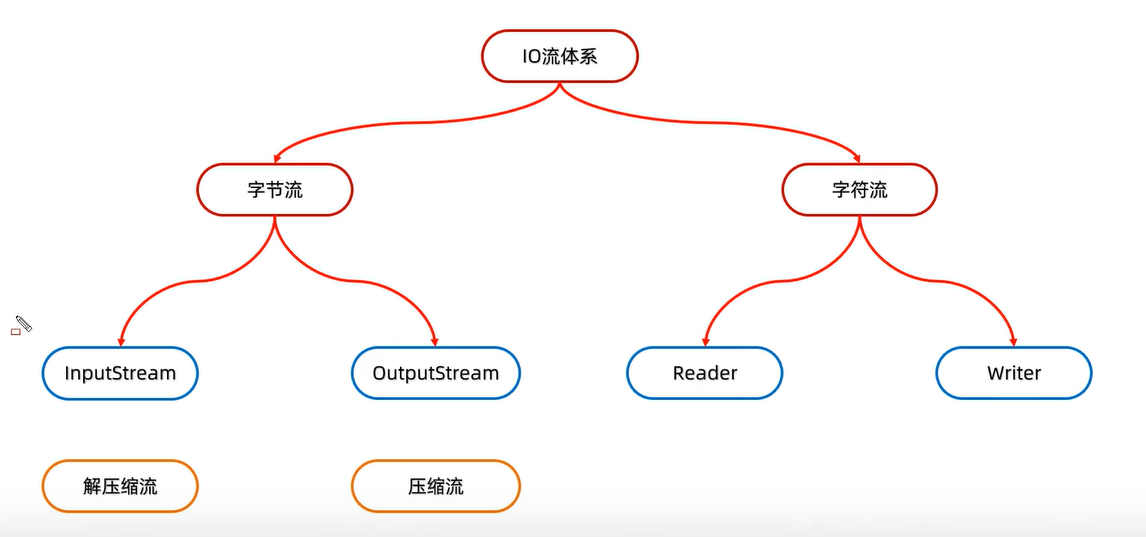
解压:
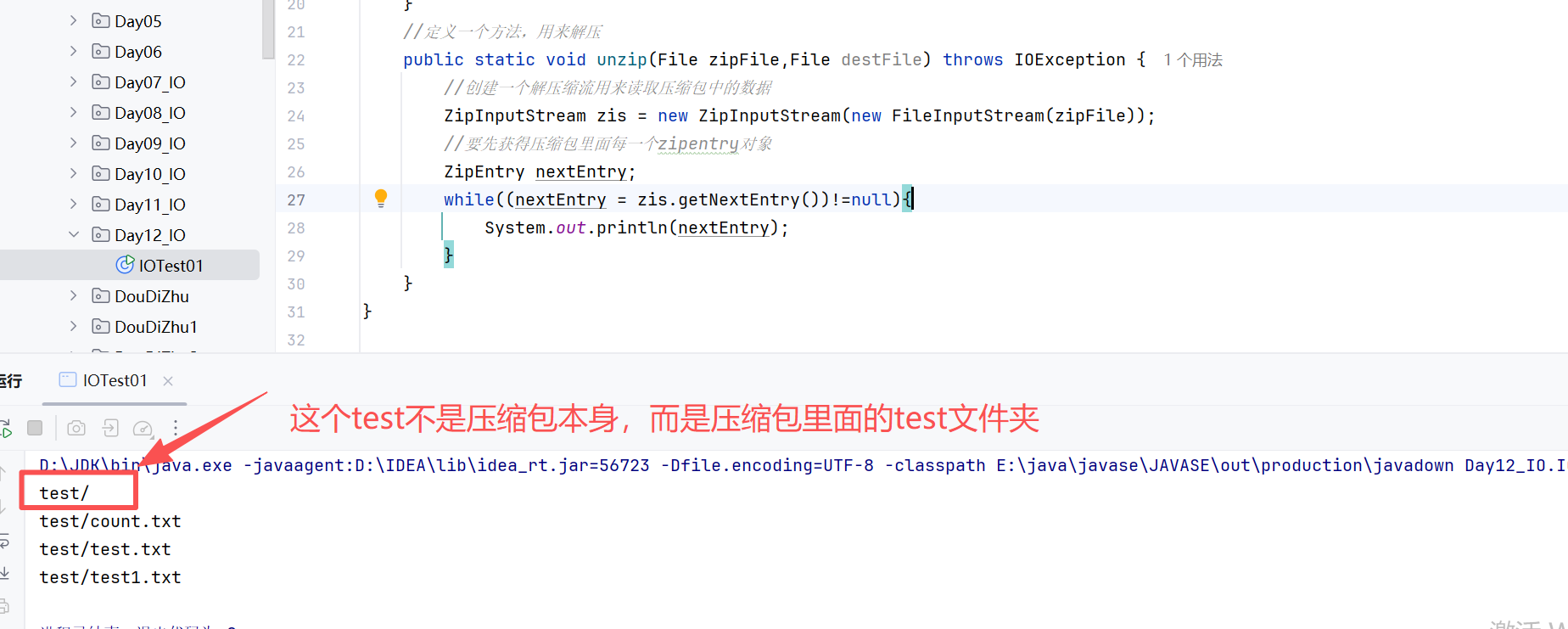
package Day12_IO;

import java.io.*;
import java.util.zip.ZipEntry;
import java.util.zip.ZipInputStream;

public class IOTest01 {
    public static void main(String[] args) throws IOException {
        //创建一个file表示压缩包的路径
        File file = new File("E:\\test.zip");
        //创建一个解压的目的地的路径
        File destFile = new File("E:\\file\\");

        unzip(file,destFile);


    }
    //定义一个方法,用来解压
    public static void unzip(File zipFile,File destFile) throws IOException {
        //创建一个解压缩流用来读取压缩包中的数据
        ZipInputStream zis = new ZipInputStream(new FileInputStream(zipFile));
        //要先获得压缩包里面每一个zipentry对象
        ZipEntry nextEntry;
        while((nextEntry = zis.getNextEntry())!=null){
            System.out.println(nextEntry);
            if(nextEntry.isDirectory()){
                //文件夹:如果是解压到文件夹,需要在目的地创建一个相同的文件夹
                File file = new File(destFile,nextEntry.getName());
                file.mkdir();
            }else {
                //文件:如果读取到的是文件,需要存放在目的地的层级目录下
                FileOutputStream fos = new FileOutputStream(new File(destFile,nextEntry.getName()));
                int len;
                while((len=zis.read())!=-1){
                    //写到目的地
                    fos.write(len);
                }
                fos.close();
                //表示压缩包中的一个文件就处理完了
                zis.closeEntry();
            }
        }
        zis.close();
    }
}
压缩:
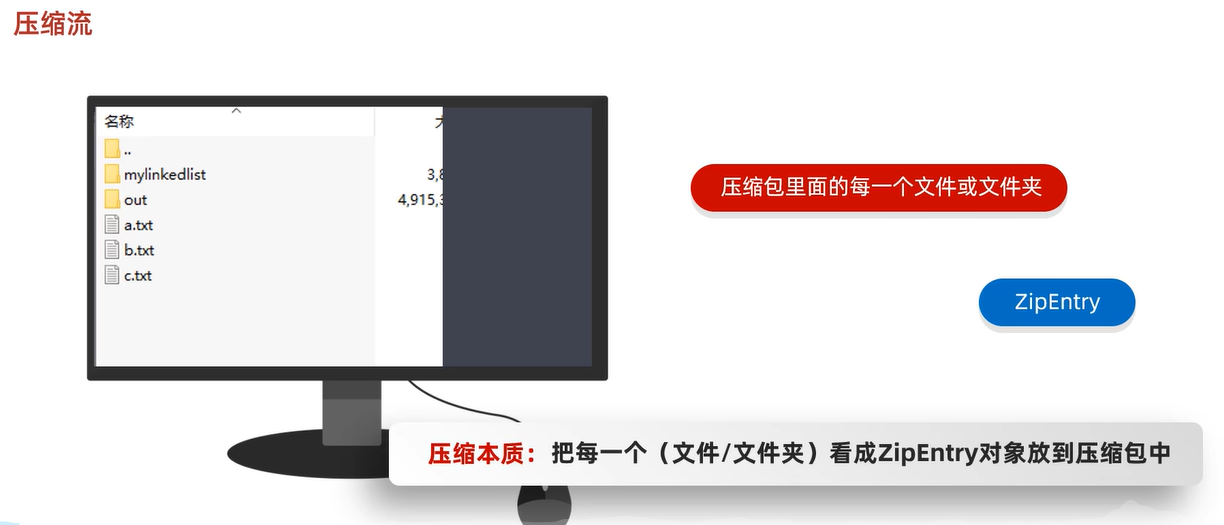
第一种:压缩单个文件
package Day12_IO;

import java.io.*;
import java.util.zip.ZipEntry;
import java.util.zip.ZipOutputStream;

public class IOTest02 {
    public static void main(String[] args) throws IOException {
        //压缩单个文件
        //把E:\test\test.txt
        //1、创建file对象,表示要压缩的文件
        File src = new File("E:\\test\\test.txt");
        //2、创建File对象,表示压缩包的位置(你压缩完文件后,放的位置)
        File destFile = new File("E:\\doc");
        //调用方法,压缩
        tozip(src,destFile);
    }
    public static void tozip(File src,File destFile) throws IOException {
        //压缩包的原理,其实是把test文件放在了一个test.zip当中,这个test.zip压缩包本身并不是这个文件
        //File file = new File(destFile,src.getName().split("\\.")[0]);//这样就代表父级路径+一个test.zip的压缩包路径
        int dotIndex = src.getName().lastIndexOf('.');
        System.out.println();
        String fileNameWithoutExtension;
        if (dotIndex > 0) { // 确保点号存在且不在文件名开头
            fileNameWithoutExtension = src.getName().substring(0, dotIndex)+".zip";
            //System.out.println(fileNameWithoutExtension);
        } else {
            // 如果没有找到后缀,可以返回整个文件名或根据需求处理
            fileNameWithoutExtension = src.getName()+".zip";
        }
        File file = new File(destFile,fileNameWithoutExtension);
        //创建压缩流关联压缩包
        ZipOutputStream zos = new ZipOutputStream(new FileOutputStream(file));//这里才可以把file放到基本流里面
        //创建zip对象,表示压缩包里面每一个文件和文件夹
        ZipEntry zipEntry = new ZipEntry(src.getName());
        //把ZipEntry对象放到压缩包当中
        zos.putNextEntry(zipEntry);
        FileInputStream fis = new FileInputStream(src);
        int len;
        while((len = fis.read()) != -1) {
            zos.write(len);
        }
        zos.closeEntry();
        fis.close();
        zos.close();

    }
}
第二种:压缩文件夹
package Day12_IO;

import java.io.*;
import java.util.zip.ZipEntry;
import java.util.zip.ZipOutputStream;

public class IOTest03 {
    public static void main(String[] args) throws IOException {
        //压缩一个test文件夹:E:\file\test
        //压缩到目标路径E:\doc\doc
        //创建:目标文件夹路径
        File begFile = new File("E:\\file\\test");
        //创建:目的地文件夹路径
        File desFile = new File("E:\\doc");
        setFile(begFile,desFile);
    }
    //创建压缩文件夹的方法
    public static void setFile(File begFile,File desFile) throws IOException {
        //创建一个压缩流对象关联压缩包,关联目标路径
        String name = begFile.getName();
        File dest = new File(desFile,name+".zip");
        ZipOutputStream zos = new ZipOutputStream(new FileOutputStream(dest));
        //获取数据源里面的数据,变成zipentry对象,并放到压缩包中,递归
        tozip(begFile,zos,begFile.getName());
        zos.close();
    }
    //获取src里面的每个对象,变成Zipentry对象,放入到压缩包当中
    public static void tozip(File begFile,ZipOutputStream zos,String name) throws IOException {
        //进入文件夹
        File[] files = begFile.listFiles();
        //遍历集合
        for (File file : files) {
            //判断是文件还是文件夹
            //文件
            if(file.isFile()){
                //把文件变成Zipentry对象
                //ZipEntry有多层路径的时候,会在目的压缩包下也会生成多层路径
                ZipEntry entry = new ZipEntry(name+"\\"+file.getName().toString());//这个路径是难点
                zos.putNextEntry(entry);
                FileInputStream fis = new FileInputStream(file);
                //读取文件,写到压缩包里面
                int len;
                while((len=fis.read())!=-1){
                    zos.write(len);
                }
                fis.close();
                zos.closeEntry();
            }else {
                //如果是文件夹,那么就要先在压缩包路径下新增一个文件夹
                tozip(file,zos,name+"\\"+file.getName().toString());
            }
        }
    }
}

汇聚全球AI编程工具,助力开发者即刻编程。
更多推荐



 6
6 0
0- 0


 已为社区贡献18条内容

所有评论(0)