
【OpenResty 编译安装nginx的ssl模块】
openresty-1.25.3.2 编译安装
官网上下载:我安装的是openresty-1.25.3.2版本
下载地址:https://openresty.org/cn/ann-1025003002.html
-
解压tar到/usr/local/openresty-1.25.3.2
-
在/usr/local/openresty-1.25.3.2目录下,执行以下命令,其中prefix为指定编译路径,具体编译配置参数参考https://www.w3ccoo.com/nginx/nginx_install_openresty.html#google_vignette,这里有详细说明
./configure --prefix=/usr/local/openresty --with-http_ssl_module -
如果服务器没有安装openssl,编译最终会失败,提示缺少ssl模块
./configure: error: SSL modules require the OpenSSL library.
解决办法:在线安装openss模块
执行命令 yum -y install openssl openssl-devel -
重新执行步骤2的编译命令,重新下载依赖包。
-
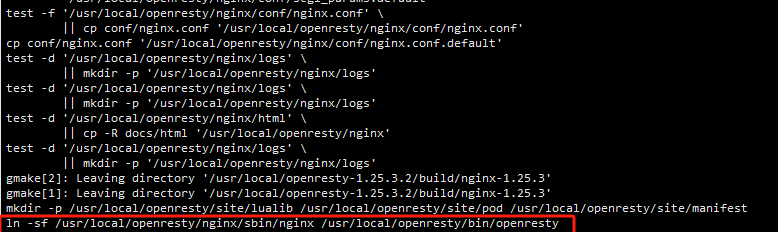
执行安装命令:gmake && gmake install
如果安装成功,会提示nginx已经编译在/usr/local/openresty/nginx这个目录下
-
进入到配置文件的目录/usr/local/openresty/nginx/conf,修改配置文件nginx.conf
-
执行命令:./nginx,启动nginx。
默认配置文件为安装目录下的nginx.conf配置文件
指定配置文件路径启动:./nginx -c /xxxxx/nginx.conf -
测试修改的配置文件是否正确:./nginx -t

-
刷新nginx缓存:./nginx -s reload
-
停止nginx进程:./nginx -s stop和./nginx -s quit

汇聚全球AI编程工具,助力开发者即刻编程。
更多推荐

 5
5 0
0- 0


 已为社区贡献1条内容

所有评论(0)