
如何stm32h7添加Event recorder
·
1.首先勾选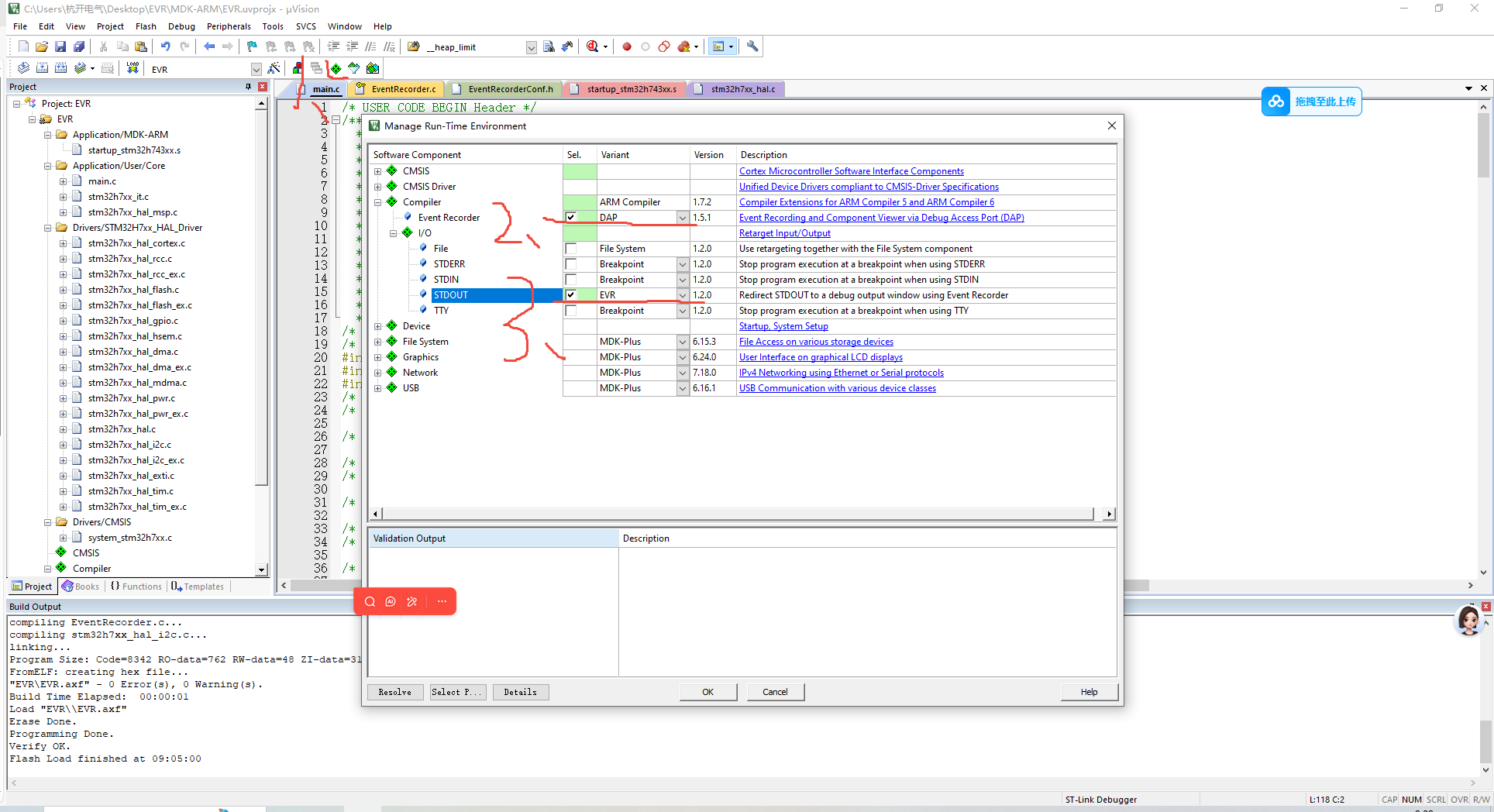
2、main添加
下面的core clock按照不同芯片主频填写,这里的h7主频是400mhz
#include "EventRecorder.h"
#include "stdio.h"
/* 初始化EventRecorder并开启 */
EventRecorderInitialize(EventRecordAll, 1U);
EventRecorderStart();
printf("hello world\r\n");
HAL_Delay(1000);
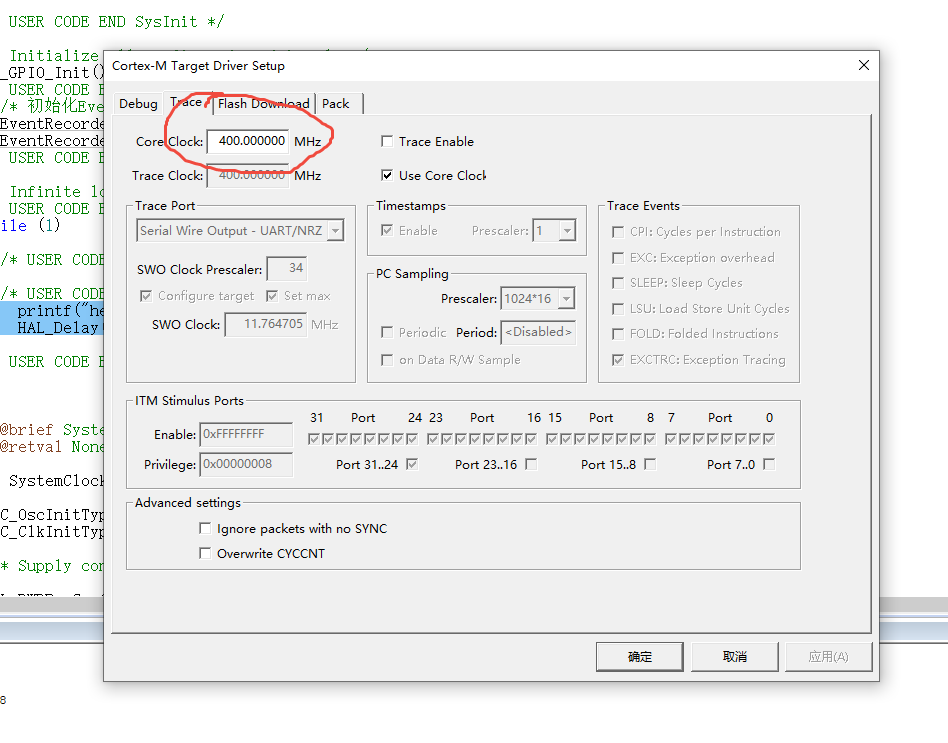
3、这里要勾选microlib b
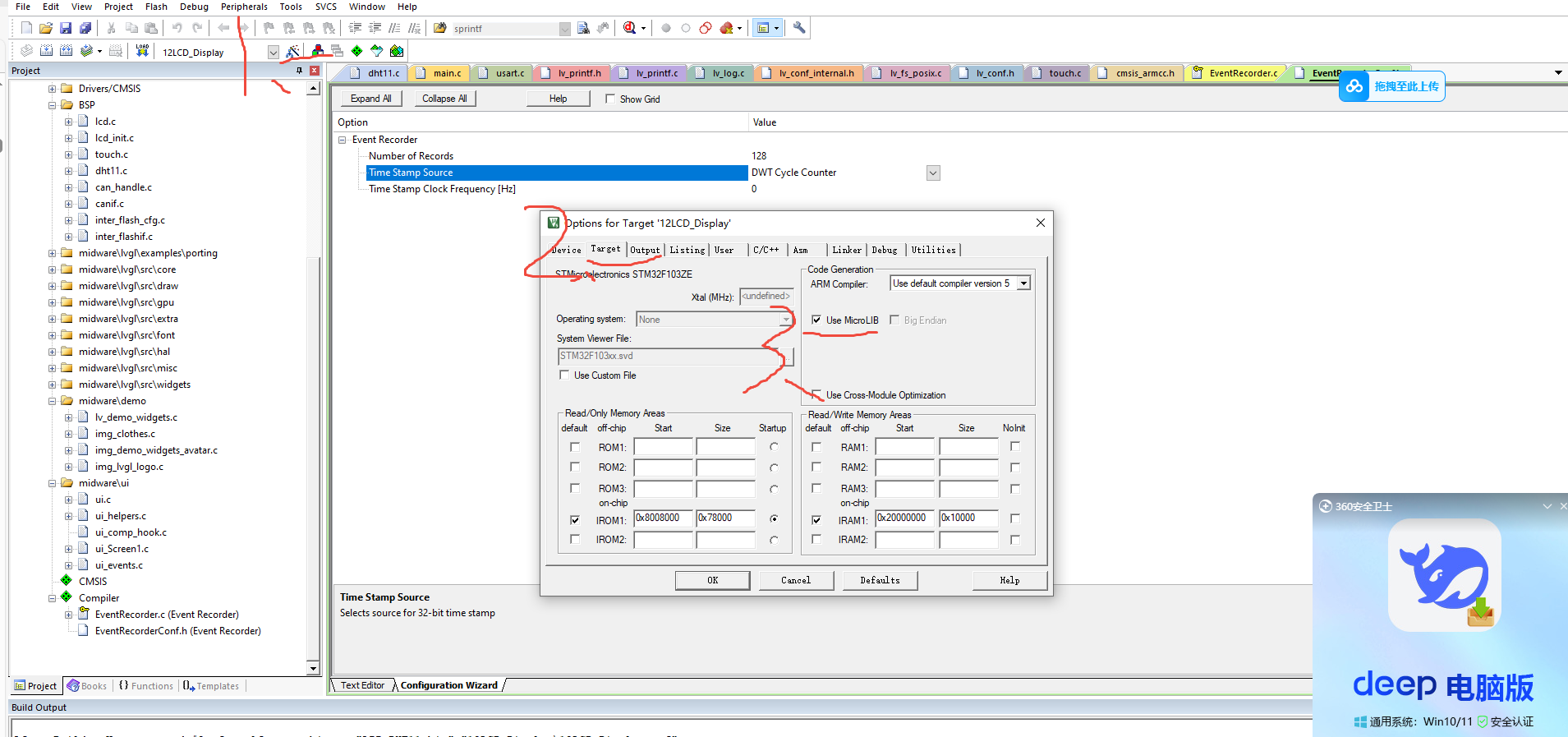
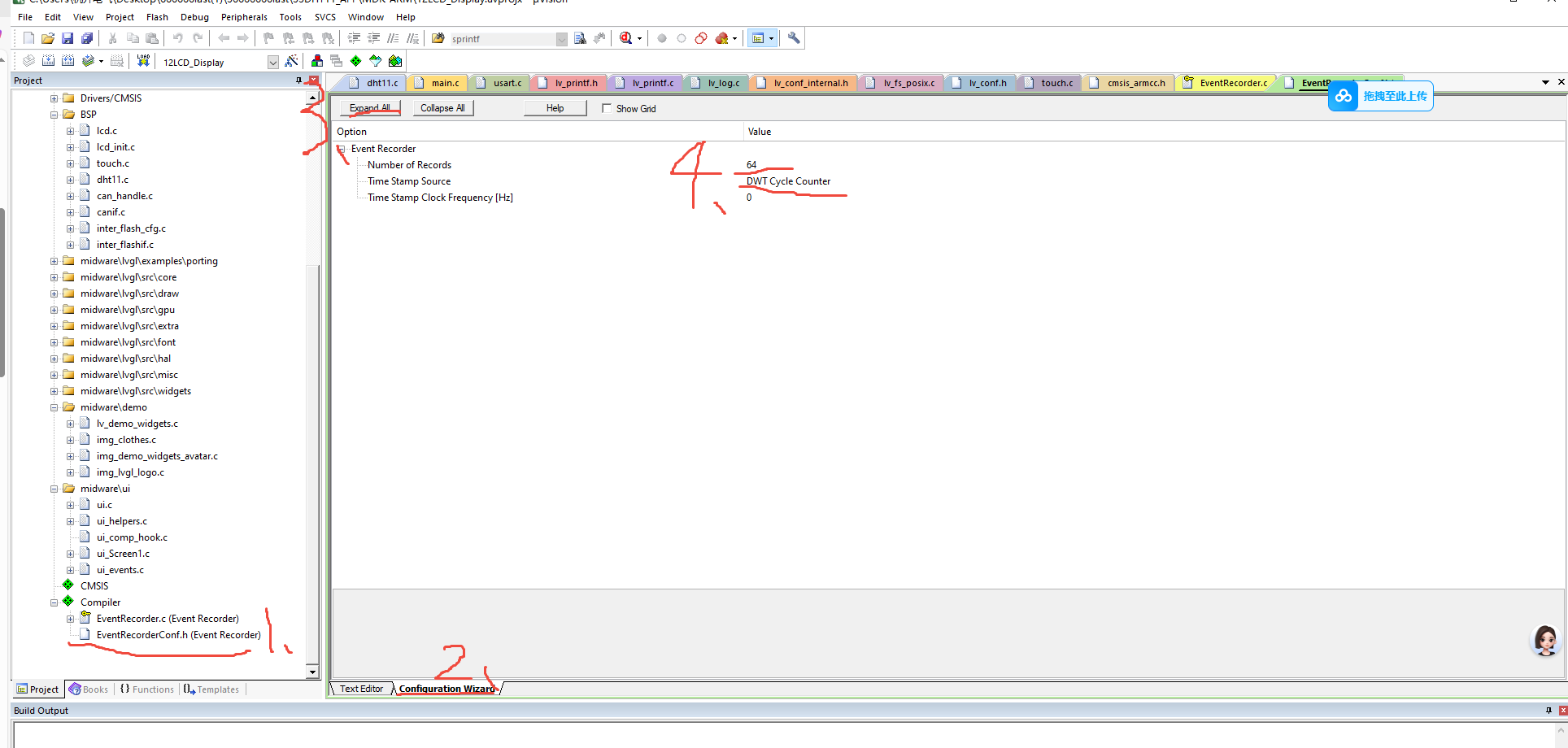
4、
Number of Records :Configures size of Event Record Buffer (each record is 16 bytes) Must be 2^n (min=8, max=65536)(记录数量:设定事件记录缓冲区的大小(每个记录为 16 个字节) 必须为 2 的 n 次幂(最小值为 8,最大值为 65536))这里h7的芯片设置为2048,如果是F1板子设置为128
Time Stamp Source : Selects source for 32-bit time stamp(时间戳来源:用于选择32位时间戳来源),我们这里使用DWT时钟周期计数器。由于选择的是DWT,因此EventRecorderCong.h文件中的Systick Configuration配置就不用管了。
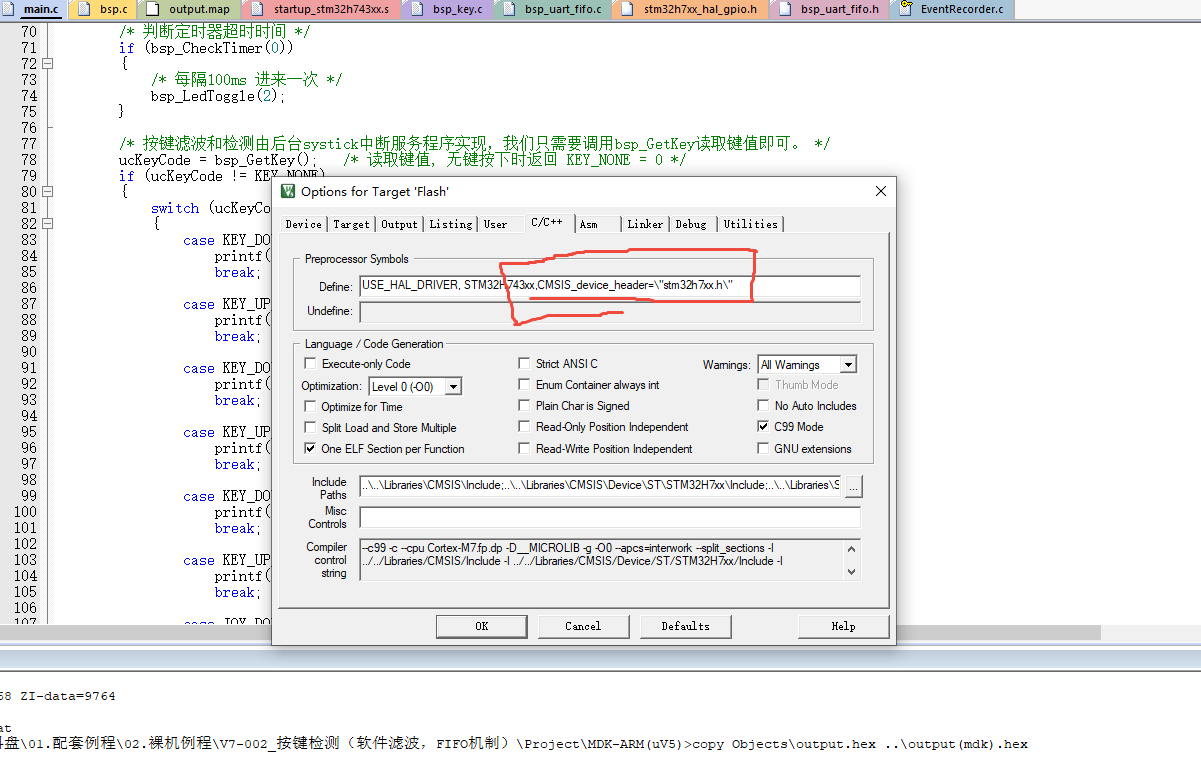
5、在宏定义中添加,CMSIS_device_header=\"stm32h7xx.h\"
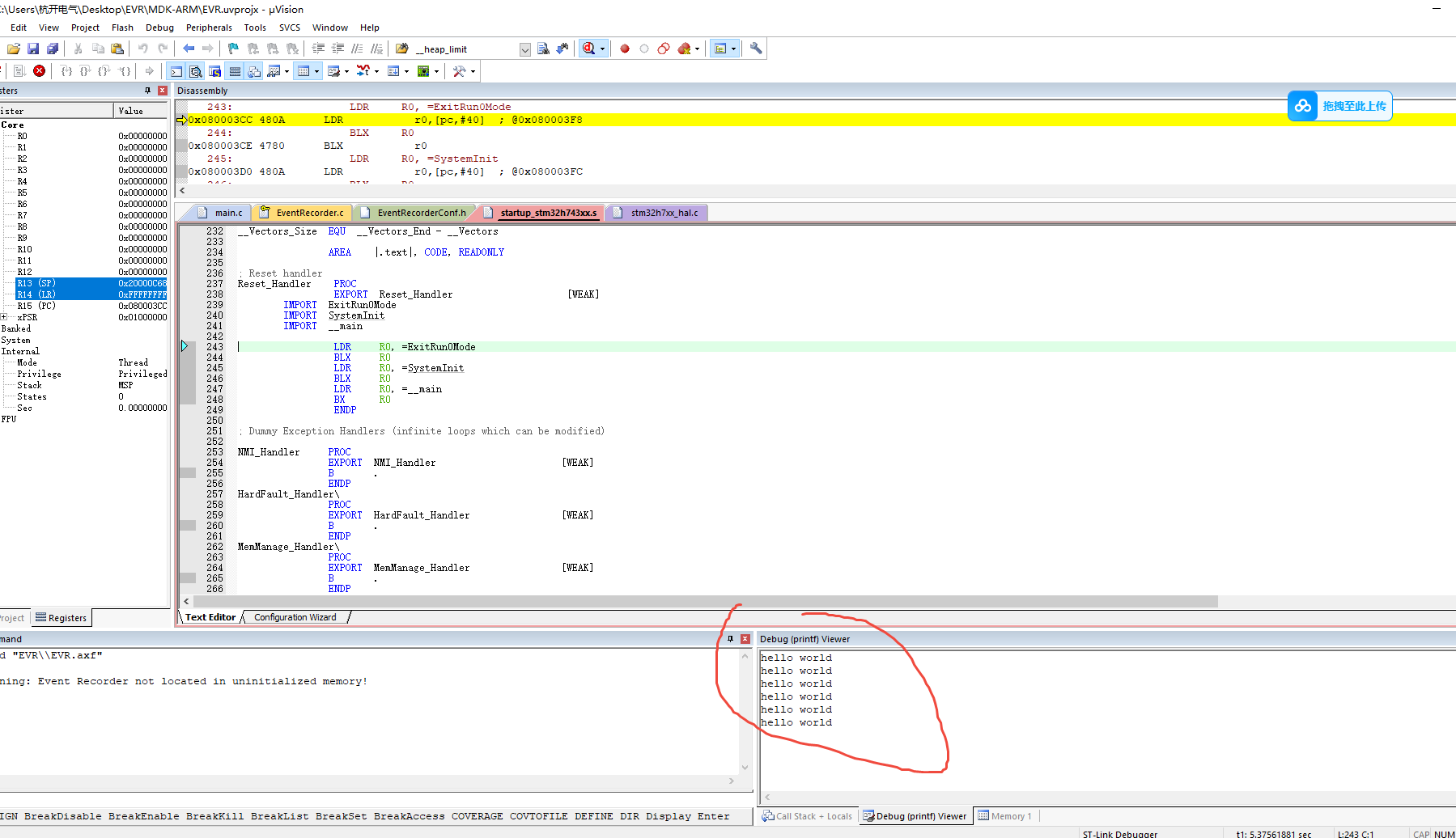
6、进入调试模式debug窗口

汇聚全球AI编程工具,助力开发者即刻编程。
更多推荐

 3
3 0
0- 0


 已为社区贡献1条内容

所有评论(0)