
prometheus(4):启动zookeper、flink、pushgateway
·
一 启动zookeeper
这个思路就是在三台设备上输入
/root/apps/zookeeper-3.4.14/bin/zkServer.sh start
/root/apps/zookeeper-3.4.14/bin/zkServer.sh status
二 在131启动flink
/root/apps/flink-1.11.1/bin/start-cluster.sh
[root@centos7-1 bin]# /root/apps/flink-1.11.1/bin/start-cluster.sh
Starting cluster.
Starting standalonesession daemon on host centos7-1.
Starting taskexecutor daemon on host centos7-1.
Starting taskexecutor daemon on host centos7-2.
Starting taskexecutor daemon on host centos7-3.
您在 /var/spool/mail/root 中有新邮件
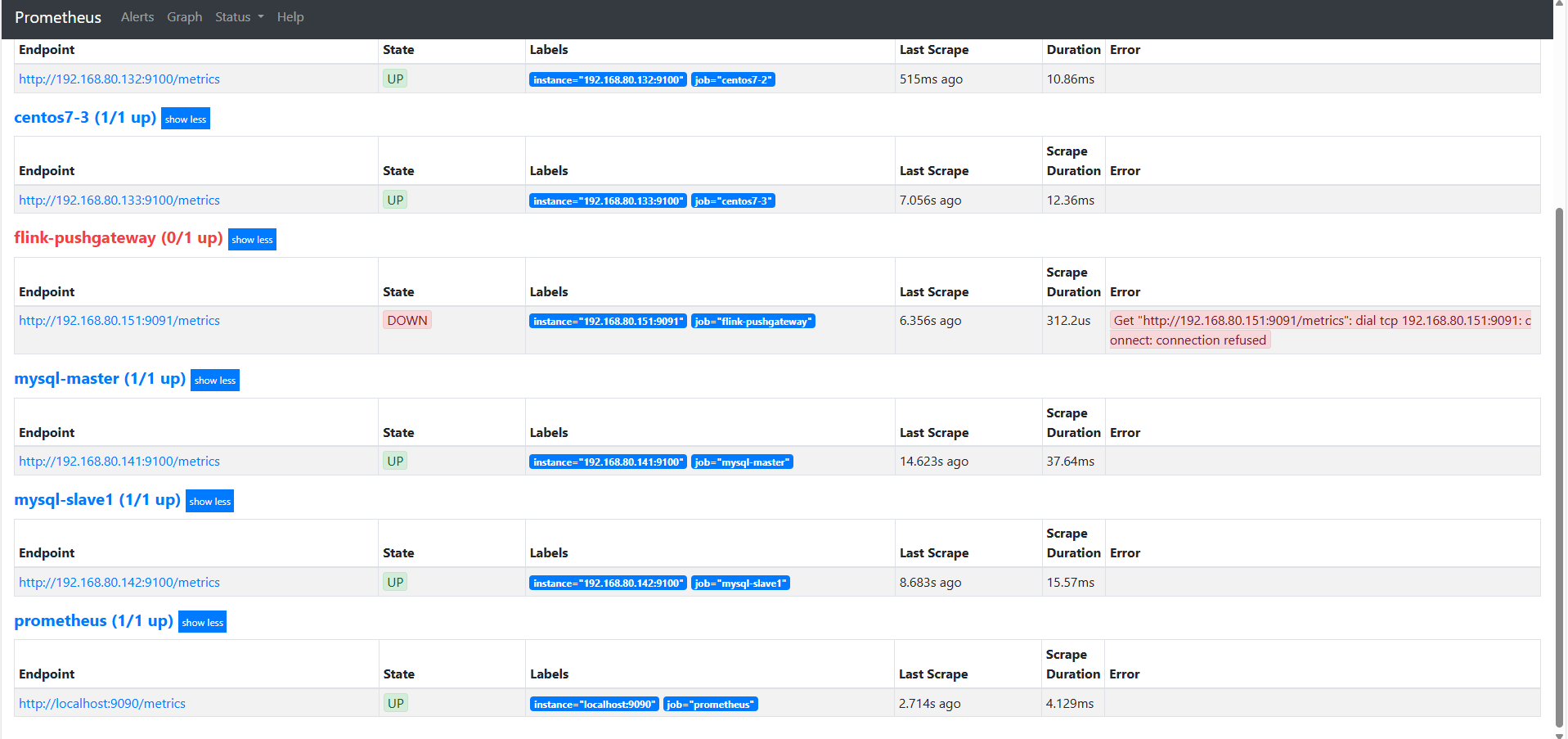
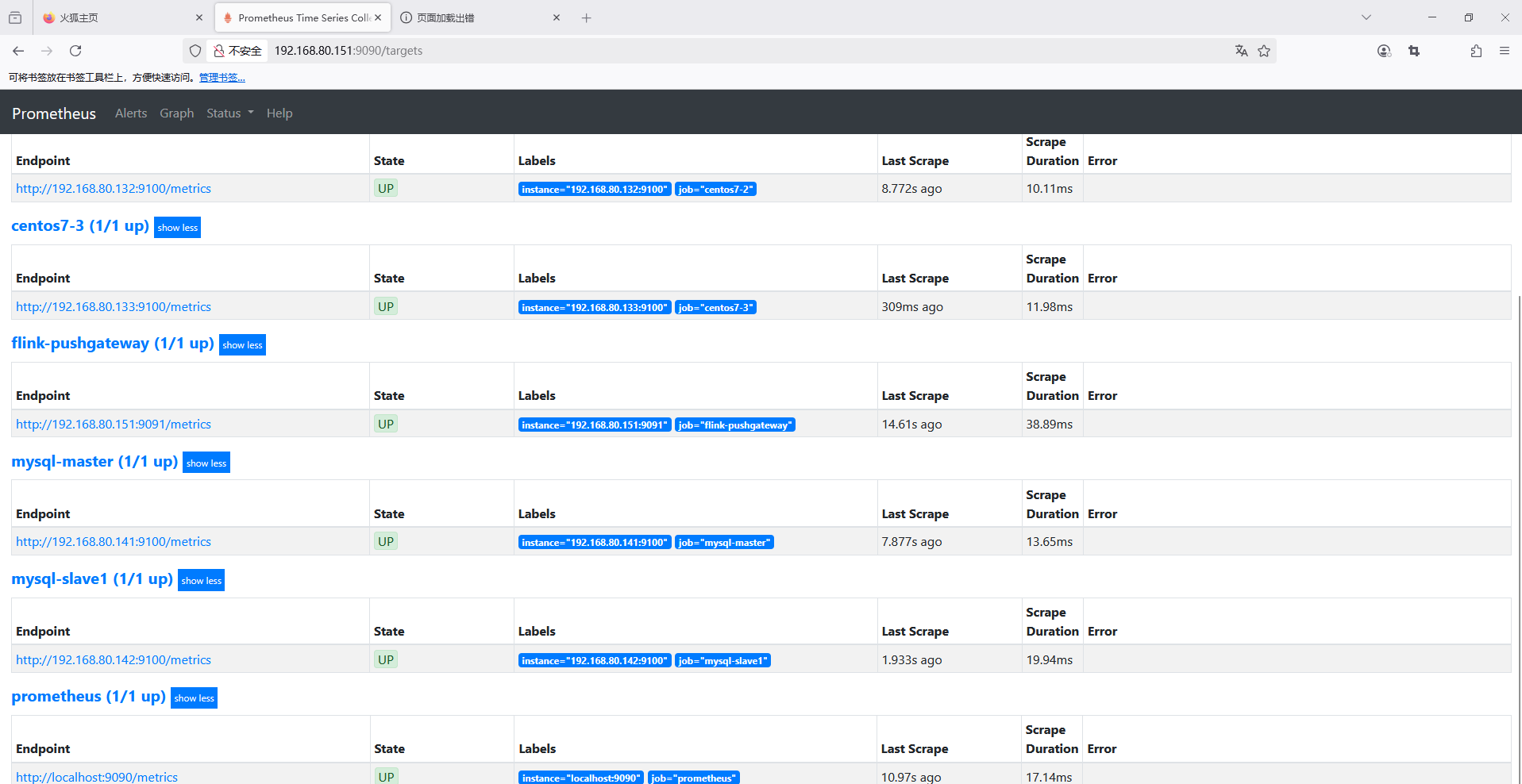
3 在151启动pushgateway
[root@localhost prometheus-2.22.1.linux-amd64]# cd pushgateway
[root@localhost pushgateway]# ll
总用量 16444
-rw-r--r--. 1 root root      646 4月   6 20:34 a.txt
-rw-r--r--. 1 root root      669 4月   6 20:34 b.txt
-rw-r--r--. 1 3434 3434    11357 10月  1 2020 LICENSE
-rw-------. 1 root root     2671 4月   6 18:34 nohup.out
-rw-r--r--. 1 3434 3434      487 10月  1 2020 NOTICE
-rwxr-xr-x. 1 3434 3434 16805601 10月  1 2020 pushgateway
-rw-r--r--. 1 root root      534 4月   6 18:07 pushgateway.log
[root@localhost pushgateway]# pwd
/root/apps/prometheus-2.22.1.linux-amd64/pushgateway
[root@localhost pushgateway]# nohup ./pushgateway --web.listen-address="0.0.0.0:9091" > /var/log/pushgateway.log 2>&1 &
[2] 1542
[root@localhost pushgateway]# ps
   PID TTY          TIME CMD
  1504 pts/0    00:00:00 bash
  1526 pts/0    00:00:06 prometheus
  1542 pts/0    00:00:00 pushgateway
  1547 pts/0    00:00:00 ps
结果

汇聚全球AI编程工具,助力开发者即刻编程。
更多推荐

 2
2 0
0- 0


 已为社区贡献8条内容

所有评论(0)