
nginx配置单独路径对应单独端口服务,跳转到nextjs server静态资源加载失败,并且网络出现大量重定向的解决方法
·
访问 http://[ip] 返回默认的index.html文件,访问 http://[ip]/nj 就会转发到3000端口服务。
配置后访问网站页面出错:

解决方法:
CSS, JS资源
原因是nextjs打包后内部请求资源指向了 http://[ip]/_next/static, 这个需要重定向,除此之外还需要启动用户要有静态资源的访问权限。否则会出现forbidden报错:
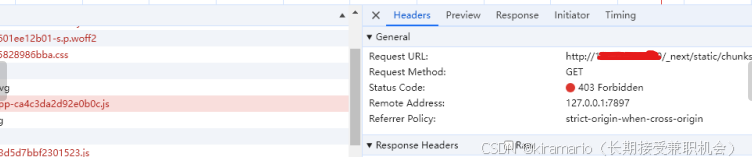
解决forbidden:
- 修改web目录的读写权限777
- 把nginx的启动用户改成目录的所属用户,重启Nginx即可解决,我修改了启动用户,
public图片资源:
需要单独再写一个重定向控制。
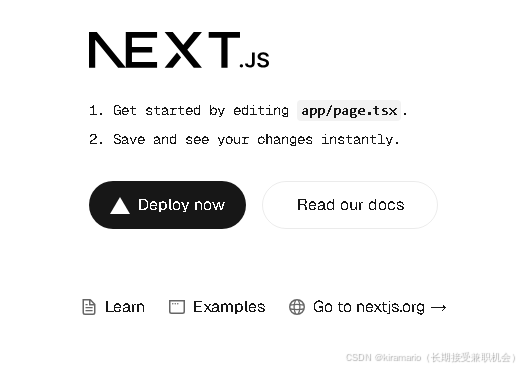
结果:
配置文件:
/etc/nginx/sites-enabled/default
server {
	listen 80 default_server;
	listen [::]:80 default_server;

	root /var/www/html;

	server_name _;

    # 解决nextjs css js静态资源问题,放在最前面,不然受被下面的其他规则优先级影响
	location /_next/static {
			alias /root/projects/nextjs_demo/.next/static;
			add_header Cache-Control "public, max-age=3600, immutable";
	}

	# public资源重定向
	location ~ ^/(.+\.(?:gif|jpe?g|png|svg))$ {
			alias /root/projects/nextjs_demo/public/$1;
	}

	location / {
			try_files $uri $uri/  =404;
	}

    # 配置对应路径,对应端口服务
	location /nj/ {
			proxy_pass http://127.0.0.1:3000/;
			proxy_set_header Host $host;
	}
}
/etc/nginx/nginx.conf
user root; # 默认是www-data, 改成和当前登录用户一致,避免出现Forbidden权限问题
worker_processes auto;
pid /run/nginx.pid;
include /etc/nginx/modules-enabled/*.conf;

events {
        worker_connections 768;
        # multi_accept on;
}

http {
        sendfile on;
        tcp_nopush on;
        types_hash_max_size 2048;

        include /etc/nginx/mime.types;
        default_type application/octet-stream;

        ssl_protocols TLSv1 TLSv1.1 TLSv1.2 TLSv1.3; # Dropping SSLv3, ref: POODLE
        ssl_prefer_server_ciphers on;


        log_format main '$remote_addr - $remote_user [$time_local] "$request"' '$status $body_bytes_sent "$http_referer"' '"$http_user_agent" "$request_time"';
        access_log /var/log/nginx/access.log;
        error_log /var/log/nginx/error.log;

        gzip on;

        include /etc/nginx/conf.d/*.conf;
        include /etc/nginx/sites-enabled/*;
}

汇聚全球AI编程工具,助力开发者即刻编程。
更多推荐

 9
9 0
0- 0


 已为社区贡献1条内容

所有评论(0)