
windows grafana使用
·
1、windows版本安装
https://grafana.com/grafana/download?platform=windows
下载msi、并安装
启动
#cmd执行
net start grafana
2、windows版本停止
#停止
net stop grafana
#确认
tasklist | findstr gra
#停不掉
#taskkill /PID 21876 /F
#关闭开机启动
sc config grafana start= demand
3、对接prometheus
3.1 添加数据源
Data sources->Add new data source->prometheus
3.2 添加看板
http://localhost:3000/
Dashboards->New->New Dashboard->Add visualization
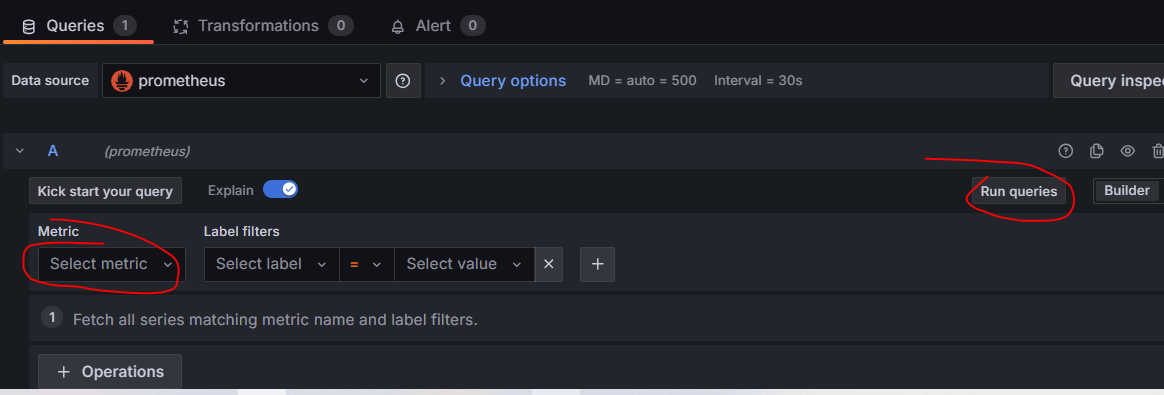
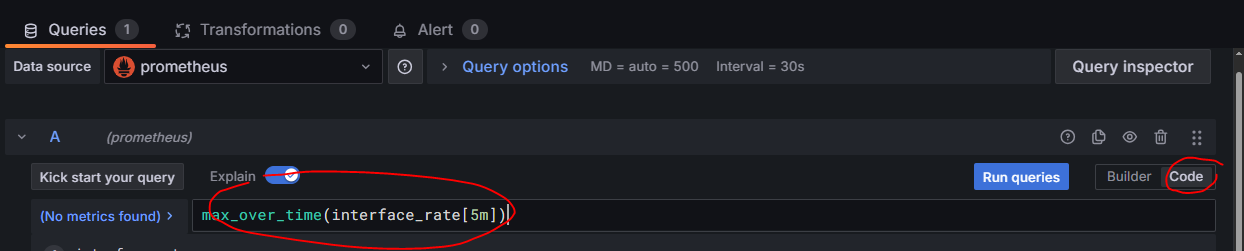
直接使用promQL:

汇聚全球AI编程工具,助力开发者即刻编程。
更多推荐

 3
3 0
0- 0


 已为社区贡献1条内容

所有评论(0)