
20251222给飞凌OK3588-C开发板适配Rockchip原厂的Buildroot【linux-6.1】系统时拿掉type-C0的fusb302时适配adb功能dr_mode = “periph
20251222给飞凌OK3588-C开发板适配Rockchip原厂的Buildroot【linux-6.1】系统时拿掉type-C0的fusb302时适配adb功能dr_mode = "peripheral";
2025/12/22 20:28
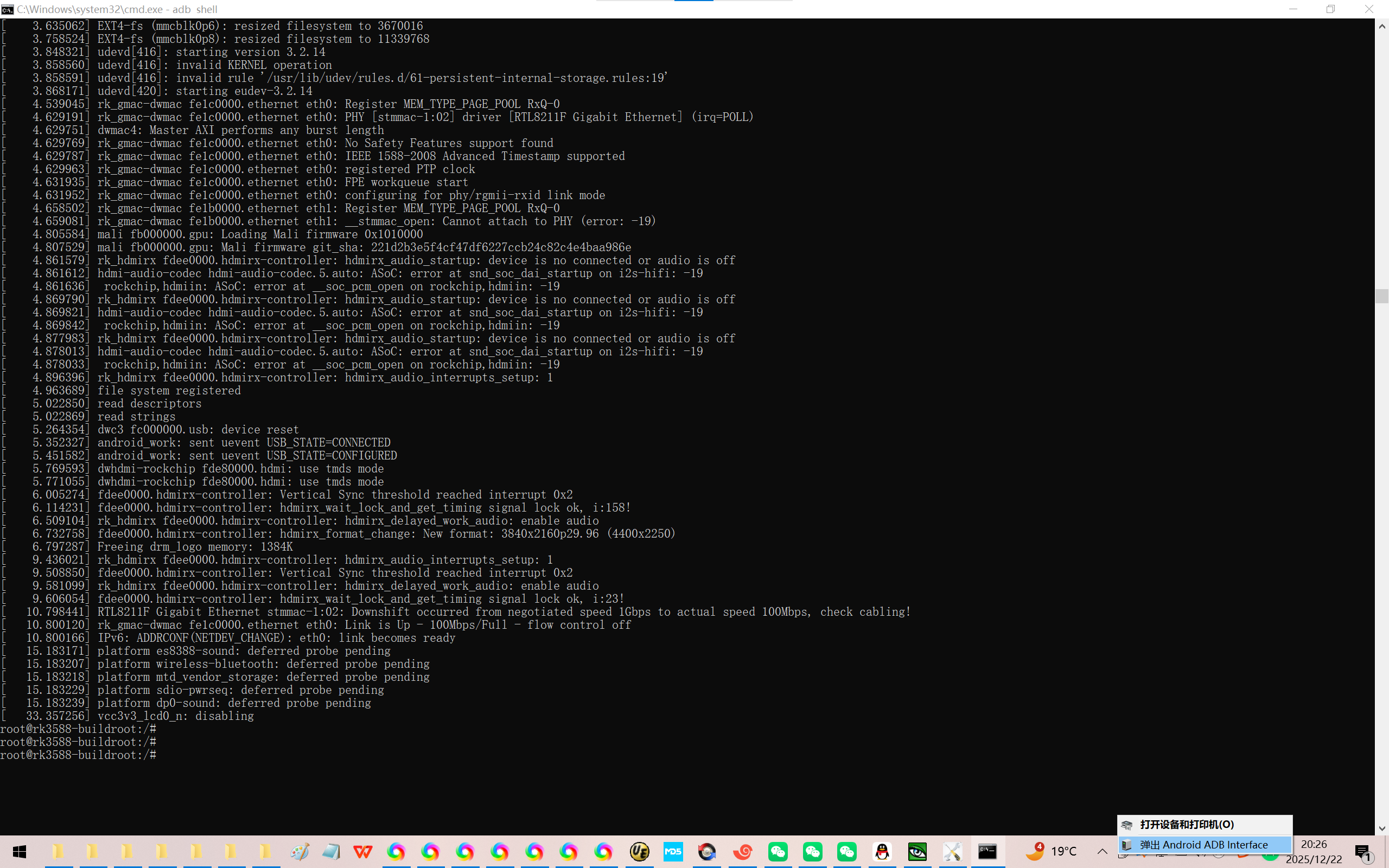
缘起:给飞凌OK3588-C开发板适配Rockchip原厂的Buildroot【linux-6.1】后,type-C0口改成4线的USB2.0口了。
可以刷机,由于没有fusb302芯片,相关DTS也需要做响应的修改以便使用adb功能!
虽然DEBUG能用,adb的功能属于锦上添花的功能,但是有些时候adb不能用还是特别不得劲!
需要实测开发板丝印ETH1芯片RTL8211F-CG的网速。
通过ifconfig确认为eth0。
需要使用ov5645的驱动框架来适配LVDS接口的105机芯。
按照以前的经验,首先关闭I2C的读写!
结果,肯定会出现某些地方遗漏的,只能通过编译器来检查问题了!
当你把荣品RD-RK3588开发板重新适配一把,就相当于从头做了一个项目:【荣品RD-RK3588开发板】。
当然,开发板的功能都是好的,你免除了调试的过程,也就没有解决相关硬件出错的经验/机会了!
1、根据前面的调试的适配type-C1的USB3.0功能【接热像仪】的经验。
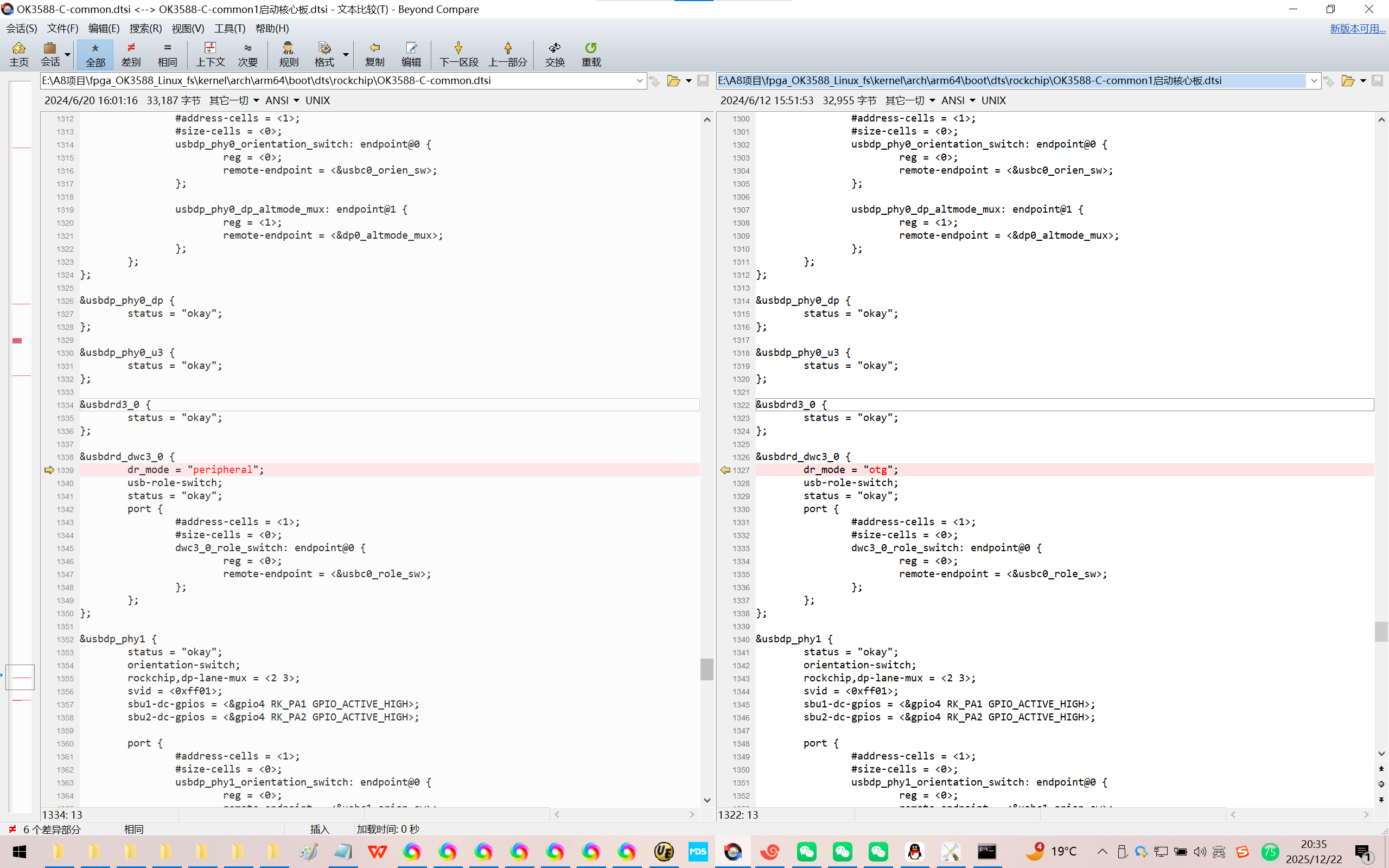
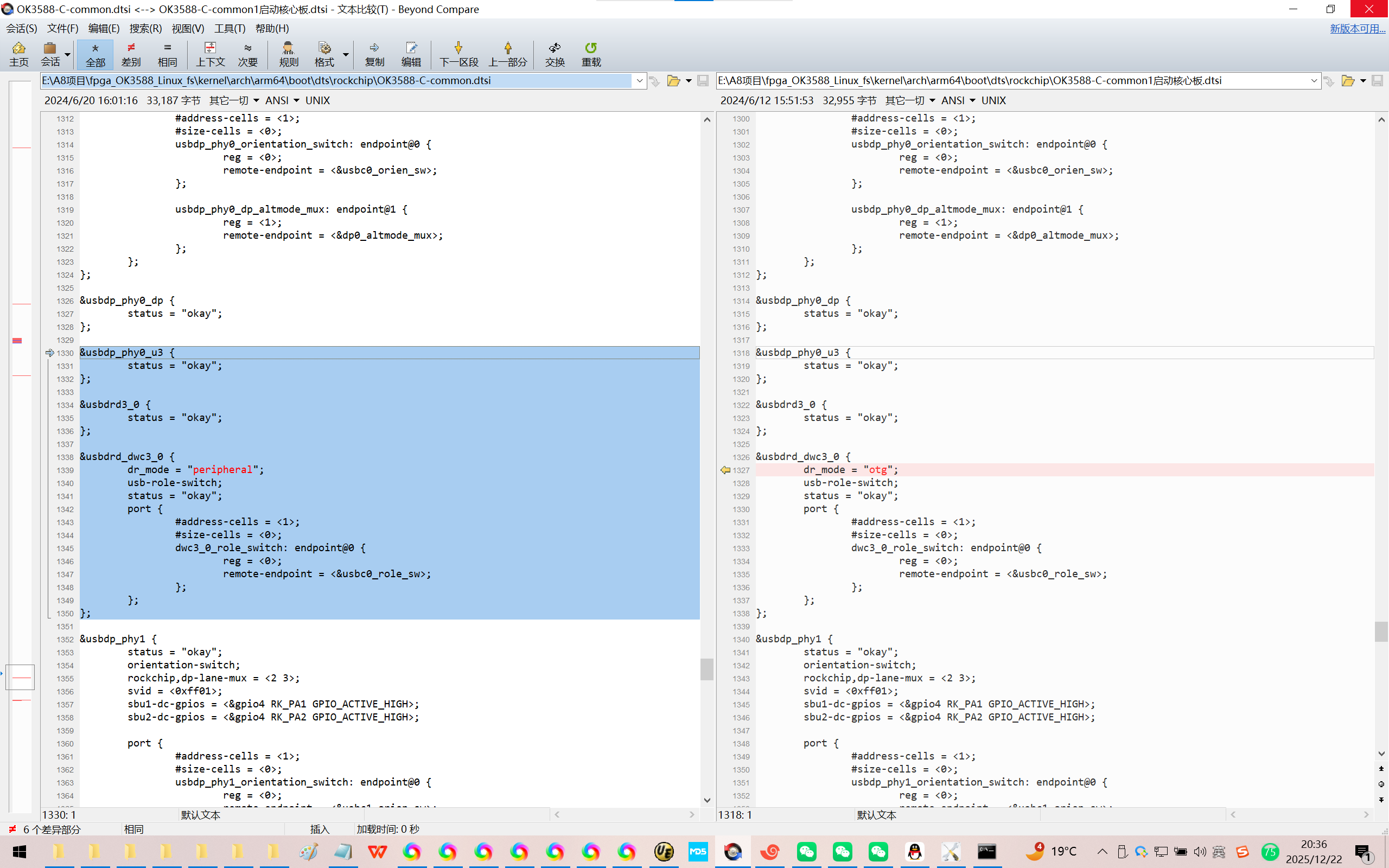
可以知道:type-C0拿掉type-C0的fusb302时适配adb功能,可能只需要如下【飞凌linux R4/Buildroot】3个代码块!
E:\fpga_OK3588_Linux_fs\kernel\arch\arm64\boot\dts\rockchip\OK3588-C-common.dtsi
&usbdp_phy0_u3 {
status = "okay";
};
&usbdrd3_0 {
status = "okay";
};
&usbdrd_dwc3_0 {
dr_mode = "peripheral";
usb-role-switch;
status = "okay";
port {
#address-cells = <1>;
#size-cells = <0>;
dwc3_0_role_switch: endpoint@0 {
reg = <0>;
remote-endpoint = <&usbc0_role_sw>;
};
};
};
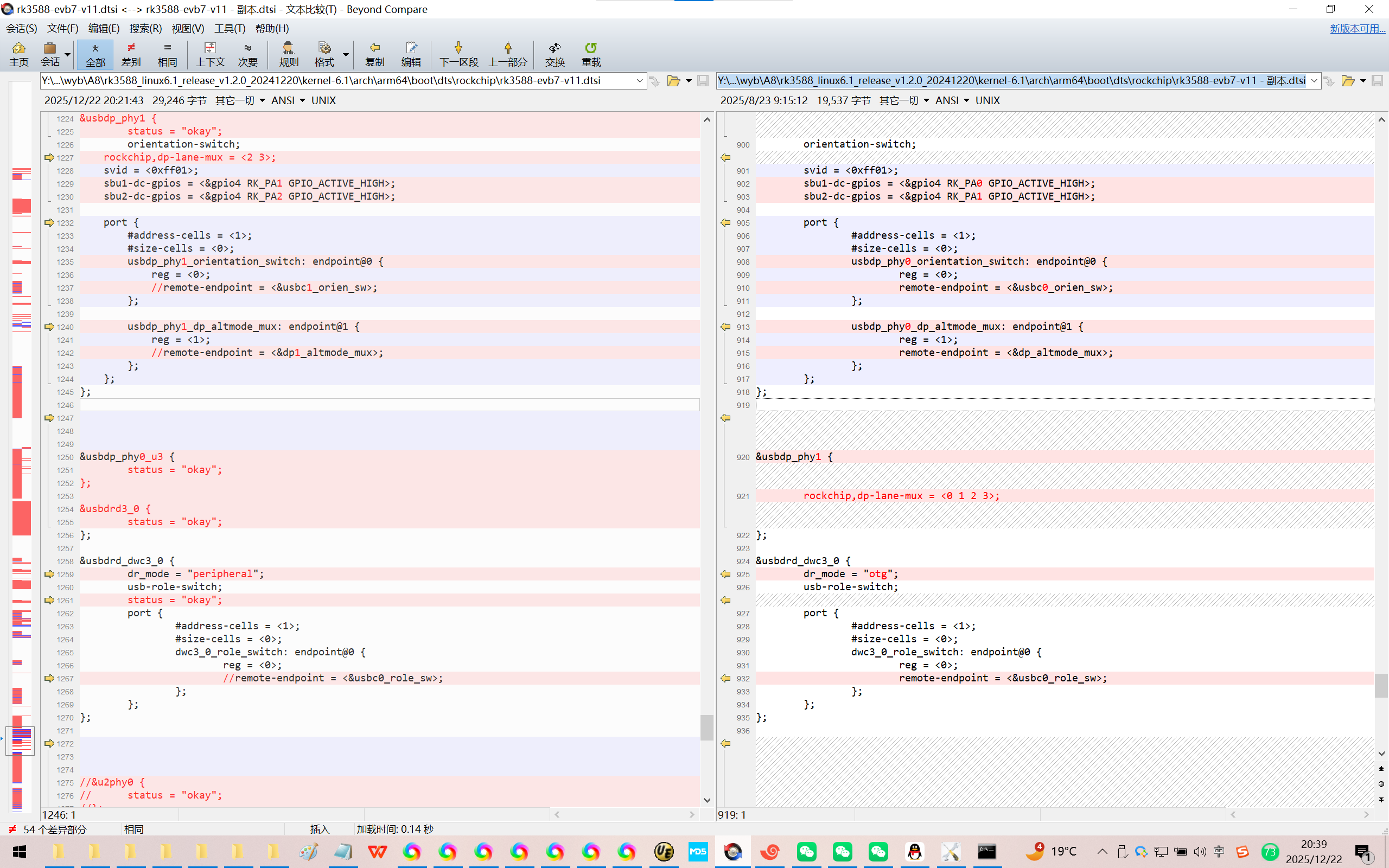
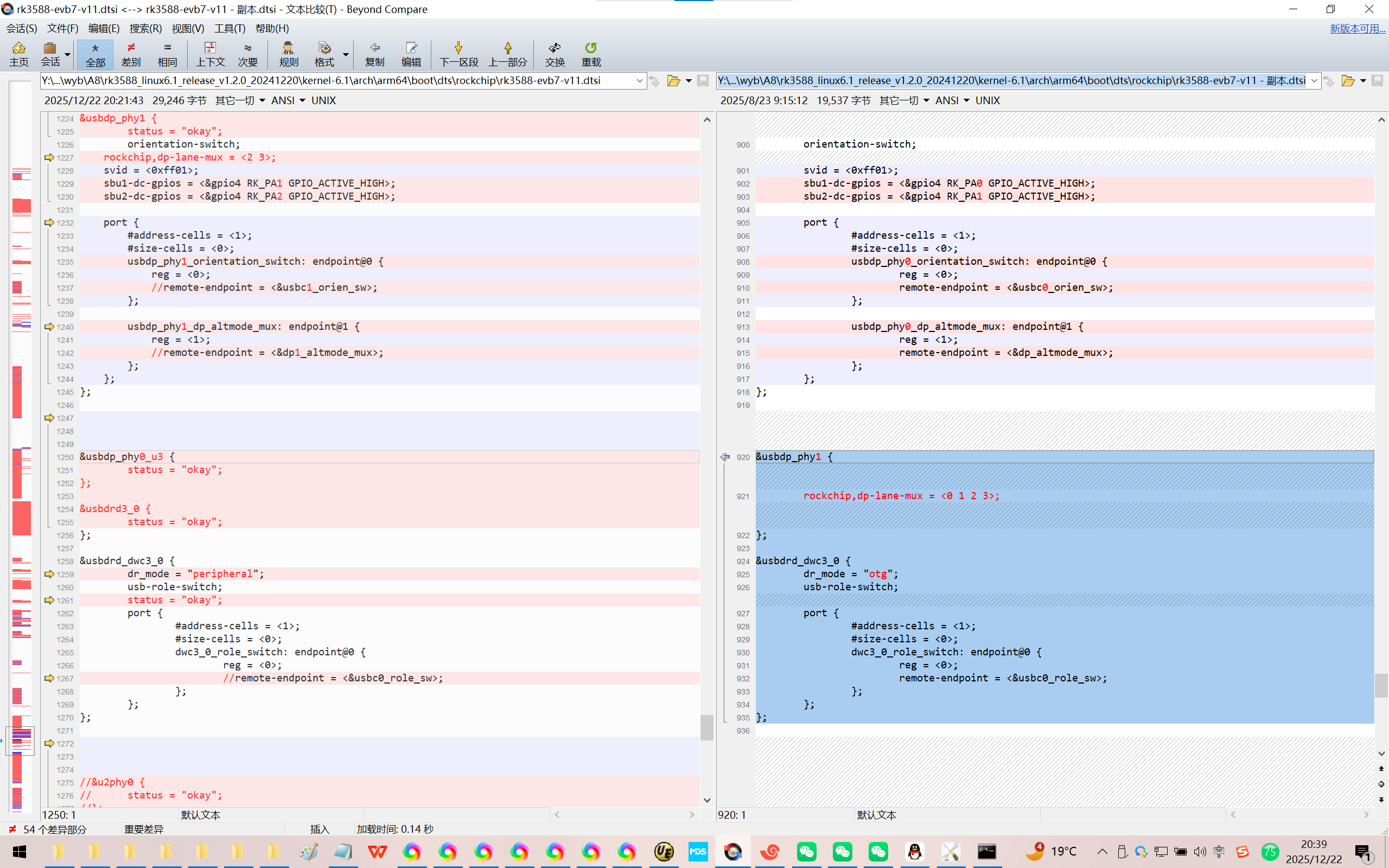
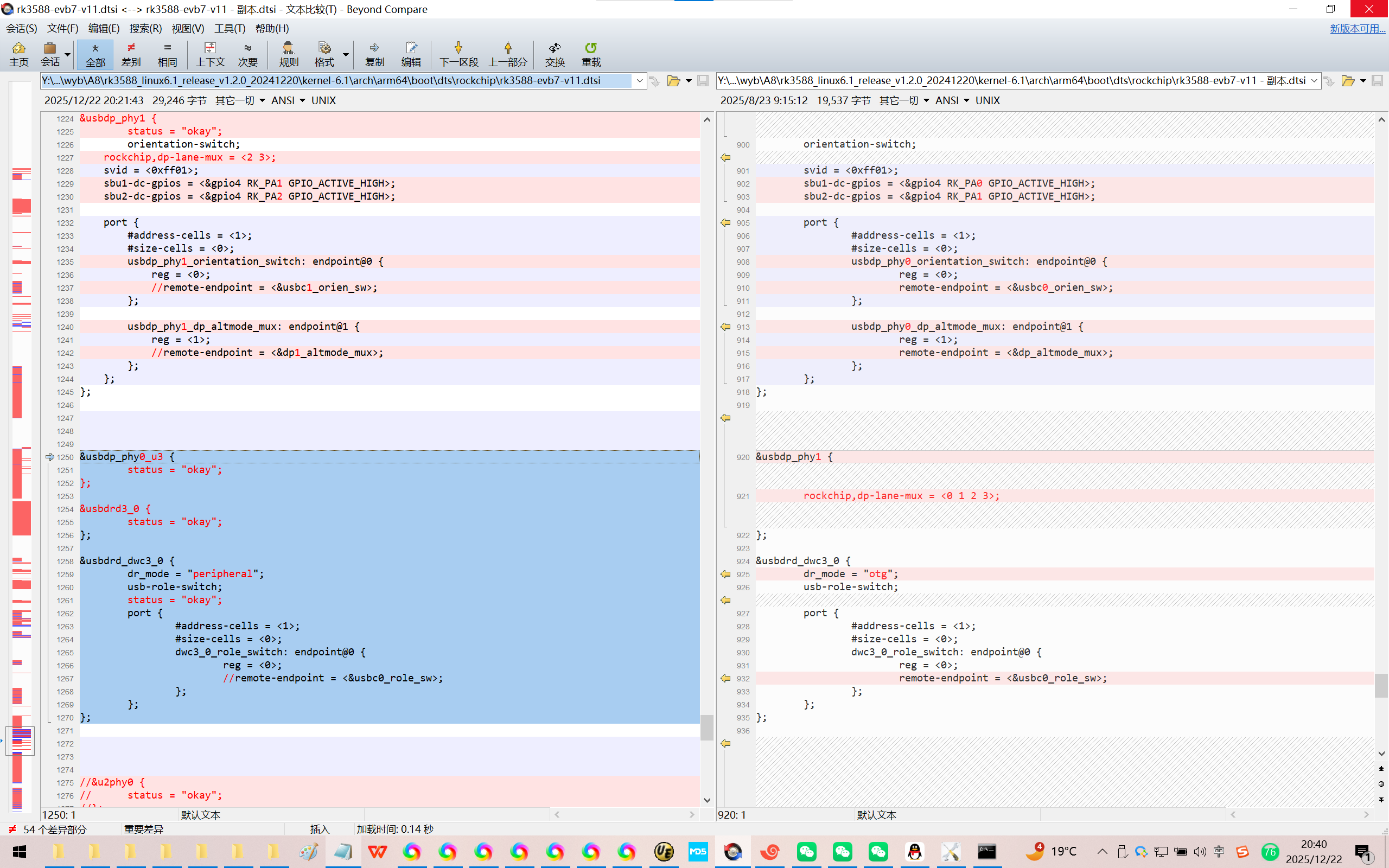
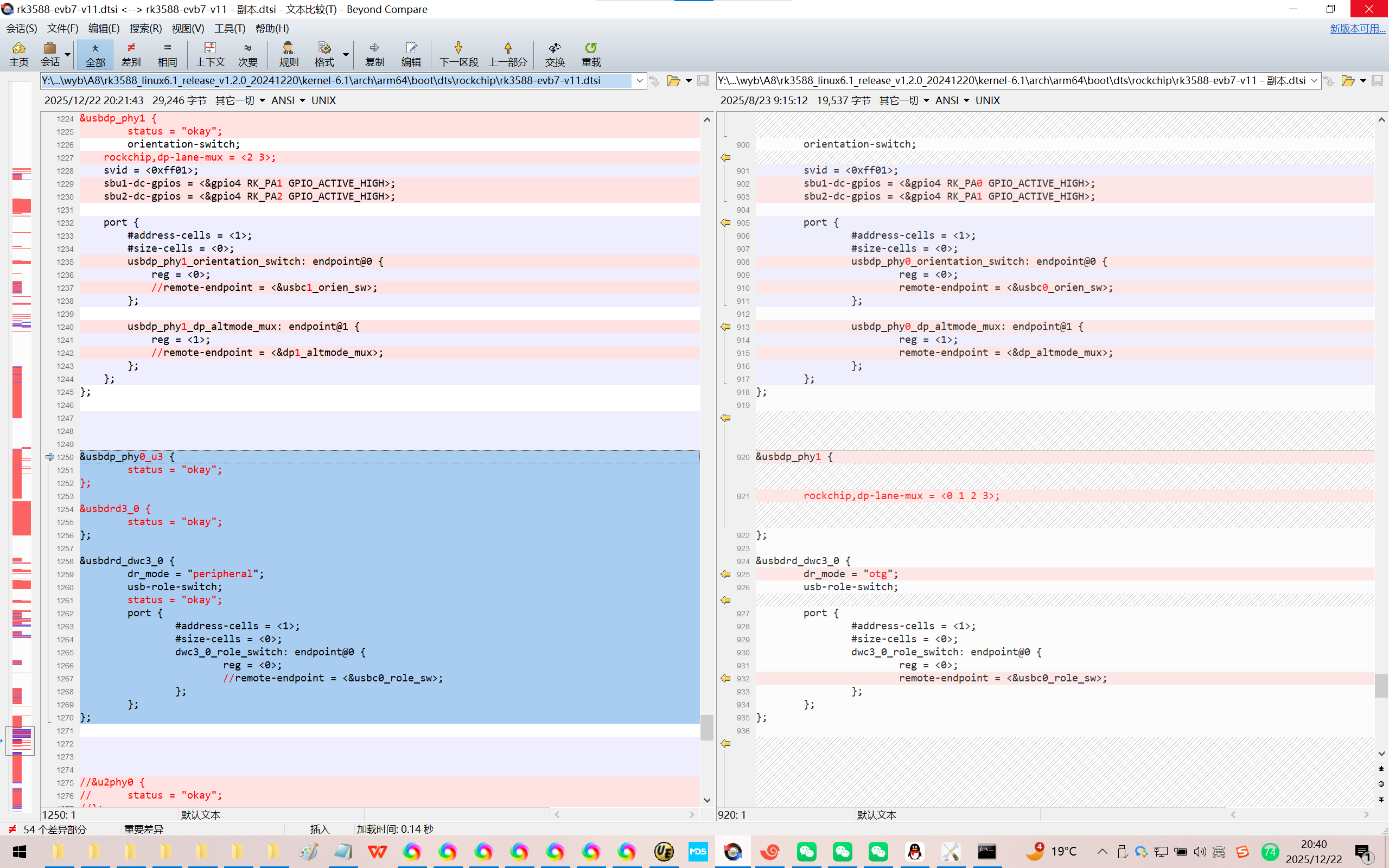
2、使用Rockchip瑞芯微原厂的SDK,先适配好OK3588-C开发板,暂时先拼比了type-C0。
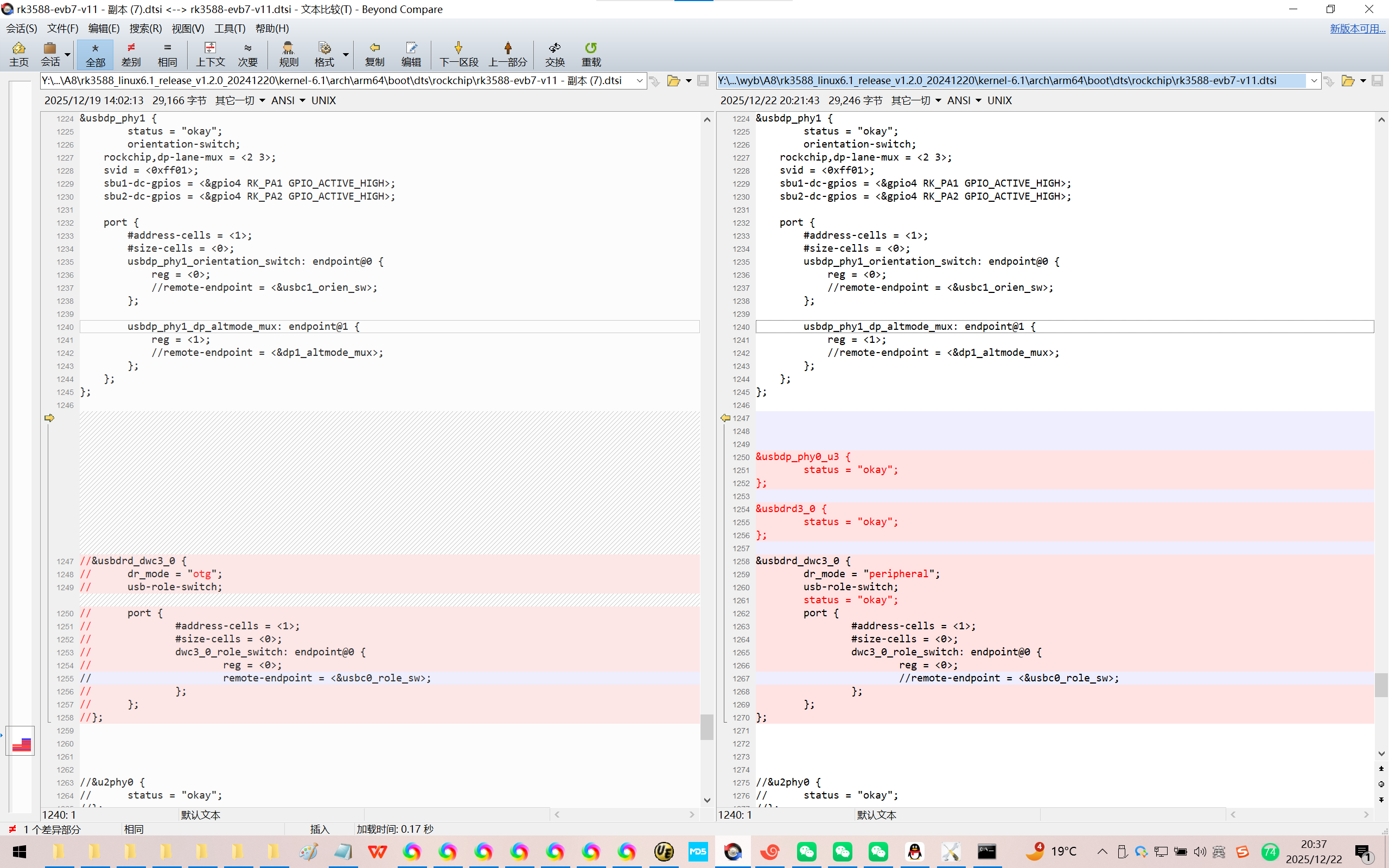
Y:\new_disk_4t\wyb\A8\rk3588_linux6.1_release_v1.2.0_20241220\kernel-6.1\arch\arm64\boot\dts\rockchip\rk3588-evb7-v11.dtsi
//&usbdrd_dwc3_0 {
// dr_mode = "otg";
// usb-role-switch;
// port {
// #address-cells = <1>;
// #size-cells = <0>;
// dwc3_0_role_switch: endpoint@0 {
// reg = <0>;
// remote-endpoint = <&usbc0_role_sw>;
// };
// };
//};
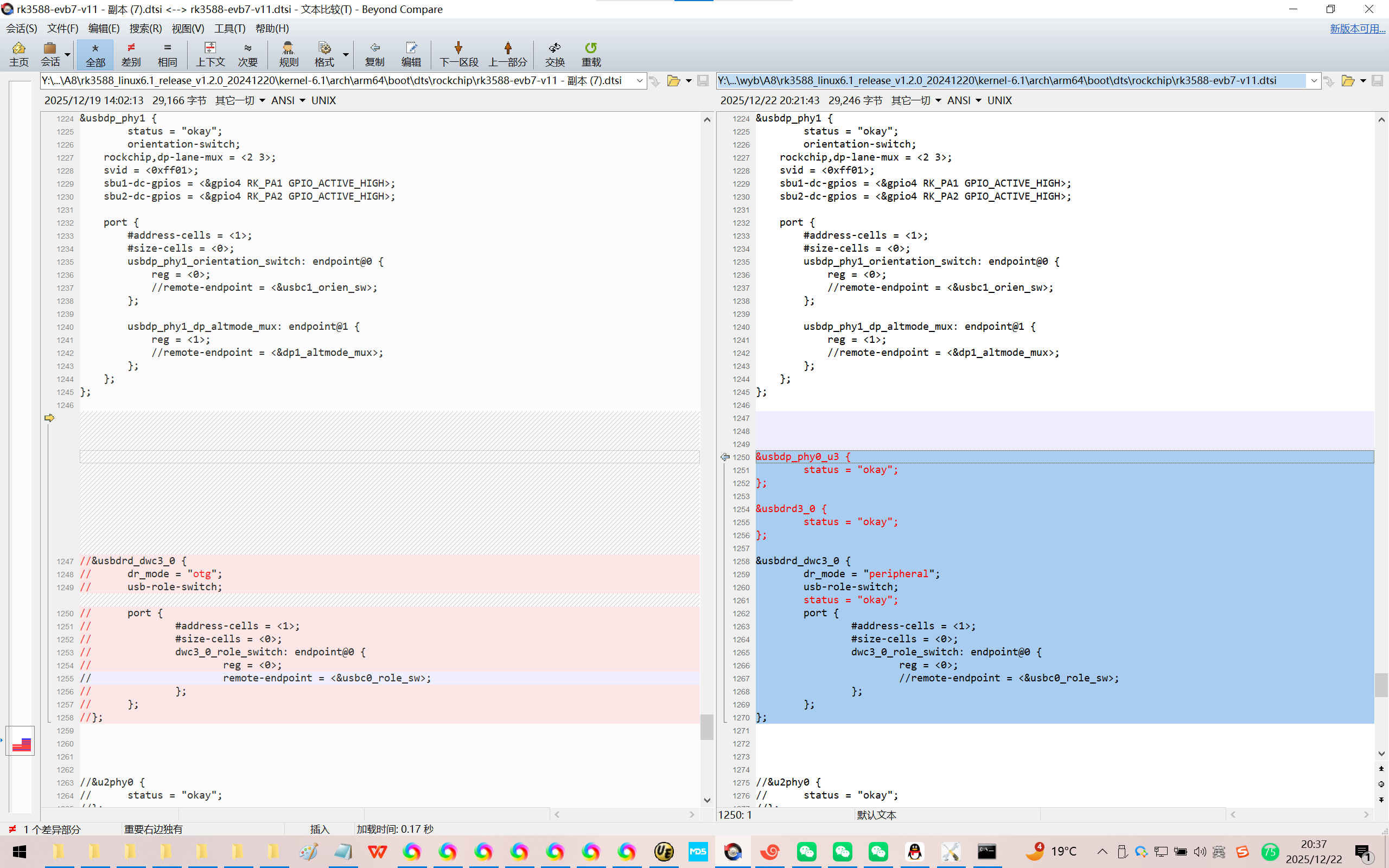
修改为:
&usbdp_phy0_u3 {
status = "okay";
};
&usbdrd3_0 {
status = "okay";
};
&usbdrd_dwc3_0 {
dr_mode = "peripheral";
usb-role-switch;
status = "okay";
port {
#address-cells = <1>;
#size-cells = <0>;
dwc3_0_role_switch: endpoint@0 {
reg = <0>;
//remote-endpoint = <&usbc0_role_sw>;
};
};
};
3、
&u2phy3_host {
phy-supply = <&vcc5v0_host>;
};
&usbdp_phy0 {
orientation-switch;
svid = <0xff01>;
sbu1-dc-gpios = <&gpio4 RK_PA0 GPIO_ACTIVE_HIGH>;
sbu2-dc-gpios = <&gpio4 RK_PA1 GPIO_ACTIVE_HIGH>;
port {
#address-cells = <1>;
#size-cells = <0>;
usbdp_phy0_orientation_switch: endpoint@0 {
reg = <0>;
remote-endpoint = <&usbc0_orien_sw>;
};
usbdp_phy0_dp_altmode_mux: endpoint@1 {
reg = <1>;
remote-endpoint = <&dp_altmode_mux>;
};
};
};
&usbdp_phy1 {
rockchip,dp-lane-mux = <0 1 2 3>;
};
&usbdrd_dwc3_0 {
dr_mode = "otg";
usb-role-switch;
port {
#address-cells = <1>;
#size-cells = <0>;
dwc3_0_role_switch: endpoint@0 {
reg = <0>;
remote-endpoint = <&usbc0_role_sw>;
};
};
};
修改为:
&u2phy3_host {
phy-supply = <&vcc5v0_host>;
};
//&usbdp_phy0 {
// orientation-switch;
// svid = <0xff01>;
// sbu1-dc-gpios = <&gpio4 RK_PA0 GPIO_ACTIVE_HIGH>;
// sbu2-dc-gpios = <&gpio4 RK_PA1 GPIO_ACTIVE_HIGH>;
//
// port {
// #address-cells = <1>;
// #size-cells = <0>;
// usbdp_phy0_orientation_switch: endpoint@0 {
// reg = <0>;
// remote-endpoint = <&usbc0_orien_sw>;
// };
//
// usbdp_phy0_dp_altmode_mux: endpoint@1 {
// reg = <1>;
// remote-endpoint = <&dp_altmode_mux>;
// };
// };
//};
&usbdp_phy1 {
status = "okay";
orientation-switch;
rockchip,dp-lane-mux = <2 3>;
svid = <0xff01>;
sbu1-dc-gpios = <&gpio4 RK_PA1 GPIO_ACTIVE_HIGH>;
sbu2-dc-gpios = <&gpio4 RK_PA2 GPIO_ACTIVE_HIGH>;
port {
#address-cells = <1>;
#size-cells = <0>;
usbdp_phy1_orientation_switch: endpoint@0 {
reg = <0>;
//remote-endpoint = <&usbc1_orien_sw>;
};
usbdp_phy1_dp_altmode_mux: endpoint@1 {
reg = <1>;
//remote-endpoint = <&dp1_altmode_mux>;
};
};
};
&usbdp_phy0_u3 {
status = "okay";
};
&usbdrd3_0 {
status = "okay";
};
&usbdrd_dwc3_0 {
dr_mode = "peripheral";
usb-role-switch;
status = "okay";
port {
#address-cells = <1>;
#size-cells = <0>;
dwc3_0_role_switch: endpoint@0 {
reg = <0>;
//remote-endpoint = <&usbc0_role_sw>;
};
};
};
//&u2phy0 {
// status = "okay";
//};

汇聚全球AI编程工具,助力开发者即刻编程。
更多推荐
 32
32 0
0- 0


 已为社区贡献4条内容

所有评论(0)