
beeline连接hive时报错<小记>
·
使用beeline连接hive时出现以下报错:Error: Could not open client transport with JDBC Uri: jdbc:hive2://localhost:10000/: Failed to open new session: java.lang.RuntimeException: org.apache.hadoop.ipc.RemoteException(org.apache.hadoop.security.authorize.AuthorizationException): User: guohailong is not allowed to impersonate anonymous (state=08S01,code=0)
Beeline version 2.3.9 by Apache Hive
解决方法:
由于权限配置问题导致的。具体来说,User: guohailong is not allowed to impersonate anonymous 表示当前用户在尝试以匿名身份进行操作时没有足够的权限。以下是一些可能的解决方案:
- 检查 Hive 配置:
确保 hive.server2.enable.doAs 在 hive-site.xml 中被设置为 true,这样可以启用用户代理(doAs)功能。
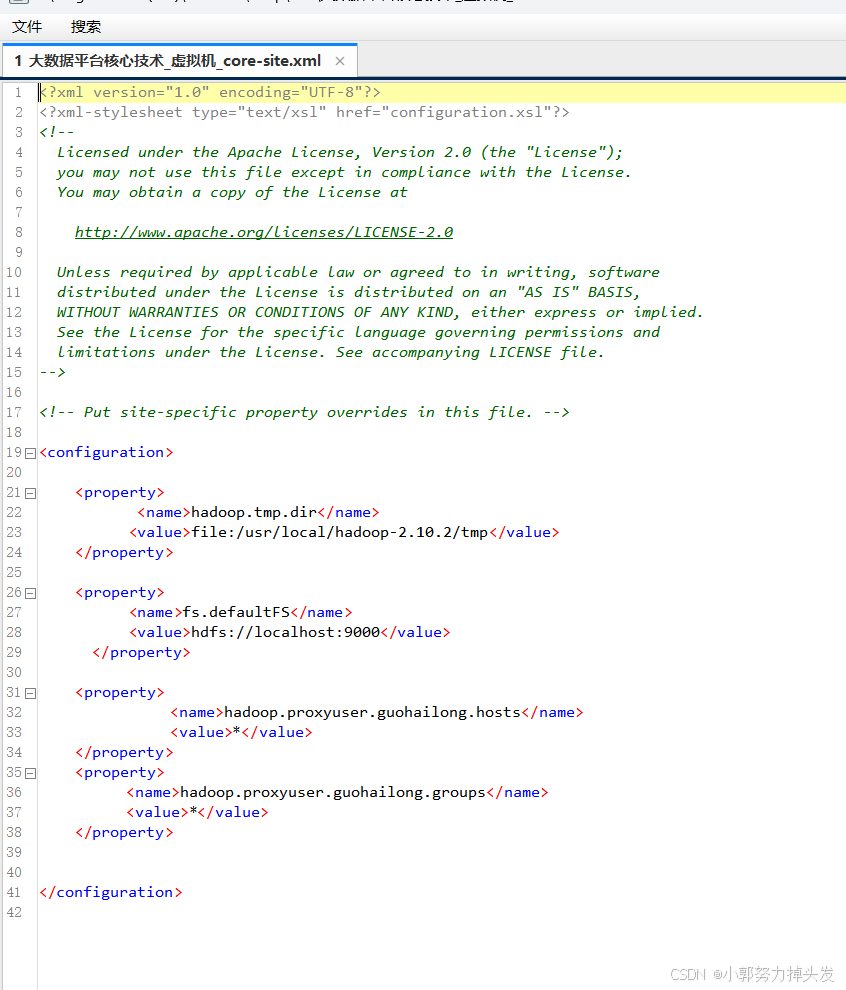
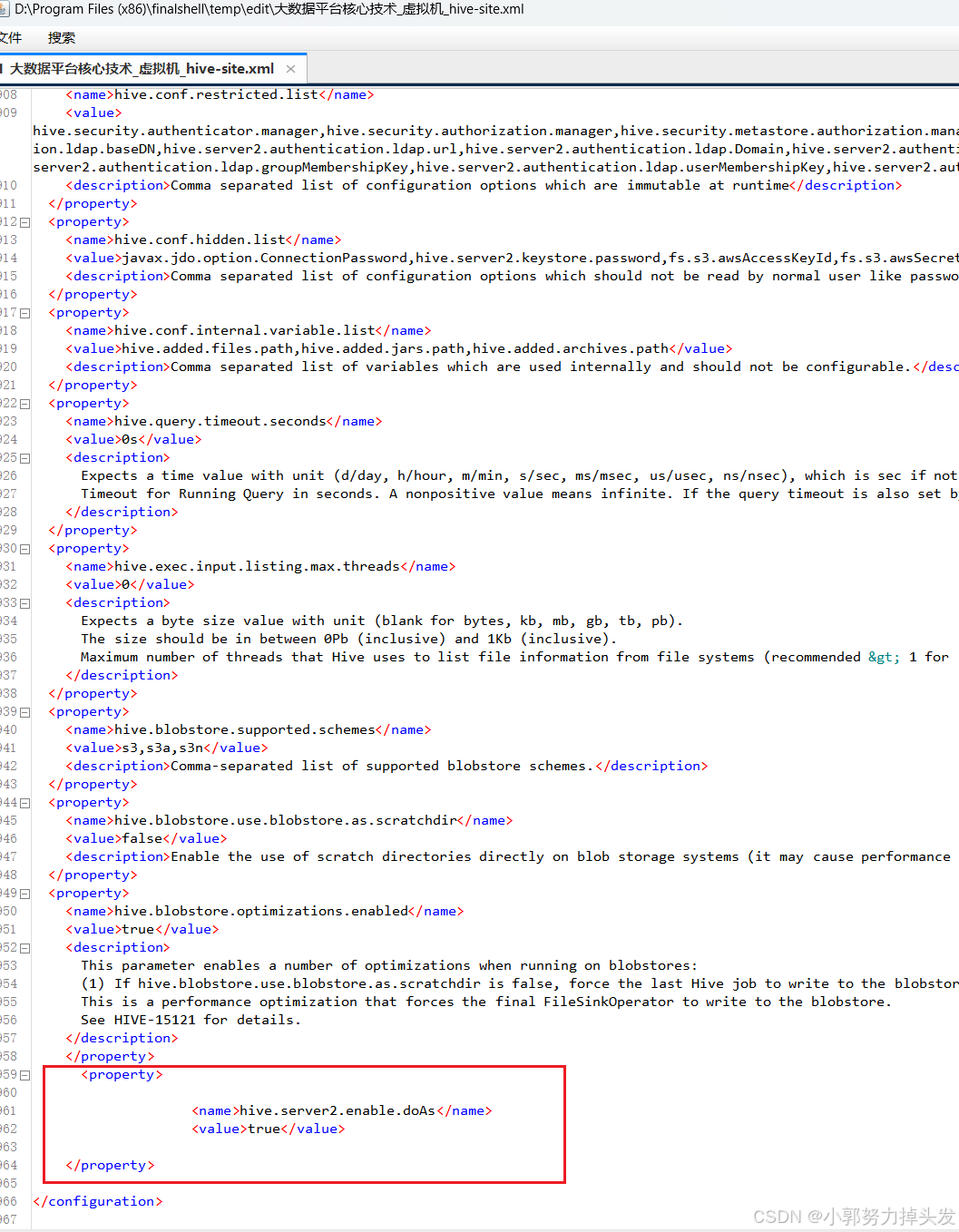
在hive-site.xml添加配置
<property>
<name>hive.server2.enable.doAs</name>
<value>true</value>
</property>
- Kerberos 配置:
如果您使用的是 Kerberos 认证,请确保您的用户已被正确配置为可以执行代理。您可能需要在 Kerberos 中为用户授予相应的权限。 - Hadoop 配置:
检查 Hadoop 的 core-site.xml 和 hdfs-site.xml 中的权限设置,确保用户有适当的权限。

汇聚全球AI编程工具,助力开发者即刻编程。
更多推荐

 5
5 0
0- 0


 已为社区贡献1条内容

所有评论(0)