
jenkins配置多个仓库相互依赖打包
·
仓库情况
-
拉取主仓库 A
-
进入仓库 A 的
src目录 -
拉取子仓库 B 到
src里 -
拉取子仓库C 安装依赖并放到仓库A的public文件夹下
-
然后在主项目目录执行 依赖安装 和 打包
创建jenkins项目
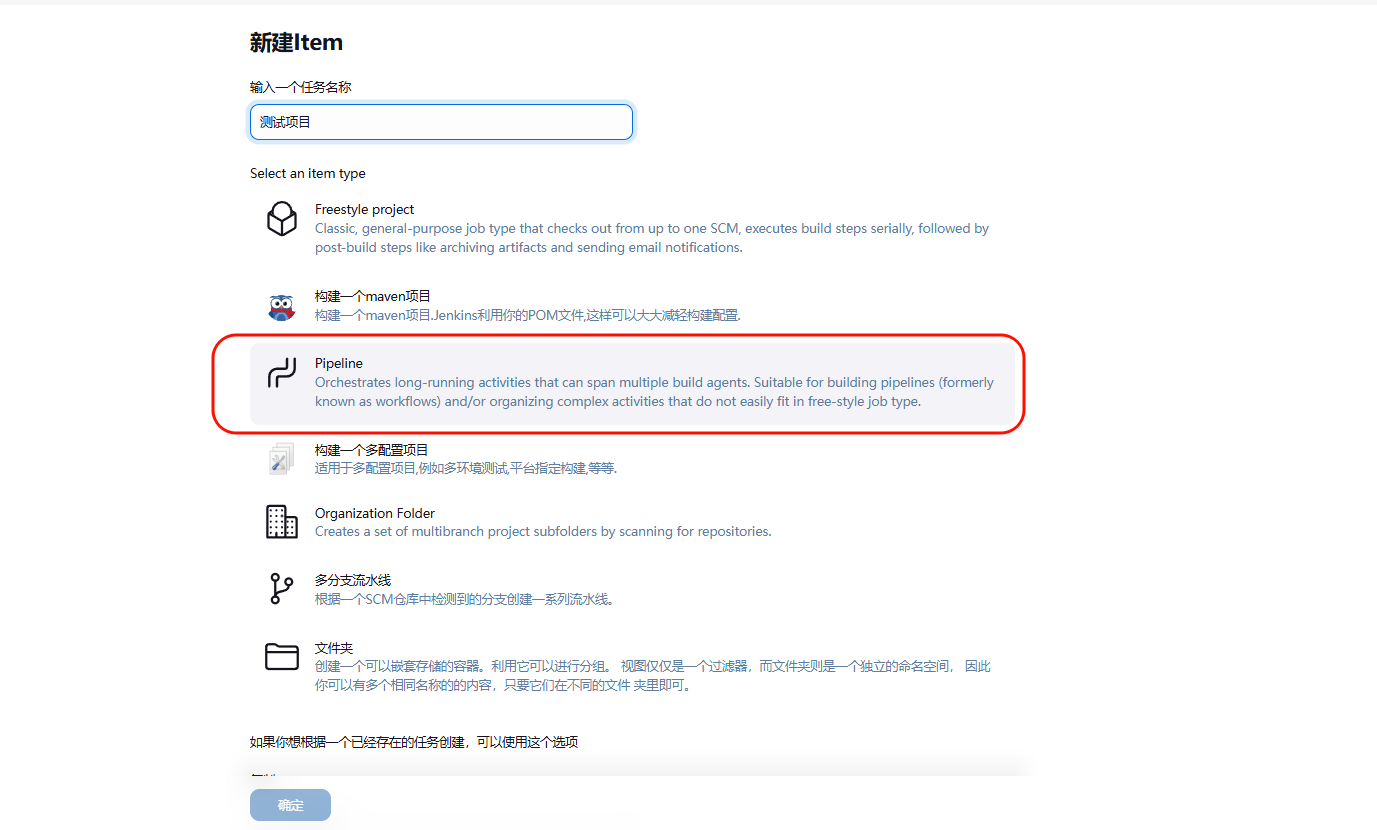
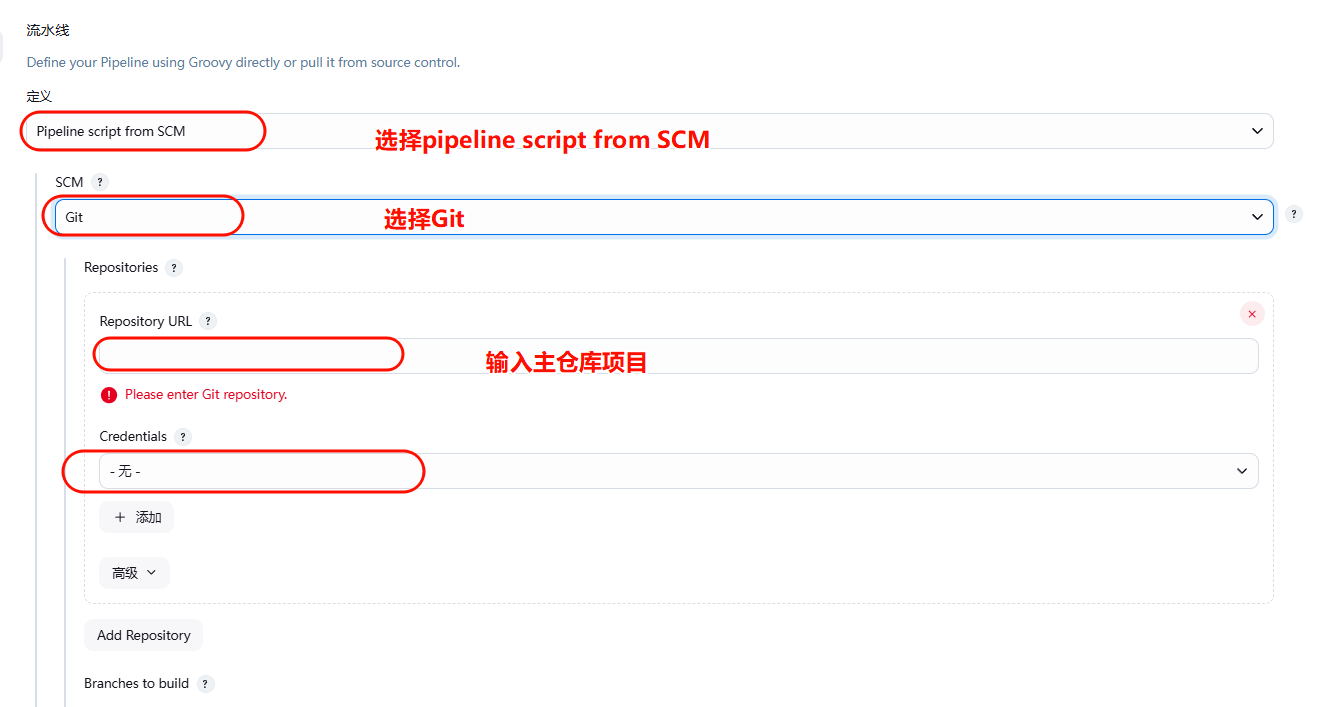
选择pipeline script from SCM
选择Git 和 主仓库url
并选择你的凭证
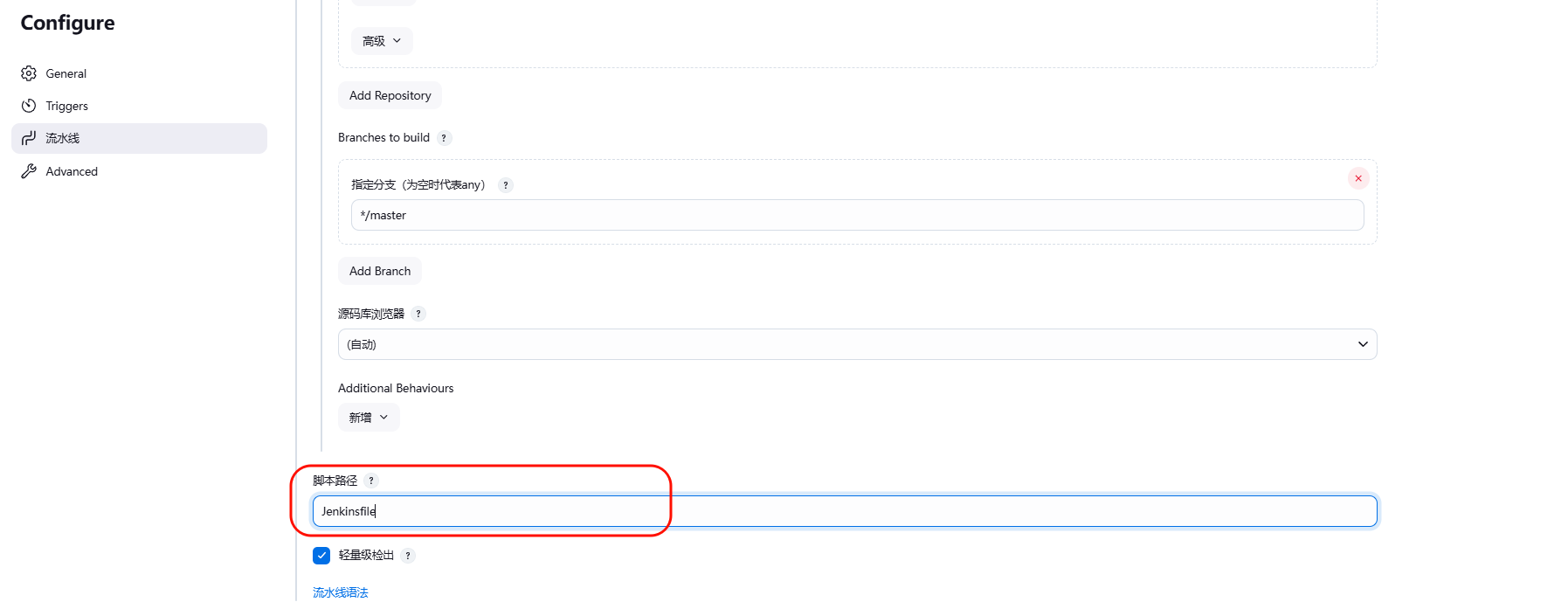
添加脚本路径这个脚本需要放在主项目的根目录下名称可自定义
Jenkinsfile文件详情
pipeline {
    agent any

    parameters {
        choice(
            name: 'DEPLOY_ENV',
            choices: ['dev', 'test', 'prod'],
            description: '选择部署环境'
        )
    }

    tools {
        nodejs 'nodejs22'   // 对应你配置的名称
    }

    stages {
            stage('打印当前环境') {
            steps {
                script {
                    echo "当前部署环境: ${params.DEPLOY_ENV}"
                }
            }
            }
        stage('拉取 A 仓库') {
            steps {
                // 拉取主项目 A
                git branch: '你的分支', credentialsId: '你的用户凭证', url: '你的git项目路径'
            }
        }

        stage('拉取 B 仓库') {
            steps {
                dir('projectB') {
                    // 拉取子项目 B
                    git branch: '分支', credentialsId: '凭证', url: 'git仓库'
                }
                // 将 B 的源码拷贝到 A/src 下
                sh '''
                    rm -rf src/projectB
                    mkdir -p src/
                    cp -r projectB/. src/
                '''
            }
        }
        stage('拉取 c 项目并打包') {
            steps {
                dir('projectC') {
                    git branch: '分支', credentialsId: '凭证', url: '仓库'

                    sh '''
                    npm install -g pnpm
                    rm -rf node_modules pnpm-lock.yaml
                    pnpm install --registry=https://registry.npmmirror.com
                    pnpm run build:prod
                    '''
                }

                // 将 C 的 dist 拷贝到 A/public 下
                sh 'rm -rf public && mkdir -p public&& cp -r projectC/dist/* public/editor/'
            }
        }

        stage('安装主项目依赖') {
            steps {
                // 进入主项目目录安装依赖
                sh '''
                npm install --legacy-peer-deps --registry=https://registry.npmmirror.com
                npm run build:test
                '''
            }
        }

        stage('部署到对应服务器') {
            steps {
                script {
                    def serverName = ''
                    def remoteDir = ''

                    if (params.DEPLOY_ENV == 'dev') {
                        serverName = 'test91'      // Jenkins SSH 配置名
                        remoteDir  = '/home/vue1'
                    } else if (params.DEPLOY_ENV == 'test') {
                        serverName = 'test99'
                        remoteDir  = '/home/vue2'
                    } else if (params.DEPLOY_ENV == 'prod') {
                        serverName = 'ali-gpu-ecs'
                        remoteDir  = '/home/vue3'
                    }

                    sshPublisher(publishers: [
                        sshPublisherDesc(
                            configName: serverName,
                            transfers: [
                                sshTransfer(
                                    sourceFiles: 'dist/**',
                                    removePrefix: '',
                                    remoteDirectory: remoteDir,
                                    execCommand: 'echo 部署完成'
                                )
                            ]
                        )
                    ])
                }
            }
        }
    }
}
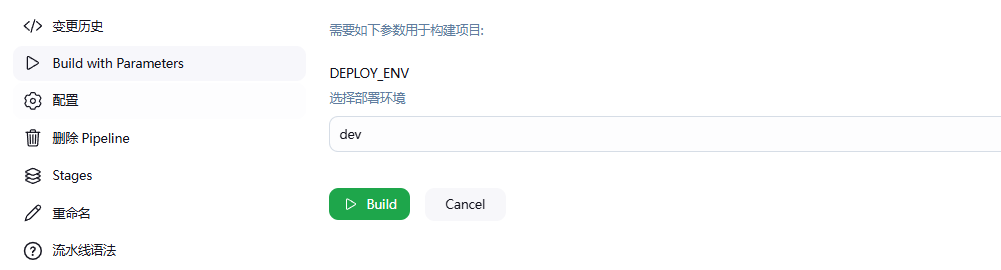
完成后可点击选择不同环境进行发送到指定服务器

汇聚全球AI编程工具,助力开发者即刻编程。
更多推荐

 8
8 0
0- 0


 已为社区贡献1条内容

所有评论(0)