
k8s部署nacos 2.x集群 springBoot 连接nacos时gRPC连接问题解决办法
·
k8s部署nacos 2.x集群 springBoot 连接nacos时gRPC连接问题解决办法
一、nacos 2.x 端口
8848 服务端口
9848 服务端访问服务端gRPC端口
9849 客户端访问服务端gRPC端口(这个端口是springBoot中nacos client报错的主要原因)
二、springBoot 、springCloud、 springCloudAlibaba版本匹配
一定要选择匹配的版本,常见的各种错误大多来自不匹配的版本依赖。
SpringBoot、Spring Cloud Alibaba 版本关系
| Spring Boot Version | Spring Cloud Alibaba Version | Spring Cloud Version |
|---|---|---|
| 3.0.2 | 2022.0.0.0 | Spring Cloud 2022.0.0 |
| 3.0.2 | 2022.0.0.0-RC2 | Spring Cloud 2022.0.0 |
| 3.0.0 | 2022.0.0.0-RC1 | Spring Cloud 2022.0.0 |
| 2.6.13 | 2021.0.5.0 | Spring Cloud 2021.0.5 |
| 2.6.11 | 2021.0.4.0 | Spring Cloud 2021.0.4 |
| 2.6.3 | 2021.0.1.0 | Spring Cloud 2021.0.1 |
| 2.4.2 | 2021.1 | Spring Cloud 2020.0.1 |
| 2.3.12.RELEASE | 2.2.10-RC1 | Spring Cloud Hoxton.SR12 |
| 2.3.12.RELEASE | 2.2.9.RELEASE | Spring Cloud Hoxton.SR12 |
| 2.3.12.RELEASE | 2.2.8.RELEASE | Spring Cloud Hoxton.SR12 |
| 2.3.12.RELEASE | 2.2.7.RELEASE | Spring Cloud Hoxton.SR12 |
| 2.3.2.RELEASE | 2.2.6.RELEASE | Spring Cloud Hoxton.SR9 |
| 2.2.5.RELEASE | 2.2.1.RELEASE | Spring Cloud Hoxton.SR3 |
| 2.2.X.RELEASE | 2.2.0.RELEASE | Spring Cloud Hoxton.RELEASE |
| 2.1.13.RELEASE | 2.1.4.RELEASE | Spring Cloud Greenwich.SR6 |
| 2.1.X.RELEASE | 2.1.2.RELEASE | Spring Cloud Greenwich |
| 2.0.X.RELEASE | 2.0.4.RELEASE(停止维护,建议升级) | Spring Cloud Finchley |
| 1.5.X.RELEASE | 1.5.1.RELEASE(停止维护,建议升级) | Spring Cloud Edgware |
Spring Cloud Alibaba 最佳版本匹配
| Spring Cloud Alibaba Version | Sentinel Version | Nacos Version | RocketMQ Version | Dubbo Version | Seata Version |
|---|---|---|---|---|---|
| 2022.0.0.0 | 1.8.6 | 2.2.1 | 4.9.4 | ~停止维护 | 1.7.0 |
| 2022.0.0.0-RC2 | 1.8.6 | 2.2.1 | 4.9.4 | ~停止维护 | 1.7.0-native-rc2 |
| 2021.0.5.0 | 1.8.6 | 2.2.0 | 4.9.4 | ~停止维护 | 1.6.1 |
| 2.2.10-RC1 | 1.8.6 | 2.2.0 | 4.9.4 | ~停止维护 | 1.6.1 |
| 2022.0.0.0-RC1 | 1.8.6 | 2.2.1-RC | 4.9.4 | ~停止维护 | 1.6.1 |
| 2.2.9.RELEASE | 1.8.5 | 2.1.0 | 4.9.4 | ~停止维护 | 1.5.2 |
| 2021.0.4.0 | 1.8.5 | 2.0.4 | 4.9.4 | ~停止维护 | 1.5.2 |
| 2.2.8.RELEASE | 1.8.4 | 2.1.0 | 4.9.3 | ~停止维护 | 1.5.1 |
| 2021.0.1.0 | 1.8.3 | 1.4.2 | 4.9.2 | ~停止维护 | 1.4.2 |
| 2.2.7.RELEASE | 1.8.1 | 2.0.3 | 4.6.1 | 2.7.13 | 1.3.0 |
| 2.2.6.RELEASE | 1.8.1 | 1.4.2 | 4.4.0 | 2.7.8 | 1.3.0 |
| 2021.1 or 2.2.5.RELEASE or 2.1.4.RELEASE or 2.0.4.RELEASE | 1.8.0 | 1.4.1 | 4.4.0 | 2.7.8 | 1.3.0 |
| 2.2.3.RELEASE or 2.1.3.RELEASE or 2.0.3.RELEASE | 1.8.0 | 1.3.3 | 4.4.0 | 2.7.8 | 1.3.0 |
| 2.2.1.RELEASE or 2.1.2.RELEASE or 2.0.2.RELEASE | 1.7.1 | 1.2.1 | 4.4.0 | 2.7.6 | 1.2.0 |
| 2.2.0.RELEASE | 1.7.1 | 1.1.4 | 4.4.0 | 2.7.4.1 | 1.0.0 |
| 2.1.1.RELEASE or 2.0.1.RELEASE or 1.5.1.RELEASE | 1.7.0 | 1.1.4 | 4.4.0 | 2.7.3 | 0.9.0 |
| 2.1.0.RELEASE or 2.0.0.RELEASE or 1.5.0.RELEASE | 1.6.3 | 1.1.1 | 4.4.0 | 2.7.3 | 0.7.1 |
推荐maven依赖 最佳匹配
nacos服务端 与 nacos client 版本需要一致,不建议使用不同版本的nacos client去连接服务端。
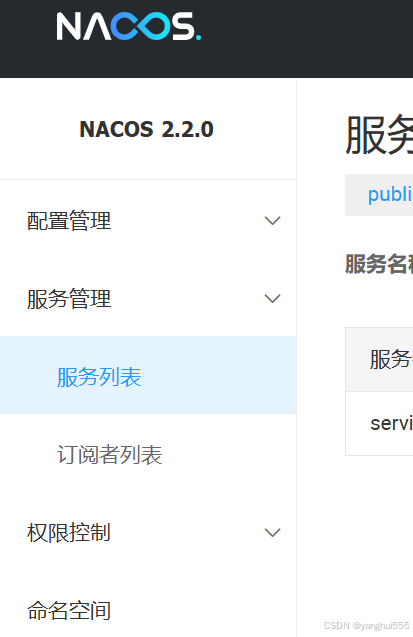
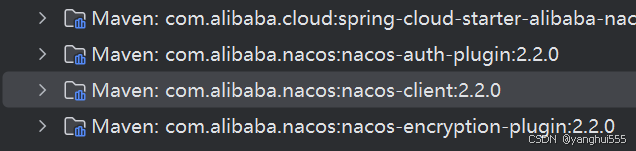
nacos 2.1.0 使用如下版本
    <properties>
        <project.build.sourceEncoding>UTF-8</project.build.sourceEncoding>
        <maven.compiler.source>1.8</maven.compiler.source>
        <maven.compiler.target>1.8</maven.compiler.target>
        <!-- 最佳版本搭配!! 不要随意更改版本  -->
        <spring-boot-version>2.3.12.RELEASE</spring-boot-version>
        <spring-cloud>Hoxton.SR12</spring-cloud>
        <spring-cloud-alibaba-version>2.2.8.RELEASE</spring-cloud-alibaba-version>

        <sentinel-version>1.8.4</sentinel-version>
        <nacos-version>2.1.0</nacos-version>
        <rocketmq-version>4.9.3</rocketmq-version>
        <seata.version>1.5.1</seata.version>
    </properties>

nacos 2.2.0 使用如下版本
        <spring-boot-version>2.6.13</spring-boot-version>
        <spring-cloud>2021.0.5</spring-cloud>
        <spring-cloud-alibaba-version>2021.0.6.0</spring-cloud-alibaba-version>
(其他版本可自行按查找匹配)
<dependencyManagement>
        <!--spring boot  版本控制-->
        <dependencies>
            <dependency>
                <groupId>org.springframework.boot</groupId>
                <artifactId>spring-boot-dependencies</artifactId>
                <version>${spring-boot-version}</version>
                <type>pom</type>
                <scope>import</scope>
            </dependency>

            <!--spring cloud 版本管理  -->
            <dependency>
                <groupId>org.springframework.cloud</groupId>
                <artifactId>spring-cloud-dependencies</artifactId>
                <version>${spring-cloud}</version>
                <type>pom</type>
                <scope>import</scope>
            </dependency>

            <!-- spring cloud alibaba 版本管理 -->
            <dependency>
                <groupId>com.alibaba.cloud</groupId>
                <artifactId>spring-cloud-alibaba-dependencies</artifactId>
                <version>${spring-cloud-alibaba-version}</version>
                <type>pom</type>
                <scope>import</scope>
            </dependency>
        </dependencies>
    </dependencyManagement>
三、kubenetes 部署注意事项
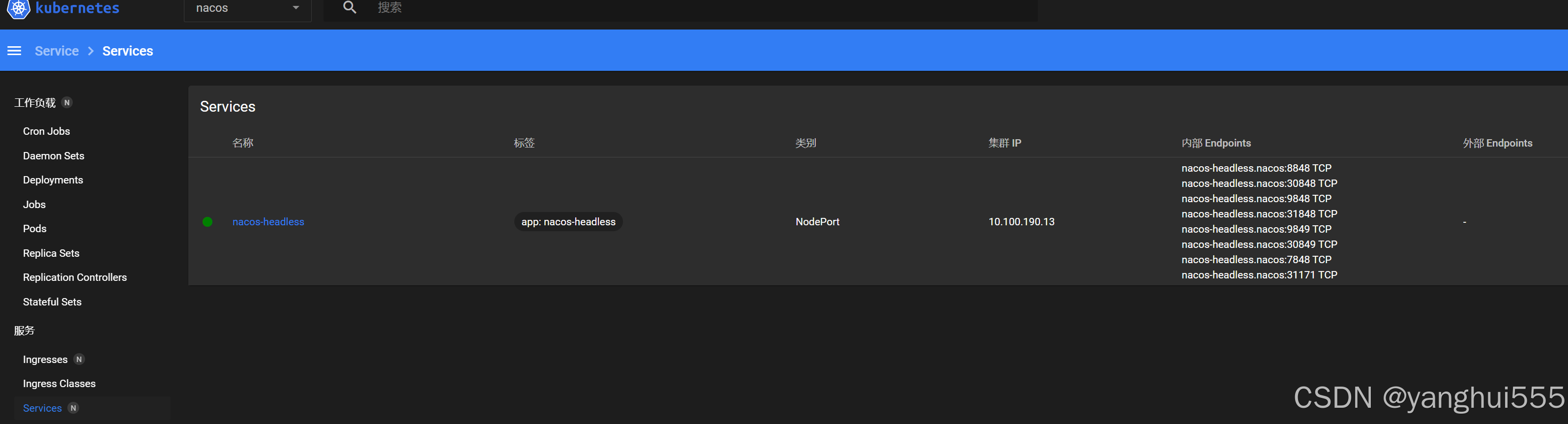
因为nacos 2.x client 需要连接默认8848端口还要连接gRPC端口9849 ,因此这是容易忽略的地方。在k8s部署nacos时注意将这辆个端口开放出来。
1.开发阶段使用如下方法开放端口8848->30848 9848->30848
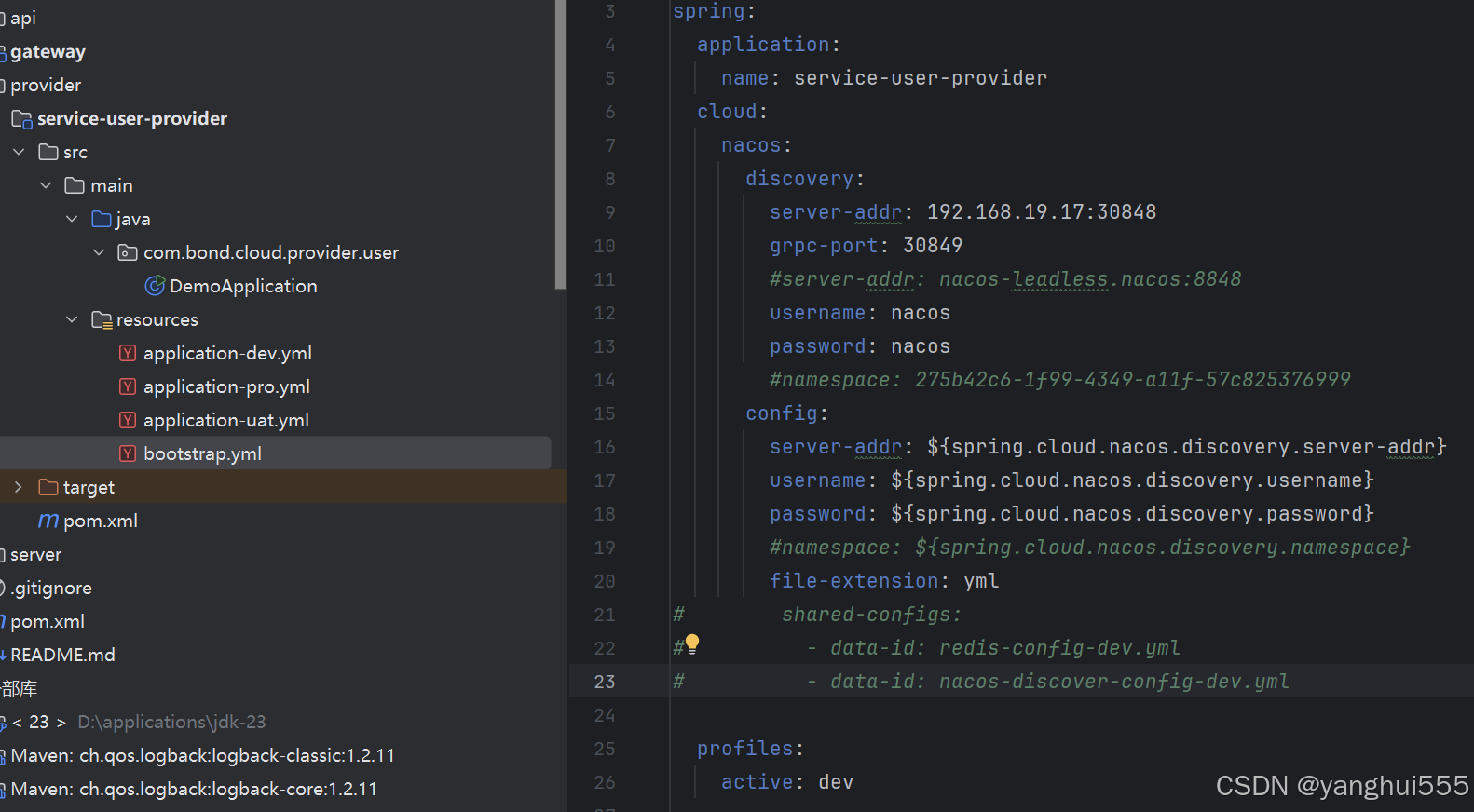
2.开发阶段修改springBoot bootstrap.yml配置文件
k8s 创建 service 指定开放端口
---
apiVersion: v1
kind: Service
metadata:
  name: nacos-headless
  namespace: nacos
  labels:
    app: nacos-headless
spec:
  type: NodePort
  # 服务端口
  ports:
    - name: server
      # k8s内部访问端口
      port: 8848
      # pod端口
      targetPort: 8848
      #用于本地开发,外部访问
      nodePort: 30848
    #服务端gRPC->服务端
    - port: 9848
      name: client-rpc
      targetPort: 9848
      #用于本地开发,外部访问
      nodePort: 31848
    #客户端gRPC->服务端
    - port: 9849
      name: raft-rpc
      targetPort: 9849
      #用于本地开发,外部访问
      nodePort: 30849
    ## 兼容1.4.x版本的选举端口
    - port: 7848
      name: old-raft-rpc
      targetPort: 7848
  selector:
    app: nacos
springBoot 连接nacos 服务端口和gRPC端口
spring:
  cloud:
    nacos:
      discovery:
        # 30848 指向k8s内部8848
        server-addr: 192.168.19.17:30848
        # 30849 指向k8s内部8849
        grpc-port: 30849
        username: nacos
        password: nacos
      config:
        server-addr: ${spring.cloud.nacos.discovery.server-addr}
        username: ${spring.cloud.nacos.discovery.username}
        password: ${spring.cloud.nacos.discovery.password}
        file-extension: yml
  profiles:
    active: dev
import org.springframework.boot.SpringApplication;
import org.springframework.boot.autoconfigure.SpringBootApplication;
import org.springframework.cloud.client.discovery.EnableDiscoveryClient;
import org.springframework.cloud.context.config.annotation.RefreshScope;

@RefreshScope
@EnableDiscoveryClient
@SpringBootApplication
public class DemoApplication {
    public static void main(String[] args) {
        SpringApplication.run(DemoApplication.class, args);
    }

}
确保nacos 集群正常运行
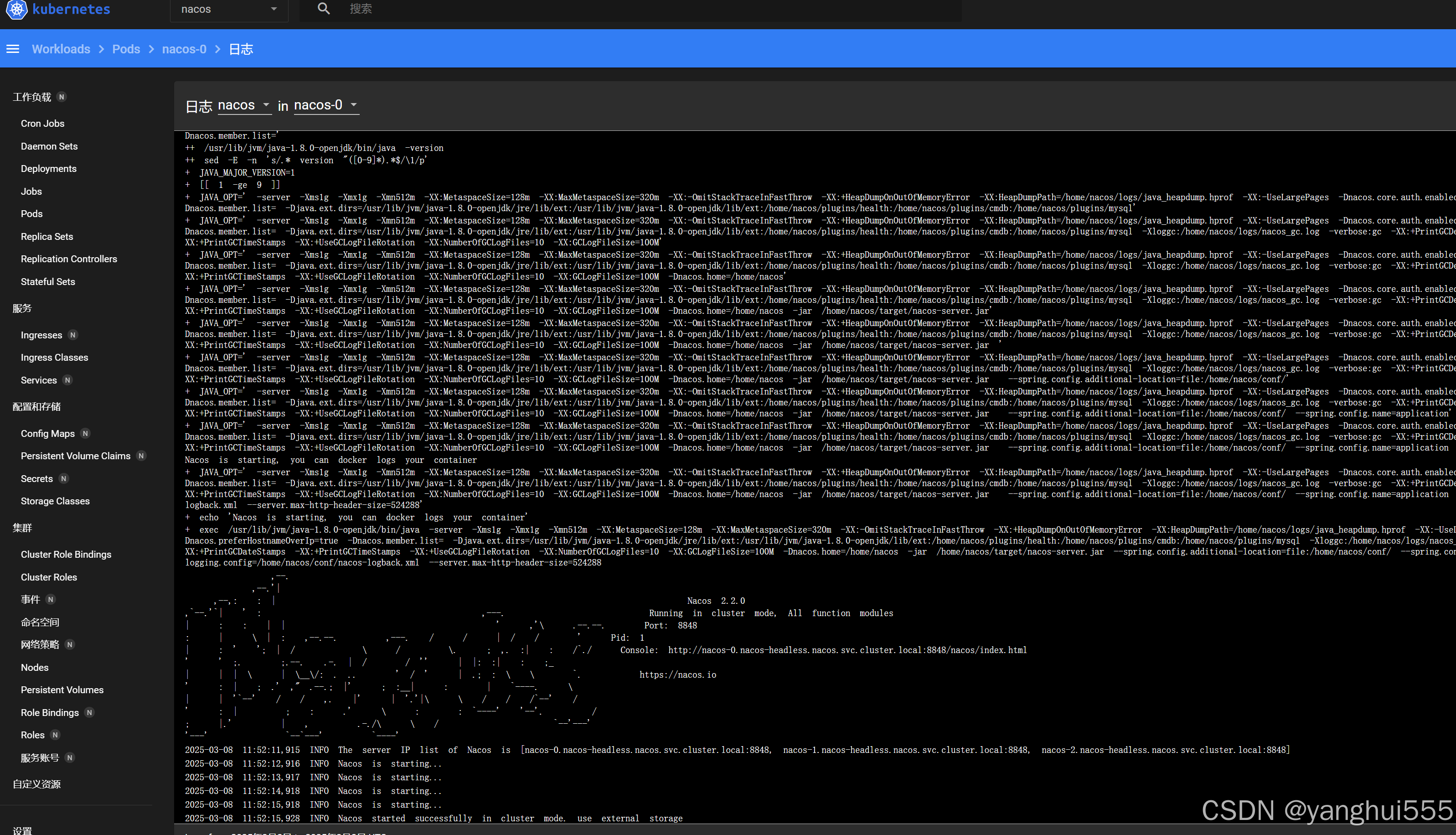
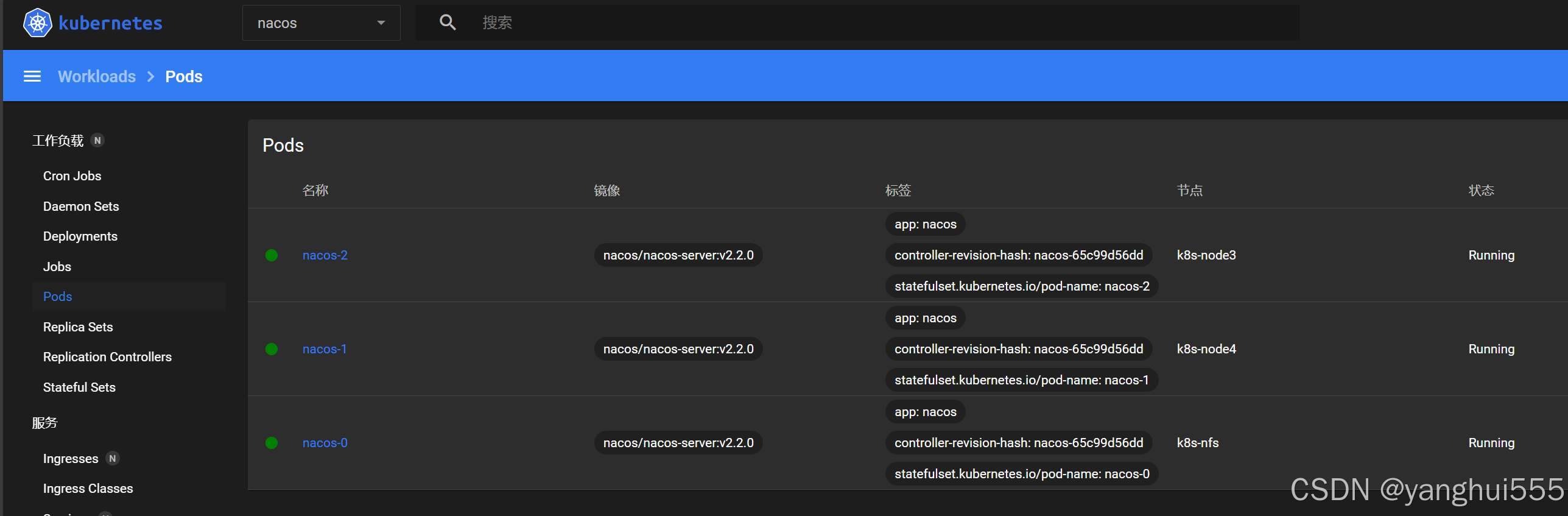
检查service 端口正确开放
确认springBoot 配置正确
启动项目
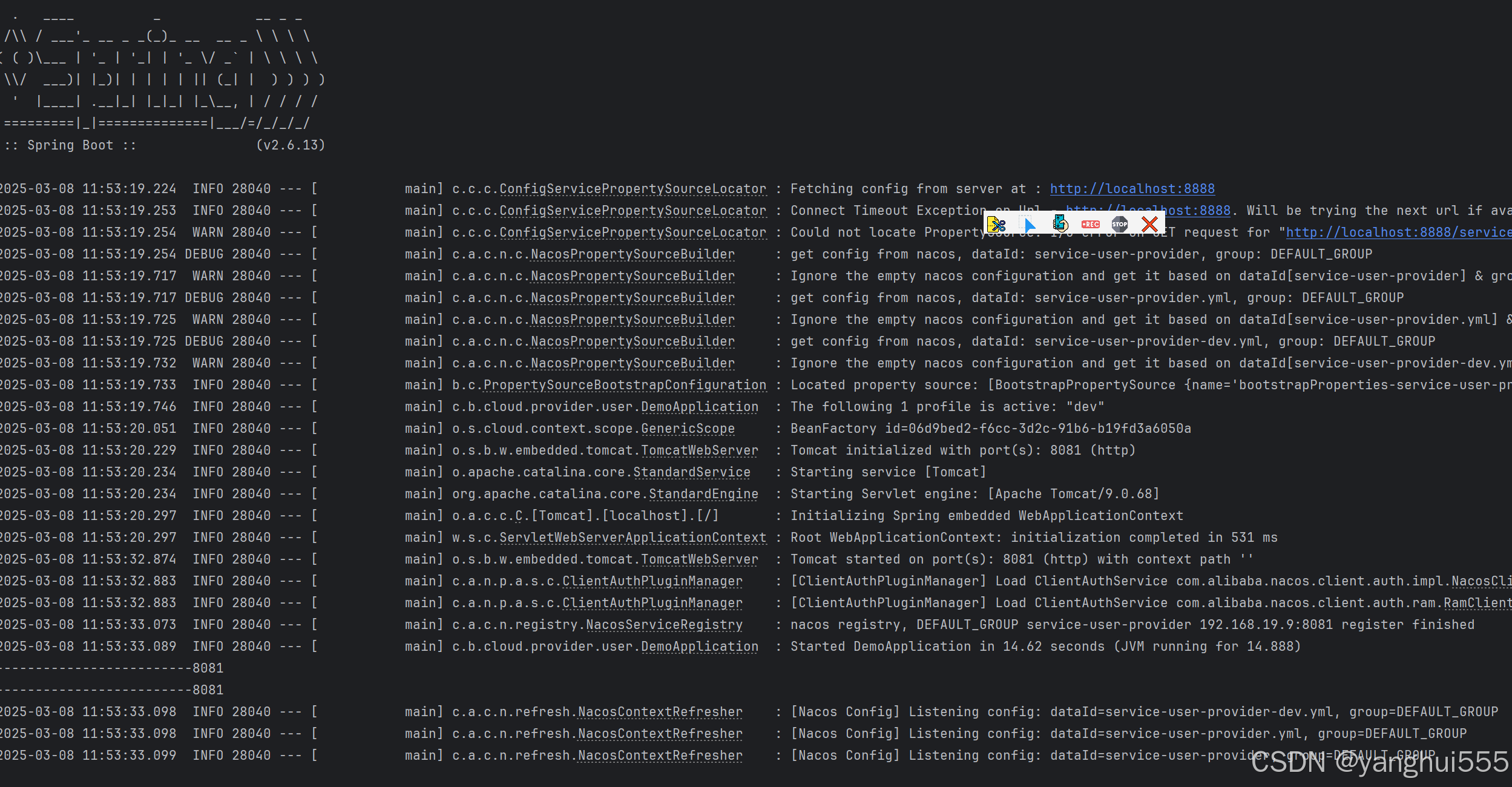
检查nacos 是否有服务注册


汇聚全球AI编程工具,助力开发者即刻编程。
更多推荐

 21
21 0
0- 0


 已为社区贡献1条内容

所有评论(0)