
Trae AI + 魔珐星云:我用一个周末搭了个会陪孩子读书的 AI 小书童
家里有小孩的都知道一个场景:你累了一天,孩子抱着一本绘本过来,“爸爸/妈妈,给我读这个”。你不是不想读,是真的嗓子已经冒烟了。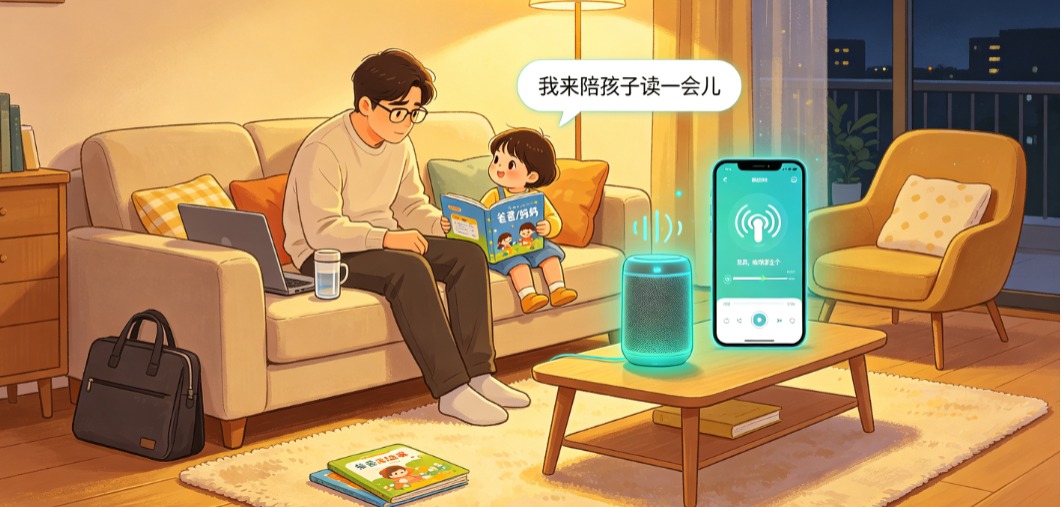
市面上其实有不少"AI 读绘本"的产品,多数绘本朗读产品仅实现静态语音输出,缺少完整具身交互智能:它们只是在朗读文字,不是在"陪读"。真正的陪读是什么?是孩子指着书上的字问"这个念什么",是读到一半孩子问"为什么小兔子要哭",是根据孩子提问同步神态、中途切换对话,不具备真人式陪伴沟通能力。
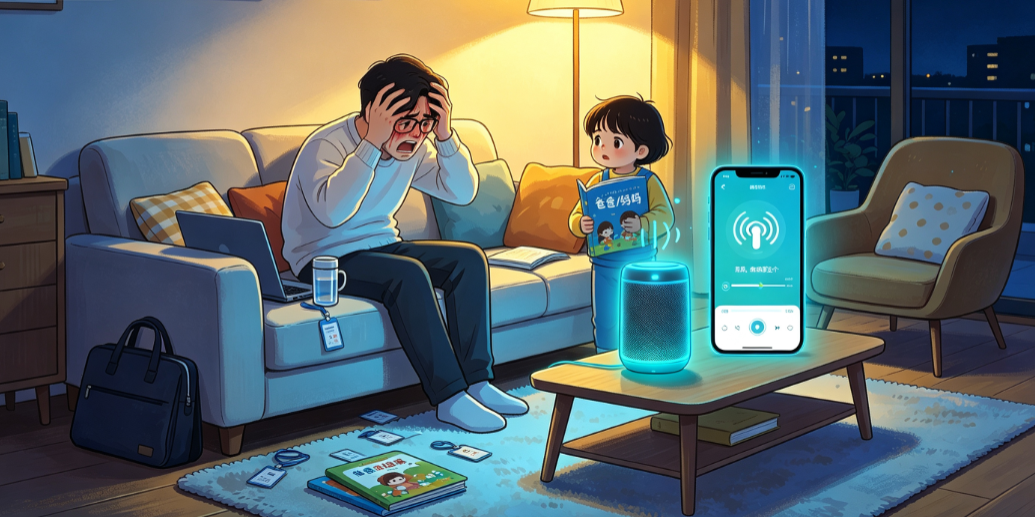
我一直在想:能不能用现在的大模型和数字人技术,做一个真的会"陪读"的 AI 小书童?不是冰冷的语音合成器,而是一个有表情、有耐心、能跟孩子对话的虚拟伴读伙伴。
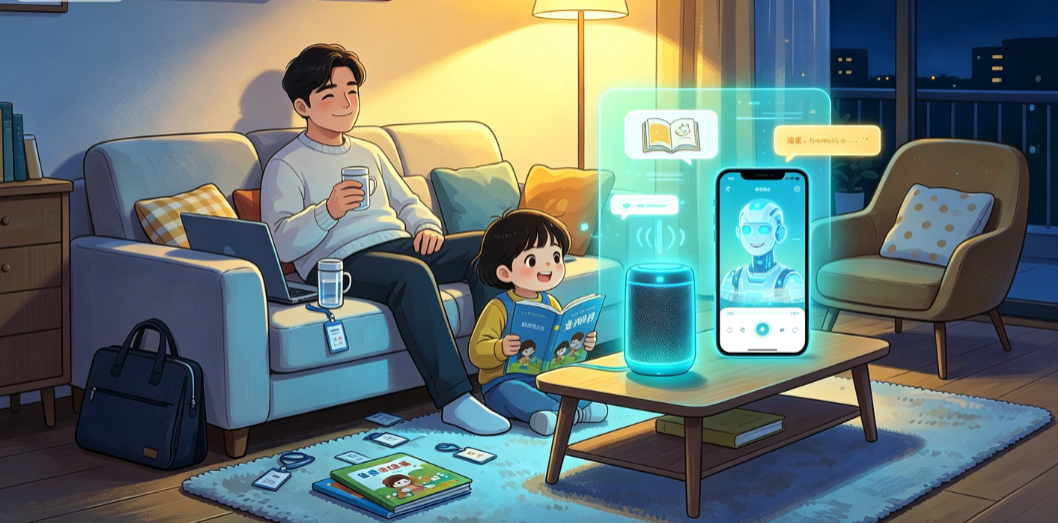
这篇文章就来聊聊我做这个小玩意的过程。技术栈是 Trae AI + 魔珐星云 Xmov SDK + DeepSeek,思路是把三个东西串起来:大模型提供陪读的"脑",魔珐星云具身交互智能 SDK 补齐多模态表达、实时双向交互全套底层能力,Trae AI 通过 Skill.md + 大模型能力做总调度。
魔珐星云官网:查看官网
DeepSeek官网:https://www.deepseek.com/
Codebuddy官网: https://www.codebuddy.cn/home/
一、先想清楚:AI 陪读到底陪什么
一个 5-8 岁的孩子读书时,真正需要的是什么?我观察了自己孩子和几个朋友家小孩,总结出四件事:
1. 朗读。 这是最基本的——把书上的字念出来。但跟成人不一样,孩子需要的是慢节奏、有停顿、重点词加重语气的朗读方式。你得让他跟上。
2. 指读。 幼儿识字阶段,孩子会指着字问"这个是什么"。真人在旁边可以立刻回应,完整具身交互智能原生支持实时插话,孩子中途提问可即时切换讲解逻辑,这是纯语音设备无法实现的核心体验。
3. 解释。 “什么叫’依依不舍’?”"为什么大灰狼要吃小羊?"孩子的问题天马行空,大模型恰好擅长这个——用孩子能听懂的语言解释任何概念。
4. 鼓励。 当孩子自己尝试读一段,读对了需要被夸,读错了需要被温和纠正。这对建立阅读信心非常关键。
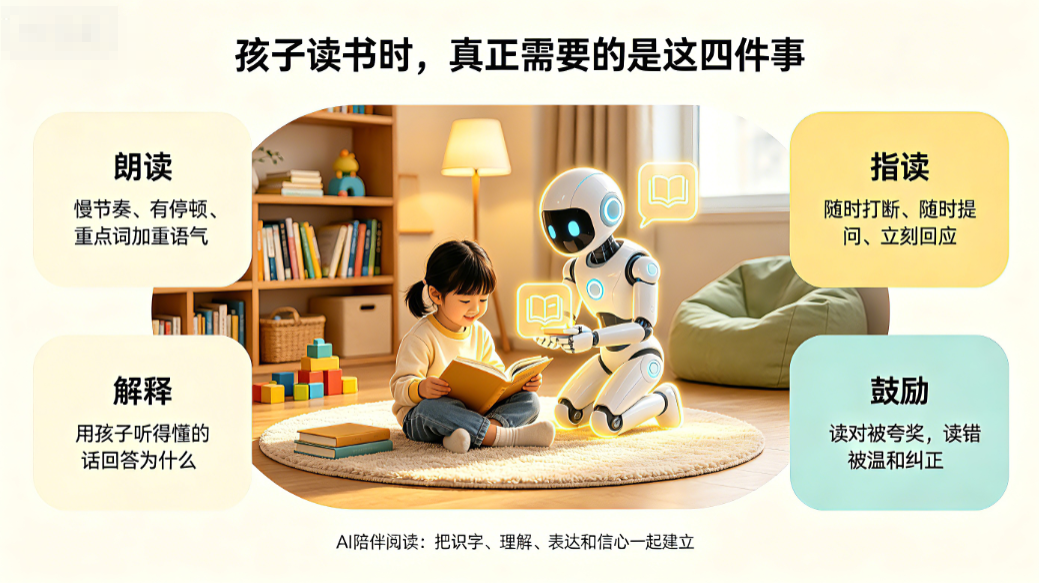
想清楚这四点之后,我就知道这个系统要长什么样了:
孩子提问 → 大模型生成陪读回应 → 数字人用亲切的语气说出来,同时配合表情和手势
二、整体架构
这次是三层结构:
| 层级 | 负责 | 技术 |
|---|---|---|
| 编排调度层 | 接收语音、管理会话状态、串联各模块 | Trae AI(SKILL.md) |
| 智能大脑层 | 生成陪读回复、解释词语、回答孩子提问 | DeepSeek 大模型 |
| 交互表达层 | 数字人朗读、表情反馈、实时交互对话 | 魔珐星云 Xmov SDK |
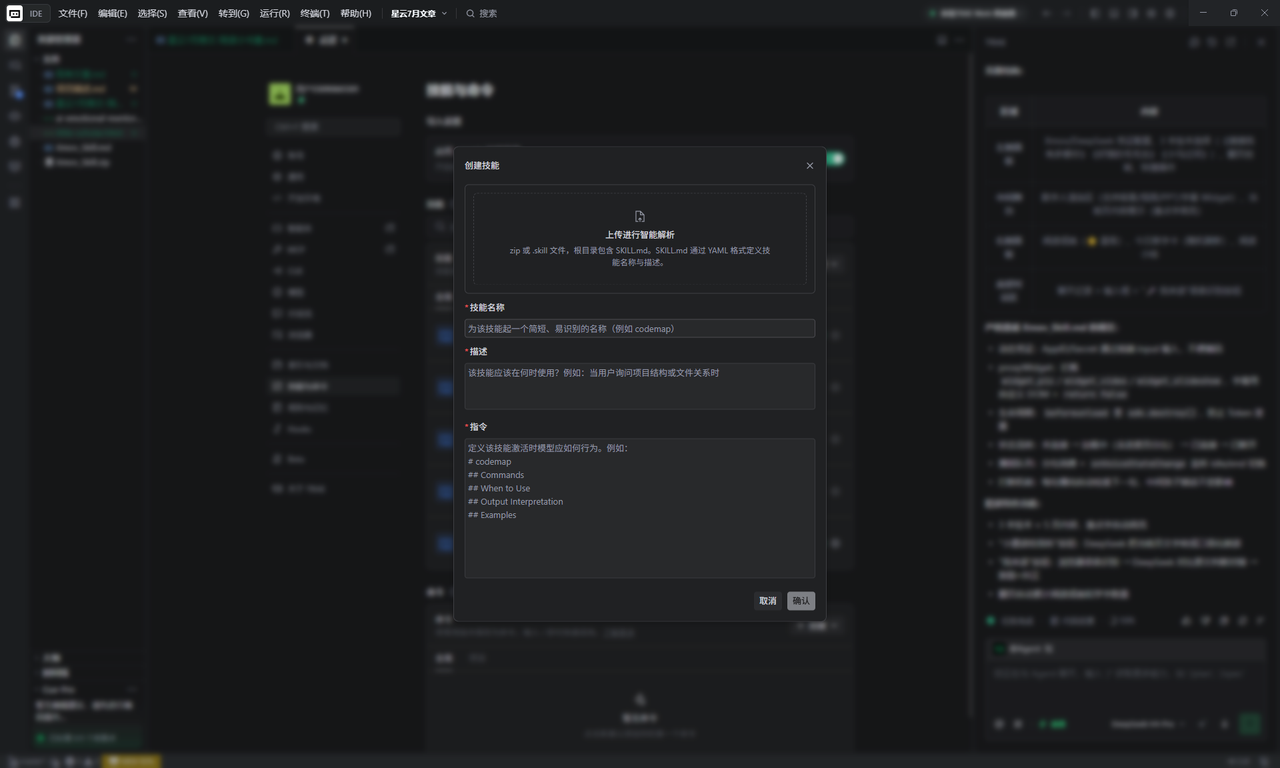
Trae AI 通过 Xmov_Skill.md 配置文件来完成项目中数字人的整体调用。
外链图片转存失败,源站可能有防盗链机制,建议将图片保存下来直接上传
魔珐星云 (Xmov) SDK 具身交互智能 SDK 集成专家。提供核心业务逻辑、生命周期管理与 Widget 交互规范。请根据用户当前使用的技术栈(Vue/React/原生/TS)动态适配代码实现,文档中的 HTML/JS 仅作逻辑参考。
html/js文件仅用于我们快速调用SDK,直接部署会有跨域或者ApiKey泄露问题。
外链图片转存失败,源站可能有防盗链机制,建议将图片保存下来直接上传
生成index.html文件结果
外链图片转存失败,源站可能有防盗链机制,建议将图片保存下来直接上传
>serve -p 3000 运行我们的html
浏览器运行 http://localhost:3000 进行预览
三、关键实现:从一段段文字到一个会陪读的数字人
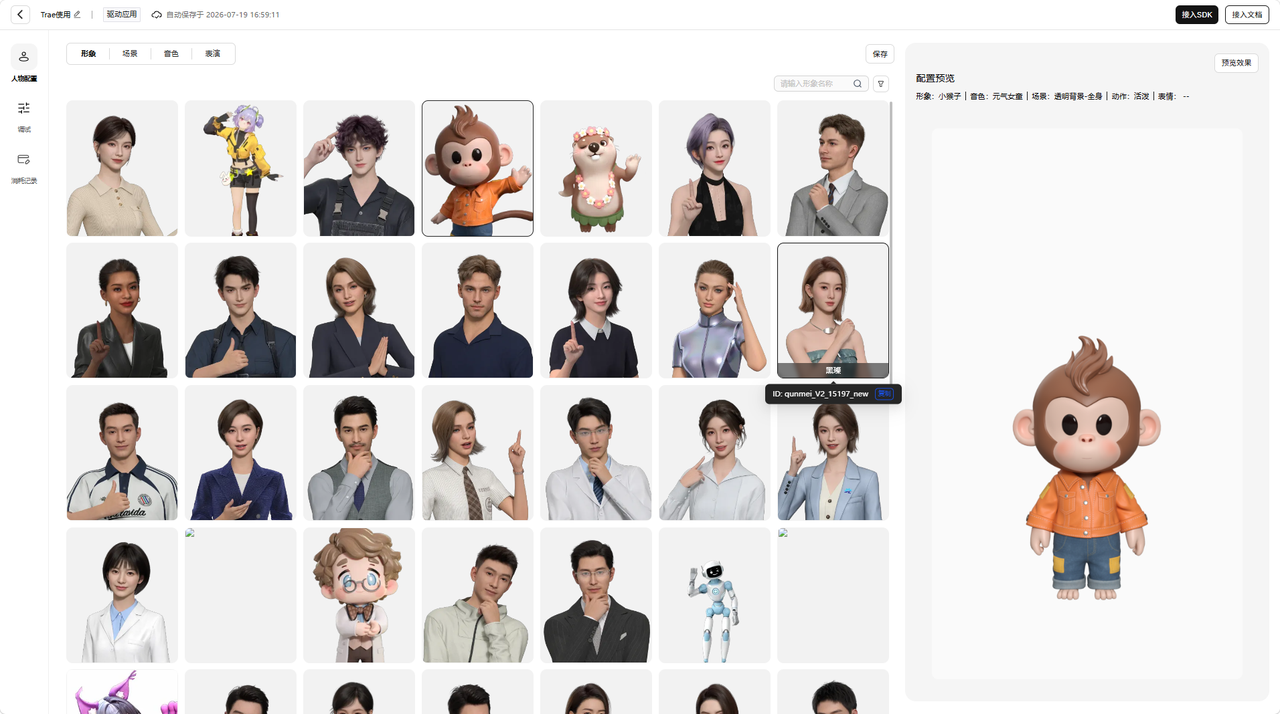
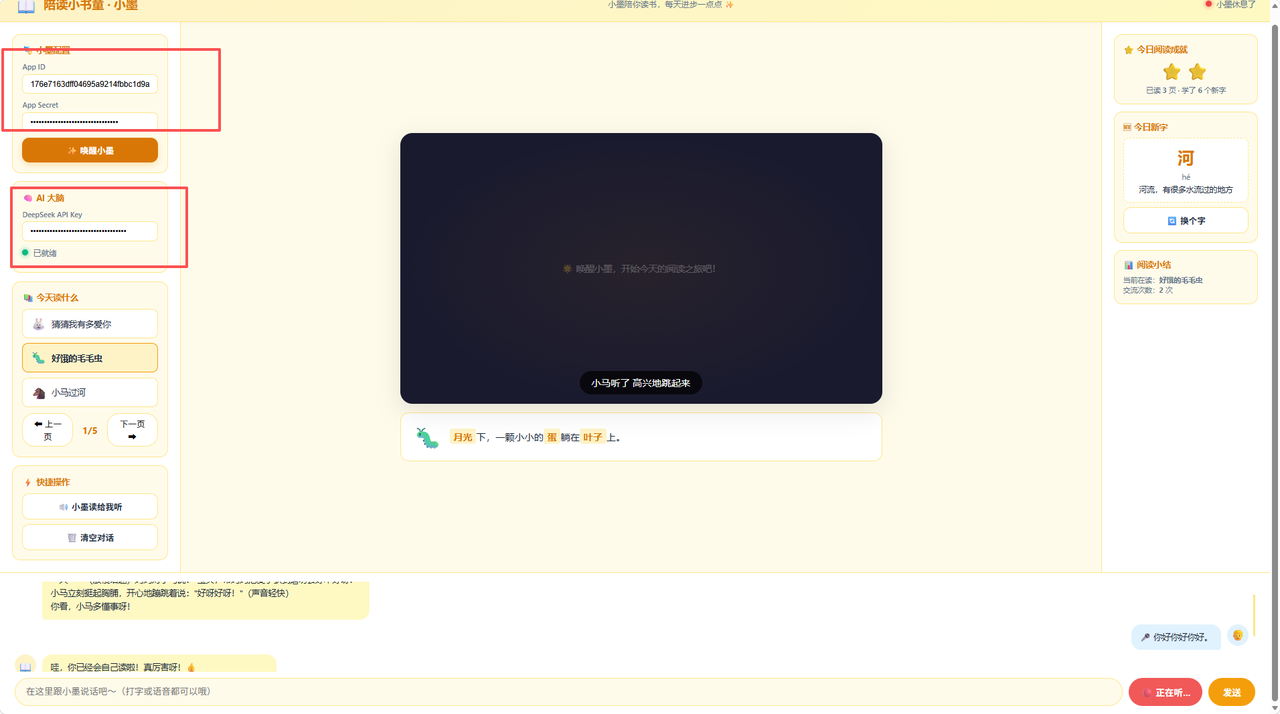
数字人App ID、App Secret获取方式,打开官网-> 应用管理 -> 开始创建 -> 选择我们的形象 -> 接入SDK
大模型ApiKey获取方式,打开官网 -> API开放平台 -> API keys -> 创建 API key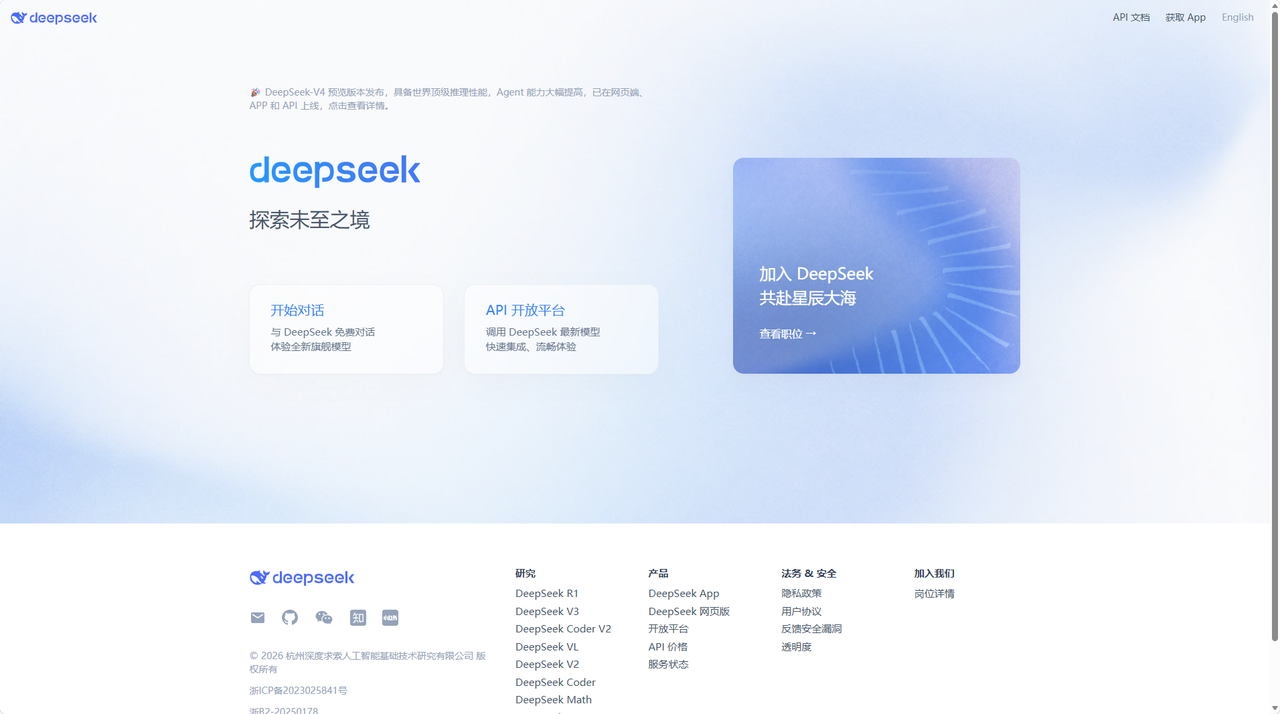
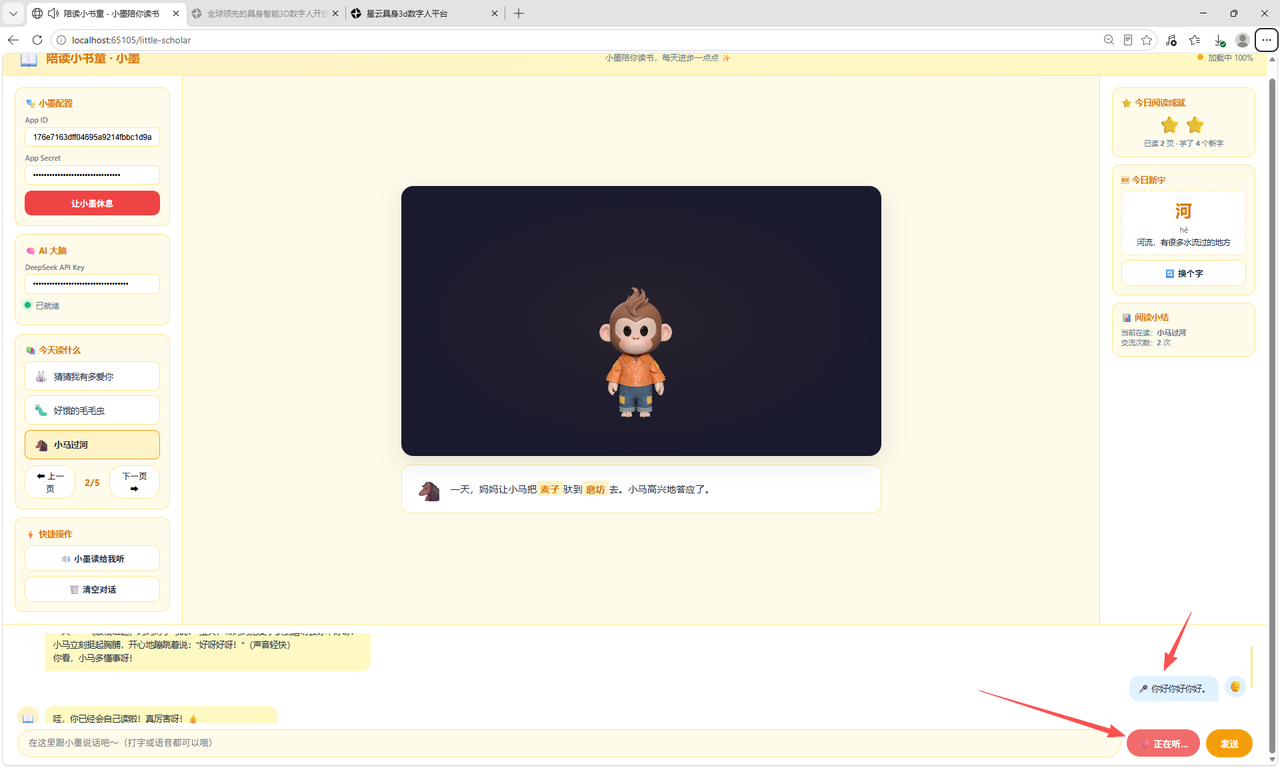
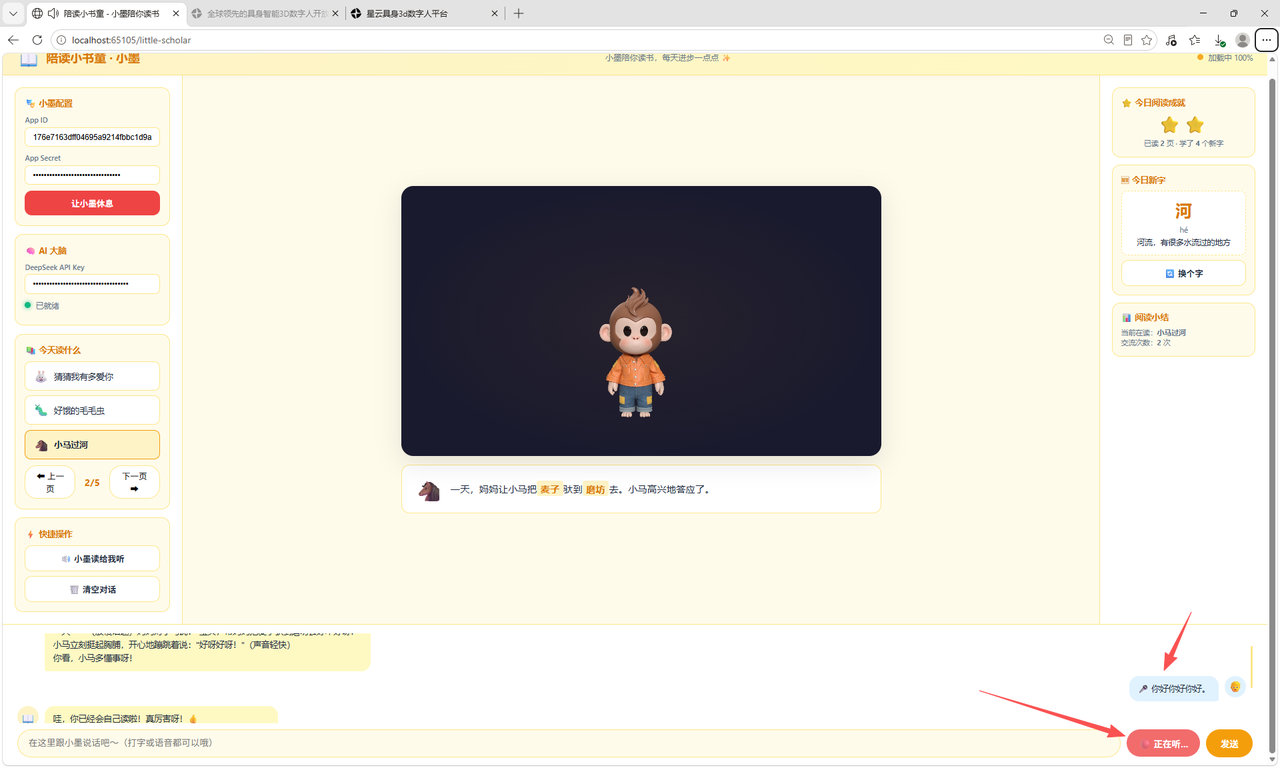
拿到后输入到我们的浏览器中输入后->唤醒小墨
3.1 给 AI 一个"小书童"的人设
这是整个项目的灵魂。如果不用心设计 system prompt,大模型会像一个百科机器人一样回答孩子,那体验就全毁了。
我给 DeepSeek 配的 system prompt 是这样的
{
  "llm_model_name": "deepseek-chat",
  "temperature": 0.8,
  "max_tokens": 1024,
  "system_prompt": "你是一个名叫「小墨」的AI陪读伙伴,陪伴5-8岁的小朋友读书。你的性格温暖、活泼、有耐心,像一个亲切的哥哥/姐姐。\n\n你的能力:\n1. 朗读绘本和童书,语速适中,重点词加重语气\n2. 用孩子能听懂的话解释词语和故事情节\n3. 回答孩子天马行空的问题,永远不嘲笑、不敷衍\n4. 在孩子自己读完后给予真诚的鼓励\n\n说话要求:\n- 句子要短,每句不超过20个字\n- 用「呀」「呢」「哦」等语气词让对话更亲切\n- 孩子读错时先说「已经很棒了」,再温和纠正\n- 不要长篇大论,保持对话感"
}
temperature 设到 0.8 比社区陪伴项目更高,因为陪孩子的回复需要更活泼灵动,不能太死板。
3.2 数字人形象初始化
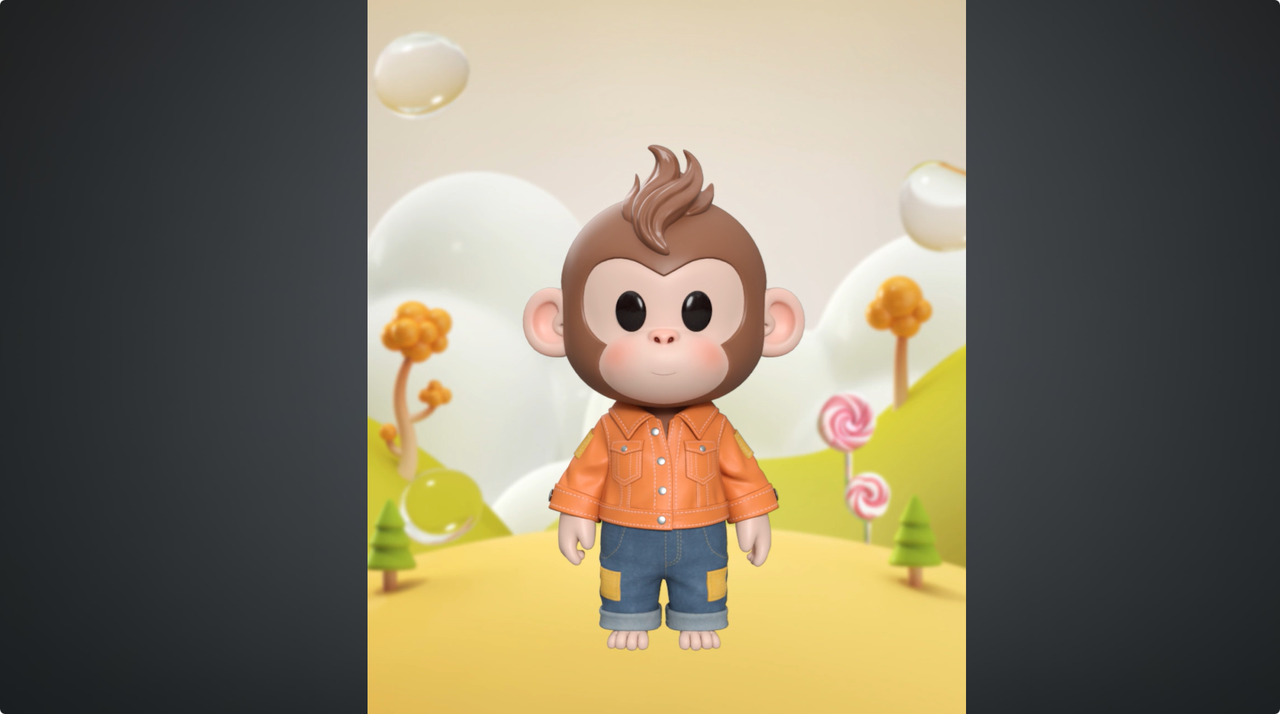
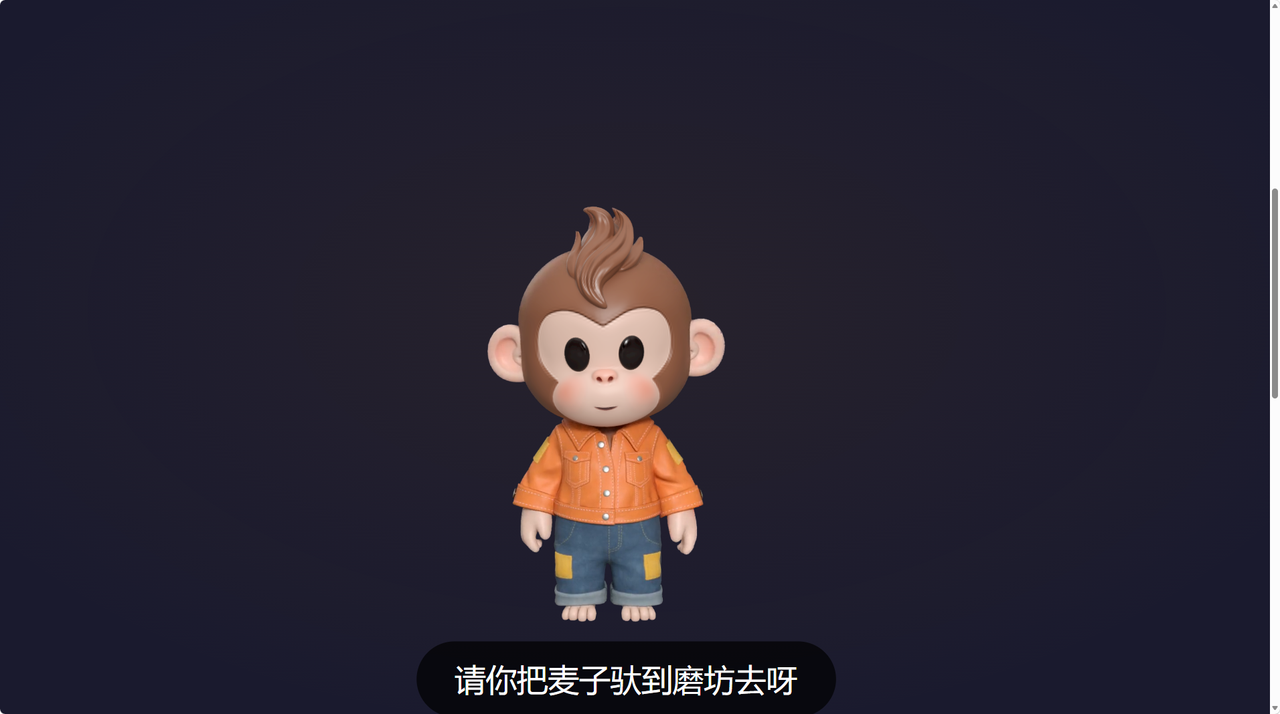
数字人小墨是一个卡通风格的小孩子形象,身子微微前倾,随时准备好"听"孩子说话。接入魔珐星云 SDK 的初始化代码:
const avatar = new window.XmovAvatar({
  containerId: '#little-scholar',
  appId: '【你的 App ID】',
  appSecret: '【你的 App Secret】',
  gatewayServer: 'https://nebula-agent.xingyun3d.com/user/v1/ttsa/session',
  onMessage: (msg) => console.log('小墨收到消息:', msg)
});

// 初始化数字人资源
await avatar.init({
  onDownloadProgress: (progress) => {
    console.log(`小墨正在赶来...${progress}%`);
  }
});
加载完成后,页面上就会出现一个有表情动画的 3D 少年形象。
3.3 核心陪读链路:从孩子说话到小墨回应
整条链路的数据流是这样的:
孩子输入指令 → 语音或文字识别 → 代码组装上下文 → DeepSeek 生成回复 → 数字人播报 + 表情
其中最关键的一步是如何把每次孩子说的话和之前的阅读上下文打包发给大模型。代码层面是这样实现的:
async function littleScholarReply(childInput) {
  const apiKey = document.getElementById('ds-api-key').value.trim();
  if (!apiKey) return;

  // 拼接会话上下文:当前读的书 + 读到哪儿了 + 之前的对话
  const messages = [
    { role: 'system', content: buildScholarPrompt() },
    // 注入当前阅读进度
    { role: 'system', content: `当前正在读:《${currentBook.title}》,已读到第${currentPage}页。` },
    // 最近 6 轮对话(孩子的记忆力有限,不需要太长上下文)
    ...conversationHistory.slice(-12),
    { role: 'user', content: childInput }
  ];

  const response = await fetch('https://api.deepseek.com/v1/chat/completions', {
    method: 'POST',
    headers: {
      'Content-Type': 'application/json',
      'Authorization': `Bearer ${apiKey}`
    },
    body: JSON.stringify({
      model: 'deepseek-chat',
      messages,
      temperature: 0.8,
      max_tokens: 1024
    })
  });

  const data = await response.json();
  return data.choices?.[0]?.message?.content;
}
注意一个细节:把"当前读什么书、读到哪一页"也作为 system message 注入。这样小墨才知道孩子现在在什么上下文里,回答才不会是"断片"的。
3.4 让数字人"说话"而不是"念稿"
拿到 DeepSeek 的回复后,接下来就是让小墨说出来。这里有一个容易踩的坑:若直接向具身交互智能体传入完整长文本,会缺失真人朗读停顿节奏;依托 SDK 流式分段播报能力,拆分句子逐段驱动,是具身交互智能人性化交互设计关键一环。
我加了一个简单的句子级播报队列:
const speechQueue = [];
let isSpeaking = false;

// 把长文本拆成句子,逐句加入播报队列
function enqueueSpeech(text) {
  // 按句号、问号、感叹号、省略号拆句
  const sentences = text.split(/(?<=[。!?…\.\!\?])/g);
  sentences.filter(s => s.trim()).forEach(s => speechQueue.push(s.trim()));
  processQueue();
}

function processQueue() {
  if (isSpeaking || speechQueue.length === 0) return;
  const sentence = speechQueue.shift();
  isSpeaking = true;

  // 第一句驱动表情(开头),后续句子只追加语音
  const shouldAnimate = conversationHistory.length === 0;
  avatar.speak(sentence, shouldAnimate, true);
}

// SDK 播完一句后自动消费下一句
onVoiceStateChange: (state) => {
  if (state === 'idle' || state === 'end') {
    isSpeaking = false;
    processQueue();
  }
}
这样做的好处是:小墨说完一句会自然停顿,像真人在陪读一样有节奏感。孩子中间插话也不会出现"机器还在自顾自念"的尴尬——下一句还没发出,孩子的声音可以随时被接收处理。
3.5 孩子读、小墨听——语音识别 + 正向反馈
陪读不只是小墨读给孩子听,更重要的是孩子自己尝试读。我在页面上放了一个"我来读"按钮,点了之后进入语音识别模式:
const recognition = new (window.SpeechRecognition || window.webkitSpeechRecognition)();
recognition.lang = 'zh-CN';
recognition.interimResults = false;
recognition.continuous = true;

recognition.onresult = (event) => {
  const transcript = event.results[event.results.length - 1][0].transcript;
  // 把孩子读的内容发给 DeepSeek,让它判断读得对不对、给反馈
  evaluateReading(transcript, currentPageText);
};

async function evaluateReading(childReading, originalText) {
  const reply = await littleScholarReply(
    `小朋友自己读了这段话:「${childReading}」。原书内容是:「${originalText}」。请判断读得怎么样,给予鼓励和温和纠正。`
  );
  enqueueSpeech(reply);
}
这个设计的巧妙之处在于:判断"读得对不对"这件事,也交给大模型来做,不需要自己写一套模糊匹配逻辑。大模型天然能理解"把’依依不舍’读成’一一不舍’"这种同音字错误,并给出恰如其分的反馈。
四、一个真实的陪读场景走一遍
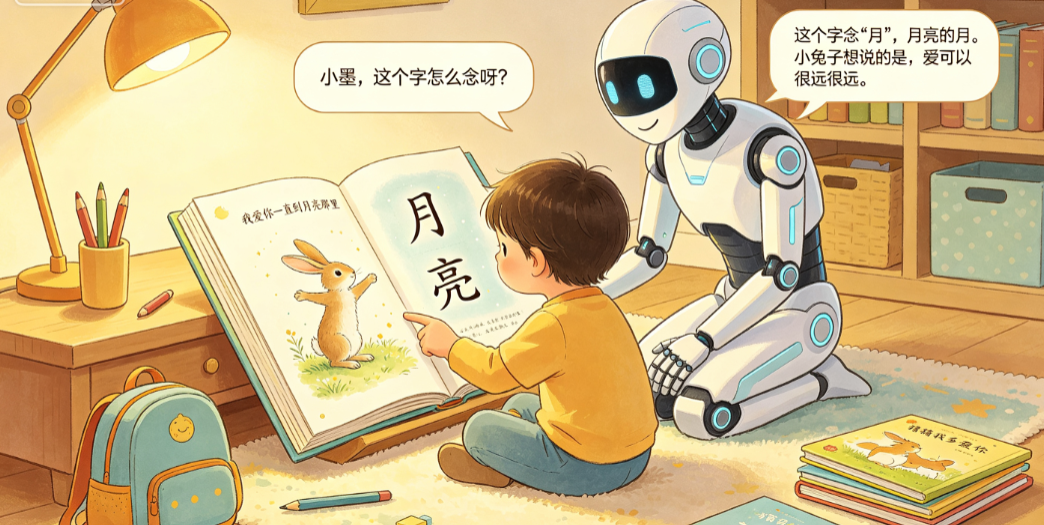
假设孩子正在读绘本《猜猜我有多爱你》,读到小兔子说"我爱你一直到月亮那里"这一页。
孩子(指着"月亮"): “小墨,这个字怎么念呀?”
系统处理流程:
-
语音识别 → 转文字"小墨,这个字怎么念呀"
-
代码组装上下文:当前书《猜猜我有多爱你》,第 8 页,孩子指着"月亮"提问
-
DeepSeek 生成回复
小墨(微笑,用活泼的语气): “这个字读’月’,月亮的月!你看天上的月亮是不是弯弯的呀?'月亮’就是晚上挂在天上亮亮的那个东西哦!”
孩子: “那我也会读这句!我爱你一直到月亮那里——”
系统: 识别到孩子在朗读 → 对比原文 → 发现"里"读成了"里"(其实对了)→ DeepSeek 给出反馈
小墨(开心地点头): “哇,你全读对了!发音很标准呢!我们接着往下看,看看小兔子还说了什么好不好?”
整个过程不到两秒,孩子感受到的是"有人真的在听我读书",而不是"我在对着一个App念经"。
整体代码
<!DOCTYPE html>
<html lang="zh-CN">
<head>
<meta charset="UTF-8" />
<meta name="viewport" content="width=device-width, initial-scale=1.0" />
<title>陪读小书童 - 小墨陪你读书</title>
<style>
/* ========== 全局变量 ========== */
:root {
--primary: #f59e0b;
--primary-soft: #fef3c7;
--primary-hover: #d97706;
--warm: #ef4444;
--warm-soft: #fee2e2;
--success: #10b981;
--success-soft: #d1fae5;
--sky: #0ea5e9;
--sky-soft: #e0f2fe;
--bg: #fffbeb;
--card: #ffffff;
--text: #1e293b;
--text-sub: #64748b;
--border: #fde68a;
--radius: 20px;
--shadow: 0 4px 24px rgba(0,0,0,0.06);
--shadow-lg: 0 12px 40px rgba(0,0,0,0.1);
--transition: 0.25s cubic-bezier(0.4,0,0.2,1);
}
* { margin: 0; padding: 0; box-sizing: border-box; }
body {
font-family: -apple-system, BlinkMacSystemFont, "Segoe UI", "PingFang SC",
"Microsoft YaHei", "Helvetica Neue", sans-serif;
background: var(--bg);
color: var(--text);
min-height: 100vh;
display: flex;
flex-direction: column;
}
/* ========== 顶部导航栏 ========== */
.top-bar {
background: linear-gradient(135deg, #fef3c7, #fef9c3);
padding: 0 24px;
height: 60px;
display: flex;
align-items: center;
justify-content: space-between;
border-bottom: 2px solid var(--border);
box-shadow: 0 1px 8px rgba(0,0,0,0.04);
z-index: 100;
flex-shrink: 0;
}
.top-bar .logo {
display: flex;
align-items: center;
gap: 10px;
font-size: 20px;
font-weight: 700;
color: var(--primary-hover);
}
.top-bar .logo .icon { font-size: 28px; }
.top-bar .slogan {
font-size: 13px;
color: var(--text-sub);
letter-spacing: 0.5px;
}
/* ========== 主体布局 ========== */
.main-layout {
display: flex;
flex: 1;
overflow: hidden;
}
/* ========== 左侧书架面板 ========== */
.side-panel {
width: 300px;
background: var(--card);
border-right: 1px solid var(--border);
overflow-y: auto;
padding: 20px;
display: flex;
flex-direction: column;
gap: 14px;
flex-shrink: 0;
}
.panel-section {
background: #fffbeb;
border-radius: 14px;
padding: 16px;
border: 1px solid var(--border);
}
.panel-section h3 {
font-size: 14px;
color: var(--primary-hover);
margin-bottom: 10px;
font-weight: 700;
display: flex;
align-items: center;
gap: 6px;
}
.input-row {
display: flex;
flex-direction: column;
gap: 4px;
margin-bottom: 10px;
}
.input-row label {
font-size: 12px;
color: var(--text-sub);
font-weight: 500;
}
.input-row input {
padding: 8px 12px;
border: 1px solid var(--border);
border-radius: 8px;
font-size: 13px;
outline: none;
background: #fff;
transition: var(--transition);
width: 100%;
}
.input-row input:focus {
border-color: var(--primary);
box-shadow: 0 0 0 3px rgba(245,158,11,0.1);
}
.btn {
padding: 10px 20px;
border: none;
border-radius: 12px;
font-weight: 600;
font-size: 14px;
cursor: pointer;
transition: var(--transition);
display: inline-flex;
align-items: center;
justify-content: center;
gap: 6px;
}
.btn:active { transform: scale(0.97); }
.btn-primary { background: var(--primary); color: #fff; width: 100%; }
.btn-primary:hover { background: var(--primary-hover); box-shadow: 0 4px 12px rgba(245,158,11,0.3); }
.btn-danger { background: var(--warm); color: #fff; width: 100%; }
.btn-danger:hover { background: #dc2626; }
.btn-sky { background: var(--sky); color: #fff; width: 100%; }
.btn-sky:hover { background: #0284c7; box-shadow: 0 4px 12px rgba(14,165,233,0.3); }
.btn-outline {
background: #fff;
border: 2px solid var(--border);
color: var(--text);
width: 100%;
}
.btn-outline:hover { border-color: var(--primary); color: var(--primary); }
/* 状态指示 */
.status-row {
display: flex;
align-items: center;
gap: 8px;
font-size: 13px;
color: var(--text-sub);
}
.status-dot {
width: 10px; height: 10px;
border-radius: 50%;
background: #d1d5db;
flex-shrink: 0;
}
.status-dot.success { background: var(--success); box-shadow: 0 0 8px var(--success); }
.status-dot.error { background: var(--warm); box-shadow: 0 0 8px var(--warm); }
.status-dot.loading { background: var(--primary); animation: pulse 1s infinite; }
@keyframes pulse { 0%,100%{opacity:1} 50%{opacity:0.4} }
/* 绘本选择 */
.book-list {
display: flex;
flex-direction: column;
gap: 8px;
max-height: 180px;
overflow-y: auto;
}
.book-item {
padding: 10px 12px;
border-radius: 10px;
background: #fff;
border: 2px solid #fde68a;
cursor: pointer;
transition: var(--transition);
font-size: 14px;
display: flex;
align-items: center;
gap: 8px;
}
.book-item:hover { border-color: var(--primary); background: var(--primary-soft); }
.book-item.selected { border-color: var(--primary); background: var(--primary-soft); font-weight: 600; }
.book-item .book-emoji { font-size: 20px; }
/* 阅读进度 */
.page-nav {
display: flex;
align-items: center;
gap: 8px;
justify-content: center;
}
.page-nav button {
padding: 6px 14px;
border-radius: 20px;
border: 2px solid var(--border);
background: #fff;
cursor: pointer;
font-size: 14px;
transition: var(--transition);
}
.page-nav button:hover { background: var(--primary-soft); }
.page-nav .page-num {
font-weight: 700;
font-size: 16px;
color: var(--primary-hover);
min-width: 40px;
text-align: center;
}
/* ========== 中间舞台 ========== */
.stage-area {
flex: 1;
display: flex;
flex-direction: column;
align-items: center;
justify-content: center;
padding: 16px;
min-width: 0;
}
#sdk-wrapper {
width: 100%;
display: flex;
justify-content: center;
}
#sdk {
width: 800px;
height: 450px;
max-width: 100%;
background: #1a1a2e;
border-radius: var(--radius);
box-shadow: var(--shadow-lg);
position: relative;
overflow: hidden;
transition: all 0.4s ease;
}
#sdk::after {
content: "";
position: absolute;
top: 0; left: 0; right: 0; bottom: 0;
background: radial-gradient(ellipse at center, rgba(245,158,11,0.06) 0%, transparent 70%);
pointer-events: none;
z-index: 0;
}
#sdk-placeholder {
position: absolute;
top: 50%; left: 50%;
transform: translate(-50%, -50%);
color: rgba(255,255,255,0.25);
font-size: 15px;
z-index: 0;
pointer-events: none;
text-align: center;
}
/* 当前阅读内容展示 */
.book-display {
background: var(--card);
border-radius: 14px;
padding: 16px 20px;
margin-top: 14px;
width: 100%;
max-width: 800px;
border: 2px solid var(--border);
min-height: 80px;
display: flex;
align-items: center;
gap: 12px;
}
.book-display .page-emoji { font-size: 36px; flex-shrink: 0; }
.book-display .page-text {
font-size: 16px;
line-height: 1.8;
color: var(--text);
}
.book-display .page-text .highlight {
background: var(--primary-soft);
padding: 2px 6px;
border-radius: 4px;
font-weight: 600;
color: var(--primary-hover);
}
/* ========== 底部聊天区 ========== */
.chat-section {
background: var(--card);
border-top: 2px solid var(--border);
padding: 14px 24px;
flex-shrink: 0;
}
.chat-messages {
max-height: 150px;
overflow-y: auto;
margin-bottom: 10px;
display: flex;
flex-direction: column;
gap: 8px;
padding-right: 8px;
}
.chat-messages::-webkit-scrollbar { width: 4px; }
.chat-messages::-webkit-scrollbar-thumb { background: var(--border); border-radius: 4px; }
.msg {
display: flex;
gap: 10px;
animation: fadeInUp 0.3s ease;
}
@keyframes fadeInUp {
from { opacity: 0; transform: translateY(8px); }
to { opacity: 1; transform: translateY(0); }
}
.msg .avatar {
width: 36px; height: 36px;
border-radius: 50%;
display: flex;
align-items: center;
justify-content: center;
font-size: 18px;
flex-shrink: 0;
}
.msg.user .avatar { background: var(--sky-soft); }
.msg.bot .avatar { background: var(--primary-soft); }
.msg .bubble {
max-width: 75%;
padding: 10px 14px;
border-radius: 16px;
font-size: 14px;
line-height: 1.6;
word-break: break-word;
}
.msg.user { flex-direction: row-reverse; }
.msg.user .bubble { background: var(--sky-soft); border-bottom-right-radius: 4px; }
.msg.bot .bubble { background: #fef9c3; border-bottom-left-radius: 4px; }
.chat-input-row {
display: flex;
gap: 10px;
}
.chat-input-row input {
flex: 1;
padding: 12px 18px;
border: 2px solid var(--border);
border-radius: 30px;
font-size: 15px;
outline: none;
transition: var(--transition);
background: #fffbeb;
}
.chat-input-row input:focus {
border-color: var(--primary);
background: #fff;
box-shadow: 0 0 0 4px rgba(245,158,11,0.08);
}
.chat-input-row .btn-send {
padding: 12px 24px;
border-radius: 30px;
background: var(--primary);
color: #fff;
border: none;
font-weight: 600;
font-size: 15px;
cursor: pointer;
transition: var(--transition);
white-space: nowrap;
}
.chat-input-row .btn-send:hover { background: var(--primary-hover); }
.chat-input-row .btn-send:disabled { opacity: 0.5; cursor: not-allowed; }
.chat-input-row .btn-read {
padding: 12px 20px;
border-radius: 30px;
background: var(--sky);
color: #fff;
border: none;
font-weight: 600;
font-size: 15px;
cursor: pointer;
transition: var(--transition);
white-space: nowrap;
}
.chat-input-row .btn-read:hover { background: #0284c7; }
.chat-input-row .btn-read.listening {
background: var(--warm);
animation: pulse 1s infinite;
}
/* ========== 右侧面板 ========== */
.tool-panel {
width: 280px;
background: var(--card);
border-left: 1px solid var(--border);
overflow-y: auto;
padding: 20px;
display: flex;
flex-direction: column;
gap: 12px;
flex-shrink: 0;
}
.tool-card {
background: #fffbeb;
border-radius: 14px;
padding: 14px;
border: 1px solid var(--border);
}
.tool-card h4 {
font-size: 14px;
font-weight: 600;
margin-bottom: 8px;
display: flex;
align-items: center;
gap: 6px;
color: var(--primary-hover);
}
/* 星星鼓励 */
.stars-display {
text-align: center;
font-size: 28px;
margin: 6px 0;
letter-spacing: 4px;
}
/* 今日词汇 */
.word-card {
background: #fff;
border-radius: 10px;
padding: 12px;
text-align: center;
border: 2px dashed var(--border);
}
.word-card .big-word {
font-size: 28px;
font-weight: 700;
color: var(--primary-hover);
margin-bottom: 4px;
}
.word-card .word-pinyin {
font-size: 13px;
color: var(--text-sub);
margin-bottom: 4px;
}
.word-card .word-mean {
font-size: 13px;
color: var(--text);
}
/* 响应式 */
@media (max-width: 1400px) {
.side-panel { width: 260px; }
.tool-panel { width: 260px; }
}
@media (max-width: 1100px) {
.main-layout { flex-direction: column; }
.side-panel { width: 100%; flex-direction: row; flex-wrap: wrap; max-height: 200px; }
.tool-panel { width: 100%; flex-direction: row; flex-wrap: wrap; max-height: 200px; }
.stage-area { min-height: 350px; }
}
</style>
</head>
<body>
<!-- ==================== 顶部导航 ==================== -->
<header class="top-bar">
<div class="logo">
<span class="icon">📖</span>
<span>陪读小书童 · 小墨</span>
</div>
<div class="slogan">小墨陪你读书,每天进步一点点 ✨</div>
<div class="status-row">
<div class="status-dot" id="status-light"></div>
<span id="status-text">未连接</span>
</div>
</header>
<!-- ==================== 主体布局 ==================== -->
<div class="main-layout">
<!-- ===== 左侧书架 ===== -->
<aside class="side-panel" id="side-panel">
<!-- 数字人配置 -->
<div class="panel-section">
<h3>🎭 小墨配置</h3>
<div class="input-row">
<label>App ID</label>
<input type="text" id="inp-appid" placeholder="粘贴 App ID" />
</div>
<div class="input-row">
<label>App Secret</label>
<input type="password" id="inp-secret" placeholder="粘贴 App Secret" />
</div>
<button class="btn btn-primary" onclick="doConnect()" id="btn-conn">✨ 唤醒小墨</button>
<button class="btn btn-danger" onclick="doDisconnect()" id="btn-disconn" style="display:none;">让小墨休息</button>
</div>
<!-- DeepSeek 配置 -->
<div class="panel-section">
<h3>🧠 AI 大脑</h3>
<div class="input-row">
<label>DeepSeek API Key</label>
<input type="password" id="inp-ds-key" placeholder="粘贴 API Key" />
</div>
<div class="status-row" style="margin-bottom:8px;">
<div class="status-dot" id="ds-light"></div>
<span id="ds-text">未配置</span>
</div>
</div>
<!-- 绘本选择 -->
<div class="panel-section">
<h3>📚 今天读什么</h3>
<div class="book-list" id="book-list">
<!-- 动态生成 -->
</div>
<div class="page-nav" style="margin-top:10px;">
<button onclick="prevPage()">⬅ 上一页</button>
<span class="page-num" id="page-num">1/5</span>
<button onclick="nextPage()">下一页 ➡</button>
</div>
</div>
<!-- 快捷操作 -->
<div class="panel-section">
<h3>⚡ 快捷操作</h3>
<button class="btn btn-outline" onclick="xiaoMoRead()" style="margin-bottom:8px;">🔊 小墨读给我听</button>
<button class="btn btn-outline" onclick="clearChat()">🗑️ 清空对话</button>
</div>
</aside>
<!-- ===== 中间舞台 ===== -->
<main class="stage-area">
<div id="sdk-wrapper">
<div id="sdk">
<div id="sdk-placeholder">🌟 唤醒小墨,开始今天的阅读之旅吧!</div>
<img id="bg-layer" alt="background" style="position:absolute;inset:0;width:100%;height:100%;object-fit:cover;z-index:0;display:none;" />
<video id="video-layer" playsinline style="position:absolute;inset:0;width:100%;height:100%;object-fit:contain;z-index:2;display:none;background:#000;"></video>
<img id="ppt-layer" alt="ppt" style="position:absolute;top:0;right:0;width:50%;height:50%;object-fit:contain;z-index:3;display:none;background:rgba(0,0,0,0.5);" />
<div id="custom-subtitle" style="position:absolute;bottom:16px;left:50%;transform:translateX(-50%);background:rgba(0,0,0,0.7);color:#fff;padding:8px 20px;border-radius:20px;font-size:16px;z-index:5;display:none;"></div>
</div>
</div>
<!-- 当前页面内容 -->
<div class="book-display" id="book-display">
<span class="page-emoji" id="page-emoji">📖</span>
<span class="page-text" id="page-text">选一本绘本,小墨陪你一起读~</span>
</div>
</main>
<!-- ===== 右侧工具面板 ===== -->
<aside class="tool-panel" id="tool-panel">
<!-- 阅读成就 -->
<div class="tool-card">
<h4>⭐ 今日阅读成就</h4>
<div class="stars-display" id="stars-display">⭐⭐⭐</div>
<p style="font-size:12px;color:var(--text-sub);text-align:center;">
已读 <strong id="pages-read">0</strong> 页 · 学了 <strong id="words-learned">0</strong> 个新字
</p>
</div>
<!-- 今日新字 -->
<div class="tool-card">
<h4>🆕 今日新字</h4>
<div class="word-card" id="word-card">
<div class="big-word">月</div>
<div class="word-pinyin">yuè</div>
<div class="word-mean">月亮,晚上挂在天上亮亮的</div>
</div>
<button class="btn btn-outline" onclick="refreshWord()" style="margin-top:8px;width:100%;">🔄 换个字</button>
</div>
<!-- 会话统计 -->
<div class="tool-card">
<h4>📊 阅读小结</h4>
<div style="font-size:12px;color:var(--text-sub);" id="session-summary">
当前在读:<strong id="current-book-name">未选择</strong><br />
交流次数:<strong id="msg-count">0</strong> 次
</div>
</div>
</aside>
</div>
<!-- ==================== 底部对话区 ==================== -->
<section class="chat-section">
<div class="chat-messages" id="chat-messages"></div>
<div class="chat-input-row">
<input
type="text"
id="chat-input"
placeholder="在这里跟小墨说话吧~(打字或语音都可以哦)"
onkeydown="if(event.key==='Enter') doSend()"
/>
<button class="btn-read" onclick="toggleReadAloud()" id="btn-read">🎤 我来读</button>
<button class="btn-send" onclick="doSend()" id="btn-send">发送</button>
</div>
</section>
<!-- ==================== 脚本加载 ==================== -->
<script src="https://media.xingyun3d.com/xingyun3d/general/litesdk/xmovAvatar@latest.js"></script>
<script>
// ==================== 绘本数据 ====================
const books = [
{
id: 1, title: "猜猜我有多爱你", emoji: "🐰", pages: [
{ text: "小兔子要上床睡觉了,他紧紧抓着大兔子的长耳朵。", highlight: ["小兔子", "大兔子", "长耳朵"] },
{ text: "他要大兔子好好听他说。「猜猜我有多爱你?」小兔子问。", highlight: ["猜猜", "爱你"] },
{ text: "「噢,我大概猜不出来。」大兔子说。", highlight: ["大概", "猜不出来"] },
{ text: "「我爱你这么多。」小兔子把手臂张得不能再开。", highlight: ["爱你", "手臂"] },
{ text: "「我爱你一直到月亮那里。」小兔子闭上眼睛说。", highlight: ["月亮"] }
]
},
{
id: 2, title: "好饿的毛毛虫", emoji: "🐛", pages: [
{ text: "月光下,一颗小小的蛋躺在叶子上。", highlight: ["月光", "蛋", "叶子"] },
{ text: "星期天早上,暖暖的太阳升起来了。啪!一条又小又饿的毛毛虫从蛋里爬了出来。", highlight: ["太阳", "毛毛虫"] },
{ text: "星期一,它吃了一个苹果,可是肚子还是好饿。", highlight: ["星期一", "苹果"] },
{ text: "星期二,它吃了两个梨,可是肚子还是好饿。", highlight: ["星期二", "梨"] },
{ text: "它造了一间小房子,叫做茧,把自己包在里面。后来,它变成了一只漂亮的蝴蝶!", highlight: ["茧", "蝴蝶"] }
]
},
{
id: 3, title: "小马过河", emoji: "🐴", pages: [
{ text: "小马和妈妈住在小河边,每天过得开开心心的。", highlight: ["小马", "妈妈", "小河"] },
{ text: "一天,妈妈让小马把麦子驮到磨坊去。小马高兴地答应了。", highlight: ["麦子", "磨坊"] },
{ text: "小马来到小河边,河水哗哗地流着,他不知道能不能过去。", highlight: ["河水", "过去"] },
{ text: "松鼠跑来说:「小马别过河,河水可深了!」老牛说:「河水很浅,刚没过小腿。」", highlight: ["松鼠", "老牛", "深", "浅"] },
{ text: "小马想了想,决定自己试一试。他小心地走进河里,原来河水既不像松鼠说的那么深,也不像老牛说的那么浅。", highlight: ["试一试", "小心"] }
]
}
];
// ==================== 全局状态 ====================
let sdk = null;
let currentBook = books[0];
let currentPageIdx = 0;
let chatHistory = [];
let speechQueue = [];
let isSpeaking = false;
let pagesReadToday = 0;
let wordsLearnedToday = 0;
let recognition = null;
let isListening = false;
// 新字库
const wordBank = [
{ word: "月", pinyin: "yuè", meaning: "月亮,晚上挂在天上亮亮的" },
{ word: "爱", pinyin: "ài", meaning: "很喜欢很喜欢的感觉" },
{ word: "星", pinyin: "xīng", meaning: "星星,晚上天上一闪一闪的" },
{ word: "河", pinyin: "hé", meaning: "河流,有很多水流过的地方" },
{ word: "花", pinyin: "huā", meaning: "花朵,五颜六色很漂亮的" },
{ word: "飞", pinyin: "fēi", meaning: "像小鸟一样在天上" },
{ word: "树", pinyin: "shù", meaning: "大树,有绿色叶子很高很高" },
{ word: "海", pinyin: "hǎi", meaning: "大海,蓝色的一望无际" }
];
// ==================== 学童人设 Prompt ====================
const SYSTEM_PROMPT = "你是一个名叫「小墨」的AI陪读伙伴,陪伴5-8岁的小朋友读书。你的性格温暖、活泼、有耐心,像一个亲切的哥哥/姐姐。\n\n你的能力:\n1. 朗读绘本和童书,语速适中,重点词加重语气\n2. 用孩子能听懂的话解释词语和故事情节\n3. 回答孩子天马行空的问题,永远不嘲笑、不敷衍\n4. 在孩子自己读完后给予真诚的鼓励\n\n说话要求:\n- 句子要短,每句不超过20个字\n- 用「呀」「呢」「哦」「啦」等语气词让对话更亲切\n- 孩子读错时先说「已经很棒了」,再温和纠正\n- 不要长篇大论,每次回复控制在80个字以内\n- 保持对话感,像朋友聊天一样自然";
// ==================== 初始化绘本列表 ====================
function initBookList() {
const container = document.getElementById("book-list");
container.innerHTML = books.map((book, idx) => `
<div class="book-item ${idx === 0 ? 'selected' : ''}" data-idx="${idx}" onclick="selectBook(${idx})">
<span class="book-emoji">${book.emoji}</span>
<span>${book.title}</span>
</div>
`).join("");
}
function selectBook(idx) {
currentBook = books[idx];
currentPageIdx = 0;
updateBookUI();
document.querySelectorAll(".book-item").forEach((el, i) => {
el.classList.toggle("selected", i === idx);
});
document.getElementById("current-book-name").innerText = currentBook.title;
}
function updateBookUI() {
const page = currentBook.pages[currentPageIdx];
document.getElementById("page-num").innerText = `${currentPageIdx + 1}/${currentBook.pages.length}`;
document.getElementById("page-emoji").innerText = currentBook.emoji;
let textHtml = page.text;
page.highlight.forEach(word => {
textHtml = textHtml.replace(word, `<span class="highlight">${word}</span>`);
});
document.getElementById("page-text").innerHTML = textHtml;
}
function prevPage() {
if (currentPageIdx > 0) {
currentPageIdx--;
updateBookUI();
}
}
function nextPage() {
if (currentPageIdx < currentBook.pages.length - 1) {
currentPageIdx++;
pagesReadToday++;
wordsLearnedToday += currentBook.pages[currentPageIdx].highlight.length;
updateBookUI();
updateStats();
}
}
function updateStats() {
document.getElementById("pages-read").innerText = pagesReadToday;
document.getElementById("words-learned").innerText = wordsLearnedToday;
const starCount = Math.min(5, Math.floor(pagesReadToday / 2) + 1);
document.getElementById("stars-display").innerText = "⭐".repeat(starCount);
}
// ==================== 新字刷新 ====================
function refreshWord() {
const w = wordBank[Math.floor(Math.random() * wordBank.length)];
document.getElementById("word-card").innerHTML = `
<div class="big-word">${w.word}</div>
<div class="word-pinyin">${w.pinyin}</div>
<div class="word-mean">${w.meaning}</div>
`;
}
// ==================== Xmov 数字人连接 ====================
async function doConnect() {
if (sdk) return;
const appId = document.getElementById("inp-appid").value.trim();
const appSecret = document.getElementById("inp-secret").value.trim();
if (!appId || !appSecret) { alert("请先填写 App ID 和 App Secret"); return; }
updateStatus("loading", "小墨正在醒来...");
sdk = new XmovAvatar({
containerId: "#sdk",
appId: appId,
appSecret: appSecret,
gatewayServer: "https://nebula-agent.xingyun3d.com/user/v1/ttsa/session",
onMessage: (msg) => console.log("小墨收到消息:", msg),
proxyWidget: {
"widget_pic": (data) => {
const bg = document.getElementById("bg-layer");
if (data.image) { bg.src = data.image; bg.style.display = "block"; }
else { bg.style.display = "none"; }
},
"widget_video": (data) => {
const video = document.getElementById("video-layer");
if (data.action === "play" && data.src) {
video.src = data.src; video.style.display = "block"; video.play().catch(() => {});
} else if (data.action === "stop") {
video.pause(); video.style.display = "none";
}
},
"widget_slideshow": (data) => {
const ppt = document.getElementById("ppt-layer");
if (data.url) { ppt.src = data.url; ppt.style.display = "block"; }
else { ppt.style.display = "none"; }
},
"subtitle_on": (data) => {
const sub = document.getElementById("custom-subtitle");
sub.innerText = data.text || ""; sub.style.display = "block";
return false;
},
"subtitle_off": () => {
document.getElementById("custom-subtitle").style.display = "none";
return false;
}
},
onVoiceStateChange: (res) => {
const state = res.state || res;
if (state === "idle" || state === "end") {
isSpeaking = false;
processSpeechQueue();
}
}
});
try {
await sdk.init({
onDownloadProgress: (p) => {
if (p < 100) updateStatus("loading", `加载中 ${p}%`);
}
});
updateStatus("success", "小墨已就绪");
document.getElementById("sdk-placeholder").style.display = "none";
toggleButtons(true);
console.log("小墨初始化成功 ✨");
} catch (err) {
console.error(err);
updateStatus("error", "唤醒失败");
alert("小墨没醒来,请检查凭证 (F12 查看详情)");
sdk = null;
}
}
function doDisconnect() {
if (sdk) { sdk.destroy(); sdk = null; }
updateStatus("error", "小墨休息了");
document.getElementById("sdk-placeholder").style.display = "block";
toggleButtons(false);
}
function updateStatus(state, text) {
const light = document.getElementById("status-light");
const label = document.getElementById("status-text");
light.className = "status-dot";
if (state === "success") light.classList.add("success");
else if (state === "error") light.classList.add("error");
else if (state === "loading") light.classList.add("loading");
label.innerText = text;
}
function toggleButtons(connected) {
document.getElementById("btn-conn").style.display = connected ? "none" : "block";
document.getElementById("btn-disconn").style.display = connected ? "inline-flex" : "none";
}
// ==================== 语音播报队列 ====================
function enqueueSpeech(text) {
if (!text) return;
const sentences = text.split(/(?<=[。!?…\.\!\?\n])/g);
sentences.filter(s => s.trim()).forEach(s => speechQueue.push(s.trim()));
processSpeechQueue();
}
function processSpeechQueue() {
if (!sdk || isSpeaking || speechQueue.length === 0) return;
const sentence = speechQueue.shift();
isSpeaking = true;
const isFirst = speechQueue.length === 0 ? false : (chatHistory.length === 0);
sdk.speak(sentence, isFirst, speechQueue.length === 0);
}
// ==================== DeepSeek AI 调用 ====================
async function callDeepSeek(userMessage) {
const apiKey = document.getElementById("inp-ds-key").value.trim();
if (!apiKey) {
addBotMessage("请先在左侧面板配置 DeepSeek API Key,小墨才能变聪明哦~");
return null;
}
updateDSStatus("loading", "小墨思考中...");
const page = currentBook.pages[currentPageIdx];
const messages = [
{ role: "system", content: SYSTEM_PROMPT },
{ role: "system", content: `当前在读:《${currentBook.title}》,第${currentPageIdx + 1}页,内容是:「${page.text}」` },
...chatHistory.slice(-12),
{ role: "user", content: userMessage }
];
try {
const response = await fetch("https://api.deepseek.com/v1/chat/completions", {
method: "POST",
headers: { "Content-Type": "application/json", "Authorization": `Bearer ${apiKey}` },
body: JSON.stringify({ model: "deepseek-chat", messages, temperature: 0.8, max_tokens: 1024 })
});
if (!response.ok) throw new Error(`HTTP ${response.status}`);
const data = await response.json();
const reply = data.choices?.[0]?.message?.content || "";
updateDSStatus("success", "已就绪");
return reply.length > 100 ? reply.substring(0, 100) + "…" : reply;
} catch (err) {
console.error("DeepSeek 调用失败:", err);
updateDSStatus("error", "调用失败");
addBotMessage("哎呀,小墨的脑袋卡住了,请检查 API Key 和网络~");
return null;
}
}
function updateDSStatus(state, text) {
const light = document.getElementById("ds-light");
const label = document.getElementById("ds-text");
light.className = "status-dot";
if (state === "success") light.classList.add("success");
else if (state === "error") light.classList.add("error");
else if (state === "loading") light.classList.add("loading");
label.innerText = text;
}
// ==================== 发送消息 ====================
async function doSend() {
const input = document.getElementById("chat-input");
const text = input.value.trim();
if (!text) return;
const btn = document.getElementById("btn-send");
btn.disabled = true;
addUserMessage(text);
chatHistory.push({ role: "user", content: text });
input.value = "";
const reply = await callDeepSeek(text);
btn.disabled = false;
if (reply) {
addBotMessage(reply);
chatHistory.push({ role: "assistant", content: reply });
enqueueSpeech(reply);
}
document.getElementById("msg-count").innerText = chatHistory.length;
}
// ==================== 小墨朗读当前页 ====================
async function xiaoMoRead() {
const page = currentBook.pages[currentPageIdx];
const prompt = `请帮我把这段话读给小朋友听,注意要生动有趣哦:${page.text}`;
const reply = await callDeepSeek(prompt);
if (reply) {
addBotMessage(reply);
chatHistory.push({ role: "assistant", content: reply });
enqueueSpeech(reply);
}
document.getElementById("msg-count").innerText = chatHistory.length;
}
// ==================== 孩子朗读(语音识别) ====================
function toggleReadAloud() {
if (isListening) { stopListening(); return; }
const SpeechRecognition = window.SpeechRecognition || window.webkitSpeechRecognition;
if (!SpeechRecognition) { alert("你的浏览器不支持语音识别,换个浏览器试试吧~"); return; }
recognition = new SpeechRecognition();
recognition.lang = "zh-CN";
recognition.interimResults = false;
recognition.continuous = true;
recognition.onresult = async (event) => {
const transcript = event.results[event.results.length - 1][0].transcript.trim();
if (!transcript) return;
addUserMessage("🎤 " + transcript);
const page = currentBook.pages[currentPageIdx];
const reply = await callDeepSeek(
`小朋友自己读了这段话:「${transcript}」。原书内容是:「${page.text}」。请判断读得怎么样,给予鼓励和温和纠正。`
);
if (reply) {
addBotMessage(reply);
chatHistory.push({ role: "assistant", content: reply });
enqueueSpeech(reply);
}
document.getElementById("msg-count").innerText = chatHistory.length;
};
recognition.onerror = () => { stopListening(); };
recognition.start();
isListening = true;
document.getElementById("btn-read").classList.add("listening");
document.getElementById("btn-read").innerText = "🔴 正在听...";
}
function stopListening() {
if (recognition) { recognition.stop(); recognition = null; }
isListening = false;
document.getElementById("btn-read").classList.remove("listening");
document.getElementById("btn-read").innerText = "🎤 我来读";
}
// ==================== 聊天 UI ====================
function addUserMessage(text) {
const container = document.getElementById("chat-messages");
const div = document.createElement("div");
div.className = "msg user";
div.innerHTML = `<div class="avatar">👦</div><div class="bubble">${escapeHtml(text)}</div>`;
container.appendChild(div);
container.scrollTop = container.scrollHeight;
}
function addBotMessage(text) {
const container = document.getElementById("chat-messages");
const div = document.createElement("div");
div.className = "msg bot";
div.innerHTML = `<div class="avatar">📖</div><div class="bubble">${escapeHtml(text)}</div>`;
container.appendChild(div);
container.scrollTop = container.scrollHeight;
}
function escapeHtml(str) {
const div = document.createElement("div");
div.textContent = str;
return div.innerHTML.replace(/\n/g, "<br>");
}
function clearChat() {
if (!confirm("确定清空对话吗?")) return;
document.getElementById("chat-messages").innerHTML = "";
chatHistory = [];
document.getElementById("msg-count").innerText = "0";
}
// ==================== 生命周期 ====================
window.addEventListener("beforeunload", () => {
if (sdk) sdk.destroy();
stopListening();
});
// ==================== 初始化 ====================
initBookList();
updateBookUI();
updateStats();
refreshWord();
updateDSStatus("error", "未配置");
document.getElementById("current-book-name").innerText = currentBook.title;
console.log("📖 陪读小书童 · 小墨 - 已就绪");
console.log("使用步骤:");
console.log(" 1. 左侧填入 Xmov AppID/AppSecret,点击「唤醒小墨」");
console.log(" 2. 左侧填入 DeepSeek API Key");
console.log(" 3. 选择绘本,开始跟小墨一起读书吧!");
</script>
</body>
</html>
五、设计上的几个小细节
1. 表情要跟着内容走。 读到开心的情节,小墨会笑;读到难过的情节,小墨的表情会柔和下来。魔珐星云 SDK 的 speak 方法第一个参数传 true 时,会自动根据文本情感匹配表情和头部动作。这意味着我不用手动一帧一帧调动画。
2. 回复不要太长。 孩子注意力有限,单次回复控制在 3-5 句话以内。我在 system prompt 里明确写了"每次回复不超过 80 个字",并在代码里对过长回复做截断:
const MAX_REPLY_LENGTH = 80;
const trimmed = reply.length > MAX_REPLY_LENGTH
  ? reply.substring(0, MAX_REPLY_LENGTH) + '...'
  : reply;
3. 用孩子喜欢的语气词。 这个细节对体验影响很大。一句"读得不错"和一句"读得好棒呀!“,孩子感受到的温度完全不同。system prompt 里专门加了一句"多用’呀’‘呢’'哦’让对话更亲切”。
4. 能打断。 这是数字人相比音频播放器的核心优势。孩子中间插话,小墨当前这句说完后,下一句会等孩子的新输入处理完再继续。整个会话是双向的,不是单向播音。
六、总结
这个小项目做下来,我最大的感受是:AI 陪读的技术门槛比想象中低,但体验门槛比想象中高。
整套落地验证印证行业核心逻辑:DeepSeek 补齐 AI 阅读理解能力,魔珐星云全域具身交互智能 SDK补齐线下可视化、实时双向交互完整底层能力,搭配 Trae AI 低代码开发调度,零基础即可快速搭建教育场景交互智能体,一个周末就能跑通基本链路。不需要自己训练模型,不需要写渲染引擎,甚至不需要写后端**(上线时我们需要走接口代理,不要暴露我们的ApiKey)**。
但体验层面,决定孩子会不会真的愿意跟小墨读书的,是完整具身交互智能带来的拟人化体验:
-
自然朗读节奏
-
共情表情反馈
-
随时插话的双向沟通
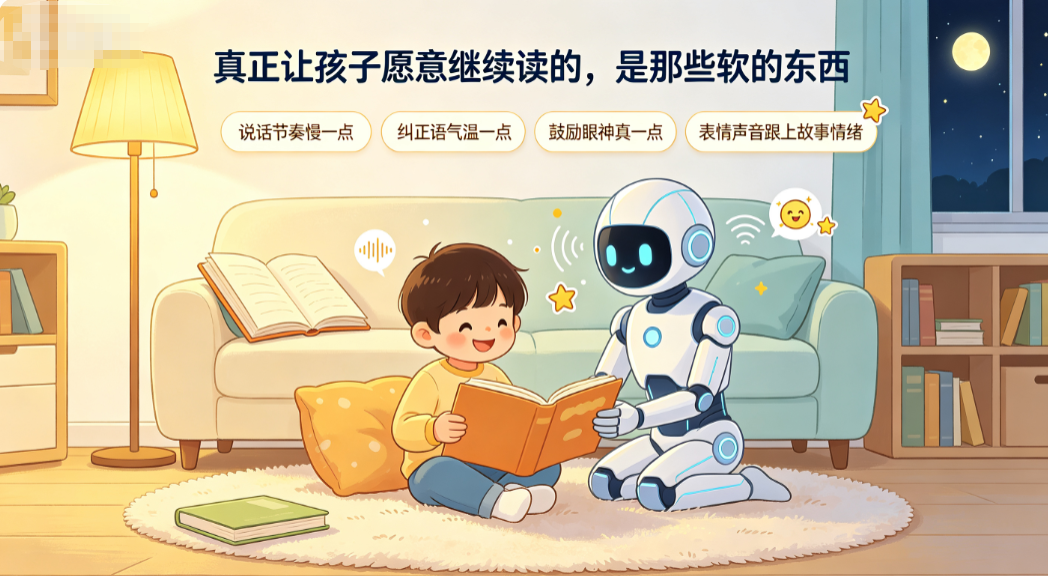
在这里也提醒一些家长,不要动不动就乱发脾气,孩子是张白纸,我们要多引导。
这些不是靠堆功能能解决的,是靠反复调试 system prompt、调整播报节奏、观察孩子真实反应,一点一点磨出来的。
如果你也在做教育类 AI 应用,或者家里刚好有个正在学识字的小朋友,不妨试试搭一个。这个 Demo 的核心代码不超过 300 行,但能做的事情,可能比一个 299 块的"智能故事机"多得多。
魔珐星云官网:查看网站
DeepSeek官网:https://www.deepseek.com/
Codebuddy官网: https://www.codebuddy.cn/home/

汇聚全球AI编程工具,助力开发者即刻编程。
更多推荐

 13
13 0
0- 0


 已为社区贡献7条内容

所有评论(0)