
基于CNN卷积神经网络人脸朝向识别系统(GUI界面)【源码34期】
一、项目简介
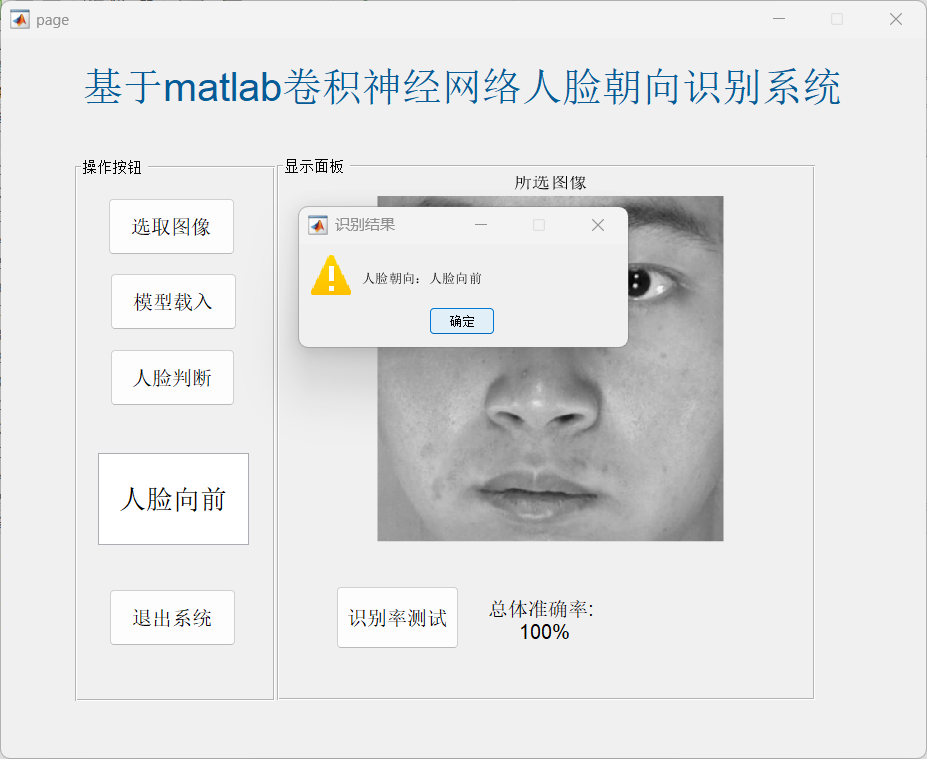
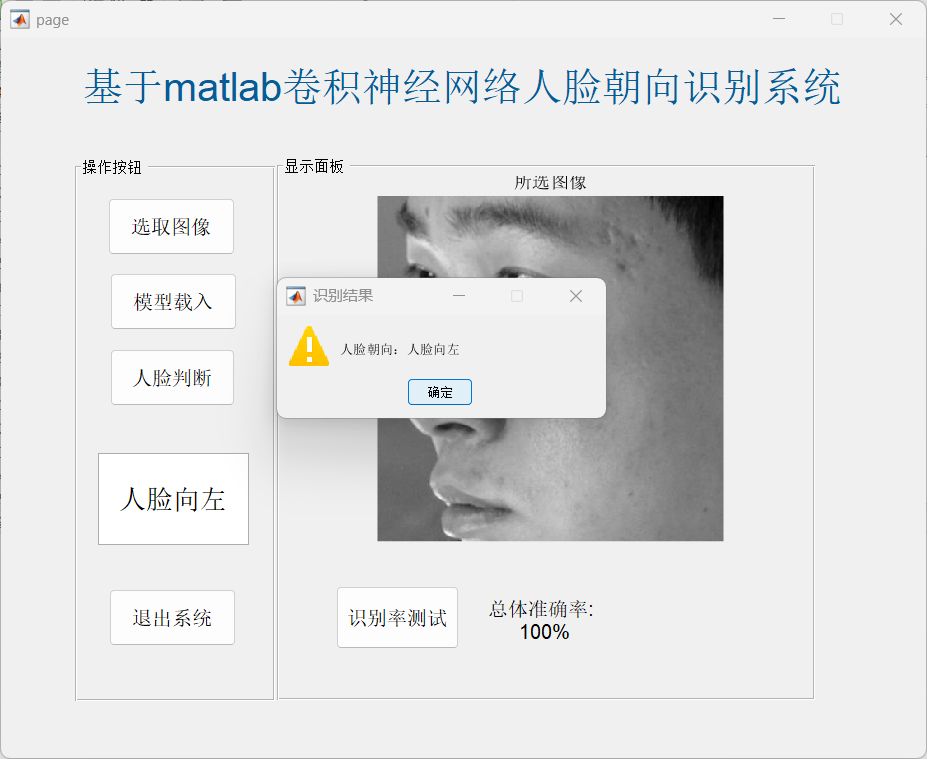
本系统基于MATLAB深度学习工具箱,设计并实现了一个基于卷积神经网络(CNN)的人脸朝向识别系统。系统由两大核心模块组成:模型训练模块(main.m)负责构建和训练CNN网络,该网络采用420×420×1的灰度图像输入,包含多层卷积、批归一化、ReLU激活及池化操作,最终通过全连接层输出5分类结果(对应不同人脸朝向),训练过程使用SGDM优化器,迭代25个周期后保存模型参数;图形用户界面模块(page.m与page.fig)基于GUIDE框架开发,用户可通过界面按钮选取BMP格式图像,调用已训练模型进行识别,识别结果以文本和弹窗形式展示,同时提供模型加载和测试集整体准确率计算功能,便于用户验证模型性能
二、部分源码
function pushbutton1_Callback(hObject, eventdata, handles) % 选取图像
% hObject handle to pushbutton1 (see GCBO)
% eventdata reserved - to be defined in a future version of MATLAB
% handles structure with handles and user data (see GUIDATA)
[fn,pn,~]=uigetfile('*.bmp','请选择所要识别的图像');
I = imread([pn fn]);
axes(handles.axes1);
imshow(I,[]);
title('所选图像');
handles.I = I;
guidata(gcbo,handles);
% --- Executes on button press in pushbutton2.
function pushbutton2_Callback(hObject, eventdata, handles) % 进行识别
% hObject handle to pushbutton2 (see GCBO)
% eventdata reserved - to be defined in a future version of MATLAB
% handles structure with handles and user data (see GUIDATA)
load("CNNnet.mat");
y_pred = classify(CNNnet,handles.I);
% disp(y_pred);
set(handles.edit1,'string',y_pred);
result=strcat('人脸朝向:',string(y_pred),'');
msgbox(result,'识别结果','warn')
function edit1_Callback(hObject, eventdata, handles)
% hObject handle to edit1 (see GCBO)
% eventdata reserved - to be defined in a future version of MATLAB
% handles structure with handles and user data (see GUIDATA)
% Hints: get(hObject,'String') returns contents of edit1 as text
% str2double(get(hObject,'String')) returns contents of edit1 as a double
% --- Executes during object creation, after setting all properties.
function edit1_CreateFcn(hObject, eventdata, handles)
% hObject handle to edit1 (see GCBO)
% eventdata reserved - to be defined in a future version of MATLAB
% handles empty - handles not created until after all CreateFcns called
% Hint: edit controls usually have a white background on Windows.
% See ISPC and COMPUTER.
if ispc && isequal(get(hObject,'BackgroundColor'), get(0,'defaultUicontrolBackgroundColor'))
set(hObject,'BackgroundColor','white');
end
% --- Executes on button press in pushbutton3.
function pushbutton3_Callback(hObject, eventdata, handles) % 显示整个测试集的结果
% hObject handle to pushbutton3 (see GCBO)
% eventdata reserved - to be defined in a future version of MATLAB
% handles structure with handles and user data (see GUIDATA)
%% 加载数据
allImages = imageDatastore('dbx', ...
'IncludeSubfolders' ,true, ...
'LabelSource' , 'foldernames' );% 图像加载为图像数据存储
% imageDatastore函数会根据文件夹名称自动标记图像
% 划分训练集(80%)和测试集(20%)
[imgsTrain,imgsTest] = splitEachLabel(allImages,0.8,'randomized');
load("CNNnet.mat");
y_pred = classify(CNNnet,imgsTest); % 使用训练好的网络测试
accuracy = mean(y_pred == imgsTest.Labels);% 计算准确率
set(handles.text2,'string',['总体准确率: ',num2str(100*accuracy),'%'],'FontSize',12);
三、运行结果
四、总结
该系统在测试集上达到了100%的识别准确率,表明所构建的CNN模型能够有效学习人脸朝向特征,对当前数据集具有良好的分类能力。界面设计简洁直观,操作流程清晰,用户只需选取图像即可获得识别结果,并伴有提示弹窗增强交互体验。系统适用于人脸朝向识别的研究演示与教学实验,后续可考虑引入更多样化的数据集、增加数据增强策略以提高模型泛化能力,或进一步优化网络结构以降低计算开销,便于向嵌入式或实时应用场景迁移。
五、代码获取
接matlab程序定制和论文设计,方向如下:
图像处理|语音识别|图像识别|目标检测|深度学习|神经网络|强化学习|机器学习|通信系统|信号处理|时频分析|小波降噪|路径规划|优化算法|智能算法|数据处理|数学建模|文献复现|算法复现|模型复现等
程序包运行成功,零基础的可以远程帮你运行,赠送安装包。
作为初学者,遇见不会的问题是非常正常的事情,具体代码仿真可通过主页 私信博主。

汇聚全球AI编程工具,助力开发者即刻编程。
更多推荐

 8
8 0
0- 0


 已为社区贡献7条内容

所有评论(0)