
在Ubuntu中本地下载Qwen2.5-7B-Instruct模型
·
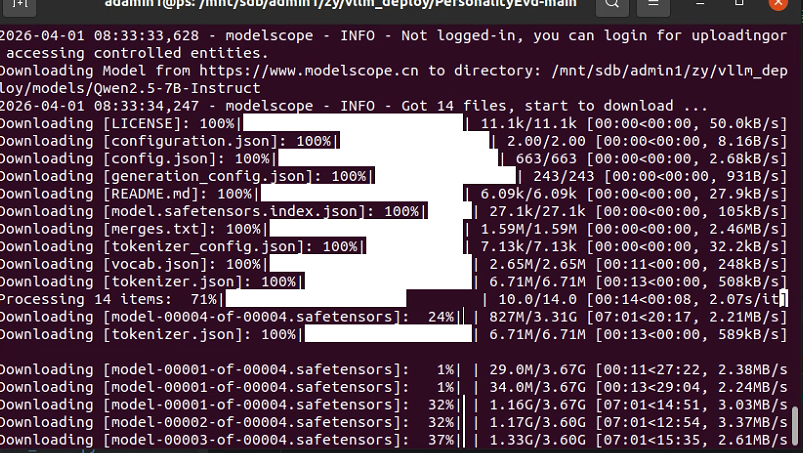
将模型下载到本地【快速、稳定】
对于 Qwen 模型,国内最稳、最快的方法其实是 ModelScope (魔搭社区)。它由阿里官方维护,下载速度通常能达到 10MB/s 以上,而且不会断连。
pip install modelscope
python - << 'PY'
from modelscope import snapshot_download
snapshot_download('qwen/Qwen2.5-7B-Instruct',
local_dir='/mnt/sdb/admin1/zy/vllm_deploy/models/Qwen2.5-7B-Instruct')#你的目录
print("ModelScope 下载完成!")
PY
启动 vLLM 服务(终端A)
python -m vllm.entrypoints.openai.api_server \
  --model /data/models/Qwen2.5-7B-Instruct \
  --host 0.0.0.0 \
  --port 8000 \
  --dtype auto \
  --gpu-memory-utilization 0.9 \
  --max-model-len 4096
联网模式
如果你没提前下载,也可以把 --model 写成 HF 名字:
--model Qwen/Qwen2.5-7B-Instruct
设置 Key:
# Windows PowerShell

$env:OPENAI_API_KEY="你的key"
先小样本测试:
python run_emotion_labeling.py --limit 20 --model gpt-4o-mini
全量跑:
python run_emotion_labeling.py --model gpt-4o-mini

汇聚全球AI编程工具,助力开发者即刻编程。
更多推荐

 0
0 0
0- 0


 已为社区贡献1条内容

所有评论(0)