
AI编程使用问题汇总~持续更新中
背景
claudecode 和 openclaw 交替使用,记录问题。
问题1:模型配置错误
claude 对话时报错:
 API Error: 403 {"error":{"message":"Model 'claude-sonnet-4-5-20250929' is
     not allowed for this provider. Allowed models: claude-opus-4-6,
     claude-sonnet-4-6,
     claude-haiku-4-5-20251001","type":"model_not_allowed"},"type":"error"} ·
之前配置 setting.json 中的 model 名称就是模型名称,不包含算法,上午运行正常,下午就一直报这个错误。推测是 AI 社区的 API 升级了导致第三方请求转发错误。按它提示的模型名称修改后,可以了。
PS:Claude Code 的 Opus4.6 模型确实很烧 Token ,想对一个包含几个 Web 控制器的类编写单元测试类,半小时消耗一天18$ 的限额,还没有得到什么结果。
问题2:OpenClaw 会话窗口
对话输出的
 connected | idle
  agent main | session main (openclaw-tui) | minimax-portal/MiniMax-M2.5 |
  tokens 16k/200k (8%)
 这个8%是什么意思
起初以为这个 tokens 后面的百分比时请求处理的进度,但是看到了结果,这个值却不是100%,还有昨天输出一直卡在 63% 这个值,就想知道这个是什么意思。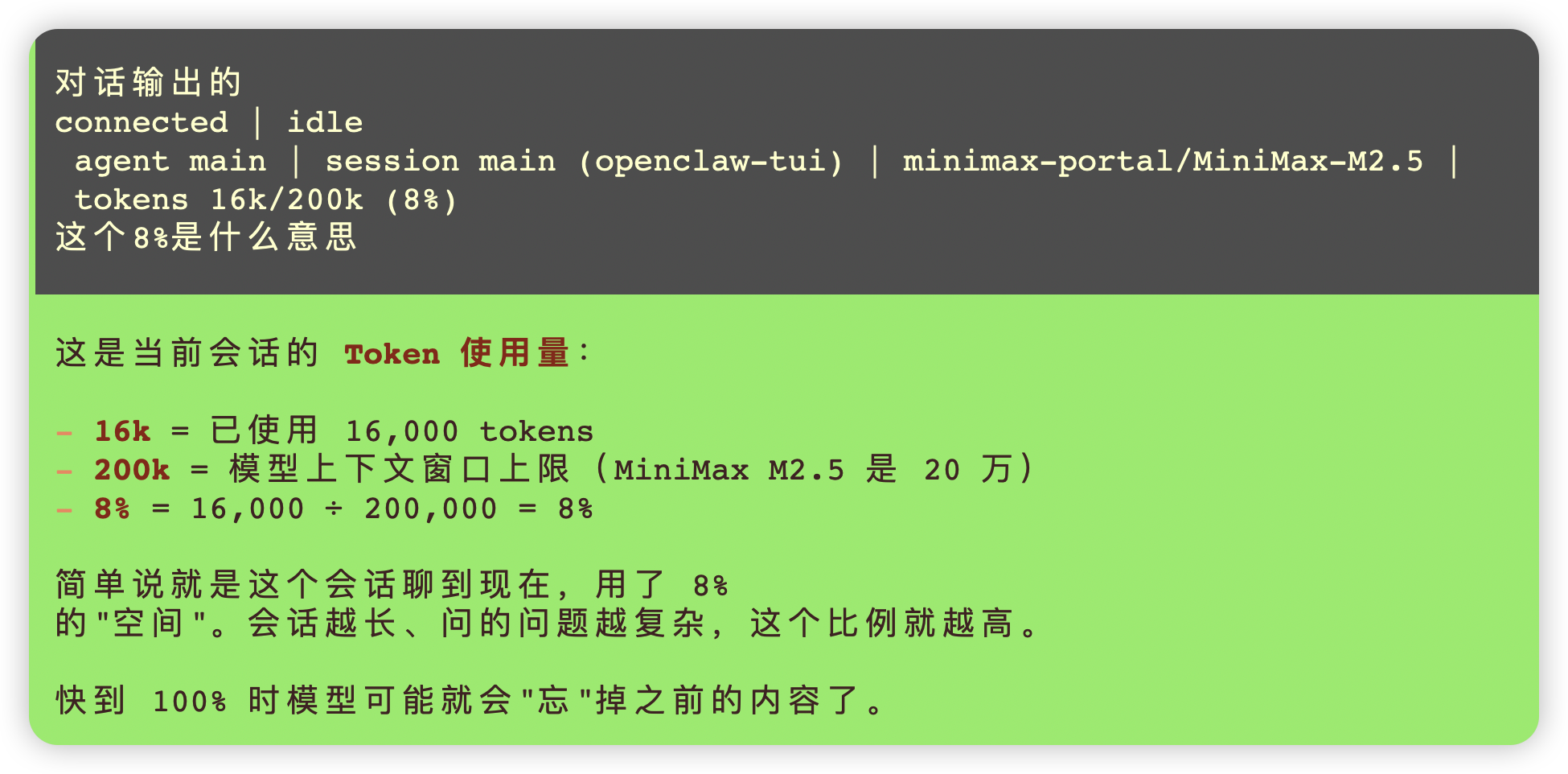
Linux 部署 Gogs 问题汇总
今天的核心问题是在一台无外网 CentOS 7 服务器上配置 Gogs git
推送,整个过程遇到了以下几个问题:
-
git 版本过低(1.8.3.1)
CentOS 7 默认 yum 源的 git 太旧,不支持 --end-of-options
参数。通过源码编译安装了新版本,但因为缺少 libcurl-devel 用了 NO_CURL=1
编译,导致不支持 HTTP 协议。 -
被迫改用 SSH 协议推送
因为没有 HTTP 支持,改用 SSH 推送,由此引出了一系列 SSH 配置问题。 -
Gogs 以 root 运行导致 SSH command= 不生效
root 用户 SSH 登录后会绕过 authorized_keys 里的 command= 限制,直接进
shell,Gogs 无法拦截 git 请求。解决方案是创建 git 用户并以 git 用户运行 Gogs。 -
authorized_keys 内容不正确
/home/git/.ssh/authorized_keys 里混入了其他机器的公钥(root@oracledb),没有
command= 前缀。最终通过 Gogs 网页删除并重新添加 SSH 密钥,让 Gogs
自动写入正确格式的 authorized_keys,问题解决。
教训:
- Gogs 不应以 root 用户运行,应使用专用的 git 用户
- authorized_keys 应由 Gogs 网页管理,不要手动复制
- 内网环境编译 git 时应先解决 libcurl-devel 依赖,避免用 NO_CURL=1

汇聚全球AI编程工具,助力开发者即刻编程。
更多推荐

 0
0 0
0- 0


 已为社区贡献4条内容

所有评论(0)