
美丽的WindowsTerminal 终端命令行搭配新Powershell 7.6 ,kimi code cli 最佳运行环境
·
1、WindowsTerminal.exe ( terminal-1.24.10921.0
2、Powershell 7.6
这两个环境必须安装,不然系统默认的老旧powershell和终端,将非常古老的界面,无法性感的渲染出可爱的图表
3、代码补全要安装
# 1. 启用历史记录预测(像 Fish/Zsh 一样)
Set-PSReadLineOption -PredictionSource HistoryAndPlugin

# 2. 改为列表视图(显示多个建议,而非单行)
Set-PSReadLineOption -PredictionViewStyle ListView

# 3. 安装命令参数补全插件(支持 dotnet, git, docker 等)
Install-Module CompletionPredictor -Scope CurrentUser -Force
Import-Module CompletionPredictor
持久化配置(重启后仍有效)
# 编辑配置文件
notepad $PROFILE
# PSReadLine 高级配置
Import-Module CompletionPredictor
Set-PSReadLineOption -PredictionSource HistoryAndPlugin
Set-PSReadLineOption -PredictionViewStyle ListView
Set-PSReadLineOption -EditMode Windows
Set-PSReadLineOption -Colors @{
    Command = "`e[36m"      # 青色命令
    Parameter = "`e[33m"    # 黄色参数
    InlinePrediction = "`e[38;5;240m"  # 灰色预测文本
}
4、历史记录需要清理下 否则代码补全不好用
# 查看历史文件位置
(Get-PSReadLineOption).HistorySavePath

# 清空历史命令行的 历史记录 内容但保留文件(推荐)
Clear-Content (Get-PSReadLineOption).HistorySavePath
新终端需要配置下,带图标的 字体, 这样就可以渲染出美丽的图形了。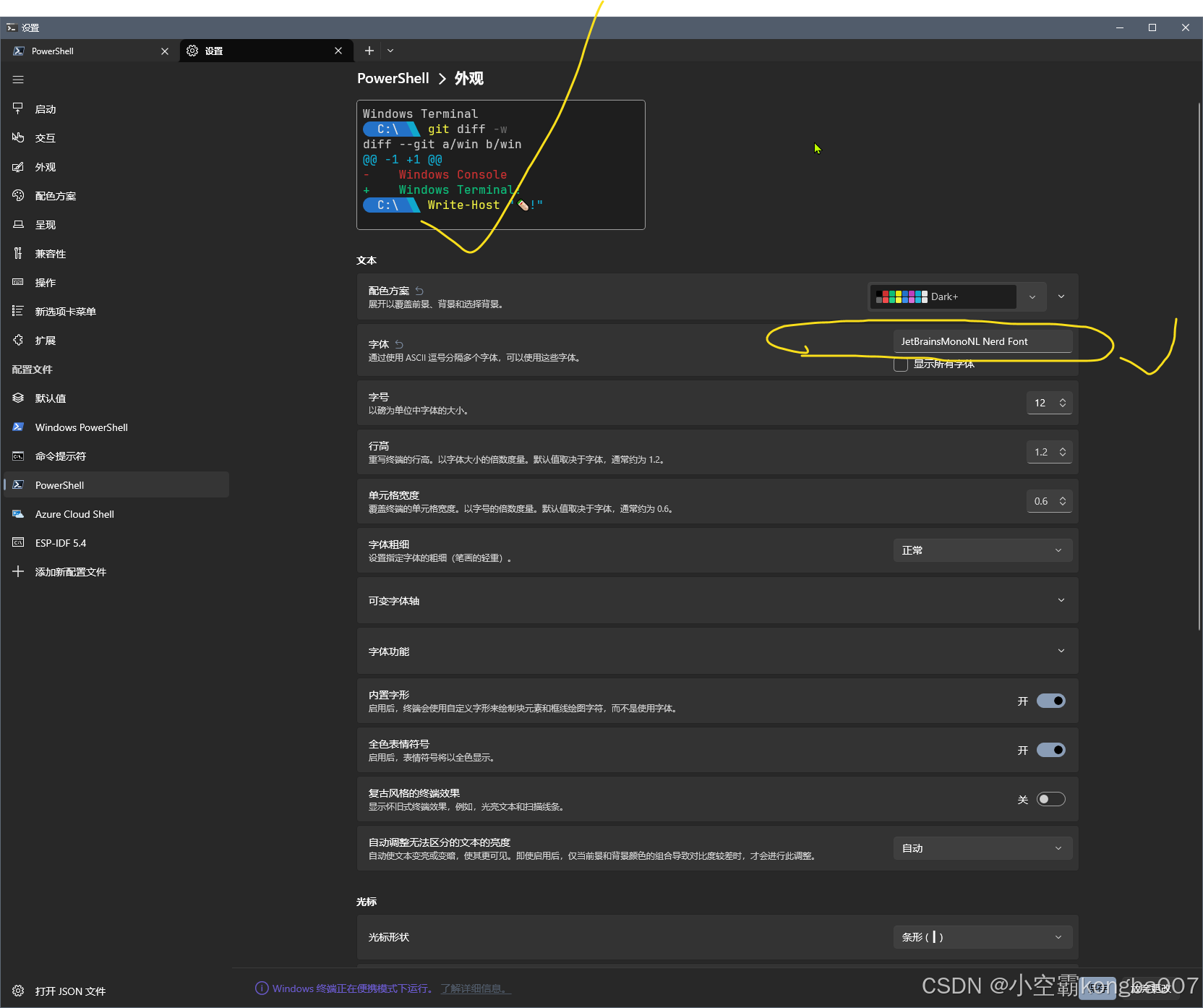
另外装一个 lsd
用于展示 文件夹的结构树状图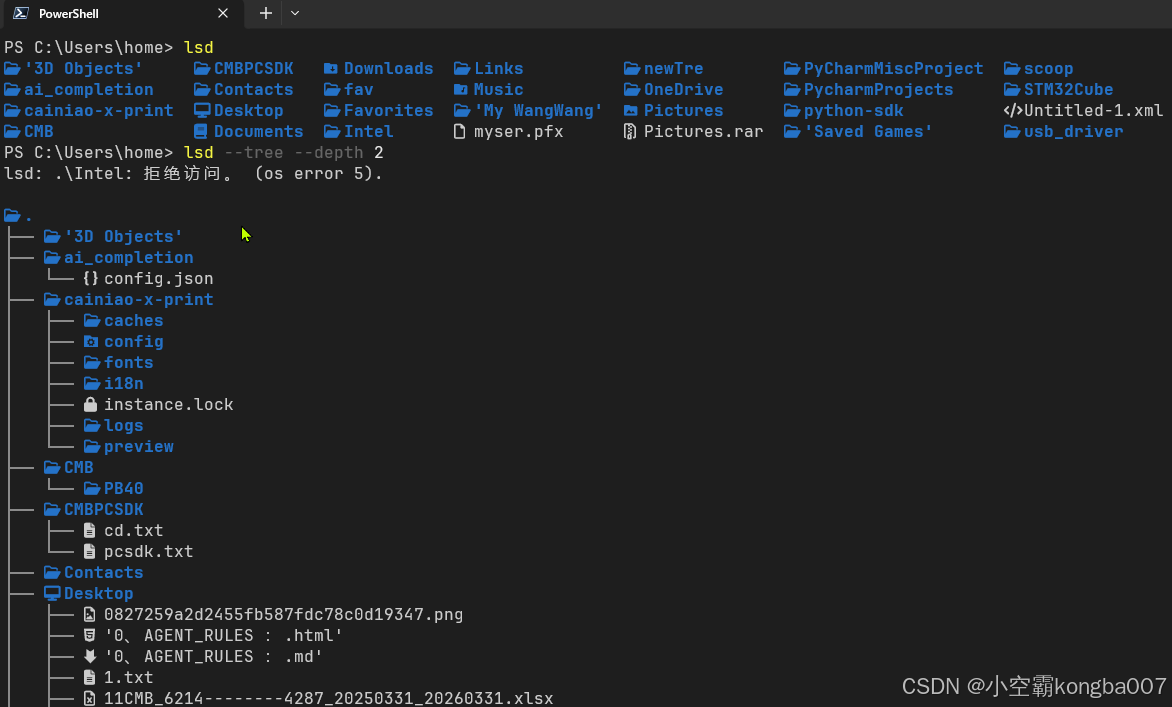
关于kimi2.5 标准网页端,和kimi code 的区别
这是kmi code自己回答的: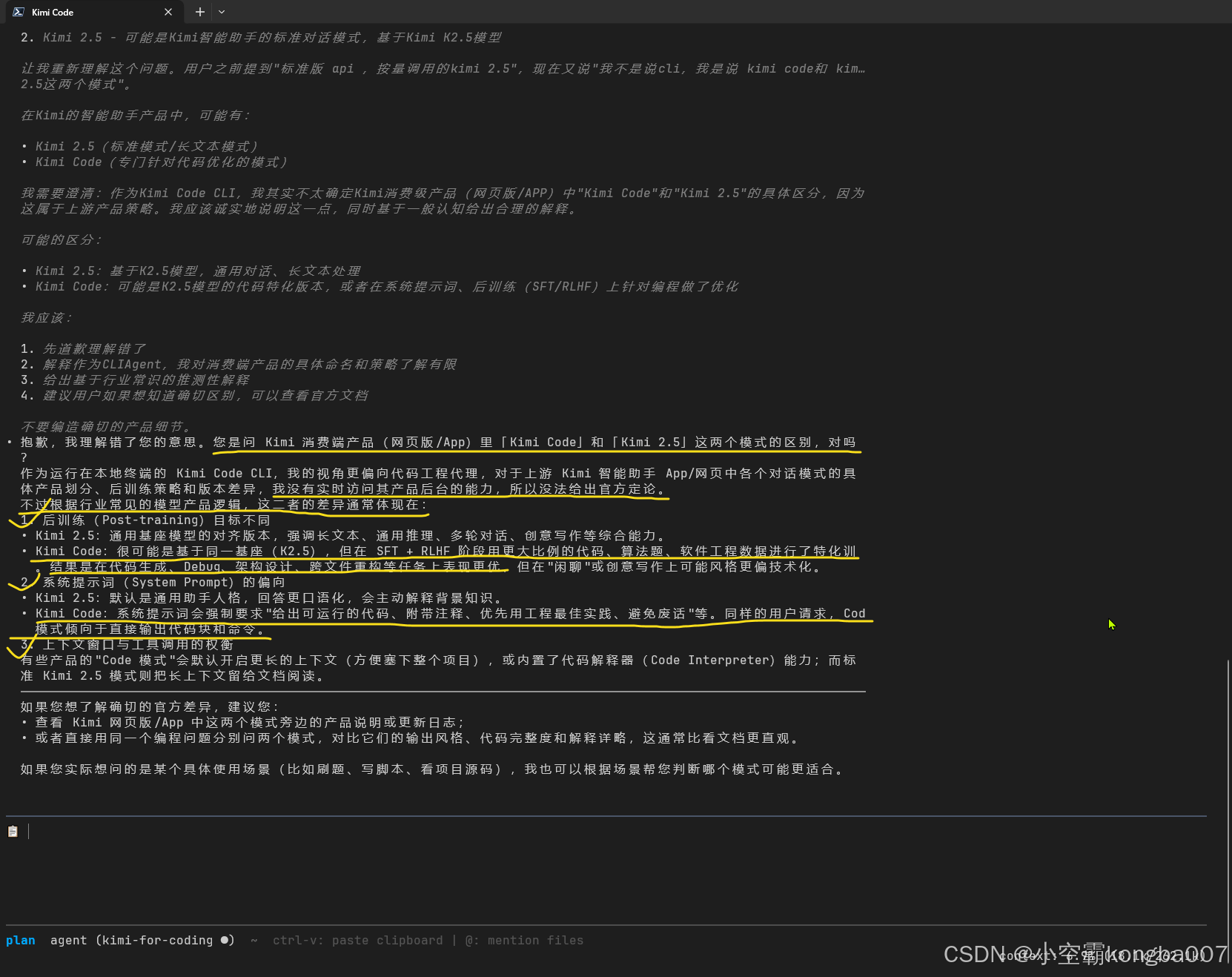
5、可以安装scoop install atuin 智能代码补全
scoop install atuin
让ai给你配置了就行了。

汇聚全球AI编程工具,助力开发者即刻编程。
更多推荐

 0
0 0
0- 0


 已为社区贡献3条内容

所有评论(0)