
解决使用三方中转站codex 无法安装Product Design 等插件的问题
因为便宜又方便,最近用的都是中转站,但在用codex的时候遇到个问题,codex desktop的插件用不了,所以尝试找到了解决的办法
首先要知道的是openai有两个插件仓库
https://github.com/openai/plugins.git

https://github.com/openai/role-specific-plugins
plugins是比较通用的插件,比如Figma,Remotion
role-specific-plugins中的是基于角色的插件,比如Product Design
因为有时候切换三方中转站的时候,使用cc-switch等方式会直接覆盖原始codex配置,导致插件信息丢失,这个时候我们就可以手动补上
一、https://github.com/openai/plugins.git
1、克隆仓库
git clone https://github.com/openai/plugins.git到codex插件配置目录:C:\Users\你的用户名\.codex\plugins
克隆下的文件夹改名:openai-plugins-local
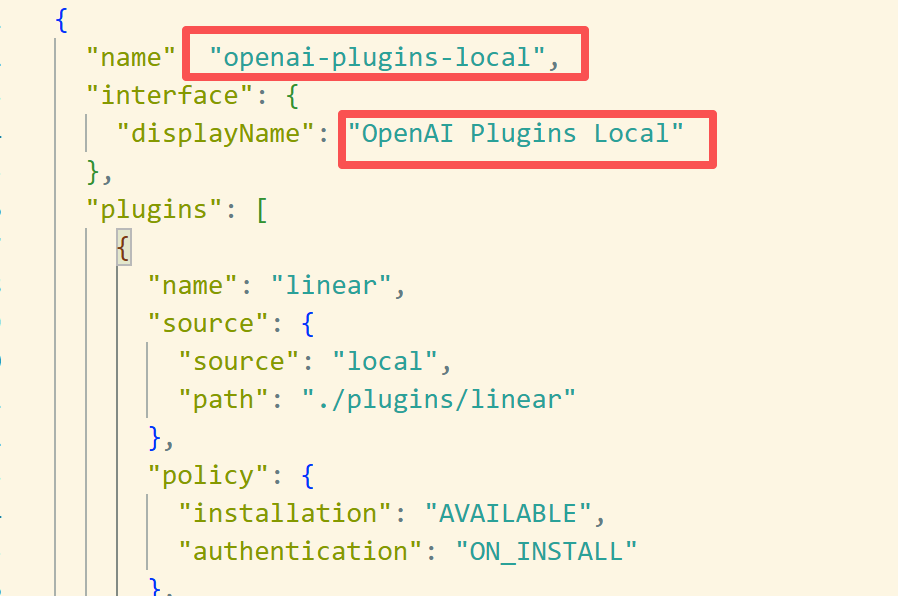
二、修改marketplace名称
C:\Users\你的用户名\.codex\plugins\openai-plugins-local\.agents\plugins\marketplace.json
把里面name改成:
“name”: “openai-plugins-local”
再把显示名改成:
“interface”: {
“displayName”: “OpenAI Plugins Local”
}
这样就避免和内置的 openai-curated 冲突。
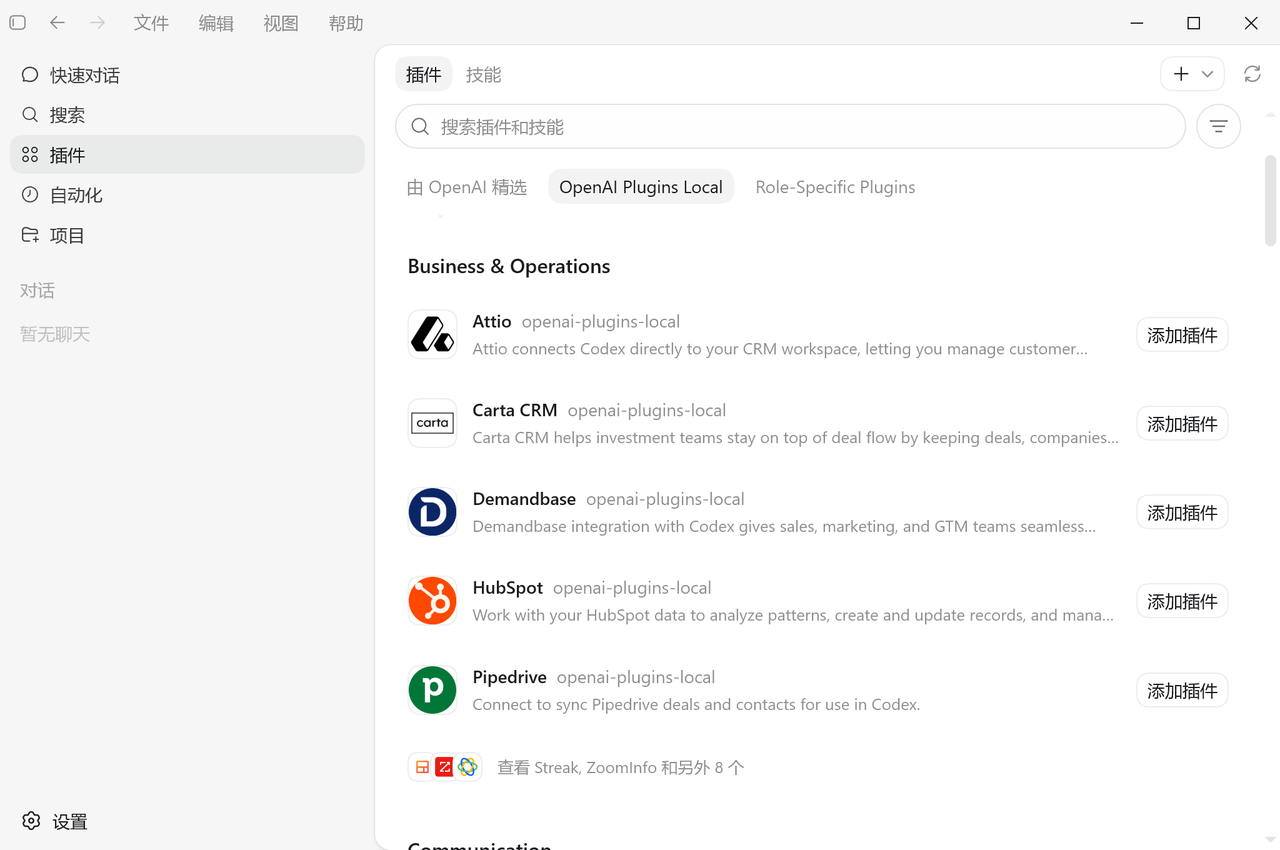
三、注册本地插件市场
codex plugin marketplace add C:\Users\你的用户名\.codex\plugins\openai-plugins-local注册成功后,再检查一次:
codex plugin marketplace list如果看到:
openai-plugins-local /Users/你的用户名/.codex/plugins/openai-plugins-local
就说明成功了。
二、https://github.com/openai/role-specific-plugins
1、克隆仓库
git clone https://github.com/openai/role-specific-plugins到codex插件配置目录:C:\Users\你的用户名\.codex\plugins
三、注册本地插件市场
codex plugin marketplace add C:\Users\你的用户名\.codex\plugins\role-specific-plugins注册成功后,再检查一次:
codex plugin marketplace list如果看到:
role-specific-plugins /Users/你的用户名/.codex/plugins/openai-plugins-local
就说明成功了。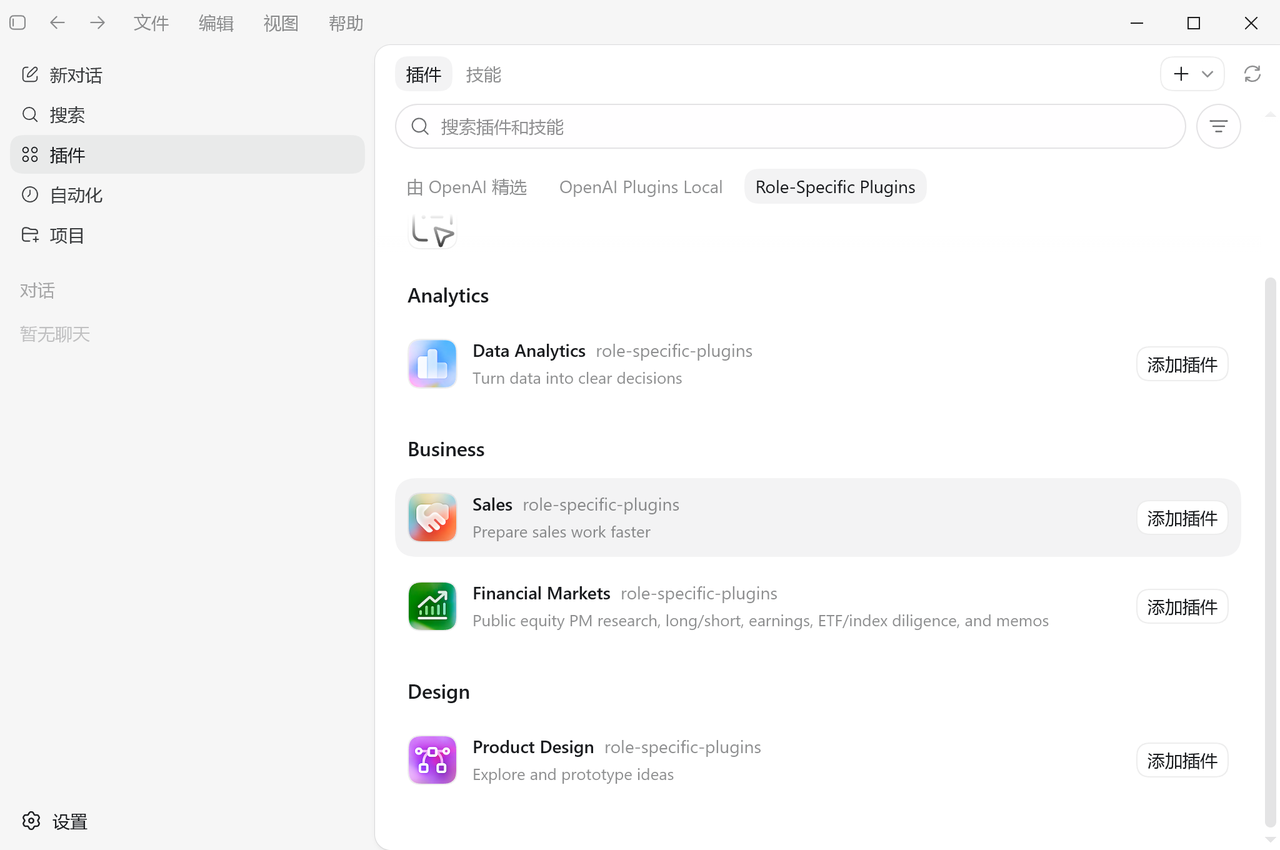

汇聚全球AI编程工具,助力开发者即刻编程。
更多推荐


 7
7 0
0- 0


 已为社区贡献2条内容

所有评论(0)