
使用Ollama将Deepseek部署到本地,开发RAG 系统
·
一、下载Ollama
1、Ollama安装
默认安装在C盘
F:cd download.\OllamaSetup.exe /DIR="F:\\software\\Ollama"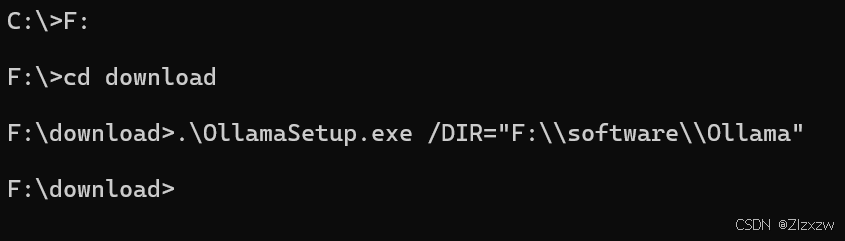
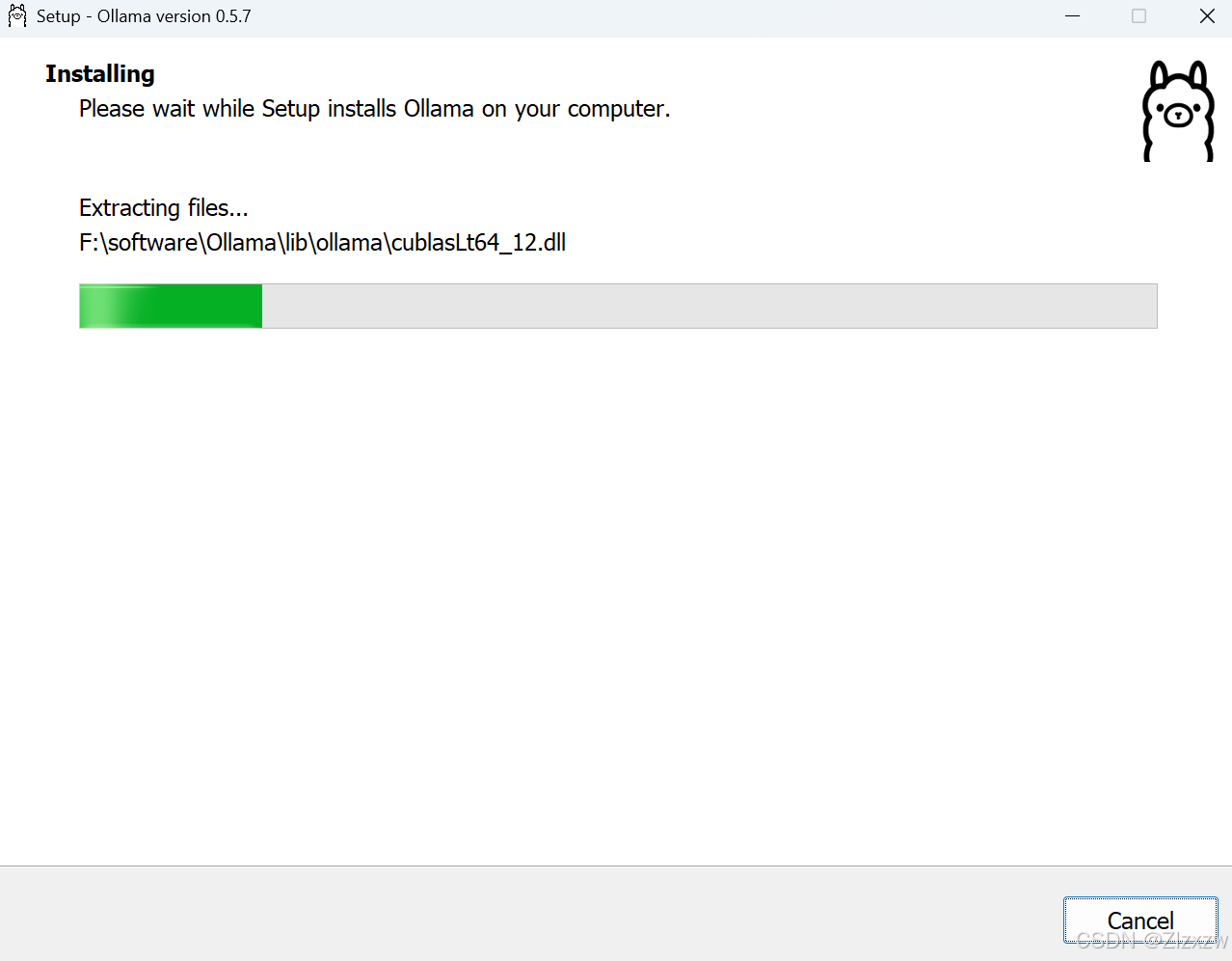
2、确认安装成功

ollama serve
赋予该文件夹操作权限
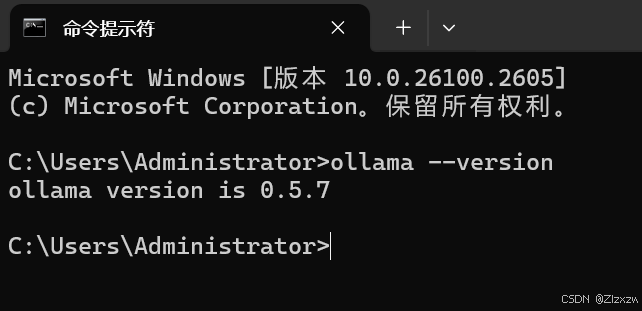
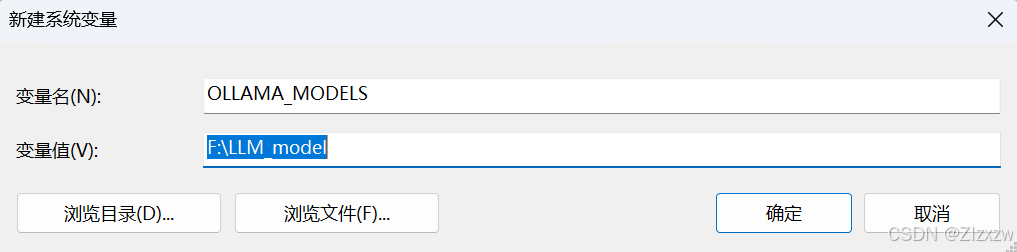
3、环境配置
更改下载模型的默认位置
参考本地LLM部署--Ollama 入门教程_ollama本地部署-CSDN博客
二、Ollama下载DeepSeek R1
1、直接cmd打开命令行操作
ollama run deepseek-r1ollama run deepseek-r1:1.5b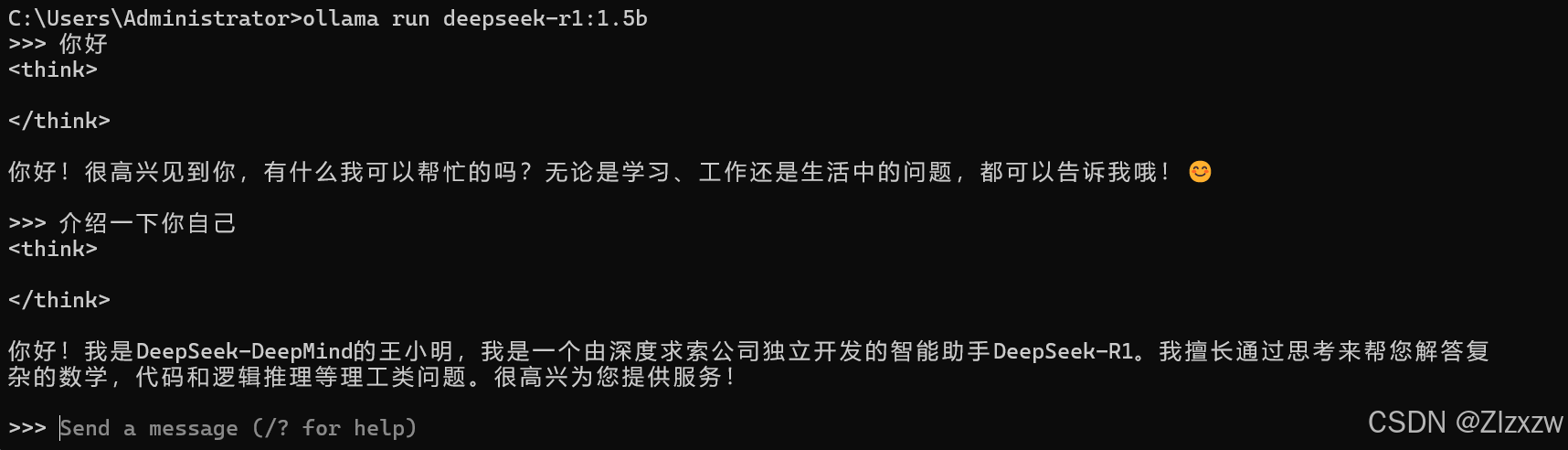
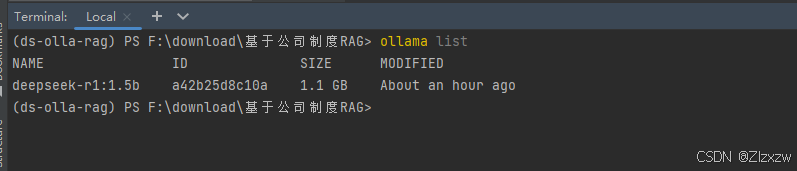
ollama list
三、pycharm中调用
import streamlit as st
from langchain_community.document_loaders import PDFPlumberLoader
from langchain_experimental.text_splitter import SemanticChunker
from langchain_community.embeddings import HuggingFaceEmbeddings
from langchain_community.vectorstores import FAISS
from langchain_community.llms import Ollama
from langchain.prompts import PromptTemplate
from langchain.chains.llm import LLMChain
from langchain.chains.combine_documents.stuff import StuffDocumentsChain
from langchain.chains import RetrievalQA
# color palette
primary_color = "#1E90FF"
secondary_color = "#FF6347"
background_color = "#F5F5F5"
text_color = "#4561e9"
# Custom CSS
st.markdown(f"""
<style>
.stApp {{
background-color: {background_color};
color: {text_color};
}}
.stButton>button {{
background-color: {primary_color};
color: white;
border-radius: 5px;
border: none;
padding: 10px 20px;
font-size: 16px;
}}
.stTextInput>div>div>input {{
border: 2px solid {primary_color};
border-radius: 5px;
padding: 10px;
font-size: 16px;
}}
.stFileUploader>div>div>div>button {{
background-color: {secondary_color};
color: white;
border-radius: 5px;
border: none;
padding: 10px 20px;
font-size: 16px;
}}
</style>
""", unsafe_allow_html=True)
# Streamlit app title
st.title("Build a RAG System with DeepSeek R1 & Ollama")
# Load the PDF
uploaded_file = st.file_uploader("Upload a PDF file", type="pdf")
if uploaded_file is not None:
# Save the uploaded file to a temporary location
with open("中国人工智能系列白皮书.pdf", "wb") as f:
f.write(uploaded_file.getvalue())
# Load the PDF
loader = PDFPlumberLoader("中国人工智能系列白皮书.pdf")
docs = loader.load()
# Split into chunks
text_splitter = SemanticChunker(HuggingFaceEmbeddings())
# SemanticChunker是一个用于将文本拆分为语义块的工具,它属于LangChain的一部分。
# SemanticChunker可以基于语义相似度将文档拆分成有意义的片段,这些片段在语义上是连贯的。
# 它使用Hugging Face的嵌入模型来计算文本之间的相似度,从而确定拆分的边界。
documents = text_splitter.split_documents(docs)
# 使用 text_splitter 对象将输入的文档列表 docs 分割成更小的块,以便后续处理
"""
输入与输出:
输入:docs 是一个文档列表,每个文档通常包含文本内容(如 page_content)和元数据(如来源、作者等)。
输出:documents 是分割后的新文档列表,每个块是原始文档的一部分,保留原始元数据并可能添加分块相关信息。
分割逻辑:
块大小控制:通过 chunk_size 参数指定每个块的字符或 Token 数。
重叠处理:chunk_overlap 参数设置块之间的重叠部分,避免上下文断裂。
分隔符:根据特定字符(如换行符、句号)递归分割,确保语义连贯性。
应用场景:
模型输入限制:将长文本分割为适合语言模型(如 GPT)处理的长度。
向量化处理:生成嵌入时,较小的块能提高精度和效率。
检索增强:在 RAG 架构中,分块便于检索相关上下文。
示例:
原始文档:docs 包含两篇长文本(各 1000 字)。
分割后:documents 可能包含 10 个块(每块 200 字),保留原始元数据(如 source),并可能添加 chunk_id。
注意事项:
避免在句子中间切割,确保分块语义完整。
处理不同文档结构时需调整参数(如 PDF 文本与网页文本)。
总结:该代码通过智能分块解决长文本处理难题,确保数据适应下游任务,是预处理流程中的关键步骤。
"""
# Instantiate the embedding model
embedder = HuggingFaceEmbeddings()
# Create the vector store and fill it with embeddings
vector = FAISS.from_documents(documents, embedder)
retriever = vector.as_retriever(search_type="similarity", search_kwargs={"k": 3})
# Define llm
llm = Ollama(model="deepseek-r1:1.5b")
# Define the prompt
prompt = """
1. Use the following pieces of context to answer the question at the end.
2. If you don't know the answer, just say that "I don't know" but don't make up an answer on your own.\n
3. Keep the answer crisp and limited to 3,4 sentences.
Context: {context}
Question: {question}
Helpful Answer:"""
QA_CHAIN_PROMPT = PromptTemplate.from_template(prompt)
llm_chain = LLMChain(
llm=llm,
prompt=QA_CHAIN_PROMPT,
callbacks=None,
verbose=True)
document_prompt = PromptTemplate(
input_variables=["page_content", "source"],
template="Context:\ncontent:{page_content}\nsource:{source}",
)
combine_documents_chain = StuffDocumentsChain(
llm_chain=llm_chain,
document_variable_name="context",
document_prompt=document_prompt,
callbacks=None)
qa = RetrievalQA(
combine_documents_chain=combine_documents_chain,
verbose=True,
retriever=retriever,
return_source_documents=True)
# User input
user_input = st.text_input("Ask a question related to the PDF :")
# Process user input
if user_input:
with st.spinner("Processing..."):
response = qa(user_input)["result"]
st.write("Response:")
st.write(response)
else:
st.write("Please upload a PDF file to proceed.")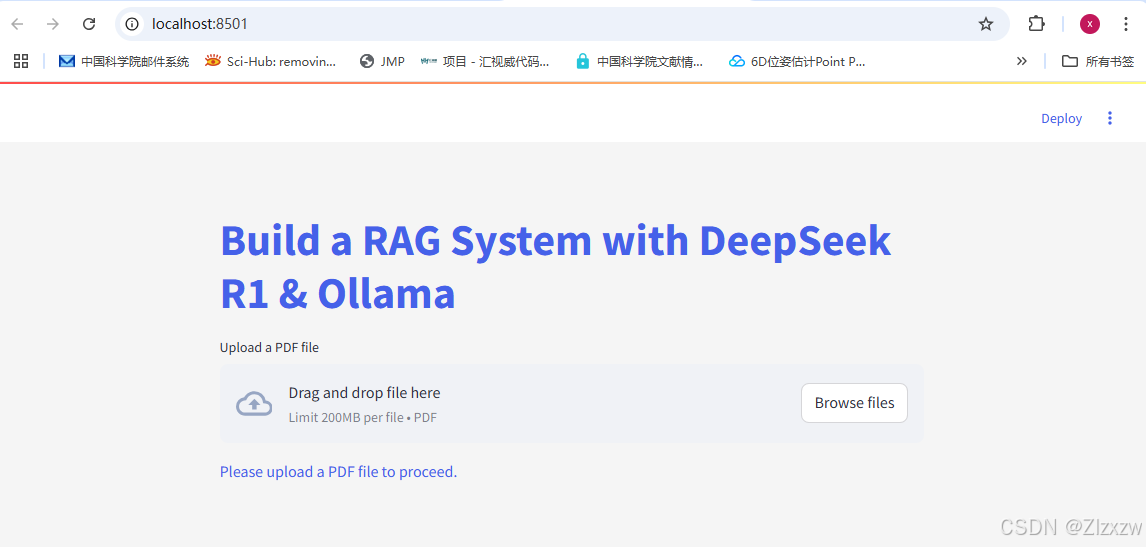

汇聚全球AI编程工具,助力开发者即刻编程。
更多推荐

 9
9 0
0- 0


 已为社区贡献1条内容

所有评论(0)