
OpenCode Go 通过 CC Switch 接入 Codex
·
1、CC Switch 设置
设置/通用 -> 打开“切换第三方时保留官方登录”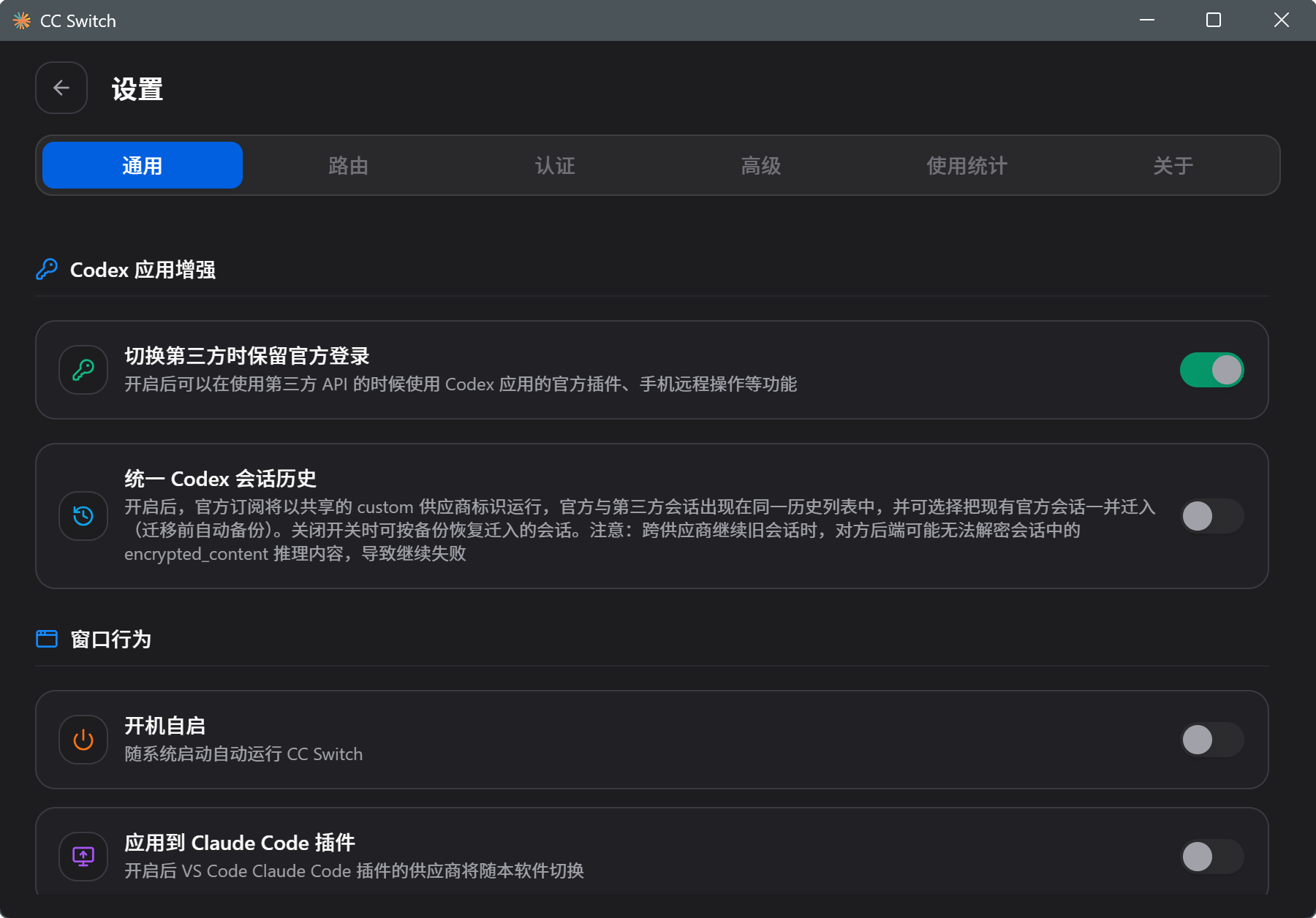
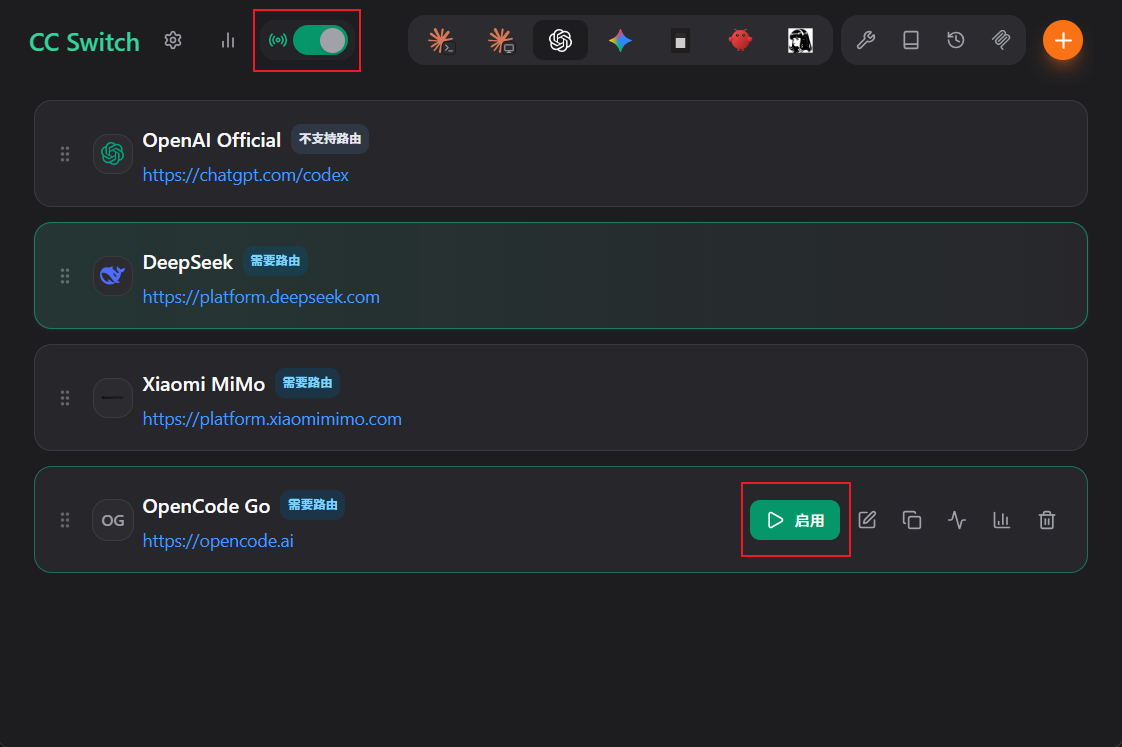
设置/路由 -> 打开“在主页面显示本地路由开关”和“路由总开关”,以及“路由启用/codex”,同时确保服务地址是:http://127.0.0.1:15721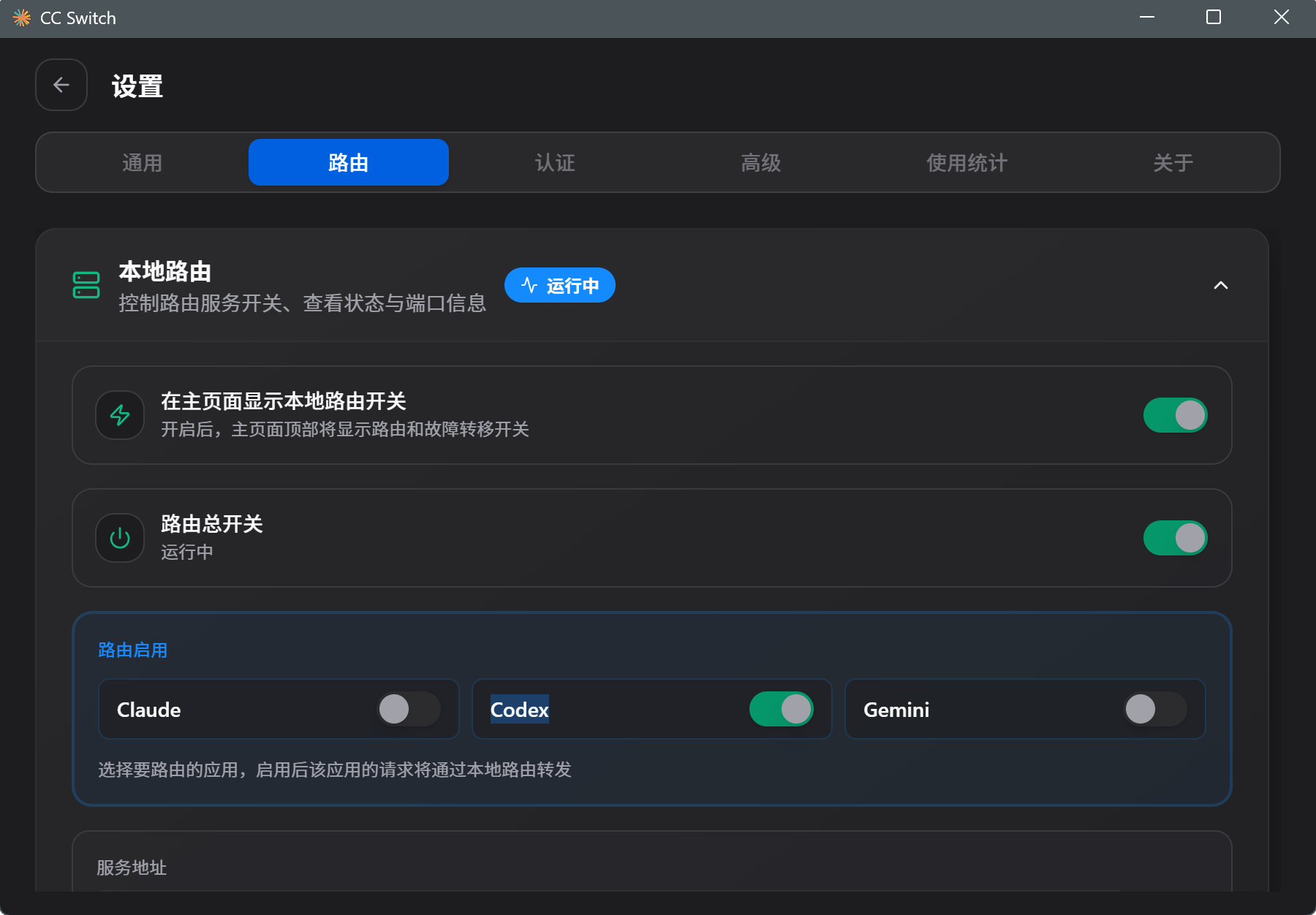
2、编辑供应商
CC Switch 主页面
点击“Codex”图标 -> 点击 右上角 “+”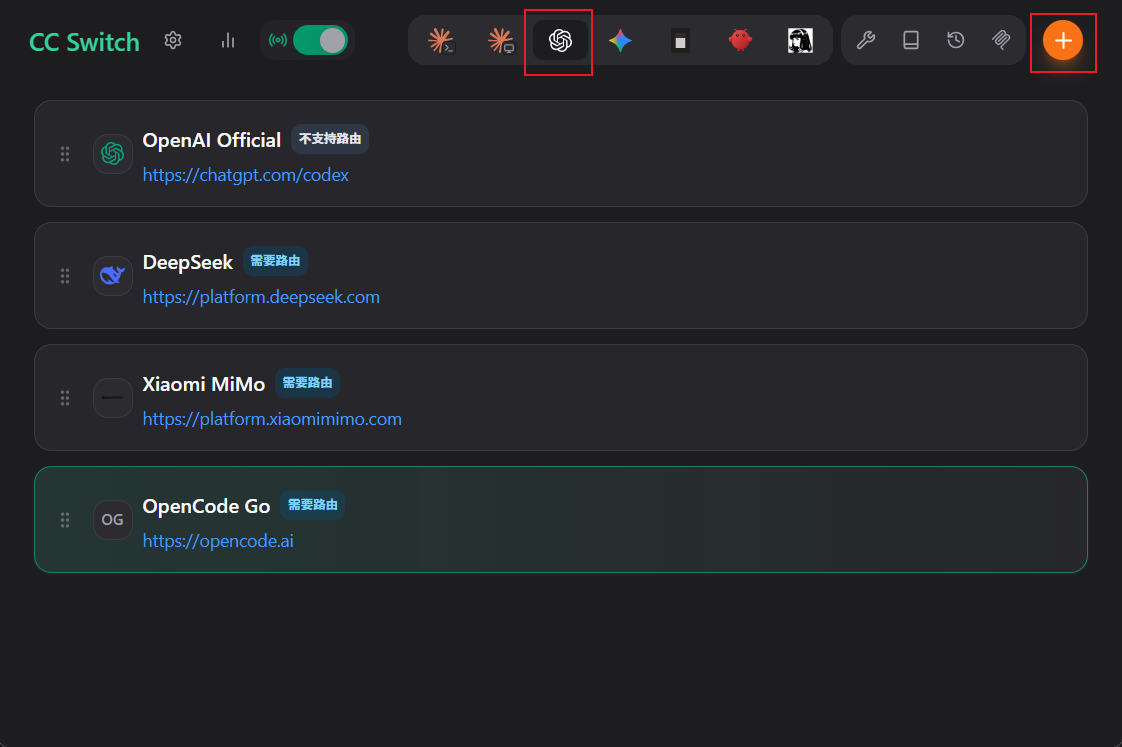
默认为自定义配置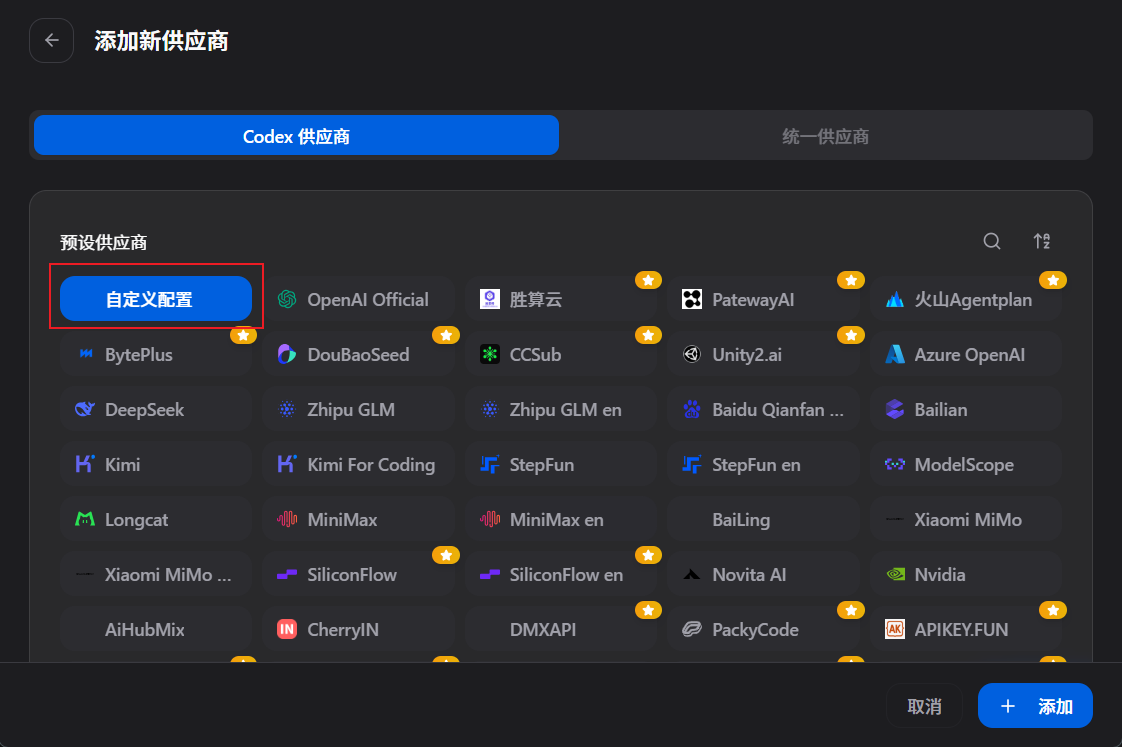
填入“供应商名称”、“官网链接”、“API Key”、“API 请求地址”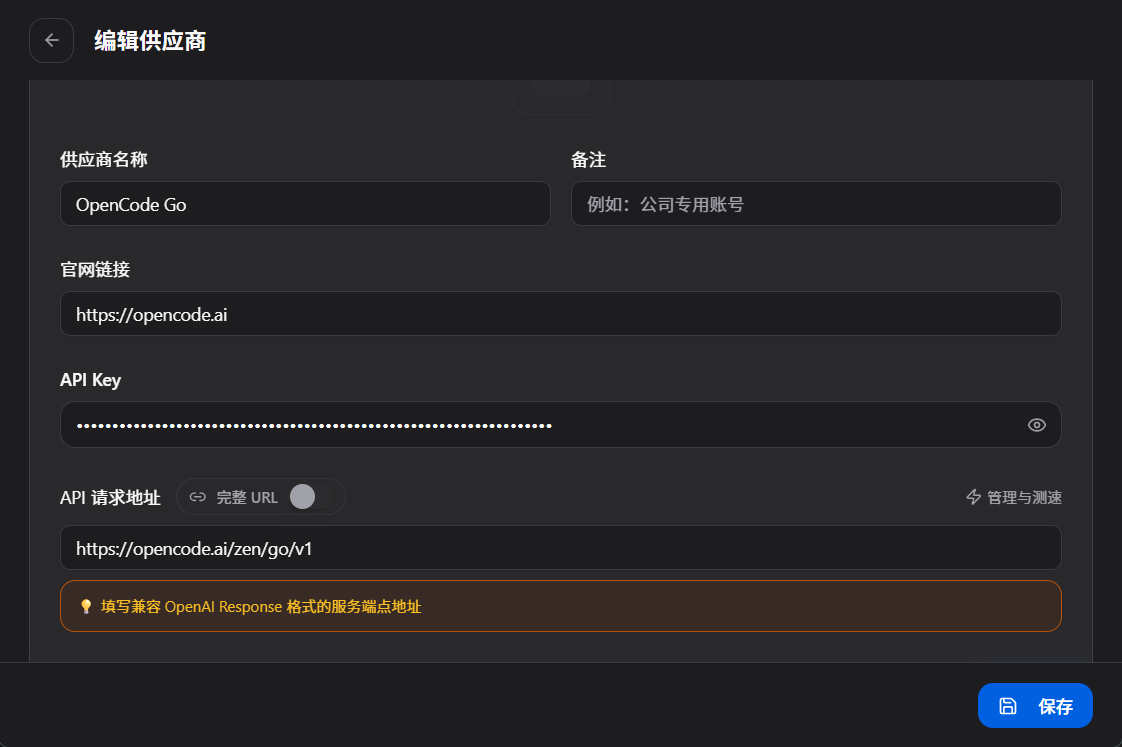
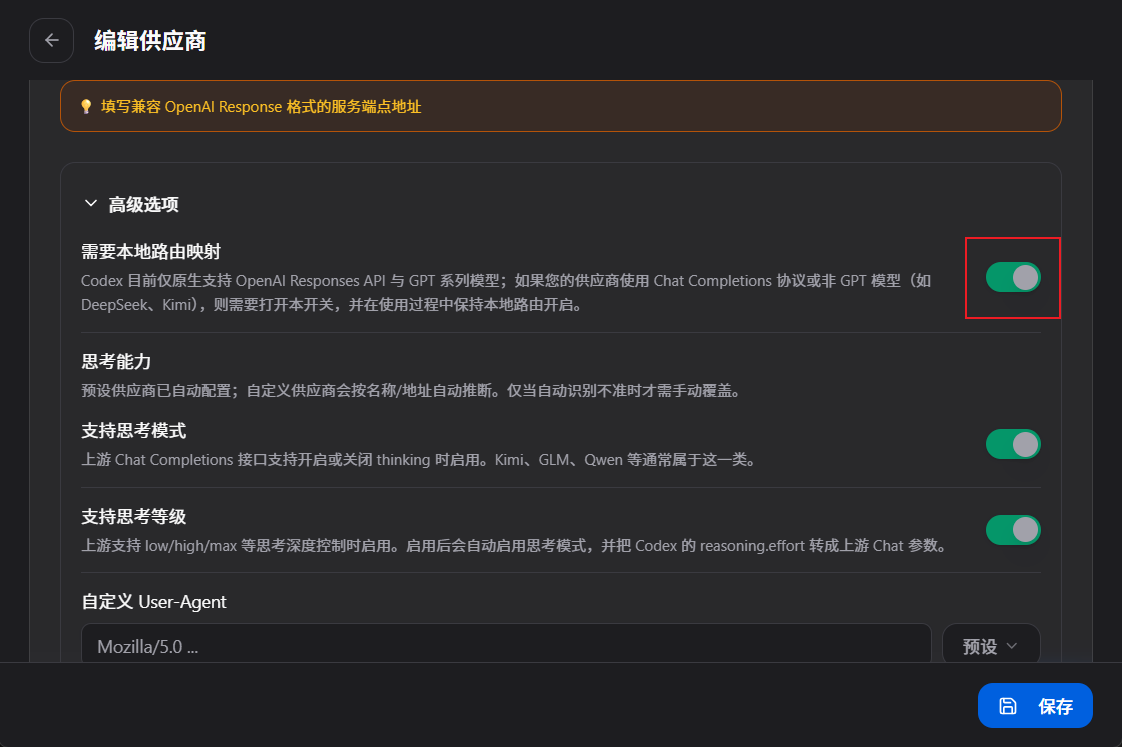
高级选项
- 打开“需要本地路由映射”
- 获取模型
点击“+添加模型”,再点击“获取模型列表”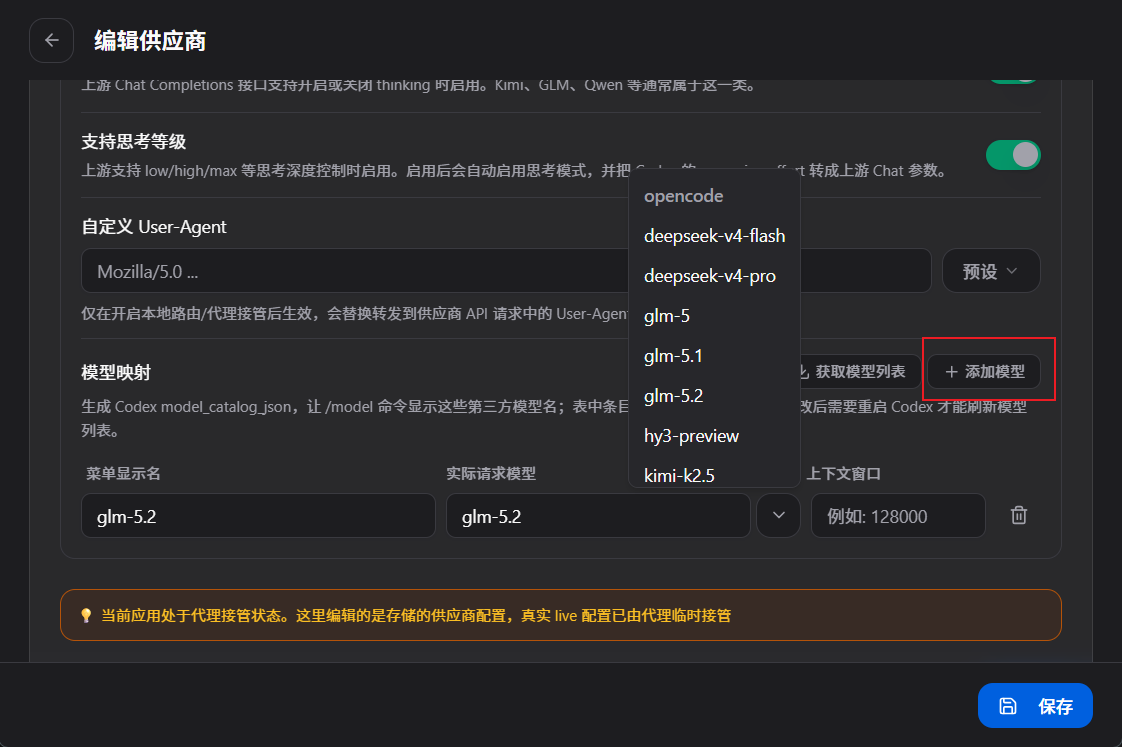
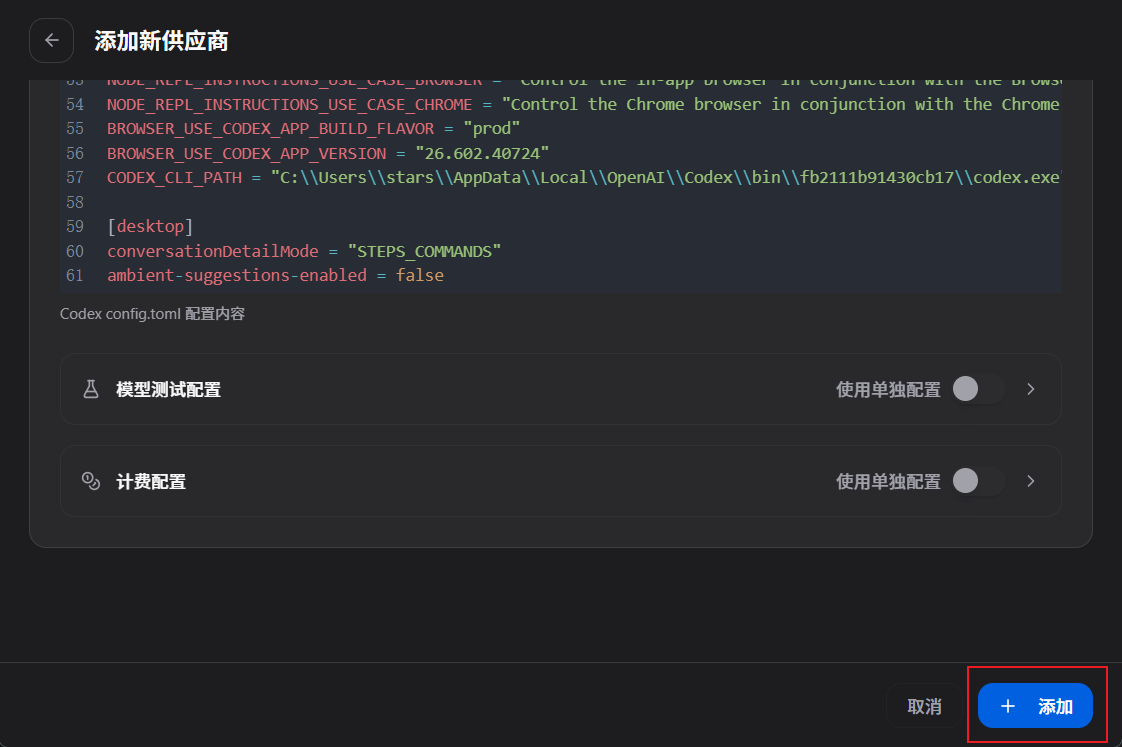
config.toml (TOML) - 启用 Goal mode 和 远程压缩
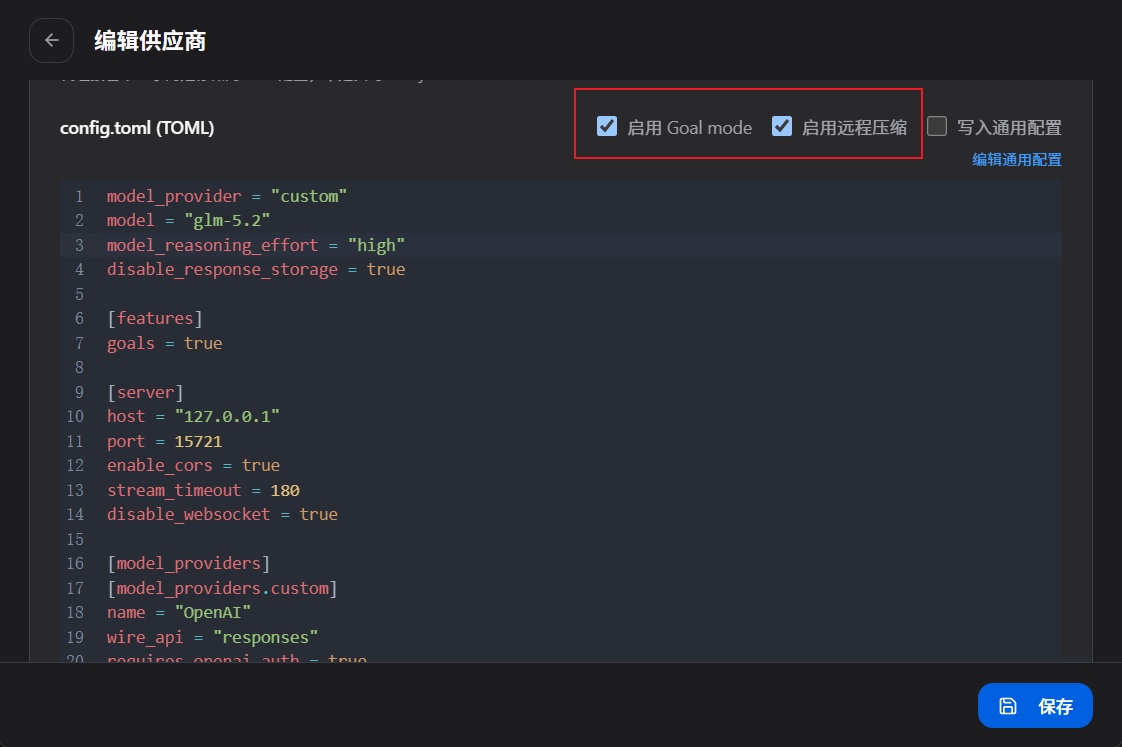
- 填写config.toml (TOML)
model_provider = "custom"
model = "glm-5.2"
model_reasoning_effort = "high"
disable_response_storage = true

[features]
goals = true

[server]
host = "127.0.0.1"
port = 15721
enable_cors = true
stream_timeout = 180
disable_websocket = true

[model_providers]
[model_providers.custom]
name = "OpenAI"
wire_api = "responses"
requires_openai_auth = true
base_url = "https://opencode.ai/zen/go/v1"
api_key = "sk-你的密钥"

meta = {apiFormat = "openai_chat"}
- 最后点击“添加”
3、启动路由

汇聚全球AI编程工具,助力开发者即刻编程。
更多推荐

 4
4 0
0- 0


 已为社区贡献3条内容

所有评论(0)