
MAC 电脑快速打开claude code 终端
·
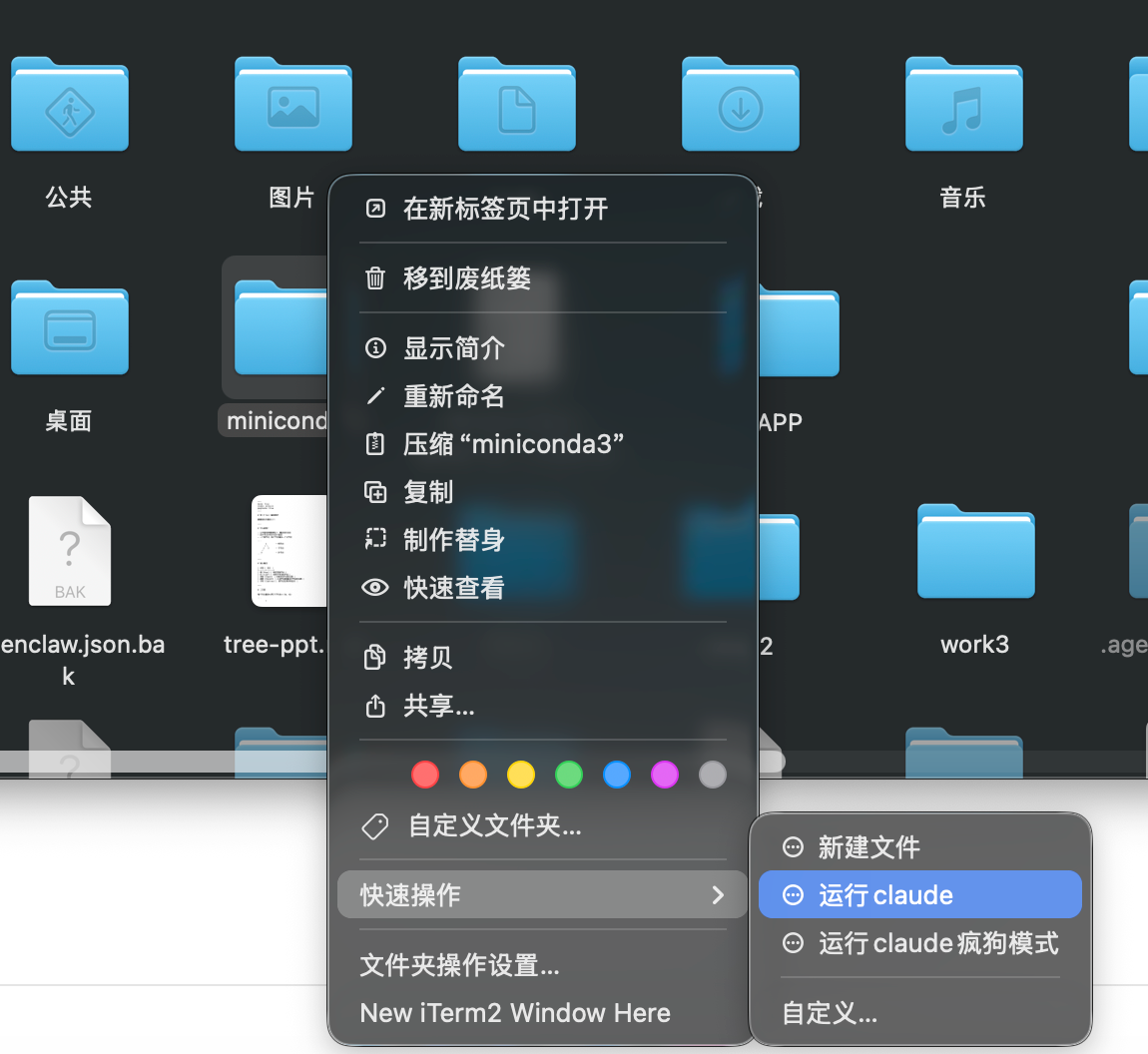
实现效果
我们直接在文件夹上右键,直接打开claude
实现路径
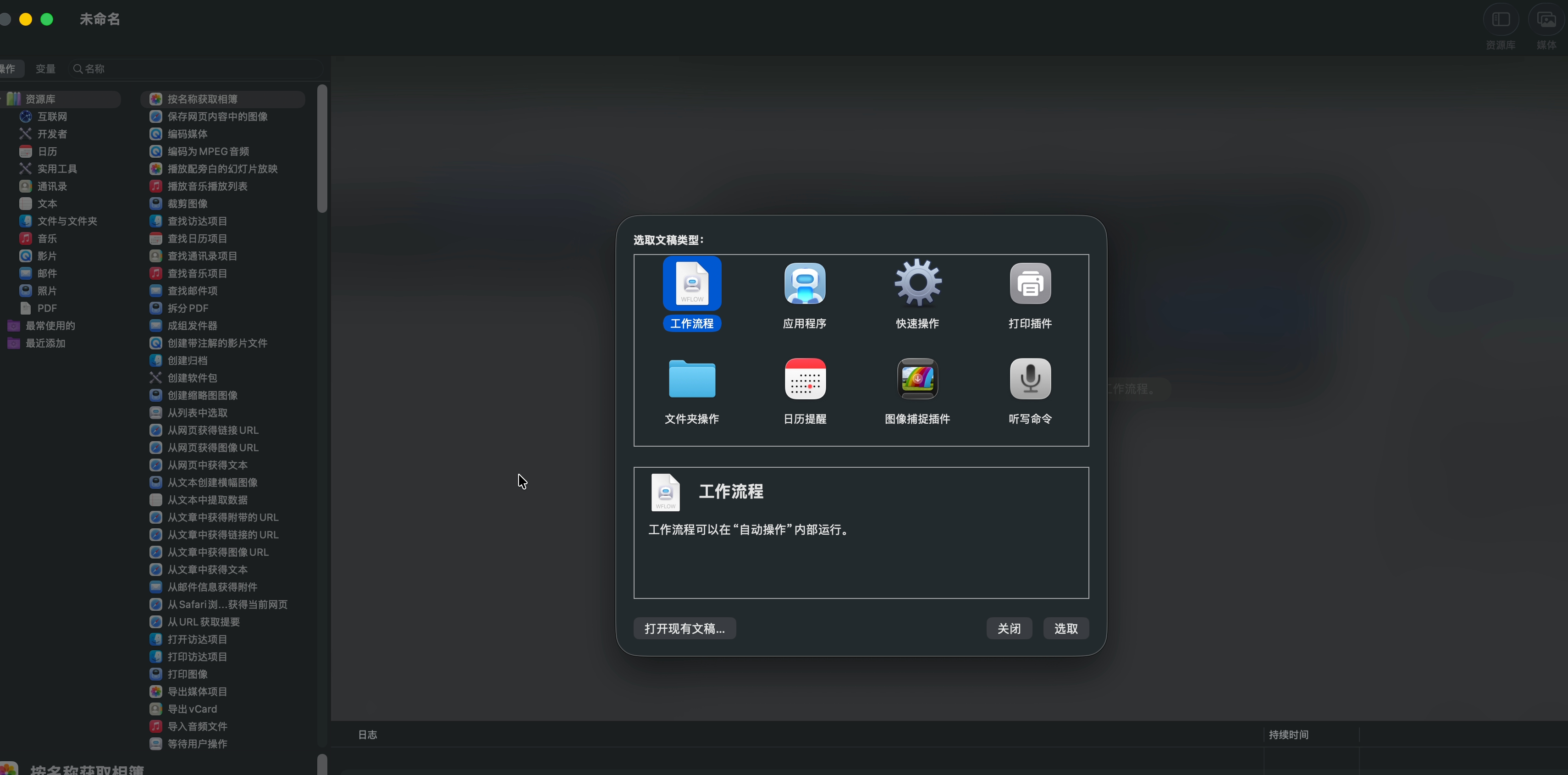
选择快捷操作
选择文件或文件夹 位于选择 访达
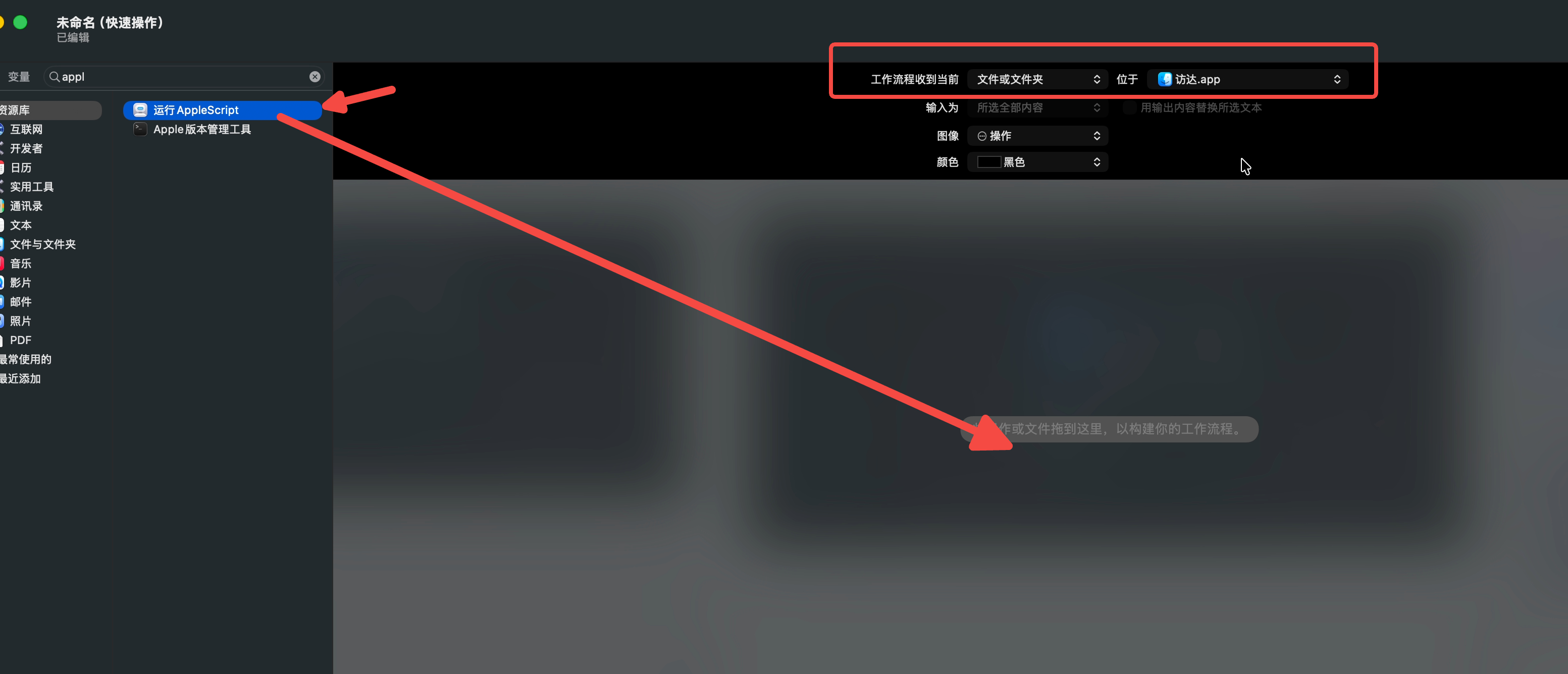
拖动运行applescript到中间的窗口
添加下面的脚本
这个脚本访是使用iterm打开,如果使用其他终端打开,可以询问豆包改代码
on run {input, parameters}
	set targetPath to POSIX path of (item 1 of input)
	-- 用 iTerm2 打开目录并执行 claude 命令
	tell application "iTerm"
		create window with default profile
		tell current window
			tell current session
				write text "cd " & quoted form of targetPath
				write text "claude"
			end tell
		end tell
	end tell

	return input
end run
如果需要添加claude 无需确认权限的模式可是使用下面的脚本
on run {input, parameters}
	set targetPath to POSIX path of (item 1 of input)
	-- 用 iTerm2 打开目录并执行 claude 命令
	tell application "iTerm"
		create window with default profile
		tell current window
			tell current session
				write text "cd " & quoted form of targetPath
				write text "claude --dangerously-skip-permissions"
			end tell
		end tell
	end tell

	return input
end run

汇聚全球AI编程工具,助力开发者即刻编程。
更多推荐


 0
0 0
0- 0


 已为社区贡献1条内容

所有评论(0)