
Codex 客户端插件市场找不到 Documents / Spreadsheets / Presentations 的解决办法
Codex 客户端插件市场找不到 Documents / Spreadsheets / Presentations 的解决办法
codex最新客户端下载 https://codexdown.cc/
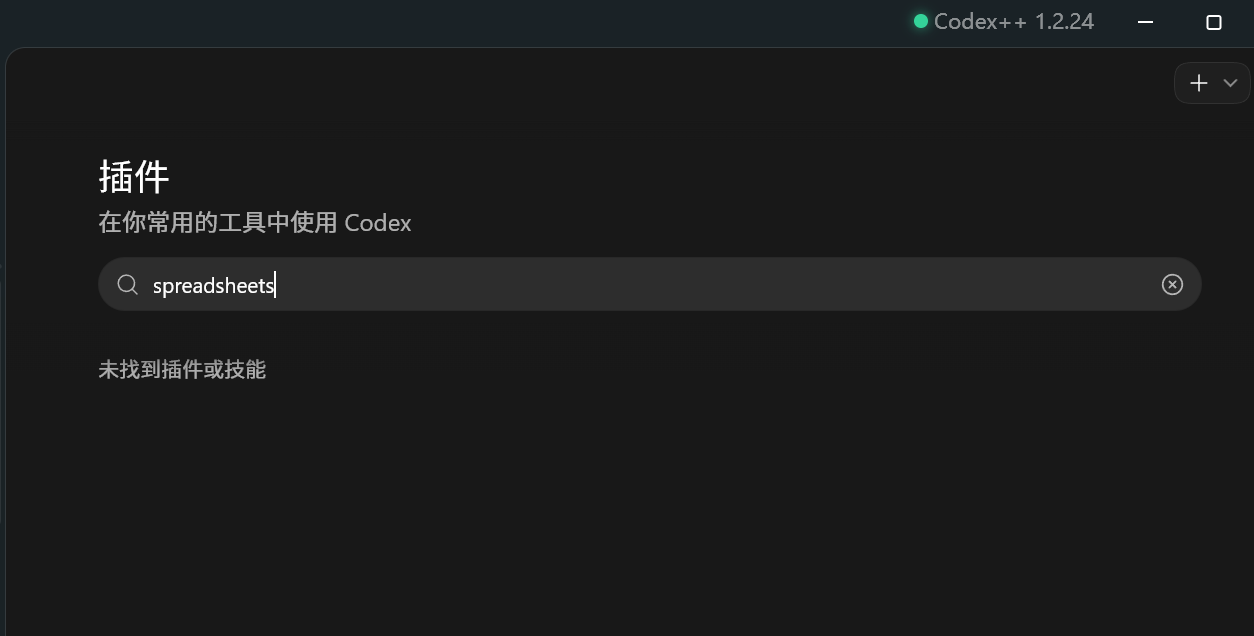
最近我在 Codex 客户端插件市场里发现一个问题:明明看到过 Documents、Spreadsheets、Presentations 这三个插件,但当前插件市场里却搜不到它们, 用了codex++也是一样找不到。
这三个插件分别对应:
Documents:创建和编辑文档,支持 Word / 文档类 artifactSpreadsheets:创建和编辑表格,支持 Excel / CSV / 表格分析Presentations:创建和编辑演示文稿,支持 PPT / PPTX / Slides
最后排查发现,不是插件不存在,而是当前 Codex 配置里没有挂载它们所在的 marketplace。
问题现象
执行:
codex plugin list
只能看到类似:
Marketplace `openai-bundled`
browser@openai-bundled
chrome@openai-bundled
computer-use@openai-bundled

Marketplace `openai-curated`
figma@openai-curated
github@openai-curated
...
但是没有:
documents@openai-primary-runtime
spreadsheets@openai-primary-runtime
presentations@openai-primary-runtime
排查过程
我先搜索了本机 Codex 配置和缓存目录,发现旧备份配置里曾经有这几个插件:
[plugins."documents@openai-primary-runtime"]
enabled = true

[plugins."spreadsheets@openai-primary-runtime"]
enabled = true

[plugins."presentations@openai-primary-runtime"]
enabled = true
同时旧配置里还挂载过这个 marketplace:
[marketplaces.openai-primary-runtime]
source_type = "local"
source = '\\?\C:\Users\用户名\.cache\codex-runtimes\codex-primary-runtime\plugins\openai-primary-runtime'
继续检查本机目录,插件实际是存在的:
C:\Users\用户名\.cache\codex-runtimes\codex-primary-runtime\plugins\openai-primary-runtime
里面的 marketplace.json 包含:
{
  "name": "openai-primary-runtime",
  "plugins": [
    { "name": "documents" },
    { "name": "pdf" },
    { "name": "spreadsheets" },
    { "name": "presentations" },
    { "name": "template-creator" }
  ]
}
所以问题就很明确了:当前 C:\Users\用户名\.codex\config.toml 没有启用 openai-primary-runtime 这个插件市场。
解决方法
编辑:
C:\Users\用户名\.codex\config.toml
追加以下内容:
[marketplaces.openai-primary-runtime]
source_type = "local"
source = '\\?\C:\Users\用户名\.cache\codex-runtimes\codex-primary-runtime\plugins\openai-primary-runtime'

[plugins."documents@openai-primary-runtime"]
enabled = true

[plugins."spreadsheets@openai-primary-runtime"]
enabled = true

[plugins."presentations@openai-primary-runtime"]
enabled = true
我在修改前先备份了原配置:
C:\Users\用户名\.codex\config.toml.codex-backup-20260630-165147
验证结果
再次执行:
codex plugin list
已经可以看到:
Marketplace `openai-primary-runtime`

documents@openai-primary-runtime      installed, enabled  26.623.12021
spreadsheets@openai-primary-runtime   installed, enabled  26.623.12021
presentations@openai-primary-runtime  installed, enabled  26.623.12021
说明三个插件已经恢复成功。
注意事项
路径这里要特别注意,必须是:
source = '\\?\C:\Users\用户名\.cache\codex-runtimes\codex-primary-runtime\plugins\openai-primary-runtime'
不要写成:
source = '\?\C:\Users\用户名\.cache\codex-runtimes\codex-primary-runtime\plugins\openai-primary-runtime'
少一个反斜杠会导致 Codex 识别不到这个 marketplace。
总结
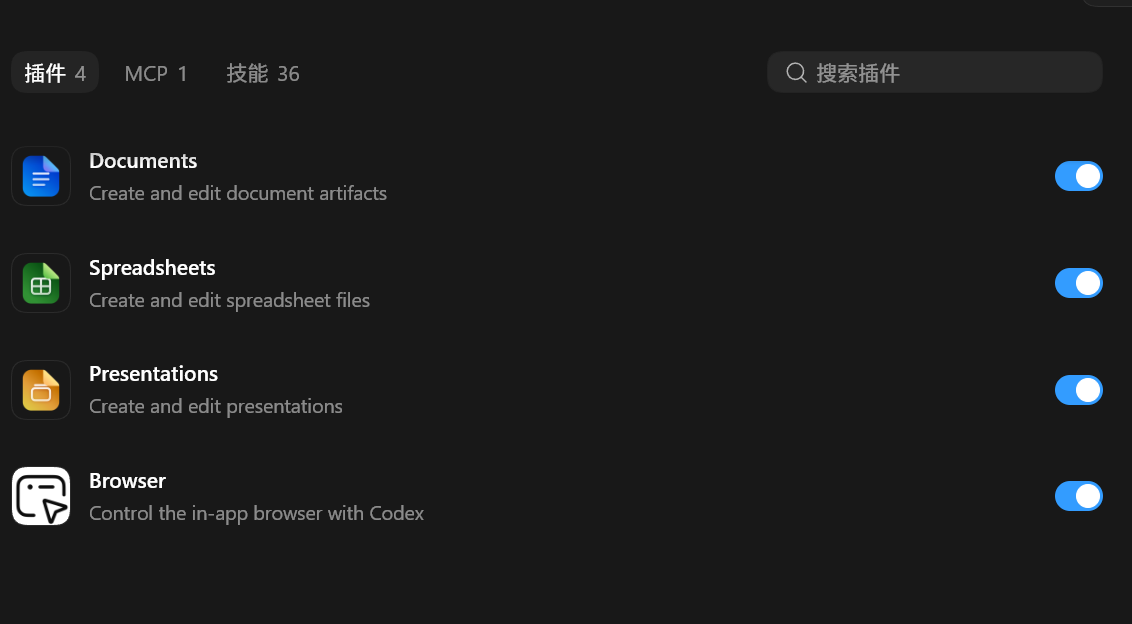
这次问题的根因是:Documents、Spreadsheets、Presentations 三个插件不在当前默认的 openai-curated 或 openai-bundled 市场里,而是在本地 runtime 的 openai-primary-runtime 市场中。
只要把 openai-primary-runtime 重新加回 config.toml,并启用对应插件即可。
最后重启 Codex 客户端,插件市场里就应该能重新看到这三个插件。

汇聚全球AI编程工具,助力开发者即刻编程。
更多推荐

 1
1 0
0- 0


 已为社区贡献72条内容

所有评论(0)