
codex通过ssh打开remote project
·
1.修改~/.ssh/config:
Host remotessh
  HostName {host}
  User {username}
  IdentityFile ~/.ssh/id_rsa
将这一段写入到config文件
2.测试连接
ssh remotessh
3.在远程机器上安装codex cli
curl -fsSL https://chatgpt.com/codex/install.sh | sh
通常情况下会被安装到~/.local/bin目录下
安装后测试
command -v codex
codex --version
4.在远程机器上登录codex
codex login --device-auth
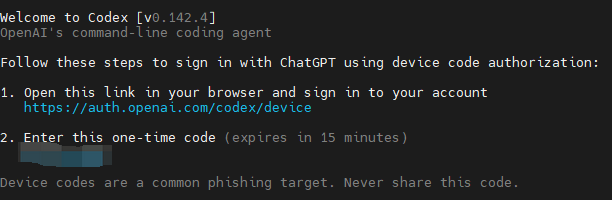
运行后,会输出如上信息,在浏览器中打开,输入code,即可登录
5.在codex上打开远程项目
5.1 添加ssh连接到codex
打开设置->连接->SSH。点击添加,选择刚刚在~/.ssh/config文件中添加的ssh连接
5.2 打开远程项目
新建对话时在对话框左下角选择New remote project,找到你想要的项目文件夹即可打开远程项目

汇聚全球AI编程工具,助力开发者即刻编程。
更多推荐

 4
4 0
0- 0


 已为社区贡献1条内容

所有评论(0)