
Java学习笔记_Day8
·
拼图游戏设计
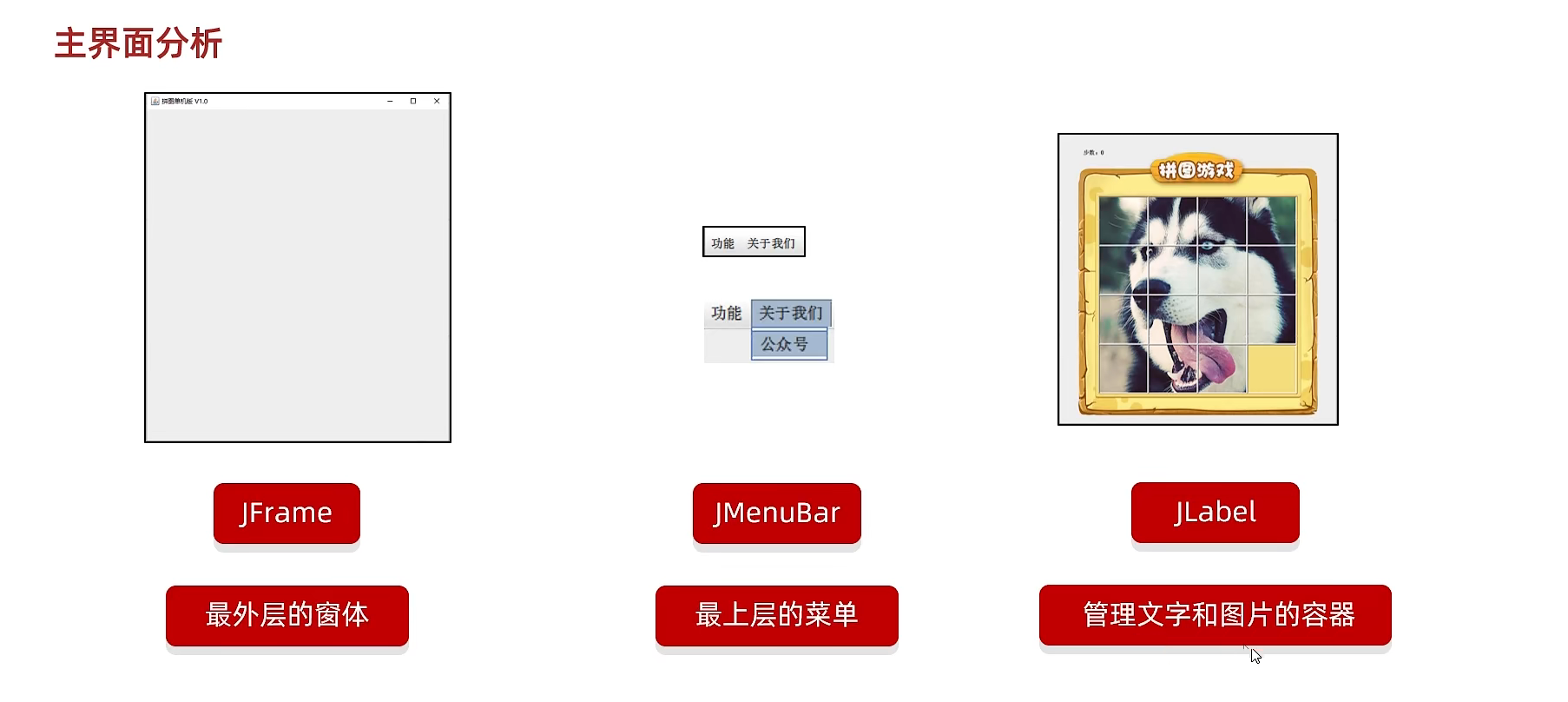
主界面
JFrame 最外层的窗体
JMenuBar 最上面的菜单
JLabel 管理图片和文字的容器
有登录界面,注册界面,游戏界面
游戏主界面
初始化界面
private void initJframe() {
        //宽高
        this.setSize(603,680);
        this.setTitle("拼图游戏");
        //置顶
        this.setAlwaysOnTop(true);
        //居中
        this.setLocationRelativeTo(null);
        //关闭
        this.setDefaultCloseOperation(3);
    }
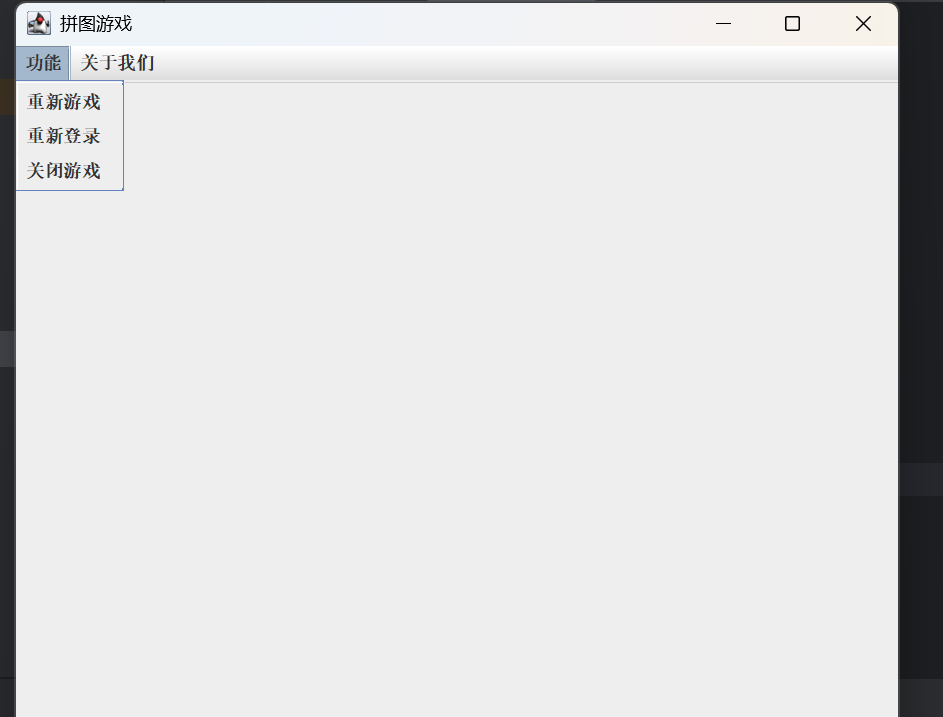
初始化菜单
private void initJMenuBar() {
        //整个的菜单对象
        JMenuBar jMenuBar = new JMenuBar();
        //创建菜单上两个选项的对象
        JMenu functionJMenu=new JMenu("功能");
        JMenu aboutJMenu=new JMenu("关于我们");
        //创建下面的条目对象
        JMenuItem replayItem =new JMenuItem("重新游戏");
        JMenuItem reloginItem =new JMenuItem("重新登录");
        JMenuItem closeItem =new JMenuItem("关闭游戏");

        JMenuItem accountItem =new JMenuItem("公众号");

        functionJMenu.add(replayItem);
        functionJMenu.add(reloginItem);
        functionJMenu.add(closeItem);

        aboutJMenu.add(accountItem);

        jMenuBar.add(functionJMenu);
        jMenuBar.add(aboutJMenu);

        //给整个界面设计菜单
        this.setJMenuBar(jMenuBar);
    }
创建界面的时候,对界面的内容初始化
new GameJframe();
public GameJframe() {
        //初始化
        initJframe();

        //初始化菜单
        initJMenuBar();


        // 可见
        this.setVisible(true);

    }
效果

汇聚全球AI编程工具,助力开发者即刻编程。
更多推荐

 12
12 0
0- 0


 已为社区贡献45条内容

所有评论(0)