
Git SSH 配置
·
SSH 配置
密钥生成
打开 Git Bash ,使用 ssh-keygen 生成 ssh 密钥
ssh-keygen -t ed25519 -C "<emial>"
- -t:指定密钥类型,这里是
ed25519 - -C:指定邮箱,即仓库系统的 SSH 邮箱
Enter file in which to save the key  # 文件存放路径
Enter passphrase for # 填写密码

The key fingerprint is:
SHA256:5z4qxxxxxXXXXXXXXXO0 8xxxxxX5@qq.com
The key's randomart image is:
+--[ED25519 256]--+
|                 |
|  				  |
+----[SHA256]-----+
打开系统 SSH 服务并添加密钥到系统账户
通过 PowerShell 操作
检查服务
Get-Service -Name ssh-agent | Set-Service -StartupType Manual
开启服务
Start-Service ssh-agent
添加密钥
ssh-add c:/Users/YOU/.ssh/id_ed25519
Github 添加 SSH 密钥
复制公钥到剪切板
clip < /c/Users/YOU/.ssh/id_ed25519.pub
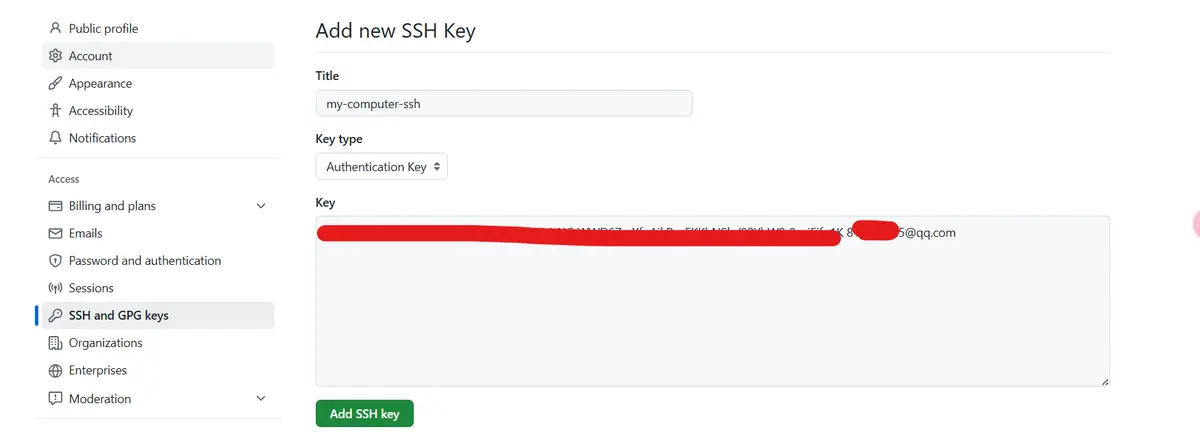
在 Github -> 个人设置 -> SSH and GPG key 中填入公钥消息
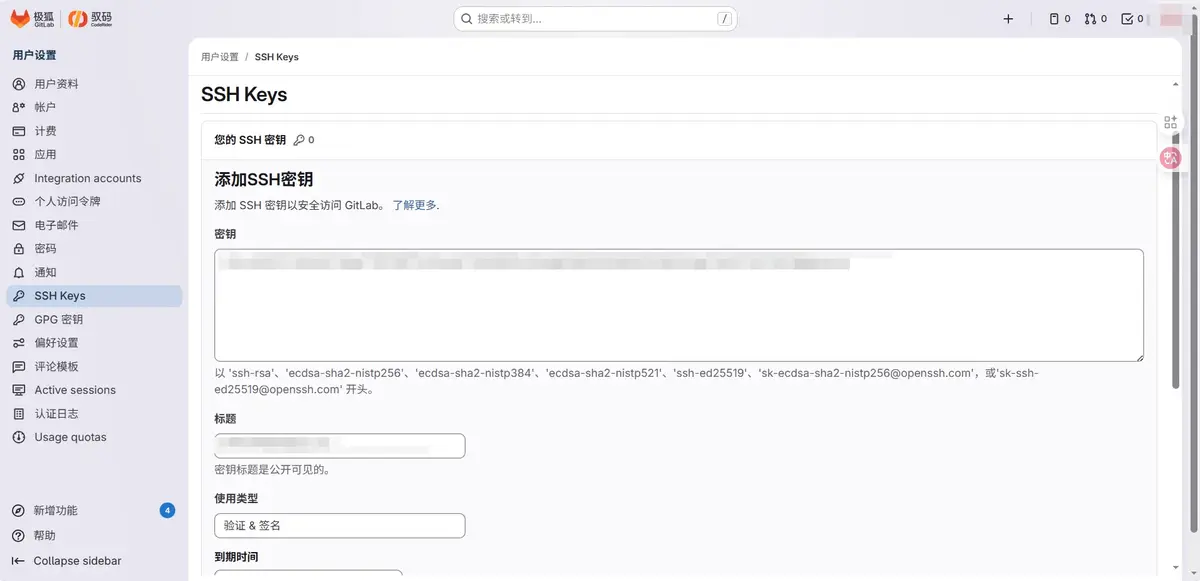
GitLab(极狐) 添加 SSH 密钥
在 SSH Keys 配置中,将得到的 .pub 公钥复制到 下方的密钥输入框,添加后即可通过 SSH 访问仓库
后续可以通过 SSH 完成仓库克隆,避免 HTTPS 443 限制问题
git clone git@github.com:vuejs/core.git

汇聚全球AI编程工具,助力开发者即刻编程。
更多推荐

 10
10 0
0- 0


 已为社区贡献4条内容

所有评论(0)