
安装BLIP2模型时报错:Can‘t load tokenizer for ‘bert-base-uncased‘. If you were trying to load it from ‘h ...
摘自https://blog.csdn.net/David_jiahuan/article/details/139524496
"/home/l/anaconda3/envs/MALMM/lib/python3.8/site-packages/transformers/tokenization_utils_base.py", line 2255, in from_pretrained raise EnvironmentError( OSError: Can't load tokenizer for 'bert-base-uncased'. If you were trying to load it from 'https://huggingface.co/models', make sure you don't have a local directory with the same name. Otherwise, make sure 'bert-base-uncased' is the correct path to a directory containing all relevant files for a BertTokenizer tokenizer. raise EnvironmentError( OSError: Can't load tokenizer for 'bert-base-uncased'. If you were trying to load it from 'https://huggingface.co/models', make sure you don't have a local directory with the same name. Otherwise, make sure 'bert-base-uncased' is the correct path to a directory containing all relevant files for a BertTokenizer tokenizer.
bert-base-uncased · 模型库 (modelscope.cn)
无效的方法:直接从hugging face google-bert/bert-base-uncased at main (huggingface.co)下载bert-base-uncased模型到本地 然后上传到linux服务器也不行
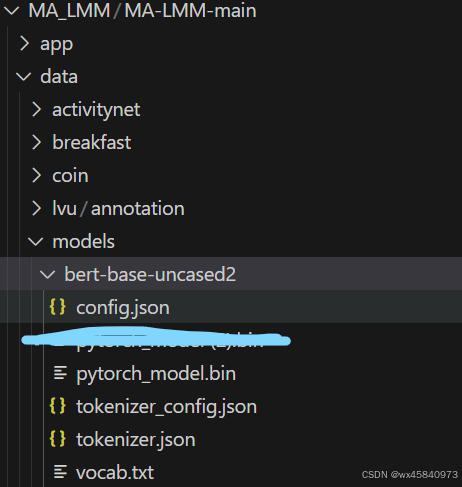
有效的解决办法是
在执行 python 命令前添加: HF_ENDPOINT=https://hf-mirror.com

变成: HF_ENDPOINT=https://hf-mirror.com python(或者bash) *****参考的文章是:https://zhuanlan.zhihu.com/p/694710729
全部命令
export PYTORCH_CUDA_ALLOC_CONF=max_split_size_mb:128
HF_ENDPOINT=https://hf-mirror.com bash .sh文件
汇聚全球AI编程工具,助力开发者即刻编程。
更多推荐

 7
7 0
0- 0


 已为社区贡献1条内容

所有评论(0)