
TensorFlow Object Detection API
·
安装验证测试
步骤:
打开anaconda _prompt输入命令行:

创建虚拟环境
conda create -n dl_21project python=3.8 -y
conda activate dl_21project

安装基础
python -m pip install tensorflow -i https://pypi.tuna.tsinghua.edu.cn/simple
python -m pip install tf_slim pillow lxml matplotlib opencv-python -i https://pypi.tuna.tsinghua.edu.cn/simple

下载protoc:下载3.20.3,与python中的protobuf 包版本一致才能使用
解压到D:\protoc

安装Python protobuf 包
python -m pip install protobuf==3.20.3 -i https://pypi.tuna.tsinghua.edu.cn/simple

验证
set PATH=D:\protoc\bin;%PATH%
protoc --version
python -c "import google.protobuf; print(google.protobuf.__version__)"

克隆TensorFlow Models 仓库
D:
cd D:\Deep-Learning-21-Examples\chapter_3
git clone https://github.com/tensorflow/models.git models_tf

编译 Protobuf 文件
cd D:\Deep-Learning-21-Examples\chapter_3\models_tf\research
protoc object_detection/protos/*.proto --python_out=.

安装 Object Detection API
copy object_detection\packages\tf2\setup.py .
python -m pip install .

配置环境:
变量名:PYTHONPATH,变量值:D:\Deep-Learning-21Examples\chapter_3\models_tf\research;D:\Deep-Learning-21-Examples\chapter_3\models_tf\research\slim
执行训练好的模型
步骤:
1.打开Anaconda终端
conda activate dl_21project
2. 切换到 research 文件夹目录
D:\Deep-Learning-21-Examples\chapter_5\research
3.安装jupyter
pip install jupyter notebook
4.启动 jupyter-notebook 命令
jupyter-notebook
5.打开网址,object_detection点开ipynb文件,运行
代码:
import numpy as np
import os
import six.moves.urllib as urllib
import sys
import tarfile
import tensorflow as tf
# TF2兼容TF1会话、图执行
tf.compat.v1.disable_eager_execution()
# 关键修复:给tf顶层挂载gfile,适配utils源码
tf.gfile = tf.compat.v2.io.gfile
import zipfile

from collections import defaultdict
from io import StringIO
from matplotlib import pyplot as plt
from PIL import Image,ImageFont

def _getsize_compat(self, text):
    left, top, right, bottom = self.getbbox(text)
    return (right - left, bottom - top)
ImageFont.FreeTypeFont.getsize = _getsize_compat

# 图片内联显示
%matplotlib inline

# 路径补充,让utils模块可导入
sys.path.append("..")

from utils import label_map_util

from utils import visualization_utils as vis_util

# 预训练模型配置
MODEL_NAME = 'ssd_mobilenet_v1_coco_11_06_2017'
MODEL_FILE = MODEL_NAME + '.tar.gz'
DOWNLOAD_BASE = 'http://download.tensorflow.org/models/object_detection/'

# 冻结推理图路径
PATH_TO_CKPT = MODEL_NAME + '/frozen_inference_graph.pb'
# 类别标签映射文件
PATH_TO_LABELS = os.path.join('data', 'mscoco_label_map.pbtxt')
NUM_CLASSES = 90

# 下载模型压缩包
opener = urllib.request.URLopener()
opener.retrieve(DOWNLOAD_BASE + MODEL_FILE, MODEL_FILE)
# 解压只提取pb模型文件
tar_file = tarfile.open(MODEL_FILE)
for file in tar_file.getmembers():
    file_name = os.path.basename(file.name)
    if 'frozen_inference_graph.pb' in file_name:
        tar_file.extract(file, os.getcwd())


# 加载冻结检测图(TF2兼容修改)
detection_graph = tf.Graph()
with detection_graph.as_default():
    od_graph_def = tf.compat.v1.GraphDef()
    # 修复tf.gfile不存在报错
    with tf.compat.v2.io.gfile.GFile(PATH_TO_CKPT, 'rb') as fid:
        serialized_graph = fid.read()
        od_graph_def.ParseFromString(serialized_graph)
        tf.import_graph_def(od_graph_def, name='')

# 加载类别标签
label_map = label_map_util.load_labelmap(PATH_TO_LABELS)
categories = label_map_util.convert_label_map_to_categories(
    label_map, max_num_classes=NUM_CLASSES, use_display_name=True)
category_index = label_map_util.create_category_index(categories)

# 图片转numpy数组工具函数
def load_image_into_numpy_array(image):
    (im_width, im_height) = image.size
    return np.array(image.getdata()).reshape(
        (im_height, im_width, 3)).astype(np.uint8)

# 测试图片路径配置
PATH_TO_TEST_IMAGES_DIR = 'test_images'
TEST_IMAGE_PATHS = [ os.path.join(PATH_TO_TEST_IMAGES_DIR, 'image{}.jpg'.format(i)) for i in range(1, 3) ]
IMAGE_SIZE = (12, 8)

# 推理代码(修复tf.Session)
with detection_graph.as_default():
    with tf.compat.v1.Session(graph=detection_graph) as sess:
        # 张量名称适配原版ssd_mobilenet_v1_coco_11_06_2017,不会报KeyError
        image_tensor = detection_graph.get_tensor_by_name('image_tensor:0')
        detection_boxes = detection_graph.get_tensor_by_name('detection_boxes:0')
        detection_scores = detection_graph.get_tensor_by_name('detection_scores:0')
        detection_classes = detection_graph.get_tensor_by_name('detection_classes:0')
        num_detections = detection_graph.get_tensor_by_name('num_detections:0')

        for image_path in TEST_IMAGE_PATHS:
            image = Image.open(image_path)
            image_np = load_image_into_numpy_array(image)
            # 扩展batch维度 [H,W,3] → [1,H,W,3]
            image_np_expanded = np.expand_dims(image_np, axis=0)
            # 模型推理
            (boxes, scores, classes, num) = sess.run(
                [detection_boxes, detection_scores, detection_classes, num_detections],
                feed_dict={image_tensor: image_np_expanded})
            # 绘制检测框与标签
            vis_util.visualize_boxes_and_labels_on_image_array(
                image_np,
                np.squeeze(boxes),
                np.squeeze(classes).astype(np.int32),
                np.squeeze(scores),
                category_index,
                use_normalized_coordinates=True,
                line_thickness=8)
            plt.figure(figsize=IMAGE_SIZE)
            plt.imshow(image_np)
            plt.show()
结果: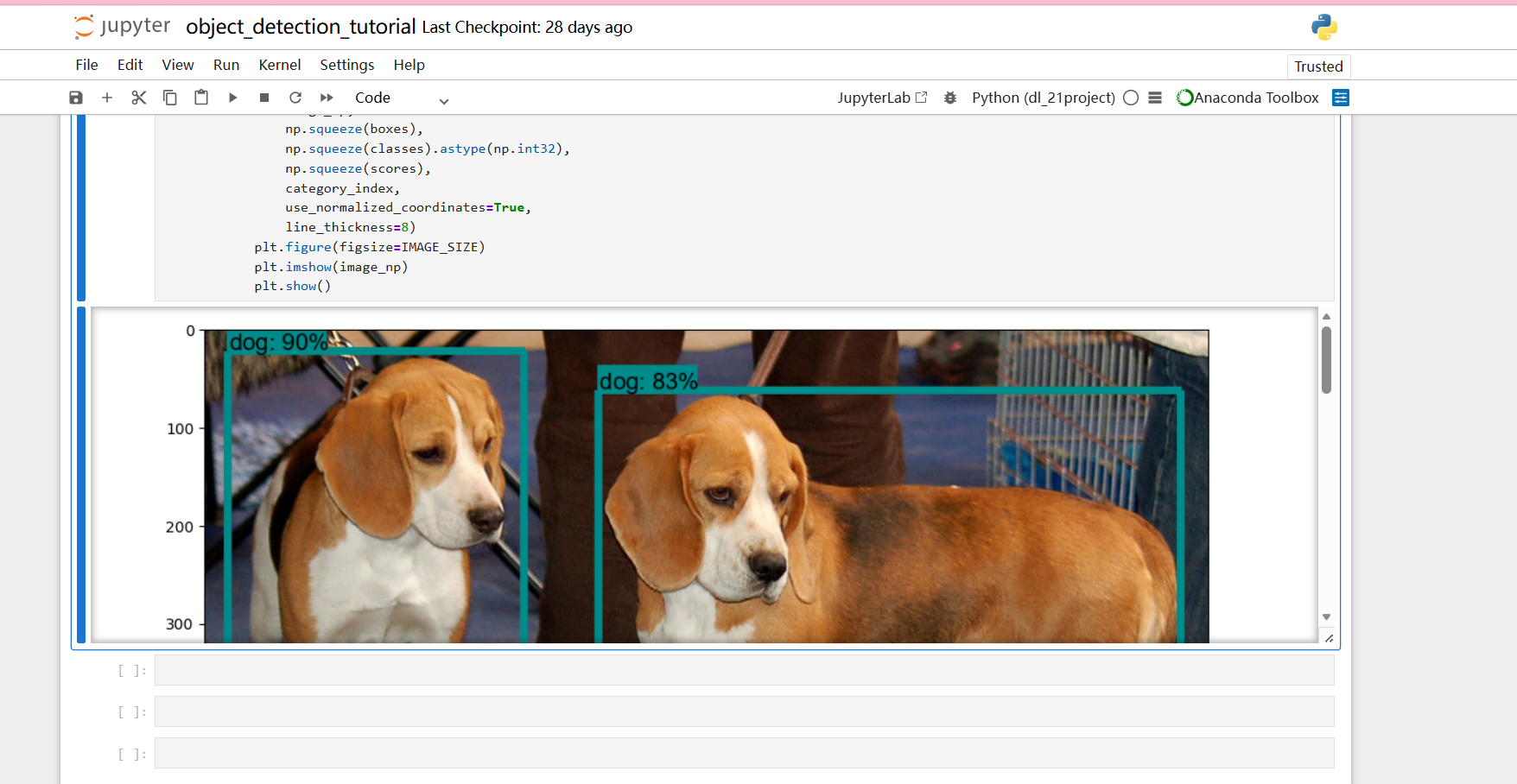
训练新的模型
代码:
import tensorflow as tf
# TF2兼容TF1接口
tf.compat.v1.disable_eager_execution()
tf.gfile = tf.compat.v2.io.gfile

# 修复Pillow高版本getsize报错
from PIL import ImageFont
def _getsize_compat(self, text):
    left, top, right, bottom = self.getbbox(text)
    return (right - left, bottom - top)
ImageFont.FreeTypeFont.getsize = _getsize_compat

import os
import sys
sys.path.append(".")


import subprocess

train_cmd = [
    "python", "create_pascal_tf_record.py",
    "--data_dir=D:/Deep-Learning-21-Examples/chapter_5/research/object_detection/VOCdevkit",
    "--year=VOC2012",
    "--set=train",
    "--output_path=D:/Deep-Learning-21-Examples/chapter_5/research/object_detection/voc/pascal_train.record"
]
print("===== 开始转换训练集 train =====")
try:
    result = subprocess.check_output(train_cmd, stderr=subprocess.STDOUT, encoding="utf-8")
    print("✅ train 转换完成:\n", result)
except subprocess.CalledProcessError as e:
    print("❌ 错误详情:\n", e.output)


import subprocess

val_cmd = [
    "python", "create_pascal_tf_record.py",
    "--data_dir=./VOCdevkit",
    "--year=VOC2012",
    "--set=val",
    "--output_path=./voc/pascal_val.record"
]
print("===== 开始转换验证集 val =====")
try:
    result = subprocess.check_output(val_cmd, stderr=subprocess.STDOUT, encoding="utf-8")
    print("✅ val 转换完成:\n", result)
except subprocess.CalledProcessError as e:
    print("❌ 错误详情:\n", e.output)
转换完成,输出文件:
D:/Deep-Learning-21-Examples/chapter_5/research/object_detection/voc/pascal_train.record
D:/Deep-Learning-21-Examples/chapter_5/research/object_detection/voc/pascal_val.record

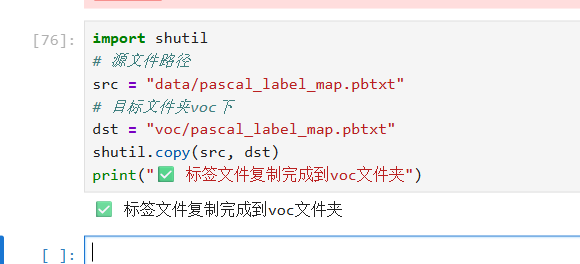
复制:
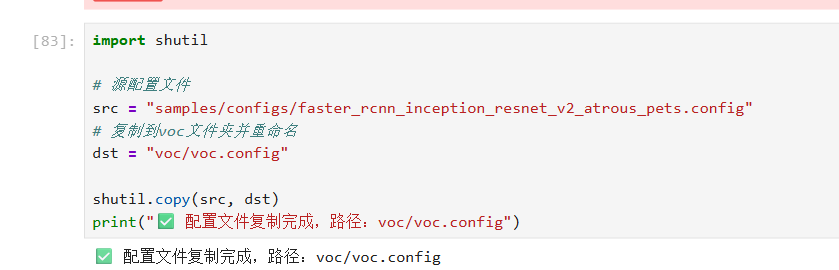
下载模型并复制:
开始训练: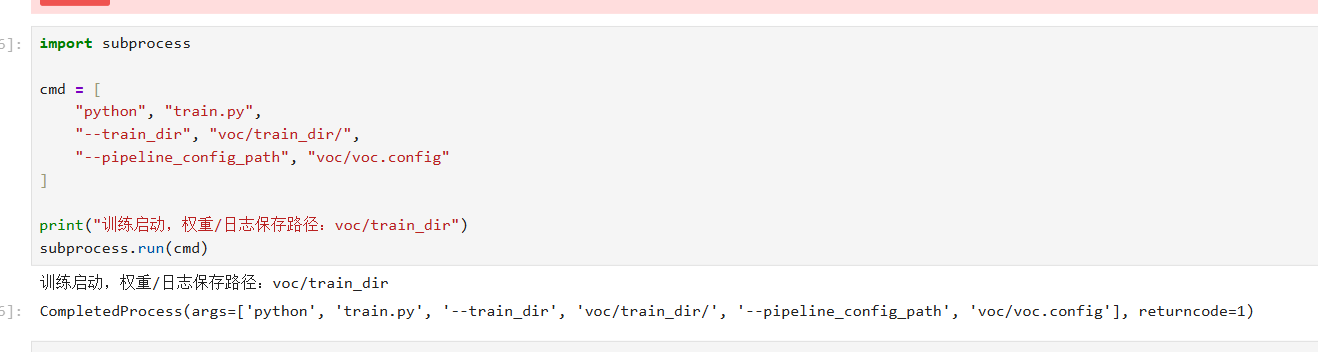
导出模型并预测单张图片
这里用的TF1.15版本:
内核选python3,为TF2;
打开 ipynb 文件,顶部菜单栏:Kernel→Change kernel→TensorFlow1.15 切换到tf1内核;
切换1.15各种缺失......

汇聚全球AI编程工具,助力开发者即刻编程。
更多推荐

 1
1 0
0- 0


 已为社区贡献4条内容

所有评论(0)