
vscode中使用xdebug远程调试php配置
输入框中,点击提交按钮,会自动分析你所需要安装的xdebug版本,并给出配置命令。浏览器访问http://192.168.85.130/web.php并复制源码。vscode安装PHP Debug和Remote - SSH插件。在linux查找nginx网页默认路径并编辑一个php文件。在debug界面点击设置图标配置文件,完成配置。在vscode中连接主机,并为远端安装插件。根据提示安装xdeb
·
-
vscode安装PHP Debug和Remote - SSH插件
-
在linux查找nginx网页默认路径并编辑一个php文件
[root@cheng html]# cat /etc/nginx/conf.d/default.conf server { listen 80; #listen 443 ssl; server_name localhost; location / { root /usr/share/nginx/html; #默认网页路径 index index.php index.html index.htm; } location ~ \.php$ { fastcgi_pass 127.0.0.1:9000; fastcgi_index index.php; fastcgi_param SCRIPT_FILENAME $document_root$fastcgi_script_name; include fastcgi_params; } #ssl on; #ssl_certificate /etc/nginx/ssl/domain.crt; #ssl_certificate_key /etc/nginx/ssl/domain.key; #ssl_session_timeout 5m; #ssl_protocols TLSv1 TLSv1.1 TLSv1.2; #ssl_ciphers ECDHE-RSA-AES128-GCM-SHA256:ECDHE:ECDH:AES:HIGH:!NULL:!aNULL:!MD5:!ADH:!RC4:!DH:!DHE; #ssl_prefer_server_ciphers on; #error_page 497 https://$host$uri?$args; } [root@cheng html]# cd etc/nginx/conf.d/default.conf/ [root@cheng html]# vim web.php <?php phpinfo(); -
浏览器访问http://192.168.85.130/web.php并复制源码
-
将源码复制到xdebug官网输入框中,点击提交按钮,会自动分析你所需要安装的xdebug版本,并给出配置命令
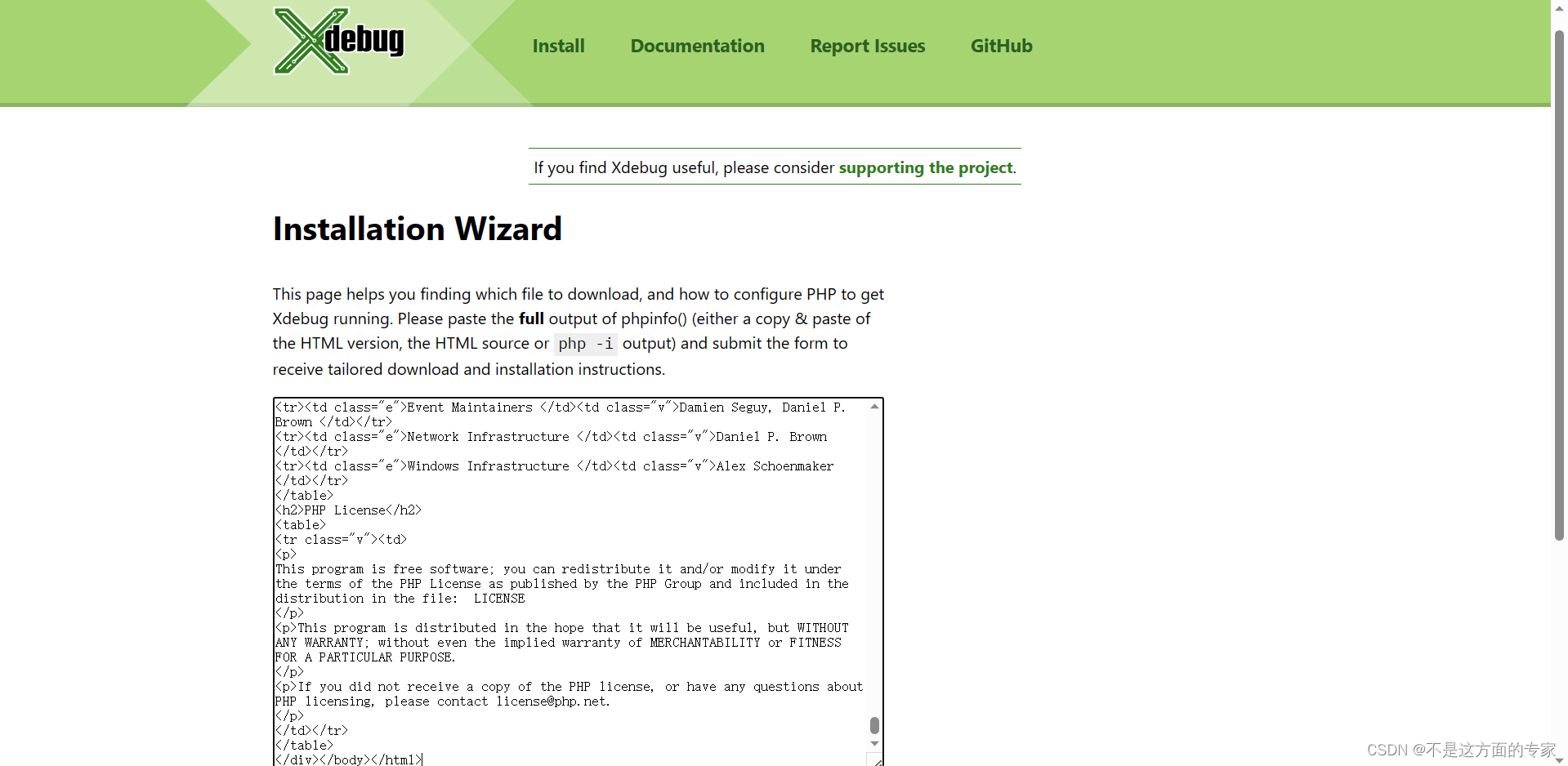
-
根据提示安装xdebug
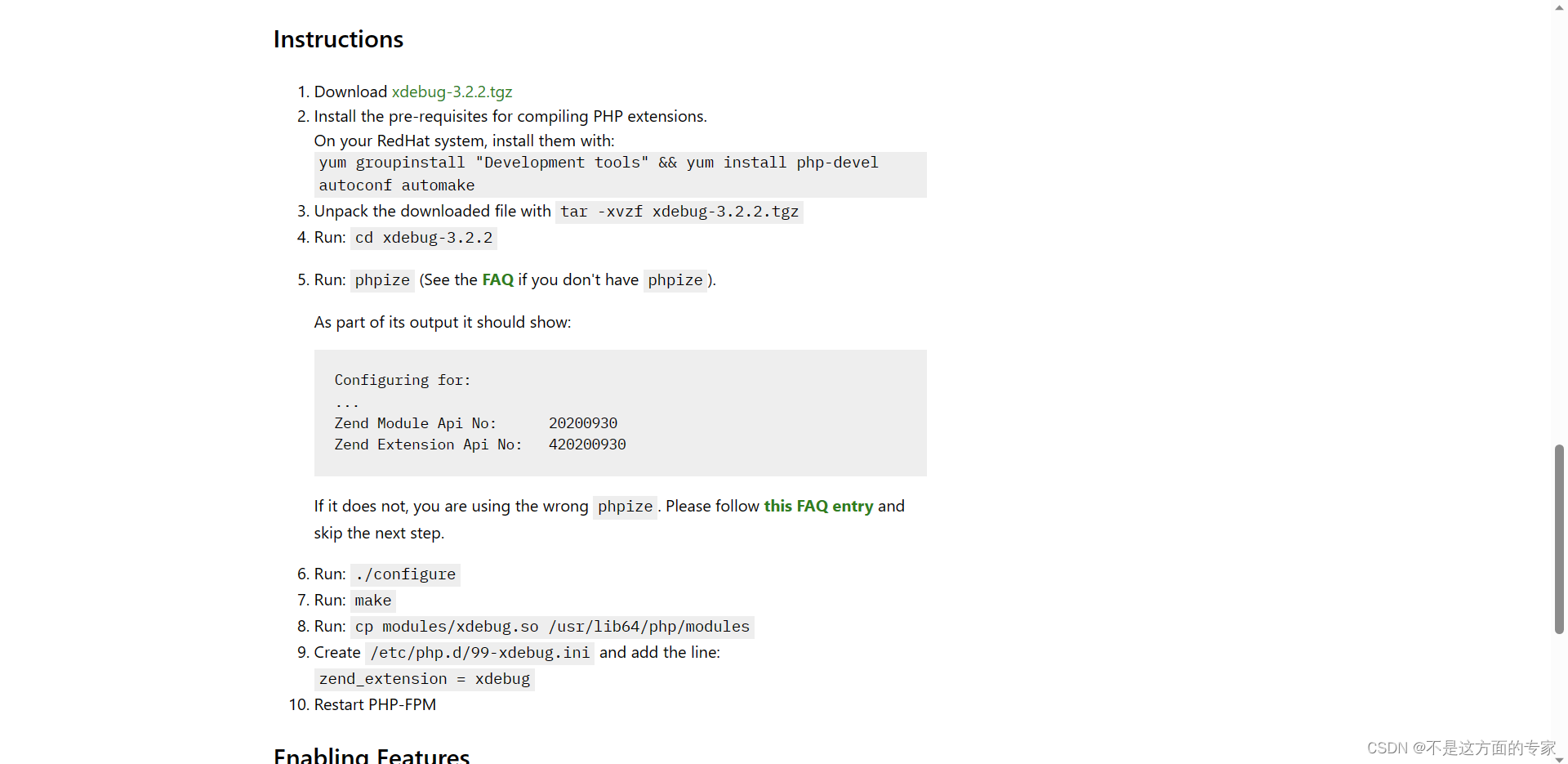
-
在vscode中连接主机,并为远端安装插件
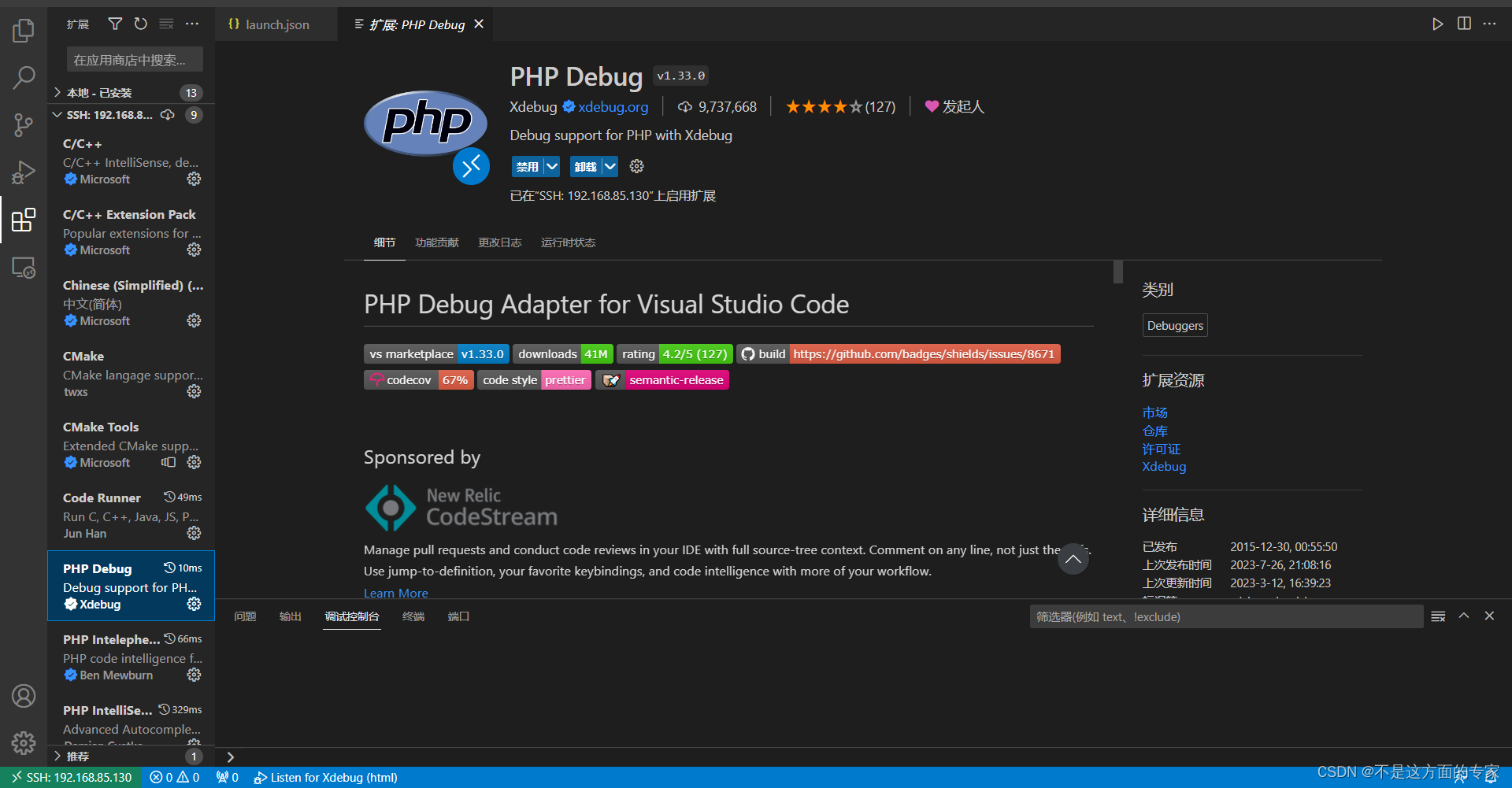
-
在debug界面点击设置图标配置文件,完成配置
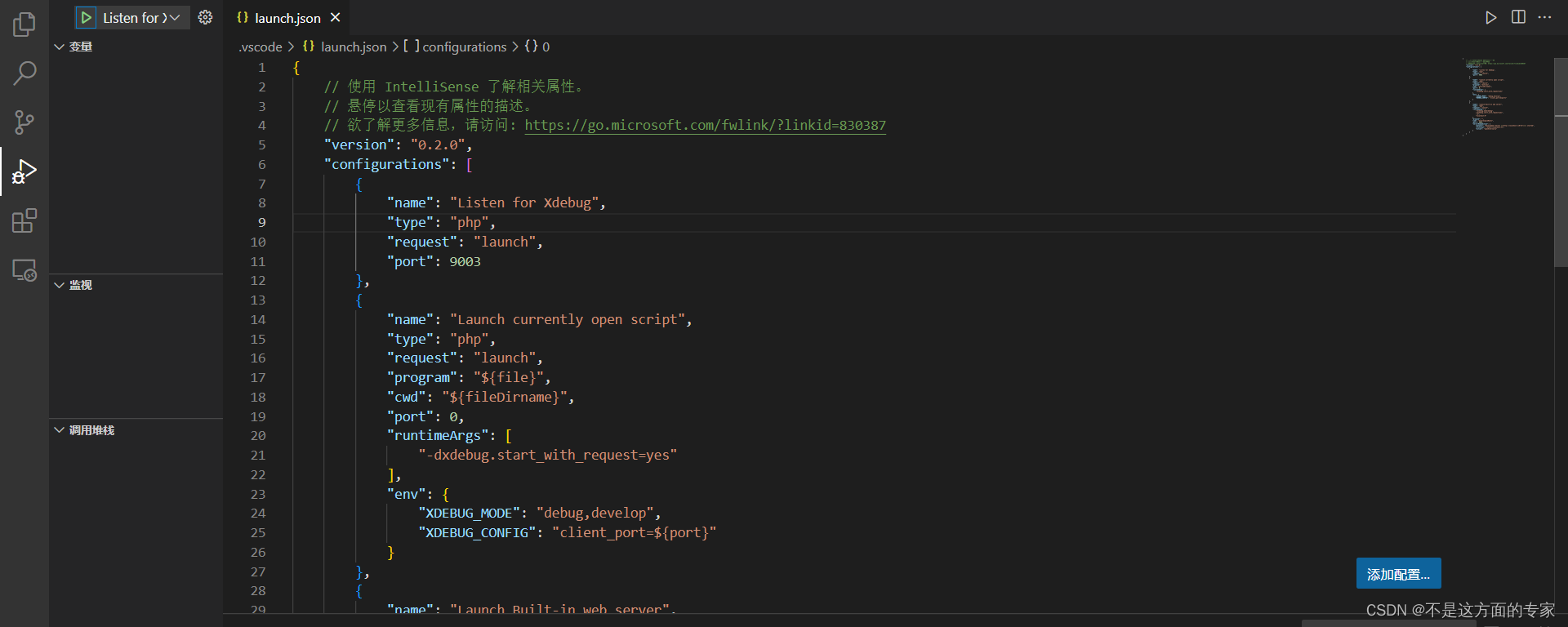

汇聚全球AI编程工具,助力开发者即刻编程。
更多推荐

 0
0 0
0- 0


 已为社区贡献1条内容

所有评论(0)